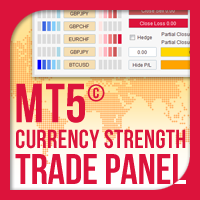
Currency Strength Trade Panel EA MT5
30 USD
Download demo:
64
Publicado:
26 novembro 2021
Versão atual:
1.80
Não encontrou o robô certo? Encomende um para você
no serviço Freelance.
Ir para o Freelance
no serviço Freelance.
Como comprar um robô de negociação ou indicador?
Execute seu EA na
hospedagem virtual
hospedagem virtual
Teste indicadores/robôs de negociação antes de comprá-los
Quer ganhar dinheiro no Mercado?
Como apresentar um produto para o consumidor final?

Você está perdendo oportunidades de negociação:
- Aplicativos de negociação gratuitos
- 8 000+ sinais para cópia
- Notícias econômicas para análise dos mercados financeiros
Registro
Login
Você concorda com a política do site e com os termos de uso
Se você não tem uma conta, por favor registre-se
Hello friends,
Today I updated the Currency Strength Trade Panel EA MT5 with the addition of Basket Take Profit, Stop Loss, Break Even and Trailing Stop Loss settings for the overall profit/loss of all trades that have been opened by it.
If you want the Basket settings to be applied in all trades of all symbols that have been opened by the panel, remember to put Manage All Panel Symbols Trades=true.
Please update your Currency Strength Trade Panel EA MT5.
Hello friends,
Today I updated the Currency Strength Trade Panel EA MT5 with the addition of font size setting, that will allow the user to change the font size of the panel symbols and settings. This will solve panel display issues on large resolution screens.
Please update your Currency Strength Trade Panel EA MT5.
P.S. You should change the font size when you attach the EA on your chart, it will not be updated if you change it when it is already loaded.
I updated the Currency Strength Trade Panel EA MT5 with the addition of an auto Partial Closure setting for all Currency Strength Trade Panel EA MT5 opened trades. The user will be able to choose the percentage of the take profit distance in which the Partial Closure will be triggered, the percentage of the trade's lot size that will be partially closed and also to move the stop loss to break even (or not) for the remainder of the trade.
Please update your Currency Strength Trade Panel EA MT5.
Dear friends,
Currency Strength Trade Panel EA MT5 has been updated with the following additions/fixes:
Please update your Currency Strength Trade Panel EA MT5.
On my MT5 it does not change the currency pair when I click on the currency pair symbol/name on the indicator. I closed and opened my MR 5 and still same issue.
Hello and thank you for your purchase.
You must put the symbols with any suffixes they may have in the inside settings of the Currency Strength Trade Panel EA MT5.
For example if your symbols have an .i suffix at the end you should put in the inside settings:
Panel Symbol 1: EURUSD.i
Panel Symbol 2: GBPUSD.i
and so on...
Please read the installation and user guide carefully, it has a lot of useful information:
https://www.mql5.com/en/blogs/post/746795