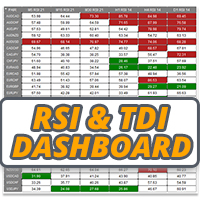
RSI and TDI Alert Dashboard
35 USD
Download demo:
323
Publicado:
23 fevereiro 2021
Versão atual:
1.40
Não encontrou o robô certo? Encomende um para você
no serviço Freelance.
Ir para o Freelance
no serviço Freelance.
Como comprar um robô de negociação ou indicador?
Execute seu EA na
hospedagem virtual
hospedagem virtual
Teste indicadores/robôs de negociação antes de comprá-los
Quer ganhar dinheiro no Mercado?
Como apresentar um produto para o consumidor final?

Você está perdendo oportunidades de negociação:
- Aplicativos de negociação gratuitos
- 8 000+ sinais para cópia
- Notícias econômicas para análise dos mercados financeiros
Registro
Login
Você concorda com a política do site e com os termos de uso
Se você não tem uma conta, por favor registre-se
HI LEE >>>>>I bought the INDICATOR how do I add the XAUUSD gold code and also BTCUSD
Add the symbols to the list in the inputs
HI LEE >>>>>I bought the INDICATOR how do I add the XAUUSD gold code and also BTCUSD
Just add them to the symbols list in the indicator settings along with the FX pairs there by default
In the "input" section, what type of price should I select for the current price (NOT high, NOT low, NOT open, NOT close). I'm guessing "typical" is what I'm looking for?
Example: I want to be alerted at the very tick when RSI hits the mark in all (let's say) 3 TFs I selected?
Thank you.
In the "input" section, what type of price should I select for the current price (NOT high, NOT low, NOT open, NOT close). I'm guessing "typical" is what I'm looking for?
Example: I want to be alerted at the very tick when RSI hits the mark in all (let's say) 3 TFs I selected?
Thank you.
Select whatever you like, options are there so you can use what you want.
Also, is it possible to re-position the panel to an empty space on the chart? The very upper left default position is blocking other info on the chart and especially the buy/sell buttons.
Its designed to sit on its own chart. Its an alert dashboard for monitoring all instruments you want to trade, it pings alerts so just stick it on a chart and minimise and wait for alerts
Say I have 10 pairs in a profile, I first turn the indicator on in pair 1 chart, but the panel is NOT visible in pair 2 chart, and other charts. I always have to go back to pair 1 chart to view the panel.
Select whatever you like, options are there so you can use what you want.
Thank you. Please be more specific though. I wanted to know which price type to select IF I want alert at the "very tick" RSI hits the preset mark in all selected TFs. It can happen at any second within a candle of the TF, doesn't have to wait until close.
Thank you. Please be more specific though. I wanted to know which price type to select IF I want alert at the "very tick" RSI hits the preset mark in all selected TFs. It can happen at any second within a candle of the TF, doesn't have to wait until close.
This dash alerts on candle close only, does not work on tick, probably want another product if thats what your after. The RSI type you pick anyway would have nothing to do with that functionality, as that adjusts how the RSI is read. Read the description of the product and watch the video which explains how this product works and what it can do. All on the product overview tab here https://www.mql5.com/en/market/product/62698