RSI and TDI Alert Dashboard
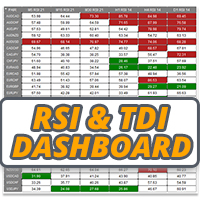
35 USD
Demo indirildi:
323
Yayınlandı:
23 Şubat 2021
Mevcut sürüm:
1.40
Uygun bir robot bulamadınız mı?
Freelance üzerinden kendi
robotunuzu sipariş edin
Freelance'e git
Freelance üzerinden kendi
robotunuzu sipariş edin
Bir alım-satım robotu veya gösterge nasıl satın alınır?
Uzman Danışmanınızı
sanal sunucuda çalıştırın
sanal sunucuda çalıştırın
Satın almadan önce göstergeyi/alım-satım robotunu test edin
Mağazada kazanç sağlamak ister misiniz?
Satış için bir ürün nasıl sunulur?

Alım-satım fırsatlarını kaçırıyorsunuz:
- Ücretsiz alım-satım uygulamaları
- İşlem kopyalama için 8.000'den fazla sinyal
- Finansal piyasaları keşfetmek için ekonomik haberler
Kayıt
Giriş yap
Web sitesi politikasını ve kullanım şartlarını kabul edersiniz
Hesabınız yoksa, lütfen kaydolun
HI LEE >>>>>I bought the INDICATOR how do I add the XAUUSD gold code and also BTCUSD
Add the symbols to the list in the inputs
HI LEE >>>>>I bought the INDICATOR how do I add the XAUUSD gold code and also BTCUSD
Just add them to the symbols list in the indicator settings along with the FX pairs there by default
In the "input" section, what type of price should I select for the current price (NOT high, NOT low, NOT open, NOT close). I'm guessing "typical" is what I'm looking for?
Example: I want to be alerted at the very tick when RSI hits the mark in all (let's say) 3 TFs I selected?
Thank you.
In the "input" section, what type of price should I select for the current price (NOT high, NOT low, NOT open, NOT close). I'm guessing "typical" is what I'm looking for?
Example: I want to be alerted at the very tick when RSI hits the mark in all (let's say) 3 TFs I selected?
Thank you.
Select whatever you like, options are there so you can use what you want.
Also, is it possible to re-position the panel to an empty space on the chart? The very upper left default position is blocking other info on the chart and especially the buy/sell buttons.
Its designed to sit on its own chart. Its an alert dashboard for monitoring all instruments you want to trade, it pings alerts so just stick it on a chart and minimise and wait for alerts
Say I have 10 pairs in a profile, I first turn the indicator on in pair 1 chart, but the panel is NOT visible in pair 2 chart, and other charts. I always have to go back to pair 1 chart to view the panel.
Select whatever you like, options are there so you can use what you want.
Thank you. Please be more specific though. I wanted to know which price type to select IF I want alert at the "very tick" RSI hits the preset mark in all selected TFs. It can happen at any second within a candle of the TF, doesn't have to wait until close.
Thank you. Please be more specific though. I wanted to know which price type to select IF I want alert at the "very tick" RSI hits the preset mark in all selected TFs. It can happen at any second within a candle of the TF, doesn't have to wait until close.
This dash alerts on candle close only, does not work on tick, probably want another product if thats what your after. The RSI type you pick anyway would have nothing to do with that functionality, as that adjusts how the RSI is read. Read the description of the product and watch the video which explains how this product works and what it can do. All on the product overview tab here https://www.mql5.com/en/market/product/62698