Cortex News AI
- Experts
- Versão: 16.0
- Atualizado: 24 outubro 2026
- Ativações: 5

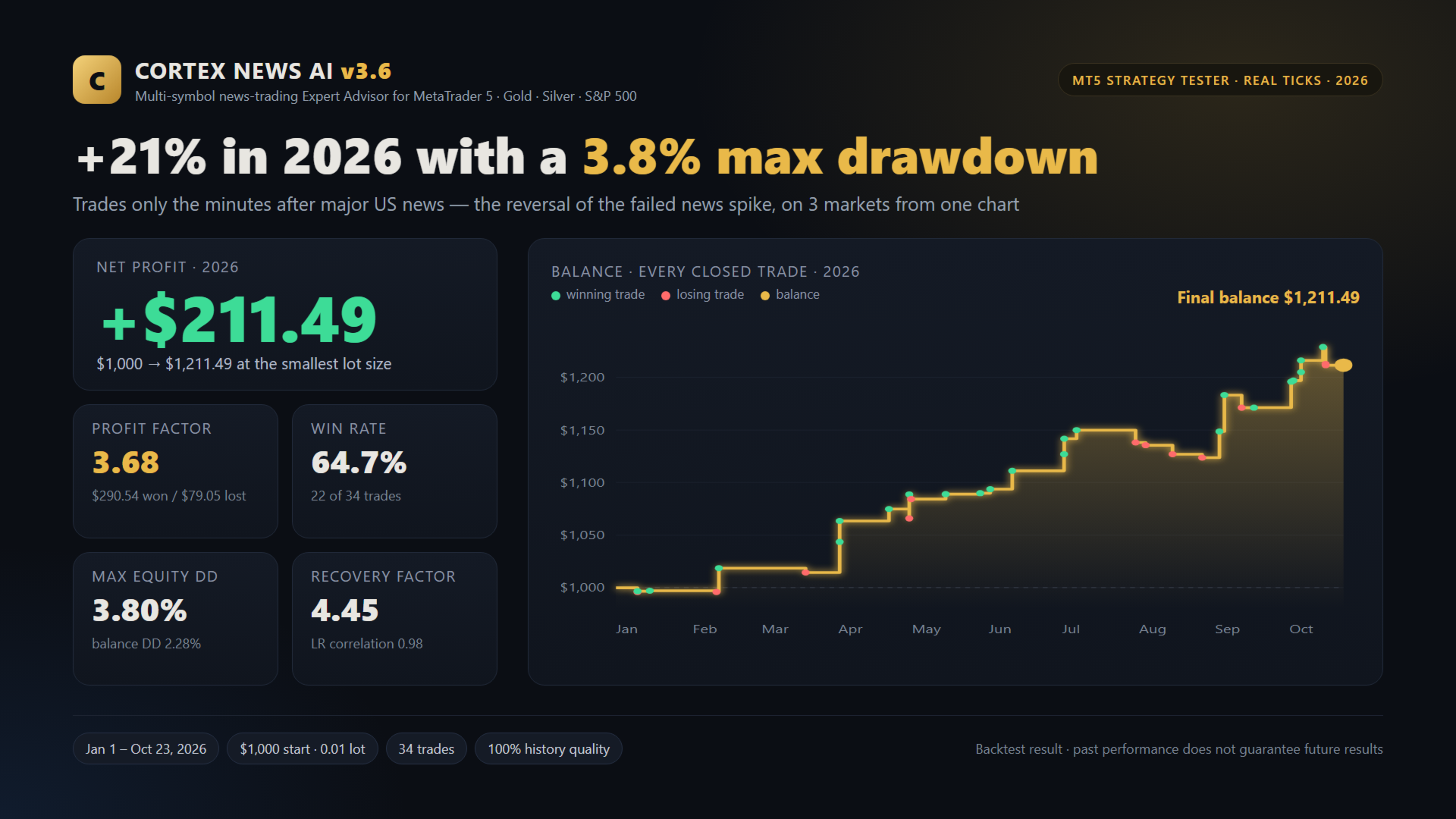
Cortex News AI is a news-trading Expert Advisor for MetaTrader 5. It focuses on the moments that move markets most: major scheduled US economic releases. From a single chart it scans several news-sensitive markets at once and handles each one independently.
🔹 Markets scanned
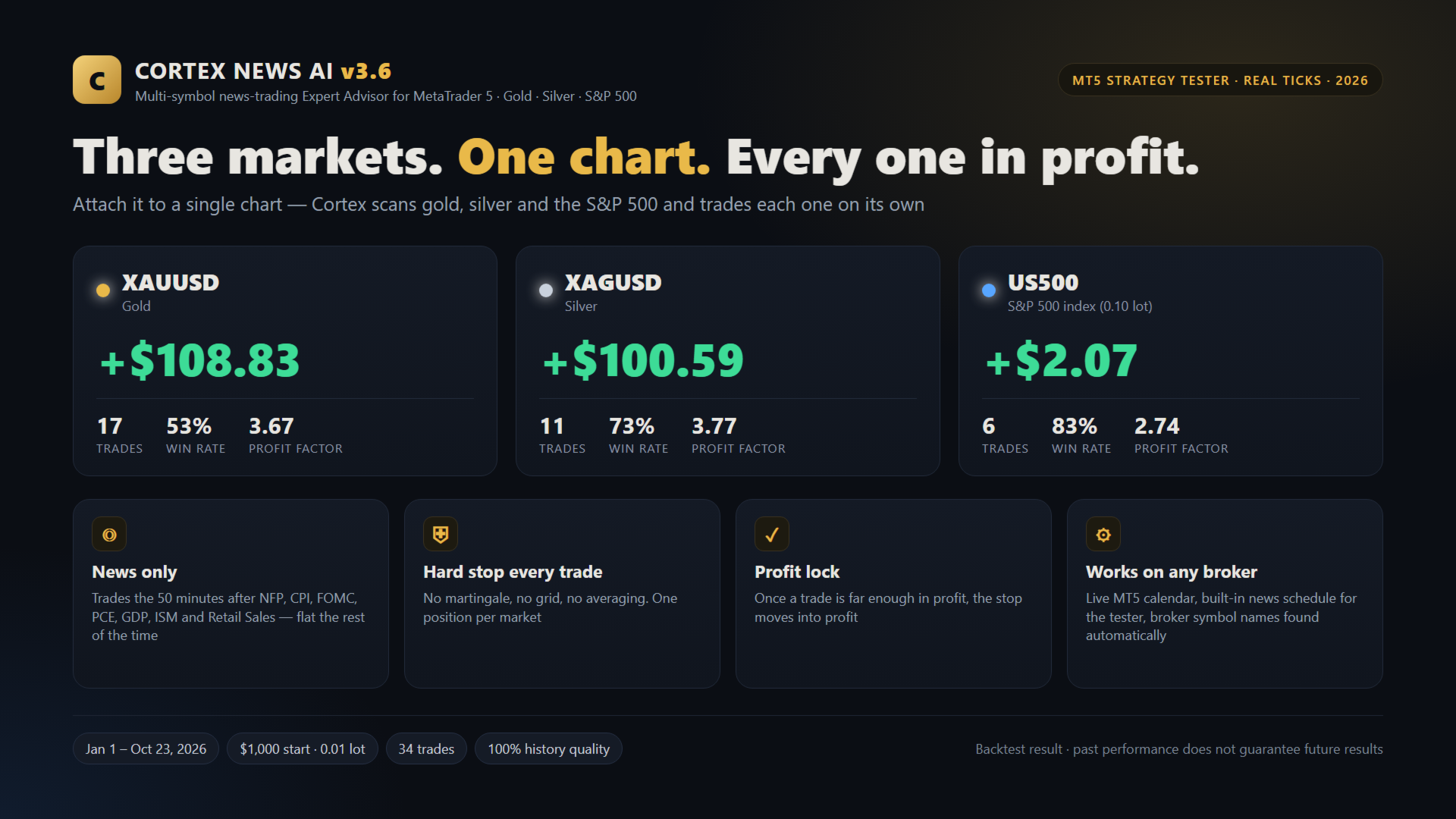
- XAUUSD (Gold), US500 (S&P 500) and XAGUSD (Silver) by default.
- These were selected after testing the method on 12 news-sensitive symbols; the ones that didn’t suit it were left out.
- Broker symbol names are detected automatically (for example “XAUUSD-ECN” or “SP500.”). Markets your broker doesn’t offer are skipped.
- The symbol list is fully editable.
🔹 How it works
- Monitors the MT5 economic calendar for major USD releases: employment, inflation, central-bank decisions, growth and consumer data.
- Does not enter at the release second, when spreads and slippage are at their worst.
- Lets the first reaction develop, studies how each market behaves after the release, and trades only when its proprietary conditions confirm a setup.
- Each market is evaluated separately, and the EA makes one decision per release per market. If conditions aren’t met, it skips.
🔹 Risk management
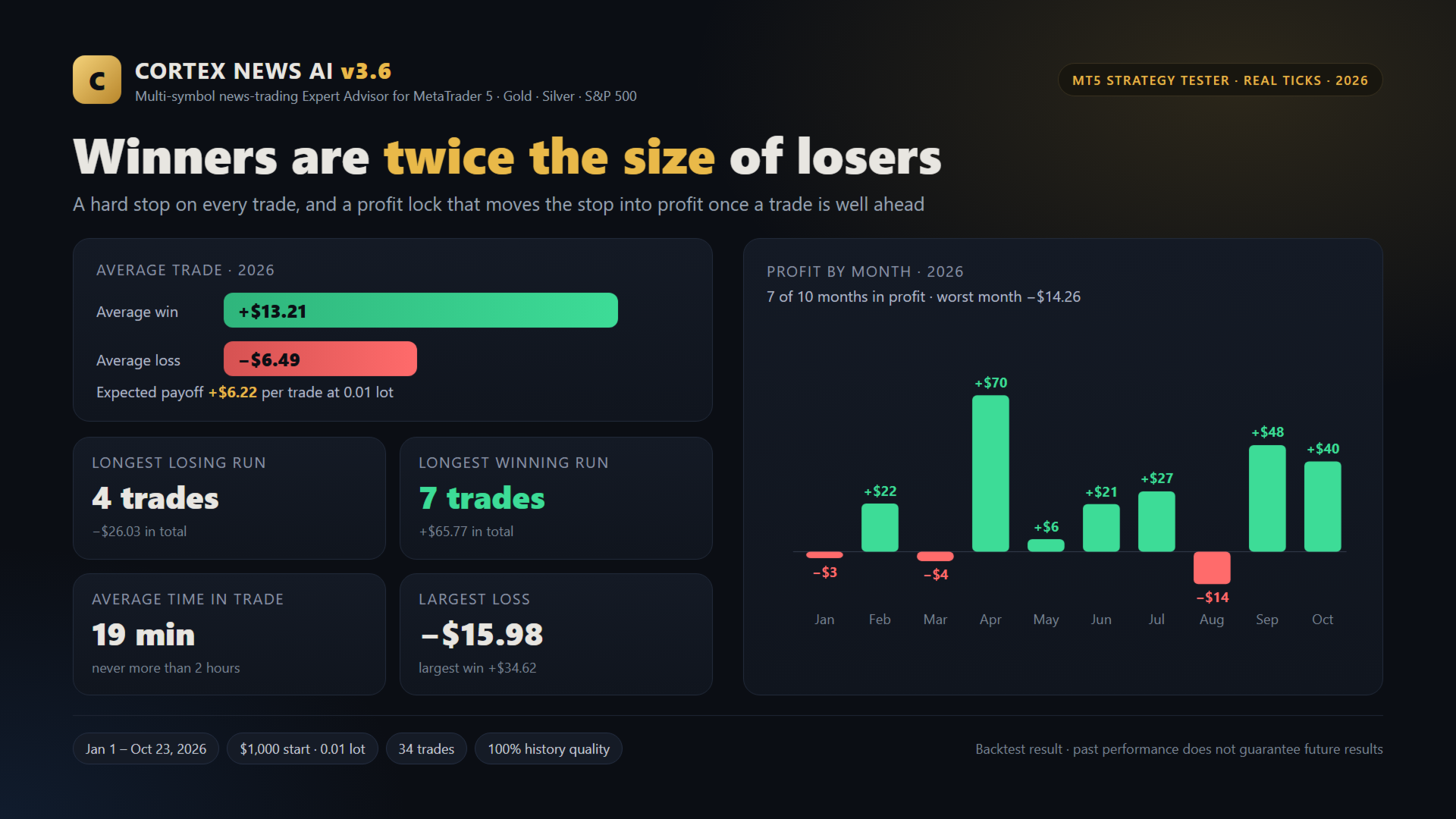
- Every trade has a hard stop loss from the moment it opens.
- No martingale, no grid, no averaging down.
- Fixed target or optional trailing stop, plus an automatic time exit so no trade is left open long after the news.
- Limit on how many trades can be open at once across all markets.
- Stops are measured as a percentage of price, so one setting fits gold, indices and silver.
- Broker-safe execution: spread, stop and freeze levels, margin, volume limits and market hours are checked before every order and every modification.
🔹 Recommendations
- Attach to one XAUUSD chart, any timeframe. The EA scans the other markets itself.
- Minimum deposit: $500 at 1:100 (or a cent account / 1:500 for smaller balances).
- A low-spread ECN account and a VPS are strongly recommended for news trading.
- Trade frequency is low by design: usually a few trades per month across all markets.
🔹 Inputs overview
- Scanner: symbol list, max open trades.
- News engine: ON/OFF, which releases, timing windows, built-in schedule.
- Exit: fixed target or trailing stop, time limit.
- Risk: fixed lot or risk %, stop limits, spread filter.Display: dashboard, dark theme, panel position.
🔹 Important
News trading carries higher risk than normal conditions: spreads widen and slippage can occur. Results depend on your broker’s execution. Past performance, including backtests, doesn’t guarantee future results. Test on a demo account first and only trade money you can afford to lose.