Signal Mapper EA
- 유틸리티
- 버전: 1.0
- 활성화: 10

Signal Mapper EA – trade any indicator, see every buffer, map it with one click
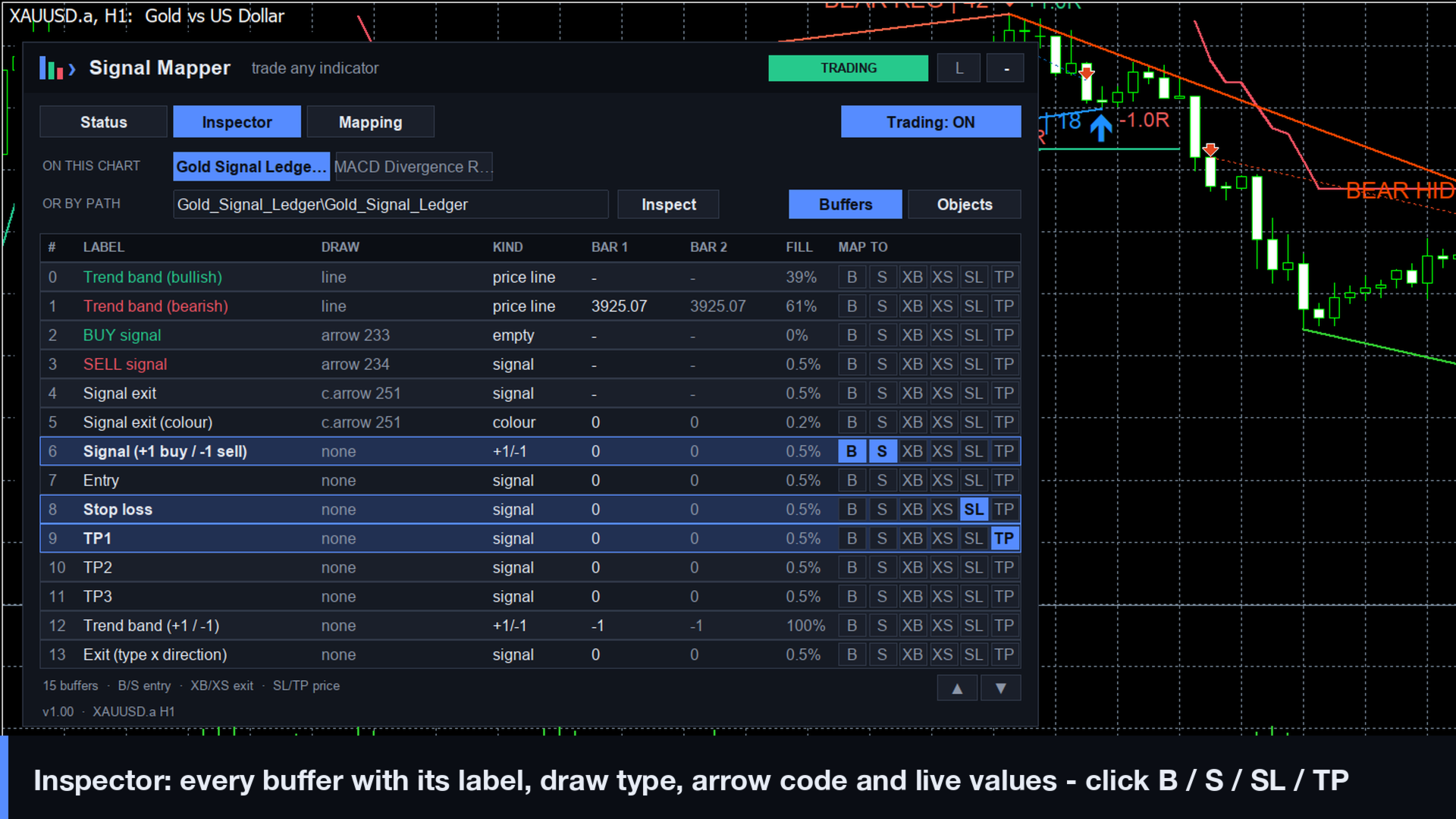
Signal Mapper EA turns the signals of any MetaTrader 5 indicator into automated trades: arrow indicators, line and oscillator indicators, colour-changing trend lines and indicators that draw their signals as chart objects. You don't need to know buffer numbers or write code. The built-in Inspector shows every buffer of the indicator with its name, draw type, arrow code and live values. Click B or S next to a buffer and it becomes your BUY or SELL signal.
Signal Mapper is a trade executor. It does not create signals of its own: the results depend entirely on the indicator and the settings you choose. Test every setup in the Strategy Tester and on a demo account first.
The Inspector: no more guessing buffer numbers
- Lists the indicators attached to your chart. Click one, or type the path of any indicator in your MQL5\Indicators folder (sub-folders and Market purchases included).
- For every buffer: index, label as written by the indicator's author, draw type (line, arrow, colour line, histogram…), arrow code, values on the last two closed bars, how often it carries a value, and what kind of data it holds (signal, +1/−1 flag, colour index, price line, oscillator).
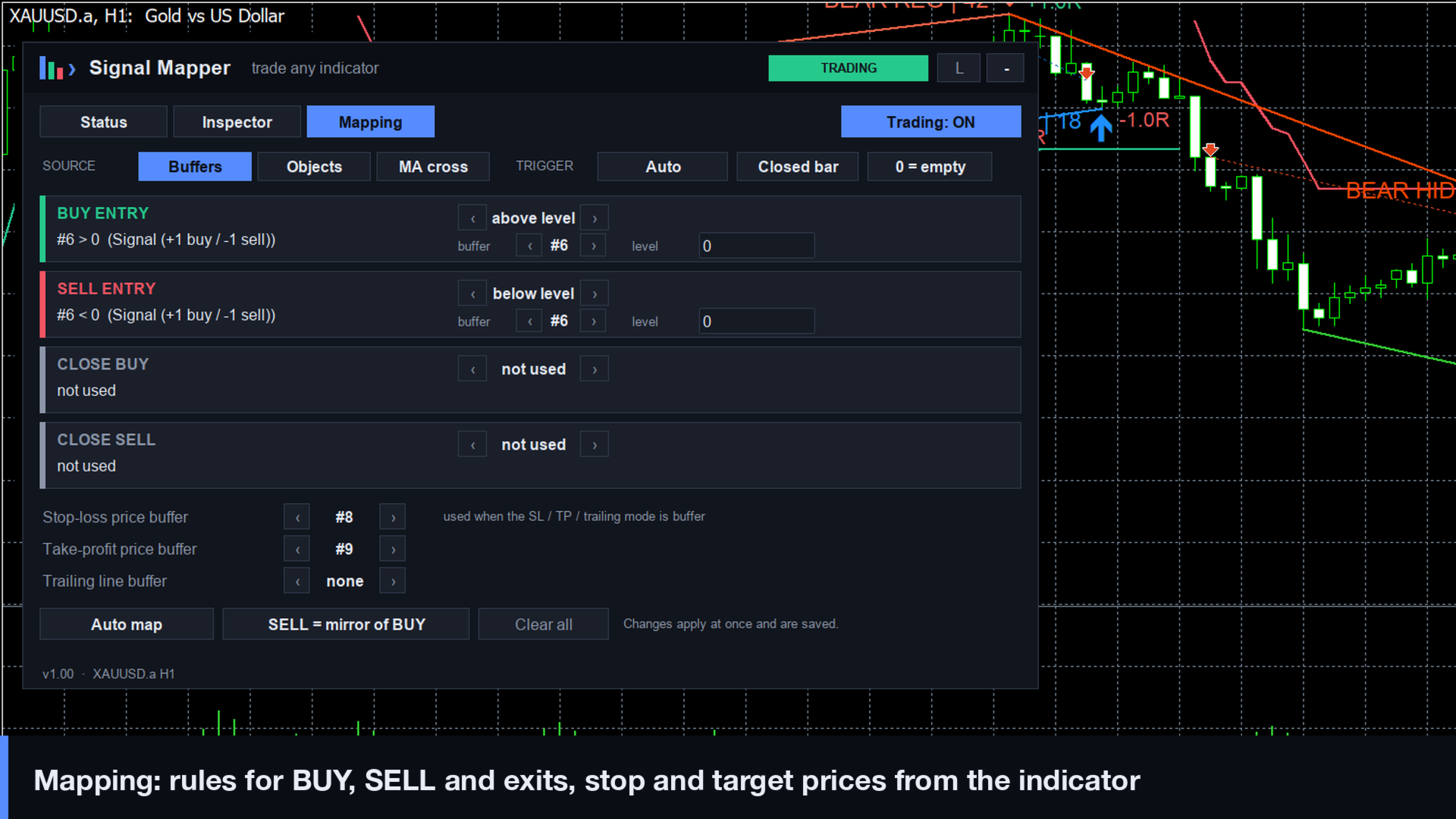
- Click B / S to use a buffer for BUY / SELL entries, XB / XS for exits, SL / TP for stop-loss and take-profit prices. A sensible rule is chosen for the kind of buffer, and you can change it on the Mapping tab.
- Auto map proposes BUY and SELL from the labels, arrow codes and values. You confirm before trading.
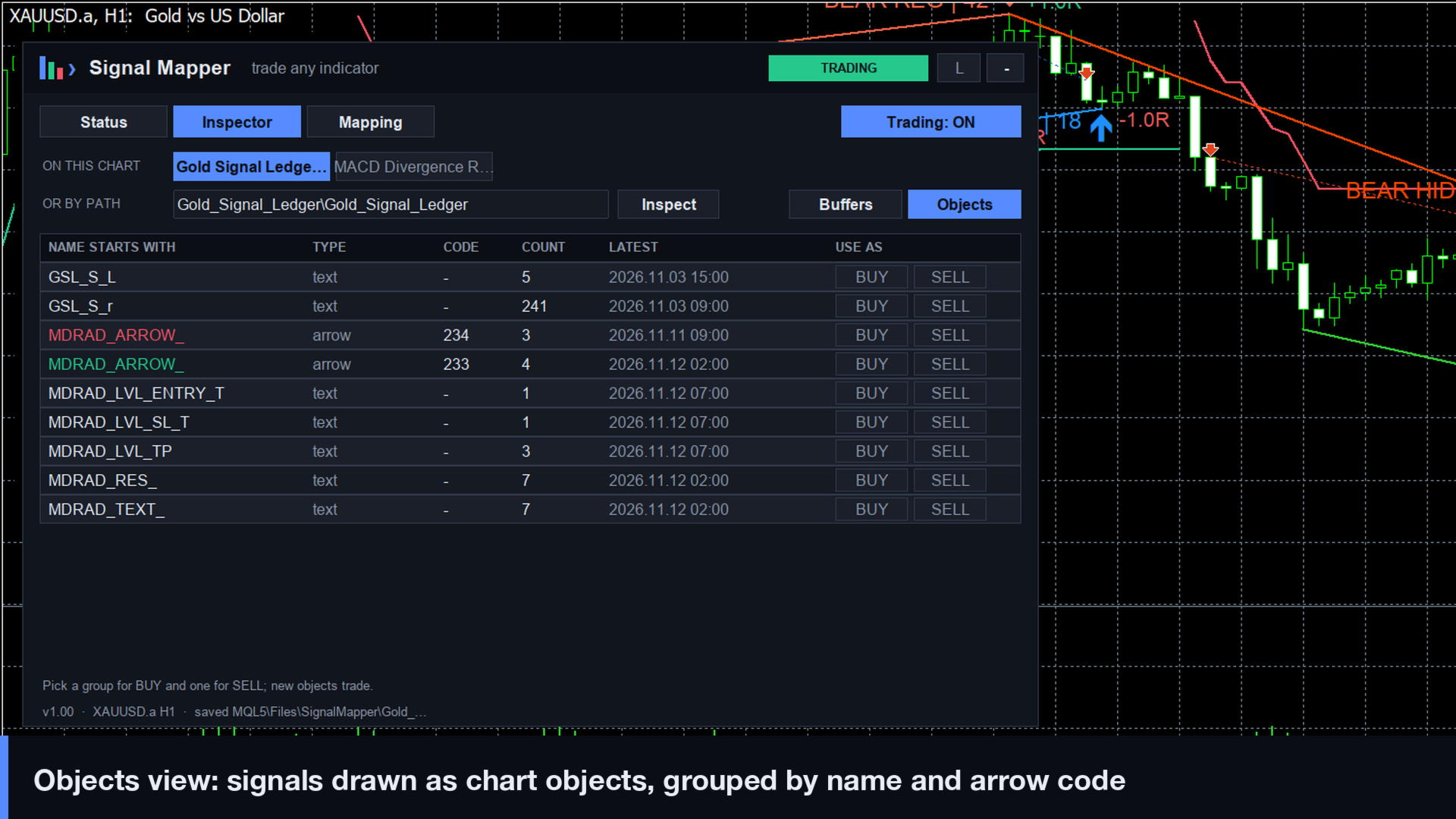
- An Objects view groups the arrow and text objects on the chart by name, type and arrow code. Pick one group for BUY and one for SELL.
Three signal sources
- Buffer values with these rules: value present (arrows / dots), above or below a level, above or below a second buffer (line crosses), close above or below a line (SuperTrend-type indicators), colour index equals (colour changes), rising or falling.
- Every rule can fire on change (cross, flip, new colour) or on every bar while it is true. Arrows fire on each new arrow.
- Chart objects drawn by an indicator: filter by name prefix, by text in the name, by arrow code or by object type (buy/sell marks, up/down arrows). New objects placed up to N bars back are accepted, for indicators that mark the signal on an earlier pivot bar.
- Built-in moving-average cross that needs no indicator at all, for a quick start and for testing the trade settings.
Indicator inputs passed correctly
- Three modes: use the copy of the indicator attached to your chart (exactly your settings, nothing to type), pass a list of values, or use the indicator's defaults.
- Input group lines are handled. Each input group line of an indicator takes one parameter slot. When it is ignored, every value lands one input off and the indicator silently runs with wrong settings or no signals. On a live chart Signal Mapper reads the indicator's real input layout and puts your values in the right slots, skipping group lines for you.
- Export .set for the tester writes the complete input list of the indicator, group lines marked with @g, together with your whole mapping, ready to load in the Strategy Tester.
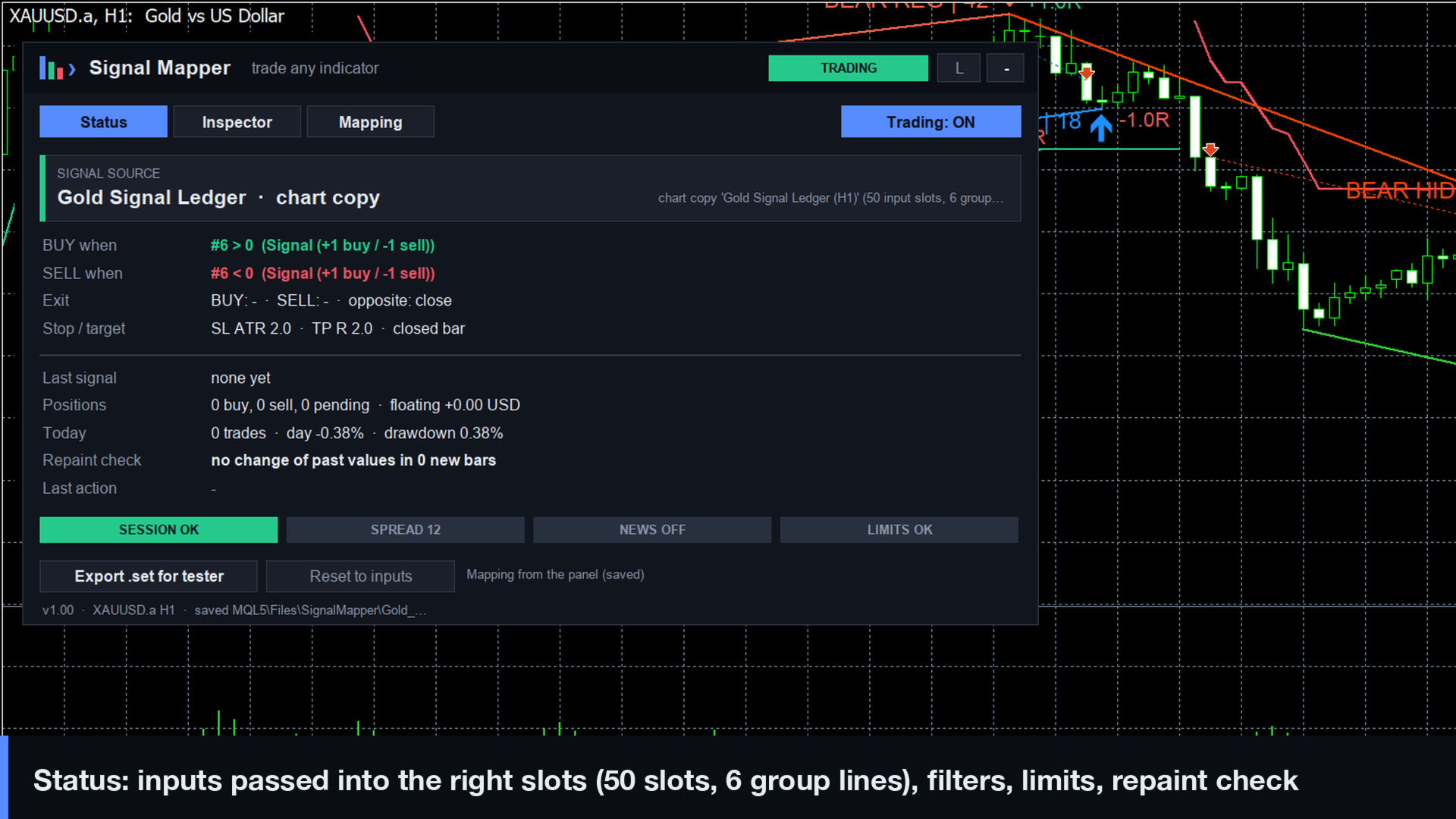
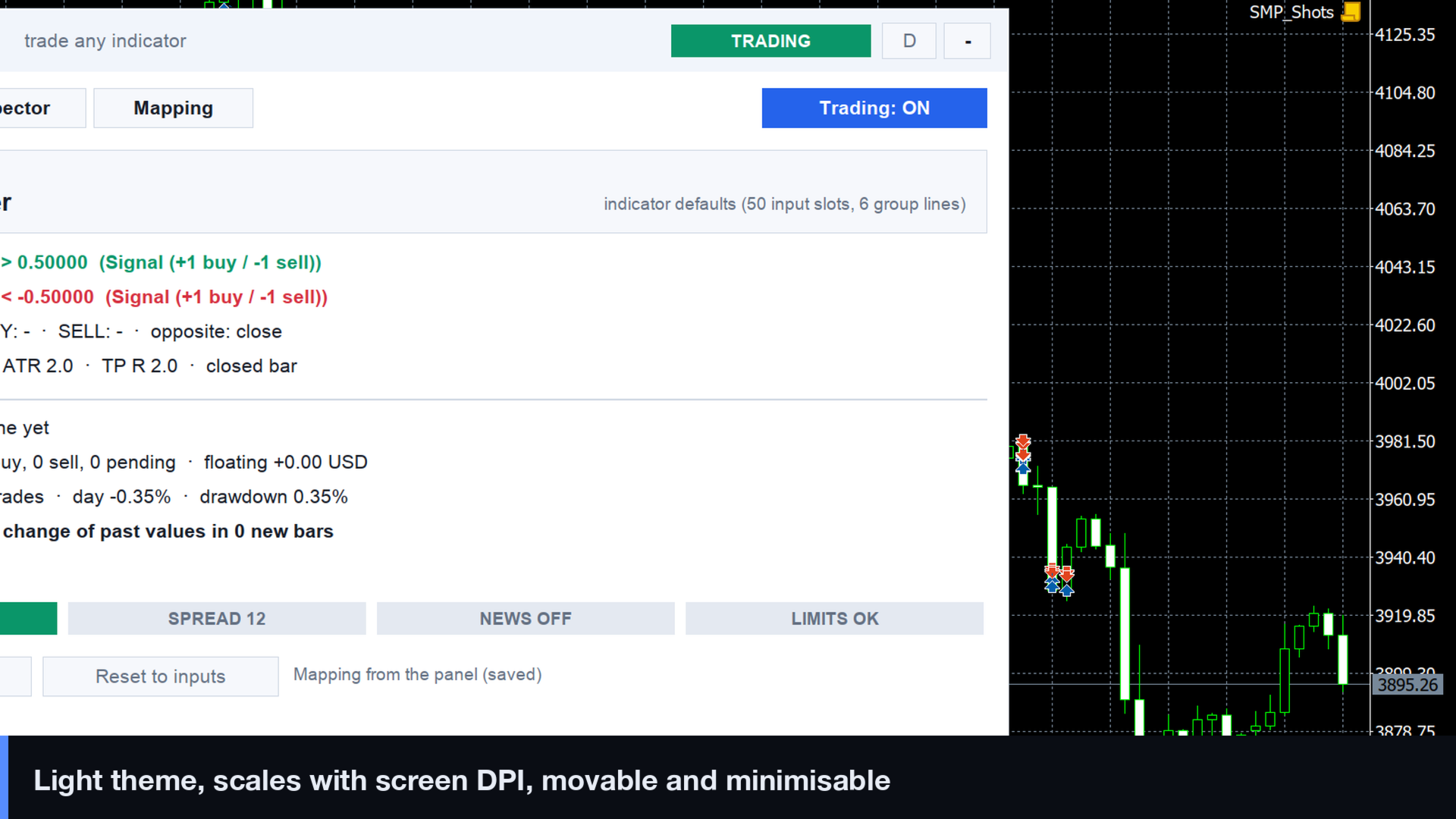
- The panel shows how the inputs were passed (e.g. "50 input slots, 6 group lines").
Bar-close signals and a repaint detector
- Signals are read on the last closed bar by default. The forming bar can be used if you want, and the panel warns that such signals can still change.
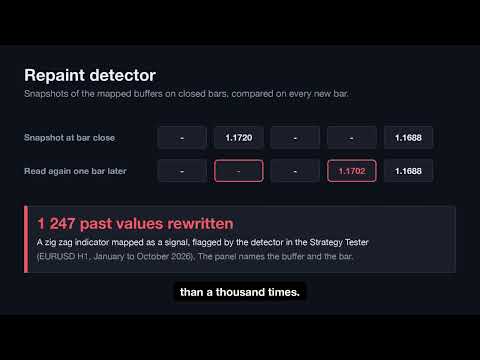
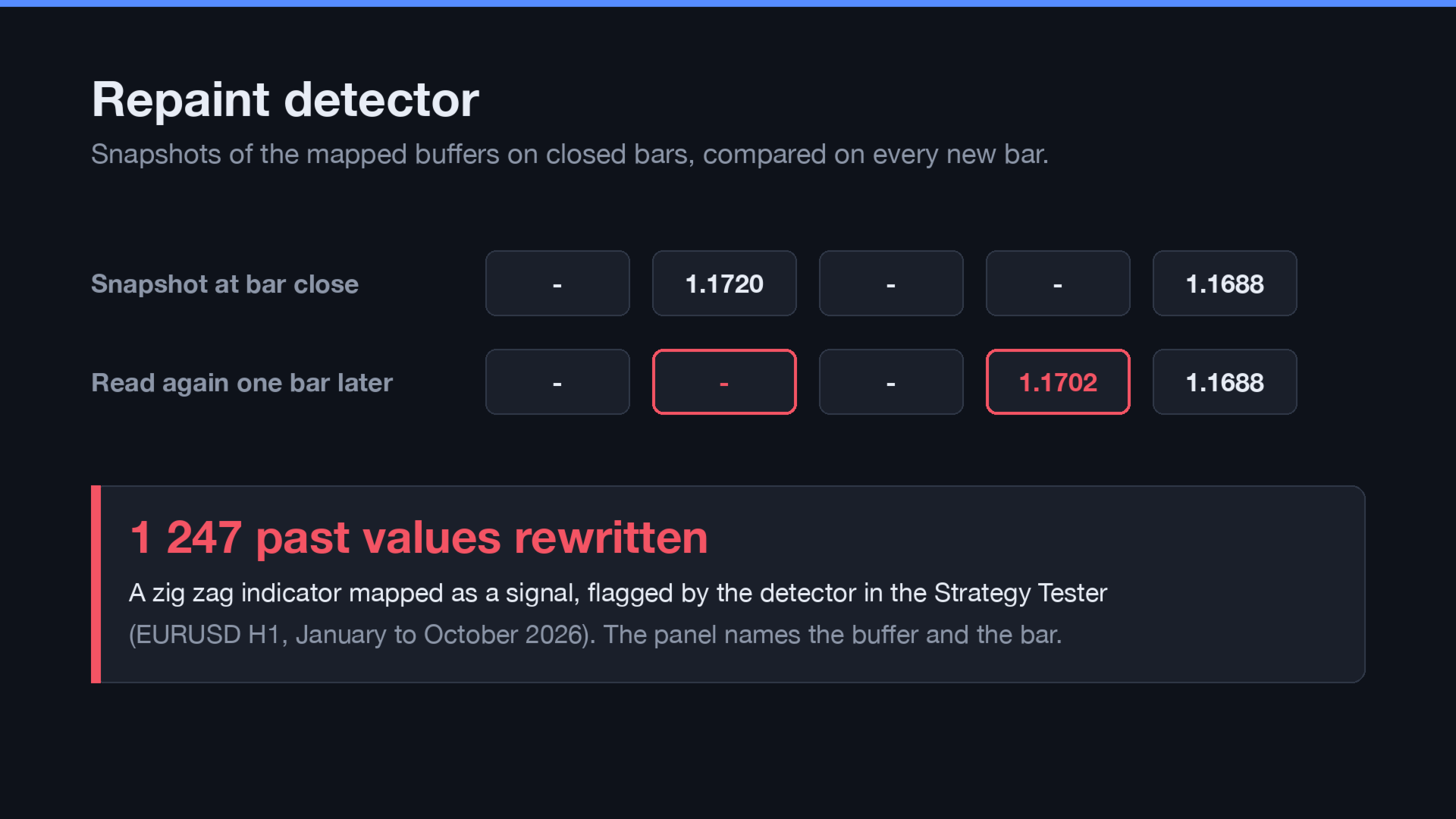
- The repaint detector keeps a snapshot of the mapped buffers on closed bars and compares it on every new bar. When an indicator rewrites a past value, or deletes a signal object, the panel shows which buffer and bar changed. You can choose to pause new entries. It works in the Strategy Tester too, so you see whether a backtest relies on values the indicator changes later.
- A signal that is already on the chart when the EA starts is never traded: only new signals are.
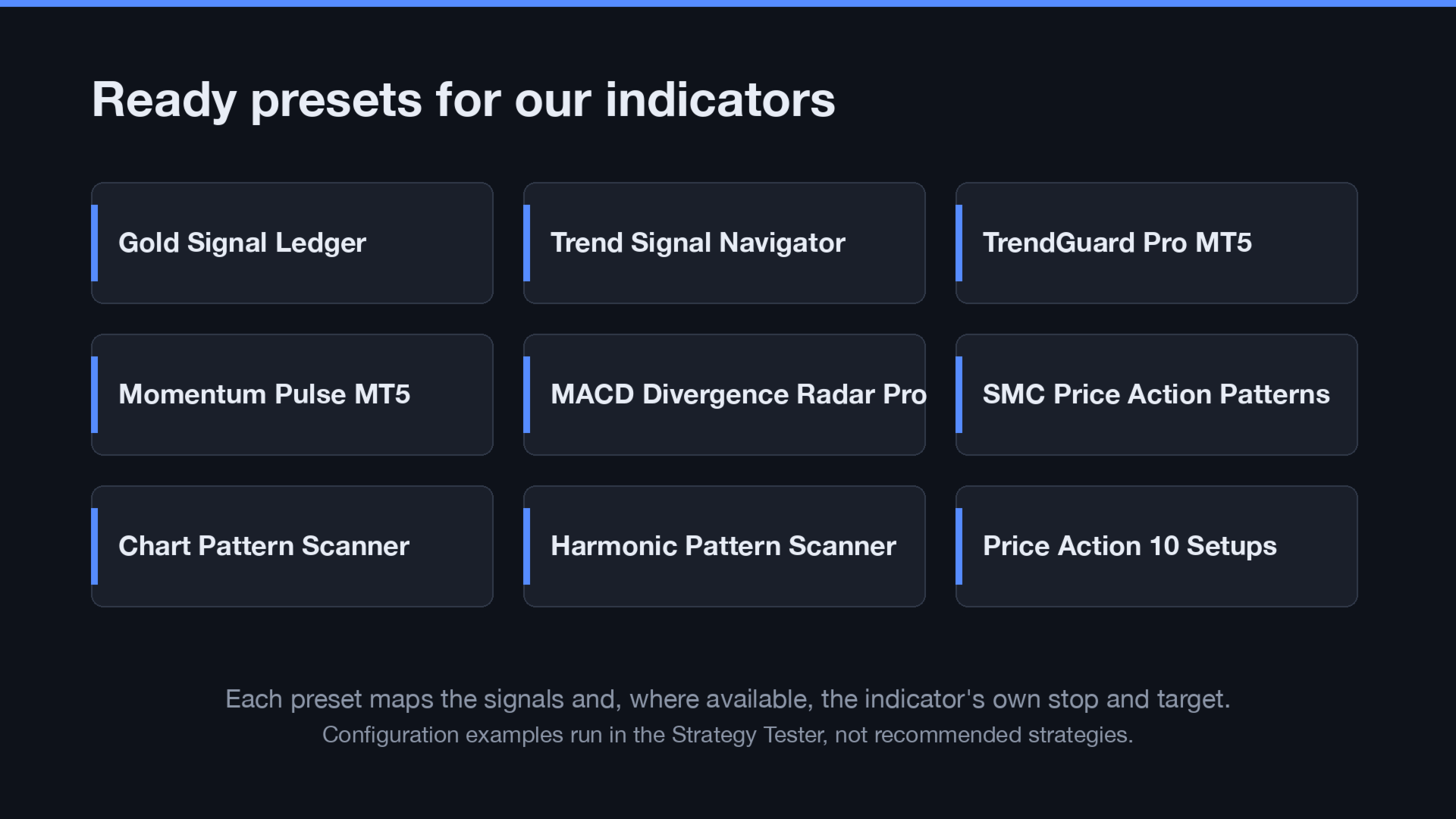
Ready presets for our indicators
- Preset .set files for the indicators of this seller: Gold Signal Ledger, TrendGuard Pro MT5, Trend Signal Navigator, Momentum Pulse MT5, MACD Divergence Radar Pro, SMC Price Action Patterns Indicator, Chart Pattern Scanner Breakout Stats, Harmonic Pattern Scanner PRZ Stats and Price Action 10 Setups Indicator.
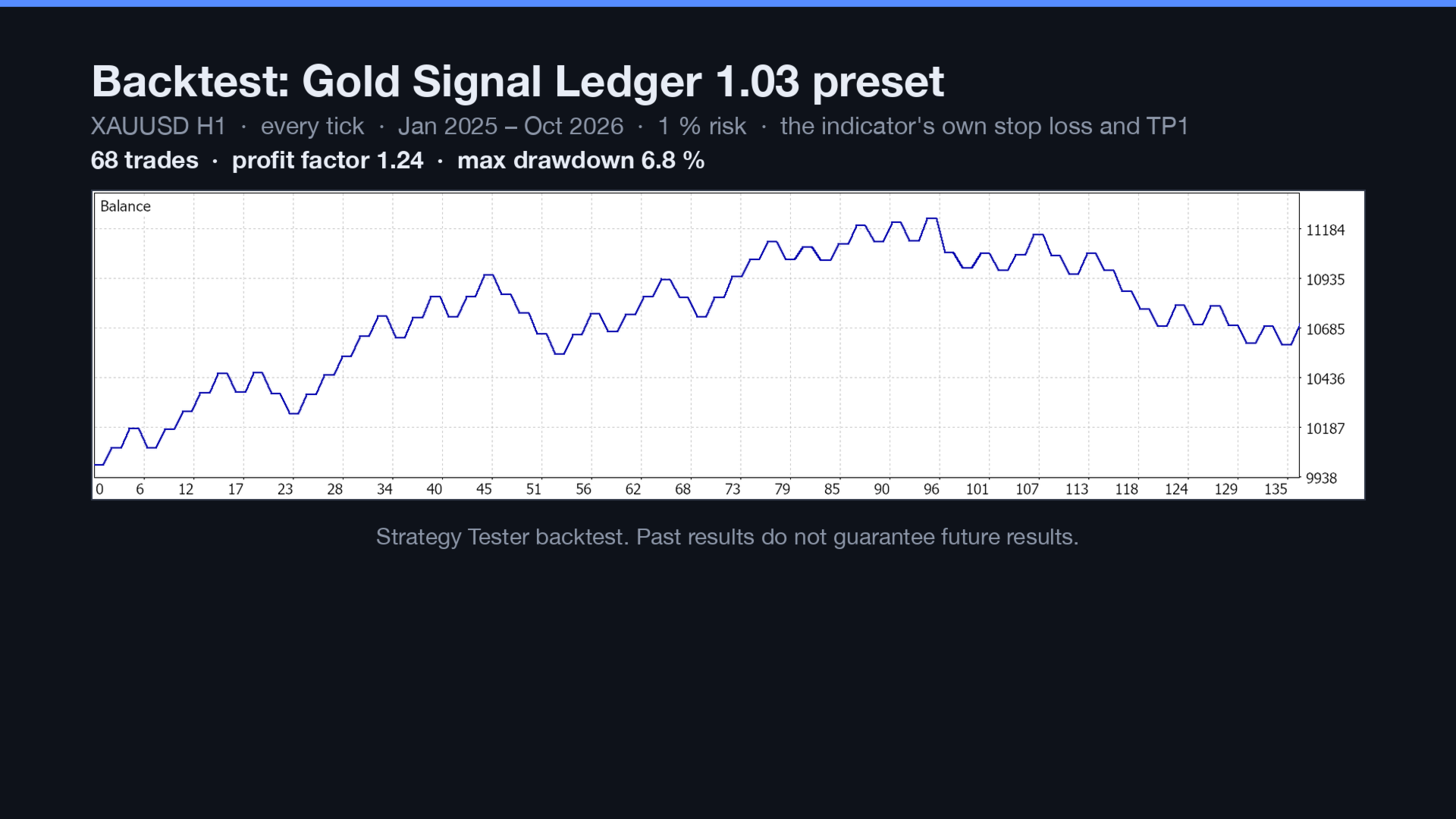
- Each preset maps the indicator's signal buffers (or objects) and, where the indicator provides them, its stop-loss and target prices. Each was run in the Strategy Tester. The presets are configuration examples, not recommended strategies.
Execution
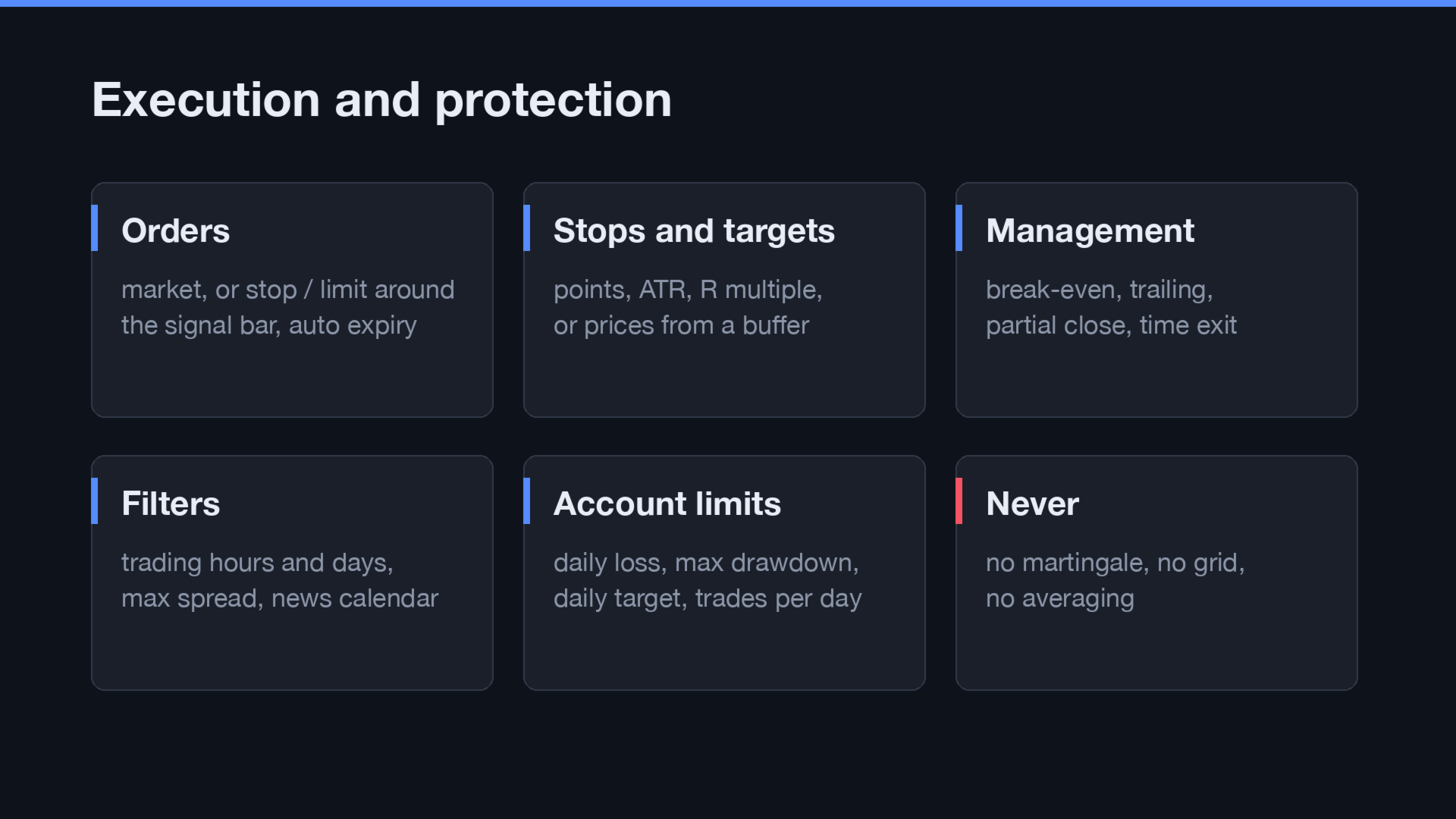
- Market orders, or stop / limit orders around the signal bar with automatic expiry.
- Stop loss: fixed points, ATR multiple, a price from an indicator buffer, or beyond the signal candle. Take profit: points, ATR, a multiple of the stop (R) or a buffer price.
- Fixed lot or risk % of balance / equity, with a maximum lot.
- Break-even at R, trailing stop (points, ATR or along an indicator line), partial close at R, close after N bars.
- One position or several per direction, optional hedging, and on an opposite signal: keep, close, or reverse.
- Exit rules from the indicator (close BUY / close SELL conditions).
- No martingale, no grid, no averaging, and the lot is never raised after a loss.
Filters and account protection
- Two trading-hour windows (server time) and trading days.
- Maximum spread.
- News filter from the built-in MT5 economic calendar (no WebRequest, nothing to allow), with an option to close positions before high-impact releases. Live only, because the calendar is not available in the Strategy Tester.
- Prop-firm style limits: maximum daily loss %, maximum drawdown % (from the initial balance or trailing from the equity peak), daily profit target and maximum trades per day. Positions can be closed when a loss limit is hit.
- Free margin, volume limits (min / max / step / symbol limit), stop and freeze levels, filling modes and all trade return codes are checked before and after every order.
Panel
- Three tabs: Status (source, rules, last signal and what was done with it, positions, today's result and drawdown, repaint check, filters), Inspector and Mapping.
- Light and dark themes (or follow the chart), DPI scaling, movable and minimisable.
- Changes made on the panel apply at once and are saved for the chart. Reset to inputs goes back to the EA inputs. A Trading ON / OFF switch lets you watch the signals before trading them.
- Optional alerts and push notifications on signals and on trades.
Strategy Tester
- Works in the Strategy Tester with any indicator in your MQL5\Indicators folder. Use local agents: remote and cloud agents cannot load an indicator chosen in the inputs.
- The tester cannot report an indicator's input layout, so pass the inputs as a full list (use Export .set on a live chart), or use the indicator's defaults.
- Without an indicator the EA trades the built-in MA cross, so it runs on any symbol and timeframe.
How to start
- Attach your indicator to a chart, then attach Signal Mapper EA to the same chart.
- Open the Inspector tab, click your indicator, and map BUY and SELL (or press Auto map).
- Check the Mapping and Status tabs, set your risk inputs, then switch Trading ON.
- To backtest the same setup, press Export .set and load the file in the Strategy Tester (Inputs tab, right-click, Load).
Hedging and netting accounts are supported. Backtest results do not guarantee future results.