Signal Buffer Trader MT4
- Experts
-
Dasha Borisenko
 MetaTrader developer: MQL4/MQL5 Expert Advisors, indicators and scripts since 2014.
My products on the MQL5 Market: - 버전: 1.10
- 업데이트됨: 7 11월 2026
- 활성화: 5
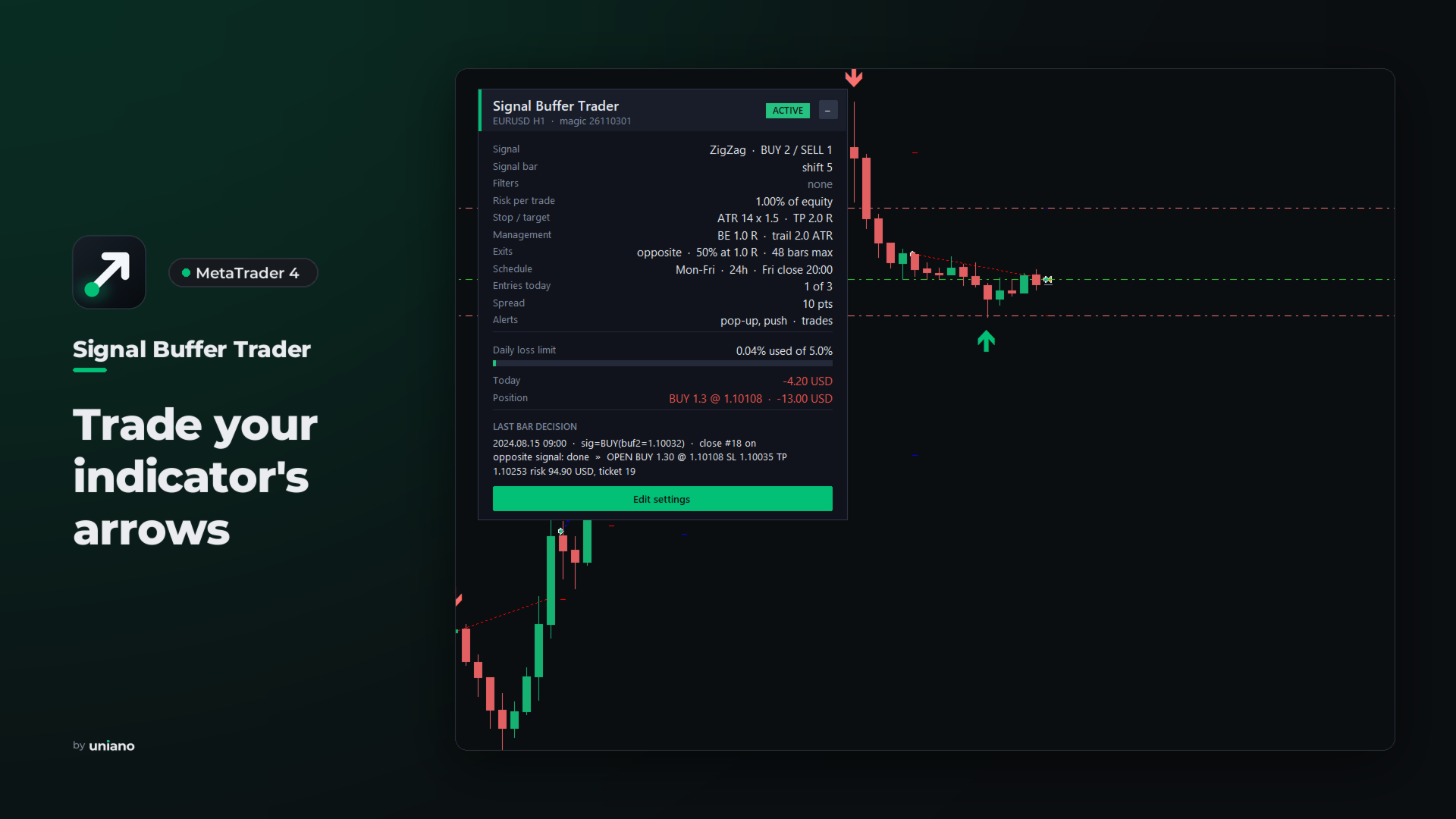
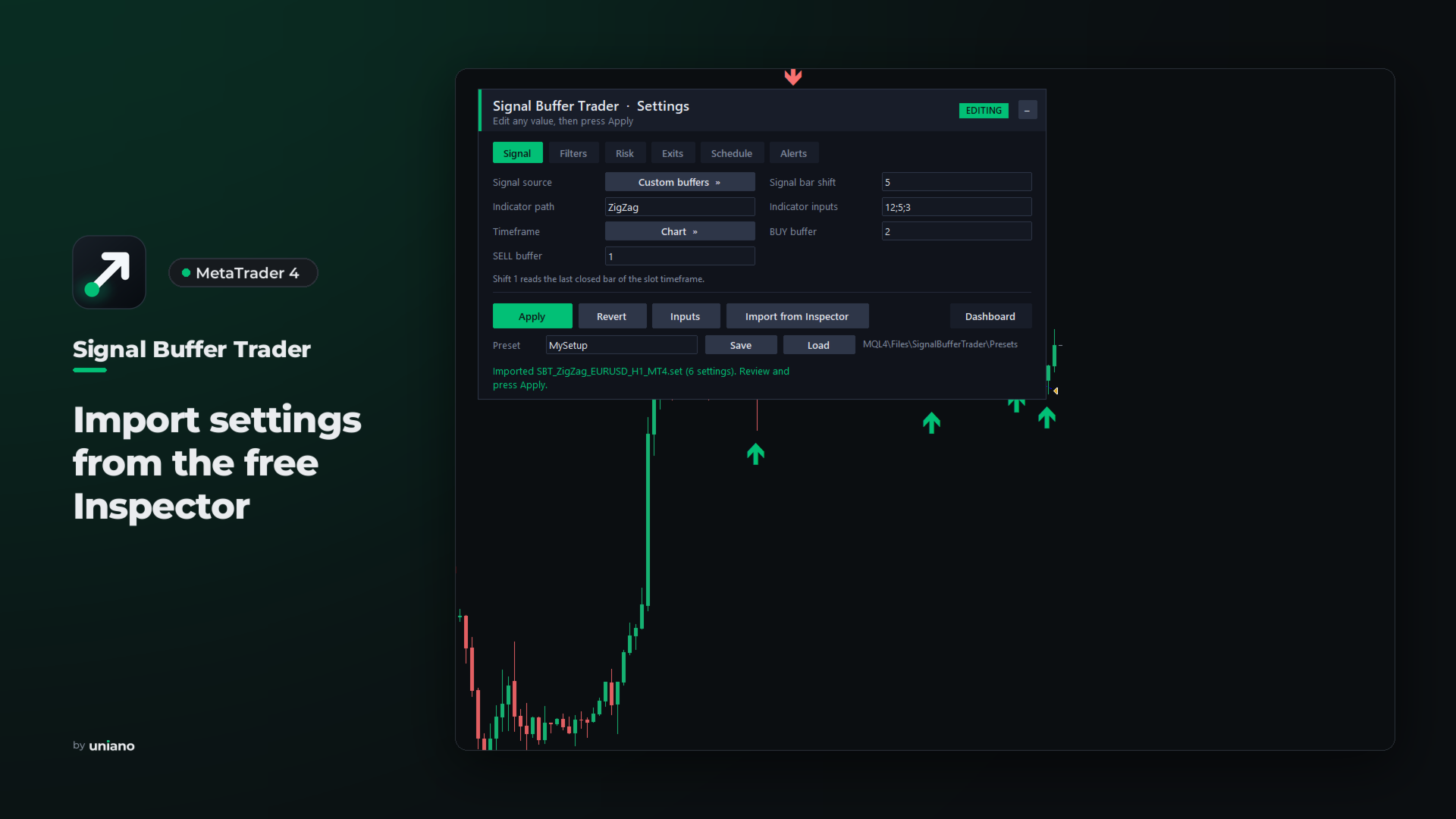
Signal Buffer Trader trades the BUY and SELL signals of the indicator you choose, including indicators you only have as EX4 files. It reads the indicator buffers, or the arrows the indicator draws on the chart, at the close of a bar, opens one order with a stop-loss and a lot based on your risk, and explains every decision on the chart and in the log. The free Signal Buffer Inspector MT4 finds the right buffers and exports a settings file that this EA imports with one click.
Signals and filters
The signal comes from custom indicator buffers (file name in MQL4\Indicators, inputs, BUY and SELL buffer, signal shift), from arrow objects on the chart, or from the built-in moving average cross, which works without any extra file. EMPTY_VALUE and 0 mean no signal, and a single buffer with positive and negative values is supported as well.
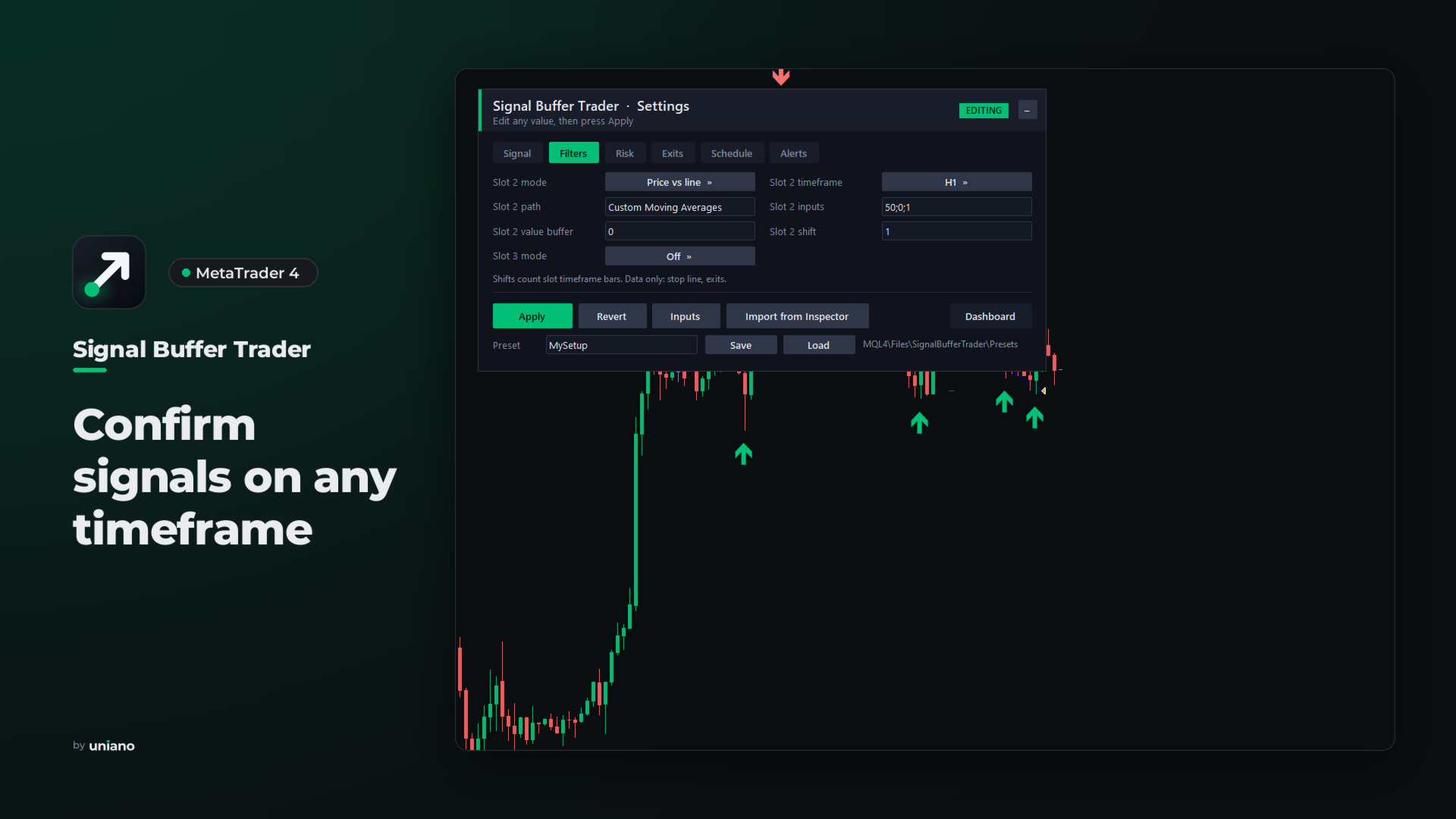
Two more indicator slots confirm the signal: the same signal within a number of bars, the price above or below an indicator line, or the sign of a buffer value. Every slot has its own timeframe, so an M15 entry can follow an H1 trend, and a signal from a higher timeframe is traded once per bar of that timeframe. A slot can also be loaded as data only, to provide the stop line or the exit signals.
Risk and exits
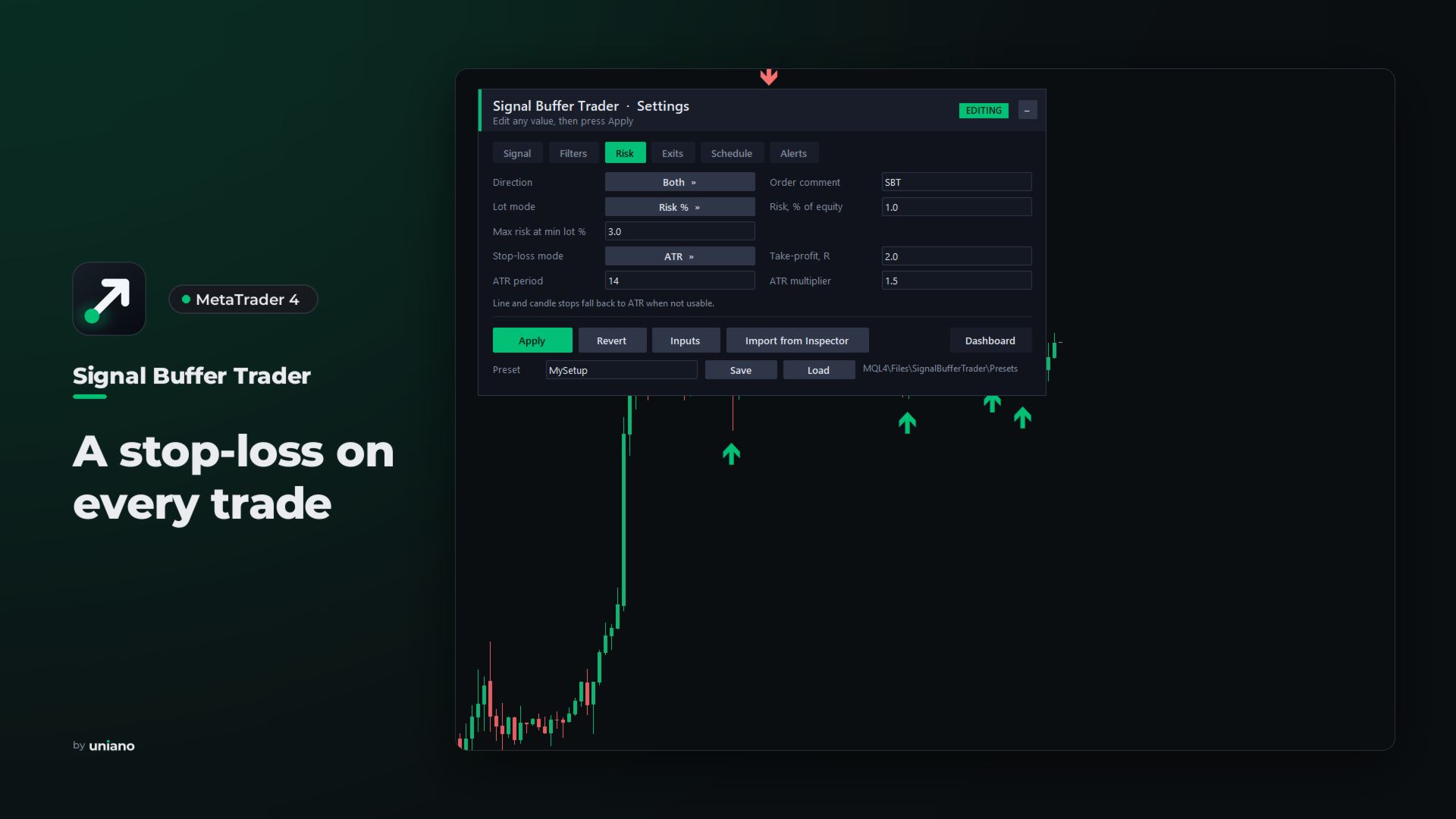
- Lot by risk percent of equity or a fixed lot. Lot limits, stop and freeze levels, margin and trading permissions are checked before every order, and requotes or a busy trade context are retried.
- A stop-loss on every order: ATR, the signal candle, fixed points or an indicator line such as SuperTrend. On market-execution accounts the stops are set right after the entry, and the order is closed if the broker rejects them.
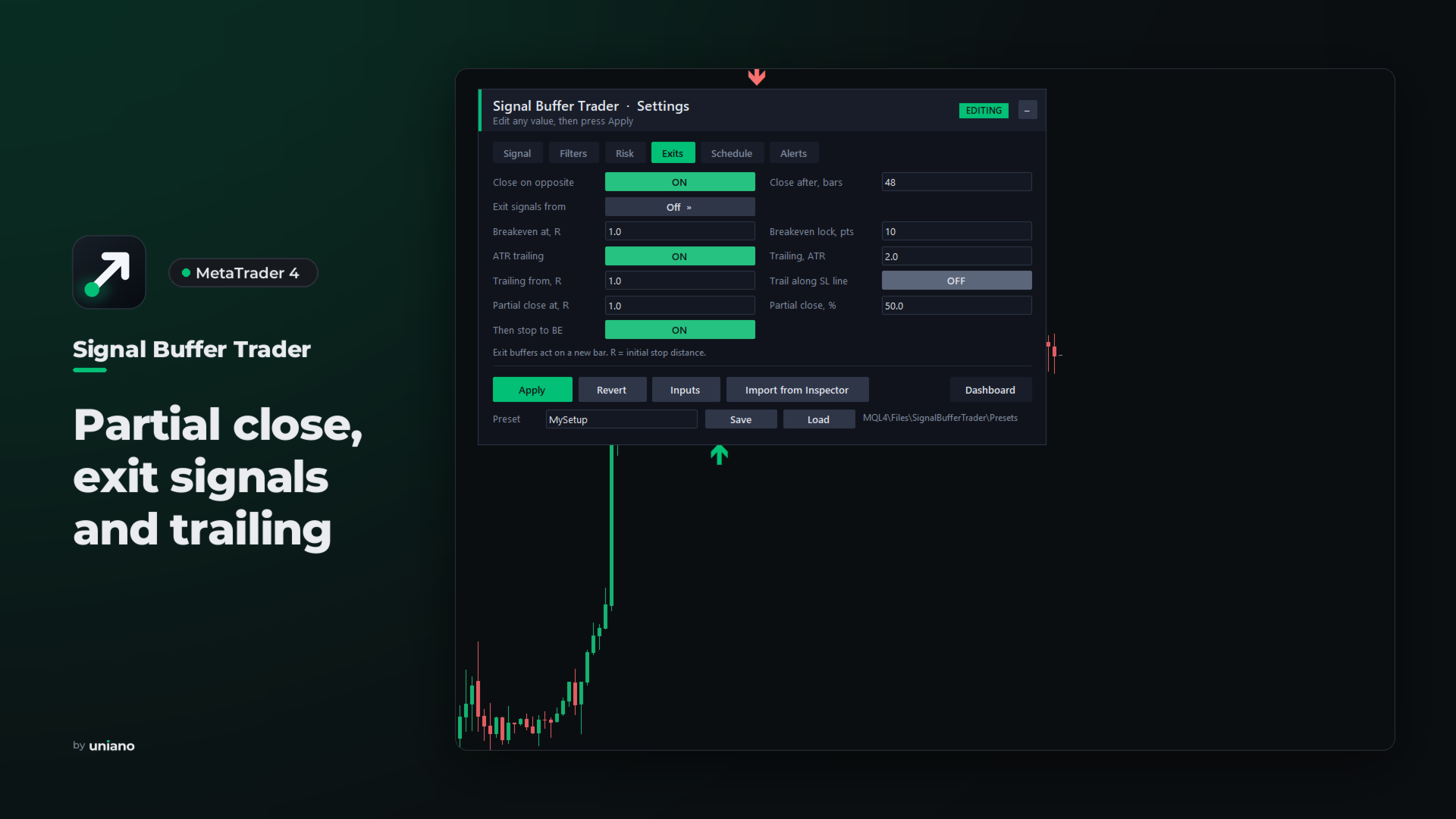
- Breakeven, ATR trailing or trailing along the indicator line, and a partial close at a chosen profit with the rest moved to breakeven.
- Exit buffers of an indicator, close on the opposite signal and a maximum holding time in bars.
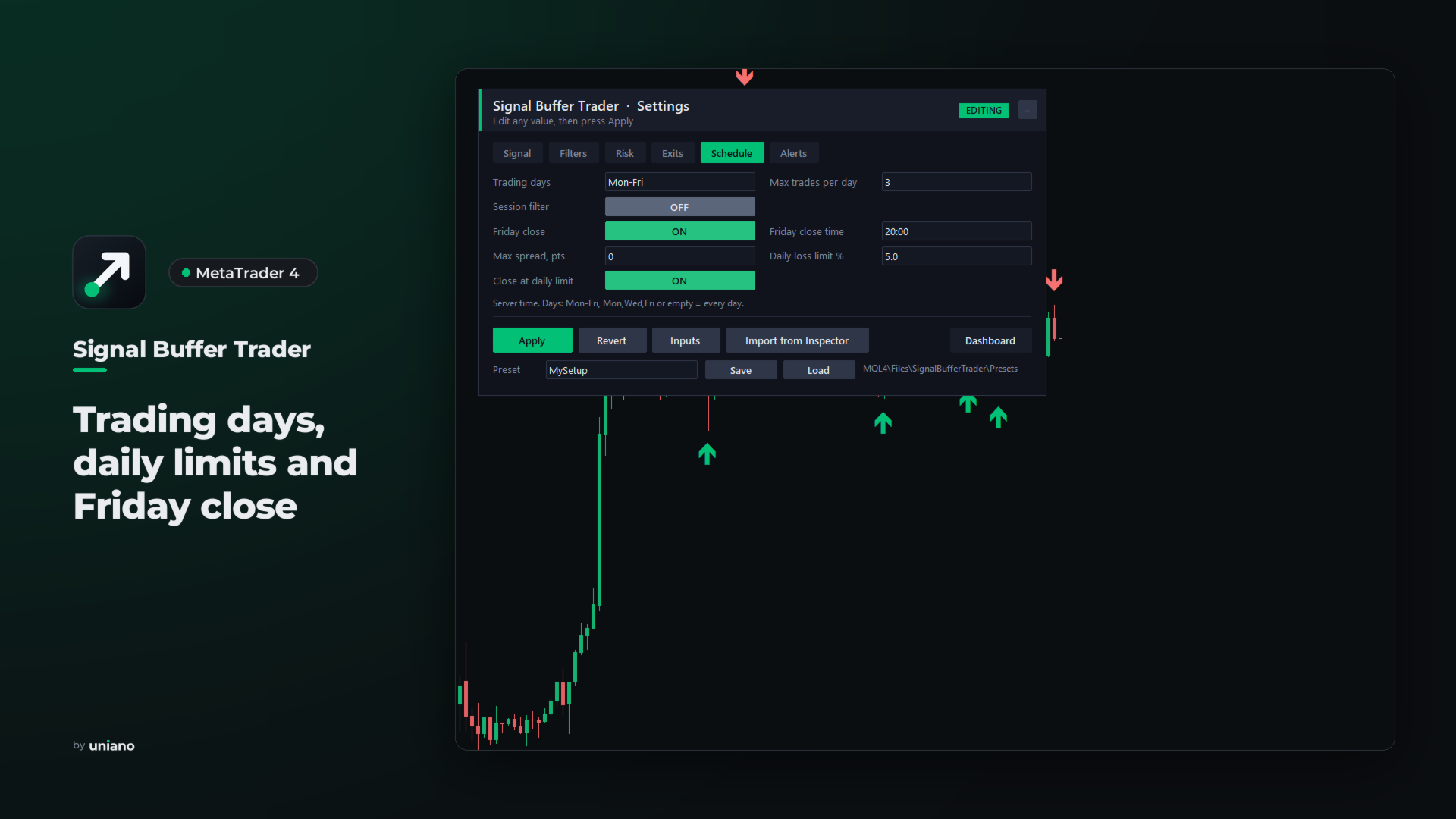
- Daily loss limit, trading days, maximum entries per day, session and spread filters, and a Friday close time.
Dashboard, alerts and log
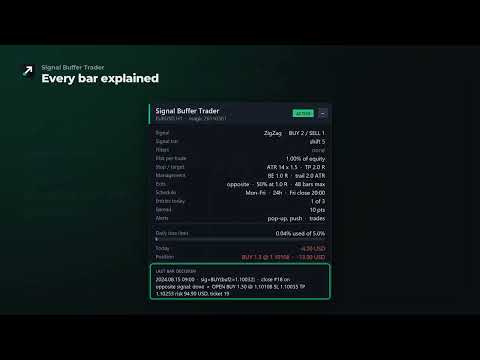
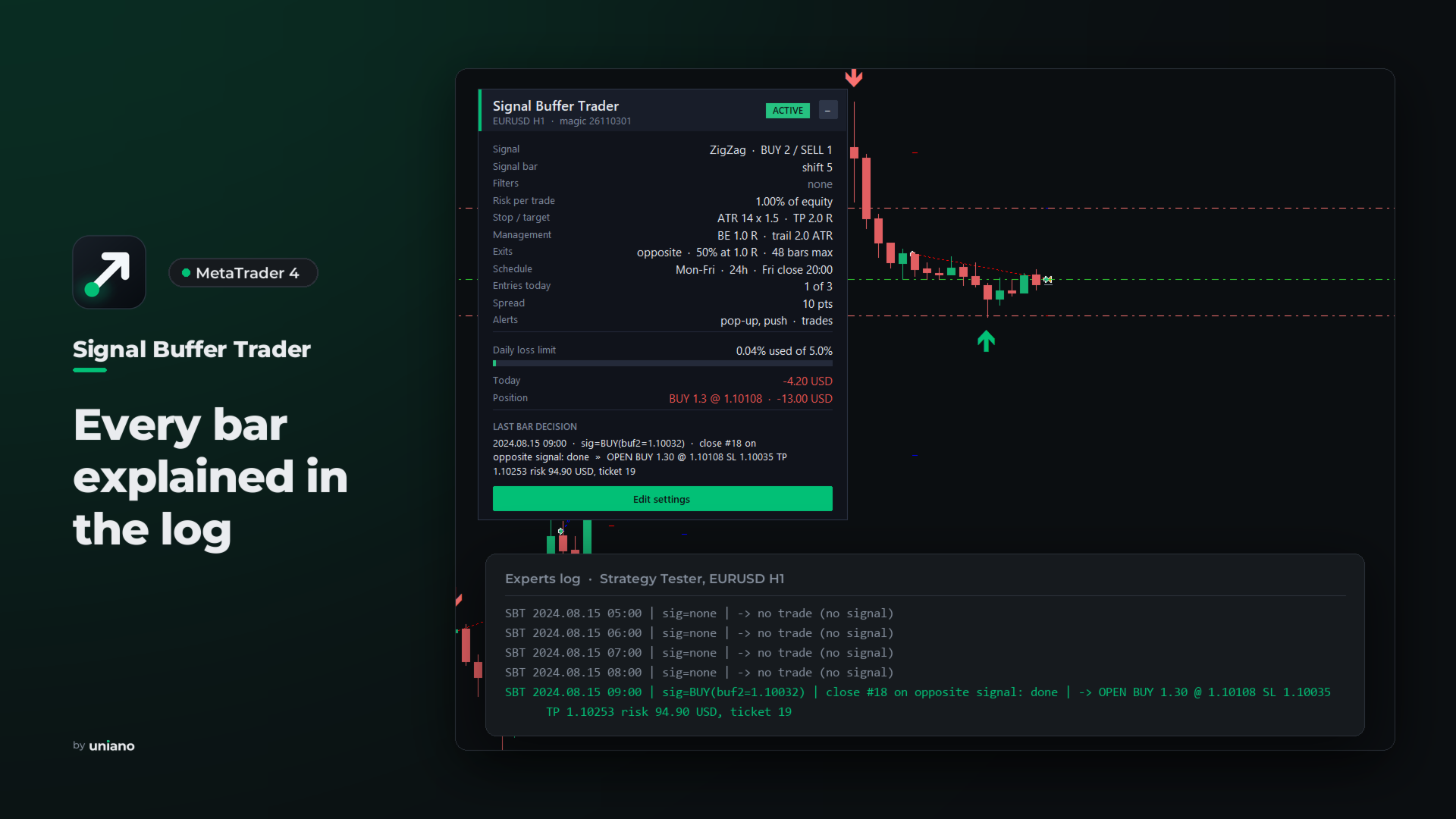
The dashboard shows the status with the reason for any pause, the signal, filters, risk, exits, schedule, entries today, the daily loss limit, the open order and the decision for the last bar. Edit settings opens an editor with six pages that show only the fields your choices need. Apply checks the values and reloads the indicators in place, and your own presets can be saved and loaded.
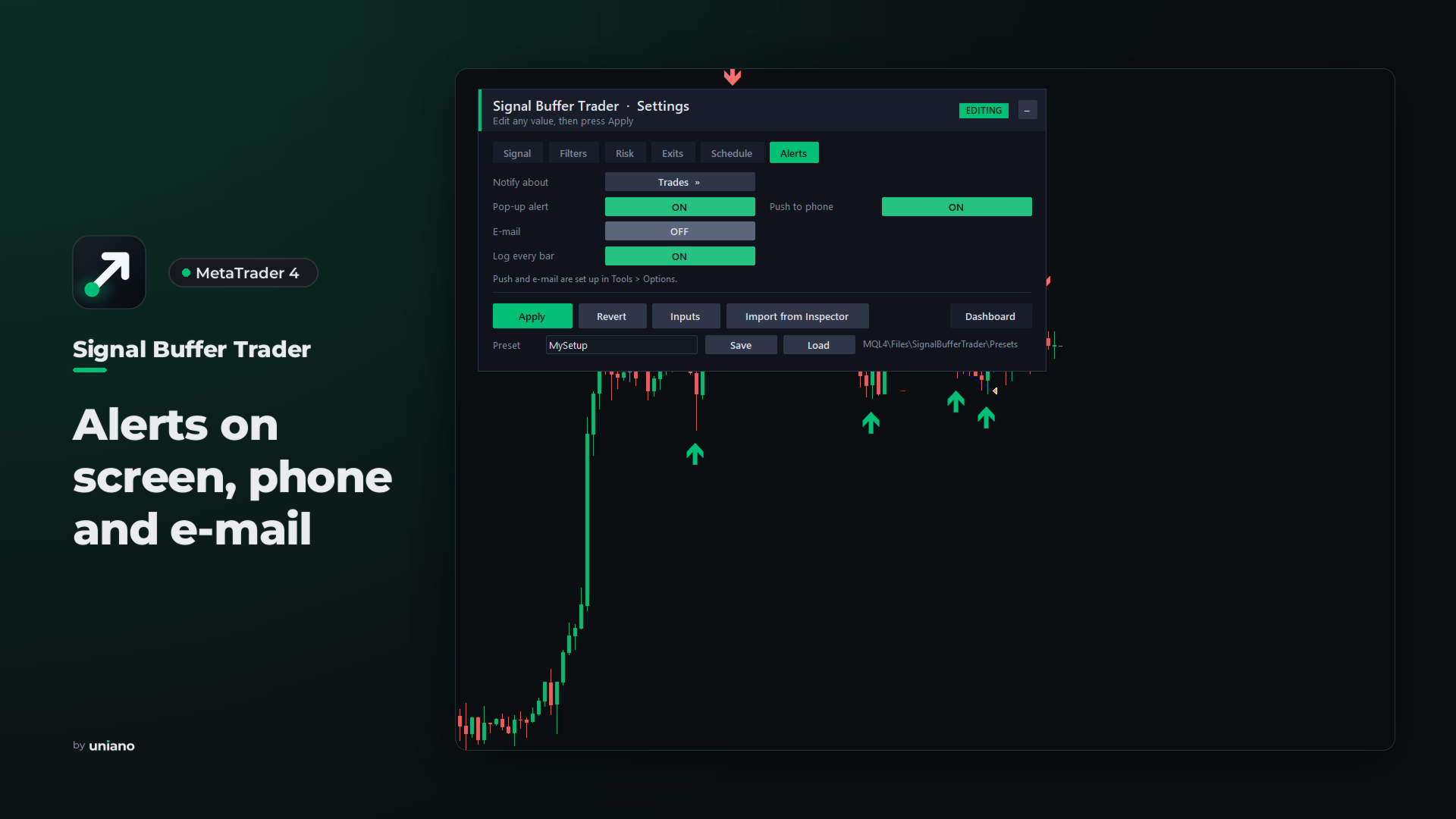
Pop-up, push and e-mail notifications report opened and closed trades with their result, partial closes and the daily limit, and optionally every signal together with the reason it was not traded. The Experts log has one line per bar with the signal, the filters and the decision.
New in version 1.1: a timeframe for every slot, exit buffers, the indicator line stop and trailing, partial close, trading days, a daily entry limit, Friday close, a maximum holding time, notifications and a redesigned panel. Settings and presets from version 1.0 keep working.
There is no grid, martingale, averaging or lot increase after a loss. The EA does not predict the market: the results depend on the indicator and the settings you choose, so test your setup in the Strategy Tester and on a demo account first. Indicator inputs are written as a list separated by semicolons, for example 20;7;4. An MT4 program can pass up to 12 inputs to an indicator, at most 2 of them text, or up to 16 numbers; further inputs keep their defaults and the log names them. Built-in MT4 indicators are used through their file versions, for example Custom Moving Averages. No DLLs and no internet connection are used. Also available for MetaTrader 5.