True Trend Trader
- Experts
- 버전: 3.25
- 활성화: 11

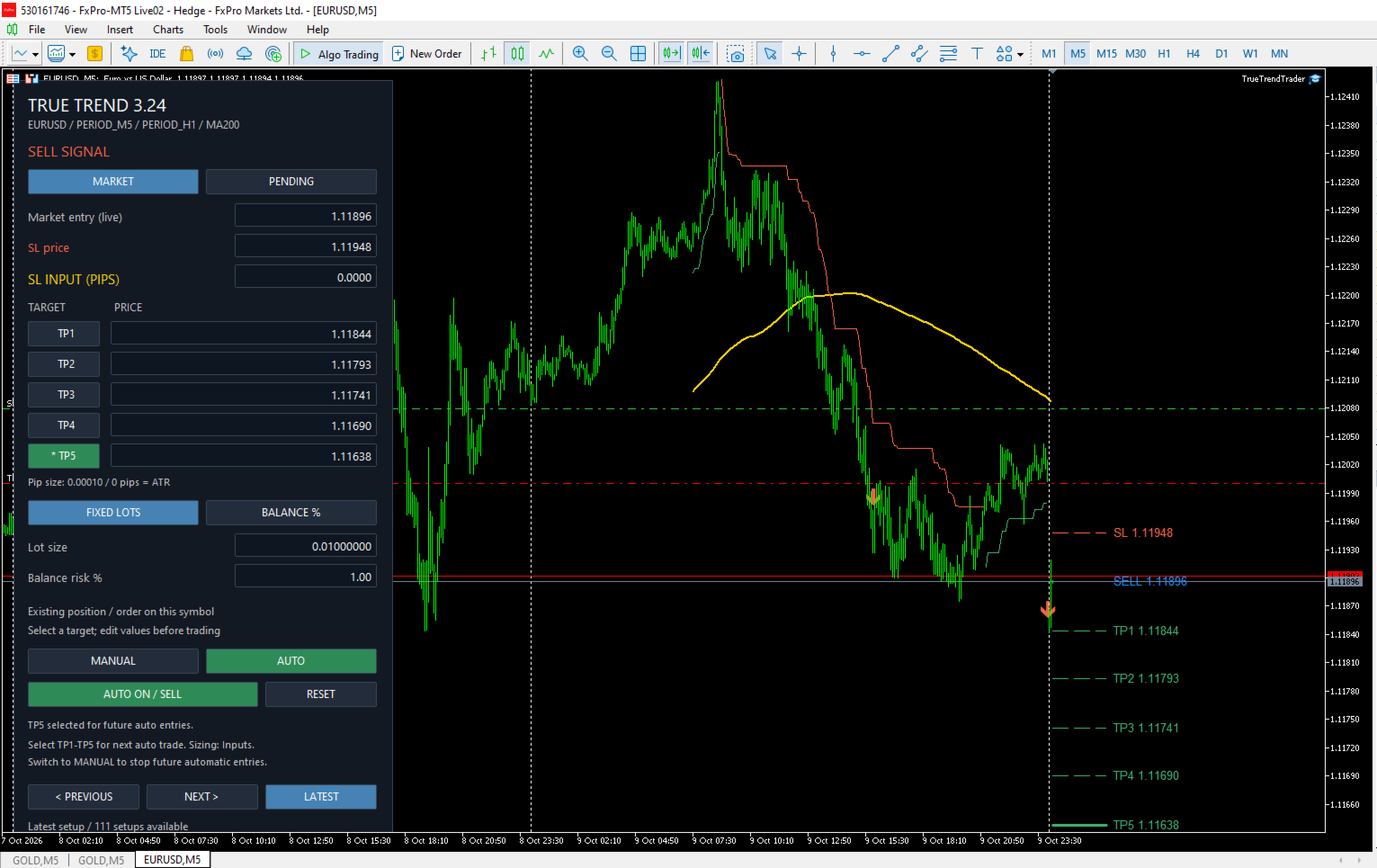
True Trend Trader combines automatic trend-following entries with a manual trading panel. It uses SuperTrend, higher-timeframe confirmation, and an optional MA200 filter to identify trade direction, while displaying entry, stop-loss, and take-profit levels directly on your chart.
Main features
-
Manual and Auto modes: choose your own direction or let the EA trade confirmed signals.
-
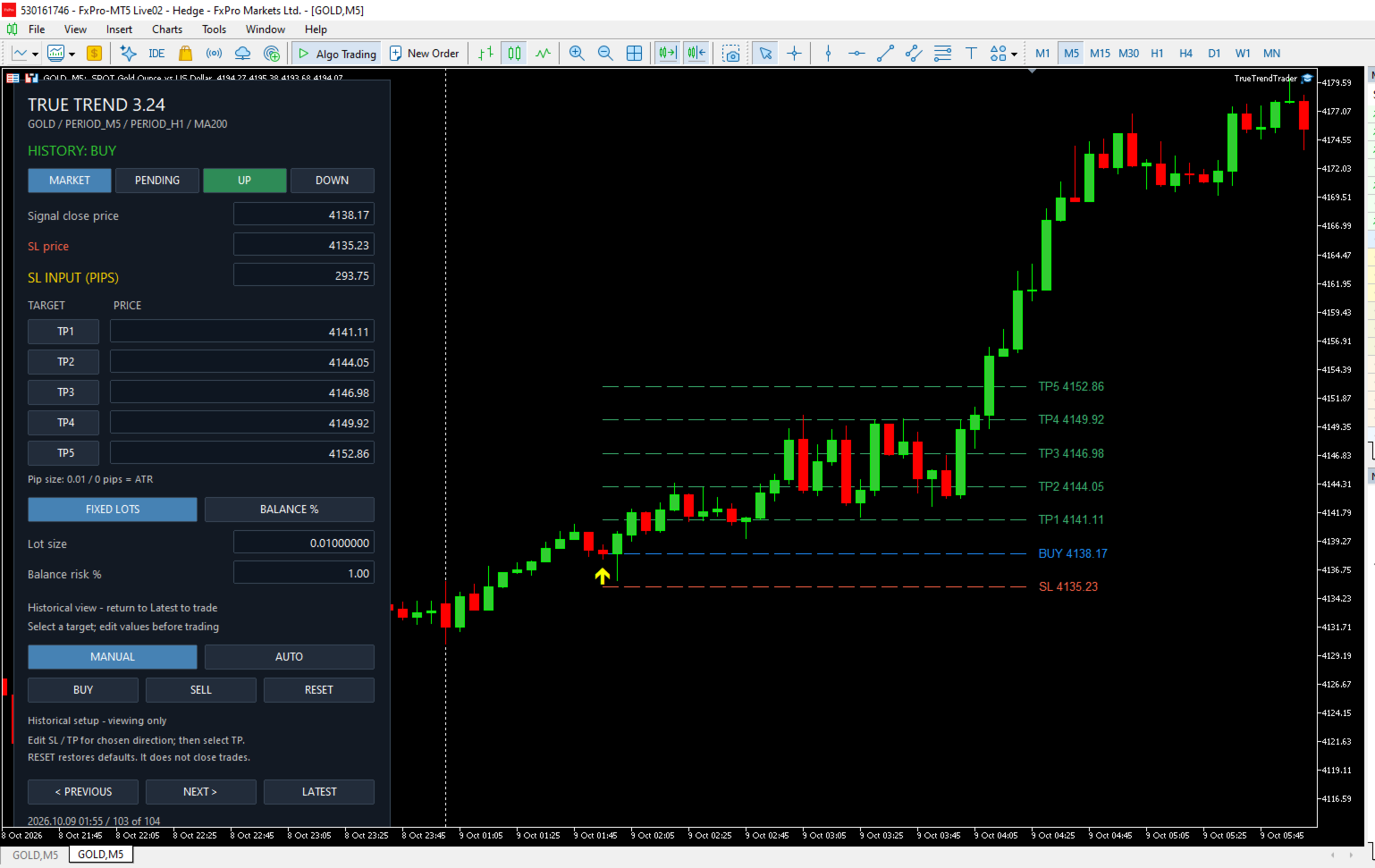
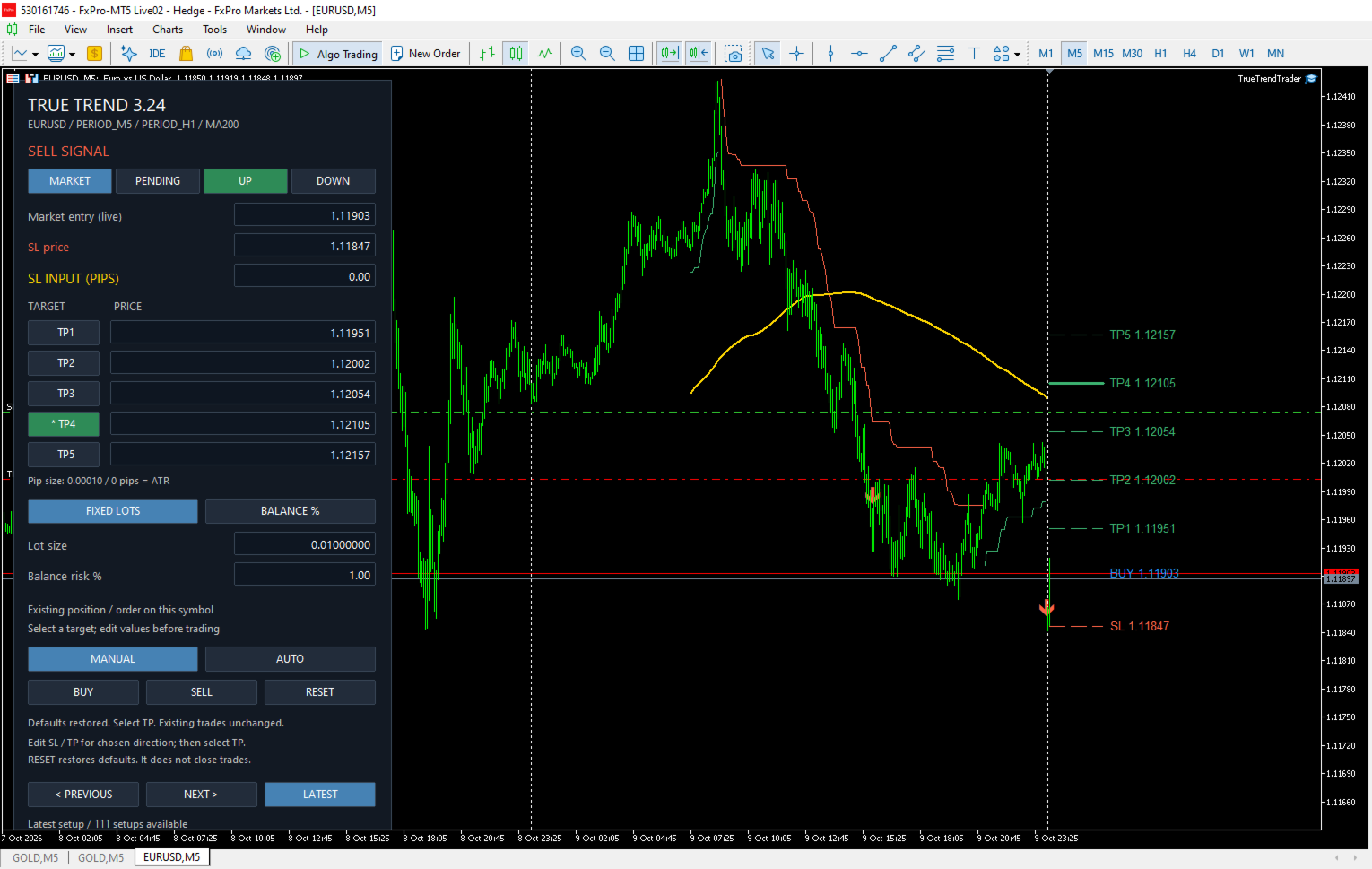
UP/DOWN controls: refresh suggested prices for a BUY or SELL setup.
-
Flexible stop loss: use an ATR-based stop or enter a distance in pips.
-
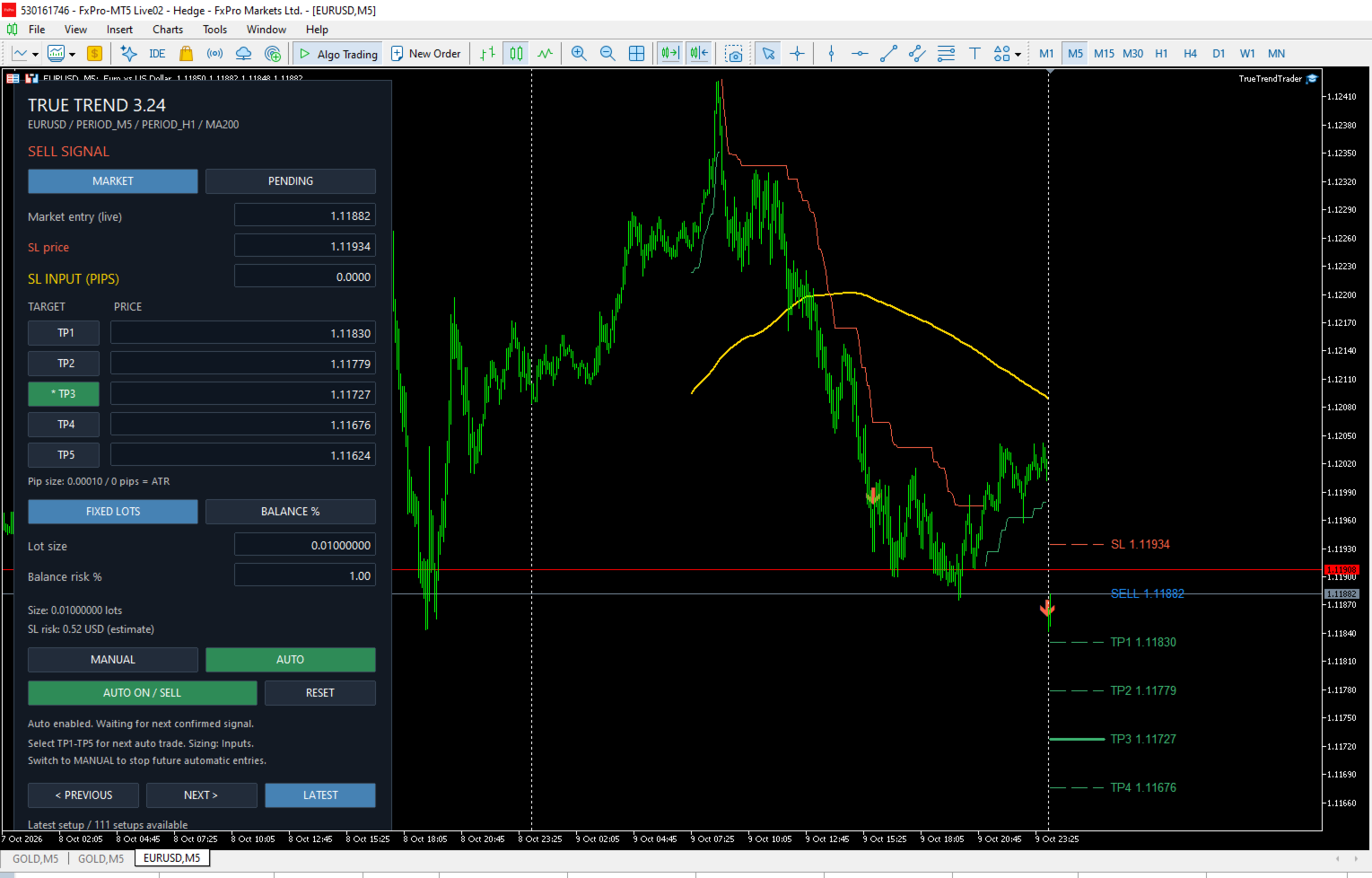
Five target choices: select TP1–TP5. The selected target line appears three times thicker.
-
Editable Auto controls: change SL and select the target for future automatic entries.
-
Trade sizing: fixed lots or a percentage of account balance risked at SL.
-
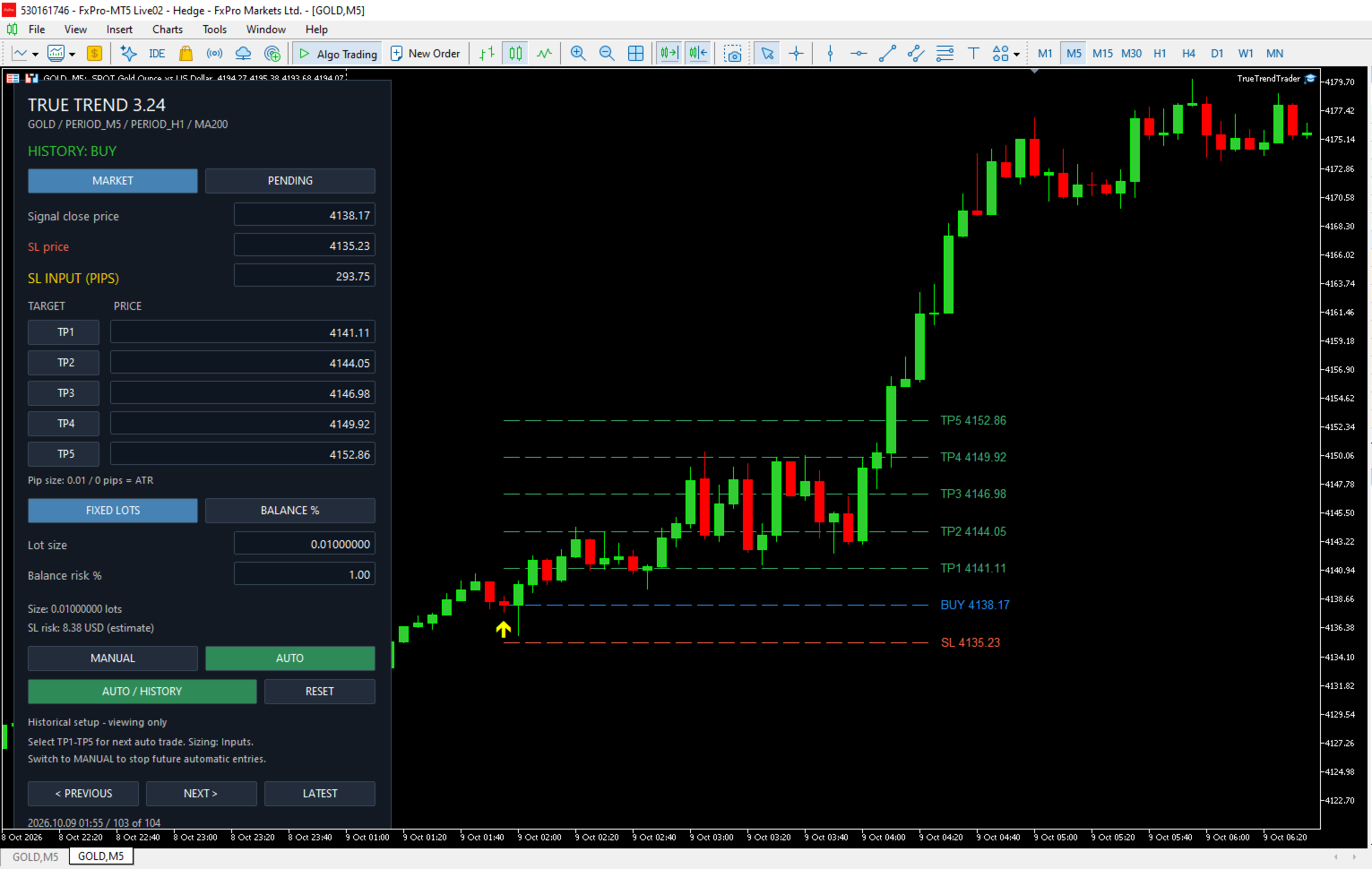
Historical setup browsing: review previous signals, arrows, and price levels.
-
RESET button: restore default settings without closing existing trades.
-
Customizable display: adjust arrow colours, sizes, MA appearance, and panel position.
Installation
-
In MT5, select File → Open Data Folder.
-
Copy TrueTrendTrader.ex5 into MQL5 → Experts.
-
Refresh Expert Advisors in Navigator.
-
Attach the EA to your chosen chart.
-
Review the Inputs and enable Algo Trading and EA trading permissions.
Version 3.25 starts in Auto mode by default. Select DefaultTradingMode = MANUAL before attaching it if you want button-controlled trading.
Using Manual mode
-
Select MANUAL on the panel.
-
Select UP for a BUY setup or DOWN for a SELL setup. This replaces the suggested entry, SL, and TP1–TP5 prices.
-
Choose MARKET or PENDING. Pending mode lets you enter an order price.
-
Enter your SL distance in pips, or edit SL Price directly.
-
Edit target prices if required.
-
Choose FIXED LOTS or BALANCE % and enter your sizing value.
-
Select one target from TP1–TP5, then click BUY or SELL.
For BUY, SL must be below entry and TP above entry. For SELL, SL must be above entry and TP below entry. Finish editing fields before selecting your target.
Using Auto mode
Select AUTO to enable automatic market entries on new confirmed signals.
With the default filters enabled:
-
BUY requires upward SuperTrend alignment and the closed chart candle above MA200.
-
SELL requires downward alignment and the closed chart candle below MA200.
The EA waits for a fresh signal after startup or switching to Auto. It does not immediately enter an old displayed setup.
Configure automatic sizing through:
-
AutoSizing: fixed lots or balance-risk percentage.
-
DefaultLots: fixed volume.
-
DefaultRiskPercent: balance percentage risked at SL.
-
AutoTarget: startup target, default TP3.
You can still select TP1–TP5 and edit SL on the panel in Auto mode. An SL-price edit is converted into a pip distance for future entries. Targets update using that distance and their configured reward multiples.
These changes apply to future entries; they do not modify existing trades. Select MANUAL to stop future automatic entries.
Stop-loss settings
-
StopLossPips > 0: uses a fixed pip distance.
-
StopLossPips = 0: uses the ATR-based stop.
-
PipSizeOverride: defines the price movement represented by one pip.
Gold pip conventions vary by broker. For example, if one pip means a 0.10 price movement, set PipSizeOverride = 0.10; a 100-pip stop then represents a 10.00 price distance.
Targets, history, and reset
TP1–TP5 are alternative exits. The selected target applies to the whole position; the EA does not divide it into five partial exits.
Use Previous / Next / Latest to browse calculated historical setups. Historical view is read-only. Browsing does not pause Auto trading.
RESET restores defaults and suggested values. It does not close positions or cancel pending orders. Panel selections reset to their input defaults when the EA is reinitialized.
Trading behavior
The EA checks price placement, broker lot increments, trading permissions, and order preflight. An existing position or pending order on the same symbol blocks another entry. Failed automatic signals are logged and are not retried.
There is no automatic trailing stop, partial exit, or cancellation of pending orders when direction changes.
Testing
For automatic Strategy Tester runs, select DefaultTradingMode = AUTO. Start with demo testing to check broker compatibility, pip settings, and execution behavior.
True Trend Trader does not guarantee profits. Compilation and logic checks do not establish live trading performance.