Fornax Gold
- Experts
- 버전: 1.0
- 활성화: 15

Introducing Fornax Gold, my new Expert Advisor - Built for XAUUSD / GOLD on the M5 timeframe.
Fornax Gold follows the trend. It reads the market with Bollinger Bands and Moving Averages, then waits for price to reach an Orderblock zone before entering, so every trade has structure behind it. A reliable algorithm handles both the entry and the management of floating minus, keeping the account steady when the market turns.
Fornax Gold follows the trend. It reads the market with Bollinger Bands and Moving Averages, then waits for price to reach an Orderblock zone before entering, so every trade has structure behind it. A reliable algorithm handles both the entry and the management of floating minus, keeping the account steady when the market turns.
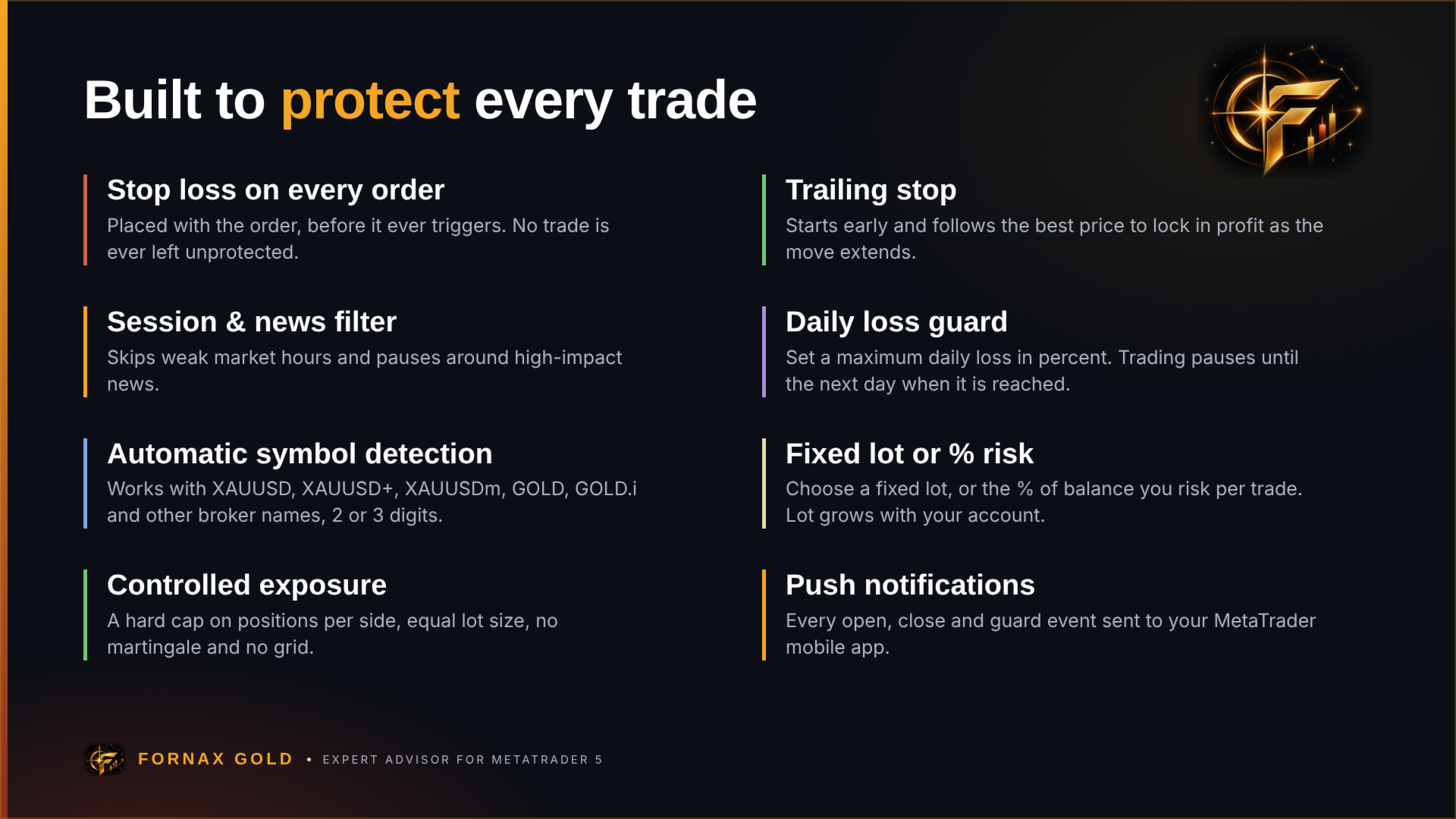
Fornax Gold waits for the market to come to it. It follows the trend, maps Orderblock zones, and enters only when price returns to a zone with the trend behind it, during the most active market hours. Every position opens with a fixed stop loss and take profit, and a trailing stop locks in profit once the trade moves in your favor.
If price moves against a position, a controlled recovery algorithm manages the floating minus and closes the whole basket as soon as it returns to profit. Exposure is capped at a fixed number of positions per side, and no position is ever opened without a stop loss. This is not a grid or martingale system: the lot size never increases within a cycle.
HOW TO USE
1. Purchase and install the EA on MetaTrader 5.
2. Attach it to an XAUUSD (Gold) M5 chart on a hedging account.
3. Allow https://nfs.faireconomy.media in Tools > Options > Expert Advisors > "Allow WebRequest for listed URL" (needed for the news filter).
4. Run it on a 24/7 VPS and monitor it from the on-chart dashboard or push notifications.
SPECIFICATION
- Symbol: XAUUSD / GOLD (any broker suffix: XAUUSD+, XAUUSDm, XAUUSD-ECN, GOLD, GOLD.i, ...)
- Timeframe: M5
- Account type: Hedging
- Minimum deposit: $500 (recommended $1,000 at 0.01 lot)
- Leverage: 1:100 or higher
- Spread: low-spread / ECN broker recommended
- Broker time: any; the EA converts server time automatically
FEATURES
- Trend + zone entries: trades only in the direction of the EMA trend, from fresh supply/demand zones.
- Fixed SL on every trade: $30 stop loss and $40 take profit per 0.01 lot, with a trailing stop.
- Controlled recovery: maximum 3 positions per side, equal lot size, basket exit at break-even plus profit. No martingale.
- Session filter: trades the London - New York hours only and skips the thin Asian session.
- News filter: pauses around high-impact USD news (ForexFactory calendar), configurable minutes before and after.
- Daily loss guard: optional maximum daily loss in percent; trading pauses until the next day when reached.
- Auto lot sizing: risk a fixed percent of balance per trade, or use a manual lot.
- Multi-broker ready: works on 2-digit and 3-digit gold quotes, any symbol suffix, any server time zone.
- On-chart dashboard: account, performance, market and position panel with PAUSE and CLOSE buttons.
- Push notifications: open/close alerts to your MetaTrader mobile app.
INPUT SETTINGS
- Trade Settings: Take Profit, Stop Loss, Trailing Start, Trailing Stop (in units of 0.10 USD), Max Spread, Recovery Order on/off.
- Risk Settings: Auto Lots, Risk %, Manual Lots.
- Time Settings: automatic in live trading; for the Strategy Tester choose your broker's server time model.
- Protection: Max Daily Loss %.
- Alerts: Push Notification.
- News Filter: enable, minutes before/after, currencies, feed URL.
- Chart Theme: Fornax color theme and dashboard on/off.
The default settings are the optimized settings. You do not need to change anything to start.
IMPORTANT
- Past performance in the Strategy Tester does not guarantee future results. Occasional losses are a normal part of trading; the EA is designed for consistent long-term use, not for a single week.
- In the tester the news filter uses a built-in calendar of past high-impact dates; live trading uses the live calendar, so results can differ slightly.
- Start on a demo account or with the minimum lot until you are comfortable with how the EA behaves. Use Auto Lots at 1-2% on real accounts; 3% is aggressive.
- Never run two instances with the same magic number on the same account.
If you have any questions, leave a comment. I respond to every buyer.