Aurum Pullback
- Experts
- 버전: 1.0
- 활성화: 5

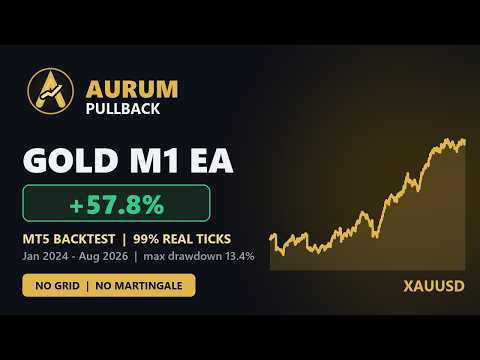
AURUM PULLBACK - Gold (XAUUSD) Expert Advisor for the M1 chart
Please backtest Aurum Pullback on your own broker before you buy.
Download the free demo, run it in your Strategy Tester on XAUUSD M1 with your broker's data, and judge the results yourself. Brokers differ in price feed, spread and commission, and I would rather you see real numbers from your own broker than rely on my screenshots.
WHAT IT DOES
Aurum Pullback trades gold on the one-minute chart and always trades in the direction of the trend. Every exit and every position size is adjusted to how much gold is moving at the moment, so the EA behaves the same way in a quiet market as in a fast one.
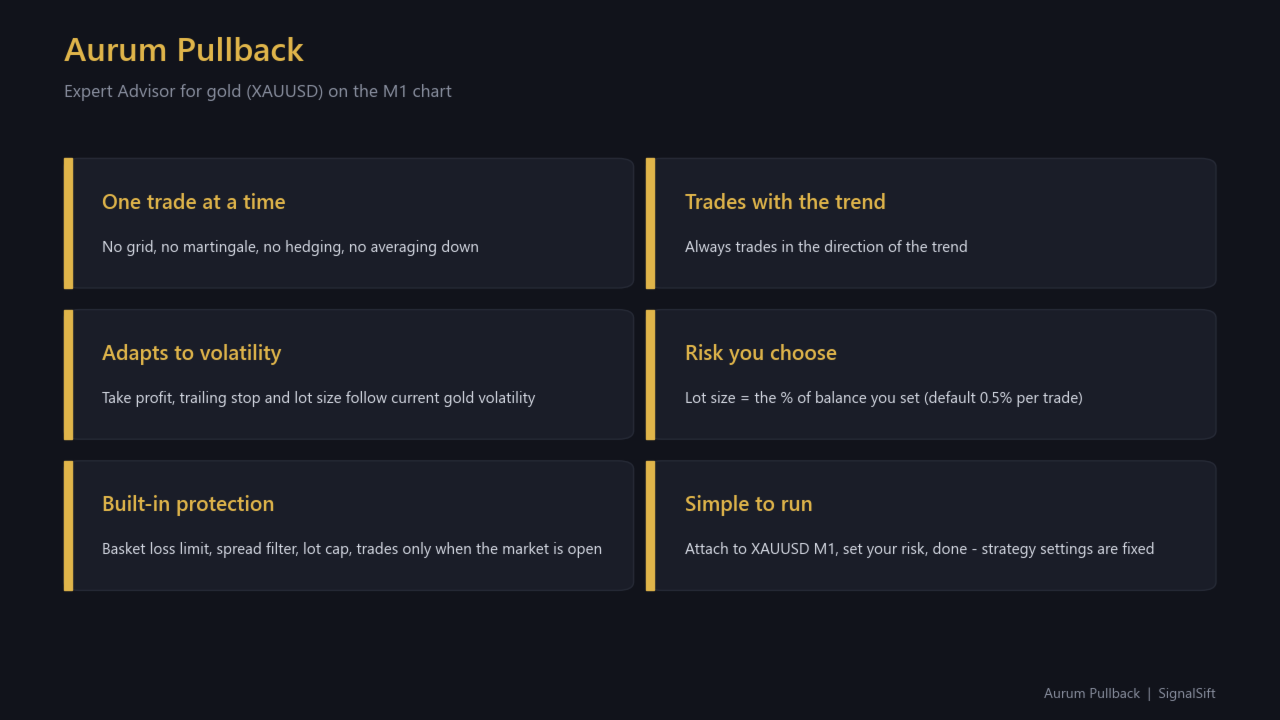
- One trade at a time. No grid, no martingale, no hedging, no averaging down.
- Always trades in the direction of the trend.
- Take profit, trailing stop and lot size follow current gold volatility automatically.
- Lot size is calculated from the risk percentage you set (default 0.5% of balance per trade).
- A basket loss limit closes a trade that goes too far against you.
- Spread filter: no new entries while the spread is abnormally wide.
- Lot cap: the EA never opens more than the maximum lot you set.
- No orders are sent while the broker's market is closed.
- The strategy settings are fixed and tested. You only choose your risk.
- Runs on XAUUSD (including broker names such as XAUUSD.m or GOLD) on the M1 chart only.
INPUTS
Risk per trade (%) - default 0.5. The share of your balance the EA risks on a normal losing trade. Lower is safer.
Max spread (points) - default 80. New trades are skipped while the spread is above this. 0 = off.
Max lot - default 5.0. The largest position the EA may open. 0 = no cap.
Magic number - default 101004. Change it if you run other EAs on the same account.
Order comment - default "Aurum".
Info panel - default on. Shows status, open profit, today's result, balance, equity, risk and spread.
BACKTEST SETTINGS USED FOR THE SCREENSHOTS
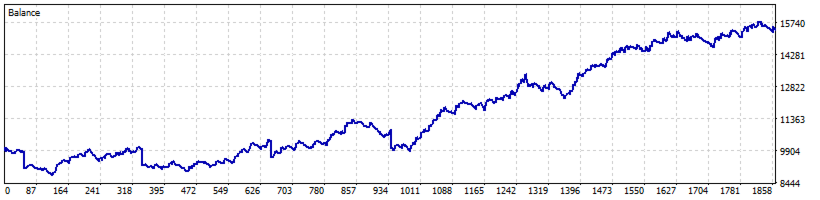
All results in the screenshots come from the MetaTrader 5 Strategy Tester with the DEFAULT inputs listed above:
Symbol XAUUSD, timeframe M1, model "Every tick based on real ticks", initial deposit 10,000 USD, leverage 1:500, risk 0.5%, max spread 80, max lot 5.0.
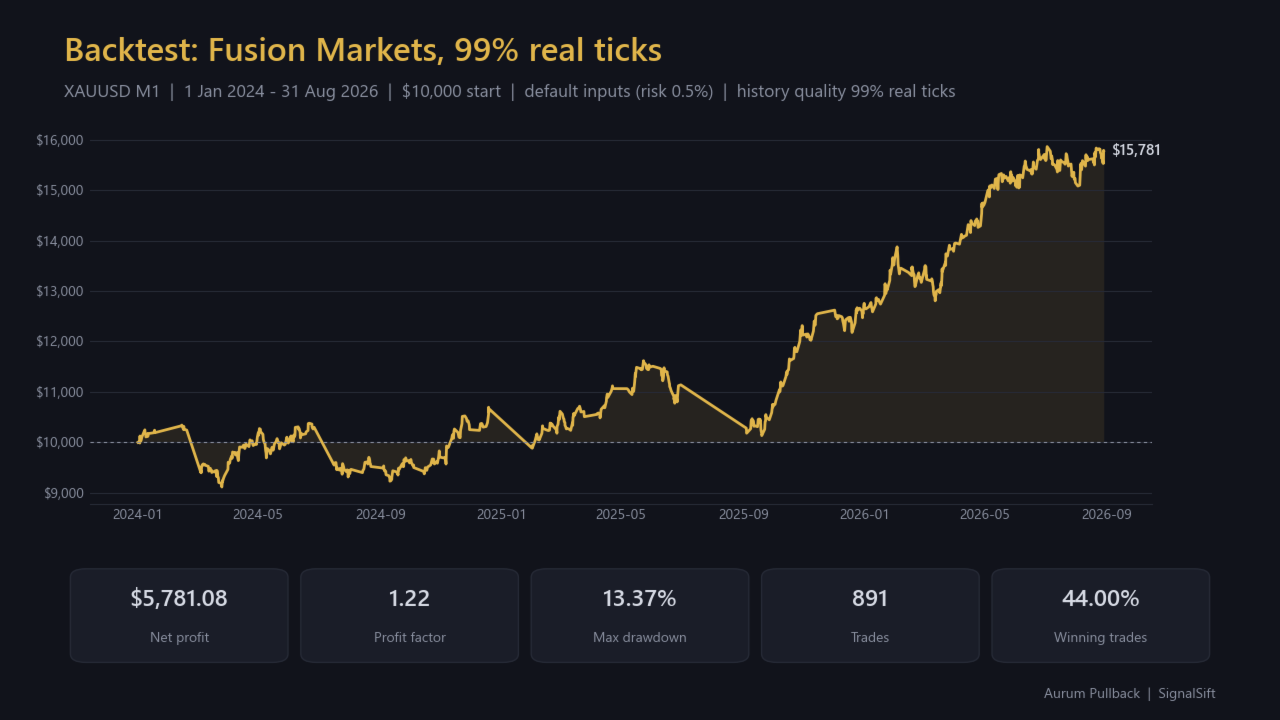
Test 1 - Fusion Markets, 1 Jan 2024 to 31 Aug 2026, history quality 99% real ticks (this is the test shown in the video):
Net profit +5,781 USD, profit factor 1.22, maximum drawdown 13.4%, 891 trades, 44.0% winning trades.
By year: 2024 +6.5%, 2025 +18.9%, 2026 (Jan-Aug) +24.6%.
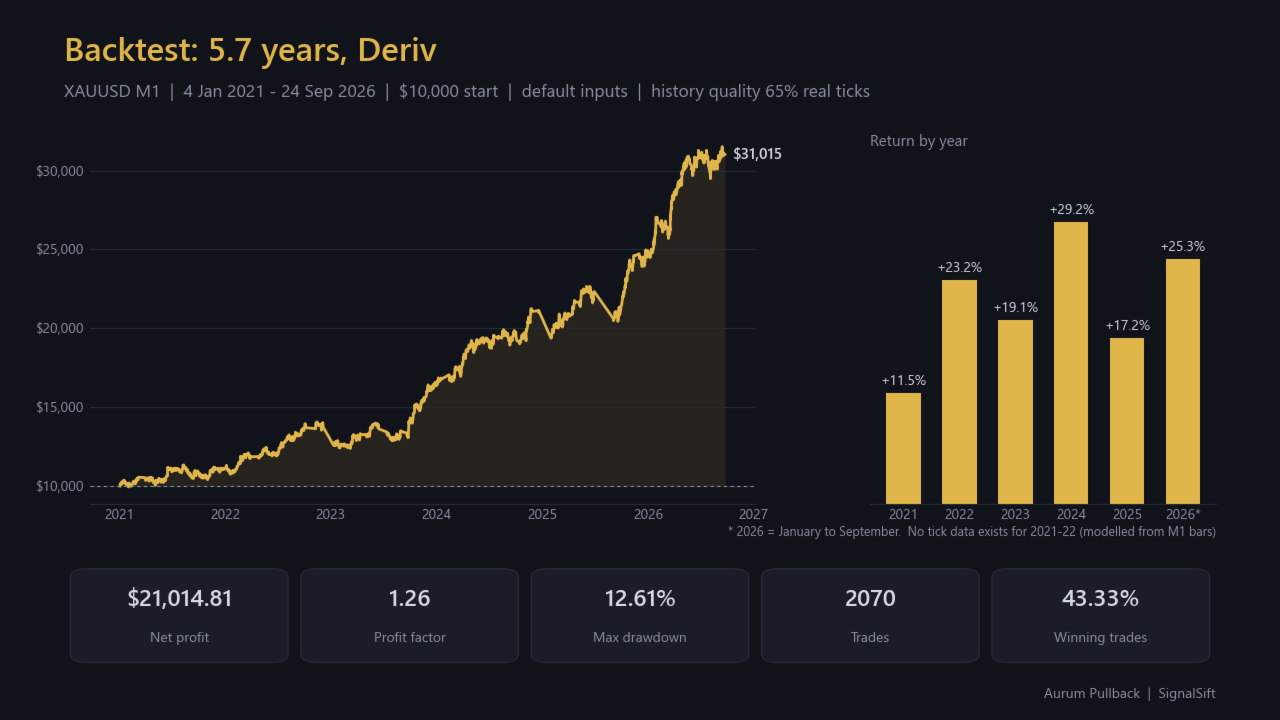
Test 2 - Deriv, 4 Jan 2021 to 24 Sep 2026, history quality 65% real ticks (real tick data does not exist for 2021-2022, so the tester models those years from one-minute bars):
Net profit +21,015 USD, profit factor 1.26, maximum drawdown 12.6%, 2,070 trades, 43.3% winning trades.
By year: 2021 +11.5%, 2022 +23.2%, 2023 +19.1%, 2024 +29.2%, 2025 +17.2%, 2026 (Jan-Sep) +25.3%.
The two brokers give different results with the same settings. That is exactly why I ask you to test on your own broker.
WHAT TO EXPECT - PLEASE READ
- Win rate is around 43%. Winning trades are on average about 1.6 times larger than losing trades. Many small losses are normal.
- Losing streaks happen. In the tests the longest run was 14 losing trades in a row.
- Losing months happen. Roughly one month in three was negative in the tests.
- Rare large losses: a few times per year a trade may go straight against the entry and be closed by the basket loss limit. At the default 0.5% risk such a trade costs about 8% of the balance (the largest single loss in the tests was 7-8%). This is the main risk of the EA. If that is too much for you, lower the risk percentage.
- Maximum drawdown in the tests was about 13-14% at 0.5% risk. Higher risk means a proportionally deeper drawdown.
- Results depend on your broker's spread, commission and price feed.
RECOMMENDED SETUP
- Chart: XAUUSD, M1. The EA refuses to run on any other symbol or timeframe.
- Account: hedging or netting, any leverage from 1:100 upwards.
- Balance: at least 3,000 USD, ideally 5,000 USD or more. With a smaller balance the broker's minimum lot (0.01) can be larger than your chosen risk when gold is volatile, and the EA will then risk more than the percentage you set.
- Broker: low spread on gold. Check your XAUUSD spread before you start.
- Keep the terminal running 24/5, preferably on a VPS.
- One chart per account is enough. Use a different magic number if you run other EAs.
IMPORTANT
Past results, including backtests, do not guarantee future results. Trading gold on margin carries a high level of risk and you can lose money. Only trade with money you can afford to lose. Test the EA on a demo account before trading real money.
PRICE
Launch price: 149 USD. The price will rise to 199 USD after the first 10 copies are sold, and will be raised further as the live track record grows.