Aegis XAU EA
- Experts
- 버전: 1.1
- 업데이트됨: 1 9월 2026
- 활성화: 5

Aegis XAU EA
Product Overview
Aegis XAU EA is an Expert Advisor designed specifically for XAUUSD (Gold) on the M1 timeframe.
The EA is based on a combination of EMA trend analysis, pullback entry conditions, ADX trend filtering, ATR volatility filtering, and RSI confirmation.
The strategy is designed to participate in established short-term market movements while avoiding periods in which the selected market conditions are not suitable for the strategy.
The M1 timeframe was selected because it provides a larger number of trading opportunities than higher timeframes while maintaining the characteristics required by the strategy.
Trading Strategy
Aegis XAU EA evaluates several market conditions before opening a position.
EMA indicators are used to identify the prevailing market direction. The EA then looks for a pullback toward the relevant EMA area before considering an entry.
ADX is used as a trend-strength filter. This helps distinguish stronger directional conditions from periods with insufficient trend strength.
ATR is used to evaluate market volatility. The EA uses this information to determine whether current volatility is suitable for trading and to calculate the trading range used by the strategy.
RSI is used as an additional confirmation of the market direction before an entry is considered.
A position is opened only when the required conditions are satisfied. The EA does not continuously open positions simply because a new candle has appeared.
Position Management
The EA uses fixed lot sizes.
Only one position is maintained at a time by the EA.
Stop Loss and Take Profit levels are determined by the strategy parameters and current market conditions.
The EA is intended to operate automatically after it has been attached to the specified symbol and timeframe.
The selected trading conditions include time-based filtering. The 04:00 trading period is excluded in the current recommended configuration.
Recommended Environment
Symbol: XAUUSD
Timeframe: M1
Recommended minimum balance: USD 4,000
Recommended preset: Balanced, 0.02 lot
The recommended balance is based on the testing configuration and should not be interpreted as a guarantee of future performance.
The actual trading environment can differ depending on the broker, spread, execution conditions, contract specifications, and other account settings.
Available Presets
Stable: 0.01 lot
Balanced: 0.02 lot
Growth: 0.03 lot
Dynamic: 0.04 lot
Aggressive: 0.05 lot
The presets use different fixed lot sizes. A higher lot size increases both the potential monetary result and the potential monetary loss.
Users should select a lot size appropriate for their account balance and risk tolerance.
Recommended Preset Test Results
The following results are historical strategy tester results and are provided for reference. They are not real trading results and do not represent a guarantee of future performance.
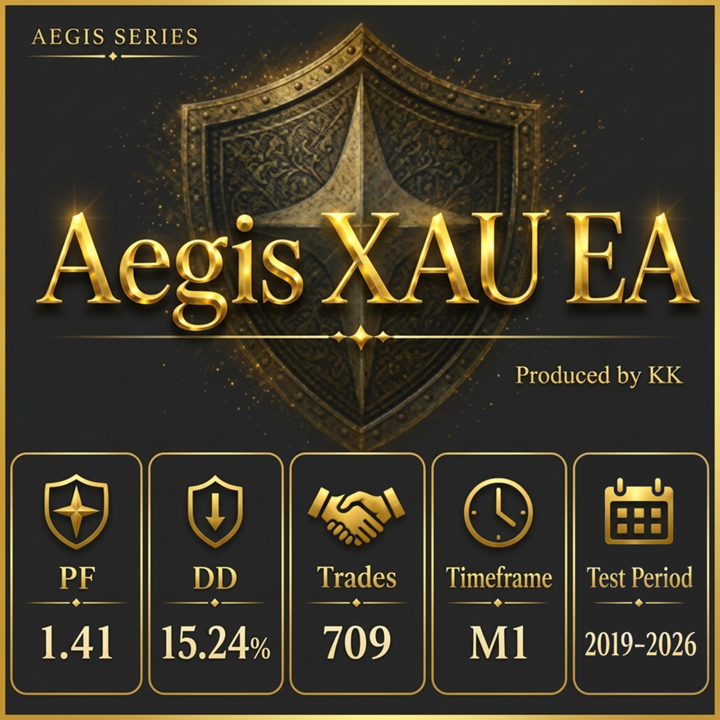
| Metric | 7-Year Forward Test | 2026 Recent Test |
|---|---|---|
| Initial Balance | USD 4,000 | USD 4,000 |
| Forward Period | 28 Months | 6 Months |
| Profit Factor | 1.41 | 1.98 |
| Maximum Drawdown | 15.24% | 18.29% |
| Trades | 709 | 142 |
| Profit | USD 8,256.48 | USD 6,868.93 |
| Average Monthly Profit | USD 295 | USD 1,144 |
Testing Periods
Backtest Period:
2019/06/30 – 2026/06/29
Forward Test From:
2024/02/28
The EA was evaluated using several testing periods, including long-term historical data, forward testing, and recent market data.
Development decisions were not based on a single historical period. Multiple factors, including profitability, drawdown, trading frequency, and recent performance, were considered when selecting the recommended configuration.
The recent test results are shown separately because historical results alone may not represent the conditions of the current market.
Why M1
Higher timeframes can produce different statistical results and may show different Profit Factors or drawdown characteristics.
The M1 timeframe was selected for this product because it provides more trading opportunities while retaining the trend, pullback, volatility, and confirmation conditions used by the strategy.
This does not mean that the M1 timeframe will perform better under all future market conditions.
Installation
-
Install the EA in MetaTrader 5.
-
Open an XAUUSD chart.
-
Select the M1 timeframe.
-
Attach Aegis XAU EA to the chart.
-
Select the desired preset and lot size.
-
Confirm that automated trading is enabled.
For initial use, testing on a demo account is recommended so that the user can verify compatibility with the broker's XAUUSD contract specifications, spread, execution conditions, and account settings.
Risk and Usage
Aegis XAU EA is an automated trading system. Its historical testing results cannot guarantee future results.
Market conditions, volatility, spreads, execution speed, liquidity, and broker specifications may affect actual trading performance.
The lot sizes provided in the presets are fixed lot configurations. Users should consider their own account balance and risk tolerance before selecting a preset.
Starting with a smaller lot size and monitoring the EA under the intended broker environment is recommended before increasing the position size.
Do not use funds that you cannot afford to lose.
Version Information
September 1, 2026 – Version 1.1
This version includes the current strategy configuration developed using recent market data and testing results.
The EA will continue to be evaluated using historical, forward, and recent market data as part of the development process.