Reverse Elements All Currency Scanner
- 지표
-
Shin Kojima
 MT4 indicator developer with 10+ years of live trading experience.
Specializing in alert tools and scanners for ICT-based traders.
Zero complaints. Reliable tools. Real support.
MQL4 / MQL5 Development Services
• Custom Indicator Modifications - 버전: 1.0
- 활성화: 5
Reverse_Elements_AllSearch
Reverse_Elements signals multi-symbol / multi-timeframe scanner for MetaTrader 4
----------------------------------------------------------------------
Important Requirement
----------------------------------------------------------------------
Reverse_Elements_AllSearch requires the main Reverse_Elements indicator.
Reverse_Elements_AllSearch is not a standalone signal-generation indicator.
It is a scanner that reads signals from the main Reverse_Elements indicator and displays them across multiple symbols and timeframes in one panel.
Therefore, Reverse_Elements.ex4 must be installed in the MT4 MQL4/Indicators folder.
If the main Reverse_Elements indicator is missing, Reverse_Elements_AllSearch may not be able to detect or display signals correctly.
When selling or distributing this product, please make it clear that it is designed to be used together with the main Reverse_Elements indicator.
Reverse_Elements_AllSearch alone may not be sufficient for signal detection or operation checks.
----------------------------------------------------------------------
Overview
----------------------------------------------------------------------
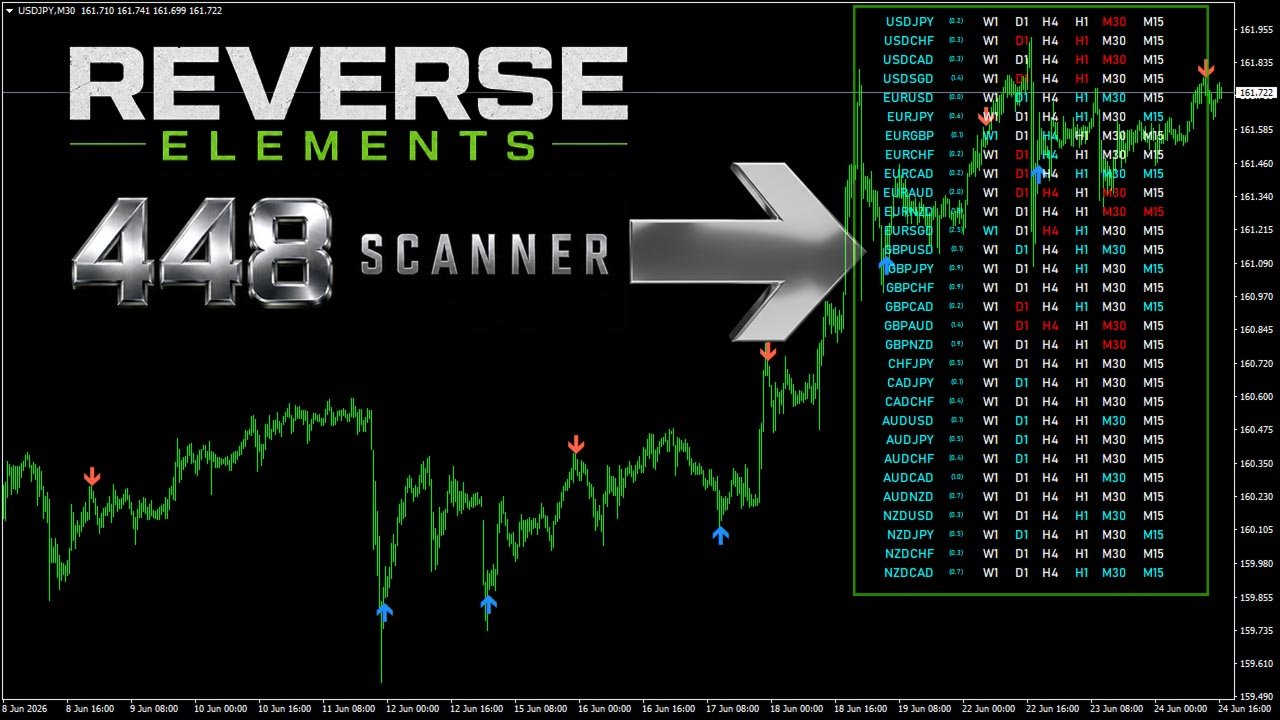
Reverse_Elements_AllSearch is a MetaTrader 4 indicator designed to scan Reverse_Elements signals across multiple symbols and multiple timeframes from a single chart.
While the standard Reverse_Elements indicator displays buy and sell arrows directly on one chart, Reverse_Elements_AllSearch collects those signals into one scanner panel so you can monitor many markets at once.
It helps you quickly see which symbol and timeframe currently has a Reverse_Elements signal without manually switching through many charts.
This is not an Expert Advisor.
It does not open, close, or manage trades automatically.
----------------------------------------------------------------------
Main Features
----------------------------------------------------------------------
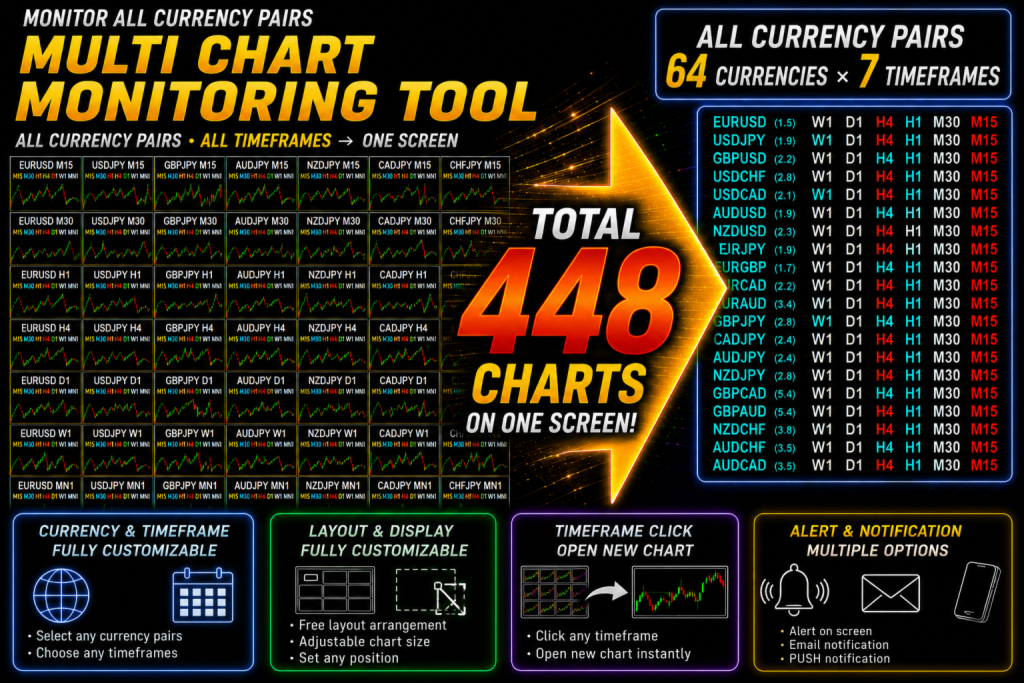
- Displays Reverse_Elements buy and sell signals in one scanner panel
- Monitors multiple symbols and multiple timeframes from a single chart
- Supports M1 / M5 / M15 / M30 / H1 / H4 / D1 / W1 display control
- Uses clear panel colors to show buy and sell signal status
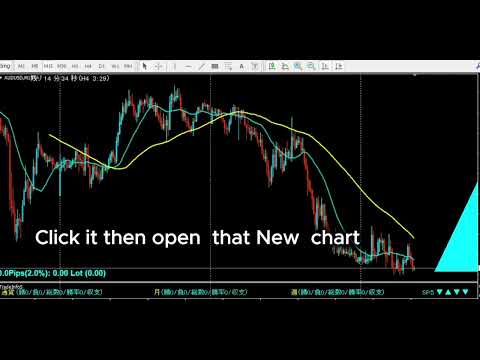
- Click a timeframe cell to open the corresponding chart
- Includes SignalLookbackBars to detect recent signals within the latest bars
- Alert and email notification support
- Works with symbols available in your broker's Market Watch, including FX pairs, metals, indices, and crypto where supported
- Main Reverse_Elements settings can also be adjusted from the scanner
Reverse_Elements_AllSearch is designed to be used in the same simple way across different timeframes and symbols, making it suitable for traders who monitor multiple markets with one consistent approach.
----------------------------------------------------------------------
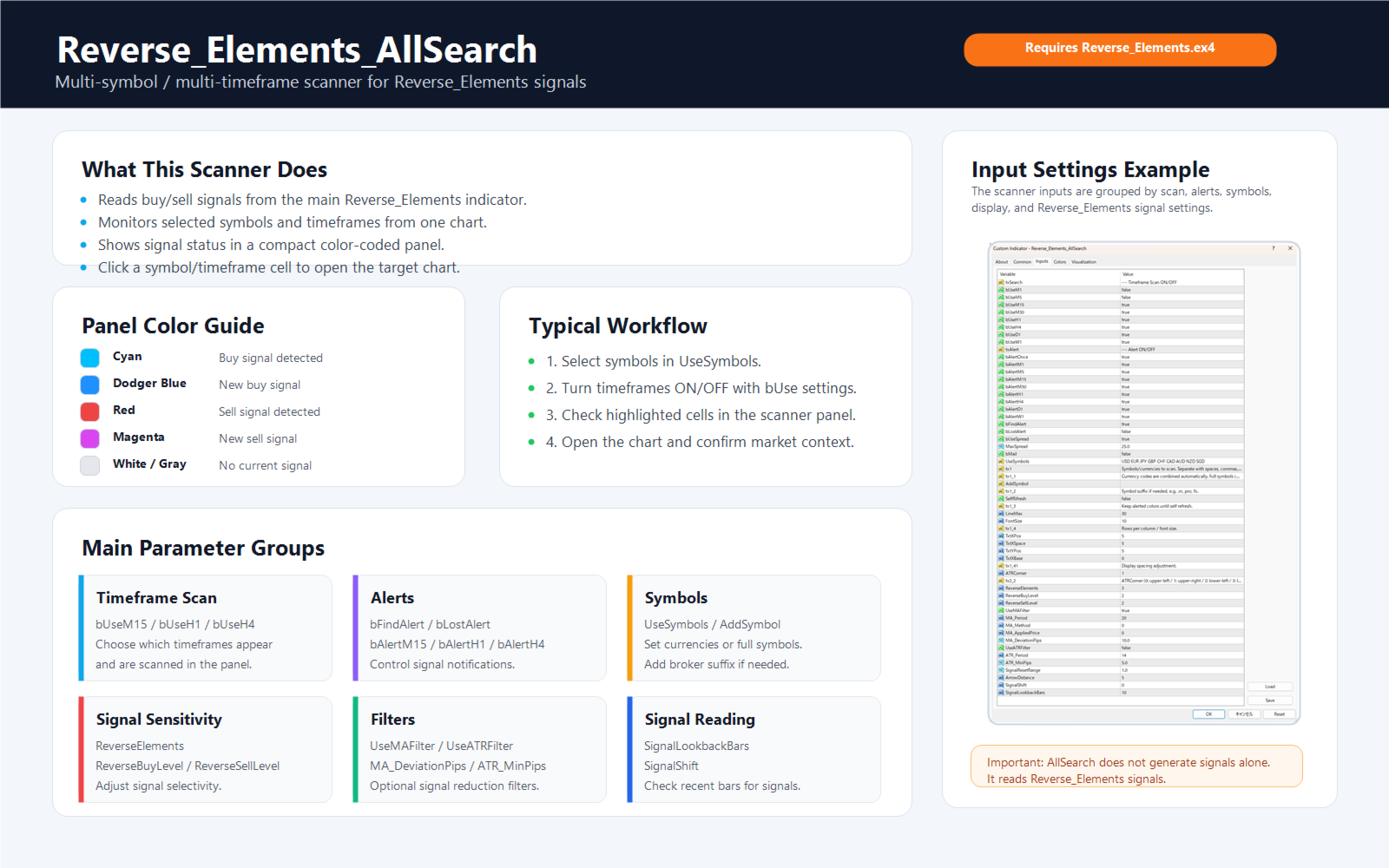
Panel Color Guide
----------------------------------------------------------------------
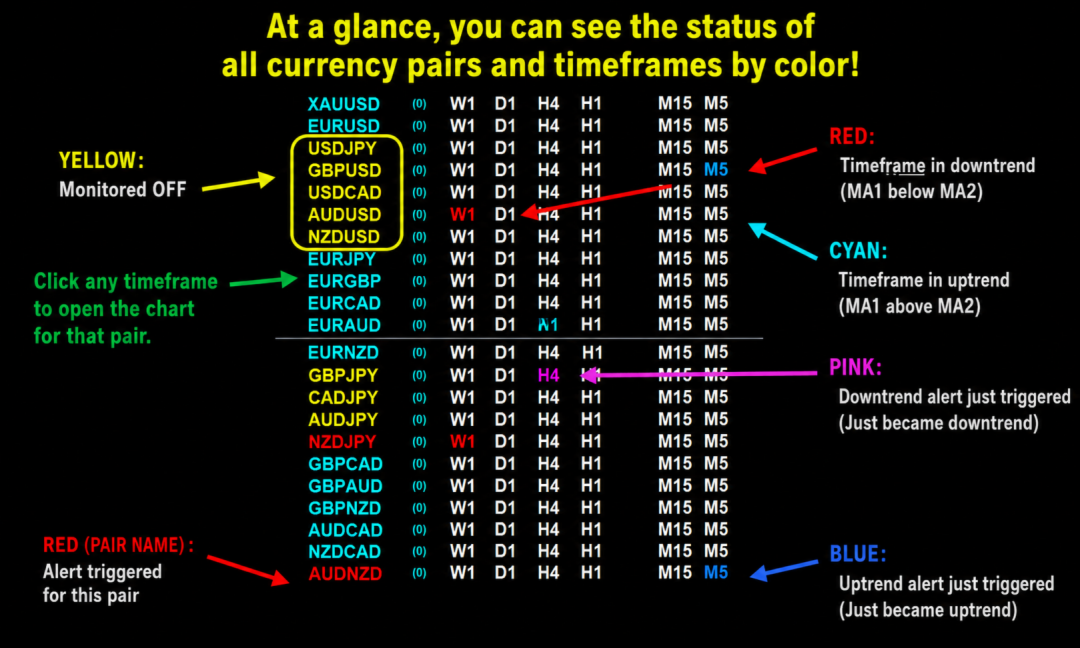
Each cell represents one symbol x timeframe combination.
Cyan
A buy signal is detected.
Dodger Blue
A new buy signal has just been detected.
Red
A sell signal is detected.
Magenta
A new sell signal has just been detected.
White / Gray
No current signal is detected for that cell.
The number next to each symbol name shows the current spread.
When the spread exceeds MaxSpread, the spread value is shown in red.
If BlockSignalsBySpread = false, signal scanning continues even when the spread value is red.
If BlockSignalsBySpread = true, symbols above MaxSpread are skipped for that scan cycle.
----------------------------------------------------------------------
Installation
----------------------------------------------------------------------
1. Copy Reverse_Elements.ex4 to your MT4 MQL4/Indicators folder.
2. Copy Reverse_Elements_AllSearch.ex4 or mq4 to your MT4 MQL4/Indicators folder.
3. If you compile from mq4 source, copy AllSearch.mqh to your MT4 MQL4/Include folder.
4. Restart MetaTrader 4 or refresh MetaEditor.
5. Attach Reverse_Elements_AllSearch to any chart.
The AllSearch version reads signals from the Reverse_Elements indicator, so the Reverse_Elements main indicator is required.
Symbols must be visible in MT4 Market Watch.
If price history is missing, open the required symbol and timeframe once so MT4 can download the data.
----------------------------------------------------------------------
Basic Workflow
----------------------------------------------------------------------
1. Add the symbols you want to monitor to Market Watch.
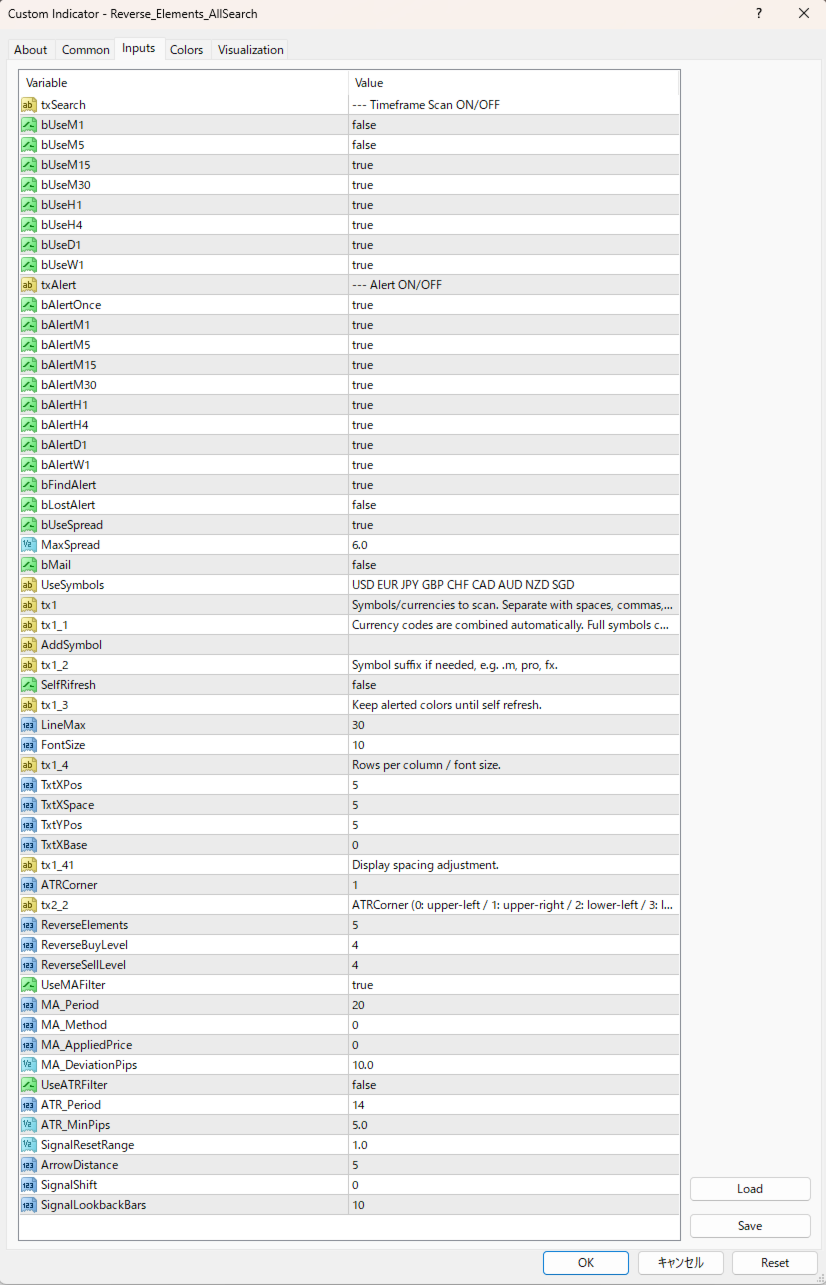
2. Enter the symbols or currency codes in UseSymbols.
3. Enable the timeframes you want to monitor with bUseM15, bUseH1, bUseH4, and similar settings.
4. Adjust ReverseElements, ReverseBuyLevel, and ReverseSellLevel if needed.
5. When a signal appears in the panel, click the symbol/timeframe cell to open the chart and review the market context.
The host chart symbol and timeframe do not affect the scan result.
The scanner monitors the symbols and timeframes selected in the input settings.
----------------------------------------------------------------------
How to Use UseSymbols
----------------------------------------------------------------------
There are two ways to enter symbols.
═══ All-Currency Monitoring Series ═══
Tools that monitor all currency pairs at once become an incredibly powerful weapon once mastered ? a trading tool for life.
The key is to match the right tool to your trading strategy.
Here are the hottest tools available right now:
- IFVG All-Currency Scanner
The most effective tool for catching ICT fake-out moves.
Especially powerful for targeting AMD movement setups.
- MA + Pin Bar All-Currency Scanner
A precision tool that finds pin bars bouncing off moving averages to catch pullback entries.
The ultimate edge comes from knowing [what was swept]. Works perfectly with ICT methodology.
- AutoLineSaver
An almost essential companion for all-currency monitoring.
Automatically saves and restores your drawn lines even after closing charts ? an extremely
convenient tool that dramatically improves the efficiency of multi-pair chart analysis.