Squeeze Box
- 지표
-
Sinan Durkan
 🔥 I TRADE FOREX CLUB은(는) 트레이더들이 부의 세계로 나아가는 두려움을 극복하도록 돕는 것을 목표로 합니다!
저는 여러분의 가이드이자 코치, 그리고 멘토로서 시작부터 성장, 수익 창출까지 실질적인 조언과 팁을 제공하고, 때로는 약간의 단호함과 영감을 함께 드립니다.
저의 인디케이터와 자동매매 프로그램(Expert Advisor, EA)이 마음에 드신다면 구독해주세요!
💡 트레이딩 비밀과 거래 로봇을 알고 싶다면 저를 팔로우하세요:
► 무료 소셜 미디어: - 버전: 1.1
- 업데이트됨: 14 10월 2025
**Squeeze Box Indicator**
Squeeze Box is a powerful technical analysis indicator developed for the MetaTrader 4 platform, designed to support day trading strategies. This indicator analyzes market movements to detect bullish and bearish breakout signals, enabling traders to capture trends early. With its customizable features and user-friendly interface, it is ideal for both novice and experienced traders.
### Features and Functions
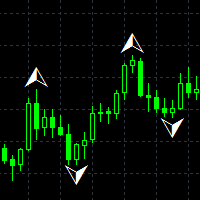
- **Bullish and Bearish Signals**: Identifies market breakouts, generating buy (bullish) and sell (bearish) signals, visualized with customizable arrows (size and color).
- **Customizable Visuals**: Arrow size, colors, font type, font size, and font color can be adjusted to personalize the chart appearance.
- **Box Drawing**: Draws colored rectangles (LightSkyBlue for bullish, Tomato for bearish) on the chart to highlight market movements.
- **Signal Analysis**: Analyzes signal performance, displaying the percentage of winning/losing trades, average signal pip value, and spread information.
- **Alert Systems**: Supports on-screen alerts, sound alerts, email notifications, and push notifications for bullish or bearish signals.
- **Flexible Settings**: Customizable parameters such as minimum and maximum range (MinRange, MaxRange), high/low filter (HighLowFilter), and historical analysis (MaxHistoryBars).
- **Pip-Based Calculations**: Uses pips instead of points in calculations and displays for more accurate and clear results.
### Usage
Squeeze Box is particularly effective on the H1 (1-hour) timeframe. The indicator leverages ATR (Average True Range) and price movements to identify trends and breakout points. Traders can adjust the MinRange and MaxRange parameters to fine-tune signal sensitivity. The signal analysis feature allows users to evaluate past performance and optimize strategies.
### Installation
1. Copy the indicator file to the “Indicators” folder in MetaTrader 4.
2. Restart MetaTrader 4.
3. Add the indicator to a chart and customize the settings to suit your needs.
### Why Squeeze Box?
Squeeze Box is designed for traders who aim to capture market volatility and trade at the right moment. With its user-friendly interface, customizable settings, and multiple alert systems, it is a reliable companion for day trading.