Remarkable EA
- Experts
- 버전: 3.53
- 업데이트됨: 6 10월 2026
- 활성화: 5

REMARKABLE EA
Quick Guide - What It Does & How To Use It
============================================================
WHAT IT DOES
------------
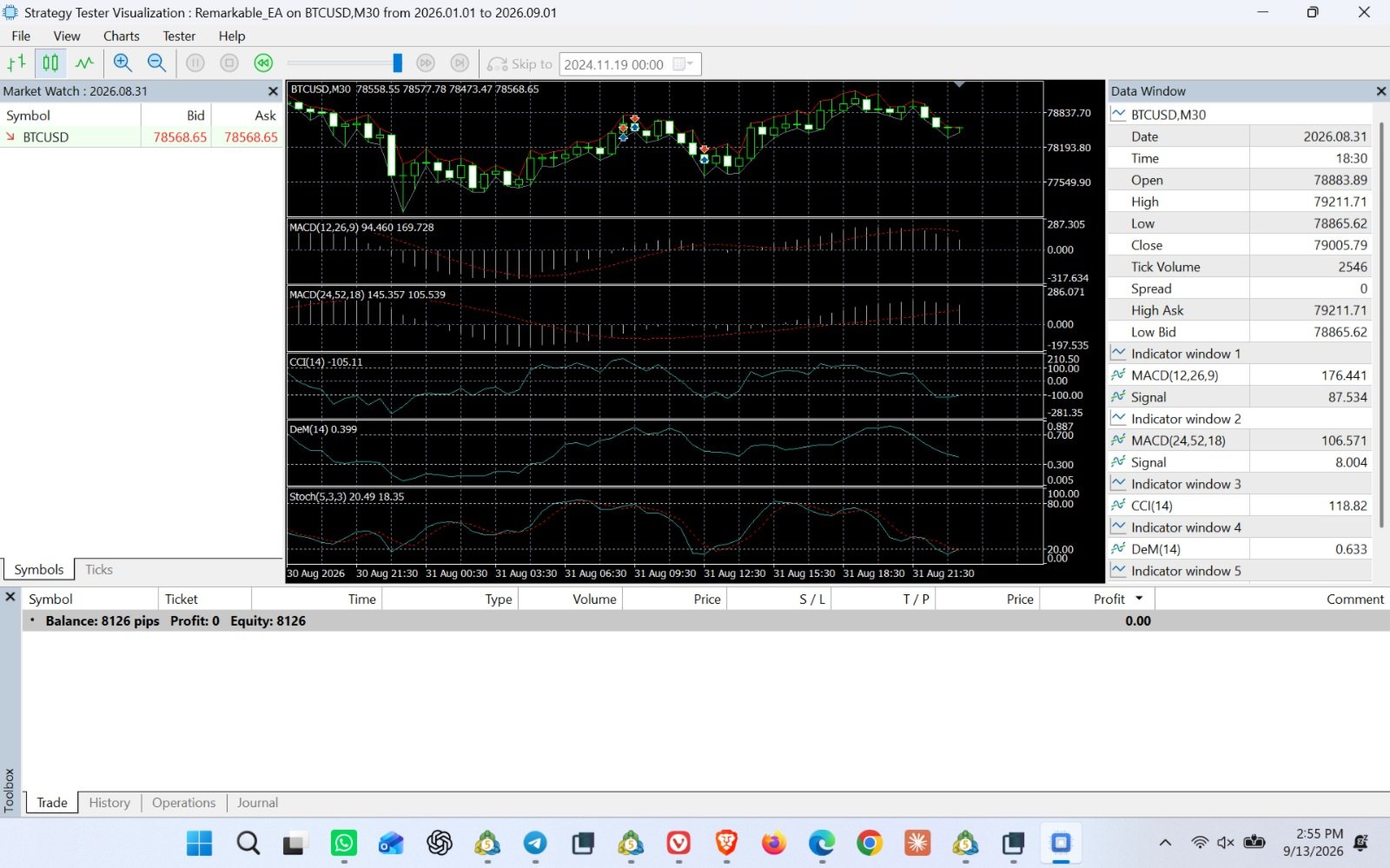
Remarkable EA is an automated trading robot for MetaTrader 5. Instead of
relying on one indicator, it checks five well-known momentum and trend
indicators together (MACD, a second slower MACD, CCI, DeMarker, and
Stochastic). A trade only opens when enough of them agree on the same
direction, which helps filter out weak or false signals.
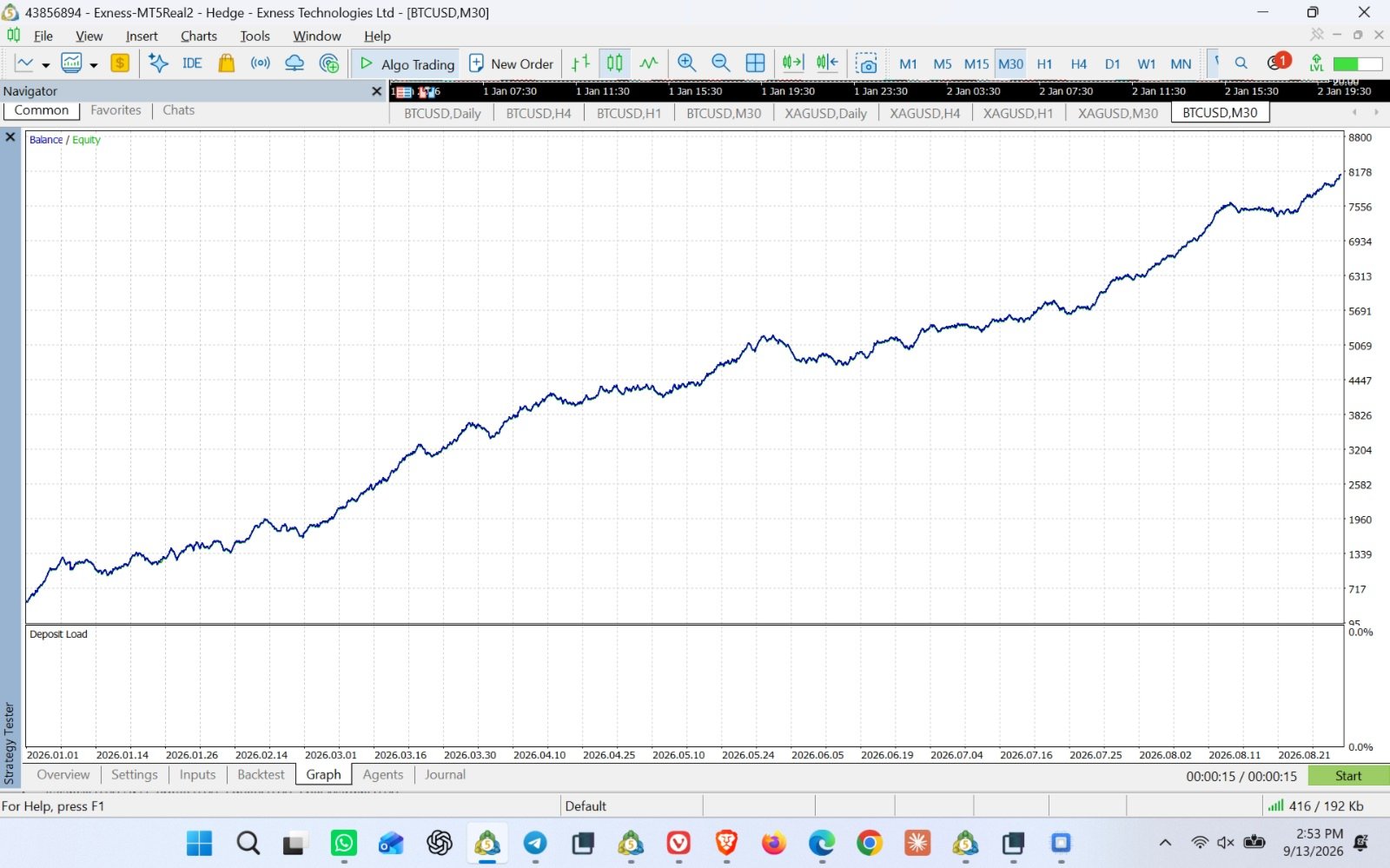
It's suitable for major Forex pairs as well as volatile assets like
XAUUSD (gold), XAGUSD (silver), and BTCUSD - just remember to widen the
Stop Loss / Take Profit settings for these more volatile instruments
(see "Settings You May Want to Adjust" below).
Built-in safety features:
- Won't open a trade the account can't afford (checks margin first)
- Won't hold a Buy and a Sell on the same symbol at the same time
- Automatically keeps Stop Loss / Take Profit within your broker's
allowed limits
- Optional quiet hours, so it skips trading during hours you choose
- Pop-up and sound alerts every time it opens or closes a trade
GETTING STARTED
----------------
1. Copy the EA file into your MetaTrader 5 "Experts" folder
(in MT5: File -> Open Data Folder -> MQL5 -> Experts).
2. Restart MetaTrader 5, or right-click "Expert Advisors" in the
Navigator panel and choose Refresh.
3. Drag Remarkable EA onto the chart of the symbol and timeframe you
want to trade (H1 is a good default).
4. In the settings window, tick "Allow Algo Trading", then click OK.
5. Check the smiley-face icon in the top-right of the chart is green -
that means it's live and running.
Tip: always test on a demo account first, ideally by running it in the
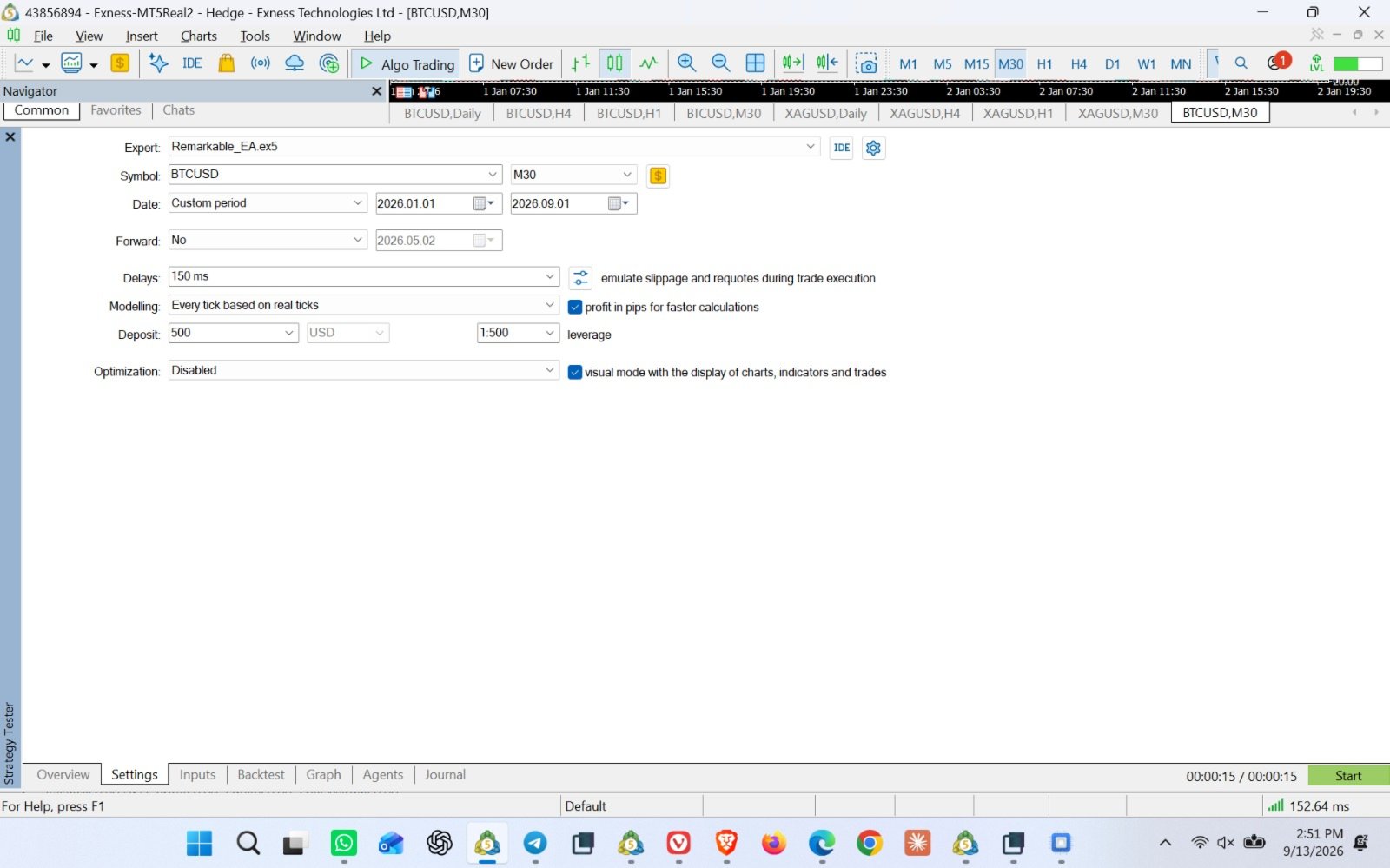
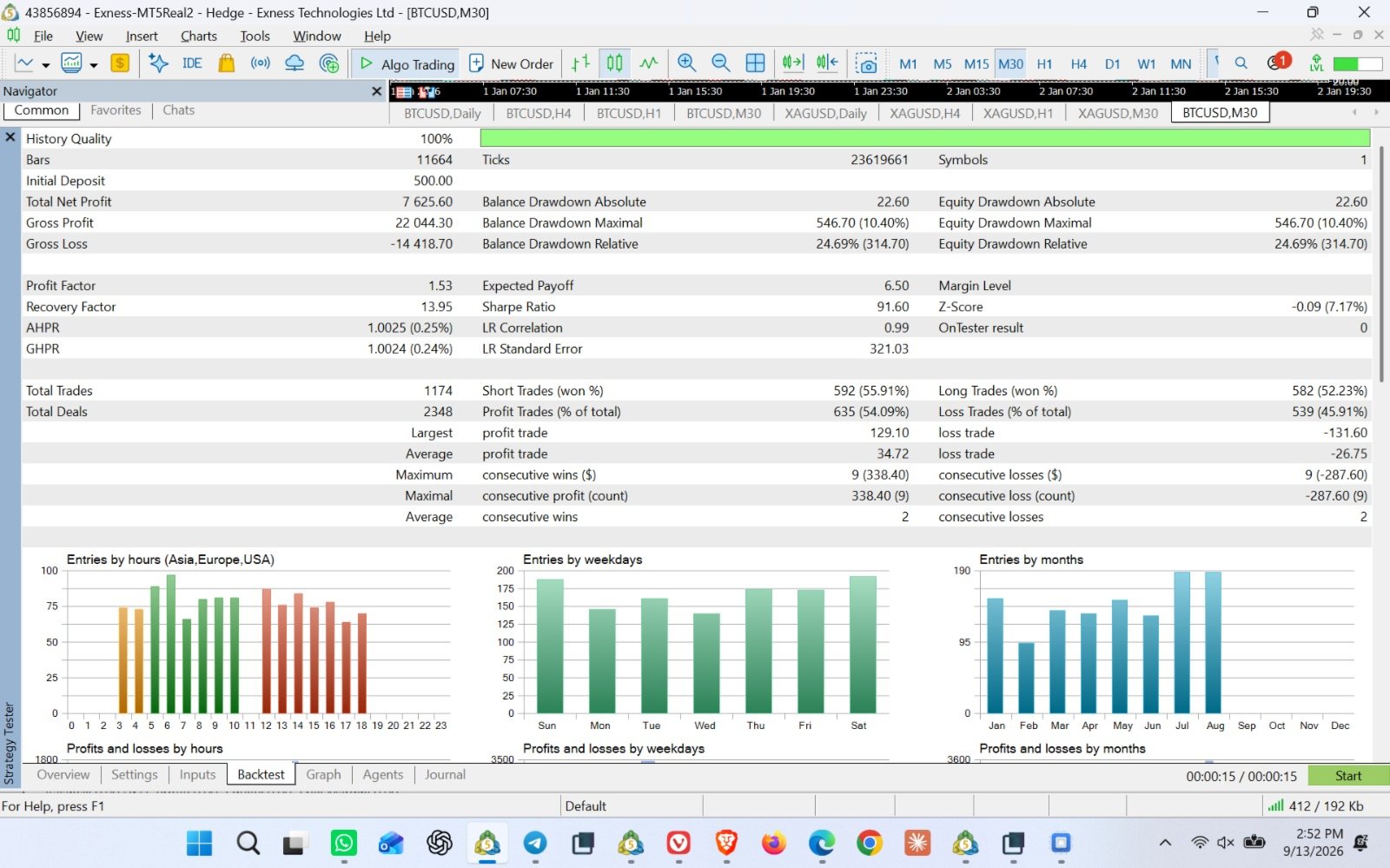
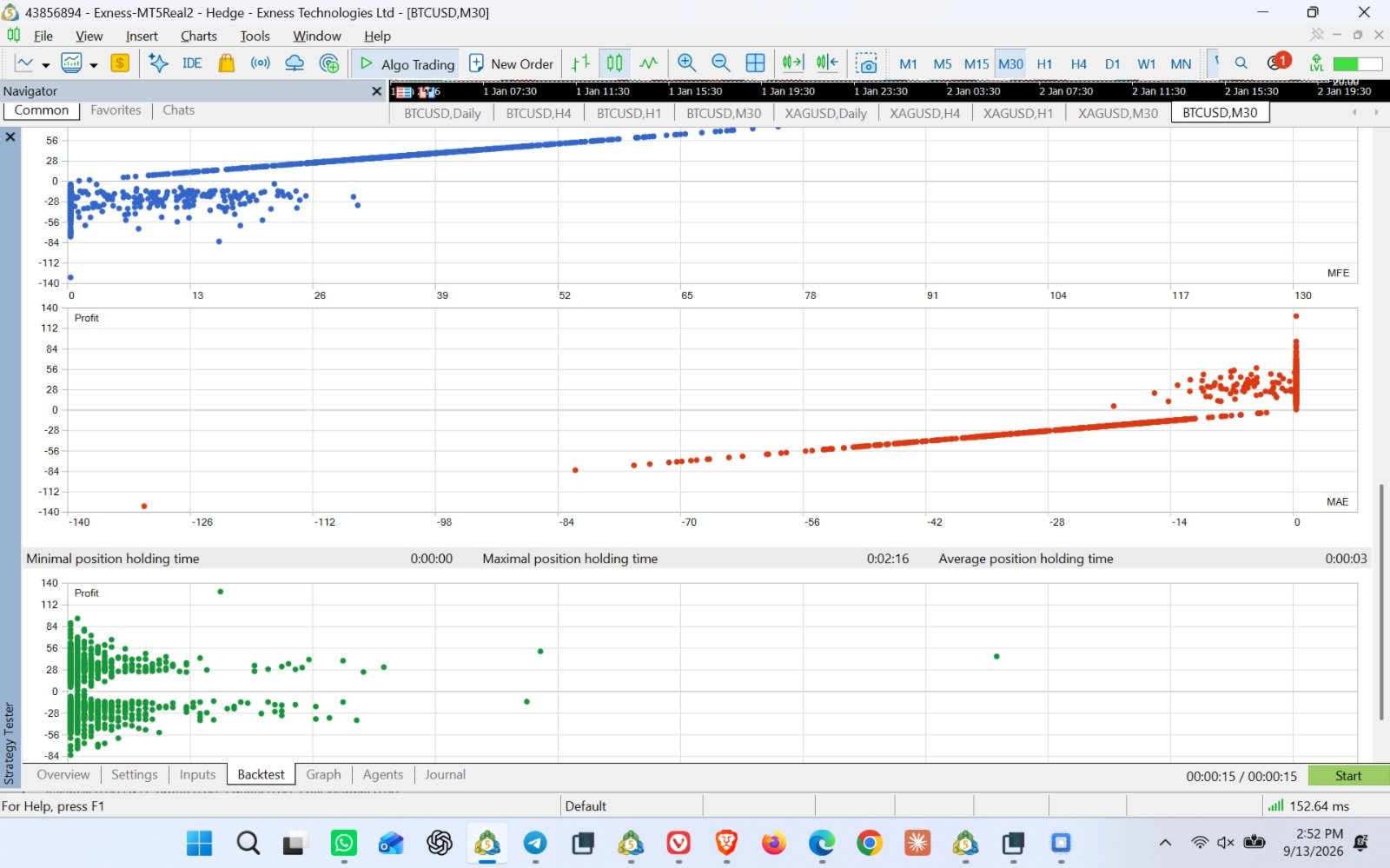
Strategy Tester over a few months of history, before using real money.
SETTINGS YOU MAY WANT TO ADJUST
--------------------------------
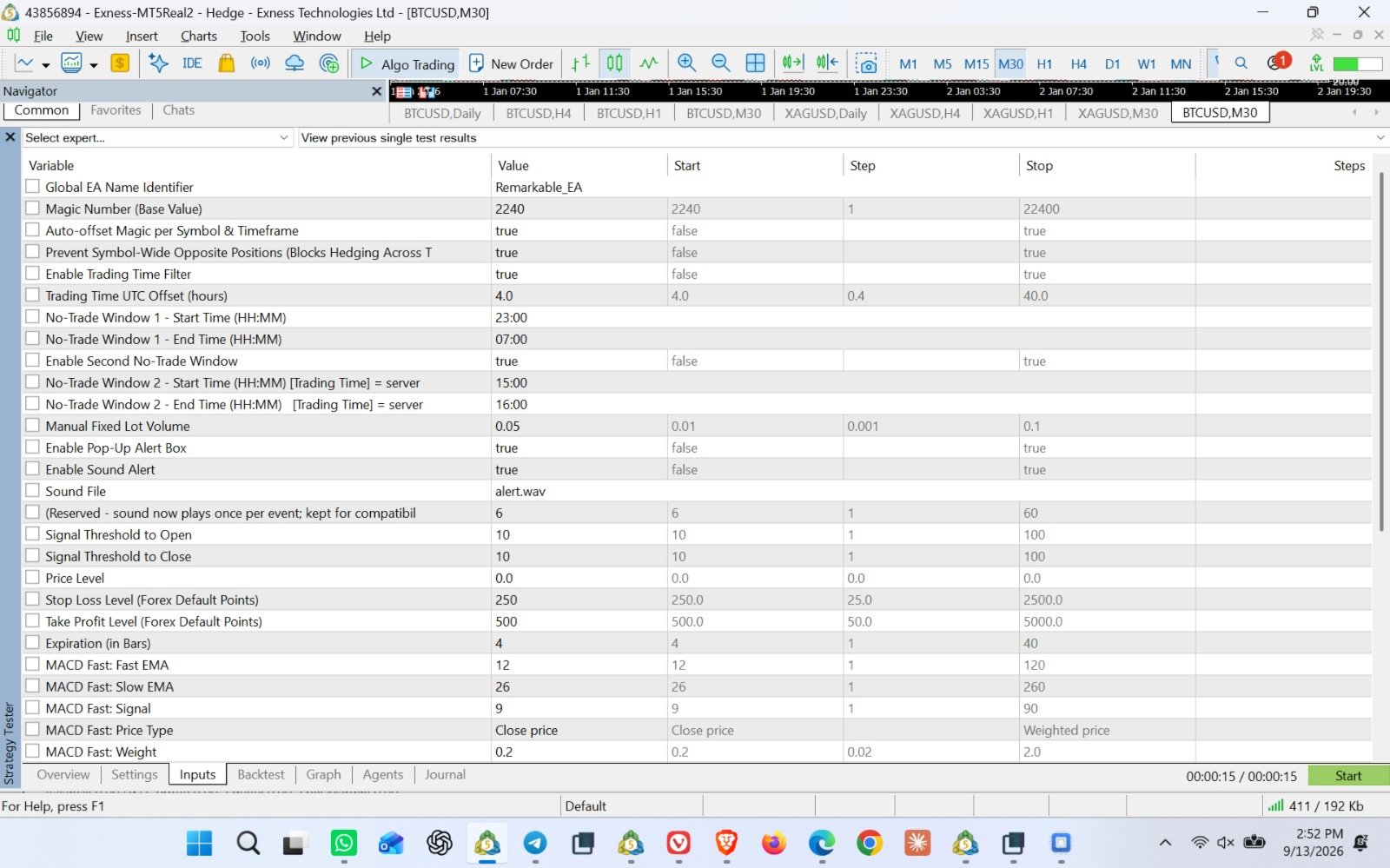
Fixed Lot
The trade size. Start small 0.01 and to avoid detection.
Signal Stop Level / Signal Take Level (EA has Default Setting for XAGUSD M30). For other timings and assets, kindly change and run them in strategy tester. Optimal settings shall only be loaded to the charts, and paid user's will be provided with assistance.
How far (in points) your Stop Loss / Take Profit sit from entry.
Increase these for gold, silver, crypto, or other fast-moving
instruments.
Signal_ThresholdOpen
How strongly the indicators need to agree before a trade opens.
Higher = fewer, more selective trades.
EnableTradingTimeFilter / NoTradeStartTime / NoTradeEndTime
Turns on a "quiet hours" window where the EA won't open new
trades.
InpUseAlert / InpUseSound
Turn the pop-up and sound alerts on or off.
Everything else can safely be left on its default setting for normal
use.
A FEW THINGS TO KEEP IN MIND
------------------------------
- This EA uses a fixed lot size - it does not automatically calculate
position size from your account balance, so choose your lot size
with your own risk tolerance in mind.
- Past performance (including backtests) does not guarantee future
results.
- Never trade with money you can't afford to lose, and always test on
a demo account first. Users can reach out for set files.