Phantom Session Timer MT4

Trading the wrong session is one of the most expensive mistakes beginners make — and most professionals never fully solve.

You have a London breakout strategy. But you are staring at the chart at 3 AM when Asian session liquidity is thin, spreads are wide, and the setups that form look exactly the same as they do at 8 AM London open. You take the trade. It doesn't behave the way your strategy expects. Because timing matters — session matters — and your terminal doesn't tell you what session you're actually in.

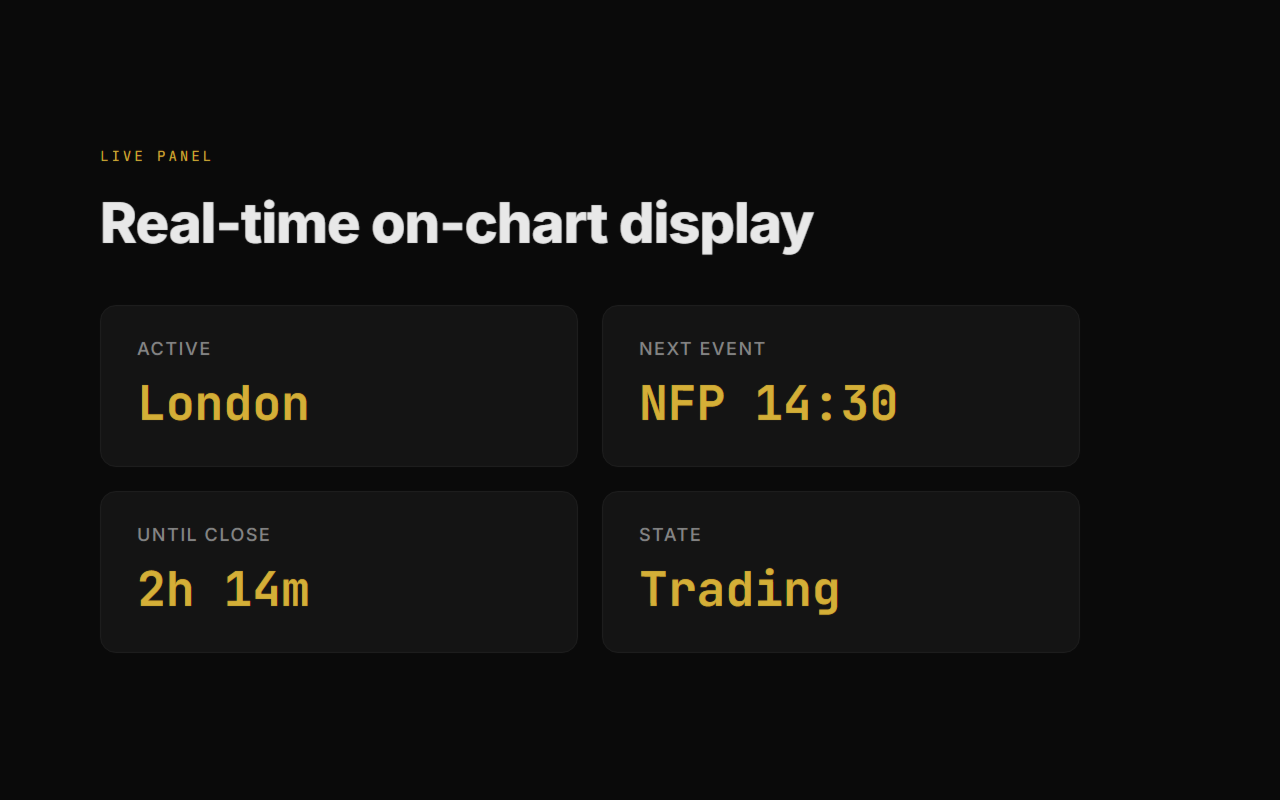
PHANTOM Session Timer puts session awareness directly on your chart. At a glance: which sessions are live, which overlap is active, how long until London open, how long until New York close. The information you always need and never have in one place.

---

### What PHANTOM Session Timer Does

PHANTOM Session Timer is a MetaTrader 5 utility that displays a real-time session dashboard directly on your chart. It shows all four major trading sessions — Sydney, Tokyo, London, New York — with live open/close status, color-coded activity indicators, countdown timers to next open, and session overlap highlighting.

It automatically adjusts for Daylight Saving Time. No manual offset adjustments needed between summer and winter. The timer is always accurate.

---

### Key Features

- 4-session display — Sydney, Tokyo, London, New York with live status
- Real-time countdown — time until next session open and time until current session close
- Session overlap highlighting — London/NY overlap is the highest liquidity window — shown prominently
- DST auto-adjustment — handles US and EU Daylight Saving Time automatically
- Server time display — always shows broker server time alongside local time
- Custom sessions — add custom trading windows (e.g., your personal trading hours)
- Session open alerts — optional sound and push notification at each session open
- Visual session bands on chart — optional colored background bands on the chart showing each session period
- Daily reset timer — counts down to broker daily candle reset (midnight server time)
- Compact and full display modes — minimal single-line display or full panel

---

### Setup in 3 Steps

1. Drag PHANTOM Session Timer onto any chart
2. Select your broker's GMT offset (or leave on auto-detect)
3. Done — all sessions display with live countdowns immediately

---

### Part of the PHANTOM Trading Suite

PHANTOM Session Timer is a free utility from the PHANTOM Sentinel ecosystem. The right timing tools are the foundation — the suite handles everything else.

| Product | What It Does | Price |
|---|---|---|
| PHANTOM News Shield | Automatic news filter — closes or protects trades before NFP, FOMC, CPI | $39 |
| PHANTOM Trail Pro | Smart stepped ATR trailing stop with Break Even and partial closes | $49 |
| PHANTOM Guardian | Prop firm risk enforcer — daily loss, drawdown, anti-tilt, weekend close | $49 |
| PHANTOM Copier | Smart trade copier for multi-account management | $79 |
| PHANTOM Airbag | Emergency drawdown protection — detects abnormal loss and intervenes | $99 |
| PHANTOM Trader DSS | Full AI trading system — 13 strategies, autonomous execution | $199 |

Free 14-day trial of the full suite: https://goldfoundry.de/sentinel

---

### Support

- Email: support@goldfoundry.de
- Telegram: @phantomtraders
- Response time: within 24 hours on business days

---

### Risk Disclaimer

PHANTOM Session Timer is an informational utility. Session times displayed are based on standard market convention and broker server time. Session timing does not guarantee market behavior within those windows. Trading financial instruments involves substantial risk of capital loss. Only trade with capital you can afford to lose.

### Category: Utilities → Other
### Pricing: FREE

---

Part of the PHANTOM Trading Suite:
- Phantom News Shield — Automatic news protection
- Phantom Trail Pro — Smart trailing stop manager
- Phantom Guardian — Prop firm risk management
- Phantom Copier — Smart trade copier
- Phantom Airbag — AI trade filter for any EA
- Phantom Trader DSS — Autonomous AI trader

Try the full PHANTOM Suite free for 14 days at goldfoundry.de/sentinel
추천 제품
UniTerminal MT4 – Semi-Manual Trading Panel UniTerminal  is a compact semi-manual trading terminal designed for fast, precise order execution directly from the chart. Key features: One-click   Market BUY / SELL   with adjustable lot size Pending order wizard : select order type, then click   Entry → Stop Loss → Take Profit   on the chart Risk-based lot calculation   for pending orders (percentage of balance or equity) Supported pending orders: Buy Stop, Sell Stop, Buy Limit, Sell Limit Trade man

FREE
Using hotkeys, you can create graphic objects of different drawing styles and different colors on the active chart. You can change the formatting styles for graphics. You can choose default drawing styles, or set them in the advisor properties selection window. Going to the graph, when creating graphic objects, the color, line type and line thickness are selected automatically. Drawing styles for graphical objects will depend on the current timeframe where drawing will be performed. Please watch
FREE
Do you want tidy and attractive charts? Let Hogvid Chart Scale help you! Chart Scale automatically scales the height of the chart to a configurable percentage of the total window height. This creates space at the top and bottom of the window for additional visual elements and increases clarity without having to manually adjust the vertical scaling which can be annoying, especially if you change the chart symbol frequently. The function can be activated and deactivated at any time with a simple
FREE
Swap Detector
Dustin Ricardo Pierenz
The Swap Detector is an essential MQL4 utility that displays the swap costs of any instrument when applied to a chart. It helps traders make informed decisions by visually indicating the swap value in customizable colors— green for positive (good) and red for negative (bad) by default. This tool ensures transparency in overnight holding costs, enabling better trade planning and risk management
FREE
LT Round Numbers
Thiago Duarte
4.75 (4)
Round numbers (or key levels) is an amazing strategy. These numbers are strong support and resistance levels. So what this indicator does is draw horizontal lines on the chart to help you find these levels. Configurations: 1St level: Color - lines color. Style - lines style. Width -  lines width. 2Nd level: Second level lines? -  turn off second level lines. Color -  lines color. Style -  lines style. Width -  lines width. Space between lines in points -  I don't need explain :) Display at backg

FREE
Easy News
Maik Kemper
4.5 (4)
With Easy News, you can trade breakouts from a range at specific times. This is particularly lucrative for news and economic announcements because high risk/reward ratios are often present in these situations. This tool is suitable for all currencies and timeframes. It includes profit pyramiding. This means that when the first order is in profit by xx points (adjustable), another order is opened (depending on the set quantity). How does it work? At a specific time, the tool creates 2 stop orde
FREE
CSV2Chart
Pavel Zamoshnikov
5 (3)
The script visually displays deals from CSV format reports on MT4 terminal charts. It automatically recognizes popular formats: MQL5.com Trading Signals for MT4 / MT5 platforms MyFXBook service Copy the report file to the <Data Folder>\MQL4\Files folder and run the script on any chart. The script analyzes the CSV file, automatically creates new charts for all instruments that are found in the report, and draws the deals of each instrument on a separate chart. The script additionally calculates a
FREE
Save Template
Dominik Kaczorowski
A very fast way to save your chart template. Set the keyboard shortcut to further speed up the operation. The script allows you to save a template with a specific prefix, with the current date or with the chart timeframe. The symbol is saved automatically. Script parameters: Prefix - prefix for the template name. Can be empty. With date - true = template name will containt current date With timeframe - true = template name will containt timeframe of the current chart
FREE
Demo version of the paid product - Copy MT4 copier , limited to lot size of 0.01 Universal copier of deals from MetaTrader 4 to MetaTrader 4 ( MT5<->MT5 version is available ; with both versions, you can copy MetaTrader 5<->MetaTrader 4, MetaTrader 4<->MetaTrader 5, MetaTrader 5<->MetaTrader 5, MetaTrader 4<->MetaTrader 4). Spread filter. Select the best price (start copying positions with a profit or loss). Configure the lot size, fixed or ratio-based (provider signals can be copied with an inc
FREE
Auto Stop Trail And Profit
Joaquin Nicolas Metayer
5 (1)
Auto Stop Trail And Profit is an expert advisor that monitors orders, when it detects that one has been placed, on the same chart that has been activated or on all assets, depending on its configuration, it will place its respective stop loss, take profit and perform trail stop loss (in a classic way, keeping a distance or "step by step"). You can see more of my products here: www.mql5.com/en/users/joaquinmetayer/seller
FREE
Delete All
Sergio D. Rocha
This is a very silly script but perhaps you find it useful. It deletes all objects from the chart. I recommend setting a hot key to call it just by pressing a couple of keys on your keyboard.  To avoid accidental deletion of object, the script will ask you to confirm the action as you won't be available to restore them with "undo" (Ctrl+Z).
FREE
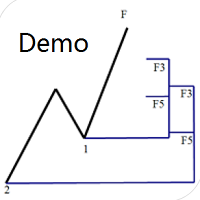
Dinapoli Levels Expansion and Retracement Demo An auxiliary tool written specifically for the DiNapoli point trading method. This is a trial version and there are no restrictions on the XAUUSD H4. Official version https://www.mql5.com/en/market/product/32213 The main function: 1. You can directly draw multiple sets of Fibonacci retracements, and the relationship between important return points is clear at a glance. 2. You can draw Fibonacci extensions, the ratio has three kinds of 0.618, 1, 1
FREE
【MT4 Edition】One-Click Theme Changer: Instantly Switch Up Your Chart's Look! "If only changing chart colors wasn't such a hassle..." Sound familiar? We heard you! Introducing the "Theme Changer" for MT4 – a handy indicator that lets you instantly switch your chart's color scheme with a single click! If you need the MT5 version, please click the link below: MT5 Theme Changer No more fiddling with complicated settings windows. With just one button on your chart, you can transform its appearance i
FREE
Hogvid Chart Link
David Richard Hinze
Simple and lightweight utility for automatically synchronizing the symbol of multiple charts Synchronization in both directions, regardless of which chart you change the symbol on Quickly activate or deactivate the synchronization of individual charts at the touch of a button Create multiple synchronization groups by assigning different event IDs Themes for bright and dark chart layouts
FREE
The Sensitive Price Level indicator (SPL) draws fixed horizontal levels on charts that allow seeing sensitive target prices, helping to find more accurate entry points to open or close your trades. It is a needful instrument to take a decision in trading activity and to give a clear orientation on charts. A simple control panel allows calculating operation costs and lots. Features 1.Grid visualization price levels multiple of 10X,100X,1000X, identified by colors: - 10X     : DIMGRAY dot lines. -
Round Number By Pips
Nguyen Thanh Sang
5 (2)
Indicator draws Round Number lines by distance of pips. 1. You can enable / disable indicator to show / hide the lines. 2. You can set distance of pips between the lines. 3. You can edit the number of lines.  4. You can edit properties of lines by inputs (style (DASH, DOT, SOLID, ...) , width (1 for DASH, DOT, 2 is not for DASH, DOT, it only SOLID), color). When indicator is deleted from the chart, the lines will be removed.
FREE
Night Scalper EA Lite
Robots4Forex Ltd
2.33 (3)
The Night Scalper EA Lite is a fully automated Expert Advisor that trades at night and relies on price reversion. The EA trades using market orders and has the option to use time averaging to improve performance. This EA works best on EURUSD using the M5 timeframe, but will also work on AUDUSD, GBPUSD, NZDUSD, USDCAD, USDCHF and likely many more. A VPS is advisable when trading this system and a low spread and commission based broker is best. Check the comments for back test results and optimiz
FREE
EA MartingaleTradeManager MT4을 소개합니다. 이는 마틴게일 접근 방식을 사용하여 거래 전략을 최적화하도록 설계된 혁신적인 전문가 어드바이저입니다. 이 EA는 거래 프로세스를 자동화하고 체계적인 거래 관리를 통해 손실을 회복하려는 트레이더에게 이상적입니다. MQL 제품 설치 가이드 | 구매한 MQL 제품 업데이트 MT4/MT5 | 일반 문제 해결 가이드 | 일반 설정 / 입력 가이드 | 백테스트 및 설정 파일 고급 기능을 갖춘 EA MartingaleTradeManager MT4은 손실에 대응하여 반대 거래를 배치함으로써 트레이더가 포지션을 효과적으로 관리하도록 도와주며, 위험을 최소화하면서 이익 잠재력을 극대화합니다. 초보자와 경험이 풍부한 트레이더 모두에게 완벽한 이 EA는 다양한 시장 조건에 적응하고 거래 성과를 향상시킬 수 있습니다. MQL 제품 설치 가이드 | 구매한 MQL 제품 업데이트 MT4/MT5 | 일반 문제 해결 가이드 | 일반 설정 / 입력
FREE
NAS100 Auto Sl And TP
Moustapha Boulouz
5 (2)
MT4용 NAS100 Auto SL 및 TP 메이커를 소개합니다: 메타트레이더 4에서 나스닥 100 시장을 탐색하는 트레이더에게 필수적인 보조 도구인 NAS100 Auto SL 및 TP 메이커로 손절 및 테이크프로핏 설정을 다시는 놓치지 마세요. 이 도구는 손절 및 테이크프로핏 레벨을 자동으로 관리할 수 있는 원활한 솔루션을 찾는 분들을 위해 설계되었습니다. 주요 특징: 손쉬운 자동화: 스톱로스 및/또는 테이크프로핏 없이 나스닥 100 거래를 자동으로 모니터링합니다. 사용자가 구성한 설정에 따라 레벨을 동적으로 조정합니다. 다양한 주문 유형: 나스닥 100의 시장가 주문과 지정가 주문 모두 호환됩니다. 메타트레이더 4에서 사용할 수 있는 다양한 주문 유형을 지원합니다. 맞춤형 구성: 사용자 친화적인 매개변수 설정으로 추적 기본 설정 및 손절/익절 수준을 사용자 지정할 수 있습니다. 유연한 범위: 실행되는 특정 NAS100 상품 또는 거래되는 모든 상품에 대해 손절 및 이익실현을 설
FREE
EA Close All Set TPSL All  Panel MT4 EA Close All Set TPSL All MT4 is a professional utility tool for MetaTrader 4 that helps traders manage orders quickly and efficiently. With a clean on-chart control panel, you can close trades or set Take Profit / Stop Loss levels for all orders with just one click.       [MT5 Version --->  click . ] Key Features On-Chart Control Panel – Light gray background with simple and intuitive design. Close All Orders – Instantly close all active Buy, Sell, and Pe
FREE
This is a reduced version, demo if you like, of the published Elliott Wave Tool 7Pasos . The limitations for this tool vs Elliott Wave Tool 7pasos are the following: Only one account possible, the original tool has 1 principal and 4 alternative accounts. Only one degree (Primary) is available, in the original tool 12 different degrees (6 in micro) are at your disposition. As only one degree is available, the functions to upgrade and downgrade the degree of the selected wave are disabled. Fixed c
FREE
Utility for know all informations and settings of terminal where the utility is loaded. The informations that you can know are for example: - The path of folder where the terminal start - The path of   folder where the terminal store the indicators, experts advisors etc - The path of   common folder - The permission to use DLL, to automated trading etc - The permission to send email, FTP or notifications to smartphone and many other informations
FREE
Presentation The URL html and xml to csv is designed to get contents from URLs with html or xml content, and to download it to an output format as a txt or as a csv file. It enables to get the whole web sites page, starting with the http protocol, in a document for a further use and in additional with downloading directly on the MetaTrader applications and on the desktop. It is a good advantage for taking the most data from events and economic calendars, and also publications related to the inst
FREE
Indicator Profitability Check   Introduction: IPC means "Indicator Profitability Check". Some features will be locked in free version. Also you cannot check result more than 1 month. For paid version, please visit:  https://www.mql5.com/en/market/product/45247 Here Indicator Profitability Check is a custom script which will check the profitability of a buy-sell arrow based custom indicator’s signal profitability. So traders who are very confusing for a buy-sell arrow based custom signal indicato
FREE
EA Scalping Expert
Gerard Valldosera Gomez
3 (1)
This is a fully automated scalping Expert Advisor that can be run successfully using EURUSD currency pair at H1 timeframe. This EA can't run in the same account. If you want an Expert Advisor that trades daily this is not because it requires patience to wait for a few days or weeks on the right opportunity for it to trade. It takes advantage of the volatility of the price movement.
FREE
Regua MT4
Edgar Lima Uggioni
Convenient tool for measuring the number of points between the prices directly on the chart. Displays in the measurement between points in percentage, points (financial) and time (bars ). Compatible with all graphical timeframes. When fixed on the chart is displayed in all timeframes. Press Ctrl, click the first point, move the mouse and will now display the measurement. Click again and fix. Very fast tool that does not occupy much space. Input Parameters Line Color Line Style Text Color Text S
FREE
Deal multiplier Mt4
Mikhail Mitin
4.46 (13)
The utility opens copies of open trades. It is very convenient if you use the Signals service and want to increase the volume of transactions. Settings: Symbols: all symbols only current symbol Orders: Buy Sell Magic Any Magic Input Magic Lot size Original - lot size from original order; Fix Lot - fix lot size (input); Lot X Mult - lot size X koef; Stop Loss From sender - Stop Loss from original; Without - without Stop Loss; Plus Fix - Stop Loss from original order + fix points; Fix Point - fix
FREE
Revolutionize Your MT4 Monitoring with Telegram Alerts! Installation Instructions   |    Alert Types & Examples   |    Panel & Troubleshooting Never Miss a Critical Trading Moment Again! Are you tired of constantly checking your MT4 terminal? Worried about sudden equity drops, margin calls, or connection issues?   Telegram Dashboard Monitor Pro EA   is your 24/7 automated trading assistant that keeps you informed about every critical account event – directly to your Telegram!   FREE LITE VERS
FREE
Change Timeframe for All
Mohamed Amine Talbi
5 (1)
The script changes the timeframe of all open charts on the MetaTrader platform in a simple click without having to do it manually by going through all the open charts and changing them one by one, it is handy when there are many open charts. The script lets you choose which timeframe to apply to the open charts. The timeframes available in the dropdown menu are the ones already available on the MetaTrader platform : M1, M5, M15, M30, H1, H4, D1, W1, MN1.
FREE
This is a utility to allow you to quickly add and remove Elliot Wave numbers and letters to your charts allowing you to plot the main and sub Elliot waves for easy chart analysis. Please note, this is not an Indicator that adds the characters automatically, it is a utility to manually add them yourself with ease.   Elliot Characters and Buttons on screen:   0,1,2,3,4,5 A,B,C i,ii,iii,iv,v a,b,c Delete Input Parameters: Colors Font Size Font Type This is a free utility for MT4 only Check out th
FREE
이 제품의 구매자들이 또한 구매함
Trade Assistant MT4
Evgeniy Kravchenko
4.43 (194)
거래당 위험 계산, 라인을 사용한 손쉬운 신규 주문, 부분 청산 기능을 통한 주문 관리, 7가지 유형의 트레일링 스탑 및 기타 유용한 기능을 제공합니다. 추가 자료 및 지침 설치 지침 - 애플리케이션 지침 - 데모 계정용 애플리케이션 평가판 라인 기능       - 차트에 개시선, 손절매, 차익실현을 표시합니다. 이 기능을 사용하면 새로운 주문을 쉽게 하고 개봉 전에 추가 특성을 볼 수 있습니다. 위기 관리       -       위험 계산 기능은 설정된 위험과 손절매 주문의 크기를 고려하여 새 주문의 볼륨을 계산합니다. 이를 통해 손절매 크기를 설정하고 동시에 설정된 위험을 존중할 수 있습니다. 로트 계산 버튼 - 위험 계산을 활성화/비활성화합니다. 필요한 위험 값은 위험 필드에 0에서 100 사이의 백분율 또는 예금 통화로 설정됩니다. 설정 탭에서 위험 계산 옵션을 선택합니다. $ 통화, % 잔액, % 지분, % 자유 마진, % 사용자 정의, % AB 이전 일, % AB
Local Trade Copier EA MT4
Juvenille Emperor Limited
4.96 (109)
Local Trade Copier EA MT4 를 사용하여 매우 빠른 거래 복사 경험을 해보세요. 1분 안에 간편하게 설정할 수 있으며, 이 거래 복사기를 사용하면 Windows 컴퓨터 또는 Windows VPS에서 여러 개의 MetaTrader 터미널 간에 거래를 0.5초 미만의 초고속 복사 속도로 복사할 수 있습니다. 초보자든 전문가든 Local Trade Copier EA MT4 는 다양한 옵션을 제공하여 사용자의 특정 요구에 맞게 맞춤 설정할 수 있습니다. 이는 수익 잠재력을 높이려는 모든 사람을 위한 최고의 솔루션입니다. 지금 사용해보시고 이것이 왜 시장에서 가장 빠르고 쉬운 무역용 복사기인지 알아보세요! 팁: 여기 에서 데모 계정에서 Local Trade Copier EA MT4 데모 버전을 다운로드하여 사용해 볼 수 있습니다. 다운로드한 무료 데모 파일을 MT4 >> File >> Open Data Folder >> MQL4 >> Experts 폴더에 붙여넣고 터미널
Trade Manager EA에 오신 것을 환영합니다. 이 도구는 거래를 보다 직관적이고 정확하며 효율적으로 만들기 위해 설계된 궁극적인 리스크 관리 도구 입니다. 단순한 주문 실행 도구가 아닌, 원활한 거래 계획, 포지션 관리 및 리스크 제어를 위한 종합 솔루션입니다. 초보자부터 고급 트레이더, 빠른 실행이 필요한 스캘퍼에 이르기까지 Trade Manager EA는 외환, 지수, 상품, 암호화폐 등 다양한 시장에서 유연성을 제공합니다. Trade Manager EA를 사용하면 복잡한 계산은 이제 과거의 일이 됩니다. 시장을 분석하고 진입, 손절 및 익절 수준을 차트의 수평선으로 표시한 후 리스크를 설정하면, Trade Manager가 이상적인 포지션 크기를 즉시 계산하고 SL 및 TP 값을 실시간으로 표시합니다. 모든 거래가 간편하게 관리됩니다. 주요 기능: 포지션 크기 계산기 : 정의된 리스크에 따라 거래 크기를 즉시 결정합니다. 간단한 거래 계획 : 진입, 손절, 익절을 위한
The product will copy all telegram signal to MT4   ( which you are member  ) , also it can work as remote copier.  Easy to set up, copy order instant, can work with almost signal formats, image signal, s upport to translate other language to English Work with all type of channel or group, even channel have "Restrict Saving Content", work with  multi channel, multi MT5 Work as remote copier: with signal have ticket number, it will copy exactly via ticket number. Support to backtest signal. How to
Exp COPYLOT CLIENT for MT4
Vladislav Andruschenko
4.65 (66)
MetaTrader 4용 트레이드 복사기.       모든 계정의 외환 거래, 포지션, 주문을 복사합니다. 그것은 최고의 무역 복사기 중 하나입니다       MT4 - MT4, MT5 - MT4       위해       카피롯 MT4       버전(또는       MT4 -  MT5   MT5 - MT5       위해       카피롯 MT5       버전). MT5 버전 전체 설명   +DEMO +PDF 구입 방법 설치하는 방법     로그 파일을 얻는 방법     테스트 및 최적화 방법     Expforex의 모든 제품 복사기   버전         MetaTrader 5   터미널 (   МТ5 - МТ5, МТ4 - МТ5   ) -   Copylot Client MT5 고유한 복사 알고리즘은 마스터 계정에서 고객 계정으로 모든 거래를 정확하게 복사합니다. 이 제품은 또한 높은 작동 속도에서 높은 오류 처리로 유명합니다. 강력한 기능 세트. 프로그램은 여러 터
Copy Cat More Trade Copier MT4 (복사 고양이 MT4) 는 단순한 로컬 트레이드 카피어가 아니라, 오늘날의 거래 환경을 위해 설계된 완전한 리스크 관리 및 실행 프레임워크입니다. Prop Firm 챌린지부터 개인 계좌 관리까지, 강력한 실행력, 자본 보호, 유연한 설정, 고급 거래 처리 기능을 통해 모든 상황에 적응합니다. 이 카피어는 Master(송신자) 와 Slave(수신자) 모드 모두에서 작동하며, 실시간으로 시장가/지정가 주문, 거래 수정, 부분 청산, Close By 작업을 동기화합니다. 데모 및 실계좌 모두 호환되며, 거래용 비밀번호 또는 투자자 비밀번호로도 사용할 수 있습니다. Persistent Trade Memory 기술을 통해 EA, 터미널, VPS가 재시작되더라도 거래가 복원됩니다. 여러 Master와 Slave를 동시에 관리할 수 있으며, 브로커 간 차이는 접두사/접미사 자동 감지 또는 심볼 매핑으로 처리됩니다. 매뉴얼/설정: Copy C
Trade copier MT4
Alfiya Fazylova
4.58 (33)
Trade Copier는 거래 계정 간의 거래를 복사하고 동기화하도록 설계된 전문 유틸리티입니다. 복사는 공급자의 계정/단말기에서 동일한 컴퓨터 또는 vps에 설치된 수신자의 계정/단말기로 발생합니다. 구매하기 전에 데모 계정에서 데모 버전을 테스트할 수 있습니다. 데모 버전 여기 . 전체 지침 여기 . 주요 기능 및 이점: 복사기는 "МТ4> МТ4", "МТ4> МТ5", "МТ5> МТ4" 복사를 지원합니다. 복사기는 데모 계정 > 실 계정, 실 계정 > 데모 계정, 데모 계정 > 데모 계정 및 실제 계정 > 실 계정 복사를 지원합니다. 복사기는 읽기 전용 암호가 적용된 투자자 계정에서 복사를 지원합니다. 하나의 공급자 터미널은 여러 수신 터미널로 트랜잭션을 보낼 수 있고 하나의 수신 터미널은 여러 공급자 터미널에서 트랜잭션을 수신할 수 있습니다. 복사기는 귀하 또는 귀하의 고문이 거래하는 동일한 터미널에서 작동할 수 있습니다. 높은 복사 속도(0.5초 미만). 복사기에는 간편
Trading History MT4
Siarhei Vashchylka
5 (9)
Trading History - A program for trading and money management on the history of quotes in stratagy tester. It can work with pending and immediate orders, and is equipped with trailing stop, breakeven and take profit functions. Very good for training and testing different strategies. Manual (Be sure to read before purchasing) Advantages 1. Allows you to test any trading strategy in the shortest possible time 2. An excellent simulator for trading training. You can gain months of trading experience
Trade Manager MT4 DaneTrades
Levi Dane Benjamin
4.09 (11)
거래 관리자는 위험을 자동으로 계산하는 동시에 거래를 빠르게 시작하고 종료하는 데 도움을 줍니다. 과잉 거래, 복수 거래 및 감정 거래를 방지하는 데 도움이 되는 기능이 포함되어 있습니다. 거래를 자동으로 관리할 수 있으며 계정 성과 지표를 그래프로 시각화할 수 있습니다. 이러한 기능은 이 패널을 모든 수동 거래자에게 이상적으로 만들고 MetaTrader 4 플랫폼을 향상시키는 데 도움이 됩니다. 다중 언어 지원. MT5 버전  |  사용자 가이드 + 데모 트레이드 매니저는 전략 테스터에서 작동하지 않습니다. 데모를 보려면 사용자 가이드로 이동하세요. 위기 관리 % 또는 $를 기준으로 위험 자동 조정 고정 로트 크기 또는 거래량과 핍을 기반으로 한 자동 로트 크기 계산을 사용하는 옵션 RR, Pips 또는 Price를 사용한 손익분기점 손실 설정 추적 중지 손실 설정 목표 달성 시 모든 거래를 자동으로 마감하는 최대 일일 손실률(%)입니다. 과도한 손실로부터 계정을 보호하고 과도한
TradePanel MT4
Alfiya Fazylova
4.84 (94)
Trade Panel은 다기능 거래 도우미입니다. 이 애플리케이션에는 50개 이상의 수동 거래 기능이 포함되어 있으며 대부분의 거래 작업을 자동화할 수 있습니다. 주의! 할인은 시간 제한이 있으며, 매주 화요일마다 가격이 5달러씩 인상됩니다. (최대 90달러까지). 구매하기 전에 데모 계정에서 데모 버전을 테스트할 수 있습니다. 데모 계정용 애플리케이션 체험판 다운로드: https://www.mql5.com/en/blogs/post/750865 . 전체 지침 여기 . 거래. 한 번의 클릭으로 거래를 수행할 수 있습니다: 리스크 자동 계산과 함께 예약 주문 및 포지션 열기. 한 번의 클릭으로 여러 주문 및 포지션 열기. 주문 그리드 열기. 예약 주문 및 포지션을 그룹별로 닫기. 포지션 방향 전환 (Buy 닫기 > Sell 열기, Sell 닫기 > Buy 열기). 포지션 잠금 (부족한 포지션을 열어 Buy와 Sell 포지션의 수량을 동일하게 만들기). 모든 포지션 한 번의 클릭으로 부분
The News Filter
Leolouiski Gan
5 (25)
이 제품은 뉴스 시간 동안 모든 전문가 어드바이저 및 수동 차트를 필터링하여 수동 거래 설정이나 다른 전문가 어드바이저가 입력한 거래가 파괴될 수 있는 급격한 가격 상승으로부터 걱정하지 않아도 됩니다. 이 제품은 또한 뉴스 발표 전에 열린 포지션과 대기 주문을 처리할 수 있는 완전한 주문 관리 시스템이 함께 제공됩니다. The News Filter  를 구매하면 더 이상 내장 뉴스 필터에 의존할 필요가 없으며 이제부터 모든 전문가 어드바이저를 여기서 필터링할 수 있습니다. 뉴스 선택 뉴스 소스는 Forex Factory의 경제 캘린더에서 얻어집니다. USD, EUR, GBP, JPY, AUD, CAD, CHF, NZD 및 CNY와 같은 어떤 통화 기준으로 선택할 수 있습니다. Non-Farm (NFP), FOMC, CPI 등과 같은 키워드 식별을 기준으로 선택할 수도 있습니다. 저, 중, 고 영향을 가지는 뉴스를 필터링할 수 있도록 선택할 수 있습니다. 차트와 관련된 뉴스만 선택하
ManHedger MT4
Peter Mueller
5 (2)
THIS EA IS A SEMI-AUTO EA, IT NEEDS USER INPUT. Manual & Test Version Please TEST this product before   BUYING  and watch my video about it. Contact me for user support or bug reports, or if you want the MT5 version! MT5 Version I do not guarantee any profits or financial success using this EA. With this Expert Advisor, you can: Implement your own   Zone Recovery   strategy to capitalize on trending markets. Create   Grid   trading strategies, to profit from ranging markets. Place orders easil
Seconds Chart - MetaTrader 4에서 초 단위 차트를 생성하는 독특한 도구입니다. Seconds Chart 를 사용하면 초 단위로 설정된 타임프레임으로 차트를 작성할 수 있어, 표준 분 또는 시간 단위 차트에서는 불가능한 유연성과 정밀한 분석이 가능합니다. 예를 들어, S15 타임프레임은 15초 동안의 캔들로 구성된 차트를 의미합니다. 모든 인디케이터, 전문가 자문(EA), 스크립트를 사용할 수 있으며, 표준 차트와 동일한 편리함으로 작업할 수 있습니다. 표준 도구와 달리, Seconds Chart 는 초고속 타임프레임에서도 높은 정확도와 지연 없이 작업할 수 있도록 지원합니다. Seconds Chart의 장점 1초부터 900초까지 의 타임프레임 지원. 즉시 로딩 MT5 터미널의 틱 데이터베이스 가져오기로 역사적 데이터를 빠르게 불러옵니다. MT5 터미널에서 Tick Database 유틸리티를 먼저 실행해야 틱 데이터베이스를 가져올 수 있습니다. 실시간 데이터 업데
MT4 to Telegram Signal Provider 는 사용하기 쉽고 완전히 사용자 정의가 가능한 도구로, 텔레그램으로 신호를 보내어 계정을 신호 제공자로 변환할 수 있습니다. 메시지 형식은 완전히 사용자 정의가 가능합니다! 그러나 간단한 사용을 위해 미리 정의된 템플릿을 선택하고 메시지의 특정 부분을 활성화하거나 비활성화할 수도 있습니다. [ 데모 ]  [ 매뉴얼 ] [ MT5 버전 ] [ 디스코드 버전 ] [ 텔레그램 채널 ]  New: [ Telegram To MT5 ] 설정 단계별 사용자 가이드 가 제공됩니다. 텔레그램 API에 대한 지식이 필요 없으며, 개발자가 필요한 모든 것을 제공합니다. 주요 기능 구독자에게 보낸 주문 세부 정보를 사용자 정의할 수 있는 기능 예를 들어 브론즈, 실버, 골드와 같은 계층 구독 모델을 만들 수 있습니다. 골드 구독은 모든 신호 등을 받게 됩니다. ID, 심볼 또는 코멘트별 주문 필터링 주문이 실행된 차트의 스크린샷을 포함 보낸
Trader Evolution MT4
Siarhei Vashchylka
5 (2)
" Trader Evolution " - A utility designed for traders who use wave and technical analysis in their work. One tab of the utility is capable of money management and opening orders, and the other can help in making Elliott wave and technical analysis. Manual (Be sure to read before purchasing) | Version for MT5 Advantages 1. Trading in a few clicks. Immediate and pending orders are available in the panel 2. Money management. The program automatically selects the appropriate lot size 3. Simplifies
Trend Line Optimizer
Evgenii Aksenov
4.11 (19)
이 추세선 프로 표시기에 대한 자동 매개 변수 최적화 프로그램입니다 쉽고 빠르게 당신은 당신의 마음에 드는 추세선 프로 표시기에 대한 최적의 매개 변수를 선택합니다. 최적화에는 몇 초 밖에 걸리지 않습니다. 최적화할 수 있는 최고의 매개변수에 대한 각 쌍고기간:진폭,TP1-TP3,stoploss 에뿐만 아니라,값은 시간을 필터 및 카테고에 필터가 역사를 선택 섹션(일) 다른 시간대를 최적화하려면 다른 범위의 히스토리가 필요합니다: M5-M15 계산 범위 매개 변수 설정(일)=60(3 개월) M30-H1 계산 범위 매개 변수 설정(일)=120(6 개월) H4 매개 변수 계산 범위 설정(일)=240(1 년) D1-W1 매개 변수 계산 범위 설정(일)=720(3 년) Mn1 매개 변수 계산 범위 설정(일)=1200(5 년) 최적화 후 매개 변수는 폴더의 기성품 세트 파일에 자동으로 저장됩니다.MQL4>Files>trendlineoptimizedsettings 최적화 유틸리티 사용
News Filter EA: Advanced Algo Trading Assistant News Filter EA is an advanced algo trading assistant designed to enhance your trading experience. By using the   News Filter EA , you can integrate a Forex economic news filter into your existing expert advisor, even if you do not have access to its source code. In addition to the news filter, you can also specify   trading days   and   hours   for your expert. The News Filter EA also includes   risk management   and   equity protection   features
VirtualTradePad mt4 Extra
Vladislav Andruschenko
4.85 (61)
한 번의 클릭으로 거래할 수 있는 거래 패널.   위치 및 주문 작업!   차트 또는 키보드에서 거래. 거래 패널을 사용하면 차트에서 클릭 한 번으로 거래하고 표준 MetaTrader 컨트롤보다 30배 빠르게 거래 작업을 수행할 수 있습니다. 거래자의 삶을 더 쉽게 만들고 거래자가 훨씬 빠르고 편리하게 거래 활동을 수행할 수 있도록 도와주는 매개변수 및 기능의 자동 계산. 차트의 무역 거래에 대한 그래픽 팁 및 전체 정보. MT5 버전 전체 설명   +DEMO +PDF 구입 방법 설치하는 방법     로그 파일을 얻는 방법     테스트 및 최적화 방법     Expforex의 모든 제품 열기 및 닫기, 반전 및 잠금, 부분 닫기/오토로트. 가상/실제 손절매/이익 실현/후행 정지/손익분기점, 주문 그리드 .... MetaТrader 4   의 주요 요청 거래 제어판   : 구매, 판매, 구매 중지, 구매 제한, 판매 중지, 판매 제한, 닫기, 삭제, 수정, 후행 중지, 손절매,
Close Assistant
Gheis Mohammadi
5 (2)
Close Assistant (CA)  is a full featured utility for monitoring and closing a set of positions placed by trader or EA. It closes filtered orders in specified time or level or candle patterns or when a certain profit or loss of the total positions is reached. CA uses Zero Profit Lock function to save deposit when total profit falls to zero. Profit and loss levels can be set in fixed amount of account currency or percentage of balance or equity or margin. CA only monitors and works on filtered po
현재, 전체 또는 선택한 차트, 시간대 변경 및 모든 차트의 동시 이동(자동 또는 클릭 시)에 대한 거래 수단을 변경하도록 설계된 유틸리티입니다. 기호 목록은 "시장 개요"에서 읽습니다. 버튼의 색상, 크기 및 위치를 변경할 수 있습니다. 차트 동기화는 동기화 버튼을 클릭하거나 자동 모드에서 마우스/키보드를 이동할 때 활성 차트에서 첫 번째로 보이는 막대가 표시될 때 발생합니다. TF는 커서 키를 사용하여 변경할 수 있습니다: 왼쪽/오른쪽 및 거래 기호 - 위/아래. 8개 주요 통화에 대한 버튼을 사용하면 통화 쌍 목록에서 차트를 열 수 있습니다(시장 개요 또는 사용자 문자열에서 가져옴). 새 차트의 템플릿은 "새 차트의 템플릿 이름" 매개변수에서 지정할 수 있습니다. 통화를 변경할 때 현재 차트의 템플릿이 저장되고 지표에 의해 열린 차트에서 쌍의 통화가 대체됩니다. 통화를 다시 선택하면 해당 템플릿이 로드됩니다. 복제 모드를 사용하면 현재 도구의 모든 차트에 개체를 한 번에 복사할
EchoTrade Telegram to MT4 Copier
Perpetual Chinemerem Vincent
5 (2)
EchoTrade Telegram to MT5 Copier Seamless, Instant, and Reliable Signal Copying - Direct from Telegram to MetaTrader 4! The product does not run in the strategy tester but you can get free trial version   here  for testing before purchase. Tired of manually executing trades from Telegram signals? EchoTrade automates the process, instantly copying trades from any Telegram channel or group directly into your MT5 account—accurately, efficiently, and without delay. Key Features: Universal Compatib
Trade Dashboard MT4
Fatemeh Ameri
4.96 (53)
Tired of complex order placement and manual calculations? Trade Dashboard is your solution. With its user-friendly interface, placing orders becomes effortless, by a single click, you can open trades, set stop loss and take profit levels, manage trade lot size, and calculate risk to reward ratios, allowing you to only focus on your strategy. Say goodbye to manual calculations and streamline your trading experience with Trade Dashboard. Download  Demo Version  right now. You can find  Details of
Telegram to MT4 Coppy
Sergey Batudayev
3.75 (8)
Telegram에서 MT4로:   최고의 신호 복사 솔루션 최첨단 유틸리티인   Telegram to MT4를   사용하여 거래를 간소화하세요. DLL 없이도 Telegram 채널과 채팅에서 MetaTrader 4 플랫폼으로 거래 신호를 직접 복사할 수 있습니다. 이 강력한 솔루션은 탁월한 정밀도와 맞춤 설정 옵션을 통해 원활한 신호 실행을 보장하여 시간을 절약하고 효율성을 높여줍니다. [ Instructions and DEMO ] 주요 특징 직접 Telegram API 통합 전화번호와 보안 코드를 통해 인증하세요. 사용자 친화적인 EXE 브리지를 사용하여 채팅 ID를 손쉽게 가져오고 관리하세요. 여러 채널/채팅을 추가, 삭제, 새로 고침하여 동시에 신호를 복사합니다. 고급 필터를 사용한 신호 파싱 사용자 정의 예외 단어(예: "보고서", "요약")가 포함된 원치 않는 신호를 건너뜁니다. 유연한 SL 및 TP 형식을 지원합니다: 가격, 핍 또는 포인트. 신호가 가격 대신 지점을 지정
Trendline EA
Carlos Oliveira
4.5 (10)
Trendline EA MT4 Trendline EA MT4는 사용자가 그린 추세선을 기반으로 거래 실행 또는 알림을 수행하도록 설계된 MetaTrader 4용 반자동 Expert Advisor입니다. MetaTrader 4는 추세선에서 직접 주문을 실행하거나 관리하는 기본 기능을 제공하지 않습니다. 이 Expert Advisor는 사용자가 정의한 추세선을 모니터링하고 가격이 추세선과 상호작용할 때 사전에 정의된 작업을 실행함으로써 플랫폼의 기본 기능을 확장합니다. 이 Expert Advisor는 어떠한 거래 전략도 정의하거나 적용하지 않습니다. 모든 거래 로직과 의사결정은 전적으로 사용자의 통제하에 있습니다. 추가 자료 사용자 가이드 및 문서 MT5 버전 기능 개요 추세선 기반 거래 실행 가격이 추세선을 터치, 돌파 또는 되돌림할 때 매수 또는 매도 실행 각 추세선별로 손절매, 이익실현 및 거래량 설정 캔들 마감 또는 추세선과의 가격 거리 기준으로 작업 트리거 모니터링 및 알림 터
Risk Manager for MT4
Sergey Batudayev
4.6 (10)
MT4의 Expert Advisor Risk Manager는 매우 중요하며 제 생각에는 모든 거래자에게 필요한 프로그램입니다. 이 Expert Advisor를 사용하면 거래 계정의 위험을 제어할 수 있습니다. 위험 및 이익 통제는 금전적 측면과 백분율 측면에서 모두 수행될 수 있습니다. Expert Advisor가 작동하려면 통화 쌍 차트에 첨부하고 예금 통화 또는 현재 잔액의 %로 허용되는 위험 값을 설정하기만 하면 됩니다. 어드바이저 기능 이 위험 관리자는 위험을 제어하는 ​​데 도움이 됩니다. - 거래를 위해 - 하루 - 일주일 동안 - 한 달 동안 당신은 또한 제어할 수 있습니다 1) 거래 시 최대 허용 랏 2) 1일 최대 주문 수 3) 하루 최대 수익 4) 지분 인수 이익 설정 그게 다가 아닙니다. 설정에서 자동 설정을 지정하면 고문이 기본 SL 및 TP를 설정할 수도 있습니다. 상담원은 각 이벤트에 경고와 함께 동행하며 주문을 삭제하는 이유를 설명합니다.
Trade Copier Global
Laszlo Tormasi
5 (15)
Trade Copier Global: The name speaks for itself. This copier allows you to copy orders between MT4 terminals even if they are not installed on the same computer. Features Copying trades between MT4 terminals around the world with a short delay. Automatically recognizes symbol prefixes. Can connect many Slaves to the same Master. Supports pending and market orders. Supports partial order close (with limitations, see below) Can send messages and notifications to the Slaves from the Master Several
MT4 to Discord Signal Provider 는 Discord로 직접 거래 신호를 보내는 데에 설계된 사용자 친화적이고 완전히 맞춤화할 수 있는 유틸리티입니다. 이 도구는 귀하의 거래 계좌를 효율적인 신호 제공자로 변환합니다. 귀하의 스타일에 맞게 메시지 형식을 사용자 정의하세요! 사용 편의성을 위해 사전에 디자인된 템플릿을 선택하고 포함하거나 제외할 메시지 요소를 선택할 수 있습니다. [ 데모 ] [ 매뉴얼 ] [ MT5 버전 ] [ Telegram 버전 ]  New: [ Telegram To MT5 ] 설정 간편한 설정을 위해 저희의 상세한 사용자 가이드 를 따르세요. Discord API에 대한 사전 지식이 필요 없습니다; 필요한 모든 도구를 제공합니다. 주요 기능 구독자 업데이트를 위한 주문 세부 정보를 사용자 정의합니다. 각 계층이 다른 수준의 신호 접근을 제공하는 브론즈, 실버, 골드와 같은 계층적 구독 모델을 구현합니다. 주문이 실행된 차트의 스크린샷을 첨
MetaTrader 4 Trade Copier (MT4 Version) This Expert Advisor is developed for copying trading operations between MetaTrader terminals. This version is intended for use on MetaTrader 4. For copying operations involving MetaTrader 5, please use the corresponding MT5 version available in the Market.  https://www.mql5.com/en/market/product/161757 Supported platform combinations: MT5 to MT5 MT4 to MT4  (This Version) MT4 to MT5 MT5 to MT4 The copier transfers market orders according to the selected
CloseIfProfitorLoss with Trailing
Vladislav Andruschenko
4.87 (31)
이익 추적 기능으로 총 이익/손실에 도달하면 MetaTrader 4에서 포지션을 청산합니다. 가상 정지 (별도 주문) 을 활성화할 수 있습니다. BUY 및 SELL 포지션을 별도로 계산하고 마감합니다 (BUY SELL 별도). 모든 심볼 또는 현재 심볼 만 닫고 계산합니다 (모든 심볼). 이익을 위해 후행 추적 을 활성화합니다 (후행 이익). 예금 통화, 포인트, 잔액의 %에 대한 총 손익을 마감합니다. 이 애플리케이션은 다른 EA와 함께 또는 수동 거래와 함께 모든 계정에서 사용하도록 설계되었습니다. MT5 버전 전체 설명 + DEMO + PDF 구입 방법 설치하는 방법 로그 파일을 얻는 방법 테스트 및 최적화 방법 Expforex의 모든 제품 일부 쌍 또는 모든 쌍의 총 거래 잔액이 설정에서 지정된 값보다 크거나 같으면 모든 포지션이 닫히고 주문이 삭제됩니다. 이 버전은 지정된 이익 수준에서 포지션을 마감할 수 있을 뿐만 아니라 더 나은 결과를 위해 이익을 추적할 수도 있습니다
MT4 Professional Copy Trading System (MT4 버전) 산업급 초고속 LOCAL 트레이드 코피어 . 프로 트레이더/시그널 제공자/멀티계정 운영용. 산업급 LOCAL 아키텍처 동일 Windows 환경(같은 PC/같은 Windows VPS)에서 동작. 저지연, 높은 동기화, 24/7 무감시 운용. Master / Slave / Self + Cross Copy (MT4 ↔ MT5) Master/Slave/Self-Copier 지원. MT4→MT4, MT4→MT5, MT5→MT4, MT5→MT5. 중요: MT4↔MT5 크로스 카피는 MT4+MT5 두 버전 필요. 동작 방식 Master의 오픈/수정(SL/TP)/청산을 실시간 복제. 브로커 접두/접미 심볼 차이 자동 매핑. 핵심 판매 포인트 초고속 복제, 유연한 로트(고정/배수/Balance·Equity 비율), 심볼 매핑, 선택형 리스크 보호, 장기 안정(로그/정합성 체크).
제작자의 제품 더 보기
The most dangerous thing in trading is not a single bad trade. It is a bad trade that you let run because you keep thinking it will recover. You set a mental stop. You tell yourself: if this drops another 2%, I'll close everything. It drops another 2%. You tell yourself: maybe another 1%. Before you know it, a recoverable loss has become an account-ending loss. Equity Guard removes the emotional decision entirely. You set the number. When equity hits it, everything closes. Automatically. No more
FREE
A margin call is not a market event. It is a risk management failure. It is always preventable. It starts with one trade. Then a second to hedge. Then a third because the market is moving fast. You are watching price, not your margin. And then your broker starts closing positions — not the ones you would have chosen, not at the prices you would have accepted — at whatever price they can get, in order of their choosing. You lost control because you didn't see it coming. PHANTOM Margin Alert makes
FREE
A margin call is not a market event. It is a risk management failure. It is always preventable. It starts with one trade. Then a second to hedge. Then a third because the market is moving fast. You are watching price, not your margin. And then your broker starts closing positions — not the ones you would have chosen, not at the prices you would have accepted — at whatever price they can get, in order of their choosing. You lost control because you didn't see it coming. PHANTOM Margin Alert makes
FREE
Every trader needs an emergency exit. Most don't have one until they need it. The market gaps. Your EA goes rogue. News hits while you were away from the desk. You need everything closed — right now — and you are navigating submenus, clicking each trade individually, watching the P&L move against you with every second. PHANTOM Close All is a single-button emergency exit for MetaTrader 5. One click and every open position on your account closes. No confirmation dialogs. No delays. No manual click
FREE
Trading the wrong session is one of the most expensive mistakes beginners make — and most professionals never fully solve. You have a London breakout strategy. But you are staring at the chart at 3 AM when Asian session liquidity is thin, spreads are wide, and the setups that form look exactly the same as they do at 8 AM London open. You take the trade. It doesn't behave the way your strategy expects. Because timing matters — session matters — and your terminal doesn't tell you what session you'
FREE
The most dangerous thing in trading is not a single bad trade. It is a bad trade that you let run because you keep thinking it will recover. You set a mental stop. You tell yourself: if this drops another 2%, I'll close everything. It drops another 2%. You tell yourself: maybe another 1%. Before you know it, a recoverable loss has become an account-ending loss. Equity Guard removes the emotional decision entirely. You set the number. When equity hits it, everything closes. Automatically. No more
FREE
You don't fail prop firm challenges because of your strategy. You fail because of one bad day. One revenge trade. One position left open over the weekend. One news spike that hits your daily loss limit before you even open your laptop. You had the edge. You had the plan. And then discipline failed — because discipline always fails under pressure. PHANTOM Guardian fixes that. Not by making you a better trader. By making discipline automatic. --- ### What PHANTOM Guardian Does PHANTOM Guardian is
One NFP can wipe a month of profits in 30 seconds. You know the feeling. You had a great week. Positions are in profit, the setup was clean, execution was solid. Then the NFP number drops and in the time it takes to reach your keyboard, your stop loss is triggered, your spread is 40 pips, and the month is gone. It's not a strategy problem. Your strategy was right. It's a news problem — and news is predictable. PHANTOM News Shield reads the economic calendar before you need to and protects your t
Standard trailing stops cost you money. They trail too tight and stop you out before the move is done. You enter a clean trend. The trade is working, price is moving in your direction. You activate the trailing stop. And then — a normal pullback, one candle against the trend, and you're out. Price continues without you. You were right. The trailing stop was wrong. This is not a trailing stop problem. It is a fixed-distance trailing stop problem. Markets don't move in straight lines. They breathe
Every EA makes mistakes. PHANTOM Airbag catches them before they cost you money. PHANTOM Airbag is the world's first AI safety net for MT5 trading robots. It runs silently alongside your existing Expert Advisor and reviews every single trade signal through 41 intelligent checks plus PHANTOM AI validation. Bad trades get filtered out before they hit the market. Your capital stays protected. ### Who is this for? - Traders using EAs (Quantum, Gold, AI trading robots, any EA) - Prop firm traders (FT
Other EAs use the same rules they did in 2022. PHANTOM learns every single day. PHANTOM Trader DSS is not just another Expert Advisor. It's a complete AI Decision Support System that combines 13 validated trading strategies, Smart Money Concepts analysis, and a proprietary AI decision engine for final decision-making. Every trade it makes feeds back into a continuously learning system that gets smarter with every user. ### Who is this for? - Serious retail traders with $2,000-$50,000 accounts -
Your best trades are worth nothing if they only run on one account. You found the strategy. You proved it works. But copying it to your second account, your funded account, your investor account -- that is where it falls apart. Manual copying is slow, error-prone, and impossible to scale. You miss entries, forget to move stops, and close the wrong position. PHANTOM Copier fixes that. One Master account sends every trade -- opens, modifications, closes -- to any number of Follower accounts. Acros
Every trader knows they should risk 1% per trade. Almost no one calculates it correctly every time. In theory it is simple. In practice — you are watching price move, your setup is forming, and you are doing mental math on pip value, account size, and stop loss distance. You make an error. You oversize by 30%. The trade works but you took too much risk. Or the trade loses and you realize your position was twice what it should have been. PHANTOM Lot Calculator eliminates this entirely. Enter your
Wide spreads are a silent account killer. Most traders never measure them. You enter a scalp setup with a 3-pip target. Your broker is showing a 1.8-pip spread. You expect to net 1.2 pips. What you don't know — because nobody told you — is that at the exact moment of your entry, the spread widened to 4.5 pips. Your 3-pip target trade is now underwater from tick one. Spread spikes happen constantly: during news events, at session opens, during liquidity gaps, and on brokers that widen spreads dyn
You cannot improve what you do not measure. Most traders have no idea what their real statistics are. Win rate, average R:R, best session, worst session, which symbols are profitable, which setups are bleeding you dry — this data exists in your history. You have never extracted it systematically. You rely on gut feelings that are almost always wrong. Profitable traders treat their account like a business. They have reports. They know their numbers. They make decisions based on data, not emotion.
Every trader has watched a winning trade turn into a loss because they forgot to move the stop. You enter the trade. It moves in your favor. You tell yourself you'll move the stop when it hits +20 pips. You get distracted. You come back. The trade reversed, your original stop got hit, and a +25-pip winner became a 15-pip loss. You knew what to do. You just didn't do it in time. PHANTOM Break Even does it for you. Every time. Without emotion. Without distraction. Without delay. --- ### What PHANT
You don't fail prop firm challenges because of your strategy. You fail because of one bad day. One revenge trade. One position left open over the weekend. One news spike that hits your daily loss limit before you even open your laptop. You had the edge. You had the plan. And then discipline failed — because discipline always fails under pressure. PHANTOM Guardian fixes that. Not by making you a better trader. By making discipline automatic. --- ### What PHANTOM Guardian Does PHANTOM Guardian is
One NFP can wipe a month of profits in 30 seconds. You know the feeling. You had a great week. Positions are in profit, the setup was clean, execution was solid. Then the NFP number drops and in the time it takes to reach your keyboard, your stop loss is triggered, your spread is 40 pips, and the month is gone. It's not a strategy problem. Your strategy was right. It's a news problem — and news is predictable. PHANTOM News Shield reads the economic calendar before you need to and protects your t
Standard trailing stops cost you money. They trail too tight and stop you out before the move is done. You enter a clean trend. The trade is working, price is moving in your direction. You activate the trailing stop. And then — a normal pullback, one candle against the trend, and you're out. Price continues without you. You were right. The trailing stop was wrong. This is not a trailing stop problem. It is a fixed-distance trailing stop problem. Markets don't move in straight lines. They breathe
Every EA makes mistakes. PHANTOM Airbag catches them before they cost you money. PHANTOM Airbag is the world's first AI safety net for MT5 trading robots. It runs silently alongside your existing Expert Advisor and reviews every single trade signal through 41 intelligent checks plus PHANTOM AI validation. Bad trades get filtered out before they hit the market. Your capital stays protected. ### Who is this for? - Traders using EAs (Quantum, Gold, AI trading robots, any EA) - Prop firm traders (FT
Other EAs use the same rules they did in 2022. PHANTOM learns every single day. PHANTOM Trader DSS is not just another Expert Advisor. It's a complete AI Decision Support System that combines 13 validated trading strategies, Smart Money Concepts analysis, and a proprietary AI decision engine for final decision-making. Every trade it makes feeds back into a continuously learning system that gets smarter with every user. ### Who is this for? - Serious retail traders with $2,000-$50,000 accounts -
Your best trades are worth nothing if they only run on one account. You found the strategy. You proved it works. But copying it to your second account, your funded account, your investor account -- that is where it falls apart. Manual copying is slow, error-prone, and impossible to scale. You miss entries, forget to move stops, and close the wrong position. PHANTOM Copier fixes that. One Master account sends every trade -- opens, modifications, closes -- to any number of Follower accounts. Acros
Every trader knows they should risk 1% per trade. Almost no one calculates it correctly every time. In theory it is simple. In practice — you are watching price move, your setup is forming, and you are doing mental math on pip value, account size, and stop loss distance. You make an error. You oversize by 30%. The trade works but you took too much risk. Or the trade loses and you realize your position was twice what it should have been. PHANTOM Lot Calculator eliminates this entirely. Enter your
Every trader needs an emergency exit. Most don't have one until they need it. The market gaps. Your EA goes rogue. News hits while you were away from the desk. You need everything closed — right now — and you are navigating submenus, clicking each trade individually, watching the P&L move against you with every second. PHANTOM Close All is a single-button emergency exit for MetaTrader 5. One click and every open position on your account closes. No confirmation dialogs. No delays. No manual click
FREE
Wide spreads are a silent account killer. Most traders never measure them. You enter a scalp setup with a 3-pip target. Your broker is showing a 1.8-pip spread. You expect to net 1.2 pips. What you don't know — because nobody told you — is that at the exact moment of your entry, the spread widened to 4.5 pips. Your 3-pip target trade is now underwater from tick one. Spread spikes happen constantly: during news events, at session opens, during liquidity gaps, and on brokers that widen spreads dyn
You cannot improve what you do not measure. Most traders have no idea what their real statistics are. Win rate, average R:R, best session, worst session, which symbols are profitable, which setups are bleeding you dry — this data exists in your history. You have never extracted it systematically. You rely on gut feelings that are almost always wrong. Profitable traders treat their account like a business. They have reports. They know their numbers. They make decisions based on data, not emotion.
Every trader has watched a winning trade turn into a loss because they forgot to move the stop. You enter the trade. It moves in your favor. You tell yourself you'll move the stop when it hits +20 pips. You get distracted. You come back. The trade reversed, your original stop got hit, and a +25-pip winner became a 15-pip loss. You knew what to do. You just didn't do it in time. PHANTOM Break Even does it for you. Every time. Without emotion. Without distraction. Without delay. --- ### What PHANT
필터:
리뷰 없음
리뷰 답변