Institutional quant trader EA
- Experts
- 버전: 6.60
- 업데이트됨: 11 6월 2026
- 활성화: 5

MetaTrader 5 전문가 어드바이저 | 구조적 레벨 거래 및 패턴 확인
개요
Dealer Mirror EA는 딜러 옵션 레벨을 기반으로 평균 회귀 및 모멘텀 전략을 실행하는 전문 트레이딩 로봇입니다. EA는 풋월, 콜월, 딥풋, 맥스페인, 세컨더리콜 레벨을 모니터링하며 M15 시간대의 캔들스틱 패턴으로 확인된 경우에만 거래를 실행합니다.
이 전략은 딜러 감마 익스포저와 구조적 지지/저항 레벨의 개념을 이해하는 트레이더를 위해 설계되었습니다.
작동 원리
EA는 최대 4개의 심볼을 동시에 추적할 수 있으며, 각 심볼은 고유한 구조적 레벨 세트를 가집니다. 가격이 레벨 주변의 미리 정의된 트리거 존에 진입하면, EA는 거래를 실행하기 전에 M15 시간대에서 확인을 기다립니다.
지원되는 레벨 유형
| 레벨 | 방향 | 설명 |
|---|---|---|
| 풋월 | 매수 | 1차 구조적 지지 |
| 딥풋 | 매수 | 2차 지지 영역 |
| 콜월 | 매도 | 1차 구조적 저항 |
| 맥스페인 | 매도 | 딜러 감마 마그넷 |
| 세컨더리콜 | 매도 | 확장 저항 영역 |
| 감마플립 | 표시 전용 | 레짐 지표 |
레벨 반전 메커니즘
가격이 레벨을 결정적으로 돌파하면, EA는 해당 레벨의 거래 방향을 자동으로 반전시킵니다. 돌파된 지지는 저항이 되고, 돌파된 저항은 지지가 됩니다. 이 적응적 행동을 통해 EA는 실시간으로 시장 구조 변화를 추적할 수 있습니다.
확인 시스템
EA는 M15 시간대에서 8가지 패턴 유형을 사용하여 진입을 확인합니다:
-
강세/약세 잉골핑 - 가장 강한 신호
-
해머/유성 - 핀바 거부
-
거부 심지 - 40% 이상 심지 + 방향성 종가
-
도지 - 레벨 근처의 망설임
-
방향성 종가 - 거래 방향으로의 단순 종가
이 다중 패턴 접근법은 EA가 유효한 신호를 포착하면서 잘못된 돌파를 필터링하도록 보장합니다.
리스크 관리
| 파라미터 | 기본값 | 설명 |
|---|---|---|
| 거래당 리스크 | 20% | 자본 대비 리스크 비율 |
| 손절매 | 0.3% | 레벨에서 SL까지의 거리 |
| 심볼당 최대 포지션 | 2 | 동시 거래 제한 |
| 이익실현 | 다음 구조적 레벨 | TP1 및 TP2 목표 |
로트 크기는 계좌 자본, 손절매 거리 및 심볼 사양에 따라 자동 계산됩니다. EA는 브로커의 최소 손절매 거리를 준수하며 마진 안전 점검을 포함합니다.
두 포지션 청산 전략
각 신호에 대해 EA는 두 개의 포지션을 엽니다:
-
첫 번째 포지션은 다음 구조적 레벨에서 청산
-
두 번째 포지션은 그 다음 레벨까지 연장
이 구조는 즉각적인 평균 회귀 움직임과 확장된 모멘텀 움직임을 모두 포착할 수 있습니다.
모니터링 기능
정보 패널
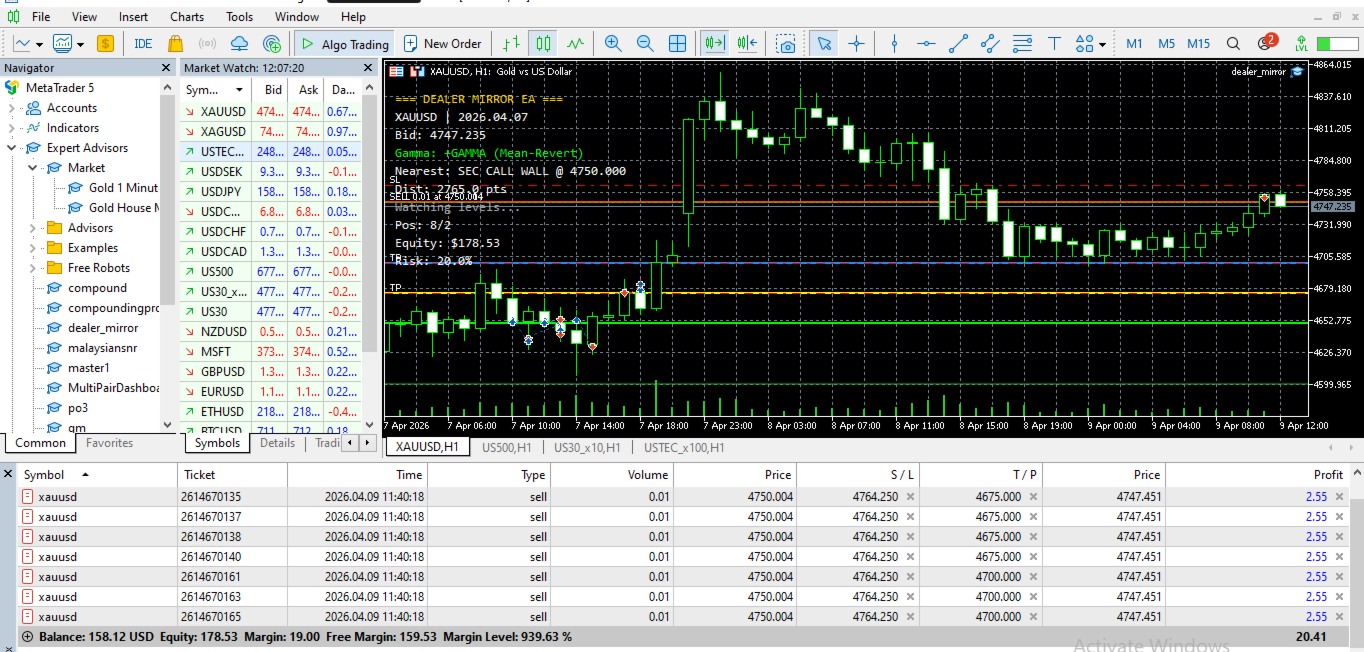
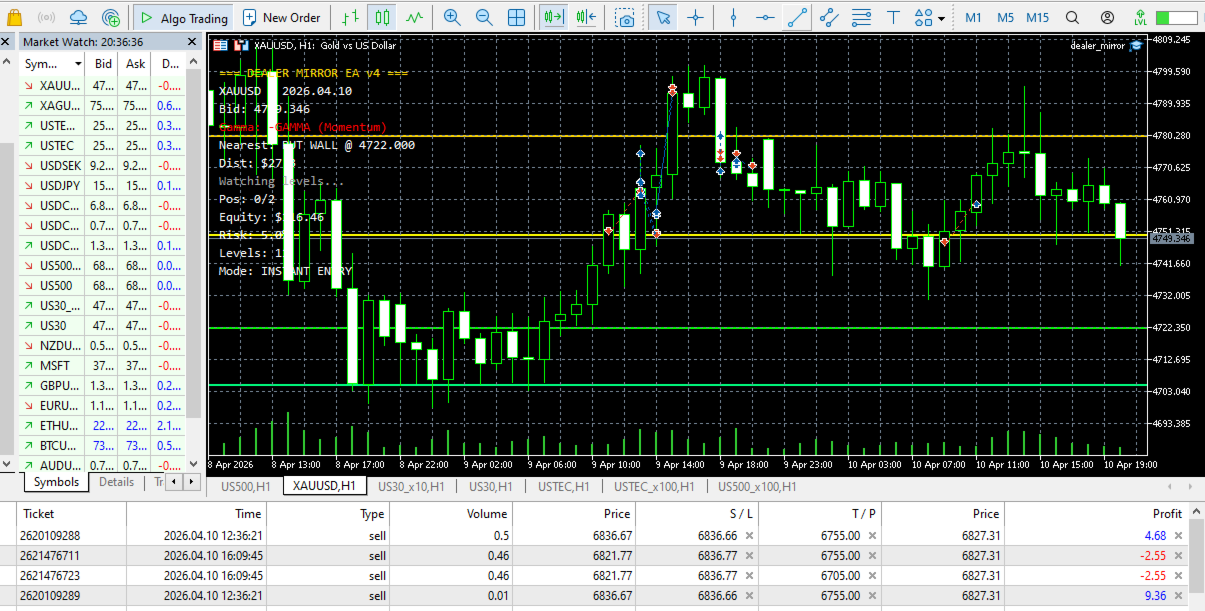
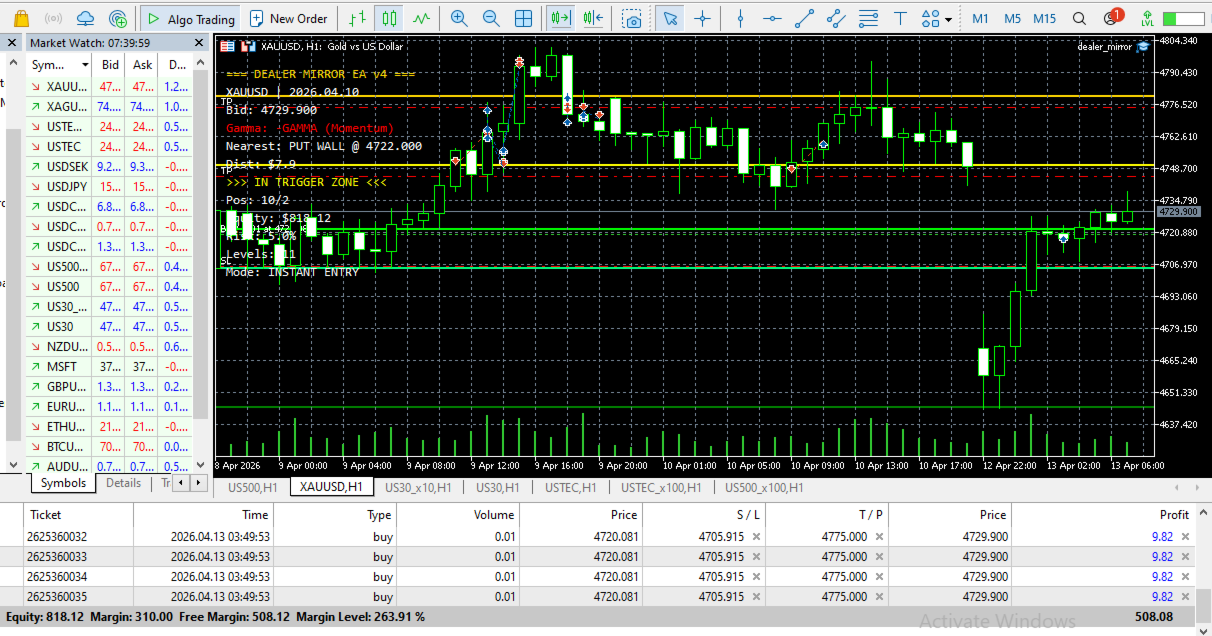
실시간 정보 패널이 차트에 표시됩니다:
-
현재 심볼 및 레벨 날짜
-
감마 레짐 (+GAMMA 평균 회귀 또는 -GAMMA 모멘텀)
-
가장 가까운 거래 가능 레벨 및 거리
-
트리거 존 상태
-
미결제 포지션 및 자본
-
현재 리스크 비율
시각적 레벨 표시
모든 구조적 레벨은 차트에 직접 색상 코드로 표시됩니다:
-
녹색: 매수 영역 (풋월, 딥풋)
-
빨간색: 매도 영역 (콜월, 맥스페인, 세컨더리콜)
-
노란색: 감마플립 레벨 (점선)
-
파란색/마젠타: 반전된 레벨
진부화 경고 시스템
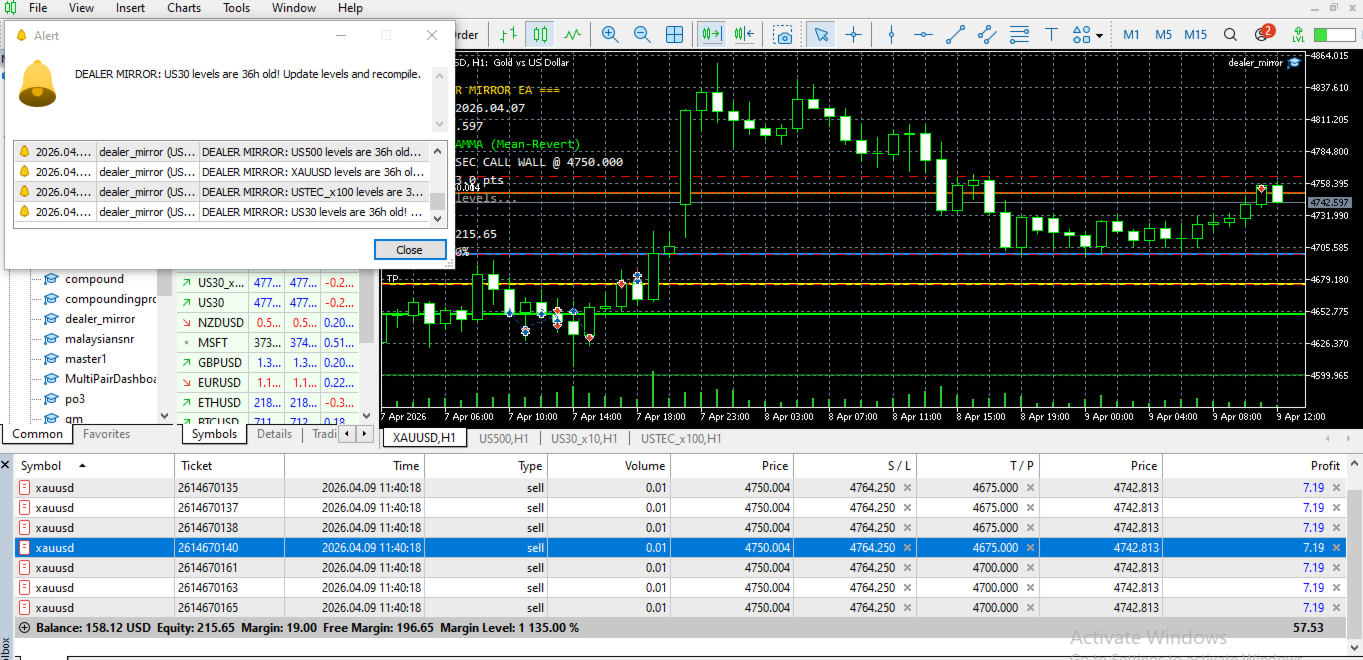
EA는 구조적 레벨의 경과 시간을 모니터링합니다. 레벨이 구성된 진부화 임계값(기본값 24시간)을 초과하면, EA는 경고를 생성하고 알림을 전송하여 현재 시장 조건에 맞게 레벨을 업데이트하도록 상기시킵니다.
입력 파라미터
딜러 레벨 (매일 업데이트)
각 심볼에 대해 다음을 구성할 수 있습니다:
-
심볼 이름 (브로커에 표시되는 대로)
-
풋월, 콜월, 감마플립 레벨
-
딥풋, 세컨더리콜, 맥스페인 레벨
-
진부화 추적을 위한 레벨 날짜
리스크 및 실행
| 파라미터 | 범위 | 설명 |
|---|---|---|
| RiskPercentPerTrade | 0.1 - 100 | 자본 대비 거래당 리스크 % |
| TriggerZonePoints | 1 - 1000 | 활성화를 위한 레벨 주변 포인트 |
| SL_Percent | 0.1 - 2.0 | 손절매 거리 (%) |
| MaxPositionsPerSymbol | 1 - 10 | 최대 동시 거래 수 |
확인 설정
| 파라미터 | 옵션 | 설명 |
|---|---|---|
| ConfirmationTF | M1 ~ MN1 | 확인용 시간대 |
| PinBarWickRatio | 1.0 - 5.0 | 최소 심지/몸통 비율 |
| EngulfBodyRatio | 0.5 - 3.0 | 최소 잉골핑 몸통 비율 |
진부화 경고
| 파라미터 | 기본값 | 설명 |
|---|---|---|
| StalenessHours | 24 | 경고 전 시간 |
| AlertRepeatHours | 4 | 반복 경고 빈도 |
요구 사항
-
MetaTrader 5 플랫폼
-
구성된 심볼에 접근 가능한 브로커
-
계산된 로트에 충분한 마진
-
패턴 확인을 위한 M1 및 M15 과거 데이터
지원되는 심볼
EA는 다음을 포함하되 이에 국한되지 않고 최대 4개의 심볼을 동시에 거래할 수 있습니다:
-
XAUUSD (금)
-
NAS100 (나스닥)
-
US30 (다우존스)
-
SP500 (S&P 500)
가격 레벨이 있는 모든 심볼을 구성할 수 있습니다.
설정 방법
-
EA를 임의의 차트에 적용
-
심볼에 대한 구조적 레벨 구성
-
계좌 규모에 따라 리스크 파라미터 설정
-
MT5에서 자동 거래 활성화
-
정보 패널을 통해 실시간 상태 모니터링
일일 유지보수
매 거래일마다 구조적 레벨을 업데이트하십시오. EA 입력 파라미터에 새 레벨을 입력하고, 레벨 날짜를 업데이트한 후 EA를 다시 컴파일하거나 재시작하십시오.
전략 참고 사항
이 EA는 다음에 해당하는 트레이더를 위해 설계되었습니다:
-
딜러 옵션 포지셔닝 개념을 이해하는 분
-
구조적 레벨을 매일 업데이트할 수 있는 분
-
주요 레벨 근처의 평균 회귀 거래 위험을 수용하는 분
-
자신의 계좌에 적절한 포지션 크기를 사용하는 분
EA는 가격 방향을 예측하지 않습니다. 사전 정의된 레벨과 확인된 패턴에 따라 거래를 실행하며, 자동 로트 계산 및 손절매를 통해 리스크를 관리합니다.
지원
제품 지원은 MQL5 댓글 시스템 및 메시징 시스템을 통해 제공됩니다. 지원 요청 시 브로커 이름, 심볼 목록 및 관련 스크린샷을 포함하십시오.
법적 면책 조항
외환, 지수 및 상품 거래는 높은 수준의 위험을 수반하며 모든 투자자에게 적합하지 않을 수 있습니다. 과거 실적은 미래 결과를 보장하지 않습니다. 이 전문가 어드바이저는 거래 결정을 지원하는 도구입니다; 이익을 보장하지 않습니다. 사용자는 실거래 전에 데모 계좌에서 철저히 테스트해야 합니다.