 MetaTrader 5
 Experts
 지표
지표
 라이브러리
라이브러리
 유틸리티
유틸리티
 위젯
위젯
 규칙
규칙
MetaTrader 5용 새 트레이딩 유틸리티 - 23
 다음은 MetaTrader 5의 거래를 단순화하는 거래 프로그램입니다. 유틸리티의 설명과 목적을 읽으려면 유틸리티 위에 마우스를 놓으십시오.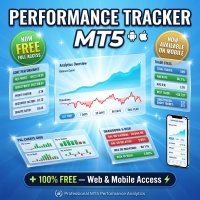
Performance Tracker Performance Tracker는 MetaTrader 5용 거래 분석 및 계좌 성과 추적 도구입니다. 이 제품은 트레이더가 과거 거래 내역을 분석하고, 리스크를 평가하며, 시각적인 리포트와 상세한 통계를 통해 더 나은 거래 결정을 내릴 수 있도록 돕습니다. 자신의 거래 활동을 체계적이고 명확하게 이해하고 싶은 사용자에게 적합합니다. 주요 기능 계좌 분석 대시보드 인터랙티브 대시보드를 통해 전체 거래 성과를 한눈에 확인할 수 있습니다. 포함된 지표: 순이익 총수익 및 총손실 Profit Factor 기대 수익 (Expected Payoff) Recovery Factor 샤프 지수 (Sharpe Ratio) 소르티노 지수 (Sortino Ratio) 승률 평균 손익비 (Risk/Reward Ratio) 잔고 및 드로우다운 시각화 시간에 따른 계좌 성장과 드로우다운 변화를 확인할 수 있습니다. 포함된 차트: 잔고 곡선 자산 드로우다운 드로우다운 지속
FREE

Prop Guardian Pro - MT5용 프롭 펌 드로다운 보호 및 리스크 매니저
프롭 펌 챌린지를 통과하고, 일일 손실 및 최대 드로다운 위반으로부터 펀딩 계좌를 보호하세요. Prop Guardian Pro는 계좌 단위 리스크 관리 EA로, 실시간으로 자산(equity)을 감시하고 한도를 초과하기 전에 자동으로 대응합니다.
대부분의 트레이더가 챌린지에 실패하는 것은 잘못된 매매 때문이 아니라 단 한 번의 드로다운 위반 때문입니다. 이 도구는 일일 및 전체 한도를 항상 눈앞에 표시하고, 가까워지면 개입합니다.
계좌를 보호하는 방식
리스크가 커짐에 따라 반응하는 3단계 보호 시스템:
- WARNING - 한도에 가까워질 때 조기 경고
- PROTECTIVE - 신규 거래를 차단하고 수익 포지션을 본전(브레이크이븐)으로 이동
- HARD CLOSE - 슬리피지 안전 버퍼를 사용해 한도에 도달하기 전 모든 포지션을 자동 청산
주요 기능
- 일일 및 최대 드로다운 관리(정적

Bjed Equity Curve Utility MT5 는 자산 변동 추이를 실시간으로 분석하고 시각적으로 모니터링할 수 있는 전문 도구입니다. 이 유틸리티는 자산 데이터를 자동으로 파일로 내보내므로, 외부 도구, 대시보드 또는 다른 EA에서 이 정보를 추가로 처리할 수 있습니다.
주요 기능
자산 곡선의 실시간 내보내기 MQL5 데이터 폴더로의 자동 파일 출력 모든 심볼 및 시간대와 호환 외부 DLL 불필요 시장 규정을 완벽하게 준수 가벼운 무게와 낮은 리소스 소비
활용 사례
거래 계좌의 에퀴티 기반 리스크 모니터링 외부 시각화 (Python, Excel, Power BI, 트레이딩 대시보드) 다중 EA 조정 다른 EA 또는 도구 내 자동화된 에퀴티 필터
중요 참고 사항
전략 테스터는 지표나 유틸리티에 대한 에퀴티 이력을 제공하지 않습니다. 따라서 데모 버전은 테스터에서 작동하지 않습니다. 실제 차트에서 제품을 테스트해 주십시오. 다음 캔들이 시작되면서 첫 번째 선이 보이게 되

MHD Personal Assistant Panel – 금과 암호화폐를 위한 완벽한 수동 트레이딩 코파일럿
2자리 및 3자리 소수점 브로커 지원 MHD Personal Assistant Panel 을 소개합니다 – MetaTrader에서 실시간 제어, 자동화된 보호, 멀티 에셋 정밀도를 요구하는 트레이더를 위해 설계된 전문가급 실행 및 리스크 관리 인터페이스입니다. 1분 차트에서 금을 스캘핑하든 높은 변동성 속에서 금을 거래하든, 이 패널은 수동 트레이딩을 규율 있는 반자동 워크플로우로 변화시킵니다. 핵심 기능 – 액션을 위해 제작됨
패널은 지능형 모듈로 나뉘어 있으며, 각 모듈은 실제 트레이더의 문제를 해결합니다. LF 채널 및 존 트레이딩
LF 채널(M1)은 상단, 하단, 중간 레벨을 즉시 표시합니다.
존 인디케이터는 가격이 SELL ZONE 또는 BUY ZONE에 있는지 알려줍니다.
진입 추측은 이제 그만 – 채널이 전장을 보여줍니다. 멀티 타임프레임

Astana TradeInfo Dashboard MT5 is a professional information panel for MetaTrader 5 that helps traders monitor account status and trading performance directly on the chart.
The indicator displays balance, margin, leverage, open positions, current floating profit or loss, drawdown, performance history and the current candle countdown timer. The dashboard is designed for convenient visual trading control without constantly switching to the terminal window.
Main features: - Balance, Margin and L

Trader Agent MT5 Trader Agent MT5 — Professional Trade Management Panel Trader Agent is an all-in-one trade management Expert Advisor that gives you complete control over every aspect of your trading — from one-click order execution to advanced risk management, partial close strategies, and automated position protection. With 40+ built-in features organized across 5 intuitive tabs, it replaces the need for multiple tools and puts professional-grade order management at your fingertips. Why Trade

Risk Pilot MT5 — Fast Trade Execution and Risk Management Panel Take absolute control of your trading risk with Risk Pilot , the ultimate interactive assistant for manual traders on MetaTrader 5. Designed for precision and built for speed, Risk Pilot eliminates manual lot calculations so you can enter trades instantly before the market moves.
️ IMPORTANT NOTICE: This is a manual trading UTILITY TOOL, not an automated trading robot (EA). This tool WILL NOT auto-trade or execute trades based
FREE

Second and Custom Timeframe Charts See the market between standard timeframes. Second and Custom Timeframe Charts is a professional chart utility for MetaTrader 5 that creates synthetic candles for non-standard timeframes directly from market data. It is designed for traders who need more flexibility than the default MT5 timeframe set can provide. Standard charts show only fixed periods. But the market does not always move in standard blocks. Sometimes the most important structure is visible on

ASTANA SMART CLOSE MANAGER MT5 MQL5 Product Description Short Description Astana Smart Close Manager MT5 is a professional trading utility for MetaTrader 5 designed for fast, convenient and controlled position closing. The utility helps traders manage open positions by symbol, direction, profit, loss, Magic Number and selected instrument list. Main Purpose The tool is designed for manual traders, scalpers, intraday traders and Expert Advisor users who need to close specific positions quic

FastPanel Trader EA — Professional Trade Panel, Risk Control, Sessions & Candle Timer for MT5 FastPanel Trader EA is a clean and powerful MetaTrader 5 trade management panel designed for traders who want faster execution, better risk control, and a more organized trading chart. This Expert Advisor does not try to predict the market or promise profits. Instead, it gives you a professional control panel directly on your MT5 chart so you can manage entries, stop loss, take profit, risk, open positi

[Zero-Latency Stealth Protocol] DR Stealth Risk Trade Panel: The Ultimate Execution & Algorithmic Risk Hub for MT5 "They see your stops." This is the uncomfortable truth of modern retail trading. Every Stop Loss you place is a digital breadcrumb, leading predatory algorithms directly to your most vulnerable point. You have the right strategy, you identify the perfect entry, yet you are consistently "stopped out" by a sudden, inexplicable spike, only to watch the market reverse in your intended d

DR Trade and Risk Manager: The Foundational Algorithmic Risk Console for MT5 For the discretionary trader, the greatest adversary is not the market; it is the undisciplined self. You have a solid strategy, but in moments of high pressure, do you follow your rules with perfect consistency? Do you cut losses without hesitation? Do you let winners run without cutting them short out of fear? For most, the answer is no. This gap between strategy and execution is where profits are lost. DR Trade and R

[Dual-Lot Tactical Execution] DR Trade Manager Scalping Edition: The Ultimate High-Frequency Cockpit for MT5 In the high-frequency arena of scalping, your P/L is not defined by your strategy alone, but by the speed and precision of your execution. Every millisecond of hesitation, every moment of indecision in sizing, every tick of latency translates directly into lost alpha. The standard trading interface is a blunt instrument in a surgeon's game. DR Trade Manager (Scalping Edition) is your surg

StatsMood Position Sizer Short Description Calculate position size instantly based on your risk and stop loss distance. Simple, fast and precise. Full Description Position sizing is one of the most important aspects of risk management. StatsMood Position Sizer is a free MT4/MT5 indicator that helps you calculate the appropriate lot size in real time based on your account balance, selected risk percentage and stop loss distance. It removes the need for manual calculations and helps maintain cons
FREE

Equity Drawdown Monitor MT5 is a monitoring utility for tracking account equity, drawdowns, open-position losses and trading results in real time. The panel displays: • Current balance and equity
• Profit or loss from open positions
• Current equity drawdown
• Maximum recorded drawdown and its time
• Worst recorded open loss and its time
• Closed profit/loss for today, yesterday, the current week and month
• Open positions and pending orders grouped by symbol
• Total monthly trading volume
• Val

ClickDesk Trader is a fast, manual trade-management desk for MetaTrader 5. Open, close and protect your trades in one click — or with keyboard hotkeys — while a clean HUD keeps your P&L, risk and market pressure in view. It does not decide for you; you stay in full control.
One-click desk & hotkeys - Buy / Sell, Close All, Close Buys, Close Sells — buttons and hotkeys (B, S, C, Q, W). - Lot stepping on the fly (L / K) with a hard lot cap.
Glowing toggle tools (press again to undo) - SL/T
FREE

️ MQL5 3D Animated AutoChess Sandbox - Game Guide This AutoChess sandbox game is a standalone 3D animated strategy game developed entirely in MQL5. Below is the comprehensive guide to game rules, input parameters, core mechanics, and operations. ️ System Input Parameters When loading the script in MT5, you can configure the following options in the "Inputs" panel: | Parameter Name | Default | Description & Details | | :--- | :---: | :--- | | Language | LANG_ENG | Language Option . Ch

# Mario KLine Platformer - Side-scrolling Candlestick Platformer
`Mario KLine Platformer` is an incredibly creative side-scrolling platformer game for MetaTrader 5 (MT5). this script cleverly merges financial charts with classic Super Mario-style mechanics— **using the real-time candlestick data (OHLC) of the current chart as the level terrain** . Run, jump, and shoot fireballs across market trends in a unique "chart adventure"!
---
## Key Concepts & Features
1. **Candlesticks as Pl

# Racing Game 3D - Candlestick-Driven 3D Racing Game ️
`Racing_Game_3D` is an innovative 3D racing game script running inside the MetaTrader 5 (MT5) platform. the game's core highlights include **generating highly winding 3D tracks from the real-time candlestick data (OHLC) of the current chart** , rendering with native DirectX 3D APIs, implementing interactive item boxes, and racing head-to-head against 5 CPU opponents.
---
## Key Concepts & Features
1. **K-Line Driven 3D Winding Tr

Trade Manager, Lot Size Calculator and Position Size Calculator for MT5. One-click execution, automatic risk management and an enforced daily trade limit. Prop firm safe: FTMO, FundedNext, The 5%ers.
You don't need another signal. You need to stop breaking your own rules.
This is a semi-automated trade manager for discretionary traders. It is not an auto-trading robot and never opens trades on its own. You make the decisions. The EA calculates your exact lot size, executes with one click, mana

NeuronJournal - Trading Journal and Analytics Dashboard for MetaTrader 5 NeuronJournal reads your own MetaTrader 5 closed-trade history and presents it as an analytics dashboard inside the terminal. It shows your performance metrics, a calendar of daily results, a quant-style score of your trading, and a detailed breakdown of every trade and every day, with a built-in notes journal. It is an analytics and journaling tool only. It reads your account and draws. It does not give trading signals and

Seconds Candle Trader Pro
Short description Manual seconds-candle chart and trade panel for MetaTrader 5 with S1-S30 candles, hotkeys, breakeven, zoom, and dark/light themes.
Overview Seconds Candle Trader Pro is a manual trading utility for MetaTrader 5. It draws custom seconds candles directly on the chart using broker tick data and adds a compact panel for discretionary order management.
The product supports S1, S2, S3, S4, S5, S6, S10, S12, S15, S20, and S30 candle views. It is designed

TradeMasterPanel — One-Click Manual Trading Panel for MT5 TradeMasterPanel is a professional one-click trading assistant for MetaTrader 5, designed to help traders execute, manage, and protect positions directly from the chart. All settings can be adjusted on-chart and are automatically saved for each trading symbol, eliminating the need to reopen the Inputs dialog or reattach the EA. The interface is fully scalable and DPI-aware for modern high-resolution displays. 1. Market Order Entry Open B
FREE

PNL MANAGER PRO — Automatic Exit Manager with Smart Risk Control
Set your entry, walk away. PNL Manager Pro sets your stop loss and take-profits automatically, locks in profit in stages, moves you to breakeven, and trails the rest — all while keeping your risk inside the limit you set.
Try Before You Buy: You can download and test the Pnl MANAGER free demo version on a demo acc

A basic entry and position management EA that opens trades on multiple currency pairs at specific times. It includes its own internal trailing stop and take-profit logic, as well as integrated "end-of-day" and "Friday" profit-close features from the other scripts.
Features: Opens trades on user-defined `PairsSet1` through `Set6` at specific `TradeTime` inputs. Configurable position sizing (`Lots`), Stop Loss, and Take Profit. Includes its own `TrailOrders` function that trails both SL and TP b

Title: Smart Position Manager PRO - Advanced Risk & Position Manager Description: Smart Position Manager PRO is an all-in-one visual trade management and risk calculation tool designed for serious traders who prioritize iron discipline and strict risk management. Whether you are executing precise SMC or ICT setups on personal capital or managing large funded accounts on strict prop firms, this tool ensures you focus on counting percentages rather than emotional money swings. With a highly int
FREE

Spread Monitor Live Real-time Spread Monitoring Tool for MT5 Version: 1.00
Last update: 15.06.2026
Author: Aleksandr Bezverkhikh Description Spread Monitor Live is a lightweight and efficient indicator for MetaTrader 5 that displays the current spread in real time directly on your chart. Perfect for scalpers, day traders, and anyone who needs to keep a close eye on trading conditions. The indicator shows the spread in points with clear color coding, allowing you to instantly s
FREE

PROP FIRM RULES MANAGER — Complete Challenge Rule Enforcement for MT5 Monitors every prop firm rule in real-time. Daily loss, max drawdown, profit targets, consistency, EOD rules and more. 5 firm presets built in.
Try Before You Buy: You can download and test the PROP FIRM RULES MANAGER free demo version on a demo account before pu

MIDASH - The Ultimate Dashboard for MetaTrader 5
Transform your MT5 platform into a truly professional analytical terminal! MIDASH (Modern Interactive Dashboard) is an ultra-modern, visual utility designed for demanding traders who want to understand, analyze, and optimize their performance without ever leaving their chart.
Forget tedious exports to Excel or MyFxBook. MIDASH analyzes your entire trading history and gives you a panoramic, detailed view of your statistics, all within a beautif

Ultimate Pro Trading Panel — All-In-One Manual & Grid Trading Dashboard Pro Trading Panel is an all-in-one on-chart control panel that gives discretionary and semi-automated traders a complete toolkit for entries, exits, risk management, and grid trading — without leaving the chart. Every function is visual, draggable, and updates in real time.
If you want to test this utility feel free to download the basic preview version of this tool here: https://www.mql5.com/en/market/product/181435 Who

MENEMANI Smart TRaders | Semi-Automated Supply/Demand, FVG & Order Block Trading Assistant. Available for MetaTrader 5 and MetaTrader 4 (two separate Market products — install the build that matches your terminal). MENEMANI Smart TRaders is a professional trading assistant (utility EA) that scans, scores, and visualizes institutional price zones — then lets you execute a complete pending-order plan from a single dashboard. You stay in control: the EA never opens a trade on its own. You pick t

DeepTrade Risk Guard is an automatic account protector that enforces your trading discipline for you. Most traders don't blow accounts because of bad entries — they blow them by over-trading after a loss and ignoring their daily limits. This tool removes that risk by locking trading the moment your rules are broken. KEY FEATURES - Daily loss limit (as % of start-of-day balance, or fixed money) - Daily profit target — stop while you are ahead - Maximum trades per day cap - One-click protection

DeepTrade Scalp Panel is a fast, professional on-chart control panel built for scalpers who need to act in a fraction of a second. Open market orders instantly, drop pending orders with one tap, and let the panel handle Stop Loss, Take Profit, break-even and trailing automatically. No more fumbling with the order window while the move runs away from you. KEY FEATURES - Instant BUY / SELL market execution with one tap - Fast pending orders: BUY STOP, SELL STOP, BUY LIMIT, SELL LIMIT placed at

DeepTrade Basket Manager treats a whole group of trades as ONE position. Instead of watching each order, you set a target for the entire basket — and the moment combined profit (or loss) hits your number, it closes everything at once. Built for grid traders and multi-pair portfolios. KEY FEATURES - Close the entire basket at a profit target (money or % of balance) - Close the entire basket at a loss limit (money or % of balance) - Manage ALL symbols together, or filter by chart symbol / mag

DeepTrade Prop Guardian is built for one job: keep you inside your prop-firm rules so you don't fail the challenge on a single bad day. Most traders don't fail because of strategy — they fail by breaching the daily or maximum drawdown limit. This tool tracks those limits live, warns you early, and stops trading before the line is crossed. KEY FEATURES - Live DAILY drawdown tracking, measured from start-of-day balance OR equity (match your firm's exact rule) - MAX overall drawdown: STATIC (fro

DeepTrade News Manager keeps you safe around high-impact economic news. It reads events from the FREE built-in MQL5 Economic Calendar — no external website, no manual URL setup, no subscription. It alerts you before news, blocks the window around the release, and protects your open trades automatically. NEWS SOURCE — FREE & RELIABLE Uses MetaTrader 5's own built-in Economic Calendar (the same data in the terminal's Calendar tab). That means: no external news website, no WebRequest URL to whit

Trade Export Manager MT5 is an advanced MetaTrader 5 utility for highly customizable trade and account exports, structured CSV/HTML/TSV/JSON/XML reports, Telegram report delivery, live trade notifications, and scheduled daily, weekly, or monthly trading summaries from one dashboard. Setup guides and practical instructions Installation guide - Telegram setup guide Export features and options Highly customizable exports - choose the report type, required fields, columns, filters, formats, file l

Professional Trade Panel — All-in-One Smart Trading Tool
This is a professional visual trading panel designed for the MetaTrader platform. It consolidates the most frequently used trading operations into a single compact and draggable interface, significantly improving execution efficiency and reducing the risk of misoperations.
Core Features
One-Click Close All: Close all open positions on the current symbol with a single click. The button displays real-time total floating profit and loss s

Trade management panel for MetaTrader 5. It lets you place orders and manage open positions from a panel on the chart, without opening separate order windows. It works on any symbol and timeframe, on hedging and netting accounts.
Layout and display The panel has two layouts. Single shows all controls in one view. Tabs splits the controls into separate tabs for a smaller footprint. You can hide the panel to see the chart behind it and restore it when needed. The panel scales with the screen res
FREE

Kalman Forecast Helper is an advanced MQL5 Expert Advisor component designed to generate adaptive market forecasts, trend predictions, and trading signals for FX and other financial time series. Powered by a proprietary Kalman filtering engine, the helper continuously analyzes incoming market data and delivers actionable forecast information that can be integrated directly into Expert Advisors, indicators, or quantitative trading systems. After each update, the helper provides: Multi-horizon for
FREE

SWDM Position Manager EA
The SWDM Position Manager EA is a MetaTrader 5 Expert Advisor for automatically managing matching positions on the current chart symbol. It can manage already open positions as well as newly opened positions, as long as they match the configured position filters. It is not a classic entry-signal robot and does not open trades by itself in the default workflow. The EA is designed to protect and manage manual trades or positions opened by other tools using internal risk m
FREE

Title Prop Firm Risk Guardian Short description (one line) Real-time daily-loss and max-drawdown protection that automatically closes your trades and locks trading before you breach your prop firm limits. Full description Passing a prop firm challenge is hard enough — losing a funded account to a single careless trade is worse. Prop Firm Risk Guardian watches your account in real time and steps in before your daily-loss or maximum-drawdown limit is breached. It sits on your chart as a clean, mod
FREE

PnL Monitor for MT5 Monitor your open trade profit and loss directly on the chart. PnL Monitor is a lightweight utility for MetaTrader 5 that displays the real-time profit or loss of all open positions for the current symbol in a clean floating panel. Designed for traders who manage multiple charts and want instant visual feedback without opening the Terminal window. Key Features • Displays total profit/loss for the current symbol. • Updates automatically in real time. • Profit values are color-
FREE

Fast Panel is a trading utility for MetaTrader 5 designed to make manual execution faster, clearer and more organized. It provides a compact trading panel with direct access to lot size, stop loss, take profit, trailing stop controls and action buttons for buy, sell, reverse and close operations.
The panel was created for traders who want a practical interface on the chart without unnecessary complexity. The layout highlights the most relevant information for decision making, including open r

OrderShield MT5 EA - Simple Description What is this product? This is an automated trading tool (Expert Advisor) for MetaTrader 5 that manages your Stop Loss (SL) and Take Profit (TP) levels in a hidden way - the broker cannot see them. Main Advantages 1. Hidden Protection Levels Your SL/TP are invisible to the broker The EA monitors prices and closes positions automatically when your levels are hit Brokers cannot see or interfere with your stop losses 2. Works With Everythin

Trade Panel and Risk Manager by FundedOps is a professional on-chart control panel that puts fast, precise, rule-based trade execution and management one click away. Built for discretionary and funded/prop traders who want tight control over risk on every trade — without the manual lot math, the scattered shortcuts, or the missed management steps.
It works across all markets — forex, indices, metals, commodities and crypto — on any timeframe, and on both netting and hedging accounts.
This is

Position Sizer PROP
Stop putting your challenge at risk because of wrong lot sizing, forgotten limits, or unclear exposure before sending the next order. In PROP Firm challenges, many traders do not fail only because of poor entries. Risk management mistakes also matter: oversized lots, poorly calculated risk, daily drawdown breaches, excessive exposure, or lack of control over account rules. After approval, the challenge continues. Keeping the account active requires discipline, operational co
MarginBulk Pro — Bulk Trading & Risk Manager MT5
Still calculating lot sizes and levels by hand on every trade? MarginBulk Pro automates your entire trade management workflow from a compact visual panel embedded directly on your MT5 chart.
KEY FEATURES
Bulk Trading • Opens N simultaneous positions (bulks) with lot auto-calculated from your risk % or set manually • TP1, TP2... TPn defined as exact Risk/Reward ratios (1:1, 1:2, 1:3... up to 1:6) • Each TP receives an equal share of the total

== Account Protector EA JJP ==
< Feature Summary > Target Types Feature Details
Stop Loss Set in USD (e.g., -$100) or as a % of balance (e.g., -2.0%) — switchable on entry
Take Profit Set in USD (e.g., +$200) or as a % of balance (e.g., +4.0%) — switchable on entry
Mode Selector. SL_UseUSD = true → uses the USD value; false → uses a percentage
️ Protection Modes Broker-backed: The EA modifies orders directly via trade.PositionModify(

Please download Master EA here = https://www.mql5.com/en/market/product/181698
MT4 Version = https://www.mql5.com/en/market/product/183101
Free Demo Version = https://c.mql5.com/6/1033/COPYTRADE_DEMO7D.zip
User Manual : download here Professional Copy Trade EA for MT5 , NO HASSLE, PLUG and PLAY and CROSS PLATFORM MT4 <---> MT5.
A powerful and reliable Copy Trade Expert Advisor designed for traders, signal providers, fund managers, and prop firm users. Easily copy trades between multipl

[FREE UTILITY] EA42 TANIN HEATMAP BUBBLES: REAL-TIME VOLUMETRIC X-RAY
Upgrade your order flow analysis with EA42 Tanin Heatmap Bubbles. This professional utility transforms complex tick data into clean, visual bubbles, showing you exactly where the heavy institutional volume is traded. 100% Free!
KEY FEATURES: * True Market Volume & POC: The size of each bubble represents the total traded volume. The highlighted core instantly identifies the Point of Control (POC) for every single candl
FREE

NeuronReplay — replay each of your closed trades one by one, bar-by-bar, and analyze exactly what happened Your trade history is just a list of numbers. NeuronReplay turns it into film. It lists every closed trade in a dashboard; click any one and it re-plays that single trade candle-by-candle on its own chart , exactly like stepping through the MetaTrader 5 Strategy Tester — but scoped to a real trade you already took. You see the entry, the stop, the target and the exit drawn in, a floating P&

AUTOTRAIL LM PRO MANAGER v3.30 Professional management of manual trades across all symbols Autotrail LM Pro Manager is a MetaTrader 5 Expert Advisor designed to automatically manage all manually opened positions, including trades on symbols other than the chart where the EA is installed. You do not need to attach the manager to every chart. For example, you can install it on a single XAUUSD chart and manage manual trades opened on: XAUUSD Forex pairs Indices Cryptocurrencies Metals Energies Othe
FREE

VTB High Watermark Drawdown INFO Indicator for MT5 Advanced Account Monitoring & Drawdown Information Dashboard VTB High Watermark Drawdown INFO is a professional account monitoring indicator designed to display drawdown statistics, account performance, and risk management information directly on the chart. Unlike Expert Advisors, this indicator does not interfere with trading activity. It does not open or close positions, modify orders, or block trading. Its sole purpose is to provide a clear a
FREE

Monitor Your EAs and Manual Trading From One MT5 Dashboard One account. Multiple strategies. One clear overview. Quantum Magic Monitor is a professional MT5 trading dashboard designed to help traders monitor multiple Expert Advisors and manual trading activity separately and in one place . Instead of analysing a mixed account history, Quantum Magic Monitor lets you organise trading activity by Magic Number / EA group and monitor the performance of different strategies independently. WHY QUANTUM
FREE

Please visit = https://www.mql5.com/en/market/product/181686 for slave EA
MT4 Version = https://www.mql5.com/en/market/product/183101 Free Demo Version = https://c.mql5.com/6/1033/COPYTRADE_DEMO7D.zip User Manual : download here
Professional Copy Trade EA for MT5, NO HASSLE, PLUG and PLAY and CROSS PLATFORM MT4 <---> MT5. A powerful and reliable Copy Trade Expert Advisor designed for traders, signal providers, fund managers, and prop firm users. Easily copy trades between multiple accounts
FREE

An advanced equity protection and trade management script. It monitors individual trade P&L and closes positions when floating equity targets (profit or loss) are met. It features "skip closing hours" for high volatility, wide spreads, or price instability times .
Features: Closes trades at a target profit (`MAX_FLOATING_EQUITY`) or maximum loss (`MAX_FLOATING_LOSS`). Includes a `FORCE_CLOSE_AT_MAX_EQUITY` level that bypasses all exit protection checks. "SKIP_CLOSING_HOURS" input to pause loss
FREE

ExpertGain Risk Manager MT5 is a professional MetaTrader 5 utility designed to help traders manage risk, protect trading capital, and improve trading discipline. It is built for manual traders, semi-automated traders, prop-firm traders, forex traders, gold traders, and anyone who needs better control over daily losses, drawdown, trade exposure, and open positions. This utility does not open trades automatically and does not provide buy or sell signals. Instead, it focuses on responsible trade ma
FREE

Ashinton Prop Guard Pro is a professional prop firm compliance and risk management dashboard for MetaTrader 5, designed to help traders monitor account performance, stay within challenge rules, and protect funded accounts from avoidable violations. Whether you are trading a prop firm challenge, managing a funded account, or simply looking to improve your risk discipline, Ashinton Prop Guard Pro provides real-time monitoring, intelligent protection controls, and a powerful compliance dashboard di

NoBreach Prop Protector watches your account's daily loss and total drawdown and de-risks gradually in three stages — instead of the usual all-or-nothing "close everything at the limit".
What makes it different
1. Three-stage protection, not a binary kill switch. WARN notifies you, SOFT reduces exposure, HARD closes everything and locks trading until the daily reset. You get slowed down before the limit, not executed at it.
2. Broker-side backstop. The EA continuously maintains

A time-based position expiration system that moves trades to a "watch list" after they reach a certain age. It does not close them immediately but waits for them to hit a profit target (or loss target) before exiting.
Features: Global and Magic-specific expiration periods (format: HH:MM:SS). Tracks expired trades separately and only closes them when a `MIN_PROFIT_CLOSE` target is met (or loss target if "Close Only Profitable" is false). Includes a manual control and statistics reporting functi

Trading tool combining a sophisticated equity stop-loss, dynamic take-profit management (Breakeven & Trailing), and symbol-group-based closing logic. It is a complete risk management and trade supervision tool.
Features: All features of `Equity Master Stop v1` (floating profit/loss limits, exit protection, skip hours). Take-Profit Override: Can force a TP on any order to lock in a `MAX_FLOATING_PROFIT`. Step Breakeven: Locks in increasing amounts of profit as a trade moves favorably (e.g., aft

Trade Manager is a professional on-chart panel that gives manual traders full control over every trade with a single click. No more switching windows or calculating lots by hand — manage risk, protect profit, and close positions instantly from one clean panel. KEY FEATURES - One-click BUY / SELL with automatic Stop Loss and Take Profit - Risk-based lot sizing: lots calculated automatically from your account balance and the risk percent you choose - Partial close: lock part of your profit auto

Most session tools try to cover everything. DeepTrade Session Intel does the opposite — it focuses on what actually moves the market: the London and New York sessions, tuned for Gold (XAUUSD) and US30. It maps the liquidity and the real activity window so you trade when the market is alive, not when it's dead. WHAT IT SHOWS - London and New York session boxes drawn at their real server hours - Session HIGH and LOW lines — the liquidity that price hunts - Pre-session breakout range — the conso

VTB High Watermark Drawdown Lock EA for MT5 Advanced Equity Protection & Drawdown Management System VTB High Watermark Drawdown Lock is a professional risk management Expert Advisor designed to protect trading accounts, funded accounts, and proprietary trading challenges from excessive drawdown. Unlike traditional drawdown protection systems that calculate risk from the initial account balance, this EA uses a dynamic High Watermark (HWM) model that continuously protects both your original capita

VTB Open Positions – SL Risk Panel (MT5) Advanced Risk Management Dashboard for Open Positions VTB Open Positions – SL Risk Panel is a professional risk management indicator for MetaTrader 5 that continuously monitors all open positions and instantly displays the real risk and potential profit associated with Stop Loss and Take Profit levels. The indicator provides traders with a complete overview of their portfolio exposure, helping them make informed risk management decisions in real time. Wha

A Expert Advisor that automatically opens trades when price crosses predefined pip-based round levels. Unlike simple round number EAs that only trade on psychological levels like 1.1000 or 1.2000, this EA allows you to define up to five independent pip intervals simultaneously, each with its own Magic Number for separate tracking and management.
The EA functions as a complete trading system, combining automated entry based on price crossing round levels, directional control, integrated trailin

Introduction Simple & Straightforward Trade Management that manages trades. Ideal for managing low numbers of trades with Precision. Classic way of managing trades through price levels. No Disruptive Panel to complicate charts. EA automatically removes itself upon completion of all functions.
Main Function Once Trade has been placed as Pending Orders or Market Orders, attach this Trade Manager to any chart to manage the trades. Using the Instrument Symbol and Last 4 digits in the inputs secti

TradeSyncLive - For MT5 Trade Analytics Dashboard Automatically sync your MT5 trades to a web-based dashboard with real-time analytics and EA performance tracking. This app was made with AI assistance, it's not professional, don't expect something amazing, this is just a weekend project. Setup Attach TradeSyncLive EA to any chart (one chart for each account you want to analyze) Set your Username in the EA inputs (pick whatever username, this is your login for the web app) Add the Supabase URL to
FREE

Take control of your trading performance with the Pro Dashboard Screener Designed for serious traders, this utility provides a clean, professional, and real-time overview of your account's health directly on your chart. Stop switching between tabs to check your stats. With the Quant Pro Dashboard, your key metrics are always front and center, allowing you to focus on what matters most: your analysis. Key Features: Account Intelligence: Automatically detects your Account Number and Broker detail
FREE
트레이딩 전략과 기술 지표를 판매하기에 가장 좋은 장소가 왜 MetaTrader 마켓인지 알고 계십니까? 광고나 소프트웨어 보호가 필요 없고, 지불 문제도 없습니다. 모든 것이 MetaTrader 마켓에서 제공됩니다.
