 MetaTrader 5
 Experts
 지표
지표
 라이브러리
라이브러리
 유틸리티
유틸리티
 위젯
위젯
 규칙
규칙
MetaTrader 5용 Expert Advisor 및 지표 - 152
 트레이딩 로봇과 지표를 사용하여 외환 거래를 더 수익성 있게 만들 수 있습니다. 트레이딩용 로봇을 사용하면 개점 및 폐점 거래를 자동화할 수 있으며, 지표는 시장 행동을 보다 정확하게 예측할 수 있습니다.
이 페이지에는 MetaTrader 5 응용 프로그램의 카탈로그가 나와 있습니다.
트레이딩 로봇과 지표를 사용하여 외환 거래를 더 수익성 있게 만들 수 있습니다. 트레이딩용 로봇을 사용하면 개점 및 폐점 거래를 자동화할 수 있으며, 지표는 시장 행동을 보다 정확하게 예측할 수 있습니다.
이 페이지에는 MetaTrader 5 응용 프로그램의 카탈로그가 나와 있습니다. 
RSI Echo is a structured market analysis indicator designed to identify and maintain relevant supply and demand zones across different market regimes. The indicator focuses on clean structure visualization , continuously adapting to market conditions and removing outdated zones automatically. Regime-Based Market Logic RSI Echo adapts its analysis depending on the chart timeframe: M1 to M30 → unified intraday structure H1 to H4 → higher timeframe structure D1 and above → macro market structure
FREE
Bohr breakout scalper is a fully automated robot based on a wave breakout strategy. It is not a simple robot that just add pending orders at the extrem price, but a robot that dynamically adjusts it's trading strategy according to market price trends.This robot integrates a variety of wave trading strategies,enabling the robot to quickly make trading operations at the right price.Reliable risk filtering systems can filter out high-risk orders in a timely manner,and efficient algorithms can q

InstitutionalExec Suite — Expert Advisor for MetaTrader 5 InstitutionalExec Suite is an Expert Advisor designed to split and distribute order execution into parts, with the aim of obtaining an average entry price instead of executing the total volume at a single moment. Available execution modes Time-based TWAP. Divides the total order into equal parts and executes them at fixed time intervals configured by the user. Price movement TWAP. Executes each part when the price moves a defined number o
FREE

Arixis Backtest Inspector — Go Beyond the Final Profit
Arixis Backtest Inspector is a professional MetaTrader 5 analysis tool designed to help traders understand the real structure behind historical trading results. Instead of focusing only on net profit, win rate or profit factor, it examines how results are distributed over time and how dependent a strategy may be on a small number of exceptional trades or trading days. The tool analyzes trade performance, winning and losing streaks, closed-e
FREE

Donchian MTF + ZigZag + arrow logic 100% intact and just tacks on the reversal averaging. It scans every confirmed pivot from your breakout signals, sums the leg distances in points, and divides by count to give you the statistical mean reversal for ETHUSD on that HTF.
The non-repaint logic means averages only update on closed bars, so history scan happens once on init then increments live.
Can also work with others asset
FREE
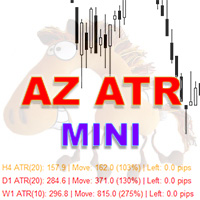
AZ Mini ATR Indicator
By popular demand, I've created a miniature version of the ATR indicator. In addition to its basic functions, such as calculating the average ATR based on specified parameters, it can change the color of a text bar depending on how far the price has already moved. If the price has moved more than 110% of its average ATR, the bar turns red; if it has moved less than 80%, the bar is green. The colors and parameters that influence the color change are configurable. This feat
FREE
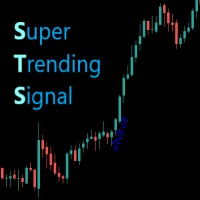
O indicador Supertrendingsignal imprime um sinal na tela indicando início de uma forte tendência. O sinal não mostra o ponto de entrada com melhor risco retorno, apenas faz a indicação de uma forte tendência. Foi idealizado a partir de um conjunto de médias móveis e volume. Parametros: Periodmalongo: Períodos da média longa Periodmamedio: Períodos da segunda media Periodmamedio2: Perídos da terceira media Periodmacurto: Períodos da média curta. PeriodATR: Períodos do indicador ATR para adequar
FREE

backtester buttons for testing strategies in the MT5 strategy tester.
load up strategy tester then click on visual test and once visual tester opened apply any chart template you'd like. To update the chart pause the visual tester and apply templates, colors and such like the normal chart. On the settings you can choose lot size and take profit and stop loss.
Enjoy
FREE

Precision Risk Manager and Multi-Order Controller for MT5 — Version 2 This utility provides risk-based lot size calculation, one-click order execution, and batch trade modification from a single collapsible panel. It is designed for manual traders who manage multiple entries on the same symbol. Features Lot Size Calculator: Enter a risk percentage and stop-loss price, then click Calculate Lot Size to receive the exact lot size for that risk amount. Order Execution: Click Buy or Sell to execute
FREE

Full Automated Trading panel . it works on any trading instruments: Forex, Stocks, Futures, Indices, CFD, Bonds, Cryptocurrencies; interface minimization function; flexibility of use;
Join my channel and check video of it ===> https://t.me/Ash_TheTrader/4986
Features :
Auto SL and TP Auto Close partial Auto Trailing Session Time Alert Time of trading Alert Profit and Percentage and etc.
FREE

Nexora EA Monitoring System — Free Remote Position Monitor for MetaTrader 5 (VPS-Friendly) Nexora Monitor is a free, read-only MetaTrader 5 indicator that displays a live dashboard of your open positions — designed for traders who run an Expert Advisor on a VPS and want to check its status from a separate MT5 desktop terminal without remoting into the VPS itself.
Attach it to a chart on any MT5 desktop terminal (Windows or Mac) logged into the same trading account and it reconstructs a clear s
FREE

Limit Open Positions EA
"Limit Positions EA is a powerful utility tool designed to provide strict control over the number of open positions in your trading account. This Expert Advisor continuously monitors your trading activity and ensures that no new positions are opened once the specified limit is reached. Ideal for traders seeking to mitigate overexposure and manage risk effectively, Limit Positions EA works seamlessly across all symbols and timeframes. Whether you're managing a large port
FREE

ApexForge MA Radar
Lightweight Automatic MA Direction Panel
ApexForge MA Radar is a lightweight moving-average direction panel for MT5.
It automatically detects EMA indicators attached to the current chart and displays them in real time according to their price order.
Designed for traders who want a clean market overview with extremely low CPU usage.
Features
Automatic EMA detection
Real-time MA sorting
Bullish / Neutral / Bearish direction display
Ultra-low CPU usage
Automatic chart sync
FREE

Pro Spread Monitor Pro Spread Monitor is a specialized, professional-grade utility designed to provide real-time, low-latency monitoring of market spreads directly on your trading chart. In high-volatility environments, sudden spread spikes can significantly impact your execution quality and the integrity of your stop-loss levels. This indicator provides immediate visual feedback, allowing you to identify "danger zones" instantly and avoid trading during periods of unfavorable liquidity. Key Fea
FREE

Trading Workspace Themes by Soecke is a free chart customization script for MetaTrader 5. Choose from eight color themes and apply your preferred appearance to the current chart or all open charts.
Included themes
DEEP_SPACE, MIDNIGHT_BLUE, VOLCANIC_AMBER, POLAR_DARK, SOFT_LITE, COASTLINE, AMETHYST_SOFT and SAKURA_MIST.
Each theme defines colors for the chart background, foreground, grid, bullish and bearish candles, bar outlines, chart line, price lines, stop levels and volume bars.
Feature
FREE

OVERVIEW Sierra Capital Multi-Timeframe EMA draws the moving averages of the timeframes you choose as horizontal levels on your chart. Each timeframe gets two lines in one color, a fast one (solid) and a slow one (dashed), 55 and 200 by default. On an M15 chart you can see at a glance where the H4, daily, weekly and monthly averages sit. It is a display tool. It gives no signals or alerts and does not open or manage trades.
WHAT YOU SEE Two horizontal lines per timeframe, in the same color: fas
FREE

Displays previous months Highs & Lows. You can set the number of months to display levels for, also the line style, color and width. This is very useful for traders using the BTMM and other methods like ICT. I'll be creating more indicators for MT5 for the BTMM. Send me your suggestions to my Telegram: https://t.me/JDelgadoCR Take a look at my other products at: https://www.mql5.com/en/users/jdelgadocr/seller
FREE

FVG+BOS EA is a smart trading tool that visually highlights Fair Value Gaps (FVG) and Break of Structure (BOS) directly on the chart. It helps traders easily identify potential Points of Interest (POI) for high-probability trade setups. The EA also displays the active market sessions — London, New York, and Tokyo — to help users align trades with key trading hours.
FREE

PFA Simulator – Portfolio Simulation Expert Advisor
Introduction The PFA Simulator is a MQL5 Expert Advisor and the final step of the Portfolio Analyzer (PFA) system — a portfolio analysis toolkit included with any compatible Expert Advisors from this profile. The PFA system allows traders to build, merge, and simulate multi-asset, multi-strategy portfolios entirely within the MT5 Strategy Tester — with no external tools required.
The three-step PFA workflow: PFA Exporter (built into the EA)
FREE
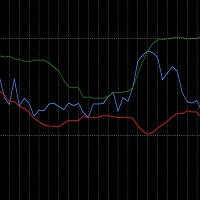
The RSI_BBands is a custom indicator designed to combine the Relative Strength Index (RSI) and Bollinger Bands (BB) for enhanced market analysis. It calculates the RSI using a specified period (default 14) and overlays Bollinger Bands around the RSI values, with adjustable parameters for the Bollinger Bands period and deviation. You can find more free products HERE . If you're looking for a low risk EA , check the Silent Pressure EA .
Key Features: RSI Calculation: The RSI is calcul
FREE

Multi-TF Alert System - 전문 다중 타임프레임 알림 패널 설명 MetaTrader 5용 전문 다중 타임프레임 알림 패널 Multi-TF Alert System은 차트 간에 지속적으로 전환하지 않고 다양한 타임프레임에서 여러 시장을 추적해야 하는 트레이더를 위해 설계된 종합 모니터링 도구입니다. 외환, 금, 지수 또는 암호화폐를 거래하든, 이 패널은 가격이 최근 고점과 저점에 대해 어디에 위치하는지에 대한 명확하고 체계적인 뷰를 제공합니다. 시스템은 다섯 개의 타임프레임(M15, M30, H1, H4, 일봉)에서 최대 10개의 심볼을 동시에 모니터링합니다. 각 조합에 대해 구성 가능한 룩백 기간 동안 최고 및 최저 가격을 계산하고 현재 가격이 이러한 수준에 얼마나 가까운지 추적합니다. 가격이 이러한 핵심 수준에 도달하거나 접근하면 사운드 알림, 팝업 메시지 또는 모바일 기기로의 푸시 알림 중 선택한 방법으로 즉각적인 알림을 받습니다. 핵심 기능 다중 시장 모니터링 시
FREE

UZFX All Running Trades & Pending Orders Monitor v1.0 Transform your MetaTrader 5 trading experience with a modern, ultra-fast, and fully customizable professional dashboard designed for serious traders. If you are Looking Best indicators in Mql5 Market. Check these out!
SSS Scalping Smart Signals MT5 Indicator
Scalping Winning Signals Pro SWS
LTL Long Trend Locator
The UZFX All Running Trades & Pending Orders Monitor gives you a complete real-time overview of all active trades and pending
FREE

JVH Protection – Universal Prop Firm Risk Manager (MT5) Broker-Time Reset | Daily Max Loss | Overall Drawdown | Trailing Lock | Full Account Guard JVH Protection is a professional-grade equity protection tool for MetaTrader 5, built for prop firm traders, EA users, and anyone who wants strict automated risk control. This EA acts as a real-time risk firewall for your entire MT5 trading account. Key Features Full Account Protection Monitors all symbols Covers all magic numbers Works with m
FREE

Currency Power Index MT5 — All 8 Currencies in One Window Currency Power Index MT5 calculates and displays the relative strength of 8 major currencies (EUR, USD, GBP, JPY, CHF, AUD, NZD, CAD) by analyzing all 28 cross pairs simultaneously. See at a glance which currency is strengthening and which is weakening right on your chart. Key Features 28 Forex Pairs Analyzed — Every possible combination of the 8 major currencies. Two Reference Modes: Period Mode — Strength relative to N bars back (dynami
FREE

Trend Filter Line is a trend-following tool designed to help traders identify the market's core direction with surgical precision. Based on the popular Two-Pole Filter logic, this indicator eliminates market "noise" and provides a clear, color-coded visualization of the prevailing trend.
Whether you are a scalper, day trader, or swing trader, the Trend Filter Line Pro acts as your primary decision-making filter—ensuring you never trade against the momentum.
How It Works The indicator uses a s
FREE

Trarity Analytics is a professional trading journal and performance workspace - built by traders, for traders. Need help getting started? Check out our tutorial .
With seamless MT5 integration, your trades are imported automatically - including auto-screenshots for every execution - so you spend less time journaling and more time improving. Trading Journal Auto-import via MT5 + clean trade history sync Auto-screenshots for every execution (faster review, full context) Add notes, tags, and setu
FREE

JournalLens Lite - Trading Results on the Chart for MT5
The free version of JournalLens: your trading results of today, this week and this month in a small panel on the chart.
- Today / Week / Month tabs. - Net profit/loss in money and % of the starting balance of the period. - Number of trades and win rate. - Partial closes counted as one trade, swap and commission included. - Filter by symbol and magic number. - Light and dark theme, high-resolution screens supported, minimize button.
Want
FREE

MYTabogFX Pivot HILO MTF is a clean and powerful multi-timeframe support and resistance indicator designed for price action traders. This tool automatically detects and plots the latest pivot highs and pivot lows from a selected higher timeframe and displays them directly on your current chart. It is built for traders who focus on market structure, liquidity, and precision entries.
Key Features: • Multi-Timeframe Pivot Detection (M5, M15, H1, H4, etc.) • Displays Latest 3 Pivot Highs and 3 Piv
FREE
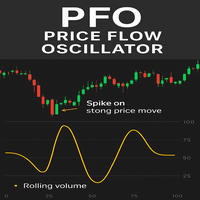
PFO Price Flow Oscillator – MT5 Indicator
The PFO Price Flow Oscillator is a highly advanced tool designed to help traders anticipate explosive price movements and identify market momentum with precision.One of its most powerful features is the ability to anticipate explosive price moves before they occur, giving traders an early edge in volatile markets. Unlike standard oscillators, the PFO does not rely on price alone—it integrates multiple market factors to provide clear, actionable insight
FREE

Know your lot size before you click Buy or Sell.
The Chart Mechanics Risk and Position Size is a free panel for MetaTrader 5. Set how much you want to risk and where your stop goes, and it shows the lot size to use and the money actually at risk in your account currency. It is an indicator, so it never opens, changes or closes trades.
WHAT IT SHOWS - Lot size, rounded DOWN to your broker's lot step, so you never risk more than you set - Money at risk after rounding, in your account currency -
FREE

RULEBOOK — Automated Trading Journal, AI Coach & Prop Firm Shield
Why pay $30 to $50 every month for TradeZella, Edgewonk, or TraderSync? Rulebook is 100% free forever. No monthly subscriptions, no paywalls, and no trial limitations.
Transform your MetaTrader 5 into a professional, data-driven trading cockpit. Rulebook automatically bridges your MT5 to an advanced web analytics dashboard featuring an integrated AI Trading Coach, a Psychology Journal, and an automated Hard Kill-Switch.
Stop
FREE

To calculate strength of currencies and to show in table There is 1 parameter: . Show recommended pairs: true/false -> To show top 1 of strong and weak currency Tips to trade: . To trade only with strongest vs weakest currency . When H1, M30, M15, M5 of specific currency is up or down -> consider to open BUY/SELL . It can combine: + strongest currency vs weakest currency + strongest currency vs 2nd weakest currency + 2nd strongest currency vs weakest currency
FREE

AC_Expert is structured based on a specific technical analysis indicator ( Accelerator Oscillator ) . It has many parameters so that each user can find the appropriate settings that suit their investment profile. It can work on 28 different pairs. The default parameter settings are indicative, I recommend that each user experiment to find their own settings.
FREE

Powerful Price Discovery
Features
1. Displays Key Price Levels and Probability.
2. Key Price Levels: Calculated as (Buy + Sell) × (Limit + Stop) = 4 Lines, shown when Probability > 55%.
3. Time Frame Dependency: Each Time-frame has different OHLC prices, affecting Probability calculations.
4. Breakout Condition: If the price breaks the historical Highest or Lowest, Probability may reach 99%.
5. Parameter: PatrolPoints = 8 : The indicator recalculates only when the price moves over PatrolPoint
FREE
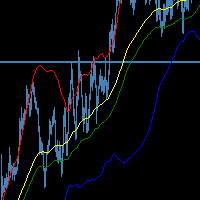
The SMMA Bands indicator is an advanced volatility-based trading tool that creates 6 dynamic support and resistance levels around an envelope formed by two Smoothed Moving Averages (SMMA). This indicator combines the reliability of SMMA trend identification with the precision of standard deviation-based volatility bands, making it suitable for both trend-following and mean-reversion strategies.
Every band has its own buffer for use in EA.
feel free to make suggestions and add reviews , i will
FREE

Currency Strength & Pair Selection Dashboard is a MetaTrader 5 indicator for manual FX analysis. It ranks eight major currencies — USD, EUR, GBP, JPY, CHF, CAD, AUD, and NZD — using closed-bar relative returns from available broker currency pairs. Multi-timeframe analysis (configurable 1–4 timeframes) shows trend, momentum, and MTF agreement for each currency. The pair-selection table ranks candidate pairs by currency-strength difference and labels alignment as Strong, Moderate, Neutral, or Mixe
FREE

BacktestLab: a complete review of your Strategy Tester report, in one panel BacktestLab reads the HTML report exported by the MetaTrader 5 Strategy Tester and turns it into a full analysis dashboard, so you can judge a strategy the way an experienced trader would, not just look at profit and drawdown. It's organized into six panels, each answering one question: Summary : Is the strategy worth it? An overall 0 to 10 score built from five pillars (edge, risk, stability, robustness, reliability), t
FREE

Basket Take-Profit Utility Lite is a free on-chart trade management tool for MetaTrader 5 that lets you close groups of trades the moment their combined profit target is reached — something MetaTrader cannot do natively. All settings are controlled directly from the interactive panel on your chart. No need to detach and re-attach the EA to change your target. Features: Group trades by: All open positions · Specific symbol · Magic number Three target types selectable from the panel:
- F
FREE
O indicador mostra o preço ou volume em milissegundos, ótimo para identificar padrões de entrada por agressão de preço ou volume e escalpelamento rápido. Características Período de tempo do WPR em milissegundos Oscilador de agressão de preço Tela personalizável O indicador pode indicar movimentos de entrada, como: Cruzamento da linha 0.0 Identificando padrões de onda
A velocidade de exibição do gráfico dependerá do seu hardware, quanto menores os milissegundos, mais serão necessários do hardwar
FREE

Great dashboard for market analytics. Help you to analyze the values of the Moving Average indicator and prices.
Using this dashboard you can: find signals from the Moving Average from all timeframes; find signals from the Moving Average from all symbols; check - how far the Moving Average is from the price; check - the Moving Average value has changed; 2 types of signal.
Modes of operation (switched by a button on the graph): current value of Moving Average; the difference between the curr
FREE

Algorithm Update: Grid Assistant (Version v3.1) 1. Description of the Fixed Issue (Bug Fix): In previous versions, the grid level auto-recovery module ( CheckAndRestoreKnees ) scanned trade history using a fixed lookback window (the last 3 days). When a grid cycle fully closed and profit was taken, the memory cleanup mechanism wiped the stored position IDs as intended. However, upon starting a new grid cycle, the assistant queried historical deals from the past 72 hours, pulled closed profitable
FREE
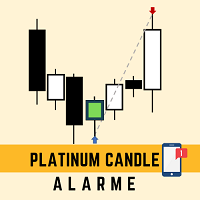
This robot sends app notifications based on Platinum Candle Indicator rules. The Platinum Candle Indicator shows colored candles when prices are strongly distorted in relation to their averages. App message example to sell: [SPX][M15] PLATINUM TO SELL 11:45. App message example to buy: [EURUSD][M15] PLATINUM TO BUY 11:45. It also sends messages for multiple timeframes: [SPX][M15] PLATINUM TO BUY 11:45; [EURUSD][M1] PLATINUM TO SELL 11:45
QUESTIONS ABOUT THE PURCHASE AND INSTALLATION OF PRODUCT
FREE

TITAN HYBRID PRO V2.0 Trade with precision, not guesswork. "Stop chasing noise. Start trading conviction." Most indicators overwhelm you with false signals, repainting arrows, and cluttered charts. They work in backtests but fail in live markets. TITAN HYBRID PRO V2.0 was built to solve that problem. It is an AI-powered multi-layered indicator that combines four powerful filters — Trend , RSI , Liquidity , and ADX — into one intelligent system. Instead of firing signals at eve
FREE
Enhanced MACD MT4 – Advanced Momentum and Trend Oscillator The Enhanced MACD MT4 is a versatile technical analysis tool that builds upon the classic Moving Average Convergence Divergence framework. It provides a refined 4-color histogram system and a comprehensive notification engine, designed to visualize momentum shifts and trend reversals with high precision. Functional Overview This implementation focuses on providing a clear visual representation of market dynamics through three primary com
FREE

You place the stop where structure says it belongs. The panel decides the size , enforces your firm's limits, and refuses to hand the broker a level it is not allowed to act on yet. The panel, as it opens. Every figure on the panel is derived, not entered: the day's peak, the floor that binds, and the room between them. 01. What a funded account actually asks of you A funded programme hands you the firm's capital and a short list of limits. Breach one and the account is gone — not reduced, gone
FREE

Ever feel lost in a trade, unsure of your true risk exposure? Have emotional decisions and a lack of discipline cost you dearly? The line between consistent profit and a blown account is drawn by one thing: professional risk management. But calculating and monitoring that risk in real-time is stressful and complex. Introducing Risk Matrix, the definitive visual command center for MetaTrader 5, engineered to bring military-grade discipline and crystal-clear clarity to your trading. Risk Matrix is
FREE

AutoPilot Trading Service for MetaTrader 5 is an advanced application designed to enhance the MT5 platform by automating and optimizing both manual and algorithmic trading activities. By integrating seamlessly into the (recommended but not mandatory) <terminal_directory>\MQL5\Services directory, this service not only supports the automation of trading strategies but also improves the execution of trades, whether they are initiated manually or through Expert Advisors (EAs). The AutoPilot Trading
FREE

Most range indicators tell you how far price has moved. Daily Range Pace tells you whether that is a lot or a little for this time of day . What the panel shows Expected range : the typical daily high-low of the last 20 days. It uses the median, so one news spike doesn't distort it. Today so far : today's high-low, and the share of the expected range it has used. Normal by now : how much of a normal day's range is usually done by this hour. Pace : today compared with a normal day at this same ho
FREE

Umagads Lot Calculation and Auto SL TP Assistant: MT5 전문가용 리스크 관리 도구 Umagads 트레이드 어시스턴트 는 실행 속도와 엄격한 리스크 관리를 중시하는 MetaTrader 5 트레이더를 위해 설계되었습니다. 이 도구를 사용하면 더 이상 수동으로 롯(Lot) 크기를 계산하거나 진입 후 서둘러 손절선을 설정할 필요가 없습니다. 모든 계산은 즉각적으로 이루어지며 자동으로 적용되어, 트레이더가 시장의 움직임에만 집중할 수 있는 환경을 제공합니다. 주요 기능 v2.40: 정밀 롯 계산기: 계좌 잔고의 고정 리스크 비율(%)에 따라 최적의 롯 크기를 실시간으로 계산합니다. 즉각적인 자동 보호: 매수 또는 매수 클릭 시, 미리 설정된 값에 따라 스탑로스(SL)와 익절(TP)이 즉시 설정됩니다. 계좌 안전 가드: USD, USC(Cent), CNT 계좌에서만 작동하도록 설계되어 비표준 통화 계좌에서 발생할 수 있는 치명적인 계산 오류를 방지합니다
FREE

[Product Overview] Transform RSI into a Precision Trend-Following Weapon Are you tired of traditional RSI indicators generating premature "Overbought/Oversold" reversal signals during strong trends, causing you to trade against the flow and incur losses? 。 signals in trending markets. The core philosophy of this system is: "Follow the Trend, Trade the Pullback, Snipe the Entry." It focuses on finding high-probability pullback entries only when the trend is clear and momentum is stro
FREE

Trade Saver Service
Application Type: Service
Application Features: Automated search and saving of trading results for multiple systems into text files for further analysis About the Application The service automatically saves the results of closed positions for a list of trading systems into text files, creating a personalized file for each system. How to Use Parameters: LOG_LEVEL - Logging level in the terminal’s Experts section. DEBUG provides the most detailed logs, while ERROR provides m
FREE

This indicator automatically draws horizontal lines at 00s, 20s, 50s and 80s levels. If you trade ICT concepts and are an ICT Student, then you know that these levels are used as institutional support/resistance levels and/or fibonacci retracement anchor points. Features
Draws horizontal lines at 00, 20, 50 and 80 levels above and below current market price . Choose the amount of levels to show on chart Customizable line colors Recommended for forex currency pairs. Saves time looking for thes
FREE

Closes your positions and deletes your pending orders when the day's equity drawdown reaches your limit, and closes anything you open for the rest of that day. FEATURES On breach: closes every open position, deletes pending orders, locks the day. Panel: drawdown percentage, equity, state. HOW TO USE IT 1. Enable Allow Algo Trading. 2. Attach it to a chart and set the loss and warning levels. 3. Choose the breach actions. PARAMETERS InpDailyMaxLossPercent, InpDailyWarningPercent, InpAutoCloseOnBr
FREE

XQRR v4 FUSION – Le guide stratégique ultime Arrêtez de deviner, passez à l'action. Cette indicateu r Il présente la méthode FUSION : une stratégie clé en main pour maîtriser les marchés. Ce que vous maîtriserez : Configuration optimale : configurez vos graphiques comme un pro pour une lecture instantanée du marché. La stratégie « FUSION » : Comment aligner les périodes (MTF) pour ne capturer que les flux à forte probabilité. Entrées et sorties : règles précises pour entrer en position et pla
FREE

DIRECTION STRENGTH is an indicator designed to analyze the current market movement. It helps you understand not only where the price is moving , but also how strong the movement is, how long the current series has lasted, and how likely it is to continue based on historical matches. What do you see on one screen? DIRECTION → where the market is moving
STRENGTH 0–100 → how strong the movement is
SERIES → how many candles the movement has continued
TIME → how long the current series has lasted
H
FREE

Pro Spread — 스프레드, GARCH 변동성 및 지능형 시장 분석 Pro Spread 는 스프레드 분석과 GARCH(1,1) 변동성 모델을 결합하여 현재 시장 상황을 정규화된 방식으로 분석하는 MetaTrader 5용 전문 지표입니다. 정리된 별도의 창에서 지표는 Smart Score , 스프레드 점수 및 GARCH 추정값을 표시합니다. 이러한 정보는 사용자가 압축, 정상 상태, 확장 및 극단적인 변동성 기간을 파악하는 데 도움을 줍니다. Pro Spread는 자체적으로 매수 또는 매도 방향을 결정하지 않습니다. 이 지표의 목적은 시장 움직임의 품질, 강도 및 단계를 분석하는 것입니다. 방향은 가격 구조와 사용자의 전략을 통해 확인되어야 합니다. 주요 기능 거래 상품의 스프레드 모니터링. 최근 과거 데이터를 기반으로 한 스프레드 정규화. GARCH(1,1) 변동성 모델. 0부터 100까지의 통합 Smart Score. 시장 상태의 자동 분류. 현재 분석값에 대한 신뢰도 계산.
FREE

Fibonacci Trend Indicator for MT5 Unlock the power of Fibonacci analysis on your MetaTrader 5 charts!
Our Fibonacci Trend Indicator automatically plots dynamic support and resistance levels so you can spot trends, reversals, and breakout opportunities at a glance. Features & Advantages Automatic Fibonacci Levels
Instantly displays seven key Fibonacci retracement levels based on the highest and lowest prices from your chosen lookback period — no manual work required. Dynamic Trend Adaptatio
FREE

Did you ever feel irritated by manually adjusting Fibonacci retracement levels? Do you ever want to have a tool that was automatically adjust to certain Fibonacci levels with your trading? Well here is a tool for you: Fast Fibonacci indicator and Grid trader allows you to quickly adjust Fibonacci retracement levels or construct Fibonacci extension grid! You can also quickly setup your grid trading based on these levels - only with few clicks. Adjustable graphics, font sizes and graphics panels m
FREE

GRInvest Breakeven Manager is an MT5 trade-management Expert Advisor designed to manage existing open positions after entry. Its purpose is to automate breakeven protection, staged partial closes, trailing stops and position management while still giving the trader full manual control over individual trades. The EA does not need to open trades itself . It can manage manual trades and trades opened by other Expert Advisors according to the selected symbol, direction and magic-number filters. The
FREE

GFX PX22 AI Gold Scalper Pro MT5 Professional AI-Powered Gold Scalping Expert Advisor for MetaTrader 5
Live results: https://www.mql5.com/ Pricing Take advantage of our special introductory price of just $30/6months , available until Descember . After the promotion ends, the subscription price will increase to $35/month . The price will then gradually increase with each new sale until it reaches the standard rate of $75/month . Exclusive Bonus for All Subscribers Every cu
Close all open orders, delete all pending orders, and clear the entire account's orders. Please use caution! After clicking the button, the account order will be 0! Help us quickly clear account orders! As it is a free version, only the function of closing all orders is available. If other functions are needed, customization is required! The paid version has more features!
FREE

Thread indicator is calculating possible values for the upcoming periods. It is built by author’s system, with ability to learn. Input data ( recommended interval ): Sensitivity to oscillatory motion (integer value, 0 - 8) increase of value shifts priority of calculation towards high-frequency vibrations (increase loads the system) Shift of diagram (integer value, 0 - 8) shifts output of indicator to the right Diagram forecast (integer value, maximum 10) defies the number of periods calculated
FREE

# MiniBull Board
**Version 1.14 — MetaTrader 5 indicator (separate window)**
**11 languages: English, Turkish, Russian, Chinese, Spanish, Portuguese, Japanese, German, French, Italian, Korean** — automatically in the language of your MetaTrader terminal, or chosen with a single input.
MiniBull Board is a compact watch-list dashboard for MetaTrader 5. For every symbol you choose it shows where the price stands today, this week and this month: the current price, the day / week / month opening
FREE

Relentless Trade Journal — Free Trade Statistics for MetaTrader 5
Most trade journals flatter you. They add up your closing profits and skip the commission you paid on entry, so they show a rosier number than the truth. You think you are breaking even when you are actually losing to costs.
Relentless Trade Journal shows you the honest picture, right on your chart.
It is free. If it shows you one cost you were missing, an honest review helps other traders find it.
It is a non-trading utility.
FREE

Name: 1-Throw Tweezers Pro Mabrouk Full Description: Capture high-precision market reversals with the 1-Throw Tweezers Pro, a professional Price Action tool designed to identify the elite "Tweezer Top" and "Tweezer Bottom" patterns. Unlike standard indicators, V1.0 uses a strict validation engine to ensure every signal represents a true institutional price rejection. What Makes the PRO Version Different? Dynamic Wick Filter: Detects real price exhaustion by filtering out candles with small wick
FREE

Ever wonder when next candle is due?.. This indicator, developed for the Phoenix Trading suite (v3.06), is a high-precision Visual Utility and Time-Management Dashboard. It is designed to bridge the gap between institutional-grade aesthetic and retail functional needs by providing a clean, non-intrusive environment for professional traders. Key Features Dynamic Phoenix Branding: A centrally-anchored, high-definition logo that automatically scales to your chart size. It uses an ARGB Alpha-channel
FREE

**Bneu Trade Journal** is a trade analytics and journaling utility for MetaTrader 5. The utility automatically captures trade history, calculates statistics, and displays performance metrics. This free version provides basic analytics for the last 100 trades with CSV export functionality.
**Free Version Features**
**Automatic Trade Capture** - Automatically records closed trades from account history - Filter by magic number to track specific EA trades - Filter by symbol to track specific instr
FREE

1. Move SL to BE On/Off: allow EA move SL to BE or not allow. 2. BE mode: BE Single order: move SL of single order when condition match. BE multi order: Move Sl of multiple orders base on BE of multiple orders. 3. Move SL to BE when profit >= (pips): set how many pips you want EA move SL to BE when profit. 4. Add value from BE: number of pips you want to add from BE (offset). 5. Audible Alert: Enable audible alert on/off. 6. Push notification: Enable Push notification on/off. 7. Three button hel
FREE
The indicator displays support and resistance levels based on fibonacci level in multi period Creates lines indicating the latest support and resistance levels.
These lines are updated whenever there is a change in support or resistance levels. Labels are removed if the corresponding conditions are not met.
the period is availble in setting and level fibonacci
FREE

Simple candle countdown - never again miss how much time is left to open a new bar!
This indicator doesn't plot any line on the chart - it uses only objects and calculates the time left to open a new bar.
You can set custom colors for the panel background and border and for the text color. Simple as that, the indicator is ready to use.
If you find any bugs, feel free to contact me.
FREE
MetaTrader 마켓은 과거 데이터를 이용한 테스트 및 최적화를 위해 무료 데모 거래 로봇을 다운로드할 수 있는 유일한 스토어입니다.
어플리케이션의 개요와 다른 고객의 리뷰를 읽어보시고 터미널에 바로 다운로드하신 다음 구매 전 트레이딩 로봇을 테스트해보시기 바랍니다. 오직 MetaTrader 마켓에서만 무료로 애플리케이션을 테스트할 수 있습니다.
