 MetaTrader 5
 Experts
 지표
지표
 라이브러리
라이브러리
 유틸리티
유틸리티
 위젯
위젯
 규칙
규칙
MetaTrader 5용 Expert Advisor 및 지표 - 128
 트레이딩 로봇과 지표를 사용하여 외환 거래를 더 수익성 있게 만들 수 있습니다. 트레이딩용 로봇을 사용하면 개점 및 폐점 거래를 자동화할 수 있으며, 지표는 시장 행동을 보다 정확하게 예측할 수 있습니다.
이 페이지에는 MetaTrader 5 응용 프로그램의 카탈로그가 나와 있습니다.
트레이딩 로봇과 지표를 사용하여 외환 거래를 더 수익성 있게 만들 수 있습니다. 트레이딩용 로봇을 사용하면 개점 및 폐점 거래를 자동화할 수 있으며, 지표는 시장 행동을 보다 정확하게 예측할 수 있습니다.
이 페이지에는 MetaTrader 5 응용 프로그램의 카탈로그가 나와 있습니다. 
SM Telegram Scanner (Free Edition) is an efficient multi-currency market scanner for MetaTrader 5 that automatically tracks overbought and oversold conditions using the RSI indicator for EURUSD and GBPUSD , sending instant notifications directly to your Telegram. No more staring at charts for hours. The scanner works in the background and sends detailed signal alerts (currency pair, timeframe, RSI value, and current price) straight to your phone. How It Works: The Expert Advisor continuously an
FREE
O indicador grafico de rompimento foi desenvolvido para elevar a precisão e confiabilidade na identificação de oportunidades de rompimento no mercado financeiro. Projetado com algoritmos avançados, este indicador destaca barras de rompimento com uma precisão notável, permitindo que traders identifiquem pontos de entrada e saída estratégicos. Recursos Principais: Precisão Aprimorada: Utiliza algoritmos avançados para identificar barras de rompimento com uma precisão excepcional. Alertas em Tempo
FREE

AI Smart Risk Trade Manager is a professional trade-management utility panel for MetaTrader 5. It does not open trades on its own signal - instead it gives you a one-click, risk-based way to enter the market and then automatically manages every open position (yours or from any other EA) with breakeven, trailing and partial-close logic. Key features: One-click BUY / SELL panel buttons that size the position automatically from your chosen risk percent of account balance Automatic Stop Loss and Tak
FREE
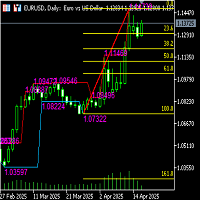
Functional description of automatic Fibonacci line indicator (including high and low channel lines) Indicator name Automatic Fibonacci retracement line + high and low channel auxiliary
Functional introduction This indicator combines the automatically identified high and low points of the band, automatically draws the Fibonacci retracement/extension line, and draws the highest and lowest price channel lines of the current analysis interval to provide traders with clearer support/resistance refe
FREE
English Description aNa Magic ATR EA – Dashboard and Signals (MT5)
ATR-based SL/TP (TP1–TP3), EMA200 trend filter, RSI gate, clean on-chart dashboard and segmented guide lines. MagicNumber support for multi-EA setups. What it does This Expert Advisor automates entries and risk targets using ATR. It filters the market with EMA(200) and an RSI range to avoid low-quality trades. A compact dashboard shows entry, TP1-TP3 and SL for both long and short. Lines are drawn as short segments (not full-wid
FREE

VIGIA PRO es un sistema de análisis diseñado para opciones binarias en temporalidad M5. Su objetivo no es generar muchas señales, sino filtrar el mercado y mostrar únicamente oportunidades con mayor claridad y confluencia. El sistema analiza múltiples factores en tiempo real: • Tendencia mediante ADX y DI
• Alineación macro en H1
• Pullbacks a EMA 20
• Rechazo de precio (mechas / wicks)
• Patrones de velas (martillo, engulfing, etc.)
• Zonas de soporte y resistencia
• Detección de congestión del
FREE

Trend Tracking Indicator An indicator based on a moving average with dynamic color changes , designed to assist in monitoring price direction and identifying potential changes in trend behavior. Initial studies were conducted on the M5 and M15 timeframes . However, the indicator can also be tested and used on other timeframes according to each user's methodology and analytical objectives. When the indicator confirms a change in the line to green , users can monitor the relevant price regions and
FREE

ARC VELOCITY PULSE Parabolic SAR Direction + ROC Recovery for XAUUSD
Arc Velocity Pulse is a professional Gold trading indicator designed to identify trend-aligned recovery opportunities supported by directional movement, momentum acceleration, and volatility-based trade levels.
The indicator combines Parabolic SAR direction analysis with Rate of Change recovery confirmation, an internal Gann and Fibonacci price-alignment engine, confi
FREE

Multi-Symbol Chase Mirror는 계좌 자신의 마감된 거래 내역만 읽어, 몇 개의 서로 다른 종목에서 신규 진입이 있었는지 한 가지만 집계합니다. 예측도 조언도 하지 않습니다. 패널에 나오는 모든 숫자는 이 계좌에서 이미 일어난 일입니다.
숫자는 이렇게 만들어집니다. 모든 종목, 모든 매직넘버를 대상으로 최대 31일치 마감된 체결을 읽습니다 - 이는 현재 차트의 종목이 아니라 계좌 전체를 대상으로 한 집계입니다. Symbols traded today는 서버 시간 기준 오늘 자정 이후 신규 진입이 한 번이라도 있었던 종목 수를 집계하고, Symbols in last 60min은 같은 방식을 최근 60분의 이동 구간에 적용합니다 - 두 값 모두 결과가 0이더라도 항상 실제 숫자로 표시됩니다. 오늘 이전 30일간의 데이터로는 30d daily median을 별도로 산출합니다 - 이 기간의 일별 거래 종목 수의 중앙값이며, 특정한 하루가 유난히 활발했다고 해서 기준값 전체가
FREE

이 무료 EA는 5분(M5) 차트 전용으로 설계되었습니다.
또한 거래 통화는 일본 엔(JPY) 기준 전용입니다.
USD나 EUR 기준으로 백테스트나 실제 운용은 불가능하도록 설정되어 있습니다.
거래 로트 역시 0.01로 고정되어 있습니다.
어디까지나 백테스트용 EA라는 시험용 제품으로 봐 주시기 바랍니다.
실제로 포워드 테스트에서도 사용하고 있으므로, 라이브 신호 다운로드가 계속된다면 공개할 계획입니다.
TYO EA LAB의 개발 철학
TYO EA LAB에서는 프로프 펌의 운용 사고방식을 도입한 퀀트 EA 개발을 진행하고 있습니다.
중시하는 것은 단일 EA의 일시적인 성과가 아니라, 여러 전략을 조합했을 때의 안정성, 분산성, 그리고 실제 운용에서의 재현성입니다.
개발에는 장기 검증 데이터에 더해 AI를 활용한 데이터 마이닝을 활용하고 있습니다.
시장 데이터를 다각적
FREE
이 제품은 표시기/신호 도구로부터 정보를 수신하고 특정 조건이 충족되면 화살표 또는 알림을 표시합니다.
예를 들어, MA25와 MA50이 교차할 때, SAR이 반전할 때, MACD가 플러스/마이너스를 변경하거나 종가가 볼린저 밴드를 교차할 때 화살표와 알림이 표시됩니다.
구체적인 구성은 샘플 설정 이미지를 참조하세요.
자세한 매뉴얼 및 구성 파일은 다음을 참조하세요.
https://www.mql5.com/en/blogs/post/755082
무료 버전도 다운로드할 수 있습니다.
화살표는 다양한 구성으로 표시될 수 있으며 조합은 상상만큼 무한합니다.
신호 도구 및 표시기에 대한 연결을 설정하는 데 문제가 있는 경우 당사에 문의하여 도움을 받으십시오.
또한 요청 시 스마트폰, 이메일, Slack, Line, Discord 등에 알림을 푸시하고, 최대 8개의 매개변수를 추가하거나 개별 지표에 연결할 수 있습니다. 신호 도구를 보완하거나 이벤트 알림 기능으로 사용할 수
FREE

We apologize, but we are unable to provide service due to network issues. If you encounter any problems during installation or use, please contact 9048914@qq.com. Thank you. Binance is a world-renowned cryptocurrency exchange! In order to facilitate MT5 users to directly trade Binance Futures, the program provides the following trading functions:
1. Imitate the trading style of Binance Futures and provide a friendly operation panel;
2. Enter api and secret by yourself (you need to open futures
FREE

SMART ZONES is an advanced institutional indicator for MetaTrader 5 designed for traders who want to identify real market decision zones with precision and clarity. The indicator automatically plots: Previous day high Previous day low 50% range level POC (Point of Control) based on highest traded volume Main institutional value zones SMART ZONES helps traders identify: liquidity areas institutional defense zones possible reversals true breakouts market balance levels price acceptance and rejecti
FREE

Magic Number Manager (OrderByMagic) Magic Number Manager (OrderByMagic) is a display-only MetaTrader 5 indicator that reads all open positions and groups them by magic number directly on the chart, refreshed every couple of seconds. It never opens, closes or modifies any trade. Features Live grouping by magic number: instantly see which positions belong to which EA. Per-group overview: total lots and profit/loss for each magic number. Collision detection: spot when two EAs share a magic number,
FREE

Market Structure Internal & External (CHoCH/BoS) Описание: Индикатор Market Structure Internal & External (CHoCH/BoS) — это мощный инструмент для анализа структуры рынка (Market Structure - MS) , который автоматически определяет и визуализирует ключевые точки разворота (свинги) и пробои структуры на двух различных временных масштабах/глубинах: Внутренней (Internal) и Внешней (External) . Он использует концепции Change of Character (CHoCH) и Break of Structure (BoS) из методологии Smart Money Con
FREE

KWS MTF EMA Trend Dashboard Pro By Kingdom Wealth Solutions Overview Instantly visualize market trend direction across all 21 MT5 timeframes in one compact dashboard. The KWS MTF EMA Trend Dashboard Pro uses customizable EMA crossover logic to identify bullish and bearish trends, providing a clear Trend Score (-100 to +100) for quick decision-making. Key Features Multi-Timeframe Analysis — M1 to Monthly on a single panel Custom EMA Settings — Independent Fast/Slow EMA periods
FREE

Tick History Loader is an essential auxiliary tool that downloads the full available tick history for any symbol in your MT5 terminal. The script performs a deep synchronization with the trading server, sequentially requesting and saving the entire tick history from the earliest available date. This is necessary for the correct operation of advanced analytical tools that require complete market data. The obtained tick history serves as the basis for building custom charts with a timeframe in sec
FREE

Heikin Guardian EA – Smart Trend Trading with Capital Protection (MT5) Heikin Guardian EA is a professional automated trading system built on
Heikin Ashi price action , combined with multi-timeframe trend confirmation
to deliver precise entries, disciplined exits, and strong capital protection. It is designed for traders who value consistency, control, and risk management
over aggressive and unstable strategies.
Works with all currency pairs, especially Gold. Please use timeframe : Day F
FREE

This is an ordinary MACD indicator displayed in the main window according to the selected chart style, i.e. Bars, Candlesticks or Line. When you switch the chart type, the indicator display also changes. Unfortunately I could not improve the chart type switching speed. After switching, there are delays before the arrival of a new tick.
The indicator parameters Fast EMA period Slow EMA period Signal SMA period Applied price
FREE

MS_Expert is structured based on a specific technical analysis indicator ( MACD Oscillator and Stochastic Oscillator ). It has many parameters so that each user can find the appropriate settings that suit their investment profile. It can work on 28 different pairs. The default parameter settings are indicative, I recommend that each user experiment to find their own settings.
FREE

Want to AUTOMATE this strategy? We have released the fully automated Expert Advisor based on this logic. Check out Range Vector Fibo Logic EA here: https://www.mql5.com/en/market/product/158065
UPGRADE AVAILABLE: Tired of manual trading? I just released the Automated MTF Version with Mobile Alerts and Auto-Targets. Get the Pro Version here: https://www.mql5.com/en/market/product/159350 Range Vector Fibo Logic (Indicator) One Candle Strategy Stop waking up at 3 AM to draw lines manually. Range
FREE
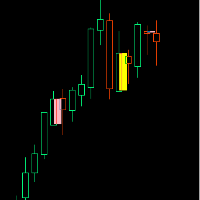
If you like this product, please give it a 5 star rating as a token of appreciation.
Inside Bar: A candle that is completely contained within the high-low range of the previous candle
Outside Bar: A candle that completely engulfs the high-low range of the previous candle (also called an "Engulfing Bar")
Inside Bars Consolidation Signals : Indicates market indecision/compression Breakout Setup : Often precedes significant price moves Continuation Patterns : Can signal pause in trend before con
FREE

The liquidity swings indicator highlights swing areas with existent trading activity. The number of times price revisited a swing area is highlighted by a zone delimiting the swing areas. Additionally, the accumulated volume within swing areas is highlighted by labels on the chart. An option to filter out swing areas with volume/counts not reaching a user-set threshold is also included.
This indicator by its very nature is not real-time and is meant for descriptive analysis alongside other com

Reward Multiplier is a semi-automatic trade manager based on pyramid trading that opens additional orders with the running profit of your trades to maximize return exponentially without increasing the risk.Unlike other similar EAs, this tool shows potential profit/loss and reward to risk ratio before even entering the first trade! Download full version here ( In the mini version. Starting lot is fixed at 0.01 (or minimum allowed lot size ) Guide + tips here MT4 version here You only open the
FREE

ATR Long Box Anchor MT5 ATR Long Box Anchor MT5 is a visual risk-reward indicator for MetaTrader 5, specifically designed for planning long setups. The indicator creates an ATR-based long box directly on the chart, including entry, stop-loss zone, take-profit zone, and optional risk-reward information. The indicator works with a freely movable anchor point. This anchor defines the desired entry price and the candle whose ATR value is used for the calculation. This allows a long setup to be plann
FREE

Introduction MT5 ships with the Envelopes indicator. This indicator allows you to create equidistant bands from a moving average by specifying a “deviation.” Unfortunately, the deviation is an arbitrary number. You might determine that 0.220 works well to contain 95% of close prices for USDCHF,H1, but when you change the period to H4, most of the bars are now outside the bands. So, I created this self-tuning indicator. Instead of specifying a percent “deviation,” you specify the percent of bars
FREE

FOZ One Shot Sessions — One Trade. One Opportunity. Every Day. Discipline beats noise. Simplicity beats complexity.
The FOZ One Shot Sessions EA is built for traders who want clarity, robustness, and long-term discipline.
Instead of chasing signals all day, it takes just one precise trade per session — clean, controlled, and fully transparent.
Key Highlights One trade per day per enabled session (default = London) Safe by design — No Grid, No Martingale, No Arbitrage, No tricks
FREE

Breakout Monitor is a powerful trading tool designed to track price action within your custom-drawn zones. Simply draw a rectangle on your chart to define your consolidation or key levels, and the indicator will do the rest. It highlights the price range clearly and monitors it in real-time, ensuring you never miss a significant market move. When the price breaks through your defined boundaries, the indicator sends an instant Push Notification directly to your mobile phone in a clear, actionable
FREE
A comprehensive tool for determining the levels of support, resistance, reversals in relation to trading sessions. The indicator's thesis can be expressed as follows: "Support and resistance levels are undoubtedly formed by the psychological barriers of market participants, and influence the further behavior of the price. But these barriers are different for different groups of traders ( One man's meat is another man's poison ) and can be grouped by territory or by the trading time ". Follo
FREE
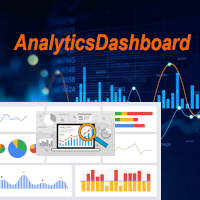
분석 대시보드는 과거 및 현재 거래를 분석하고, 추가 원형 차트를 통해 세부 정보 보기로 볼 수 있는 분석 대시보드를 제공하는 지표입니다.
주로 네 가지 분석 범주가 고려됩니다. 1) 성과 지표 2) 거래 행동 지표 3) 실행 품질 지표 4) 포지션 수준 지표.
네 가지 일반적인 분석 지표는 아래와 같이 더욱 구체적인 지표로 세분화됩니다.
성과 지표:
총이익 총손실 전체 이익률 전체 기대수익률 전체 승률 평균 위험 보상률 최대 손실률 최대 상승률 이 모든 지표는 원형 차트를 통해 표시되는 차트별 지표도 있습니다.
거래 행동 지표:
총 거래 총 수익 총 손실 총 평균 보유 시간 사용된 평균 거래 규모 손절매로 중단된 총 거래 손절매로 중단된 총 거래 총 수동 손절매 이러한 지표는 사용된 평균 거래 규모를 제외하고 차트별로 표시됩니다.
실행 품질 지표:
평균 슬리피지 평균 진입 스프레드 평균 청산 스프레드 총 수수료 + 스왑 수수료 총 이익에 미치는 영향 총 손실에 미치
FREE

mise a jour arrive le 31/01 L’Expert Advisor intelligent pour trader l’or avec précision et discipline Le robot de trading avancé pour MetaTrader 5 , spécialement conçu pour le trading de l’or (XAUUSD)(EURUSD) forex divers .
Il combine analyse technique multi-facteurs , scoring intelligent en temps réel et gestion du risque professionnelle , afin d’offrir des signaux de haute qualité , clairs et exploitables. UNE INTELLIGENCE DE TRADING BASÉE SUR UN SCORE Contrairement aux robots classi
FREE

MaxStack GBPUSD ENTRY Simple. Focused. Risk-Controlled Entry. MaxStack_GBPUSD_ENTRY is a lightweight version of our premium EA " MaxStack_GBPUSD_PREMIUM ", built for precision entries on the GBPUSD 15-minute chart. Designed for traders who want a taste of smart automation with controlled risk exposure, this EA offers dependable trade execution with essential features unlocked. Key Features Built for GBPUSD M15 – plug, set, and run. Automatic trade execution using our proven entry logic.
FREE

Overview Simple Trade Panel EA is a clean, lightweight trade assistant designed for manual traders who want fast and visual order placement directly from the chart.
No more fiddling with order windows – place Market and Pending orders, adjust Stop Loss & Take Profit using draggable horizontal lines, and instantly see your risk/reward ratio, point distance, and dollar value.
The panel features a modern “dirty pastel” color scheme that perfectly fits light chart themes, and can be hidden with
FREE

Indicator Description 4 Hull MA Color + Envelopes is a powerful trend-following indicator for MetaTrader 5 that combines four Hull Moving Averages (HMA) with Moving Average Envelopes to clearly identify market direction, trend strength, and potential reversal or pullback zones. This indicator is designed to reduce noise, react quickly to price movement, and provide a clean visual structure for professional trading. Key Features 4 Hull Moving Averages (20, 50, 100, 200) Automatic color change
FREE

NEXA Bb Counter Trend1 한국어 사용 설명서 (MQL5 마켓 등록용) 1. 제품 개요 NEXA Bb Counter Trend는 Bollinger Bands, Stochastic Oscillator, 일일 Pivot Level을 결합하여 단기 가격 과확장 이후의 평균 회귀 구간을 탐지하도록 설계된 자동매매 Expert Advisor입니다. 본 제품은 M5 타임프레임을 기준으로 작동하며, 모든 거래 판단은 완전히 확정된 캔들(Closed Bar) 데이터만을 사용합니다.
재도색(repaint) 로직은 포함되어 있지 않습니다. 이 Expert Advisor는 단일 심볼 기준으로 설계되었으며, 동시에 하나의 포지션만 관리합니다. 2. 작동 원리 본 Expert Advisor는 다음 조건이 동시에 충족될 경우 신규 진입을 고려합니다. 가격이 Bollinger Bands 상단 또는 하단 영역에 도달한 이후
Stochastic Oscillator가 과매수 또는 과매도 구간에서 방향
FREE

개요 멀티 레벨 ATR 및 이동 평균 밴드 지표는 거래자들이 시장 트렌드, 지지 및 저항 수준, 변동성을 명확히 식별할 수 있도록 도와주는 강력한 도구입니다. 이 지표는 여러 이동 평균을 ATR(평균 진폭 범위) 배수와 결합하여 가격 움직임 주위에 시각적으로 구별되는 밴드를 생성합니다. 이를 통해 거래자는 잠재적인 반전 지점, 트렌드 상태 및 시장 통합 영역을 식별할 수 있습니다. 기능 다중 밴드 표시: 가격의 최고, 중간, 최저 이동 평균 및 ATR 계산에서 파생된 6개의 동적 밴드를 색상으로 구분하여 트렌드를 쉽게 식별할 수 있도록 합니다 (빨간색, 주황색, 노란색, 녹색, 파란색, 보라색). ATR 변동성 밴드: ATR 배수를 사용하여 변동성에 따라 밴드를 조정하고, 잠재적인 가격 반전 또는 지속을 명확히 시각화합니다. 조정 가능한 매개변수: 다양한 시장 조건 및 거래 전략에 맞게 ATR 배수와 이동 평균 기간을 완전히 조정할 수 있습니다. 트렌드 식별의 명확성: 밴드는 변동성
FREE

Trade Assistant X
Trade Assistant X는 차트에 통합된 패널을 통해 거래를 관리할 수 있는 MetaTrader 5용 도구입니다. 패널을 통해 시장가 주문과 예약 주문을 실행하고, Stop Loss와 Take Profit을 설정하며, 열린 포지션을 수정하고 부분 청산을 수행할 수 있습니다. 주요 기능 시장가 주문 실행 Stop 및 Limit 예약 주문 Stop Loss 및 Take Profit 설정 거래량 수동 설정 잔고 비율과 Stop Loss 거리 기준 거래량 계산 열린 포지션 수정 부분 청산 Break Even 설정 예약 주문 취소 진입, Stop Loss 및 Take Profit 수준 표시 심볼 및 Magic Number 정보 표시 포지션 관리 열린 포지션을 패널에서 직접 관리할 수 있습니다. Stop Loss와 Take Profit을 추가하거나 수정하고, 부분 청산을 실행하며 Break Even 조건을 설정할 수 있습니다. 예약 주문도 동일한 인터페

V-POWER CLOUD SYSTEM: V-Power Cloud es un indicador de estructura avanzada que redefine el análisis de volumen mediante la visualización de la Masa Crítica en el precio. A diferencia de las nubes convencionales, este sistema está diseñado para identificar los niveles donde las instituciones acumulan órdenes y defienden sus posiciones mediante Bases Planas y Densidad de Nube . 1. El Concepto de Masa (Densidad de la Nube) La nube representa la cantidad de contratos y liquidez presentes en una zon
FREE

EA Performance Monitor is a MetaTrader 5 indicator that presents the performance of running Expert Advisors in a single table. The indicator automatically detects the magic numbers present in trade history and open positions, and shows for each one the EA name (read from order comments), symbol, number of trades, P/L and win rate.
Features
Automatic detection of magic numbers from deal history and open positions. The indicator groups operations by magic and shows one row per EA.
Text identif
FREE

Swiss CandleTime What ist CandleTime for This indicaor just displays the remaining time for a candle to build. It is best used if you trade with timframes from 3 minutes. I use it in M3 to keep postions. If I have two following red candles i usually liquidate the position. Timeframes M1 to H1 Inputs Arrow displayed => Edit your arrow string Arrow for waiting conditions => Arrow if chart is offline Text Color => color of the text Tell if there is a trend change => tells you, if the two preciding
FREE
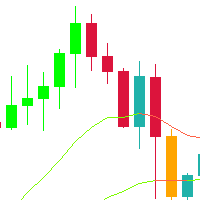
This indicator is a very simple indicator that draws candlesticks on a chart. However, it is possible to draw not only on the main chart but also on several sub-charts. In addition,it is possible to draw different symbols and timeframes from the main chart. features. 1. any symbols 2. any timeframes 3. two candle type(normal and heikin ashi) 4. many candle colors(intersection with ma_1) 5. pivot line (ver1.2) In case of positive candle, FULL : change color if low is over ma_1 PARTIAL :
FREE

Forex17 Clock 는 MetaTrader 5를 위한 가볍고 미니멀한 유틸리티로, 브로커 서버 시간 및/또는 사용자가 조정한 시간을 차트에 직접 표시하도록 설계되었습니다. 이 제품의 목적은 차트 분석을 방해하지 않으면서 명확하고 정확한 시간 정보를 제공하여 차트를 깔끔하고 기능적으로 유지하는 것입니다. 이 시계는 패널, 배경, 테두리 또는 방해가 되는 시각적 요소 없이 텍스트만을 사용하여 차트에 표시됩니다. 이러한 설계는 낮은 리소스 사용량, 밝은 테마와 어두운 테마 모두에 대한 뛰어난 호환성, 그리고 가격 스케일과 캔들에 대한 완전한 존중을 보장합니다. 본 유틸리티는 단순함, 시각적 정돈, 안정성을 중시하는 트레이더를 위해 설계되었습니다. Forex17 Clock을 사용하면 텍스트가 표시될 차트의 모서리를 선택하고, 글꼴 크기와 색상을 조정하며, 서버 시간에 대한 시간 오프셋을 설정할 수 있습니다. 이를 통해 로컬 시간이나 시간대 차이와 같은 중요한 시간 기준을 차트에서 직접
FREE

The Kijun-sen , also known as the Base Line , is arguably the most critical component of the Ichimoku Kinko Hyo system. While many traders focus on the "Cloud," professional traders know that the Kijun-sen is the true heartbeat of market momentum and trend direction. This indicator calculates the midpoint of the highest high and the lowest low over the last 26 periods , providing a stable, medium-term view of the market’s equilibrium.
FREE
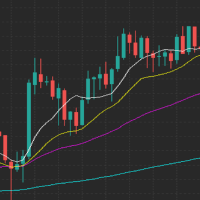
입력 신호 평균 필터가 있는 추세 추적 표시기
이 지표는 이동 평균을 진입 신호로 사용하여 추세 추적기 및 필터 역할을 합니다. 이동 평균은 다양한 추세 범위를 결정하는 데 중요합니다.
- 표준 200일 1차 평균은 장기 추세를 나타냅니다. - 50일 2차 평균은 중기 추세를 나타냅니다. - 20일 3차 평균은 가장 짧은 추세를 나타냅니다. - 9개 기간 평균은 즉각적인 조치를 위한 진입 트리거 역할을 합니다.
이 지표는 시장 동향에 대한 정확하고 포괄적인 분석을 제공하고 신중하게 선택된 이동 평균을 기반으로 적시에 진입점을 식별하는 거래자에게 유용한 도구입니다.
진입 신호 평균 필터가 포함된 추세 추적 지표를 사용하여 거래 전략을 강화하고 더 많은 정보에 입각한 결정을 내리세요. 지금 다운로드하여 거래 결과를 높이세요!
FREE
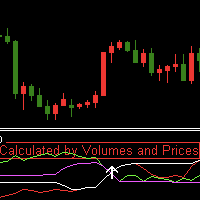
Indicator introduction:
The indicator is calculated by volumes and prices, It is a single side indicator, only has up arrow signals. It is better to use it in conjunction with other trend indicators, and you need to find the most efficient time to use it in order to acquire a high winning probability. The indicator can send emails, alerts and notifications to you when the indicator before k line has an up arrow. The indicator's parameters can be changed, including the computation period of the
FREE

FREE

Special Offer ... It is totally free for all. New one coming soon...................
About This Indicator: RSI vs SMA Indicator: A Comprehensive Technical Analysis Tool for Better for Identify the Short and Long Signals.
The RSI vs SMA Indicator is a powerful technical analysis tool designed to understanding Market Price Fluctuation for Long or Short signals. This user-friendly Indicator good for both novice and experienced traders, providing valuable indication in price chart and separate wind
FREE

This indicator is designed according to the combination of WPR and Stoch indicators, when WPR goes up and Stoc goes up quickly too, the price may meet strong resistance, many times short order will take profit, but if the price break through it, Long positions are more likely to be profitable, and the reverse held true as well. You can adjust the parameters of WPR and Stoc to Adapt the symbol you operate. Click here to look the advanced edition: https://www.mql5.com/en/market/pro
FREE

Setting a chart up exactly the way you like it takes a few minutes. Doing it twenty times takes an afternoon. Chart Cloner opens exact copies of the chart you drop it on. Symbol, timeframe, colours, scale and chart mode always carry across, because that is what makes a copy a copy. You decide whether the attached Expert Advisor, the indicators and the drawn objects come with them. Point it at your Market Watch instead of a copy count and it opens one chart per symbol, every pair wearing the same
FREE
Long Term Double MACD Strategy with EMA Trend Confirmation
This strategy uses a leading and lagging MACD indicator. The leading indicator gives the entry signals, and the lagging indicator gives the exit signals. This Expert does not use any account management and as such you should make sure to set good stop losses.
Works best on longer timeframes on low volatility pairs.
FREE

이중 라인 신호, 멀티 타임프레임 지원, 사용자 정의 시각 신호 및 구성 가능한 알림 시스템을 갖춘 DIDI 지표(3-MA 비율).
프리랜서 프로그래밍 서비스, 업데이트 및 기타 TrueTL 제품은 제 MQL5 프로필 에서 이용 가능합니다.
피드백과 리뷰를 매우 환영합니다!
DIDI란? DIDI는 서로 다른 기간을 가진 세 개의 이동평균(MA) 간의 관계를 표시하는 비율 지표입니다: Curta(단기), Media(중기), Longa(장기). 지표는 Curta와 Longa MA를 Media MA로 나누어 두 개의 비율 라인을 계산하며, Media는 1.0의 기준 레벨로 기능합니다. DIDI는 빠른 이동평균과 느린 이동평균이 중간 기간 평균과 어떻게 관련되는지를 보여줌으로써 추세 강도와 잠재적 반전 지점을 식별하는 데 도움을 줍니다. 1.0 이상의 값은 MA가 기준선 위(강세)에 있음을, 1.0 미만의 값은 MA가 기준선 아래(약세)에 있음을 나타냅니다. Curta와 Longa 라
FREE

Volatility Channel Indicator Ride the Waves of Market Volatility with Precision ... please leave a 5 star rating if you love this product The Indicator is free. The source code is available for just 30usd.
Are you tired of entering trades too early or too late? Missing breakouts? Getting caught in false signals? The Volatility Channel Indicator transforms chaotic price action into crystal-clear trading opportunities. What You Get (MT4 & MT5) Smart Channel Bands that
FREE

Smc Trend Heatmap The Smc Trend Heatmap is a free multi-timeframe bias dashboard for MetaTrader 5. It scans five timeframes simultaneously - M5, M15, M30, H1, and H4 - and shows the current trend direction on each using a three-condition EMA logic. The dashboard updates continuously in a corner panel and provides an overall bias summary across all active timeframes. The indicator does not draw lines or arrows on the price chart. It operates entirely as a panel and can be placed on any chart rega
FREE

RetraceMG Multi SMA 200 ATR RR2 – Smart Trend Retracement EA RetraceMG Multi SMA 200 ATR RR2 is a professional trend-following Expert Advisor designed for traders who want high-probability retracement entries inside strong trends . If this EA is helpful, please leave a review. It helps improve future updates and support.
The EA combines multi-moving average trend detection, momentum confirmation, smart retracement entries, and ATR-based risk management to capture market pullbacks while avoidi
FREE

1 hour EurUsd Strategy - tested over 16yrs
Trading Logic: Entry Condition : The EA opens a long position when the Momentum Indicator crosses the Level line downward. Momentum : A popular indicator that measures the speed or strength of price movements. When the momentum crosses the level line downward, it typically indicates a slowing of upward price movements and could suggest an impending change in market direction, signaling an opportunity to enter a long position before the price star
FREE

Overview Tomgoodcar Rose Knight PRO is an advanced, fully automated algorithmic trading system designed for MetaTrader 5. Built upon a sophisticated Pending Order Grid framework, the EA does not simply execute market orders blindly. Instead, it deploys strategic Buy Stop and Sell Stop orders, dynamically trailing them along with price movements to secure optimal entry levels. Equipped with a dual-stage recovery mechanism, embedded economic news filters, and strict price zone limitations, this to

Investment Castle Horizontals — Key Levels, Mapped Clearly
The Horizontals Indicator gives you a clean, comprehensive map of the horizontal levels that matter — the prices where the market repeatedly reacts — so you can plan entries, exits and targets around real structure instead of guesswork.
What it does for you Key horizontal levels: the important support and resistance prices, drawn for you. Comprehensive yet clean: a clear map of structure without chart clutter. Plan with structure: set
FREE

FVG+BOS EA is a smart trading tool that visually highlights Fair Value Gaps (FVG) and Break of Structure (BOS) directly on the chart. It helps traders easily identify potential Points of Interest (POI) for high-probability trade setups. The EA also displays the active market sessions — London, New York, and Tokyo — to help users align trades with key trading hours.
FREE
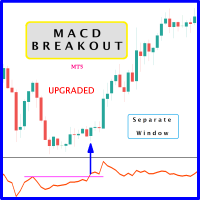
Probability emerges to record higher prices when MACD breaks out oscillator historical resistance level. It's strongly encouraged to confirm price breakout with oscillator breakout since they have comparable effects to price breaking support and resistance levels; surely, short trades will have the same perception. As advantage, many times oscillator breakout precedes price breakout as early alert to upcoming event as illustrated by 2nd & 3rd screenshot. Furthermore, divergence is confirmed in c
FREE

Spread Times Histogram and Stats는 MetaTrader 5용 스프레드 모니터링 지표입니다. 브로커 스프레드의 실시간 색상 코드 히스토그램을 표시하고, 롤링 24시간 평균을 추적하며, 스프레드가 설정 가능한 동적 임계값을 초과할 때 스마트 알림을 발생시킵니다.
주요 기능
- 색상 코드 히스토그램: 스프레드 축소 시 초록색, 확대 시 빨간색 - 지속적인 맥락 제공을 위한 롤링 24시간 평균선 - 세션 통계: 현재 세션의 최소, 최대, 평균 스프레드 - 스마트 알림 시스템: 실시간 스프레드가 24H 평균의 설정 배수를 초과할 때 발동 - 멀티 타임프레임 집계: 상위 차트에서 실행하며 하위 타임프레임 데이터 활용 - D1 이상 차트에서 오류 방지를 위해 H4 집계로 자동 다운그레이드 - 실시간 스프레드, 평균, 임계값, 세션 통계를 표시하는 선택적 대시보드 - 상태 표시: 워밍업 중, 정상, 스프레드 급등
알림 옵션
- MT5 팝업 알림 (시각 및 소리) -
FREE

Adaptive EA는 주요 외환 통화쌍에서 스캘핑과 스윙 트레이딩 모두에 적합한 스마트한 완전 자동화 트레이딩 시스템입니다. 시장 변동성, 추세 방향, 세션 타이밍에 따라 동적으로 적응하는 알고리즘을 사용하여 진입과 청산 타이밍을 최적화합니다. 사용자 정의 가능한 리스크 설정, 실시간 트레이드 모니터링, 저유동성 기간에 과매매를 방지하는 세션 필터가 포함되어 있습니다. 믿을 수 없는 트레이딩 봇에 지치셨나요? Adaptive EA v2.27 ULTRA는 어떤 시장 상황에서도 꾸준한 수익을 목표로 하는 차세대 알고리즘 트레이딩 시스템입니다. 초보자든 전문가든, 이 EA는 최신 업그레이드와 견고한 실행을 결합해 수익을 극대화하고 리스크를 최소화합니다. Adaptive EA v2.27 ULTRA를 선택해야 하는 이유:
스마트한 주문 흐름 분석 – 실시간 매수/매도 압력을 감지하여 고확률 진입 실행
변동성 적응형 스탑 – SL/TP를 동적으로 조정하여 이익을 확보하고 거짓 돌
FREE

Idea I programmed this tool out of the necessity to be constantly informed about what is going on. Before I sometimes forgot to set a stopp loss, this is impossible with this tool. Further this tool allows you to make distributed entries, eg. with a first feeler with 0.1 contracts and when the direction is the right one you just put more contacts into the game. Money- and risk management is built in. If you use more then the predetermined number of contracts there is a warning. You are constantl
FREE

The Hon Heiken Ashi Trend Sniper is a professional-grade, strictly non-repainting indicator designed to catch high-probability trend entries while keeping you safe during flat, ranging markets. By combining the smoothed price action of Heiken Ashi candles, the directional bias of dual Exponential Moving Averages (EMAs), and the momentum detection of the Average Directional Index (ADX), this indicator provides clear, actionable BUY and SELL arrows only when the market is genuinely moving. Whe
FREE

For more details, performance records, and strategy breakdown, please visit: [ https://eruo-grid-sniper.vercel.app ]
---
### Overview
EuroGridSniper is a fully automated Expert Advisor designed for the MetaTrader 5 platform. This EA uses a dynamic grid-based trading strategy optimized for trending and ranging market conditions. It combines technical price levels with volatility filters to increase the probability of successful trades.
---
### ️ Key Features
- Smart grid algo
FREE

General Description Candle Countdown is a visual indicator for MetaTrader 5 that displays the time remaining until the current candle closes in real-time. The indicator presents information panels attached to Bid and Ask lines, showing countdown timers, current candle type, and other useful information. Key Features 1. Candle Time Display Countdown Timer : Time until candle close in MM:SS format Elapsed Time : Time since candle opening Percentage Completion : Real-time percentage of candle c
FREE

Smart Structure Zones ICT Smart Structure Zones ICT is a MetaTrader 5 chart indicator for structure-based price analysis. It displays market structure, BOS, CHoCH, order block zones, fair value gaps, equal highs and lows, premium/discount areas, and higher-timeframe highs and lows directly on the chart. The indicator is made for traders who use price action, structure analysis, liquidity zones, order blocks, fair value gaps, and multi-timeframe levels as part of their chart study. Main Features
FREE
FREE VERSION FOR GOLD (XAUUSD) AND BTCUSD Dont forget to rate after use this indicator, Thanks.
Features: Clear Buy/Sell labels with directional arrows. Automatic Take Profit (TP) & Stop Loss (SL) labels for better risk management. Easy-to-read chart signals (no messy lines). Works on any timeframe and any asset (Forex, Gold, Indices, Crypto, Stocks). Compatible with MetaTrader 5 (MT5 desktop & mobile sync) . Perfect for: Beginner traders who need straightforward sign
FREE

This indicator solves the problem of chart scaling where the bar becomes too thin and it becomes difficult to determine the bar's open and close prices.
Thick Bar indicator - allows you to change the thickness of the lines and the color of the stroke, due to which you can get a thicker bar on the chart. The default indicator has a bar thickness of 2 and preset colors that can be changed in the settings
FREE

The multi-timeframe indicator of the levels of the Pivot Points. Every closed daily period has its own so-called reference point - Pivot Point, which sets the levels for smaller intraday timeframes for the following day. The Pivot Points indicators existing in the codes have no method of showing the dynamics of the pivot point changes on the historical data of the price chart. Pivot Point calculation formula. Pivot=(High + Low + Close) /3 High — the maximum of the previous day; Low — the minimum
FREE

See exactly how close your account is to your prop firm's daily-loss and max-drawdown floors - live, on the chart, with the real rule math of each firm.
Most traders track their daily limit with mental math, and the daily-loss breach is the most common way evaluations end. Breach Radar draws the actual floors:
- Daily-loss bar: the exact floor level, the dollar distance remaining, and the percent of today's budget already used - Max-drawdown bar: static or trailing (including trailing that loc
FREE
MetaTrader 플랫폼 어플리케이션 스토어에서 MetaTrader 마켓에서 트레이딩 로봇을 구매하는 방법에 대해 알아 보십시오.
MQL5.community 결제 시스템은 페이팔, 은행 카드 및 인기 결제 시스템을 통한 거래를 지원합니다. 더 나은 고객 경험을 위해 구입하시기 전에 거래 로봇을 테스트하시는 것을 권장합니다.
