 MetaTrader 5
 Experts
 지표
지표
 라이브러리
라이브러리
 유틸리티
유틸리티
 위젯
위젯
 규칙
규칙
MetaTrader 5용 Expert Advisor 및 지표 - 116
 트레이딩 로봇과 지표를 사용하여 외환 거래를 더 수익성 있게 만들 수 있습니다. 트레이딩용 로봇을 사용하면 개점 및 폐점 거래를 자동화할 수 있으며, 지표는 시장 행동을 보다 정확하게 예측할 수 있습니다.
이 페이지에는 MetaTrader 5 응용 프로그램의 카탈로그가 나와 있습니다.
트레이딩 로봇과 지표를 사용하여 외환 거래를 더 수익성 있게 만들 수 있습니다. 트레이딩용 로봇을 사용하면 개점 및 폐점 거래를 자동화할 수 있으며, 지표는 시장 행동을 보다 정확하게 예측할 수 있습니다.
이 페이지에는 MetaTrader 5 응용 프로그램의 카탈로그가 나와 있습니다. 
Master Grid MT5 is a multifunctional grid Expert Advisor designed to fully or partially automate various ideas related to grid trading (on a hedging account ). The Expert Advisor can trade on any timeframe, on any currency pair, on several currency pairs, on any number of signs. It does not interfere with manual trading, trading of other Expert Advisors, or the operation of any indicators.
It allows you to adjust your settings on the fly, works only with your own positions and orders, and fo

SMC Hybrid Pro Gold EA Advanced Smart Money Concepts Trading Robot for MetaTrader 5 SMC Hybrid Pro Gold EA is a professional Expert Advisor designed for traders who want automated execution based on Smart Money Concepts (SMC), liquidity sweeps, market structure shifts, and institutional trading logic. The EA is optimized primarily for: XAUUSD (Gold) BTCUSD ETHUSD It combines volatility analysis, ATR-based dynamic stop placement, CHOCH confirmation, and automated risk management to identify high-

AmA is a completely expert trader base on Starc bands trading. Since this expert is fully automatic, so it does not need to your attention. It opens and close when reach to its target (SL or TP). This expert has been specifically designed for Metatrader 5 and EUR/USD chart in variable timeframe as you wish (1H, 30M, 15M and 5M). By using this expert you can achieve to logical monthly income. You can set your Lot size according to your initial balance. The suggestion for initial balance more tha
FREE

Strike Zone은 OHLC 캔들스틱 차트 패턴을 기반으로 한 Expert Advisor이며, 모든 백테스트는 10년간의 전문가 활동을 기반으로 합니다.
백테스트에는 고정 매개변수가 사용되었습니다: 1쌍, $10,000 자본 및 0.1랏의 시장 진입.
며칠 동안 테스트한 후 이 Expert Advisor는 다음 쌍과 기간에서 수익성이 있음이 입증되었습니다. 아우디캐드 H4 NAS100 NZDCAD H1 USDCAD H1 백테스트는 미래 이익을 보장하지 않으며, 이 도구의 사용은 이를 사용하는 사람의 전적인 책임입니다. 다음 EA를 실제 계정에 넣기 전에 데모 계정에서 테스트해야 합니다. oooooooooooooooooooooooooooooooooooooooooooooooooo
FREE

Engulfing Overlap Zone by RWBTradeLab
A clean, non-repainting engulfing OVERLAP detector for MetaTrader 5 — the most selective member of the RWBTradeLab engulfing family. It finds the rare, high-interest moment when a FAILED engulfing zone is overlapped by a CONFIRMED opposite engulfing zone: trapped traders on one side, fresh confirmed pressure on the other, both at the same price area. Every overlap is sorted into 8 types and graded by how much price the two zones actually share. All from CL
FREE

1. Product Type:
EffiTrade is an automated Expert Advisor (EA) developed for the MetaTrader 5 platform that enables automated trading on the Forex market. This EA focuses on trading the GBP/JPY pair, using advanced algorithms to identify market entry and exit opportunities.
2. Main Features: Automated Strategy: Uses technical indicators such as Moving Average and other custom parameters to execute trades. Time Frame: Operating on the M15 timeframe, i.e. every trading decision is based on anal
FREE

You can use this tool to create as many pending orders (limit order) as you want in one button press. All inputs must be in points. You can use this useful tool when such as FED speech times. User Inputs:
MagicNumber = Magic number DeviationPoint = Deviation point number for limit orders Level = You can choise how many level do you want to create pending orders. BuyOrder = true/false SellOrder = true/false StartDistance = Distance between each level. StepDistance = Distance to be added increment
FREE

Chỉ báo Watermark là một công cụ trực quan thường được sử dụng để lưu trữ các ký hiệu giao dịch và khung thời gian. Các tính năng chính trên chỉ báo: Tạo nhãn dán ký hiệu giao dịch tạo nhãn dán khung thời gian giao dịch Cố định vị trí theo chart giá Chỉ báo không tác động đến các tín hiệu giao dịch của nhà đầu tư. Nếu có bất kỳ vấn đề vui lòng phản hồi lại để chúng tôi có thể cải thiện sản phẩm.
FREE

Short description Plots a repeating grid of round-dollar levels on ETHUSD — labeled Wall / Hot Zone / Exit / Trap by their typical institutional role — tuned for lower timeframes (M1 through H1). Full description Draws horizontal reference lines at 10 intervals around the current ETHUSD price, based on the idea that round-dollar levels (multiples of $100, and near-round levels like $X20/ X80, $X50, $X10/$X90) tend to act as psychological reaction zones where liquidity and stop-hunts commonly clu
FREE
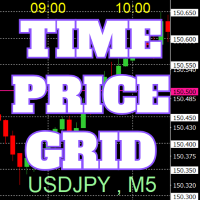
On the chart, draw grids for price and time at round numbers for easy reference.
"Parameter Input" allows for setting price intervals for each period. The grid lines for significant numbers (round numbers) are thicker and more prominent than other lines, making them easily distinguishable. The grid lines for significant numbers (round numbers) can be set to a different color than other lines. Colors at various points can be individually configured. Symbols and timeframes can be displayed, and t
FREE

Trade Manager Pro is a professional MT5 trade management panel designed to simplify and speed up your trading execution. Open, manage, and close trades directly from your chart with one click — no manual calculations or menu navigation required. Key Features Automatic Risk-Based Lot Size Calculates position size automatically based on: Account balance Risk percentage Stop Loss distance Works on all instruments: Forex, Gold, Crypto, Indices One-Click Trade Execution Instantly open BUY a
FREE

Gamma Edge Pro MT5 — GexBot Classic API Integration Gamma Edge Pro brings institutional-grade Gamma Exposure (GEX) data directly onto your MetaTrader 5 chart — the same data used by professional options traders to anticipate price magnets, hedging flows, and dealer positioning. Powered by the GexBot Classic API, this indicator automatically maps options market data from US-listed instruments onto any MT5 CFD instrument — Forex pairs, Gold, indices, and more — with intelligent price conversion bu

DiDi + QQE – Clean Momentum Filter
What You See on Chart Gray line → Media (zero reference – normally at 0) Dodger Blue → Curta (fast 3-period offset) OrangeRed → Longa (slow 20-period offset) Lime dotted → QQE bullish zone (QQE > 0) Orange dotted → QQE bearish zone (QQE ≤ 0) Core Idea
Didi Index shows momentum bursts when fast line (Curta) rapidly diverges from the medium MA and crosses the slow one → classic “Agulhada / Needle”.
QQE trailing line (smoothed + ATR bands) acts as dynamic tre
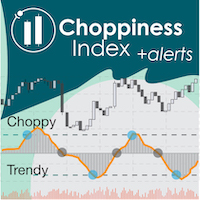
"Wouldn't we all love to reliably know when a stock is starting to trend, and when it is in flat territory? An indicator that would somehow tell you to ignore the head fakes and shakeouts, and focus only on the move that counts?" The Choppiness Index is a non-directional indicator designed to determine if the market is choppy (trading sideways) or not choppy (trading within a trend in either direction). It is an oscillating indicator between -50 (very trendy) and +50 (very choppy). There are man

Malaysian SnR Enhanced – Multi-Timeframe Support & Resistance Indicator Are you tired of guessing where the key support and resistance levels are on your chart? Say hello to Malaysian SnR Enhanced, the ultimate multi-timeframe Support & Resistance indicator designed for serious traders who want a clear, top-down view of critical price levels across W1, D1, H4, H1, M30, and M15 timeframes.
What is Malaysian SnR Enhanced? Malaysian SnR Enhanced is a powerful, fully customizable technical analysi
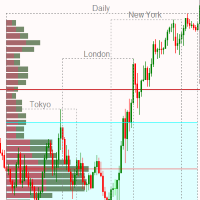
Market Session and Volume Profile Indicator A Professional Trading Tool for Advanced Market Analysis This sophisticated indicator combines Market Session Analysis with Volume Profile Technology to provide traders with critical market structure insights. Volume Profile is one of the most powerful analytical tools used by institutional traders and market makers to identify key price levels where significant trading activity occurs. Key Features: Volume Profile Analysis: POC (Point of Control) - I
이 지표는 My Candle Complete의 데모 버전으로, 여기에서 다운로드할 수 있습니다: Candle Patterns Creator 전체 버전을 사용하면 자신만의 캔들 규칙을 생성하고 전통적인 캔들 패턴을 전략에 맞게 수정하여 더 정확하게 조정할 수 있습니다. 이 지표에는 여러 가지 캔들 규칙 예제가 포함되어 있지만, 여기에서는 일부만을 소개합니다: Pattern Rule Candle Green C > O Candle Red C < O Doji C = O Hammer (C > O and (C-O) *2 < O-L and (C-O) *0.5 > H-C) or (C < O and (O-C) *2 < C-L and (O-C) *0.5 > H-O) Hammer Green C > O and (C-O) *2 < O-L and (C-O) *0.5 > H-C Hammer Red C < O and (O-C) *2 < C-L and (O-C) *0.5 > H-O Marubozu (C > O
FREE

The PSM Trading Panel is a comprehensive, all-in-one trade management utility designed for both manual and automated traders. Whether you prefer executing precise manual entries, managing recovery with a Martingale system, or deploying a Grid strategy, this panel provides all the necessary tools directly on your chart. Built with advanced risk management and a highly intuitive interface, the panel minimizes the emotional stress of trading by automating complex calculations like Auto-Candle Stop
FREE
Time Dashboard MT5 is a powerful and user-friendly MetaTrader 5 indicator designed to provide real-time time zone and clock information directly on your trading chart. Ideal for forex traders and global market participants, this tool displays server time, local time, and the time difference between them, enhancing your ability to manage trades across different time zones. Key Features : Real-Time Time Display : Shows current server time, local time, and their respective time zones with precise o
FREE
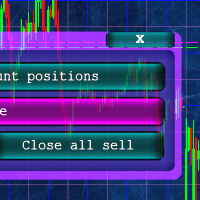
Кнопочная панель для одновременного закрывания большого числа позиций. Всего четыре варианта закрывания: Закрыть все позиции на счёте ( Close all account positions ). Закрыть все позиции по символу графика, на котором находится панель ( Close all positions ). Закрыть все Buy позиции по символу графика, на котором находится панель ( Close all Buy positions ). Закрыть все Sell позиции по символу графика, на котором находится панель ( Close all Sell positions ).
FREE
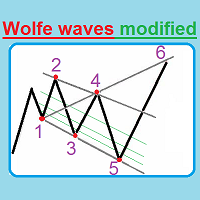
This unique indicator automatically builds Wolfe Waves and features a highly efficient trading strategy. Use If number 5 appears, wait till the first candle is closed behind Moving Average, then look at the three center lines showing what lot volume should be used if the fifth dot crossed the line 25%. The candle is closed behind Moving Average, and then we open a trade with the lot: = (Let's apply the lot of, say, (0.40), divide it into four parts and open a quarter of the lot (0.10)). If the

KSQ S&D Signal Assistant (Top-Down MTF) The KSQ S&D Signal Assistant is a professional-grade, multi-timeframe decision support tool designed specifically for Supply & Demand and Smart Money Concept (SMC) traders. Instead of cluttering your chart with dozens of lagging indicators, this assistant works quietly in the background to analyze top-down market structure. It only alerts you when a highly specific, 3-point confluence occurs between the higher timeframe trend and lower timeframe order flo
FREE

Indicator Trader EA v1.0 for MetaTrader 5
Universal EA that bridges any custom indicator's signals to automated trading
XAUUSD · Major Forex Pairs · Crypto | All Timeframes M1 ~ D1
Overview Indicator Trader EA is a universal Expert Advisor that automatically executes buy and sell orders based on signal buffers from any custom indicator.
With a single EA, you can connect any commercial indicator (SuperScalp Pro, Trend 7Filter Pro, etc.) directly — no extra coding required. Simply configur
FREE

تيتان
تيتان أوراكل AI PRO هو مستشار خبير احترافي مصمم للمتداولين الذين يرغبون في الدقة والانضباط وتحليل السوق الذكي. يجمع النظام بين الكشف المتقدم عن الاتجاهات، وتأكيد الأطر الزمنية المتعددة، وتنفيذ الصفقات الذكي، وإدارة المخاطر الديناميكية لتحديد فرص التداول ذات الاحتمالية العالية.
على عكس المستشارين الخبراء التقليديين الذين يعتمدون على إطار زمني واحد، يحلل تيتان أوراكل AI PRO ثمانية أطر زمنية مختلفة في وقت واحد، مما يساعد على تصفية ضوضاء السوق والتركيز على التحركات الاتجاهية الأقوى.
---
FREE

Hidden Edge – High-Low PreUS High-Low PreUS is a clean and lightweight indicator that marks key reference levels before the US session begins.
It draws a session box from 00:01 to 09:00 CET, identifying the high and low of the Asian session, and includes additional reference elements to support structured intraday trading decisions. Features Draws a rectangular range from 00:01 to 09:00 CET Marks the high and low of the session clearly Plots a horizontal yellow line as a suggested stop level bas
FREE
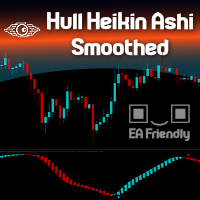
Heikin Ashi candlesticks are a powerful tool for traders, offering a clear and smooth visualization of market trends. Unlike traditional candlesticks, they filter out market noise, providing a cleaner view of the market's direction and strength, which helps traders make more informed decisions. The Hull Heikin Ashi Smoothed indicator from Minions Labs takes this a step further by integrating the Hull Moving Average for enhanced smoothing and precision. This indicator not only simplifies trend id

의 기법을 구현한 MetaTrader용 전문 지표입니다.
지배적 시장 사이클 채널 내 가격 위치를 0-100으로 정규화해 표시합니다. 시그널선 포함.
입력 파라미터: - InpCyclePeriod — 지배 사이클 길이(봉 수) - InpSignalPeriod — 시그널선 평활
트레이딩 아이디어: - 횡보장에서 20 부근 매수, 80 부근 매도. - 심볼 고유 리듬에 맞게 사이클 길이를 조정하세요.
모든 심볼과 타임프레임에서 작동합니다. DLL 및 외부 종속성 없음.
주요 특징: 유연한 파라미터 설정, 깔끔한 표시, 가벼운 동작으로 터미널 속도를 저하시키지 않습니다. 외환, 금, 지수, 암호화폐 등 모든 심볼에 대응하며 모든 브로커 계좌에서 사용할 수 있습니다. 차트에 적용하면 바로 사용할 수 있으며 복잡한 설정이 필요하지 않습니다. 먼저 데모 계좌나 전략 테스터에서 파라미터를 테스트하여 자신의 거래 스타일에 맞는 설정을 찾은 후 실계좌에 적용하는 것을 권장합니다. 질문이나

Confluence Engine builds scored SMC confluence zones on your chart. Instead of showing one signal type, it clusters independent Smart Money signals — liquidity sweeps and institutional higher-timeframe levels — into price zones and tells you exactly how many factors coincide at each one.
This answers the question every SMC trader is really asking: how many independent signals agree on this level right now?
How it works:
Detects liquidity sweeps of prior swing highs/lows (wick pierce + body cl
FREE

Telegram to MT5 Bridge: Automated Trading Signal Executor One-Click Automation from Telegram trading signals to MetaTrader 5 execution. Instant Signal Execution Connect your Telegram trading channels directly to MT5. Receive signals, execute trades automatically. Smart Signal Recognition Automatic parsing of trading signals in any format: BUY EURUSD SL 30 TP 60 SELL GBPUSD LOT 0.2 BUYSTOP XAUUSD PRICE 1950 Professional & Secure Bank-level encryption for all connections No signal delays - ex

What does this indicator do? Stochastic Signal Pro analyzes market momentum using an optimized Stochastic Oscillator to detect: Overbought zones Oversold zones High-probability reversal points It automatically generates Buy and Sell signals directly on the chart. Key Features Buy & Sell arrows
No repaint signals
Works on MT5
All timeframes
All symbols (Forex, Gold, Indices, Crypto)
Beginner friendly
Lightweight & fast Alerts Included MT5 popup alert Sound alert Push notif
FREE

RR TradePanel is a trade execution and management Expert Advisor for MetaTrader 5. It combines visual trade planning with automated risk management, allowing trades to be planned, executed, and managed directly from the chart. The panel includes an interactive Risk/Reward tool, automatic lot size calculation based on account risk, trade management automation, and manual management controls. It is suitable for traders who want consistent position sizing and faster trade execution. Trade Planning

https://www.mql5.com/tr/signals/2390933
https://www.mql5.com/tr/users/bilisimprofesoru/seller Quantum Prime Pro EA is an Expert Advisor for XAUUSD / Gold trading on MetaTrader 5. It is designed for traders who prefer a gold EA with no grid, no martingale, real Stop Loss and Take Profit logic, and controlled risk management.
Information: Pairs: XAUUSD Timeframe: M15 and others Platform: MetaTrader 5 Minimum deposit: 100 Leverage: 1:100 up to 1:2000 Account type:Zero, RAW, ECN.
Recommended
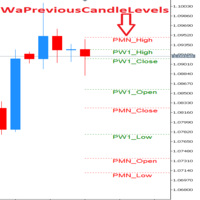
!!!This Free Version just works on EURUSD!!! Wa Previous Candle Levels MT5 shows the previous candle levels, it shows the previous candle Open High Low Close levels (OHLC Levels) in different time frame. It's designed to help the trader to analyse the market and pay attention to the previous candle levels in different time frame. We all know that the OHLC Levels in Monthly, Weekly and Daily are really strong and must of the time, the price strongly reacts at those levels. In the technical anal
FREE

A1rum V38 Zone Compass is a clean visual indicator designed to help traders read market structure using V38 zone levels.
The indicator shows V38 zone high, mid and low levels directly on the chart, with candle coloring to help identify whether price is trading above, below or inside the active zone.
A compact dashboard displays market bias, price area, market mode, trend bias, trend strength and current zone status. Optional popup, email and push alerts are also available for zone state and
FREE

이 지표는 TradingView의 "ATR Based Trendlines - JD" by Duyck를 MetaTrader 5용으로 변환한 버전입니다. 작동 방식
이 지표는 가격뿐만 아니라 ATR이 감지한 변동성을 기반으로 자동적·지속적으로 추세선을 그립니다. 따라서 추세선의 각도는 ATR(의 일정 비율)에 의해 결정됩니다. 추세선의 각도는 피벗 포인트가 감지되는 순간의 ATR에 따라 가격 변화를 따라갑니다. ATR 백분율은 추세선이 ATR 변화율을 그대로 따를지(100%), 일부만 반영할지(<100%), 아니면 배수로 반영할지(>100%)를 결정합니다. 입력 매개변수 Lookback depth: 피벗 발생 여부를 확인할 캔들 수 설정 ATR target percentage: 추세선 방향에 대한 ATR 효과의 민감도 조정 Draw lines from wicks or real bodies: 피벗 및 ATR 계산 시 캔들 몸통 또는 심지 사용 여부 선택 추세선 방향 (상승, 하락, 또는
FREE

Get the best out of your forex trading experience with our Superb Trend indicator! Our revolutionary technology helps you make smarter and more successful trades, no matter your skill level. With a simple and intuitive interface, you'll be able to analyze trends and make wiser decisions in no time. Stop gambling with your money; start leveraging our Superb Trend Indicator to outperform the market!
Trend Signals: Bullish trend will show as Green line. Bearish trend will show as Red line.
Supe
FREE

这是一款专为手动交易者设计的MT5工具。解决了MT5回测只能跑EA自动交易无法手动回测的问题。它通过图形化按钮(Buy / Sell / Close All)让您在图表上快速开平仓,并 自动记录每一笔交易 ,实时计算 胜率、盈亏比、平均盈亏、最大回撤、当前权益 等专业数据,将您的交易行为转化为直观的绩效报告。它将是您不可或缺的辅助利器。
1. 一键交易,操作流畅 Buy / Sell / Close All 按钮 2. 实时交易记录与图表标记 自动绘制买卖箭头 :开仓时在K线图上生成绿色向上(买)或红色向下(卖)箭头,复盘时一目了然。 3. 专业绩效统计面板 完整交易明细 :总交易次数、盈利次数、亏损次数。 胜率 & 盈亏比 :自动计算胜率百分比、平均盈利、平均亏损、盈亏比。 资金管理指标 :总盈利、总亏损、净利润、当前权益、虚拟余额。 风险控制 :基于虚拟余额与浮动盈亏计算最大回撤(金额与百分比),帮助评估策略稳健性。
FREE

Adaptive Alpha EMA is a next-generation trend indicator that revolutionizes the classic EMA crossover by introducing real-time volatility responsiveness. Unlike traditional EMAs that rely on static periods, Adaptive Alpha EMA measures volatility speed through ATR (Average True Range) and automatically scales the alpha (smoothing factor) of both fast and slow EMAs. The result is an indicator that tightens during low-volatility consolidation and expands during explosive trend moves — delivering e
FREE
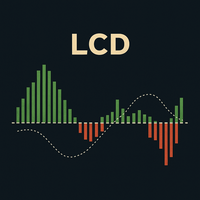
LCD 라게르 컨버전스 다이버전스: 클래식 MACD의 고급 개선 버전 **LCD 라게르 컨버전스 다이버전스(Laguerre Convergence Divergence)**는 클래식 MACD를 개선하기 위해 설계된 고급 기술 지표로, 더 빠르고, 더 민감하며, 적응력이 뛰어난 모멘텀 감지를 제공합니다. 이 지표의 주요 장점은 전통적인 이동 평균보다 가격 변화에 더 정확하게 반응하는 라게르 필터 를 사용한다는 점입니다. 주요 이점 향상된 민감도와 낮은 지연: 라게르 필터는 변동성이 큰 시장에서 중요한, 더 빠른 진입 및 청산 신호를 생성합니다. 변동성에 대한 적응성: **ATR(Average True Range, 평균 참 범위)**에 따라 동적으로 조정되며, 낮은 변동성 시에는 노이즈를 필터링하고 높은 변동성 시에는 빠르게 반응합니다. 개선된 노이즈 필터링: 허위 신호를 줄이기 위해 **결정 영역(Decision Zone)**과 추가적인 스무딩(히스토그램의 EMA)을 포함합니다. 선택적
FREE
Nexus Commodity Signal (3% Balance Risk) Nexus EA mql5 public channel: Nexus Community Public Chat
This EA is part of Nexus Portfolio a combination of the best long term EAs I created for my personal trading as well as private fund management. This EA trades XAGUSD (Silver) and XTIUSD (Crude Oil). It is a great compliment for further diversification alongside other EAs. The algorithm utilizes a propri etary AI model based on retail trader sentiment and 9 different indicators to identify an

Onyx FVG Pro
시장 구조 및 Fair Value Gap 기반 MetaTrader 5 전용 스마트 트레이딩 시스템 1. 시장 구조 자동 감지 엔진 (Market Structure Engine)
고급 Swing High/Low 로직을 사용하여 CHoCH (추세 전환 구조) 및 BOS (구조 돌파) 를 포함한 주요 시장 구조 변화를 자동으로 감지합니다. 이를 통해 항상 주 추세 방향에 맞춰 매매할 수 있습니다. 2. 동적 FVG 감지 (자동 완화 기능 포함)
사용자가 설정한 최소 포인트 기준에 따라 승률 높은 Fair Value Gap (불균형 구간)을 실시간으로 스캔하고 차트에 표시합니다. 스마트 자동 완화 (Auto-Mitigation) 기능이 적용되어 가격이 채워진 구간은 자동으로 회색 처리되어 차트를 깨끗하게 유지해 줍니다. 3. 스마트 추세 필터링 및 진입 신호 엔진
현재 시장 구조 방향과 정확히 일치하는 FVG 구간의 진입 신호만 필터링합니다
FREE

Market Structure Shift with FVG Indicator for MT5 This MT5 indicator from the apexfintech.net suite identifies market structure shifts and fair value gaps (FVGs) to provide traders with potential trading opportunities. It alerts users on these events via mobile notifications, enabling them to react quickly to changing market conditions. Key Features: Market Structure Shift Detection: Identifies bullish and bearish market structure shifts based on swing high/low breaks and significant candl
FREE
Object Synchronizer: Seamless Chart Object Duplication & Management Tired of drawing the same trendline or Fibonacci retracement on multiple charts for the same symbol? Wish your analysis on one timeframe would instantly appear on another? Introducing Object Synchronizer , the ultimate utility indicator for MQL5 that bridges the gap between your charts. Designed for professional traders and analysts using multiple charts of the same symbol, this powerful tool automatically duplicates and manages

No Martingale Gold Digger – Professional Expert Advisor for XAUUSD
No Martingale Gold Digger is an Expert Advisor designed for traders who want a solid, real, and reliable system—without martingale, without grid, and without artificial tricks to generate unrealistic equity curves.
It works exclusively on Gold (XAUUSD), both CFD and Futures, and uses a simple, transparent, and robust trend-following / breakout logic. Trading Philosophy No Martingale Gold Digger is built to be a real EA:
• no mac

RSI Triple Timeframe Analysis V1.0 - Professional Multi-Timeframe RSI Trading Bot Automated Trading System | 3+ Years Proven Performance | 29 Currency Pairs Supported
RSI Triple Timeframe Analysis V1.0 is a sophisticated multi-timeframe RSI-based trading EA designed for forex professionals. Analyzes 3 timeframes (1M, 1H, 4H) with mirrored buy/sell conditions for symmetrical market entries. Features intelligent position management, trading hour filters, and optimized for majors & e
FREE

Multi-Symbol Chase Mirror는 계좌 자신의 마감된 거래 내역만 읽어, 몇 개의 서로 다른 종목에서 신규 진입이 있었는지 한 가지만 집계합니다. 예측도 조언도 하지 않습니다. 패널에 나오는 모든 숫자는 이 계좌에서 이미 일어난 일입니다.
숫자는 이렇게 만들어집니다. 모든 종목, 모든 매직넘버를 대상으로 최대 31일치 마감된 체결을 읽습니다 - 이는 현재 차트의 종목이 아니라 계좌 전체를 대상으로 한 집계입니다. Symbols traded today는 서버 시간 기준 오늘 자정 이후 신규 진입이 한 번이라도 있었던 종목 수를 집계하고, Symbols in last 60min은 같은 방식을 최근 60분의 이동 구간에 적용합니다 - 두 값 모두 결과가 0이더라도 항상 실제 숫자로 표시됩니다. 오늘 이전 30일간의 데이터로는 30d daily median을 별도로 산출합니다 - 이 기간의 일별 거래 종목 수의 중앙값이며, 특정한 하루가 유난히 활발했다고 해서 기준값 전체가
FREE

SuperMA – The Smart Moving Average That Thinks Beyond Price Stop Guessing. Start Reading the Real Trend. Most Moving Average indicators simply follow price. SuperMA goes one step further by transforming any Moving Average into a normalized 0–100 trend oscillator , helping you instantly recognize momentum, trend strength, and potential exhaustion—without cluttering your chart. Whether you're a scalper, swing trader, day trader, or algorithmic trader , SuperMA provides a cleaner and more intell
FREE

SmartRecoveryEA Ultimate: Revolutionizing Forex Gold Trading with Intelligent Recovery and Risk Mastery Introduction: Elevate Your Gold Trading Game in the Volatile Forex Arena In the fast-paced world of Forex trading, particularly on the gold market (XAUUSD), where volatility reigns supreme and price swings can make or break fortunes in minutes, having a robust Expert Advisor (EA) is not just an advantage—it's a necessity. Enter SmartRecoveryEA Ultimate v1.0 , a cutting-edge MT5 EA meticulously
FREE

Click2FiboDrawer – Instantly Draw Fibonacci Retracement Lines with 2 Clicks Click2FiboDrawer is a powerful manual drawing tool for discretionary traders who use Fibonacci retracements in their technical analysis.
With just two mouse clicks, you can draw clean and precise Fibonacci levels directly on your chart — no clutter, no menus, no hassle. Even during fast-paced scalping sessions, this tool enables you to quickly add Fibonacci retracement levels and react to market moves in real-time.
It’s
FREE

Bull Machine EA v9.0 - Professional Multi-Strategy System 7 Powerful Strategies in One EA Most EAs use one strategy and fail when markets change. Bull Machine EA adapts with seven proven strategies: MA Alignment: Classic trend following. MA Cross: Momentum entries. MA Alignment + Cross: Double confirmation. Multiple MA Confluence: A 5-MA perfect setup. MA Slope Analysis: Trend strength filter. Adaptive MA: Dynamic adaptation. MA Distance Bounce: Pullback entries. Key Features Universal Timefram
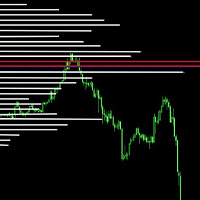
It makes it easier to see where there have been consolidation zones for previous prices and allows you to highlight the histogram where there is the biggest consolidation zone.
Input parameters Intervalo de preço Is the price between the histograms
Periodo Number of candle sticks to be analyzed
Porcentagem Highlights the histogram where there is minimal consolidation in relation to the analyzed period
FREE

Global Exchange Sessions Global Exchange Sessions is an MQL5 indicator that marks the regular trading hours of the world’s main stock exchanges directly on your chart. Each session is shown as a colored rectangle. The rectangle starts at the official market open and ends at the official market close. Its upper and lower edges follow the session high and low as new prices arrive. This makes it easy to see when major equity markets are active, where each session formed its range, and how price rea
FREE

The Pending Order Grid is a multi-symbol multi-timeframe script that enables multi-strategy implementation based on pending order grids. General Description
The Pending Order Grid allows the performing of a user-defined strategy through the creation of pending order grids. The script places pending orders of a given type (Buy Limit, Sell Limit, Buy Stop, or Sell Stop) at equidistant price levels to form each grid. The beginning and finish of every grid are defined by the Start Price and Sto

This EA is designed to monitor the slippage of opening and closing orders, and save the records in csv file. It is useful to record the slippage and evaluate brokers. The record files are saved in the folder MT5_Data_Folder\MQL5\Files. Go to "File " --> "Open Data Folder" . Warning : Do NOT open the files directly, otherwise it will affect the exectution of EA, just copy them to another folder and open them.
Usage: Open a chart and load the EA on it, just need only one EA to run, it mo
FREE
Do you want to see the most relevant supports and resistances at a glance? Tired of tracing the levels by hand? Multi Levels Detector is an indicator for MetaTrader that will draw supports and resistances according to the parameters entered, and also offers the possibility of executing an alert every time the price reaches any of its levels.
SETTINGS UsePercentage: Allows you to configure whether the distances between levels will be measured in points, or by a percentage of the asset.
TimeFram
FREE

This indicator, "Phoenix Volume Amazing", is a sophisticated Volume Delta and Order Flow Dashboard. Unlike standard volume indicators that only show total activity, this tool dissects the internal "tug-of-war" between buyers and sellers in real-time. Core Functionality The indicator calculates Delta (the difference between buying volume and selling volume) to provide a "under the hood" look at market sentiment. It uses a custom-built GUI (Graphical User Interface) panel to display these metrics
FREE

EURJPY Ichimoku–TEMA Breakout (H1) is a fully automated MetaTrader 5 strategy designed to capture **confirmed trend breakouts** on EURJPY using an Ichimoku cloud direction filter with rule-based **pending STOP execution** around a TEMA reference level adjusted by volatility. The EA was backtested on **EURJPY on the H1 timeframe** from **January 2, 2015 to August 22, 2025** using a **MetaTrader 5 (hedged)** backtest engine. No parameter setup is required — the system is delivered with optimized
FREE
--- StudentK Sync Chart --- 1. Move charts at the same time 2. Cross check among different Symbols and Timeframes 3. Plan your own trading strategies
=== Simple (Free) Version ===
1. Allow USDJPY only
2. Support M5 and M15
3. * Contact StudentK for unlocking all timeframes *
--- Context --- StudentK is not indicated as a master or K Sir for knowledgeable person who claims for winning all the time. (But lots of traders should know the fact that it is rarely truth, especially in fluctuated per
FREE

Zigzag Indicator For RSI, To easily identify the highs and lows of the rsi signal. It is easier to observe divergent and convergent signals. Default setting: InpRsi =14 //Rsi Period InpDepth =12; // Depth InpDeviation =5; // Deviation InpBackstep =3; // Back Step
If you want open Exness account try this link : https://one.exness-track.com/a/teg5teg5 Dev buy taphu: Ha Van Tan - hatatrata - Trader's profile - MQL5 community Email: tan.ha@outlook.com
FREE

IndexFlow é uma versão demo que simula as funcionalidades do MiniFullIndexTrader, um robô automatizado projetado para negociação nos índices da B3, incluindo WIN@, WINQ25, WINFUT e WIN$. Esta edição gratuita permite explorar suas capacidades apenas em contas demo, com validade de 30 dias a partir do primeiro uso. Ideal para testar o desempenho automatizado nos mercados da B3, oferece uma visão inicial das operações do robô. Esta é uma simulação com recursos restritos, e a negociação em conta rea
FREE
Abacus Scalper demo Works on demo account only Uses advanced standard deviation filteralgorithm to determine trade positions.
INPUT SETTINGS LotSize: Default is minimum trade volume. StopLoss: Specified in pips. Default is 100pips. TakeProfit: Specified in pips. Default is 200pips. Note: 1 pips = 10 pip points on greater than 0.000001 tick size.
Good account management. Minimum capital is 500. Recommended minimum capital is 1500
FREE

MT4/5通用交易库( 一份代码通用4和5 ) #import "K Trade Lib5.ex5" //简单开单 long OrderOpen( int type, double volume, int magic, string symbol= "" , string comment= "" , double opprice= 0 , double sl= 0 , double tp= 0 , int expiration= 0 , bool slsetmode= false , bool tpsetmode= false ); //复杂开单 void SetMagic( int magic, int magic_plus= 0 ); void SetLotsAddMode(int mode=0,double lotsadd=0); long OrderOpenAdvance( int mode, int type, double volume, int step, int magic, string symbol= "" , string comm
FREE

Dynamic Candle Countdown
This indicator provides a real-time countdown to the next candle. Unlike standard timers, it positions the label near the current price for better visibility during fast-moving markets. Real-time updates: Uses a 1-second timer event. Dynamic Positioning: Follows the price action automatically. Fully Customizable: Adjust colors, font size, and offsets to suit your chart template. Performance Optimized: Minimal CPU usage.
FREE

I’m sharing this EA here for free to support the trading community. I hope it’s helpful, and don’t hesitate to reach out if you have any questions or feedback!
Requirements
Trading pairs all trending Pairs especially USDJPY
Timeframe M1 to H6
Minimum deposit $ 100 Leverage 1:200 Brokers Hedging Pro or ECN Account
Key Features: Versatile Timeframe Trading : Operates effectively on all timeframes, from the swift M1 to the more extended D1, accommodating a wide range of trading strategies and
FREE

Desenvolvido por smart2trader.com Indicador Pin Bar Color detecta e pinta automaticamente padrões de pin bar no gráfico com cores personalizáveis, oferecendo configurações flexíveis para identificação de oportunidades de trading. Além disso, através do nosso indicador Pin Bar , é possível monitorar em tempo real as formações do padrão pin bar , sendo sempre avisado nos ultimos 30 segundos antes do encerramento do candle.
Sobre o Padrão Pin Bar
O padrão Pin Bar é amplamente utilizado na análise
FREE

WeightTF is an algorithmic trading Expert Advisor designed to identify directional entries on lower timeframes while taking into account the broader market context. At the core of the system is the concept of a weighted signal: the EA analyzes multiple time horizons, evaluates momentum strength through moving average divergence, normalizes the signal relative to the current market regime, and only makes a decision when the direction receives sufficient confirmation. The EA is focused on discipli
FREE

LM Donchian Channel MT5 LM Donchian Channel MT5 is a clean and configurable technical indicator for MetaTrader 5. It displays the highest high and lowest low over a selected number of bars, creating a channel that helps users visualise recent price ranges on any chart and timeframe. The indicator is based on the classic Donchian Channel concept: Upper Channel: Highest high over the selected lookback period. Lower Channel: Lowest low over the selected lookback period. It can be used as part of yo
FREE

WickAndBody Volume Flow v5.2 Order Flow Analysis through Candle Segmentation The WickAndBody Volume Flow is an advanced diagnostic tool for MetaTrader that allows traders to "see" inside every Japanese candlestick. Unlike conventional volume indicators, this algorithm utilizes Multi-Timeframe (MTF) technology to break down real volume and determine exactly how much capital was traded in the wicks versus the candle body . Key Features Volume Detection: Uses lower timeframe data (M1/M5) to reconst
FREE

Berikut adalah deskripsi profesional yang dapat digunakan untuk header source code , halaman MQL5 Market , GitHub, maupun dokumentasi EA Anda. Deskripsi ini disesuaikan dengan fitur yang ada pada versi terbaru panel trading. Berdasarkan file yang Anda unggah, panel ini merupakan Gold Manual Trading Panel - BangkacangFX v2.1 dengan fitur panel trading manual untuk MT5. BangkacangFX Gold Manual Trading Panel v2.20 BangkacangFX Gold Manual Trading Panel adalah panel trading manual profesional untuk
FREE

ICT Smart Money Scalper ICT Smart Money Scalper is an automated trading Expert Advisor for MetaTrader 5, designed to identify short-term trading opportunities using ICT (Inner Circle Trader) and Smart Money concepts. The Expert Advisor analyzes price action and looks for a combination of several factors, including Fair Value Gap (FVG), Order Block, Liquidity Sweep, candle direction, and market volatility . A trade is opened only when the required strategy conditions are confirmed. Key Advantages
트레이딩 전략과 기술 지표를 판매하기에 가장 좋은 장소가 왜 MetaTrader 마켓인지 알고 계십니까? 광고나 소프트웨어 보호가 필요 없고, 지불 문제도 없습니다. 모든 것이 MetaTrader 마켓에서 제공됩니다.
