 MetaTrader 5
 Experts
 지표
지표
 라이브러리
라이브러리
 유틸리티
유틸리티
 위젯
위젯
 규칙
규칙
MetaTrader 5용 무료 Expert Advisor 및 지표 - 84
 트레이딩 로봇과 지표를 사용하여 외환 거래를 더 수익성 있게 만들 수 있습니다. 트레이딩용 로봇을 사용하면 개점 및 폐점 거래를 자동화할 수 있으며, 지표는 시장 행동을 보다 정확하게 예측할 수 있습니다.
이 페이지에는 MetaTrader 5 응용 프로그램의 카탈로그가 나와 있습니다.
트레이딩 로봇과 지표를 사용하여 외환 거래를 더 수익성 있게 만들 수 있습니다. 트레이딩용 로봇을 사용하면 개점 및 폐점 거래를 자동화할 수 있으며, 지표는 시장 행동을 보다 정확하게 예측할 수 있습니다.
이 페이지에는 MetaTrader 5 응용 프로그램의 카탈로그가 나와 있습니다. 
Swiss CandleTime What ist CandleTime for This indicaor just displays the remaining time for a candle to build. It is best used if you trade with timframes from 3 minutes. I use it in M3 to keep postions. If I have two following red candles i usually liquidate the position. Timeframes M1 to H1 Inputs Arrow displayed => Edit your arrow string Arrow for waiting conditions => Arrow if chart is offline Text Color => color of the text Tell if there is a trend change => tells you, if the two preciding
FREE
This variant of the ZigZag indicator is recalculated at each tick only at the bars that were not calculated yet and, therefore, it does not overload CPU at all which is different from the standard indicator. Besides, in this indicator drawing of a line is executed exactly in ZIGZAG style and, therefore, the indicator correctly and simultaneously displays two of its extreme points (High and Low) at the same bar!
Depth is a minimum number of bars without the second max
FREE
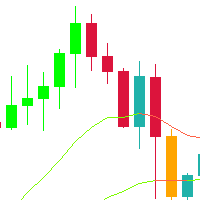
This indicator is a very simple indicator that draws candlesticks on a chart. However, it is possible to draw not only on the main chart but also on several sub-charts. In addition,it is possible to draw different symbols and timeframes from the main chart. features. 1. any symbols 2. any timeframes 3. two candle type(normal and heikin ashi) 4. many candle colors(intersection with ma_1) 5. pivot line (ver1.2) In case of positive candle, FULL : change color if low is over ma_1 PARTIAL :
FREE

Proton Strength Matrix MT5
OVERVIEW Proton Strength Matrix MT5 is an indicator for MetaTrader 5 that analyzes and displays market strength metrics across multiple timeframes simultaneously. The indicator quantifies buying and selling pressure for the current symbol on selected timeframes and presents this information in a dashboard format on the chart.
PRIMARY FUNCTION The indicator analyzes price action patterns and generates strength values representing buying pressure (positive) and sellin
FREE

INSTITUTIONAL SESSION PRO - Smart Money Zones PROFESSIONAL SESSION HIGHLIGHTER FOR SERIOUS TRADERS Institutional Session Pro is a FREE, professional-grade indicator designed to help traders identify and visualize key institutional trading sessions, liquidity zones, and high-volume candles with precision and clarity. Perfect for ICT methodology, Smart Money Concepts (SMC), and institutional trading strategies.
KEY FEATURES SMART MONEY SESSIONS Asian Session Range with automatic High/Lo
FREE

Adaptive ATR Trailing Stop (MT5)
Overview Adaptive ATR Trailing Stop is a utility Expert Advisor for MetaTrader 5 that manages stop loss levels for existing open positions. It uses the Average True Range (ATR) to calculate a volatility-based trailing distance.
This EA does not open trades. It only modifies the Stop Loss (SL) of existing positions and keeps the current Take Profit (TP) unchanged.
How it works - The EA runs on every tick of the chart where it is attached. - For each open posit
FREE

️ Aviso de Risco Negociar no mercado financeiro envolve riscos significativos. Esta ferramenta é um auxílio à tomada de decisão e não garante lucros. Opere com responsabilidade e sempre com gerenciamento de risco adequado.
O painel do indicador MACD utiliza como base uma das três possíveis configurações a seguir : 1. Cruzamento das Linhas (MACD x Linha de Sinal); - Sinal de Compra (Alta): Ocorre quando a Linha MACD cruza de baixo para cima a Linha de Sinal. - Sinal de Venda (Baixa): Ocorr
FREE
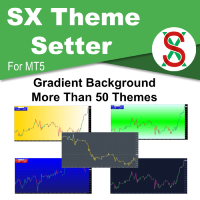
SX Theme Setter is intended for changing chart appearance in 2 modes: - Gradient background mode:
In this mode, the indicator creates a gradient background for your chart. Colors, steps and gradient type can be selected by user. - Color theme:
Color theme mode provides more than 50 built-in different color themes which can be selected from a list. Most of these themes are converted from official color themes of real trading platforms of the past and present. Try them out and see if they suit
FREE
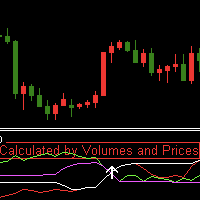
Indicator introduction:
The indicator is calculated by volumes and prices, It is a single side indicator, only has up arrow signals. It is better to use it in conjunction with other trend indicators, and you need to find the most efficient time to use it in order to acquire a high winning probability. The indicator can send emails, alerts and notifications to you when the indicator before k line has an up arrow. The indicator's parameters can be changed, including the computation period of the
FREE

THE>>>>>>___IIIREX_CLAW_vs_CLUSTER_EAIII___<<<<<< Set1: Price Offset 100, Stopp Loss 100-1000, Take Profit 2000
Set2: Price Offset 200, Stopp Loss 100-1000, Take Profit 2000
Set3: Price Offset 100, Stopp Loss 100-1000, Take Profit 1000
Set4: Price Offset 200-500, Stopp Loss 100-1000, TakeProfit 1000
Set5: PriceOffset 100-1000 (Recomment 200) higher is lower Risk, Stopp Loss 500 Take Profit 1000, 2000, 3000 it is the same Target
Set it to your Moneymanagement
Indize: DE40
“IC Market” R
FREE

Reward Multiplier is a semi-automatic trade manager based on pyramid trading that opens additional orders with the running profit of your trades to maximize return exponentially without increasing the risk.Unlike other similar EAs, this tool shows potential profit/loss and reward to risk ratio before even entering the first trade! Download full version here ( In the mini version. Starting lot is fixed at 0.01 (or minimum allowed lot size ) Guide + tips here MT4 version here You only open the
FREE

Toro Eloso Trend Oscillator Toro Eloso is a premium, high-tech trend-following indicator designed specifically for the MetaTrader 5 platform. By combining the aggressive buying force of the Bull (Toro) and the strategic selling pressure of the Bear (El Oso), this indicator provides a clean, dual-force oscillator to help traders identify the true market direction with minimal lag. Unlike standard lagging oscillators, Toro Eloso analyzes real-time momentum shifts and filters out market noise, giv
FREE

MA200 Confirmed Breakout (3rd Candle) — Clean breakout logic with confirmation “Focused on XAUUSD (Gold) : Leave your feedback and rate it, then send me a message and I'll send you the tested parameters. If you want an Expert Advisor that is simple, objective, and easy to configure , this robot is built around a classic market concept: breakout of a Moving Average (default: 200) with direction confirmation and entry on the 3rd candle . The goal is to reduce “impulsive” entries and avoid many fal
FREE

TickAll - Automated Trading Robot
Introduction: TickAll is an automated trading robot designed to assist both novice traders and professional traders in the Forex market. Utilizing advanced algorithms and up-to-date market analysis, TickAll helps you make the best trading decisions. Market Analysis: TickAll continuously monitors the market, analyzing various indicators, price movements, and patterns to identify potential trading opportunities. Trend Identification: Using sop
FREE

이중 라인 신호, 멀티 타임프레임 지원, 사용자 정의 시각 신호 및 구성 가능한 알림 시스템을 갖춘 DIDI 지표(3-MA 비율).
프리랜서 프로그래밍 서비스, 업데이트 및 기타 TrueTL 제품은 제 MQL5 프로필 에서 이용 가능합니다.
피드백과 리뷰를 매우 환영합니다!
DIDI란? DIDI는 서로 다른 기간을 가진 세 개의 이동평균(MA) 간의 관계를 표시하는 비율 지표입니다: Curta(단기), Media(중기), Longa(장기). 지표는 Curta와 Longa MA를 Media MA로 나누어 두 개의 비율 라인을 계산하며, Media는 1.0의 기준 레벨로 기능합니다. DIDI는 빠른 이동평균과 느린 이동평균이 중간 기간 평균과 어떻게 관련되는지를 보여줌으로써 추세 강도와 잠재적 반전 지점을 식별하는 데 도움을 줍니다. 1.0 이상의 값은 MA가 기준선 위(강세)에 있음을, 1.0 미만의 값은 MA가 기준선 아래(약세)에 있음을 나타냅니다. Curta와 Longa 라
FREE

Volatility Doctor RSI를 소개합니다. 이것은 신뢰할 수 있는 RSI 지표를 기반으로 한 혁신적인 도구로, 여러분의 거래 경험을 전례 없이 높여줄 것으로 디자인되었습니다.
우리의 지표는 실시간 RSI 값을 제공하는 것뿐만 아니라, 선택한 시간대와 원하는 거래 심볼에서 RSI 값이 10단계 이후 어디에 위치할지 정확하게 예측합니다.
적응형 인텔리전스: 이 도구는 모든 시장에 적응하며, 당신만의 독특한 거래 전략에 매끄럽게 통합되어 의사 결정 프로세스를 향상시킵니다.
Volatility Doctor RSI로 오늘부터 거래를 향상시키세요.
평화, 번영, 그리고 수익성 있는 거래가 함께하길 바랍니다.
Gamuchirai Zororo Ndawana
Volatility Doctor.
FREE

SM Telegram Scanner (Free Edition) is an efficient multi-currency market scanner for MetaTrader 5 that automatically tracks overbought and oversold conditions using the RSI indicator for EURUSD and GBPUSD , sending instant notifications directly to your Telegram. No more staring at charts for hours. The scanner works in the background and sends detailed signal alerts (currency pair, timeframe, RSI value, and current price) straight to your phone. How It Works: The Expert Advisor continuously an
FREE

이 응용 프로그램은 당신이 당신의 개인 정보를 보호 할 수 있습니다. 이는 다른 서버에서 거래 전략의 결과를 확인하는 데 유용 할 수 있습니다.
예를 들어,계정 내역 내보내기를 사용하여 계정의 거래 내역을 원하는 형식의 파일로 내보내거나,전문가 내역 내보내기의 프로그램 코드를 전문가에게 연결하여 내역을 내보낼 수 있습니다.
파일의 시작 부분에 이러한 라인이 있어야합니다:
날짜,티켓,유형,기호,볼륨,항목,가격,정지 손실,수익,이익,수수료,수수료,스왑,매직
이 파일의 처음부터 위치하지 않을 수 있습니다,즉,다른 정보는 그 앞에 갈 수 있습니다.
그 후 파일의 끝에 하나의 트랜잭션에 대해 쉼표로 구분 된 필드 값이있는 줄이 있습니다. 행의 필드 값:
DATE - date in the format YYYY.MM .DD HH:MM:SS TICKET - transaction ticket (integer) TYPE - transaction type from ENUM_DEAL_TY
FREE

트레이더라면 누구나 아는 절차가 있습니다. 지표 설정을 열고, 숫자를 바꾸고, 확인을 누르고, 차트를 들여다보다가, 아니라고 판단하고, 다시 설정을 엽니다. OsMA(Moving Average of Oscillator, 즉 MACD 히스토그램만 따로 떼어낸 지표)는 MACD와 똑같이 세 개의 숫자를 갖기 때문에, 다른 조합을 시험해 보고 싶을 때마다 설정 창을 똑같이 세 번 오가야 합니다. OsMA Live Tuner가 그 과정을 끝냅니다. 차트 위에서 실시간으로 조절하는 OsMA 히스토그램(MACD 라인에서 Signal 라인을 뺀 값)입니다. 차트 위에 Fast EMA, Slow EMA, Signal 기간 세 개의 슬라이더가 달린 작은 패널이 놓입니다. 아무 슬라이더나 드래그하면 히스토그램이 보는 앞에서 즉시 재계산되고 다시 그려집니다. 12/26/9냐 내 숫자냐 하는 문제는 포럼 글이 아니라 내 차트에서 몇 초 만에 답이 나옵니다. 껍데기가 아닌 진짜 OsMA. 이 지표는 교과서
FREE

Product Name: SavasaLaS Tutelage | Pro Price Action Compass Stop guessing. Start trading with Confluence. SavasaLaS Tutelage is not just an indicator; it is a complete trading system designed for the serious Price Action trader. It eliminates chart noise by strictly enforcing the three pillars of institutional trading: Market Structure , Trend Direction , and Candlestick Verification . Unlike standard indicators that flood your chart with weak signals, SavasaLaS Tutelage waits for the "Perfect O
FREE

EA Brian Breyli Vana — Smart Breakout ATR Automated Breakout Trading with ATR-Based Risk Management & Optimized Performance EA Brian Breyli Vana is a professional MT5 Expert Advisor designed for automated XAUUSD breakout trading on H1 . The EA combines breakout detection, trend confirmation, ATR-based trade management, dynamic position sizing and multi-layer risk protection into one automated trading system. Designed for traders who want structured automated trading without Martingale, Grid or A
FREE

CC Cent 바스켓이 청산될 때마다 휴대폰으로 Telegram 메시지를 보내는 작은 읽기 전용 유틸리티이며, 선택적으로 일간 및 주간 수익 요약도 보냅니다. MT5를 열지 않고도 결과, 순이익, 오늘 합계를 확인할 수 있습니다. CC Cent(Cash Cow Cent) 전용 무료 보조 도구. 읽기 전용. 거래를 열거나, 닫거나, 수정하지 않습니다. CC Cent EA가 필요합니다: 마켓에서 CC Cent 받기
Notifier for CC Cent: 소젖을 짜는 순간을 바로 알려 드립니다. Notifier는 계좌 내역만 읽습니다. 주문을 내거나, 청산하거나, 변경할 수 없으므로 실계좌 옆에서 안전하게 실행할 수 있습니다.
메시지에 표시되는 내용 Result : WIN Net : +8.56 USC Basket : BUY 1 pos, 0.08 lot Close : 4,123.45 Duration : 1m Max DD : -12.40 USC (0.1%) Today : +42.15
FREE

Multi currency and multi timeframe scanner. Scans all instruments in "market watch" and gives either pc-alert or push-notification to the phone on a breakout. A breakout is by default defined as when a candle becomes longer than three ATR with a period of 300.
If you have the need for a custom buildt scanner, to scan for your particular setup. Please add a personal jobb under the Freelance section.
Functionality
Has spread filter , to not open stupid mega spread crypto currency charts. Has lo
FREE

When executing an order, whether through the Metatrader ticket on a computer or the Metatrader app on a mobile device, either manual or pending,
Easy Trade will automatically set the take profit and stop loss levels, as well as a limit order with its respective take profit and stop loss levels. It follows the trading strategy for market open (US30, US100, US500), but it can be applied to any market asset.
FREE
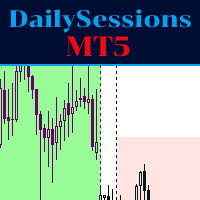
The indicator represents the session boxes for the Asian, European and American sessions. It is possible to change the time of each session, such as color. It is also possible to disable the display of each session. You will find in input parameters variables to modify in format hh:mm. In Colors tab you can change the color of boxes of each sessions. If you need some implementations please contact me.
FREE

# MiniBull Guard v1.30
## Never trade without a stop again.
**You open the trade. MiniBull Guard sets the stop, shows the risk and keeps your head clear.**
- **No more naked positions.** Every new trade gets a stop loss within moments, even when you forget, hesitate or trade from your phone. - **A stop the market can breathe around.** Sized from real volatility (ATR) by default, or from a distance you choose. - **Know your loss before it happens.** In money and in percent of your equity, not
FREE

# Statistic Titan — Lịch Sử Giao Dịch Của Bạn, Được Biến Thành Huyền Thoại
**Lịch trình hiệu suất hàng tháng hiển thị ngay trên biểu đồ của bạn — không cần bảng tính, không cần ứng dụng bên thứ ba, không cần xuất dữ liệu.**
Hầu hết các nhà giao dịch theo dõi kết quả trong một mớ hỗn độn các báo cáo của nhà môi giới, sổ tay và các tab Excel, những thứ nhanh chóng trở nên lỗi thời ngay khi một giao dịch mới kết thúc. Statistic Titan thay thế tất cả những điều đó chỉ bằng một cái nhìn: toàn bộ
FREE

You may find this indicator helpfull if you are following a session based strategy. The bars are colored according to the sessions. Everything is customisable.
Settings: + Asia Session: zime, color, high, low + London Session: zime, color, high, low + US Session: zime, color, high, low
Please feel free to comment if you wish a feature and/or give a review. Thanks.
FREE

EA designed to generate pending orders based on the trend and designated take profit value. This EA designed exclusively to work best on GOLD SPOT M5 especially during up trend. User can freely decide to close the open position from this EA or wait until take profit hit. No parameters need to be set as it already set from the EA itself. This EA do not use Stop Loss due to the applied strategy. Please do fully backtest the EA on the worst condition before use on the real account. Recommended ini
FREE

Multi-Symbol Correlation and Exposure Dashboard
TAGLINE
Avoid stacking the same risk without realizing it.
PRODUCT OVERVIEW
CorrelationGuard Navigator MT5 is a correlation and exposure-awareness indicator for MetaTrader 5. It is designed to help traders monitor how closely the current chart symbol is moving relative to a custom watchlist of other symbols.
Instead of using the indicator to find an entry directly, the trader uses it to manage risk concentration and avoid duplicate exposure.
FREE

Slave Link >> https://www.mql5.com/en/market/product/160092
CopyTrade Server is a lightweight, reliable local trade copier for MetaTrader 5 that mirrors positions from a Master account to one or more Slave accounts using a fast shared-file mechanism. It is designed for signal providers, account managers, and traders who need precise synchronization of trades with flexible delay and lot control.
Main concept Role: Works as the Slave side of a local copy trading setup and receives trades fro
FREE

Product Description Clean, Smart Sessions is a professional trading sessions indicator designed to provide traders with a clear, accurate, and clutter-free view of the active market sessions directly on the chart. The indicator dynamically detects and displays the active trading session (Asian, London, and New York) in real time, drawing a clean session box that continuously updates to reflect the session’s true high and low. When sessions overlap, each active session is handled independently
FREE

FluxMA – Moving Average Expert Advisor with Professional Risk Management
FluxMA is a simple, clean, and robust Expert Advisor (EA) based on price crossovers with a configurable moving average.
It's designed for traders who want a transparent system, without martingale or grids, and with serious risk management based on a percentage of the balance or equity.
It's not a "black box": you know exactly when it enters, where it places the Stop Loss (SL) and Take Profit (TP), and how much it risks
FREE

SMART ZONES is an advanced institutional indicator for MetaTrader 5 designed for traders who want to identify real market decision zones with precision and clarity. The indicator automatically plots: Previous day high Previous day low 50% range level POC (Point of Control) based on highest traded volume Main institutional value zones SMART ZONES helps traders identify: liquidity areas institutional defense zones possible reversals true breakouts market balance levels price acceptance and rejecti
FREE
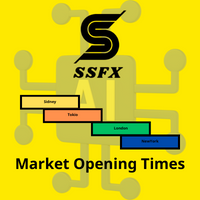
The index makes it easy for traders to know the opening and closing times of global markets :
- Sidney - Tokyo - London - New York
Where it misleads each time zone and enables us to know the times of overlapping the markets when the liquidity is high.
To get more indicators and signals, follow us on the Telegram channel link
https://t.me/tuq98
Or our YouTube channel, which has explanations in Arabic and a technical analysis course
https://www.youtube.com/@SSFX1
FREE

이 지표는 Force Index(포스 인덱스) — 각 봉의 가격 변화에 그 봉의 거래량을 곱한 값 — 를 적응형 표준편차 밴드 안에 표시합니다. 가격만으로는 시장이 움직였다는 사실만 알 수 있지만, Force Index는 그 움직임에 얼마나 큰 힘이 들어갔는지를 보여줍니다. 거래량이 적은 상태의 큰 가격 변화와 거래량이 많은 상태의 작은 변화는, 캔들 모양이 비슷해 보여도 전혀 다른 사건입니다. Force Index는 이 두 가지를 하나의 값으로 결합해 구분하며, 밴드는 그 값을 해당 종목 자체의 최근 움직임이라는 맥락 안에 놓습니다. 작동 원리 각 봉에 대해 원시 Force Index는 현재 종가와 이전 종가의 차이에 해당 봉의 거래량을 곱한 값입니다. 봉이 상승 마감하면 양수, 하락 마감하면 음수이며, 그 크기는 거래된 양에 따라 달라집니다. 기본값은 Tick Volume이며, 브로커가 Real Volume을 제공하는 경우 자동으로 적용됩니다. 이 원시 시계열은 선택한 기간과 이
FREE

The MarketMaverick Expert Advisor is a MetaTrader 5 algorithm by Themichl LLC, designed for forex trading. It uses technical indicators and risk management for automated trading within specified hours. Key features include Bollinger Bands, ATR, ADX, and Moving Averages for trade execution; risk management with dynamic lot sizing, and flexible stop-loss/take-profit; trading restrictions like news filters and cooldown periods; error handling with logging; and extensive customization options. It a
FREE

Heikin Guardian EA – Smart Trend Trading with Capital Protection (MT5) Heikin Guardian EA is a professional automated trading system built on
Heikin Ashi price action , combined with multi-timeframe trend confirmation
to deliver precise entries, disciplined exits, and strong capital protection. It is designed for traders who value consistency, control, and risk management
over aggressive and unstable strategies.
Works with all currency pairs, especially Gold. Please use timeframe : Day F
FREE

DaySpread MinMax — spread indicator with daily Min/Max What it shows: Current spread (Cur) Minimum spread for the current day (Min.day) Maximum spread for the current day (Max.day) How it works: Every 1 second the indicator reads Bid/Ask for the current symbol. Current spread is calculated as (Ask − Bid) / Point (in points). Min.day/Max.day are tracked during the day and reset when a new trading day starts (D1). The values are displayed on the chart as a compact text panel. You can drag the pan
FREE

더 이상 수동으로 랏 크기를 계산하지 마세요. 과도한 리스크, 복수심에 의한 거래, 프로프 펌 규정 위반을 멈추세요. 단 한 번의 실패한 거래로 인해 계좌가 파산하는 것을 막으세요. Risk Reducer 는 차트에서 바로 자동 포지션 크기 조정(랏 크기 계산기) 및 고정 리스크 주문 설정이 가능한 수동형 MetaTrader 5 거래 패널입니다. 원하는 리스크를 선택하고 , 매수 ( BUY ) 또는 매도 ( SELL ) 를 클릭한 뒤 차트에 손절매 ( Stop Loss ) 를 설정하면 , Risk Reducer 가 자동으로 랏 크기를 계산합니다 . RR 이 활성화된 경우 , 이익 실현 ( Take Profit ) 은 손절매 거리와 선택한 리스크 / 수익 비율 값을 바탕으로 산출됩니다 . 전체 거래 미리보기를 확인하고 , 실시간 체결 가격을 확인한 후 , OK 버튼을 눌러 수동으로 주문을 확정하세요 . Risk Reducer에는 계좌 수준의 통계 및 한도 기능도 포함되어 있어, 수동
FREE
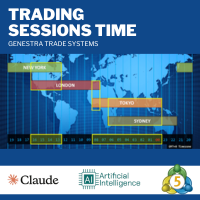
This MetaTrader 5 indicator identifies and visually displays the trading hours of major financial markets (Europe, US, and Asia) on the chart. Through customizable colored fills, it marks the trading periods of each market, respecting server times (GMT+2) and excluding weekends. Market names are displayed near the top of the chart in Arial Black font, also with customizable color. The indicator automatically adjusts to the chart scale, maintaining the fill across its entire vertical range.
FREE

Logic Trade Solution Indicator (Standalone)
Idea by Suresh Dhuraisami | Code by Rafilathif Description The Logical Trading System (LTS) is a powerful multi-timeframe indicator for MetaTrader 5, designed around the concept of Valid Reversal Zones (VRZ). It generates precise trading signals and delivers comprehensive alerts, ideal for traders who value structured price action and zone-based strategies. Key Features VRZ Zone Detection: Identifies high-probability reversal zones using swing hig
FREE

[FREE EA] EA23 TANIN HEIKEN CCI: THE PULLBACK ASSASSIN & PROP FIRM SHIELD Are you tired of entering trends too late and getting caught in drawdowns? Meet EA23 Tanin Heiken CCI , a commercial-grade automated trading system designed to catch the perfect pullback entries in a strong trend. THE BIG UPDATE: NO MORE .SET FILES! For the first time, you don't need to download or load messy .set files. EA23 comes with Built-in Presets . Just select your mode from the dropdown menu (Prop Firm Safe M
FREE

Line Master – Trend Lines & Direction Arrows Line Master is a professional trend indicator for MetaTrader 5. It helps traders identify market direction by combining fast and slow trend lines and generating arrows at trend change points. Features: Slow Trend Line: Represents the overall market trend. Fast Trend Line: Responds quickly to short-term price changes. Color-Coded Lines: Uptrend: DodgerBlue Downtrend: Crimson Trend Arrows: Signals appear when the trend changes. Adjustable Inputs: Fast l
FREE

Cycle Identifier Pro: Advanced Swing Highs & Lows Indicator Description: Unlock the full potential of your trading strategy with Cycle Identifier Pro , a cutting-edge indicator meticulously designed to pinpoint swing highs and swing lows with unparalleled precision. Whether you’re a seasoned trader or just starting out, Cycle Identifier Pro offers the tools you need to navigate any market condition across all timeframes with confidence. Key Features: Accurate Swing Detection : Swing Highs and Lo
FREE
Rinse and Repeat indicator for 3 day/session/week setups. Check out our other products for fxer.net:
https://www.mql5.com/en/market/product/114888
https://www.mql5.com/en/market/product/114890
Indicator daily features: Daily close/high/low Weekly open/high/low/close Month open/high/low/close Daily breakouts Daily failed breakouts Asia/London/New York sessions Inside days Outside days Green days Red days
Indicator weekly features:
Weekly breakouts Week dividers Indicator other features: Das
FREE

Black Friday PROMO launch My portfolio . I am giving this expert advisor for FREE.
The Expert Advisor has been developed by AI for Nikkei and M15 timeframe. There is no need to set up parameters, all settings are already optimized and fine-tuned. Recommended broker RoboForex because of EET timezone.
My recommendation is to have a look also at the rest of my products in the portfolio, as they work very well together in combination. Check other portfolio screenshots.
Dax Ai , Daw Ai , Niki Ai ,
FREE

GODFX SMA: Command the Trend. Rule the Momentum. GODFX SMA is a high-performance trend-following engine designed for traders who demand institutional-grade execution. Built on the foundation of Moving Average Convergence , this algorithm filters market noise to capture the core of price expansion. Where retail indicators lag, GODFX SMA anticipates. It identifies the precise moment of structural shift, entering only when the "Golden Cross" or "Death Cross" signals a high-probability trend rev
FREE

NEW : integration with Ofir Signals to send personalized alerts
Ofir Notify is a tool which send alerts on trades to Telegram Alert on any event concerning a position : Opening, Closing, modification (SL, TP) Send alerts to Chats, Groups and Channel Alert on Equity change Display Risk, Reward and progress of profit/lost for each position Customization of alerts Sending charts screenshots with alerts Send signals from your indicators or experts Multi-lingual NEW : version 2 brings integration
FREE

Sniper Trend System - Advanced Algorithmic Following Sniper Trend System is an institutional-grade Expert Advisor (EA) specifically designed to capture and ride the cleanest market trends. Instead of trying to guess tops and bottoms, this algorithm waits patiently in the shadows until the main trend is mathematically confirmed, executing entries with pinpoint engine and rigorously backtested with high-quality tick data (Dukascopy), this system has passed comprehensive stress tests to prove a
FREE

MaxStack GBPUSD ENTRY Simple. Focused. Risk-Controlled Entry. MaxStack_GBPUSD_ENTRY is a lightweight version of our premium EA " MaxStack_GBPUSD_PREMIUM ", built for precision entries on the GBPUSD 15-minute chart. Designed for traders who want a taste of smart automation with controlled risk exposure, this EA offers dependable trade execution with essential features unlocked. Key Features Built for GBPUSD M15 – plug, set, and run. Automatic trade execution using our proven entry logic.
FREE

Secura Reversal EA – Catch market reversals with precision!
RSI + Volume + ATR-based money management, with built-in Break-Even protection.
Safe, smart, and ready-to-trade out of the box. Recommended for forex major pairs. contact me for set files Secura Reversal is an Expert Advisor designed to identify potential reversal points in the market using a combination of RSI, Volume, and ATR filters. It provides flexible money management, including fixed lot or risk-based lot sizing, and includes
FREE

======================================================== BUY/SELL VOLUME MOMENTUM DASHBOARD - MQL5/MT5 MARKET DESCRIPTION (formatting: **bold** = Bold button; lines with • = bullet list; UPPERCASE = heading) ========================================================
OVERVIEW ------------------------------------------------------- **Buy/Sell Volume Momentum Dashboard** reads buying vs selling volume momentum and presents it as a clear on-chart dashboard, so you can see which side is driving the m
FREE

GoldEdge Signal Indicator
Description
Professional signal indicator for XAUUSD (Gold) based on a validated trend-pullback strategy. Draws BUY/SELL arrows on the chart with calculated SL/TP levels, a real-time dashboard, and popup alerts.
Validated edge: PF 1.44 / Sharpe 3.87 / Max DD 3.95% (12-month backtest, real ticks).
What It Does
- BUY/SELL arrows drawn directly on the chart at signal bars
- Entry, SL, and TP horizontal lines for the last signal (visual trade setup)
- Live dashboard sho
FREE
The indicator looks for the "Fifth dimension" trade signals and marks them on the chart. A detailed description of the chart patterns that generate the trade signals can be found in Chapter 8 "The Balance Line Trades" in the book Williams' "New Trading Dimensions". Signal levels with indication of the position entry or stop loss placement price are indicated directly on the chart. This feature creates additional convenience for the trader when placing pending orders. A solid horizontal line is d
FREE

Check out the detailed blogpost with screenshots: https://www.mql5.com/en/blogs/post/771285
Features All trades in one subwindow — Every open BUY and SELL order gets its own mini candlestick chart, no matter what symbol it belongs to. Smart price scaling — EURUSD and BTCUSD look the same size. The indicator uses ATR normalization so every trade is equally readable. Live candle updates — The latest candle reflects the real-time Bid price, not just the last close. Entry, SL & TP lines — See exact
FREE

Core Positioning A lightweight risk calculation tool tailored exclusively for the MT5 platform, focusing on the core needs of traders' daily risk control calculations. It deeply optimizes the operation experience and data display effect, adapts to various chart viewing and trading scenarios such as intraday trading and swing trading, and is a highly practical auxiliary tool for traders' daily risk control operations. Core Functions Easy Lot Size Editing: Click the input box to enter values dire
FREE

Price Ray indicator is a utility that will improve the way you trade. Primarily, it shows the Bid, Ask or Last price as a line ray which beams till the current candle, last visible chart candle or extended to all candle bars. The enhanced features in this indicator provide information in an area where you focus most, right next to the current candle. You can select text to be shown above or below the Price ray. The indicator is fully customizable, allowing it to fit any strategy requirements. Th
FREE
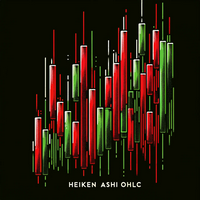
Are you tired of trading without a clear direction ? Do market fluctuations and noise leave you feeling overwhelmed ?
Here is the solution you've been searching for! Imagine an indicator that simplifies trading, cuts through market noise, and provides crystal-clear signals. The Heiken Ashi OHLC Indicator does just that!
What does the Heiken Ashi OHLC Indicator do? It transforms traditional candlestick charts into a trader's dream. Instead of dealing with erratic price movements, you'll witn
FREE

Daily Price Ruler Pro - Visual Grid for Daily Open Levels
An essential visual tool that creates a dynamic, customizable "Price Ruler" anchored to the Daily Open price. Perfect for day traders to track pip/point distances from the start of the day at a glance. Full Description: Daily Price Ruler Pro is a lightweight, highly customizable indicator designed for precise price action and distance tracking. It automatically plots a vertical "Ruler Body" ahead of the current price action, with hor
FREE
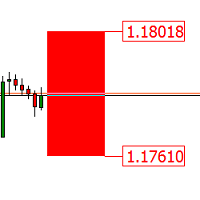
StopLevel 미터는 STOPLEVEL 레벨을 제어합니다. 레벨이 변경되면 경고로 신호를 보냅니다. STOPLEVEL - 스탑 주문을 하기 위한 현재 종가에서 포인트 단위의 최소 오프셋, 또는 포인트 단위로 허용되는 최소 손절매/이익 실현 수준. STOPLEVEL 값이 0이라는 것은 손절/이익 실현을 위한 최소 거리에 대한 제한이 없거나 거래 서버가 터미널로 전송할 수 없는 동적 수준 제어를 위해 외부 메커니즘을 사용한다는 사실을 의미합니다. 두 번째 경우에 STOPLEVEL은 실제로 "부동" 상태입니다. 표시기 설정: color_ - 레벨의 구역 색상 draw_bars - 레벨 영역을 표시하기 위한 막대의 수 width_price - 가격 라벨의 두께 미터는 STOPLEVEL 레벨을 제어합니다. 레벨이 변경되면 경고로 신호를 보냅니다. STOPLEVEL - 스탑 주문을 하기 위한 현재 종가에서 포인트 단위의 최소 오프셋, 또는 포인트 단위로 허용되는 최소 손절매/
FREE

지표는 매일 현 상황에 대한 추세와 목표를 보여준다. 이 지표는 또한 시장 상황의 올바른 정의를 세기 위해 손실 처리 거래의 수를 줄인다. 당일 내 분석 및 무역을 위해 설계됨.
사용방법:
파란 선은 당일 목표를 정하는 특별한 4선 공식에 설정된 하루 중 개점 가격을 보여준다. 여러분은 그 추세를 보고 공개할 수 있습니다.
회색 라인이 첫 골이다. 이러한 수준의 희생으로 도달할 때, 그 직책의 일부를 폐쇄하고 그들의 거래를 보호하는 것이 가장 좋다. 이러한 가격대에서는 트렌드 딜을 오픈하는 데 주의할 수 있습니다.
1046년대; "딜리팅"은 현재까지 갈 수 있는 마지막 목표이다. 가격이 그 수준에 근접할 때 대부분의 물량을 마무리하고 거래를 보호하거나, 트렌드 거래를 완전히 종결할 가치가 있다. 이러한 분야에서는 추세를 취하는 것이 권장되지 않는다.
1046년대; 엘티델리온은 꽤 먼 길을 뚫을 수 있지만 거의 뚫지 못한다. 보너스 수익입니다.
비둘기존의 가격이 하루 안에
FREE

Global Exchange Sessions Global Exchange Sessions is an MQL5 indicator that marks the regular trading hours of the world’s main stock exchanges directly on your chart. Each session is shown as a colored rectangle. The rectangle starts at the official market open and ends at the official market close. Its upper and lower edges follow the session high and low as new prices arrive. This makes it easy to see when major equity markets are active, where each session formed its range, and how price rea
FREE

1. The principle of InequationEurUsdChf4 intelligent trading system: The three currency hedge unbalanced arbitrage is the extension and continuation of the triangle arbitrage. As a common arbitrage method, triangle arbitrage has been used by many investors in foreign exchange trading. Triangle arbitrage is based on cross exchange rates, which is the basis of triangle arbitrage. The so-called cross exchange rate refers to the price of a non-US dollar currency expressed by another non-US dollar
FREE

Take a Break FREE is the free version of Take a Break , the account protection and risk management tool for all your Expert Advisors. It pauses your EAs before news, after a daily loss or when your own rules say so, and lets them continue when the pause is over. What the free version does Daily loss brake: a fixed limit of -5% per day is always active (reset at 00:00 server time). When it triggers, one chart pauses. News filter for one chart symbol: pause before and after scheduled releases, cur
FREE

PFA Simulator – Portfolio Simulation Expert Advisor
Introduction The PFA Simulator is a MQL5 Expert Advisor and the final step of the Portfolio Analyzer (PFA) system — a portfolio analysis toolkit included with any compatible Expert Advisors from this profile. The PFA system allows traders to build, merge, and simulate multi-asset, multi-strategy portfolios entirely within the MT5 Strategy Tester — with no external tools required.
The three-step PFA workflow: PFA Exporter (built into the EA)
FREE
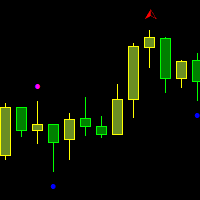
Fractals Broken/Unbroken This indicator detects classic Bill Williams fractals and separates them into two categories: broken and unbroken fractals. The tool helps traders quickly identify which fractal levels have already been broken by price action and which levels remain intact as potential support or resistance zones. The indicator works directly on the chart and displays different fractal types using separate colors for easier visual analysis. How It Works The indicator uses the standard 5-
FREE

Key Features of v1: Smart Compact Layout: Specifically optimized for Crypto (BTC) and Gold (XAU). Prices and Volumes are separated into independent columns. No more overlapping text, keeping your chart clean and professional. ️ Micro-Volume Visibility: A forced rendering algorithm ensures that even the smallest pending orders are visible as micro-bars, so you never miss liquidity details. ️ Smart Status Detection: LIVE DATA: When the broker provides real Level 2 data, the panel glow
FREE
In the world of finance, correlation is a statistical measure of how two securities move in relation to each other. Correlations are used in advanced portfolio management. This indicator measures how different securities move in relation to a reference one, thus making portfolio management easier. [ Installation Guide | Update Guide | Troubleshooting | FAQ | All Products | Get Help ] Avoid concurrent trades in highly correlated instruments Find trading opportunities among highly correlated
FREE

M GH ZigZag Momentum ATR Pro – Version 1.6 MGH ZigZag Momentum ATR Pro is a fully automated trading system designed for gold (XAUUSD runs on the M15 timeframe). It integrates internal ZigZag Structure Mapping, multi-layer momentum filters, and a hybrid stop-loss system to deliver stable long-term performance with risk management. Version 1.5 adds a function to Scan Strateg with 3 time frames, filtering open orders more accurately, and adjusting trade opening and closing times base
FREE
MetaTrader 마켓은 MetaTrader 플랫폼용 애플리케이션을 구입할 수 있는 편리하고 안전한 환경을 제공합니다. Strategy Tester의 테스트를 위해 터미널에서 Expert Advisor 및 인디케이터의 무료 데모 버전을 다운로드하십시오.
MQL5.community 결제 시스템을 이용해 성능을 모니터링하고 원하는 제품에 대해 결제할 수 있도록 다양한 모드로 애플리케이션을 테스트할 수 있습니다.
