 MetaTrader 5
 Experts
 지표
지표
 라이브러리
라이브러리
 유틸리티
유틸리티
 위젯
위젯
 규칙
규칙
MetaTrader 4용 새 Expert Advisor 및 지표 - 302
 트레이딩 로봇은 자동으로 시장거래를 수행하는 반면 지표는 가격을 더 잘 분석하고 가격 행동을 예측할 수 있게 해줍니다.
이러한 어플리케이션을 사용하면 MetaTrader 4에서 더 많은 기회를 포착하는 동시에 보다 정보에 입각한 방식으로 거래를 수행할 수 있습니다.
트레이딩 로봇은 자동으로 시장거래를 수행하는 반면 지표는 가격을 더 잘 분석하고 가격 행동을 예측할 수 있게 해줍니다.
이러한 어플리케이션을 사용하면 MetaTrader 4에서 더 많은 기회를 포착하는 동시에 보다 정보에 입각한 방식으로 거래를 수행할 수 있습니다. 
This StrongCurrency is a complete trading system based on a variety of technical indicators, moving averages and pivots. Each of those elements can be assessed in defined rules and coefficients (depending on the indicator) providing limitless optimization scenarios for the StrongCurrency. In order to work the StrongCurrency creates a trend strength and entry point signal list display by evaluating these data, that takes data from all symbols. It extrapolates all the information in order to get t

PipSense Ichimoku is a fully automated trend following strategy that you can use to backtest a 10-year of data with modelling quality of at least 90%. It uses only an entry analysis based on the Ichimoku Indicator with a proprietary settings to detect price breakout movement. The success secrets of the Expert Advisor if backtested correctly are the combination of the entry method with the Money Management and multiple exit strategies. Once opportunity level is determined, it will open trades rig
UniversalIndicator is a universal indicator. A great helper for beginners and professional traders. The indicator algorithm uses probabilistic and statistical methods for analyzing the price of a trading instrument. The indicator is set in the usual way. Advantages of the indicator works on any time period works with any trading tool has a high probability of a positive forecast does not redraw Indicator Parameters LengthForecast = 30 - the number of predicted bars

This product is a multi-functional MT4 indicator and is an indispensable tool for account information statistics, strategy analysis and risk assessment. Functions:
1. Statistical account basic information of profit and loss . 2. Statistics and display the account profit and loss fund curve. 3. Display the order's track on chart ,so that we can analys the strategy and risk of the account. 4 .List account's trade pairs and order totals ,we also can see the profits of each pair.
If you have any qu
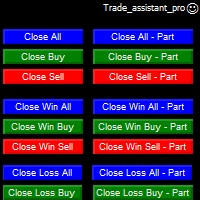
Trade Assistant helps in order management. Just run EA, set up your settings and open a store. EA automatically set = Target Profit, Stop Loss, Trailing Stop / Break Even, Close Trade after + "X" pips (Volume Size "X"%), Delete Pending Orders After "X" Seconds. See the buttons on the chart. He works to close trade, close partialli trade and delete orders
parameters: Set button - close partially (close all part) Volume Size "X"% More settings Enable / Disable Target Profit Target profit Enable
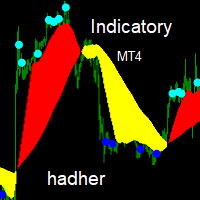
Indicatory is an indicator uses price action and averaging movement to trigger it's signals buy signal when the blue sun completely sunset's under the yellow clouds Sell signals when the aqua sun completely rise's over the red clouds you could call the indicator to any EA code for auto trading ,optimizing,sell signal index buffer number is (2) buy signals index buffer number is (3)... try to avoid weak signals which occur at the end of clouds ,strong signals occur's when there is a wid

TIMES TRAVEL IN THE TRADE
Now you have found what you were looking for !!
The Times is based on the probabilistic approach.
This EA has been working for years, is a very complex research project with the ultimate goal of creating a perfect trading robot.
This project has several updates!
This robot does not work with Grid or Martingale / Obs: There is a martingale option in it, but we do not use it, it is only for those who want to be at high risk!
The EA comes with fixed Stoploss and fix

With this indicator you'll have a general reading of the market's range using Gann's calculating modes. Gann's swing is used to have a quick reading to the market latest movements at first glance. The foundation of this swing calculation is in the count of candles in relation to the break-up and break-down of the price. When the price breaks-up the last maximum, the swing will get traced if a certain number of candles is exceeded from the last minimum. It can be used a "pure Gann" or not: If set

Over Arrow - уникальный авторский индикатор, имеющий возможность отображения сигналов в направлении основной тенденции, или против нее. Over Arrow подходит для любого таймфрейма, валютной пары, но лучше всего использовать его на средних временных периодах, таких как М30, Н1, Н4. Сигналы индикатора не пропадают ни при каких условиях. Отличительной особенностью является наличие фильтра тенденции, при активации которого, сигналы будут появляться только в направлении основного движения.
Параметры
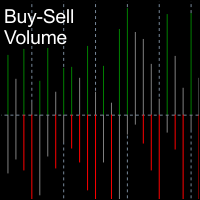
BuySell Volume is an indicator that approximates Buy and Sell volumes based on price movement. Input Description: applied_model: Choose the applied model. In low reversal mode, price is considered receive low bearish pressure during bullish candle's creation (high bearish pressure on high reversal model. In other words, Bullish Marubozu candles has really high Buy Volumes in low reversal model than in high reversal one.
Output Description: Buy and Sell Volume: Determines how many Buy and Sell vo
FREE
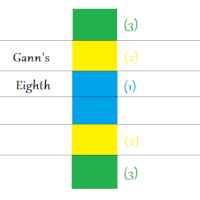
This indicator will let you have at disposal Gann's Eighth, with few clicks!! Gann's Eighth were used by this great Trader to obtain the maximum fluctuation price and the possible inversion points of it. Gann have always given importance to the number 8 in his studies, an it is the reason why we find the retracement points as 0.25(10/8=1.25). Other than the number 8, also the numer 3 had is own importance in Gann, number founded in the eighth division, infact we have three eighth describing the

NIGHTCRUSHER is a fully automated expert advisor, designed for scalping on quite market situation.
The Lite - Version is limited to minimal Lot per Pair and dont has lot mulitplier and dynamic function you can also run different strategies like swing trading or grid different Trade Entry Signals different Exit Strategies included (MA Cut / Signal Change / Trailing TP) clever Risk & Money management - Balance based - Longrun trades tracking You can also use a Grid function or Lot multipier, if ne
FREE

MHA News Trader v1.0 This Is a News Trader EA that has many similarities to other News traders. Strategy is placing two pending order some seconds before releasing high impact economic news on investing.com and removing remaining pending order some seconds after news releasing time and there are some extra features like trailing Stop , hidden trailing stop , recovery loss and lot multiplier. But what is very important it's choosing proper setting of parameters in proper broker. The EA is tested
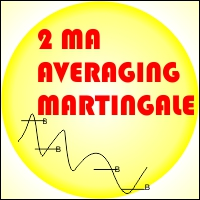
EA 2 MA Martingale Averaging If there is a crossing of the 1st MA Period through the Ma of the 2nd period from the bottom to the top then it will be Open buy, vice versa If there is a crossing of the 1st MA Period through the Ma of the 2nd period from the top to the bottom then it will be Open Sell
Installation of Charts on EA will affect the period of the Moving Average Example: EA is installed in H1 time frame, then MA indicator is Time Frame H1, EA is installed in M30 time frame, then MA i

TigerGrid EA MT4
TigerGrid EA robot is a fully automated robot for Forex trade. TigerGrid EA is based on the price actions and support and resistance, combine numerous indicators ,that It provides the possibility the best entries of the trade . This system uses a grid of orders . A new order is added into the grid only if the EA notice a potential reversal trend. The grid size is limited for more safety It can be used in any time frame but we recommend H1 . Do not believe in any backtest re

The Grid Expert Expert Advisor is a professional tool for trading grids of orders on financial instruments. The algorithm of the program is arranged in such a way that the EA uses signals based not on the current price, but on the price of the edges of channel. A special algorithm calculates the channel and the price range and uses it to generate signals. A special code processes the channel for the last several periods to identify the trend direction. Advantages Automatic trading mode, no n
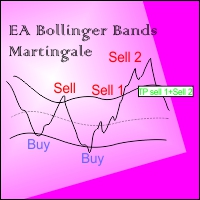
EA BB Martingale If the price touches the upper Bands then OP SELL. However, if the price rises again from the previous order, OP SELL will return with a larger Lot, if it goes down to the previous price then Close all sell transactions together (of course this profit has been calculated ), Conversely if the price touches the Lower Bands then OP BUY
This EA can run in two different directions (Buy will be counted separately from Sell orders) #Recomend Start Balance $1000 Flat movement is very
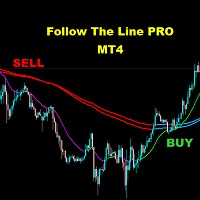
FOLLOW THE LINE (PRO VERSION) This powerful indicator is the full and complete version of my free indicator called "Follow The Line". IT IS BASED ON the popular maxim that: "THE TREND IS YOUR FRIEND" It gives alarms and alerts of all kinds. IT DOES NOT REPAINT and can be used for all currency pairs and timeframes.
AVOID FALSE SIGNALS:
BUY ONLY when price closes above the green line and the green line is above the blue channel.
SELL ONLY when price closes below the pink line and the pink line i
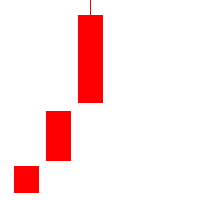
Outline A strategy based on K-line shape requires only three K-lines. Grasping opportunities quickly when the market is emotional can not only get into the market as soon as possible, but also make great profits. Understand the market through three K-lines. Parameter Lots: The basic position at the time of placing an order is 0.1 by default. SlipPage: Consider the impact of sliding points in trading,Default 3 base points.

Trading Hours:
useTradingHours = false; - if it is true, the system opens trades only in defined time;
StartTime = "06:00"; - start time of trading;
StopTime = "18:00"; - end time of trading;
GMT_Offset = 0; - GMT offset;mnvnmkvbb
Trading Days:
Monday = true;
Tuesday = true;
Wednesday = true;
Thursday = true;
Friday = true;
Saturday = true;
Sunday = true;
View settings:
showMenu = true; - if true, EA shows on graph information about open trade

This is a simple and useful indicator for gold. Timeframe is 15M.
It simply shows the meanginful potential turning check point for gold.
You can combine your method with this signal. You can use it as a part of your decision signal to become a more powful strategy for yourself to get more great decision.
The indicator will not be repianted. Just simple and useful. Guys, just try it.

The Wolfalizer Indicator combines the functionality of the Engulfing Stochastic along with the ConsecutiveRSI and adds alerts along with more detailed output to the journal. This Indicator will alert you when RSI or Stochastics cross into oversold or overbought. You can set the oversold and overbought levels for RSI and Stochastics separately. You can pick if you want an engulfing candle to appear on the cross or set a number of consecutive candles you would like to see. Interesting Inputs i

Djuba Breakout System
Djuba Breakout System is a fully automated breakout trading system.
Features
1. 100% Free
2. 100% automated trading system
3. No Martingale, No Grid
4. Trade with SL & TP
Recommendations
1. Pairs: EURUSD, GBPUSD
2. Timeframe: H1
Parameters
1. Lots: default lots. ignored if LotsFor1K > 0
2. LotsFor1K: lots per 1000 USD
3. MaxOrders: please set to 10
4. TestGmtOffset: the GMT offset for the backtest
FREE

22.12.2020 New version is released. Bug fixed and exit by MA removed.Improved fully automated Expert Advisor without martingale. Follow the trend. Checking important trade levels.
It is complex calculated to catch right trend strategy. Special candles, custom indicator and maths are used for entries. Live Results shown at here https://www.mql5.com/en/signals/669290 Default settings recomended for EURUSD m1/m5 gmt +3(or +2 winter time) . Click here for the symbol sets you can make testing .

"Grid Manual"은 주문 그리드 작업을 위한 거래 패널입니다. 이 유틸리티는 보편적이며 유연한 설정과 직관적인 인터페이스를 제공합니다. 그것은 손실을 평균화하는 방향뿐만 아니라 이익을 증가시키는 방향으로 주문 그리드와 함께 작동합니다. 거래자는 주문 그리드를 만들고 유지할 필요가 없으며 유틸리티에서 수행합니다. 거래자가 주문을 시작하는 것으로 충분하며 "Grid Manual"는 자동으로 그를 위한 주문 그리드를 생성하고 거래가 마감될 때까지 그와 동행할 것입니다. 전체 설명 및 데모 버전 여기 . 유틸리티의 주요 기능: 모바일 터미널을 포함하여 어떤 방식으로든 열린 주문과 함께 작동합니다. "제한" 및 "중지"의 두 가지 유형의 그리드와 함께 작동합니다. 고정 및 동적(ATR 표시기 기반)의 두 가지 유형의 그리드 간격 계산과 함께 작동합니다. 오픈 오더 그리드의 설정을 변경할 수 있습니다. 차트에서 각 주문 그리드의 손익분기점 수준을 표시합니다. 각 주문 그리드에 대한 이익
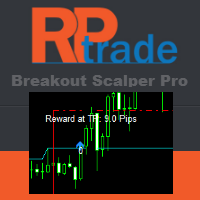
브레이크아웃 프로 스캘퍼 솔루션 이 표시기는 RPTrade Pro 솔루션 시스템의 일부입니다.
Breakout Pro Scalper Solution은 Price Action, Dynamic Support 및 Resistance를 사용하는 일일 추세 지표입니다. 누구나 사용할 수 있도록 설계되었으며 거래의 절대 초보자도 사용할 수 있습니다. 다시 칠하지 마십시오. 표시는 닫기에서 닫기로 제공됩니다. 단독으로 사용하도록 설계되어 다른 표시기가 필요하지 않습니다. 당신에게 하루의 시작에 추세와 잠재적인 이익실현을 제공합니다. 특정 그래프는 이력 데이터에 따른 잠재적 이익을 보여줍니다.
어떻게 작동합니까 Breakout Pro Scalper Solution은 가격 조치 및 동적 지원 및 저항과 결합된 브레이크아웃 전략을 사용합니다. 야간 추세와 변동성은 다음날에 사용할 것으로 분석됩니다. 이 분석에서 브레이크아웃 한계(파란색 및 진한 주황색 선)와 이익실현(Take Profit)이
ACB 돌파 거래 흐름 자동화 ACB Breakout Arrows EA는 적용된 차트의 돌파 신호를 평가하고 내장된 ACB Breakout Arrows 및 ACB Trade Filter 로직으로 거래를 관리합니다. 모니터링할 종목과 시간대 차트에 EA를 적용하고 자동매매를 허용한 다음 테스트 계획에 맞는 포지션, 세션, 필터 및 청산 규칙을 선택합니다. 필요한 인디케이터와 구성 요소가 EA에 내장되어 있으므로 별도로 다운로드할 필요가 없습니다. 해당 인디케이터 패널은 차트에 표시되지 않습니다. EA는 자체 거래 동작을 표시하며 Logging을 활성화하면 운영 정보를 플랫폼 Journal에 기록합니다. 거래를 열기 전에 진입 확인 Signal Sensitivity는 화살표 로직이 신호를 받아들이기 위해 돌파가 어느 정도 강해야 하는지 조절합니다. Bars for SL은 손절 방법이 인디케이터의 수준을 사용할 때 참조할 봉의 수를 조절합니다. ACB Trade Filter를 활성화하면

이 시스템은 두 가지 전략의 조합으로, 하나는 다른 하나를 보완합니다. 기본 전략은 가상 거래 라인을 사용하여 주문을 열고 다른 전략은 가격이 미리 정의된 범위를 벗어날 경우 이익을 달성하기 위해 하나 또는 여러 개의 주문을 엽니다.
가상 거래 라인은 또한 거래 채널을 기반으로 하며 계산된 채널 라인 위 또는 아래에 거래를 할 가능성도 있습니다. 동일한 채널이 두 번째 전략에도 사용되지만 거래를 시작하기 위해 다른 거래 조건이 추가됩니다. 두 번째 전략의 경우 가격이 채널 밖으로 이동한 후 MACD 표시기가 거래 조건을 확인하는 데 사용됩니다.
버전 4.4부터 기본 설정이 더 나은 것으로 변경되었으며, 원래 기본 설정, 수정된 설정(4.3에서 4.4로) 및 버전 4.4에 대한 기타 추가 설정은 게시물 #89의 "댓글" 섹션에서 찾을 수 있습니다. 쌍: EUR/USD.
기간: M 15 .
매개변수:
매직 - 매직 넘버 .
로트 - 사용 로트 크기가 고정되어 있고 자동 로트

Based on MACD indicator waves with standard parameters Applies Fibonacci levels to the last two MACD waves, positive and negative respectively, if at the moment the MACD indicator runs out of negative Wave - the color is green, if at the moment the MACD indicator runs out of positive Wave - the color is red. The Wave termination criterion is two ticks with a different MACD sign. Applies trend lines on the last four MACD Waves. Works well with the expert Figures MACD https://www.mql5.com/ru/mar

The trend pigs is a trend EA with a filtering system. It is recommended to configure the EA based on your experience.
To configure the EA, you can use the following indicators:
MA Cross indicator with parameters(periods) settings. Main signal A TREND indicator with parameters(periods) settings. There is a possibility of switching off. The Squeeze indicator with the settings(periods). There is a possibility of switching off.
The expert advisors have the ability to filter signals according to t
FREE

Close all Positions by one click with Fast system strategy, work with every pairs. By the way you can set to "Close all Sell", "Close all Buy" and Close all Orders on a Common Setting. This is a MetaTrader 4 Expert Advisor, Not working on MetaTrader 5.
Thank You FxGangster Powered by TheFxInvestment.com Twitter : @FxGangsterClub Email : Admin@TheFxinvestment.com
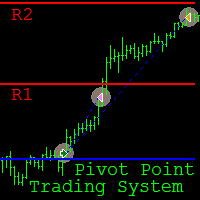
Pivot Point Trading System is a fully automated Expert Advisor (EA) designed for intraday trading on the M15 time frame . The main currency pair is GBP/USD , however it can be used on other pairs, provided that the input parameters are selected through optimization in the strategy tester. The EA implements trading strategies based on the breakout and rebound from the Pivot Point levels . The principle of the EA consists in order opening in the direction of the breakout of the Pivot Point level (

This indicator was tested on the basis of real statistics for all market indicators according to indicators for 3 months of trading. trade forecasts for usd / jpy on the m30 time frame were received on our statistics! if you have any questions, please contact us in private messages or in discussions under this indicator and we will figure it out and help
any questions will arise personal messages or in discussions under this indicator As soon as the blue points appear, we open a deal to increa

Swing & Price Action Trader ( SPA Trader) How to trade with SPA Trader? SPA Trader is a very special tool for both Automatic and Semi-Automatic trading . It works as an Indicator and Expert Advisor to trade fully automatic, if trader sets it to true and by false setting , then it will trade when trader enter into the position via SPA Trader manually, but the money management and risk management functions remain automatically to manage the opened positions for trader... The SPA Trader is the

Arrow indicator showing market trends The histogram shows the direction of movement, and the arrows indicate favorable points for opening positions. Can be used on any currency pairs, metals and cryptocurrency Suitable for working with binary options
Distinctive features Defines a change in trend; Works on all timeframes and on all symbols; Suitable for trading currencies, metals, options and cryptocurrency (Bitcoin, Litecoin, Ethereum, etc.) Suitable for manual trading and for developing advis

Grid Zone is an automated expert advisor. The system uses filtering measurements from trend signals to create buy zones and sell zones. Trading signals are processed by allocating them into the design zone. The system will automatically calculate the grid distance or the user can set it manually. The key is that it works well in all market conditions, either trend or sideways. The system has automatic management in terms of limited orders. The system can automatically manage delete pending orde

RSI indicator with signal lines, at the intersection of which a corresponding notification will be issued, which can be in the form of a normal alert, or in the form of a user sound file.
The indicator also has the function of sending push-notifications and email notifications at the intersection of these levels.
The values of the levels can be set independently in the indicator settings, and, if desired, they can be changed and configured directly in the indicator window. To check the oper
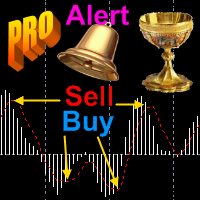
I present an indicator for professionals. ProfitMACD is very similar to classic MACD in appearance and its functions . However, ProfitMACD is based on completely new algorithms (for example, it has only one averaging period) and is more robust, especially on small timeframes, since it filters random price walks. The classic MACD indicator (Moving Average Convergence / Divergence) is a very good indicator following the trend, based on the ratio between two moving averages, namely the EM
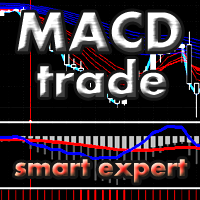
The Expert Advisor uses the dissonance analysis strategy between the wave formation of the price movement of the lower level and the fractals of two consecutive upper levels.
The data of the MACD indicator are confirmatory and decisive when making a decision to enter a transaction.
Each trading position has a stop loss and take profit.
Dangerous trading methods are not used.
The Expert Advisor has a non-linear trailing stop system.
Recommended trading tools for default settings: 5M: EURGBP,

Trend Exploit The logic behind Trend Exploit EA is very simple but effective , the EA uses breakouts of the Bollinger Bands for entry and exit signals, enter in the market in the direction of a strong trend, after a reasonable correction is detected. The exit logic is also based on the Bollinger Bands indicator and it will close the trade even on a loss when the price breaks Bollinger Bands line.
Trend Exploit was strictly developed, tested and optimized using the "Reversed Sampling" devel
FREE

RSI indicator with signal lines, at the intersection of which a corresponding notification will be issued, which can be in the form of a normal alert, or in the form of a user sound file.
The indicator also has the function of sending push-notifications and email notifications at the intersection of these levels.
The values of the levels can be set independently in the indicator settings, and, if desired, they can be changed and configured directly in the indicator window. This product is a
FREE
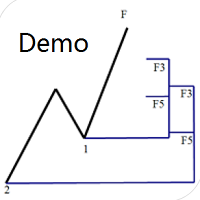
Dinapoli Levels Expansion and Retracement Demo An auxiliary tool written specifically for the DiNapoli point trading method. This is a trial version and there are no restrictions on the XAUUSD H4. Official version https://www.mql5.com/en/market/product/32213
The main function:
1. You can directly draw multiple sets of Fibonacci retracements, and the relationship between important return points is clear at a glance.
2. You can draw Fibonacci extensions, the ratio has three kinds of 0.618, 1, 1
FREE

TopSecret TopSecret - automated adviser for professional work in the foreign exchange market. The decision-making algorithm is based on my own method. Statistical methods for a certain time interval is calculated the price level to which the current market price of the trading instrument is always likely to return. The adviser works on any time period, but I recommend working on H1, H4, D1 . The Expert Advisor is installed in the usual way and is immediately ready for operation.
Advisor Benefit

ComplexPulse - pulse indicator or signal. Sensitive and responsive to price movements. The indicator shows the interdependence of various currency pairs, namely: USD, EUR, GBP, CHF, JPY.
Currencies are measured in relative units, so in each unit of time the sum of all currencies will be equal to zero. Hence, one of the main elements of cluster indicators is the zero line, or the balance line (zero line). If a currency is below the balance line, then it is said that the currency is oversold rela

Orion EA uses indicators to enter and exit orders. Giving you the choice of times to open orders. Orion EA works on both 4 and 5-digit quotes. This EA gives you the option of max spread which prevent EA from opening order during high spread. When a opposite signal appears: if there is an open order in profit, then the EA closes it; if the open order is in loss, the EA opens opposite orders. The EA has a Overlap Order option, this gives it the ability to use percentage of profit from the last ord
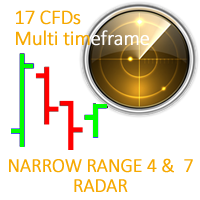
This ALL IN ONE indicator detects Inside Bar Narrow Range 4 and Inside Bar Narrow Range 7 two powerful patterns on 17 CFD on all timeframes. "Inside Bar Narrow Range 4" is an inside bar with the narrowest range out of the last 4 bars so "Inside Bar Narrow Range 7" an inside bar with the narrowest range out of the last 7 bars.
Hence, IBNR4 and better IBNR7 are an objective criterion for identifying decreased range and volatility. Once we find an IBNR4 or an IBNR7 pattern, we aim to trade the

This product is optimally used for scalping. It is a trend following system, it understands that the trend is your friend. It takes advantage of the buying/selling after the pullback in continuation of the current trend wave. It works by analyzing dynamic support and resistance, and is based on the Ichimoku Indicator variables which is know to be the most consistent & holistic indicator out there. Settings can also be adjusted to suite the market conditions. -> can be adjusted for longer term

The Expert Advisor uses the dissonance analysis strategy between the wave formation of the price movement of the lower level and the fractals of two consecutive upper levels.
The data of the Stochastic indicator are confirmatory and decisive when making a decision to enter a transaction.
Each trading position has a stop loss and take profit.
Dangerous trading methods are not used.
The Expert Advisor has a non-linear trailing stop system. Recommended trading tools for defaults: 15M: EURGBP, E

EA Undead is fully automated bot to generate a stable profit from the volatile FOREX market. This EA will never depend on any indicator.
How this EA works? At the very first it will open a Buy order and Sell Order at same time. And by default take profit will be 15 Pips for all orders. Once take profit reaches it will Re-Open that order. If the market goes against any order than it will add more positions, by default 50 Pips away from last open trade. To minimize the draw-down and loss and to b
FREE

Spread Data tool will display current spread and average spread. It will record spread for every hour (from 0 to 23) and can give better data about your broker spread. Run it for 2 days or more to get better spread data . Every spread smaller than MinSpread will be recorded as MinSpread Every spread larger than MaxSpread will be recorded as MaxSpread It help to decide what spread to be used when do backtest, EA spread settings, EA that trade in specific time interval, especially for scalping EA
FREE
This indicator determines minimum volumes needed during a candle formed so that it would be higher than current volume's average. Although you can place MAs on your volume indicator, this indicator has non-repaint characteristic so you may not to worry about sudden volume increase. This indiator also draw volume indicator for its own. Input Description: period: Period used for indicator. Must be higher than 1. Output Description: VolumeXover: This indicator's main feature. During the time the vo
FREE

Индикатор вычисляет наиболее вероятные уровни возврата цены. Может быть использован для установки уровня тейк профит. Рекомендуемый таймфрейм - любой, при соответствующей настройке. Настройки.
Period - количество свечей для анализа. Accuracy - точность расчёта уровня в пунктах. Width - размер ценовой метки. Отработка уровней как правило не занимает много времени, уровни достаточно точны при касании и процент возврата цены к ним достаточно высок. Но следует учитывать риск продаж на локальных мин
FREE
This indicator maps price crossover with Simple Moving Average (SMA) for each candle. Works like a SMA but has non-repaint characteristic. How to Use: As stated before, this indicator works like a SMA. Use this to determine trend. When price is above this line then the uptrend is expected (downtrend if price below the line). 2 of these indicator (with different periods) can also generate buy/sell signal like 2 SMAs. When the lower period SMA crosses higher period SMA from below, then buy signal
FREE

A pretty common candlestick Price Action is a 1-2-3 pattern. The appearance of this formation predicts a turn of the market with a high degree of probability. In most cases, pattern trading brings even a small but stable profit with low risks. Trading based on a 1-2-3 pattern can be carried out absolutely on all time frames, on charts of any currency instruments, as well as on the futures market. The structure of the model is not complicated, but this does not prevent us from finding good points

советник торгует на пробой уровней.Приносит не плохую прибыль.В настройках очень прост. _Parameters_EA="----- Parameters EA"; Slippage = 3; // Slippage Lot = 0.01; // Lot RangeO = 150; // distance from price oSL = 150; // SL oTP =150; // TP max_spread =100; // MAX SPEAD Magic=-1; // Magic (-1 All) text_color=Lime; // text_color
ext

ROUNDER Expert Advisor Rounder was built to trade round numbers as a grid type system . Easy to setup Trailing Stop for Entry Trade "Close All" Chart Button Controllable drawdown with MaxLoss Different options to control behavior Three lot size modes {SAFE, MEDIUM, AGGRESSIVE} Draws grid at round numbers SETTINGS: MagicNumber: Magic Number used for orders RecoveryTP: Take Profit used if more than one trade is opened
OpenOpposite: If open a trade in the opposite direction if true
ReverseTrad

BREAKOUT BO55QU uses break out strategy based on set time frame. It places pending orders at high and low of the break out box. It is designed for easy to use with target profit and capital protection. INPUTS Magic Number-trade unique number Trade Comment-custom trade comment Deposit($)- amount of money deposited for calculation. Take Profit(Pips)- value in pips Stop Loss(Pips)-value in pips Lot Size-default is 0.1 Lot Multiplier-default is 1.3 Max Lot Size- default is 100 Max Order- maximum n

ONE OF THE MOST SAFE AND POPULAR EAs !!
* Low Risk / Consistent Profit EA. * Works on EURUSD and EURJPY on M15 Timeframe only. * Capital requirement : Minimum : $300 Ideal : $1000 MUST : Please go through following blogs before Back Testing or Using the EA 1) General Strategy of Asmani Pro https://www.mql5.com/en/blogs/post/725758 2) Inputs explained in detail for Asmani Pro 21.3 https://www.mql5.com/en/blogs/post/725759 3) Backtesing for Asmani https://www.mql5.com/en/blogs/post

This is the binary options signal you all have been looking for. This in a modified version of the Garuda Scalper, that has been modified for Binary Options traders. Signals are very unique! Why this is so effective for binary options is because it is a trend following system, it understands that the trend is your friend. It takes advantage of the buying/selling after the pullback in continuation of the current trend wave. Because signals are generated after the pullback, you can place shor

The SkyRocket EURUSD scalping Ea is a very powerfull MT4 trading robot that uses a smart combination of common indicator to get the maximum profit from the market. I recommend to use it ONLY on EURUSD H1 , because this is the most profitable way from the best of my experience. I backtested it "only" from 01/01/2017 to 11/05/2018 because it's useless to test it for 10 years or more, because every Eas have to be updated evrey once in a while to get the best from them. In my opinion it's impossibil

Descption: The Volume Profile displays detailed informations of historical trading activities at certain price levels (Market Profile). So you can locate the areas with the best prices in the market and get an advantage about other market participants.
Features: Customizable Volume Profile / Market Profile Shows the "fair" Value Area with 70% of all Volume
Shows critical low volume zones
Shows VPOC, VAL and VAH Points Works on all timeframes Also available for MT5 ( https://www.mql5.com/en/mark
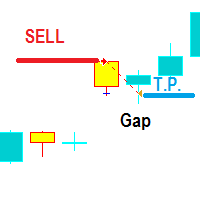
양초 사이에 간격이 발생할 경우 열린 거래를 기반으로 하는 이 방법은 간단하지만 올바르게 사용하면 잠재적으로 효과적입니다. 간격 크기에 대한 입력 값은 포인트 단위로 측정됩니다. 두 양초 사이의 마지막 간격과 간격 시간이 차트 주석에 표시됩니다.
모든 브로커가 이 거래 로봇에 적합한 것은 아닙니다. 테스트 및 최적화는 MQL 5 가격 기록을 기반으로 합니다. 또한, 거래 성사 시 로트 크기를 늘리고 손실 거래 시 로트 크기를 줄이는 스마트 로트 관리 기능과 다른 EA 주문과 차별화되는 매직 넘버를 갖추고 있습니다.
자정 가격 격차를 필터링하기 위해 스프레드와 시간 필터도 마련되어 있습니다.
기본 설정: EurUsd M15 기간.
대체 설정은 '댓글' 섹션에서 찾을 수 있습니다. 양초 사이에 간격이 발생할 경우 열린 거래를 기반으로 하는 이 방법은 간단하지만 올바르게 사용하면 잠재적으로 효과적입니다. 간격 크기에 대한 입력 값은 포인트 단위로 측정됩니다. 두 양초 사이

KT 변동성 오실레이터는 과거와 현재의 시장 데이터를 수학적 공식으로 분석하여 오실레이터 형태로 결과를 표시합니다. 증가하는 파동과 감소하는 파동은 각각 자산의 높은 변동성과 낮은 변동성을 나타냅니다. 간단히 말해, 변동성은 일정 기간 동안 자산 가격이 얼마나 변동했는지를 측정하는 지표입니다. 변동성이 없다면 시장의 움직임이 거의 없을 것이고, 트레이더들은 가격 변동을 통해 수익을 얻을 수 없을 것입니다.
외환 시장에서 변동성 활용
외환 시장에서 변동성을 적절히 활용하면 보다 효과적으로 거래할 수 있으며, 기대치를 현실에 맞춰 조정하는 데 도움이 됩니다.
높은 변동성
추세 기반 시스템은 변동성이 높은 시장에서 큰 스윙과 더 긴 포지션 보유 기간 덕분에 매우 잘 작동합니다. 고변동성 구간에서 발생하는 돌파는 더 많은 핍스를 획득할 수 있는 기회를 제공합니다. 낮은 변동성
평균 회귀 시스템은 시장이 평균값으로 되돌아가려는 성질이 있기 때문에 낮은 변동성 환경에서 특히 효과적입니다
이 다중 시간 프레임 및 다중 기호 추세 표시기는 강한 추세 또는 추세 반전이 식별되면 경고를 보냅니다. 이동 평균(싱글 또는 더블(MA 크로스오버)), RSI, 볼린저 밴드, ADX, 종합 지수, 포물선 SAR, Awesome(AO), MACD(신호 라인), 스토캐스틱 크로스오버 또는 헐 이동 평균 . M5에서 MN까지 모든 시간 프레임에서 사용할 수 있습니다. 대시보드의 색상은 강세를 나타내는 녹색, 약세를 나타내는 빨간색, 중립을 나타내는 파란색입니다(지표 값이 범위에 없음). 고유한 규칙 및 기술과 결합하여 이 표시기를 사용하면 강력한 시스템을 생성(또는 강화)할 수 있습니다. 특징
표시기는 자동 거래를 위해 Expert Advisor가 사용할 수 있는 글로벌 변수에 신호를 쓸 수 있습니다. 예를 들어 이 제품 . 사용할 시간대를 선택할 수 있습니다. 대시보드 내에서 추세 강도 순위 정렬을 지속적으로 수행합니다. 특정 기호를 더 쉽게 찾을 수 있도록 이
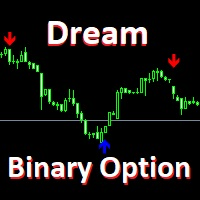
It is possible to trade on any basic asset, but the experts holding testing give preference to currency pair USD/JPY, EUR/USD. Optimum time for work is considered European, the American session.
with the standard settings which are already perfected to an ideal
At emergence of a blue arrow under a candle the option UP is acquired.
At emergence of a red arrow the option DOWN is acquired.
It should be noted one feature of the indicator: the signal is formed on the current bar, but it is worth

Arrow indicator, for determining price reversals Arrow appears on the closed bar Allows you to enter the transaction at the very beginning of the turn Can be used on any currency pairs, metals and cryptocurrency Suitable for working with binary options
Distinctive features Determines the price correction; Advanced settings for fine tuning; It works on all timeframes and on all symbols; Suitable for trading currencies, metals, options and cryptocurrency (Bitcoin, Litecoin, Ethereum, etc.) Suitab

Vol Scalping Hunter The Vol Scalping Hunter Expert Advisor based on scalping areas with high volatility price. The higher the volatility the greater the profit. Trading is conducted by pending orders with short stop loss. It gives a small deposit drawdown. ECN broker with low spread is recommended for this EA or broker with zero spread account and commission.
*Advantage Do not use the grid and martin.
*Setting The EA can work on any financial instruments. For less risky trading, M1 time-fra

Create your Dashboard with few clicks! With the Custom Dashboard Wizard you'll be able to create your dashboard also without any programming knowledge. This indicator/panel will give you the possibility to add/remove the values of the Metatrader4 standard indicators in any time frame you like, with any value you like and in any market you like, just be careful about writing the market name exactly as it's written on the list of your Market Watch. The main panel will be composed of three columns
The newest indicator for binary options. The indicator looks for large market turns and gives out qualitative signals for 2 candles ahead. The indicator also works on Forex, but was developed initially under binary options.
After the appearance of the arrow, you receive a notification by e-mail, PUSH notification to the phone or an allert at the terminal.
Signals appear at the beginning of the new bar. Timeframe 1 hour. Expiration period 2 candles.
More than 75% of signals are closed in posi
Ещё один простой информационный индикатор, показывающий самые важные торговые сессии валютного рынка. О понятии торговых сессий.
Всем известно, что торговая сессия – это промежуток времени, в течение которого банки и другие
участники рынка ведут активную торговлю, при этом активизируются в определённые часы рабочего дня.
Валютный рынок, рынки акций и сырьевые рынки работают круглосуточно с понедельника по пятницу, кроме праздничных дней.
Когда в одной стране ещё спят, в другой рабочий ден
MetaTrader 마켓 - 트레이더를 위한 로봇 및 기술 지표는 거래 터미널에서 바로 사용할 수 있습니다.
The MQL5.community 결제 시스템은 MQL5.com 사이트의 모든 등록된 사용자가 MetaTrader 서비스에서 트랜잭션을 수행할 수 있습니다. 여러분께서는 WebMoney, 페이팔, 또는 은행 카드를 통해 자금을 예치하거나 인출하실 수 있습니다.
