 MetaTrader 5
 Experts
 지표
지표
 라이브러리
라이브러리
 유틸리티
유틸리티
 위젯
위젯
 규칙
규칙
MetaTrader 4용 새 Expert Advisor 및 지표 - 305
 트레이딩 로봇은 자동으로 시장거래를 수행하는 반면 지표는 가격을 더 잘 분석하고 가격 행동을 예측할 수 있게 해줍니다.
이러한 어플리케이션을 사용하면 MetaTrader 4에서 더 많은 기회를 포착하는 동시에 보다 정보에 입각한 방식으로 거래를 수행할 수 있습니다.
트레이딩 로봇은 자동으로 시장거래를 수행하는 반면 지표는 가격을 더 잘 분석하고 가격 행동을 예측할 수 있게 해줍니다.
이러한 어플리케이션을 사용하면 MetaTrader 4에서 더 많은 기회를 포착하는 동시에 보다 정보에 입각한 방식으로 거래를 수행할 수 있습니다. 
HelloTrader is a completely new product view for the MetaTrader platform. Immediately after launching, the utility displays randomly one of the lines of the phrase, quotes of famous people or an aphorism in the upper left corner of the terminal. Every 5 minutes the recording changes. The Demo version includes 32 phrases, quotes or aphorisms in English only.
The utility starts working immediately after launch and no longer has any settings or functions. The only task is to randomly display quot
FREE
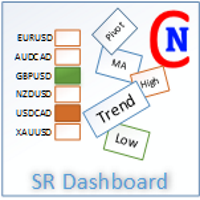
With the SR Dashboard, you get a powerful tool to control some of the most important information in trading. Assemble a setup according to your strategy and get informed as soon as this setup is valid. Assign scores to defined conditions and let the Dashboard find them. Choose from Trend, Average Daily Range, RSI, Moving Averages, Pivot (Daily, Weekly, Monthly), Highs and Lows, Candlestick Patterns. Note: This indicator cannot be used in the Strategy Tester. The demo version here from the marke

Grid Hero War Pad is a GRAPHICAL MANUAL TRADER version of the original Grid Hero EA, designed and created for ADVANCED TRADERS who are experienced in plotting their own market entries. It is coded using ADVANCED GRAPHICAL INTERFACE programming, that combines the power of discretionary trading with Grid Hero algorithm in the form of a graphical console with button-click easy execution.
It allows you to execute trades manually using Market Orders and Pending Orders, and then automatically uses th

"It's not about how much you do, but how much love you put into what you do that counts." - Mother Teresa
This Indicator is build on value of Relative Strength Index and Moving average of relative strength Index. We have calculated bands with respect to Moving average of Relative strength Index. Trading strategy: https://www.mql5.com/en/blogs/post/725691 Why use Rsi Ma Bands? Great for novice traders as well as experienced traders. Low risk entries. Doesn't repaints.
No additional Indicato
The UpDownSignals indicator is designed to identify entry and exit points for a deal. Using it is very simple: when an up arrow appears, open a BUY deal, when a down arrow appears, open a SELL deal. The indicator gives accurate and timely signals for entry and exit, appearing on the current candle between the time the candle opens and closes. The indicator works on the basis of MACD, candlestick patterns and proprietary algorithms.
Indicator inputs: period - indicator period enableAlerts - Ena

Alpha Multi Scalper is a fully automated Expert Advisor. The strategy of this system consists of two mechanisms that work together between scalping strategies and multiple currency pair strategies . Based on the principles of predictive analysis of market price factors and price fluctuations that help determine trends and identify price patterns can help to see better opportunities for trading to make a profit. And diversify risks by trading multiple pairs at the same time. This system model li

If you need an adviser who often bargains and opens deals almost every day, you went to the address. Trading every day is intended for frequent trading for a long time. In this case, the adviser opens no more than one transaction in each direction. When there are a lot of deals in optimization, more often it will give more profit in real life than advisers who, during optimization, make fewer deals, but show high profitability.
This Expert Advisor is based on the indicators Williams Percent Ran

A trend indicator that shows the direction of pivot points. It can be used with an optimal risk to reward ratio. The probability of a success trend is very high. The indicator uses arrows to show favorable time to enter the market and market entry directions. Uses only one adjustable parameter (a value from 1 to 3). Take profit is much larger than stop loss! The indicator works on all currency pairs and time frames.
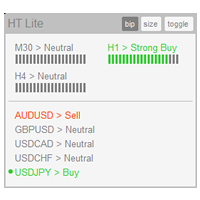
The indicator High Trend Lite monitors 5 symbols in up to 3 timeframes simultaneously and calculates the strength of their signals. The indicator notifies you when a signal is the same in different timeframes. The indicator can do this from just one chart. Therefore, High Trend Lite is a multicurrency and multitimeframe indicator. With the High Trend Pro , available at this link , you will have an unlimited number of symbols, 4 timeframes, a colourful chart of the primary MACD indicator, several
FREE
Expert Mathematical Pattern is a multi-currency robot that trades on the M30 period.
Trading strategy:
The expert works on the M30 period.
The expert uses patterns in his work.
The pattern denotes regular regularity.
An expert in history reveals the patterns of the market, in which days and at what time the market repeats its movement in one direction or another.
This expert does not require additional optimization. It is automatically optimized during trading by performing the necessary

Broker Broker is a self-taught advisor. The algorithm of this adviser is constantly adjusting to the trading dynamics of the market. Advisor has a minimum number of parameters, which facilitates the work of beginners in the foreign exchange market. Advisor Benefits works on any time period works with any trade symbol no parameters that need optimization on each transaction, the adviser learns and adjusts to the current trading situation
Advisor Parameters lot_persent = 10 - the volume of a trad
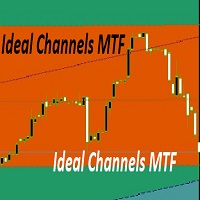
trading indicator, which automatically recognizes equal levels of support and resistance and otorova content and resistance and poison indicator uses elder system can be applied to any financial instruments and on any timeframes. the same indicator draws to. it is perfect for scalping as its essence is to trade in the channel. The indicator has many parameters that allow it to be conveniently customized. indicator settings filter - it filters the market noise that is, we get more accurate channe

DoubleUp System is created as trade assistance, manager and profit-enhancing Utility. It is NOT to trade for you but helps you maximize your trading.
It has 10 On-Chart Buttons for various trading operations and setting parameters to manage your orders. like its name, it doubles and increases your profit targets with just a few pips distance by opening 4 pending orders or 1 Instant orders with 3 pending orders (depending on the situation of the market at the time)
If your trading system can gu

The Bad Boys indicator is a arrow indicator percentage (of positive trades) of correct forecasts of the indicator, even during news releases, the indicator was tested on a real account and showed a good result of correct forecasts. Settings allow you to customize the color of the arrows. volatility period indicator period the number of bars for which the market analysis will be carried out price is the method when a signal will appear when opening when closing a candle, etc. volatility allows yo

Dream Wall Street It represents the visualization of support resistance levels. the indicator marks the levels that are formed on a candle whose tick volume exceeds the average volume; it is perfect as it is without filters for scalping by level it can also be used as an addition to an existing trading system. The indicator can be used as a filter. It is already set up to configure anything for you. Settings allow you to customize the light levels

Only EA developed over 1 year ago, which remains consistent in the market and in the #10 Top of the MQL Store
>>> You can use this EA with a balance starting at $30 in a cent account. Doubts about which broker and how much balance you need to trade, send me a message <<<
Summary:
Samurai Scaper Pro Series EUR/USD is an EA developed to run the EUR/USD on 5 MINUTE timeframe. This EA uses statistical analysis applied to the EUR/USD over 20 years to determine the best points of e

Торговый робот PROF 2 не торгует по тренду. Всем известно, что 80% времени рынок находится в боковом движении и лишь 20% это направленные движения. Поэтому данный робот пытается поймать коррекции после сильных движений. В данной версии не используется STOPLOSS , вместо этого типа ордера стоит другая защита от потерь. Если, по мнению робота коррекции все- таки не случится, то позиции закрываются. Параметр Stop отвечает за контроль над рисками и закрывает все сделки, в том случае если плавающий

https://www.mql5.com/en/users/earobotkk/seller#products FIBO ARROW This indicator draws a Fibonacci Retracement based on daily time frame. It draws arrows, sends pop-up alert and phone notification whenever price crosses Fibonacci levels. This tool is useful for users who trade with Fibonacci. INPUT ON Alert: set to true will pop-up alert whenever arrow appears. ON Push: set to true will send phone notification whenever arrow appears. ===== FIBO(High & Low)===== Time Frame: Fibonacci is drawn f
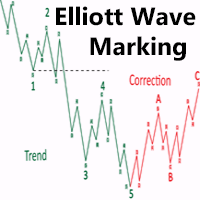
Most of those who trade in Forex are aware of the Elliott Wave Analysis System. So what is this wave analysis: This is the study and analysis of price, and not its derivatives (various indicators); The ability to determine price targets using Fibonacci tools (Elliott waves are closely related to Fibonacci numbers). You can get a clear picture of the market at all time scales; With EWA, it is possible to build a trading system with a clear description of the inputs and outputs. For simplicity, t
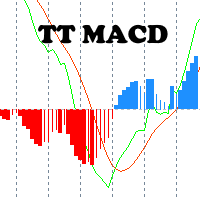
A classical MACD indicator where both the MACD line and the Signal line are displayed as lines. The difference between MACD and Signal line is displayed as a histogram. A user can change the color and thickness of histogram lines. So, histogram lines can be grouped into four different groups: positive ascending, positive descending, negative descending and negative ascending. Multi-currency Dashboard for the indicator is available https://www.mql5.com/en/market/product/72354
FREE
This indicator helps you to find overbought and oversold prices based on William %R. Input Description: Wperiod: Period for %R indicator. OverBoughtLevel: Define the overbought level for %R. Must in between 0 and -50. OverSoldLevel: Define the oversold level for %R. Must in between -50 and -100. middle_value: When true, indicator also draw the middle points between upper and lower line. shift: Set an additional offset to the indicator.
Several Notes: Set 0 and -100 as Overbought and Oversold lev
FREE

For backtest use tickstory with fixed timeshift like gmt +0 without DST option activated, set current_broker_gmt parameter to the gmt of your backtest time shift. My Tickstory time shift setup
For demo, put on EURUSD H1 chart set current_broker_gmt parameter to the current broker gmt shift. Simple and safe , no grid, no hedge, no martingale and Stoploss is always set. You could expect 1 trade by day. Low spread broker (0.1pips) reccomended, better on ECN account Paid Version
What's new: 1) Imp
FREE
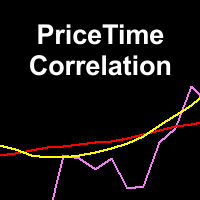
This indicator determine price volatility using correlation between Price and Time. WARNING: Not suitable for 1M timeframe, you would not see any lines in this frame!
How to Use:
More closer the indicator's value to 0, the price is considered more volatile. When reversal is started, the indicator's value would be rise or fall significantly. During a strong trend, the indicator's value would be closer to 1 or -1, depends on current trend. Entry Signal:
BUY SIGNAL: Indicator crosses 0.2 from bel
FREE

The Night Lottery EA is a fully automated Expert Advisor that trades at night and relies on price reversion. The EA trades using market orders and uses time averaging to improve performance. This EA works best on EURUSD, AUDNZD and USDCHF using the M5 timeframe, defaults are for EURUSD. A VPS is advisable when trading this system. Check the comments for back test results and optimized settings. Any questions message me - https://www.mql5.com/en/users/robots4forex View More Products - https://www
FREE

* The product for MT5 converted using "BRiCK TradeByArrow MT4" is here. BRiCK is a simple and versatile utility.
By combining Experts, Indicators and utilities like the Lego block, various trading styles can be realized. "TradeByArrow" is Utility that executes order processing when an arrow object is created on the chart.
Combined with Indicator which outputs arrow object, it can be used like Expert.
Parameter
[ArrowName] EntryBuy: Arrow object name for buy order (partial match) EntrySel
FREE

MAD - Moving Average Distance The MAD Scalper Expert Advisor uses ATR and the distance to a moving average to determine if price has the potential for reversion (mean reversion). Trades are closed when price returns to mean (moving average) + buffer. We use ATR as our MA_Buffer. MAD includes an averaging feature. The range is determined by ATR and the RangeMultiplier. The higher the RangeMultiplier the further apart the averaging trades will be. Works on all time frames and pairs.
Suggestions:

Esta es una de las modificaciones de los canales Keltner. Ayuda a identificar puntos de entrada y salida lógicos. Ayuda a determinar un posible movimiento de precios. Crea canales equidistantes que se convierten en niveles de soporte y resistencia dinámicos. Facilita enormemente el análisis del mercado visual. El indicador es un multi-tiempo multi-tiempo muestra buenos resultados.

The RSI MultiCross Expert Advisor works by entering a trade when RSI makes a cross of a level and exits on the cross of the opposite level (MIN_RSI, MAX_RSI). To enter a buy RSI will cross below the MIN_RSI and the candle that closes above MIN_RSI will signal to enter the trade. This allows the EA to get some indication price could be reversing (vice versa for a sell signal). To exit a buy RSI will cross above the MAX_RSI minus the RSI_Buffer. Or you can use the TP_Multiplier or SL_Multipliers
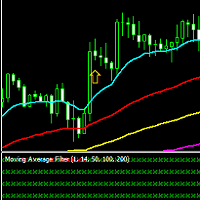
This is a filter of various moving average combinations used to give a higher level of confidence to trade entries. The indicator may be used with moving averages on the chart or independently by itself to show the current trend direction. Trade signals of the Moving Average Filter are based on the Price (1EMA) vs the 14EMA, the 14EMA vs the 50EMA, the 50EMA vs the 100EMA, and the 100EMA vs the 200EMA. Trade signals are produced when all of the filters are in alignment, thus showing all green or

This simple utility EA designed for managing the open trades. For all open trades when the certain amount of profit is reached it closes a part of the position and moves the Stop Loss to breakeven level.
EA has following entry parameters: - Scale-out lots: defines the size of the position that we want to close when profit is reached - Scale-out profit: defines the profit in points when we want to scale out - Breakeven profit: defines how many points above/below breakeven value we want to put
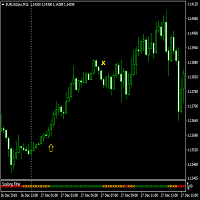
Advanced Scalping Filter to be used on any major currency pair. Designed for the 15 minute time-frame, however the filter should also work efficiently on the 5 minute time-frame. This filter takes into account various conditions of MACD's, Moving Averages, as well as current price positioning, to produce recommended buy, sell, or exit signals (as green for buy, red for sell, and orange for exit). Ideal for quick 10 pip profits or for exit signal to occur.

Are you using Awesome Oscillator? Wonder at which High and Low prices this indicator colored Green? Red? This indicator helps you determine those limits. GET 20% OFF for renting for 1 year! Yellow line is called Upper Line, and Red line is Lower Line.
BUY SIGNAL In this case, last bar's AO color would be colored Green.
Both Open and Low Price above the Lower Line. Close price crosses the Upper Line from below.
SELL SIGNAL In this case, last bar's AO color would be colored Red. Both Open and Hig

FAD Expert Advisor The FAD Expert Advisor works by entering a trade with the trend. ATR_Multiplier and MA_Period are used in the calculation to determine if we are entering a trend. SL_Multiplier is used for exit or the Auto SL feature that will move your stop loss with the MA. SL_Multiplier can be set to 0 for no stop loss. Works on all time frames and pairs. Suggestions: No EA should be left alone. Human intervention is a must. Settings: MagicNumber: Magic Number used for orders ATR_Mult

This mutlitimeframe indicator is based on my own indicator wich shows trends at a early stage . You will see the trends from M1 to Month timeframe . The more the value is high ,the more the trend is confirmed .The values above 100 determine a high trend . Medium trend : 50 <=Value<100 No trend : 50<Value You can set alert for each timeframe and for your own value . Meaning of the parameters: M5|1: .....is the indicator's value on the 1st bar for M5 timeframe M5|2: .....is the indicator's va
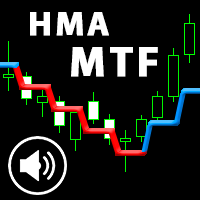
This is an advanced multi-timeframe version of the popular Hull Moving Average (HMA). Features Graphical panel with HMA indicator data from all timeframes at the same time . If the HMA has switched its direction on any timeframe, a question mark or exclamation mark is displayed on the panel, accompanied by a text and audio message. The messages can be configured separately for each timeframe using the corresponding checkboxes.
The indicator is located in a separate window, so as not to overload
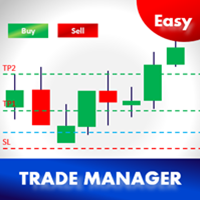
Thank you users for all your great reviews ! Updated 2026 Aug - Modern Panel, click once, drag, click to adjust! Dynamic info screen with spread, RR and TP levels. Step breakeven and automated MagicTrail! Enter the Risked Amount or Lot size or % of Balance (New!) Drag the RED line on the chart to fix the Stop-Loss. Drag Blue line (New!) for Limit/Stop orders automatically ! Adjust TP1, TP2 and TP3 lines You are ready to Buy/Sell > Adjust the lines even after the trade - New!
Check the user vi
The Missing Edge You Need To Catch Breakouts Like A Pro. Follow a step-by-step system that detects the most powerful breakouts!
Discover market patterns that generate massive rewards based on a proven and tested strategy.
Unlock Your Serious Edge
Important information here www.mql5.com/en/blogs/post/723208
The Reliable Expert Advisor Version
Automate Breakout EDGE signals using "EA Breakout EDGE" Click Here Have access to the game changing strategy that will take your trading to the next l

The EA opens orders, when a fast MA crosses a slow MA:
Buy - from bottom to top, Sell - from top to bottom.
It provides for closing orders on breakeven and trailing stop.
It is also possible to open additional orders when the price moves towards the open position.
Settings: MagicNumber - order identifier; StartLot - lot size; SL - is the size of SL in points; TrailingStop - trailing stop size in points; Breakeven - breakeven; LevelBreakeven - breakeven size in points; LevelBreakevenProfit -

HelloTrader is a completely new product view for the MetaTrader platform. Immediately after launching, the utility displays randomly one of the lines of the phrase, quotes of famous people or an aphorism in the upper left corner of the terminal. Every 5 minutes the recording changes.
The structure includes more than 1000 phrases, quotes and aphorism in Russian and English.
In the input parameters, you can choose the Russian language display of records, the default is English.
The utility star
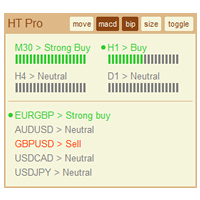
The indicator High Trend Pro monitors a big number of symbols in up to 4 timeframes simultaneously and calculates the strength of their signals. The indicator notifies you when a signal is the same in different timeframes. The indicator can do this from just one chart. Therefore, High Trend Pro is a multicurrency and multitimeframe indicator. High Trend Pro uses emproved versions of popular and highly demanded indicators for calculating its signals. High Trend Pro calculates the signal strength

The Progressive Expert System works using sharp tick movements. Works with a deposit of $ 100! The classic method of trading scalping. It is also worth noting that with the allowable spread level, the bot goes through any historical period on any currency pair. There is no point in testing at opening prices, either checkpoints or all tics. It is possible to work on accounts with a floating spread, entry into the market will occur only when the spread is lower than the level specified in the se

This EA combines two built-in combined indicators (RSI breakout and Envelopes) to check the trends before performing any trading action. It's engine is provided with: trailing Stop Loss; bad time to trade filter for each day of the week; define in minutes the profitable orders duration; enable and disable martingale mode; define the maximum spread value to trade; define the minimum equity percentage to allow trading; the input values are already optimized for EURUSD at timeframe M1. The Strategy

This is the Free Version of "Just Copier Pro MT4" (Please check : https://www.mql5.com/en/market/product/34472) This free version is available to be used within 2 hours only, and it has limited features. Please also check this product at fxina.hostingerapp.com.
If you want to share your trading signal, but you dont want to distribute your investor password, this product is fit with you. "Just copier Pro" is designed to copy trading without any complicated settings. The copy can be done in o
FREE
Scalping Indicator Pro is a powerful indicator that works in trend as well as non trending market conditions. This indicator is perfect for scalp trades as well as swing trades. Scalping Indicator Pro is not just an indicator, but a trading strategy itself. It doesn't requires any additional indicators for the trading setup.
Check out the indicator in action. [Video demonstration below]
Why use Scalping Indicator Pro? Great for novice traders as well as experienced traders. Low risk entries.
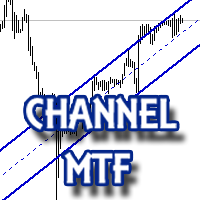
The multitime frame channel indicator in automatic mode provides a visual display of support and resistance lines.
It will be useful to all traders who use technical analysis in their work. The indicator can be used as a standalone market analysis tool, or as part of a trading strategy.
Settings
TimeFrame - timeframe to build the channel; Line color - The color of the channel lines; Mark the intersection? - Mark with a marker the price crossing the channel borders?
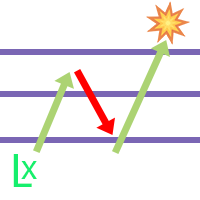
The EA utilizes 3 levels grid to capture any direction be it bullish up or bearish down, either way, the EA will end in profit. The EA is called fury as it cuts a very tight loss and immediately compensates the loss into new lot size calculation on the remaining positions. If the initial lot size of level 1 is 0.2 and the EA cuts it at loss at 10 pips, the next lot size will be 0.24 lot (depending on multiplier setting). There will be 3 Buy Stop orders above mid-level, and 3 Sell Stop orders bel

Edward Teach Forex This is an expert Advisor for short-term trading using a series of orders with their averaging and subsequent increase. The EA trades in both directions, choosing a more suitable side in the trading process. Hidden profits and virtual trailing stop are used.Also, the EA has the ability to stop trading (not to open new orders) before important news, both during manual installation, and receiving information from the indicator "News provider" . There are several logics that imp

from the price of 200$ to 170$ only 1 Month !! Only for the symbol of EURUSD Time Frame D1 Minimum Balance $5 Update all Timeframes starting from TF M1, M5, M15, M30, H1, H4, D1, W1, MN1 Make sure to use a low spread below 10 Points and use a 5 digit broker broker
! Please do not mix with other transactions, so that too many transactions exceed the maximum number of broker orders
PARAMETERS
LOT = Balance : Compounding Ex: Balance $1000 Compounding = 10000 Lot Order =1000 : 10000 = 0.1 Lot Mag

The new version of MirrorSoftware 2021 has been completely rewriten and optimized.
This version requires to be loaded only on a single chart because it can detect all actions on every symbol and not only the actions of symbol where it is loaded.
Even the graphics and the configuration mode have been completely redesigned. The MirrorSoftware is composed of two components (all components are required to work): MirrorController (free indicator): This component must be loaded into the MASTER
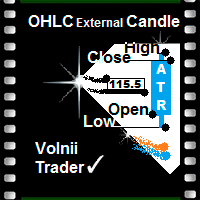
Open High Low Close Внешняя Свеча
Индикатор внешних свечей наложенных на график с выбранными вами тайм фреймом.
Наглядно отображаете уровни OHLC и пройденное значение ATR текущей свечи и свечей в истории.
OHLC — аббревиатура, дословно расшифровывается как:
O — open (цена открытия интервала (бара или японской свечи)).
H — high (максимум цены интервала).
L — low (минимум цены интервала).
C — close (цена закрытия интервала).
Данный индикатор наглядно покажет трейдеру, уровень открытия, закрыт

Hello friends, WaveKing is a piece of automated Forex trading Robot that automates trading decisions. EA was designed to open trades every day.The EA contains two strategies, one shock strategy and one trending strategy. Each order has a stop loss. No martingale , hedging or scalping .It's a unique EA that is totally based on market and price action. Default inputs apply to EURUSD(M1) . For testing deposit 5000+ USD . Monitoring of the Expert Advisor: https://www.mql5.com/zh/signals/518243 Re
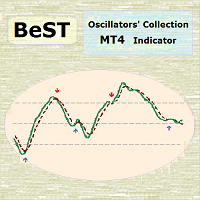
BeST Oscillators Collection is a Composite MT4 Indicator including the Chaikin,Chande and TRIX Oscillators which by default are contained in MT5 but not in MT4 platform. It also provides the option of displaying or not a Mov. Avg. as a Signal Line and the resulting Signals as Arrows in a Normal (all arrows) or in a Reverse Mode (without showing up any resulting successive and of same type arrows). Analytically for each one of the specific Oscillators: The Chaikin Oscillator ( CHO ) is
FREE
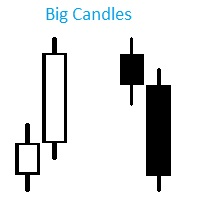
Индикатор Big Candles показывает кратное превышение размера свечи относительно среднего показателя рассчитанного за определенный период. Индикатор отмечает размер свечи на графике в пипсах и сигнализирует о появлении “большой” свечи. Описание параметров: HistoryBars - Количество баров для отображения индикатора countN - Период расчета среднего размера свечи f actor - Во сколько раз длина свечи превышает средннее значение, для отображения сигнала
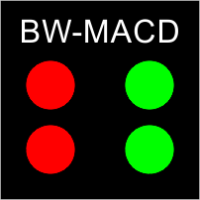
This indicator mostly inspired from BW-ZoneTrade custom indicator from MT5. How To Use:
BUY when both dots colored Green. SELL when both dots colored Red. In addition to original one, MACD-OsMA-generated signal also can be drawn. Input Description:
MA_period_short: Faster EMA period for MACD. Applied when drawMACD is true. MA_period_long: Slower EMA period for MACD. Applied when drawMACD is true. MACDperiod: MA period for MACD. Applied when drawMACD is true. drawMACD: When true, draw an additi
FREE

CyberTrend is a fully automatic Expert Advisor based on advanced algorithms for short term trend prediction. This EA uses several custom made indicators combined with candles prediction that helps to achieve a very high-rate of winning trades. This EA successfully passed long term back-test with real tick data (accuracy 99.9 %), variable spread, real commision and swap. CyberTrend is also fully adjustable by user. Please read the blog to get more information about FAQ and settings parameters.

A very fast way to save your chart template.
Set the keyboard shortcut to further speed up the operation.
The script allows you to save a template with a specific prefix, with the current date or with the chart timeframe. The symbol is saved automatically. Script parameters: Prefix - prefix for the template name. Can be empty. With date - true = template name will containt current date With timeframe - true = template name will containt timeframe of the current chart
FREE
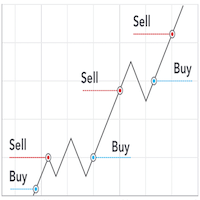
Pro Scalping is a fully automated Expert Advisor. Night scalping strategy. The ATR-based, RSI, WPR indicator and an Stochastic filter are used for entries. Real operation monitoring as well as my other products can be found here: https://www.mql5.com/en/users/hoangvudb/seller General Recommendations The minimum deposit is 100 USD, default settings reccomend for EURUSD M15 GMT +3 . Please use max spread 2 if you will not have orders change it to 3. Use a broker with good execution and with a

This EA loads Support & Resistance Trend Lines and trade purely based on price action of breakout or Swing strategies. No effect with manual entry. It is possible to use this Expert Advisor as indicator. It also featuring both safe Hedging and Multingle methods as well with MANUAL entry by using control panel. Strategy 1: Breakout Swing Major & Swing Minor. Strategy 2: Swing Pivot High Low of the Major Trend only. Operating Procedure Use 15 Minutes time frame chart for best result. Use Mult

This EA successfully opposes the Fractal below then OP BUY otherwise if the new Fractal appears above then OP SELL Flat movement is very good for work.
PARAMETERS Lots : Lots / volume orders TakeProfit : Take Profit Point if zero = No Take Profit StopLoss : Stop Loss Point if zero = No stoploss TF : Time Frame Fractals AutoStopLoss : If true , then StopLoss will be created automatically on High / Low Fractals
These EA fractals are simple EAs, it might be suitable to be tested on a currency pa

A script that allows you to quickly save the image of the current chart.
Accelerate the use of the script by assigning a keyboard shortcut to it. The image is saved in the location of your MT4 platform: /MQL4/Files/{current_date}. The script does not contain any parameters. The name of the chart being saved is determined automatically and consists of a symbol, the current date and the timeframe.
Attention! Files with the same names are overwritten!

A script that allows you to deselect all selected items on the current chart.
Very simple, but at the same time can be a very useful script, especially when a keyboard shortcut is assigned to it.
MT4 has the same functionality under the right mouse button, but using the keyboard shortcut running this script is much faster and more convenient.
The script does not have any input parameters.
Have fun using this free tool.
FREE

Robonacci is an intelligent robot that seems to understand the inherent nature of the market EURUSD very well. It uses Fibonacci Retracement levels extensively to determine potential support and Resistance levels. Although it uses levels for entry position, it’s main focus is to stay with the trend as long as possible. In its underlying strategy it uses “Cut the loses early and let the profit run” which is why it has a low winning rate. The robot uses four different market conditions: Ranging, T

Данная утилита предоставляет возможность работать с ордерами, переключатся по периодам и менять шаблон графика используя клавиши
клавиатуры. Быстрое открытие и закрытие ордеров, установка и удаление отложенных приказов пригодится как скальперам, так и
трейдерам торгующих на новостях. Смена периода или шаблона в одно нажатие клавиши, упростит анализ графиков. Также предусмотрено
закрытие части позиции. Возможность назначения любых клавиш и различные настройки ордеров, поможет собрать торговый пул

Экспертная система Element33 работает, на любых типах счетов. Работает как в 4-х так и с 5-значными котировками. Спрэд и реквоты не критичны, подойдет любой брокер. Экспертная система разбивает историю на 4 квартала, для оптимизации рекомендовано три года на периоде H1 или H4. Оптимизацию можно проводить по ценах открытия, результаты мало отличаются от тестирования по реальным тикам, поскольку бот работает по ценам открытия. Оптимизировать достаточно один раз в месяц! Для получения более хороших

MoneyMaker v2
This expert advisor is based on idea that market produces very strong movement to opposite side once trend reversal is imminent. So our core trigger is bar size relative to previous bars optionally filtered by Bollinger Bands, Money Flow Index, Simple Moving Averages and Commodity Channel Index. MoneyMaker v2 also implements autolot based on free margin / Risk per single order (in %) parameter. Spread filtering is done through Minimum bar body size / pair spread multiplier (in po

Общие сведения Для начала торговли достаточно небольшого депозита. Подходит для мульти-валютной торговли. Не зависим от качества соединения и торговых условий. Мониторинг моих счетов: https://www.mql5.com/ru/signals/author/mizrael
Принцип работы Эксперт открывает ордера по встроенному индикатору. Если прибыль ордера больше значения параметра Profit в пунктах графика. Данный ордер закрывается и открывается новый в противоположном направлении объёмом Lot . Если прибыль ордера меньше значения

PO MARTINGALE https://www.mql5.com/en/users/earobotkk/seller#products
This is an automated expert advisor that uses pending order and martingale strategy to gain profit. It is designed to make quick profit as fast as possible. INPUTS Trade Comment : user comment Magic No : unique EA Number Time Frame : default is H1 Max Spread : EA will not open new order if spread is more than maximum spread allowed. Lot : lot size. Take Profit: value in pips. Pip Step: distance between orders. Multiplier: l
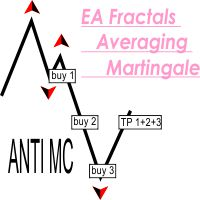
This EA successfully opposes the Fractal below then OP BUY otherwise if the new Fractal appears above then OP SELL If the wrong position will add a new transaction, and take profit at the same point This EA can run in two different directions (Buy will be counted separately from Sell orders) #Recomend Start Balance $1000 Flat movement is very good for work.
PARAMETERS Lots : Lots / volume orders Multiplier : Multiplier value of lot, You can use a small multiplier of 1.2 1.5 1.7 while Take Profi

HyBridBot
https://www.mql5.com/en/users/earobotkk/seller#products
HyBridBot trades at trending market utilizing money management which includes percentage of risked money, reward to risk ratio,stop loss and take profit. It applies our hybrid strategy with capital protection should the market not going in our favor. INPUTS TRADE COMMENT: user trade comment. Magic No: trade unique number for this robot. Time Frame: default is H1. Percent Trade Risk (%): percentage of account balance or free marg

Эта утилита поможет вам рассчитать прибыль в валюте депозита, если цена пройдет от своего текущего значения к значению, указанному горизонтальной линией ProfitMeter. При запуске индикатора эта линия автоматически создается на уровне текущего значения цены. Линию следует выбрать и переместить на нужный вам уровень. Расчетное значение прибыли при входе в рынок минимально возможным лотом отображается в правом нижнем углу окна графика. Входные параметры Style of ProfitMeter Color of ProfitMeter Widt
MetaTrader 마켓은 거래로봇과 기술지표를 판매하기에 최적의 장소입니다.
오직 어플리케이션만 개발하면 됩니다. 수백만 명의 MetaTrader 사용자에게 제품을 제공하기 위해 마켓에 제품을 게시하는 방법에 대해 설명해 드리겠습니다.
