 MetaTrader 5
 Experts
 지표
지표
 라이브러리
라이브러리
 유틸리티
유틸리티
 위젯
위젯
 규칙
규칙
MetaTrader 4용 새 Expert Advisor 및 지표 - 309
 트레이딩 로봇은 자동으로 시장거래를 수행하는 반면 지표는 가격을 더 잘 분석하고 가격 행동을 예측할 수 있게 해줍니다.
이러한 어플리케이션을 사용하면 MetaTrader 4에서 더 많은 기회를 포착하는 동시에 보다 정보에 입각한 방식으로 거래를 수행할 수 있습니다.
트레이딩 로봇은 자동으로 시장거래를 수행하는 반면 지표는 가격을 더 잘 분석하고 가격 행동을 예측할 수 있게 해줍니다.
이러한 어플리케이션을 사용하면 MetaTrader 4에서 더 많은 기회를 포착하는 동시에 보다 정보에 입각한 방식으로 거래를 수행할 수 있습니다. 
PRO VERSION This free indicator change timeframe of charts(up to 3) at the same time,by clicking a label. If you click the label(shown below),timeframe of charts will change. If you click again,timeframe of charts restore.
You can change the position of the label.
You can change charts up to 3 charts(a paid version enables up to15 charts). You can add second,third timeframe changer label.
This indicator is very useful for speed trading.
There is a more powerful PRO VERSION . The paid versio
FREE

3S indicator designed for trend detection without the effect of accidental price leaps. It uses Price Series and a few moving averages for noise reduction. It works on multiple timeframes, even M1. To increase effectiveness, it is recommended to use default parameters for M1 graphic (see screenshots). You can change settings for other time frames. Example of using this indicator : If Gold cross to Blue down and both gold and blue under the Gray , it could be a promising sell signal .
To

This indicator change timeframe of charts(up to 15) at the same time,by clicking a label. If you click the label(shown below),timeframe of charts will change. If you click again,timeframe of charts restore.
You can change the position of the label.
You can change charts up to 15 charts. You can add second,third timeframe changer label.
This indicator is very useful for speed trading.
*This indicator don't work propery in strategy tester.Use Free version to know the real potential.
Input Par
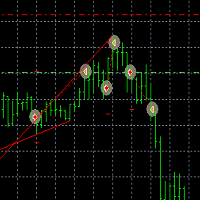
TaiChi3 Tai Chi3EA Tai Chi2EA is according to MACD indicator deviation written a trend oriented EA。 Broker: ECN broker, low communication / Commission, 1:400 leverage, non FIFO or FIFO. If you want to run in different currency pairs, please modify the parameters BM and SM。 Please use default parameters. As the world's most knowledgeable person, I've set the parameters to the optimal parameters, users can directly use, without modification. The historical data of the test may not be accurate, b

This Expert Advisor trades the trends, long and short. As soon as the momentum is big enough it enters a trader. When the momentum gets weaker the trade is being closed. So the Stop Loss and the Take profit is the momentum.
It is best suited for the currency pair EURJPY in H1 timeframe.
Inputs:
Lotsize: The lotsize for the trade StopLoss: Here you can set the S/L level (default: 0 = not active)
TralingStop: Here you can set the T/S (default: 0 = not active) TakeProfit: Here you can set the T/P

MultiTimeframe (MTF) Support and Resistance Indicator is use to measure last 320 bar (user input) of support and resistance of the dedicated timeframe. User can attached this indicator to any desire timeframe.
Features: User input desire timeframe (default Period H4) User input numbers of last bars (default 320 bars) User input measurement of last HH and LL (default 10 bars) Line styling and colors. MT5 version: https://www.mql5.com/en/market/product/31983
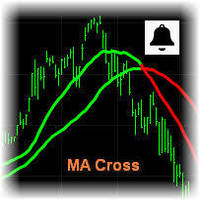
MA Cross Signal Alerts_v1.0 The Moving Average Cross displays a fast and a slow moving average (MA). A signal arrow is shown when the two MAs cross. An up arrow is displayed if the fast MA crosses above the slow MA and a down arrow is given if the fast MA crosses below the slow MA. The user may change the inputs (close), methods (EMA) and period lengths.
When two Moving Averages cross the indicator will alert once per cross between crosses and mark the cross point with down or up arrow.
Ale

Modify SELL orders v1.0 Managing Orders During trading, you may need to modify orders, i.e. to change stop levels or take profit. This can be done with one click with the script Modify SELL orders v1.0
The script modifies all orders (market ) with specified Take Profit and Stop Loss.(pip or price) If the take profit or(and) stop loss is incorrect, then the value is not changed.
Parameters script : Take Profit (PIP) Stop Loss (PIP) Take Profit (price) Stop Loss (price)

Mantis EA is a breakout system that uses Machine Learning/Artificial Intelligence algorithms in order to define daily support and resistance for EURUSD.
It also provides a risk management methodology by setting lot size according to the capital risk percent.
EA's params are: MagicNumber - must be unique for each EA instance UseFixedLots - true/false for selecting lot size method FixedSize - if UseFixedLots = true then the lot size will be the value of FixedSize param RiskPercent - if UseFixed

Modify BUY orders_v1.0 Managing Orders During trading, you may need to modify orders, i.e. to change stop levels or take profit. This can be done with one click with THE SCRIPT Modify BUY orders v1.0
The script modifies all orders (market ) with specified Take Profit and Stop Loss.(pip or price) If the take profit or(and) stop loss is incorrect, then the value is not changed.
Parameters SCRIPT; Take Profit (PIP) Stop Loss (PIP) Take Profit (price) Stop Loss (price)
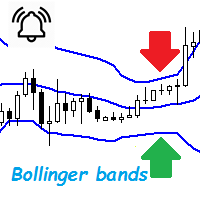
Bollinger Bands are a very common indicator in the world of online trading, this indicator gives very useful information for many forex trading strategies, but also for all other styles of strategies such as scalping and even trading medium and long term. It is calculated from a moving average calculated over n periods (20 by default). From this moving average, a standard deviation calculation is defined. By adding this standard deviation in real time to the basic moving average, we obtain the u

The Sensitive Volume indicator is an indicator designed to generate trading signals. The purpose of this indicator is to generate signals from the highest probability of trading. Using a number of price movements and a set of indicator properties to generate these signals.
Easy to use, simple and understandable to the user. With alert features, user signals can be reached quickly. Visually the user can easily recognize the signals. This indicator will not repaint. Parameters Trend_Period - pe
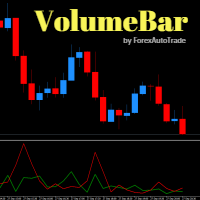
VolumeBar Hola Traders. This indicator will show line graph of each bar's volume. Indicates the volume of purchases and sales of each bar's volume. You can use this indicator with every currency pairs and every time frame. The display parameters are color customizable.
Original Parameters: ColorGreen - buy volume. ColorRed - sell volume.
Thanks Traders
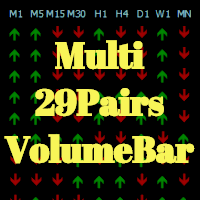
Hola Traders. This indicator Developed from VolumeBar indicator. By the signal show from the last bar complete. Show 9 time frame and 29 pairs currency. XAU,USD,EUR,GBP,AUD,NZD,CAD,CHF,JPY
The display parameters are color customizable. Original Parameters: ColorGreen - buy signal. ColorRed - sell signal. Font29PairsColor - color of font 29 pairs currency.
Thanks Traders

Oscillator Trend indicator macd, divergence and a set of algorithms is a trend indicator. The aim of the indicator is to generate signals with high reliability using the above-mentioned calculations.
The indicator is very easy to use. Red arrows give sale signal. The Aqua arrows give a buy signal. Thanks to the alert feature, you can easily reach the signals. It works without any setting. It can be used in all time frames. The recommended time frames are m15, m30 and h1.
Parameters Trendlines

BB SCALPER The BB Scalper Expert Advisor based on high move of price to detect the opportunity for buy or sell. Features spread protection slippage protection no grid no martingale a small SL for every trade SETTING StopLoss: Stop loss value for each order to protect the balance. TakeProfit: Take profit value to close order when it take the target. MagicNumber: Magic number for each order. StartDistance: The distance for pending order with price. MaxSpread: The limit spread for execute a order.

The MESA Spectrum indicator calculates the power spectrum of a data series using the Maximum Entropy Spectrum Estimation method and produces a power spectrum plot. The Maximum Entropy algorithm, unlike a simple FFT transform, will include frequencies from the entire complex frequency plane and not just the Nyquist interval which, in general terms, means that it can resolve cycle periods that are larger than the data window passed to the function. In addition, MESA has the ability to fit very sha

Version 1.05 - added option to use mouse to set the Data Offset (anchor). Just hold down your SHIFT key, then double-click anywhere on the chart, then release the SHIFT key and the anchor will be set to the bar nearest to your double-click.
Version 1.04 - added fix for demo mode (i.e., operation in Strategy Tester). Use Open Prices Only and check Use Date (select a date range)
The MESA Cycles indicator calculates the power spectrum of a data series using the Maximum Entropy Spectrum Estimation m

The CCI Standard/Hidden Divergence indicator will plot the Commodity Channel Index (CCI), and will also identify and plot standard (regular) divergences between the indicator and the price action, OR it can be set to identify and plot hidden (reverse) divergences between the indicator and the price action. The divergences themselves are implemented as lines (default green for bullish divergence and red for bearish divergence) drawn in the indicator pane. If activated via the Inputs dialog, alert
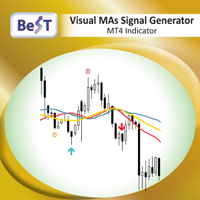
BeST_Visual MAs Signal Generator MT4 Indicator is a very useful Visual Tool that can display in the Chart all ENTRY signals (BUY and SELL) and also any corresponding EXIT signal, based on a total of 12, common but also different trading strategies, in which the Entry and Exit Signals are derived exclusively by using Moving Averages (MAs). The two main groups of MAs Strategies included in this tool are: A) Crossover Signals This group includes 4 different strategies (A1-A4), where Entry and Exi

This indicator displays super power trend movement. Features Multiplier - displays multiplier movement.
Multiplier2 - displays multiplier2 movement. Trend - displays indicator trend 1 and trend 2 (true/false). separate_windor - displays trend separate window.(0-1....)
X - move the trend left and right.
Y - move the trend up and down. How to understand the status: If the Trend color is green, trend is up. If the Trend color is red, trend is down.

This EA is based on the relationship between the three currencies, interaction, and thus hedging, I now find the most ideal pair of currencies is the default parameter of the three pairs of currencies, On the parameters
Parameter setting is very simple, "Huoli" is profitable n USD. Users can determine the number of orders according to the funds of the account.

The MACD Standard/Hidden Divergence indicator will plot the MACD, and will also identify and plot standard (regular) divergences between the indicator and the price action, OR it can be set to identify and plot hidden (reverse) divergences between the indicator and the price action. The divergences themselves are implemented as lines (default green for bullish divergence and red for bearish divergence) drawn in the indicator pane. If activated via the Inputs dialog, alerts will be generated when

The RSI Standard/Hidden Divergence indicator will plot the Relative Strength Index (RSI), and will also identify and plot standard (regular) divergences between the indicator and the price action, OR it can be set to identify and plot hidden (reverse) divergences between the indicator and the price action. The divergences themselves are implemented as lines (default green for bullish divergence and red for bearish divergence) drawn in the indicator pane. If activated via the Inputs dialog, alert

The Momentum Standard/Hidden Divergence indicator will plot the momentum, and will also identify and plot standard (regular) divergences between the indicator and the price action, OR it can be set to identify and plot hidden (reverse) divergences between the indicator and the price action. The divergences themselves are implemented as lines (default green for bullish divergence and red for bearish divergence) drawn in the indicator pane. If activated via the Inputs dialog, alerts will be genera

The Stochastic Standard/Hidden Divergence indicator will plot the stochastic (%K and %D), and will also identify and plot standard (regular) divergences between the indicator and the price action, OR it can be set to identify and plot hidden (reverse) divergences between the indicator and the price action. The divergences themselves are implemented as lines (default green for bullish divergence and red for bearish divergence) drawn in the indicator pane. If activated via the Inputs dialog, alert
------------------------------------ | LIVE ACCOUNT | ------------------------------------ Live account at mql5.
https://www.mql5.com/en/signals/457344
------------------------------------ | Suggestion | ------------------------------------ Every $30 with 0.01 lot.
Eg. $90 trade with 0.03 lot.
Timeframe: m5
Suggest pair: Eurusd ( i only focus on EU pair )
One pair already profit well, please check mql5 result VPS: timezone UTC 00:00
-----------------

The script opens a separate window and displays information about the current open positions in it.
The informer will be useful to those who operate with a large number of positions open on different instruments in different directions.
It allows you to quickly decompose the loading of the deposit by instruments, visually identify the most tense places in the aggregate position. For the exposed stop orders, it calculates the total risks and goals.

Hrumer Alpha - a fundamentally new forex indicator, which is built on the algorithm of tracking the peak values of the price. This is not ZigZag and not Fraclals and despite the visual similarity, does not have anything to do with these indicators. It does not redraw its values and works from the zero bar, that is, with Open [0]. He quickly reacts to any changes in the price and informs the trader about the reversals. Works on all currency pairs and timeframes. You can use for long trading,
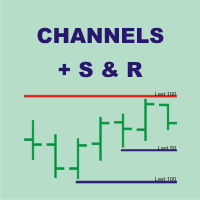
Channels + S & R Indicator (CSRI)
Indicator draws 3 channels (Large, Medium, Small) within bars’ range of current timeframe and pair / instrument. It can identify Support and Resistance levels within any chosen channel. Additionally Fibonacci levels can be drawn for Large Channel. All lines and levels can be customized by color and width.
Identify Support and Resistance Levels for any Channel:
IdentifySupportAndResistanceLevels - Identify Support and Resistance Levels IdentifySRforChannel – Ide

Smart Reversal Signal is a professional indicator for the MetaTrader 4 platform; it has been developed by a group of professional traders. This indicator is designed for Forex and binary options trading. By purchasing this indicator, you will receive: Excellent indicator signals. Free product support. Regular updates. Various notification options: alert, push, emails. You can use it on any financial instrument (Forex, CFD, options) and timeframe.
Indicator Parameters Perod - indicator calculat
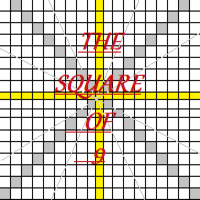
Welcome all to the famous Gann's "Square Of 9"!! This method was used by one of the best traders in the history, a person who made his way among the top traders. An "Holy Grail" for whoever wants to learn trading. The "Square of 9" was used by this genius to find the market's future supports and future resistances. Nowadays is possible to find them with just a click, thanks to softwares. At the time Gann was using just his set of square and goniometer!! Gann describes, partially, the tecnique on

Warning! The default input values are already optimized for EURUSD at time frame M1, spread at 16 and hedged account mode with leverage 1:100 and initial deposit of US$ 500. Always use the strategy tester optimization to set the best values for your assets, time frame, spread and account mode. It is very important and strongly recommended for successful trading. Optimize the input values as your needs. The EA's Strategy: This expert advisor uses 2 built in indicators (Zig Zag and CCI) in order t

Price action is among the most popular trading concepts. A trader who knows how to use price action the right way can often improve his performance and his way of looking at charts significantly. However, there are still a lot of misunderstandings and half-truths circulating that confuse traders and set them up for failure. Using PA Trend Reversal will be possible to identify high probability exhaustion moves of a trend. ️ AVOID NEWS AND SPEECHES - most of the bad signals are during the news/sp

This adviser trades by volume, analyzing candles. It is a free version of Volume candlex master . Differences from the paid ones are that there are not some functions here: working on 2 timeframes, using Moving average, dynamic stop-loss and take-profit, and also the maximum lot is limited (no more than 0.10). Recommended timeframes: M5, M15, M30. Before trading, optimize the parameters of the advisor for your account. Input parameters Lots - lot size; MaxSpread - the maximum spread for the op
FREE

TraderPro is a fully automated advisor for professional trade. In his work, the adviser uses a grid algorithm with hedging positions. Hedging positions increases the likelihood of successful transactions and reduces the risk of losing the deposit. The adviser is established in the usual way on the schedule with the time period M5 and works with any trading tools. To obtain high trading indicators, it is necessary to periodically optimize the parameters of the adviser. A detailed optimization al

The expert implements the strategy of "catching tails", earning on inevitable corrections after the beginning of a powerful trend. For the beginning of the trend, the moment of occurrence of a strong directed candle is taken. The order is opened in the opposite direction from the trend. If the price continues to go on a trend, then the level of the planned profit is shifted by implementing a grid of warrants, waiting for an inevitable correction or reversal of the trend.
The input parameters in
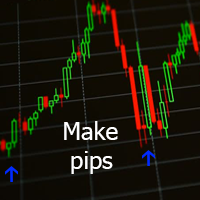
Данный индикатор отмечает участки разворота тренда, в точках разворота давая сигнал на вход в рынок в виде стрелок соответствующего цвета и направления и звукового оповещения. За расчет точек разворота отвечают классические технические индикаторы Bollinger Bands и MA . Расчет MA производится не по периоду, а по объему контракта разделённому на цены OHLC. Индикатор не перерисовывается.
Входные параметры Show Text Label - показывать текстовые метки Set Stop Loss - показывать расстояние до Stop

Lite version of Muholov Trend Trader Multicurrency trend advisor. Analyzes and trades up to 8 trading instruments simultaneously. Always follows the trend. 4 timeframes are taken for analysis: W1, D1, H4, H1. The main trend is determined by the highest selected timeframe (W1, D1, H4 - selected by a trader in the settings). Transactions open with a signal on H1. Closing orders takes place by take profit or by chains, when the specified profit of the chain is reached (specified in the settings).

Hola Traders. Lot - lot size for pending orders. Martingale - double lot size of pending orders. *(No Martingale = 1.00) TotalGridEachSide - unit each side of pending orders. SpaceOfFirstOrder - distance for the first order in points. Take Profit - profit in points. Stop Loss - loss in points. The entire positioning uses POINTS only. (10 point = 1 pip)
and you can open order BUYSTOP, SELLSTOP, ALLBUYANDSELL you can Close Pending, Close orders Profit and Loss and Close All *** ideas for using

Indicator FiboZag - transfer the indicator to the chart and the Fibonacci levels will be built automatically on the last ZigZag turn. The main advantage lies in the correct construction of Fibonacci levels and markup of price levels. Simple, visual and effective use. The indicator is not redrawn and does not lag. Works on all currency pairs and on all timeframes.

Panel "panel_kjutaMultiTerminal" for trading. Opens, modifies, closes and deletes trading and pending orders from the chart using virtual lines, buttons and the active information terminal. Automatically opens an order by indicator levels. Hints in Russian, English or disabled. It has a number of functions for trailing virtual Take Profit lines and limit orders. Displays information on the active information terminal. Hides and includes virtual lines S/L , T / P, buttons "<>","M","X", as well a

The advisor algorithm calculates the correlation between the built-in algorithms for determining the patterns of price movements. When the dynamically calculated required correlation level is reached, the adviser enters the market.
Each transaction is controlled by a short trailing stop, which accompanies each market order in both zones - profitable and unprofitable.
Advisor is recommended to use simultaneously on the following trading instruments: EURUSD M5, GBPUSD M5, EURGBP M5, USDCAD M5. P
Порядок работы
Cоветник работает на любом таймфрейме на любых валютных парах. При работе советника анализируется несколько трендовых индикаторов и показатели объема торгов, при возникновении необходимых условий происходит открытие рыночного ордера. Советник не открывает следующий ордер, пока не закроется предыдущий.
Советник имеет блок TrailingStop , позволяющий перемещать StopLoss за движением цены. Основным отличием этого блока от стандартного является его не линейность. В настройках вам

Hola Traders. Lot - lot size for pending orders. Martingale - double lot size of pending orders. *(No Martingale = 1.00) TotalGridEachSide - unit each side of pending orders. SpaceOfFirstOrder - distance for the first order in points. Take Profit - profit in points. Stop Loss - loss in points. The entire positioning uses POINTS only. (10 point = 1 pip)
and you can open order BUYLIMIT, SELLLIMIT, ALLBUYANDSELL you can Close Pending, Close orders Profit and Loss and Close All *** ideas for usin

Sentinel Grid, is an Expert Advisor that allows you to create complex trading strategies. Things unthinkable only until some time ago. You will have total control of the operation, being able to decide to mount, for example, two equal and opposite grids to take advantage of a moment of laterality of the market, gaining if the price moves above or below the entry level. As you can opt for two Anti-Grid, always equal and opposite to take advantage of a moment of strong trend without having to gue

ATRA EA is based on our ATR Accelerator Indicator. Strong Price Movements will be used as Trade entry. ATRA EA gives you a really powerful framework to run your Trading-Strategies Features:
Different Exit Strategies Trailing Take Profit Exit by MA Cut Exit by Signal Change Risk & Money management Balance based dynamic Lot calculation Define your own Risk percentage of minimum free equity Track Long run Trades -> set new TP after a defined time News Filter integrated, to prevent miss trades on

New Version updated(1.5) with a special trend filter!
Set file for EURUSD H1 ---> https://c.mql5.com/31/291/hendrix_ea_eurusd_h1_set_files.zip
Please Read it before start! I made an article on how to easy optimize it for your broker, pair and timeframe!
Instructions here: https://www.mql5.com/en/blogs/post/723159
Is this EA too slow for you? Take a look at the more aggressive and faster version Hendrix Turbo Grid ( https://www.mql5.com/en/market/product/38097 )
WARNING: using Hendrix EA
This indicator super indicator.Indicator displays trend movement. Indicator calculates automatically bars Features
FiltPer - displays indicator period. Multiplier - displays indicator multiplier. How to understand the status: If the indicator bar is higher , trend is up. If the indicator bar is lower , trend is down. IIIIIIIIIIIIIIIIIIIIIIIIIIIIIIIIIIIIIIIIIIIIIIIIIIIIIIIIIIIIIIIIIIIIII

This Expert Advisor is a pure scalping system. The expert place and manage pending orders. Runs perfect on pairs with tight spread and low commission broker (commission plus spread equal or less than 1.0 pip). Choose a broker with zero stop level and fast execution to use expert.
Pairs and Time Frame Pair: eurusd Time frame: M1 Default settings are good for eurusd.
Information Please test expert on demo account first, before uses it on real account. Have on your mind, all scalpers are sensiti
FREE

Super Buy Sell is a combination of Hedging and Martingale strategy. Buy and Sell at the same time and open order every 20 pips (default setting) with customized Target Profit. It was backtested and optimized using real ticks with high quality. The Expert Advisor has successfully passed the stress test with slippage approximate to the real market conditions. This EA can run on several instruments simultaneously. This EA is recommended for cent accounts.
Real account monitoring https://www.mql5.
FREE

The Flag Streamer Pattern indicator is an indicator designed to find flag and pennant patterns. When the legend finds patterns, it draws lines on the graph screen. Magenta lines represent the streamer pattern. Aqua colored patterns represent the flag pattern. You can change the pattern colors according to your request. Our Popular Products Super Oscillator HC Cross Signal Super Cross Trend Strong Trend Super Signal Parameters fs- =======Channel Trend Setting===== Channel - Channel period setting
FREE

CandleCrusherX Scalping EA analyses the market situation on volume and strong price movement within internal Timeframe. It works on all major forex pairs and Timeframes (M5 or M15 recommend). The EA has integrated dynamic Take Profit, this means, if you reach your defined TP it gives you the chance to follow on the Trend by dynamic TP & SL and extend your profits. Also a News Filter function is integrated, to prevent miss trades on News events. Dynamic Lot calculation integrated On Request we a
FREE

This Expert Advisor is our latest trading system and it is designed to work with EURUSD and GBPUSD . This EA produces good results with medium spreads. It opens a market order following the market trend and then it opens Market Orders with different amount of lots to close all orders or single order in profit with small amounts. To close trades, it uses a cumulated closing function or a closing function for each trade opened. It works with all time frames, better with lower TF, and you can us
FREE

Информационная панель, которая выставляет уровни покупки продажи и цели для профита на текущий день. Уровни рисуются согласно движению валюты за вчерашний день. Панель вмещает в себя информацию о валютной паре, тенденции на рынке, время до закрытия бара, управление капиталом, рекомендуемый лот, профит в пунктах, а также уровни для покупки и продажи инструмента. Для заключения сделок использовать только отложенные ордера на пробой. Входные параметры Lots - установить текущий лот Risk - риск в про
FREE
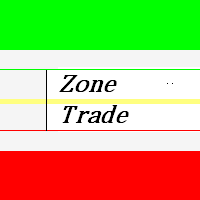
This indicator zone indicator.Indicator displays high and low zone.
Features Green color - Shows movement on the high zone.
Red colr - Shows movement on the low zone. Yellow colr - Shows movement on the zero zone.
How to understand the status:
If the bar is higher than the yellow color line , trend is up. If the bar is lower than the yellow color line , trend is down.
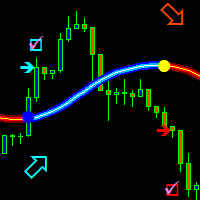
The trend is your friend! This is what this indicator is all about. Follow this famous saying and be safe.
Characteristics:
Buy/Sell signals fixed on the close of a bar. Works on all symbols and all timeframes. Clear visual market trend laser line, Buy/Sell signal arrows, market strength meter, TP1 & TP2 boxes. Visual signals when to enter, when to exit the market. No repainting. Compatible with Flexible EA for trading automation. (Ask for a free set file optimized to perform 2010-2018) Parame

The Sensitive Oscillator indicator is designed to find trends. It recognizes trends with its own algorithm and changes color. Finds trends relative to the degree of sensitivity. You can use it in all time periods. You can use this indicator alone or in conjunction with other indicators suitable for your other strategies.
Transaction strategies You can do breakout strategies with this indicator. Each time you change colors, you can enter the process. You can use it in the long run by putting sto
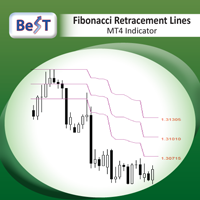
BeST_Fibonacci Retracement Lines is an MT4 Indicator that by default is based on common Fibonacci levels but it can also draw any 3 desired levels of Retracement or Support of a trending move. It can be used to identify pullback points but also additionally as a kind of a Trailing Stop . BeST_Fibonacci Retracement Lines indicator: • by default draws 38.2%, 50% and 61.8% Retracement Levels of the current price move defined using the Highest High (HH) and Lowest Low (LL) of a desired Look Back Pe

This is the FXTraderariel F.U.E.L . It scans the market for opportunities and shows a buy or sell signal.It uses price action and VIX to find the best opportunities. Depending on the settings it and trading style, it can be used for scalping or long-term trading . The indicator can be used on every time frame , but we advise to use it on H1 and H4 . Especially if you are a novice trader. Pro Traders can also you use it for scalping in smaller timeframes (M1, M5 and M15). This indicator is not a
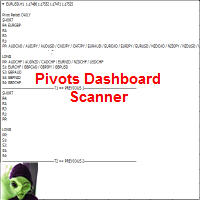
This indicator scans and displays where the currency pairs currently are in reference to Pivot Levels. You have the option to choose between Daily, Weekly, Monthly, Quarterly, and Yearly pivots. Standard Pivot Levels and Camarilla Pivot Levels formulas came from the book Secrets of a Pivot Boss: Revealing Proven Methods for Profiting in the Market by Frank O. Ochoa. It also includes all types of alert options.
Features Attach to one chart and scans all the currency pairs configured and visible

This is the FXTraderariel TrendTrader .It analysis the trend and displays it, due to changing the changing the candle color. It took me over 12 Year to develop this system. But it shows the market perfect. Very easy to follow, even for beginners.
It works on all Pairs and all Timeframes (however we advice only pro traders to trade smaller Timeframes, novice traders should stick to higher TF like H4 and D1).
Depending on the settings it and trading style, it can be used for scalping or long-ter

CloseDelet_Orders CloseAtProfit is an EA that I use only to close orders after defined profit, or loss, close all orders , also delete pending orders.
I am using it in live trading. The speed of closing depends on time when it trades, on broker you are using and symbols you are trading. INPUTS:
win_USD_All = close all orders (sell+buy) when the profit is greater than defined profit to close; win_USD_BUY = close only orders buy when the profit is greater than defined profit to cl

A trending market is one in which price is generally moving in one direction. ... When trading a trend-based strategy, traders usually pick the major currencies as well as any other currency utilizing the dollar because these pairs tend to trend and be more liquid than other pairs.
Best Trend Indicator That Tells You the Direction of the Trend
Trend MagicX_v1.1 displays the trend direction, duration, intensity and the resulting trend rating for all time frames in real time. You'll see at a

Neuron One
is a masterpiece EA, jointly developed from 9 champion forex traders together with our programmers and software. We approached those 9 champion forex traders, who have almost 10 years-experience in forex trading to corporately generate a powerful EA.
During 4 years of developing Neuron One, 9 forex champions have applied their best strategies to our EA. Moreover, our programmers have been optimizing the trading strategies using our ultimate software to maximize the efficiency of EA.
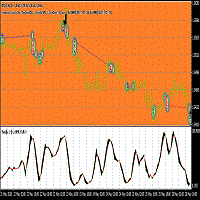
This Expert adviser uses an Oscillation of the indicator iStochastic to enter and exit trades in the form of pending Orders ,while trailing them.it also sends emails when a trade is opened long or short,it also creates euro objects of size 200.200 on the upper left corner of the chart you are trading. Here are the Parameters used in the EA double stop loss=50; double Take profit=50; double lot=1; double Trailing stop=30; double ISTOCHMINLEVEL=20; double ISTOCHMAXLEVEL=80; This parameters were

브레이크아웃 로봇 EA 는 시간 세션 기반 브레이크아웃을 자동화하도록 설계된 전문 거래 도구입니다. EA는 지정된 시간 매개변수에 따라 가격 범위 상자와 고가/저가선을 그려 작동합니다. 가격이 이 정의된 범위의 고가를 상회하거나 저가를 하회하면 EA는 자동으로 거래를 실행합니다. 이 시스템의 핵심 기능은 22:00~02:00 GMT 사이의 EURJPY 브레이크아웃 에 중점을 두며, 유연한 아키텍처를 통해 매개변수 조정을 통해 런던, 뉴욕, 도쿄 또는 자정 킬존 브레이크아웃 과 같은 다른 시간 기반 전략에도 적용할 수 있습니다.
주요 특징은 다음과 같습니다.
EURJPY 범위 초점: EURJPY 돌파를 위한 22:00-02:00 GMT 시간대 모니터링을 위해 하드코딩되었으며, 범위 임계값을 조정할 수 있습니다. 사용자 지정 세션 적응성: 특정 세션에 맞춰 사전 구성되어 있지는 않지만, 트레이더는 설정을 수정하여 런던, 뉴욕, 도
멀티 타임프레임 지원, 맞춤형 시각 신호 및 구성 가능한 알림 시스템을 갖춘 Commodity Channel Index(CCI) 지표.
프리랜서 프로그래밍 서비스, 업데이트 및 기타 TrueTL 제품은 제 MQL5 프로필 에서 이용하실 수 있습니다.
피드백과 리뷰를 대환영합니다!
CCI란 무엇인가요? Commodity Channel Index(CCI)는 1980년 도널드 램버트가 개발한 다목적 오실레이터로, 가격의 통계적 평균으로부터의 편차를 측정합니다. 이 지표는 현재 가격 수준을 특정 기간의 평균 가격 수준과 비교하여 과매수 및 과매도 상태를 나타냅니다. CCI는 주로 주기적 트렌드와 극단적인 상태를 식별하는 데 사용됩니다. +100 이상의 값은 과매수 상태를 나타내고, -100 이하의 값은 과매도 상태를 나타냅니다. 지표는 영(0) 주변에서 진동하며, 대부분의 값은 일반적으로 +100과 -100 사이에 있습니다. 트레이더들은 또한 CCI와 가격 움직임 간의 다이버전스에 주
FREE

RSI Action Expert Advisor는 인기 있는 RSI(Relative Strength Index) 전략을 자동화하여 효율적이고 정확한 거래를 가능하게 하는 강력한 도구입니다. 과매수 및 과매도 수준을 활용하여 이 EA는 매수 및 매도 주문에 대한 최적의 진입 지점을 식별합니다. 또한 RSI 반전 포인트, 보류 중인 주문, 주요 추세 식별 및 이동 평균 크로스오버 신호를 포함하여 거래 정밀도를 향상시키기 위한 다양한 신호 필터링 옵션을 제공합니다. 또한 자동으로 이익을 보호하고 이익을 극대화하기 위해 정지하는 최신 후행 시스템을 통합합니다. 이 EA는 거래 경험을 최적화하도록 설계된 필수 기능으로 가득 차 있습니다. 여기에는 책임 있는 거래 관행을 보장하는 적절한 위험 관리 시스템이 포함됩니다. 완전히 자동화된 기능을 갖춘 EA는 거래를 독립적으로 실행하여 시간과 노력을 절약합니다. 최신 후행 및 이익 보호 시스템은 변동이 심한 시장 상황에서 이익을 보호하는 데

Universal author's strategy, allows to determine the entry points for Buy and Sell both in the direction of the trend, on the reversals of trends and in the flat market. The indicator is equipped with a unique scanner which each tick analyzes the price chart, calculates optimal levels and patterns for finding entry points by one of the 3 strategies. Each of the strategies combines author formulas and algorithms, for optimal trading we recommend using 3 strategies simultaneously as they are compl
트레이딩 전략과 기술 지표를 판매하기에 가장 좋은 장소가 왜 MetaTrader 마켓인지 알고 계십니까? 광고나 소프트웨어 보호가 필요 없고, 지불 문제도 없습니다. 모든 것이 MetaTrader 마켓에서 제공됩니다.
