Facebook上で私たちを見つけてください。 私たちのファンページに参加してください
MetaTrader 5の新しい可能性をご利用ください
最も人気のある自動売買ロボットおよびテクニカル指標、ニュースシグナル、コードベースへの MQL5プログラムの定期的な追加、フォーラムでの話題のトピックの定期的な追加。
The indicator consists of the two parts – entry system displayed on the chart and currency power analyzer. The analyzer can take on values from 0 to 3: the higher the value, the stronger the currency; the smaller the value, the weaker the currency; average values of the indicator suggest that the currency is in flat. Recommendations on usage: Buy if Trader Dream shows Buy signal and the analyzer shows the currency's strength (the value exceeds 2). Sell if Trader Dream shows Sell signal and the a
Blue Butterfly is an implementation of Gartley Butterfly pattern. This indicator predicts price reversals well enough allowing traders to catch large movements (up to 1 000 pips) with small risks. Indicators for efficient traders cost about $300 and higher, while Blue Butterfly can be purchased at a more attractive price. The red butterfly indicates entering sells given that the price is closed below the rectangle (the so-called "reversal zone"). The blue butterfly indicates entering buys given
This Expert Advisor is meant to work both with small and large deposits. This depends on your starting lot. The EA uses Blue Butterfly indicator. It works with AUDUSD, NZDUSD M15. General Recommendations Use StartLots=0.01 per each 500-1 000 currency units Use different magic numbers to trade several currency pairs simultaneously Real account monitoring as well as my other products can be found at https://www.mql5.com/en/users/mechanic/seller Input Parameters The Expert Advisor works both with
Ultimate MTF Support & Resistance - 5 Star Best Seller New Year Sale - Save $20 (normal price $79) Beginner or Professional our best selling multi-timeframe Pivot Prof will enhance your trading and bring you great trade opportunities with the Support and Resistance levels that professionals use. Pivot trading is a simple effective method for entering and exiting the market at key levels and has been used by professionals for decades and works on all symbols: Forex, Crypto, Stocks, Indicies et
Multicurrency indicator Any chart obs is a price chart with a percentage scale. Can be displayed as a line and as a histogram. There is also a reverse function available, it mirrors the chart. The name of an instrument to be displayed is specified in the input parameters, the current symbol is used on default. The indicator doesn't have lags as it is not smoothed with any formulas, but bound to a percentage scale, what allows detecting the price equilibrium, the overbought and oversold state. Th
This indicator builds divergence/convergence for any selected indicator. You can add your own indicator with its custom settings to the code for free. The indicator has two basic line drawing methods (**): Peak search on fractals without waiting the closure of the wave (MODE = each_bar_peak) Wave search for peaks after crossing the "ZERO line" of the indicator (e.g., "zero line" for RSI = 50.0) (MODE = WAVE_bar_peak) Basic settings include 17 standard indicators included in MT4 terminal, to whic
EA Super Hamster is an Expert Advisor specially designed for NZDUSD. It works even with the minimum deposit. The Expert Advisor is based on RSI + it has two additional filters, makes loss-making deals profitable using Martingale function and features stop loss set in percentage value from the deposit. After purchasing this Expert Advisor, you will receive updates and optimizations for free! I will help you choose the correct parameters for achieving any objectives (increasing the deposit, low ri
Multi-currency Trailing Stop. Classic Trailing Stop. It only changes order Stop Loss when the current price reaches Trailing Stop Start pips of profit, securing/"locking" more profit as the price moves in favor of a trade. It allows flexible order filtering and processing by: Pair Magic Ticket Order Type The Expert Advisor can be placed on any chart. You can use Advanced Trailing Stop simultaneously with any other Expert Advisor. It also features: On Screen Display Extended logging Separate EA
This is a new version of the ZigZag breakthrough Expert Advisor with the mode 4 implemented, which considers the peculiarities of the price movement and forming on EURUSD. The pair has become globally flat, thus my previous developments has stopped working normally for some time. The Expert Advisor places pending orders on a breakthrough by analyzing the ZigZag, volatility and existing trend. The Expert Advisor is set up by choosing the input parameters and the trading mode (G). Working pair is
Wolfe Wavesは、すべての金融市場に存在する自然に発生する取引パターンであり、均衡価格への戦いを表しています。これらのパターンは、短期および長期の時間枠で発生する可能性があり、現在の最も信頼性の高い予測反転パターンの1つであり、通常は強い長期の価格変動に先行します。 [ インストールガイド | 更新ガイド | トラブルシューティング | よくある質問 | すべての製品 ] クリアな取引シグナル 驚くほど簡単に取引できます カスタマイズ可能な色とサイズ パフォーマンス統計を実装します 適切なストップロスおよび利益レベルを表示します 電子メール/音声/視覚アラートを実装します インジケーターはパターンとブレイクアウト矢印を同時に描画し、インジケーターが展開するときにパターンが再描画されないようにします。ただし、エントリのブレイクアウトが何度も発生し、インジケータが再描画される場合、あまり頻繁にではなく控えめに再描画される可能性があります。インジケータは非バックペインティングです。 オオカミの定義 ウルフ波には、次の特性が必要です。 ( 例を見るにはここをクリック ) ウェーブ
The script shows whether the candle is bullish or bearish in 15 timeframes and in 7 major pairs + 21 major crosses. The prevailing trend can be seen for all 28 pairs in one chart. It helps a lot in pair selection for trading. One can easily select the pairs which are trending well for trading. Note: Close toolbox window before executing the script. It allows viewing all 28 pairs in the main chart window, irrespective of the main chart size. ALL TRENDS product CANNOT be tested in the strategy te
This EA allows you to trade automatically the events of your choice (Non farm payroll, PMI ...). You set the date and the time of a maximum of 5 events, the size of the positions, the Take Profit, the Stop Loss and the Trailing Stop values and then you just have to wait. 10 secs before the event, this Expert Advisor will set a virtual Buy Stop 20 pips over the Ask and a virtual Sell Stop 20 pips under the Bid. Below, you can find a description of available parameters: Volume size : Volume size o
MACD Message is an analogue of the MACD Alert for the MetaTrader 4 terminal with more advanced functionality: Parameters 'Averaging Method' and 'Price Type' ( MA method and Apply to ) are displayed in the settings window. It gives an advantage of monitoring convergence/divergence of all types of Moving Average (Simple Averaging, Exponential, Smoothed and Linear Weighted) and by any price (Closing Price, Opening Price, the Maximum Price for the Period, the Minimum Price for the Period, Median Pri
This is MetaTrader 4 version of Auto SLTP Placer . Help scalper placing his manual orders faster so he can repeat his orders without worrying make a mistake when calculate their Stop Loss/Take Profit. Example: The price has a strong movement and breaks the upper Fractals at M5 chart. You want to open a long position to get small pips profits (scalping). On this stage you will you will feel confused to put your SL/TP while prices continue to soar up and you do not want to lose this opportunity bu
このインジケータは、30を超える日本のローソク足パターンを認識し、チャート上でそれらを美しく強調します。それは、価格行動トレーダーがなしでは生きていけない指標の1つにすぎません。 一晩でテクニカル分析を強化 日本のローソク足パターンを簡単に検出 信頼できる普遍的な反転パターンを取引する 継続パターンを使用して、確立されたトレンドに安全に飛び乗る インジケーターは再描画されず、アラートを実装します インジケーターは、マルチタイムフレーム ダッシュボードを 実装します チャートが非常に多くのパターンを検出するため、チャートが非常に乱雑に見え、読みにくくなります。トレーダーは、チャートをより読みやすくするために、インディケーター入力から望ましくないパターンを無効にする必要があるかもしれません。 1小節、2小節、3小節、および多小節のパターンを検出します 反転、継続、および脆弱性のパターンを検出します パターンは有効または無効にできます 強気のパターンは 青 、弱気のパターンは 赤 、中立のパターンは 灰色で ラベル付けされてい ます 。 検出されたローソク足パターンのリスト 1バーから5
Need to open a pending order at a specific time? The CAP Pending Order at Time opens pending orders at a specific time or specific date for you, avoiding human errors and enhancing your trading activity. It is useful for news traders who open pending orders before the news come out. The EA performs the following tasks: It can open pending orders at a given distance from the current price. It can open pending orders at a specific time and day. It works like on a weekly schedule. (True/False) It
This is an utility for automatic scaling of a chart and making at least 140 bars visible in it. This is necessary for a correct wave analysis according to the Bill Williams' strategy "Trading Chaos". The utility can be used on any timeframe available in МetaТrader 5. It draws a vertical line through the first bar the calculation starts from. This line allows you to see the probable starting point of the wave sequence along with a sufficient number of bars displayed in the chart. It also makes th
Does not support openning multiple orders on a single symbol on MT5 MultiMTCopier MT4Receiver v2 - new and improved multi-terminal positions copier for your real/demo account, works faster, requires less, flexible in managing and upgrading, new information support. This Expert Advisor is designed for the MetaTrader 4 terminal, copying will be performed in this terminal. MultiMTCopier v2: The EA will copy all positions without delays Additionally integrated notification in situations requiring u
Smart Trend Line Alert is a unique professional Trend Line, Support Line and Resistance Line Touch and Break out Alert with awesome Alert History feature, designed to help traders easily manage many charts and symbols without staring at the monitor. Features Candle Break Out Alert, Price Touch Alert and Time Line Alert; 1 click for converting any drawn line into an alert line (Trend line and Horizontal line or Trend Line By Angle); Alerts History able to re-open closed charts or re-draw deleted
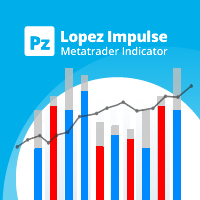
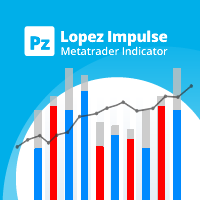
この指標は、ボラティリティと価格の方向性を同時に評価し、次のイベントを見つけます。 [ インストールガイド | 更新ガイド | トラブルシューティング | よくある質問 | すべての製品 ] 決定的かつ突然の価格変動 大きなハンマー/シューティングスターパターン ほとんどの市場参加者に支えられた強力なブレイクアウト 優柔不断だが不安定な市場状況 それは非常に使いやすいインジケータです... 青いヒストグラムは強気のインパルスを表します 赤いヒストグラムは弱気のインパルスを表します 灰色のヒストグラムは現在のボラティリティを表します 移動平均は平均ボラティリティです このインジケーターは、あらゆる種類のアラートを実装します インジケーターは再描画もバックペイントもしません ...簡単な取引の意味を持ちます。 強気の衝動が平均ボラティリティを超えたときに購入できます 弱気の衝動が平均ボラティリティを超えたときに売ることができます この指標は、市場のボラティリティとすべてのバーの強気と弱気の衝動を追跡します。強気の衝動が平均的なボラティリティを超える場合、おそらくショートのために長く行く良
POPTrader is an Expert Advisor based on "Pivot Point". For more information about "Pivot Point", you may visit its Wikipedia page: https://en.wikipedia.org/wiki/Pivot_point or just do a Google search. The EA's name: POP, doesn't mean popular. And it is not the abbreviation of "Pivot Point". Here it stands for "Power of Patience". The EA was developed for two purposes: Test trading by simple Pivot Point. Test if we can win if we have enough patience, that is, use little money to trade without st
This Expert Advisor uses the SuperTrend to enter into a position and the Parabolic to exit from it. The suggested settings represent the results of optimization performed for USDJPY H1 but you can optimize the Expert Advisor for any other time frame. It works with 4 and 5-digit quotes. Description of Input Parameters CCI_TF - time frame of the CCI indicator. CCI_Period - period of the CCI indicator. SAR_Step - step of the Parabolic indicator. SAR_Enabled - enable/disable Parabolic. SAR_Max -
CMI - Profit from trending and ranging markets. The CMI indicator is a two-part system used to trigger both trend and counter-trend trades, that has been introduced by Daniel Fernandez in an article published in Currency Trading Magazine (August 2011 issue). It is a simple, yet effective indicator, which gauges whether the market has behaved in a choppy (non-directional) manner or trending (directional) manner. CMI calculates the difference between the most recent bar's close and the close n bar
The EA performs trade operations of closing position groups. Positions are grouped by type. It is possible to select orders by the profit (loss) value. It is possible to form the closure groups manually. You can set a value for automatic closure of a positions group after reaching a certain profit/loss level or price level. The additional functions of the EA are called using the hot keys: SHIFT+A - show/hide Auto exit options. SHIFT+S - show/hide Settings panel. SHIFT+V - sound ON/OFF. SHIFT+I -
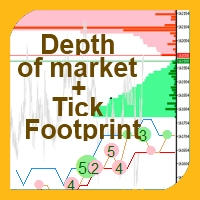
This indicator allows you to enjoy the two most popular products for analyzing request volumes and market deals at a favorable price: Actual Depth of Market Chart Actual Tick Footprint Volume Chart This product combines the power of both indicators and is provided as a single file. The functionality of Actual COMBO Depth of Market AND Tick Volume Chart is fully identical to the original indicators. You will enjoy the power of these two products combined into the single super-indicator! Below is
Alex Profis is a fully automated Expert Advisor for Forex trading. The EA uses the strategy based on price levels' breakout. The main rule of the EA is to preserve and increase the account balance without large risks. Therefore, the EA is in the market for mere minutes, sometimes seconds per day. The best results are achieved on GBP/USD, EUR/USD, USD/JPY. The EA works on H1. The product requires a low-spread broker with accurate order execution. Real account monitoring: https://www.mql5.com/en/u
The main purpose of the indicator is to detect and mark trade signals on the histogram of the Awesome Oscillator according to the strategies "Trading Chaos, second edition" and "New Trading Dimensions". The indicator detects and marks the following trade signals: "Two peaks" - Divergence. The signal "Second wise-man" - third consequent bar of the Awesome Oscillator after its color is changed. The histogram crosses the zero line. The signal "Saucer". The indicator includes a signal block that inf
About the system: RUSH is an automated indicator-free system. The Expert Advisor starts trading in small orders in both directions at once. As the price moves, counter-orders are opened at a certain distance. Recommended minimum deposit: For Standard Forex accounts - 2,000 USD with the minimum lot of 0.01. For Mini Forex accounts - 200 USD with the minimum lot of 0.01. For Micro Forex accounts - 20 USD with the minimum lot of 0.01. Parameters: Lot = 0.1 - Lot for initial orders. ProfitPercent
The indicator gives signals on trend reversal or the possible direction of price movement when leaving the flat movement. Features and settings: Sensitivity = 3 - sensitivity from 1 to 5; the higher the value, the more signals (example displayed in the screenshot below). DeepBars = 3000 - indicator display depth. ZeroBarCalc = false - use a zero bar in the calculations; if yes, the signal will appear earlier, but it may disappear before the current candlestick is closed. UseAlert = false - enab
What is Center of Gravity? The Center of Gravity indicator allows you to get an instantly strong sentiment of where any market is going. It works with any kind of market: Forex, Stocks, Metals... The extreme ease of reading is the real power of this indicator. The basics behind Center of Gravity is a physics law: barycentre. When the market price deviates strongly from this centre of gravity, the probability is considered high that the market price will evolve back towards the centre of gravity.
サポート線と抵抗線のプロットにうんざりしていませんか? サポートレジスタンス は、非常に興味深いひねりを加えてチャート内のサポートとレジスタンスラインを自動検出およびプロットするマルチタイムフレームインジケーターです。価格レベルは時間とともにテストされ、その重要性が高まるにつれて、ラインは太くなり、暗くなります。 [ インストールガイド | 更新ガイド | トラブルシューティング | よくある質問 | すべての製品 ] 一晩でテクニカル分析を強化 チャートを閲覧せずに重要な価格レベルを検出 一目ですべての価格レベルの相対的な強さを認識する すべての取引で最大30時間のプロットラインを節約 インジケーターは、すべての価格レベルの年齢を表示します インジケーターは再描画されていません 過去および現在の価格レベルは近接によって崩壊し、現在の市場行動に合わせて調整されます。動作は、必ずしもピークではない場所に線が引かれます。 価格レベルは、時間とともに拒否されるにつれて、より暗く、より広くなります ノイズを避けるために、重要でない価格レベルは定期的にクリアされます カスタマイズ可能な時間枠の
Scalping strategy indicator only for M1 timeframe, works with any pairs. Whenever you have time to sit down at your PC or laptop, you can get profit during 15-30 minutes with the help of this indicator. Red line means down trend, you need to sell. Blue line means up trend, you need to buy. Note! Before you start a trade process, it is very important to wait out a new signal.
Indicator-forecaster. Very useful as an assistant, acts as a key point to forecast the future price movement. The forecast is made using the method of searching the most similar part in the history (pattern). The indicator is drawn as a line that shows the result of change of the close price of bars. The depth of history, the number of bars in the forecast, the patter size and the quality of search can be adjusted via the indicator settings. Settings: PATTERN_Accuracy_ - quality of the search.
R2 (R-squared) represents the square of the correlation coefficient between current prices and deducted from the linear regression. It is the statistical measure of how well the regression line is adjusted to the actual data, and therefore it measures the strength of the prevailing trend without distinguishing between ascending and descending one. The R2 value varies between 0 and 1, therefore it is an oscillator of bands that can show signs of saturation (overbought / oversold). The more the v
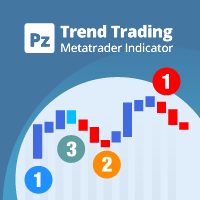
トレンドトレーディング は、タイミングのプルバックとブレイクアウトにより、市場で起こっているトレンドから可能な限り利益を得るように設計された指標です。確立されたトレンドの中で価格が何をしているかを分析することにより、取引の機会を見つけます。 [ インストールガイド | 更新ガイド | トラブルシューティング | よくある質問 | すべての製品 ] 自信を持って効率的に金融市場を取引する むち打ちにならずに確立されたトレンドから利益を得る 収益性の高いプルバック、ブレイクアウト、早期の逆転を認識する この指標は、独自の品質とパフォーマンスを分析します 複数時間枠のダッシュボードを実装します インジケーターは再描画されていません 電子メール/音声/視覚アラートを実装します 確立されたトレンドは多くの取引機会を提供しますが、ほとんどのトレンド指標はそれらを完全に無視しています。インジケーターの解釈はかなり簡単です: (1) トレンドの変化 (2) トレンドの方向への後退 (3) トレンドの方向へのブレイクアウト 赤いダッシュ は下降トレンド中の修正です 青いダッシュ は上昇トレンド中
The indicator allows determining the strength and direction of the trend precisely. The histogram displayed in a separate window shows changes of the slope of the regression line. A signal for entering a deal is crossing the zero line and/or a divergence. The indicator is also useful for wave analysis. Input Parameters: Period - period of calculation, 10 on default; Angle threshold - slope at which a flat is displayed, 6.0 on default (within the range from -6.0 to 6.0); Filter by volume - volume
This indicator shows you the angle of the moving average according to your settings in a separate window. It also shows the angle written on the chart, which can also be adjusted. The main features and input variables provided include: MAPeriod: This is the period for your moving average. The default MAPeriod is 5. LookBack: This is a very important variable. It allows you to set the look back bar, from which the angle will be measured. For example, if your LookBack is 5, then indicator will cal
Virtual Multi-currency Trailing Stop. It works exactly as the "regular" Trailing Stop, but it does not send trading orders to change the existing Stop Loss. It only changes Virtual Stop Loss level when the current price reaches Trailing Stop Start pips of profit, securing/"locking" more profit as the price moves in favor of a trade. When the price turns back and becomes equal to the Virtual Stop Loss level, the position is closed at the market price. It allows flexible positions filtering and pr
This is a simple, easy to use and effective indicator. The strategy is suitable for everyone, even for beginners. The input parameters are optimized for M15, M30 and H1. START BUY / START SELL - input to Buy / input to Sell PROFIT 1 - basic earnings PROFIT 2 - average profit PROFIT 3 - big profit STOP LOSS - setting stop loss Input Parameters InpBluePeriod - blue averaging period InpBlueShift - blue line shift relative to the price chart InpRedPeriod - red averaging period InpRedShift - red li
Easy Order is an Expert Advisor allowing you to enter any type of trade with one click based on your RISK preferences. You can choose to enter a trade and automatically calculate your lot size based on how much of your account you want to risk. Risk is calculated based on your Stop Loss placement. You can use a fixed lot size if you don't want to use risk based calculation of lot size. Your previous setting of risk based or fixed lot size remains saved for your next use of this Expert Advisor. T
GoilerEA Pro is based on ForexGoiler indicator algorithm. First of all, this Expert Advisor will be of interest for traders using this indicator in their activity. However, it can be used by anyone, as the trading algorithm is clear enough and can be mastered if necessary. GoilerEA Pro is a fully automated system. After you have configured and installed it in the terminal, you only need to keep an eye on its operation from time to time. ForexGoiler indicator code has been integrated to the Exper
スイングトレーディング は、トレンドの方向のスイングと可能な反転スイングを検出するように設計された最初のインジケーターです。トレーディングの文献で広く説明されているベースラインスイングトレーディングアプローチを使用します。インディケータは、いくつかの価格と時間のベクトルを調査して、全体的なトレンドの方向を追跡し、市場が売られ過ぎまたは買われ過ぎて修正の準備ができている状況を検出します。 [ インストールガイド | 更新ガイド | トラブルシューティング | よくある質問 | すべての製品 ] むち打ちを起こさずに市場スイングの利益 インジケーターは常にトレンドの方向を表示します 色付きの価格帯は機会のベースラインを表します 色付きのダッシュは、可能な反転スイングを表します この指標は、独自の品質とパフォーマンスを分析します 複数時間枠のダッシュボードを実装します カスタマイズ可能なトレンドおよびスイング期間 電子メール/サウンド/プッシュアラートを実装します インジケータは再描画またはバックペインティングではありません Swing Tradingとは Swing Tradingは
Unique Scalper strategy, no Martingale, no Hedging, no Grid! The function of this Grail Expert Advisor is similar to that of Million Dollar Pips EA. This is a completely automated Forex system. Trading is performed with as lowest possible risk as possible. You can use the product on EURUSD and GBPUSD pairs on M15 timeframe. This Expert Advisor works on ECN or low spread account (no more than 2 pips).
This is a half scalping system that analyzes the market using a transmission function. The system can be scalping or not depending on the "takeprofit" and "stoploss" parameters. This Expert Advisor is intended for trading on EURUSD,GBPUSD,EURCHF,EURAUD however it can work on other currency pairs. You should use timeframe M1 for trading. Parameters Bobra Stable Mode_trade (Market_Oders) - type of order placed. type_order (ORDER_FILLING_FOK) - type of order filling. Magic (123) - magic number.
The Expert Advisor coded for EURUSD and GBPUSD pairs runs on M15 timeframe. This is a scalper strategy. The EA trades are based on volatility. The basic setup is running with risk 5.0. You can modify any time the risk factor, if you need. But you have to consider that increasing the risk factor resulting in a higher profit will increase the drawdown as well. The EA is dynamically modifying the trade size according to the money management. Turning off the money management you can set manually the
The indicator presents a new way of early trend detection using the popular ADX indicator methods. The new system adapts to the market and eliminates additional conditions. To generate a signal when using the standard ADX indicator, the ADX line should cross some level - 20, 22, 26, etc. However, it is very difficult to select such a level not only for different symbols but also for different timeframes on the same chart which makes ADX practically useless. The solution has turned out to be simp
On the MetaTrader 5 terminal, by default, the vertical scale is floating. When scrolling the chart, it is not quite intuitive to tell the price range. If use fixed scale, you are aware of the price range, but during scrolling or as new data arriving, the price will move out of the borders sooner or later. The solution is the "10 pips ruler" script! The "10 pips ruler" script always shows a red bar on the left hand side of chart. When you scroll, the price range will change and the red bar height
Painting Deals on active chart. It allows analyzing trade history on an account to which you have an investor (read only) password. Type of the arrow displayed indicated the deal type: Right Arrow means In and In/Out deals Arrow Left Left means Out deals. Blue arrows are for Buy deals and Red arrows are for Sell deals. The indicator displays deals in the real time mode, it also displays their Stop Loss and Take Profit levels. Put the mouse over the arrows to see the details of deals including op
MultiRSI indicator is a combined RSI indicator for several currencies allowing users to analyze their group movement. Like all indicators of that kind, it helps identify the currency that is currently the most deviated from the market's general movement , as well as the most oversold or overbought currency in the cluster analyzed by RSI oscillator. For example, the screenshots display the cluster of 7 currencies with Euro as a base one: EURUSD, EURGBP, EURCHF, EURAUD, EURCAD, EURJPY and EURNZD.
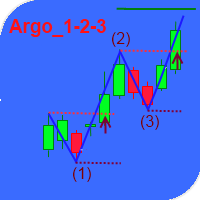
This indicator is intended for identifying the most frequently seen pattern on a price chart - the 1-2-3 pattern. This pattern is displayed in the chart only after it was fully formed, i.e. when the price has broken point #2. It features notifications using alerts or simply using a sound signal. When the price breaks the pivot formed by the indicator, you can hear the signal sound and see the relevant marking made. In addition to the pattern, the indicator displays the pivot and target levels of
SUN PIPS is a really unique Expert Advisor consisting of two parts with entirely different operating algorithms. You can choose which of the two algorithms suits you more. You can further decide on whether to trade using the first or second part or use both parts simultaneously in your account. Using optimization, you can select the currency pair to be used with any broker you prefer. Fixed Take Profit and Stop Loss values provide protection and reassure that you will not lose your deposit on
これは視覚的な取引パネルであり、取引を簡単に配置および管理し、人為的エラーを回避し、取引活動を強化するのに役立ちます。使いやすい視覚的なインターフェースと、健全なリスクおよび位置管理アプローチを組み合わせています。 [ インストールガイド | 更新ガイド | トラブルシューティング | よくある質問 | すべての製品 ] 驚くほど使いやすい チャートから簡単に取引 正確なリスク管理との取引、手間のかからない 資本の保存が最優先事項です 気をつけずに利益を上げましょう できるだけ早くリスクのない取引をお楽しみください 開かれているすべての取引の自動トレーリングストップ 最初のストップロスは、取引が行われるとすぐに配置されます EAは、取引を行った後に次のタスクを実行します。 最初のストップロス/テイクプロフィットは自動的に配置されます できるだけ早くフリーライドにロックします(オプション) ストップロスを初めて損益分岐点に移動します(オプション) 停止するまで、希望の方法を使用してストップロスを追跡します その他のクールな機能は次のとおりです。 優れたターミナルアクティビティレポート
The Oscillators RS Breakdown indicator draws the support and resistance lines on the basis of an oscillator data. The following oscillators can be used as a base one: MACD AO OsMA Stochastic RSI CCI Momentum Parameters: Show RS - draw the support and resistance lines; Type of Indicator - select a base oscillator; P1-P3 - parameters of the indicator depending on its type (no parameters for Awesome Oscillator); Shift - number of last bar that are not taken into account by the indicator for contro
This is a half scalping system that analyzes the market using a transmission function. The system can be scalping or not depending on the "takeprofit" and "stoploss" parameters. This Expert Advisor is intended for trading on EURUSD,GBPUSD,EURCHF,EURAUD however it can work on other currency pairs. You should use timeframe M1 for trading. Parameters Bobra Adept Mode_trade (Market_Oders) - type of order placed. type_order (ORDER_FILLING_FOK) - type of order filling. Magic (123) - magic number. Use
The PZ Chipmunk Expert Advisor is an aggressive mathematical scalper that trades the M15 timeframe and tick data, implementing a universal strategy which can be applied to any instrument. It has evolved over time from Goldfinch to be more profitable and stable in live trading. It trades EURUSD, GBPUSD, USDJPY, EURGBP, EURJPY, GBPJPY and AUDUSD. It has only five input parameters (Signal, SL, TS, TSP and TP). The average profit factor is above 3.5. It makes around 90% winning trades. Conservative
This Expert Advisor gives BUY and SELL alerts on 7 major pairs + 21 cross pairs on 5 timeframes (M5, M15, M30, H1, H4) in a single chart. The support and resistance for a particular timeframe are calculated based on ATR and Moving average. This EA is based on the product Dynamic Support Resistance . This product cannot be tested in strategy tester. Try free version of this product at https://www.mql5.com/en/market/product/2975 which works only for limited number of pairs. "BUY" text appears be
ROMAN5 Parabolic SAR TrailingStop includes BreakEven facility. TrailingStop automatically moves the Stop Loss with the Parabolic SAR level. You can place ROMAN5 Parabolic SAR TrailingStop in any chart. It comes with an alert that will sound whenever a new signal appears. It also features an email facility. Your email address and SMTP Server settings should be specified in the settings window of the "Mailbox" tab in your MetaTrader 5. Version 1.1 Able to turn on or off the Buy/Sell entry (UseBuyS
Universal Trader (UT) This EA is part of the RPTrade Pro Solutions systems. UT is a trading robot using a trend and oscillator indicators. It's designed to be used by anyone, even the absolute beginner in trading can use it. Designed for every TimeFrames Uses Takes Profit, Stop Loss and Trailing stop. Can also work as a switch without SL/TP Works with any pairs How does it work UT is a trend follower. It's using A build in Supertrend Indicator to find trades entries and Parabolic SAR to S
PIPSPEED PRO is a truly professional Expert Advisor that measures dramatic changes in price action and acts upon it. No lagging indicators are used. All trades have tight stops and a genuine way of taking profits. It makes about 100 trades per year, per currency pair. Profits average above 100% every year. Never more than 2 trades are opened per currency pair. It is fully optimized for 13 currency pairs: eurusd, eurusd, usdchf, gbpusd, usdcad, audusd, nzdusd, eurjpy, usdjpy, gbpjpy, euraud, eur