Nguyen Thanh Trieu / プロファイル
- 情報
|
no
経験
|
23
製品
|
4
デモバージョン
|
|
3
ジョブ
|
0
シグナル
|
0
購読者
|
My work is centered on:
- Market structure analysis
- Price action logic
- Risk visualization
- Custom indicators and utilities
I prioritize code quality, execution stability, and clear visual presentation.
Each product is designed to solve a specific trading problem, not to promise results.
I believe trading tools should support decision-making, not replace it.
All products are developed, tested, and maintained personally.
I am also available for freelance custom projects. If you have a specific trading idea or need a tailored solution, feel free to message me to discuss how we can work together.
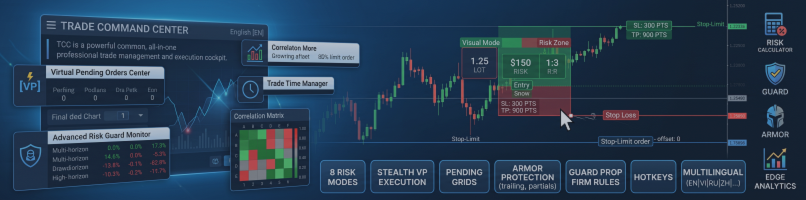
Trade Command Center is now live on the MQL5 Market.
It is a visual trade execution and risk management panel built for manual traders who want precise control over every order.
What it does:
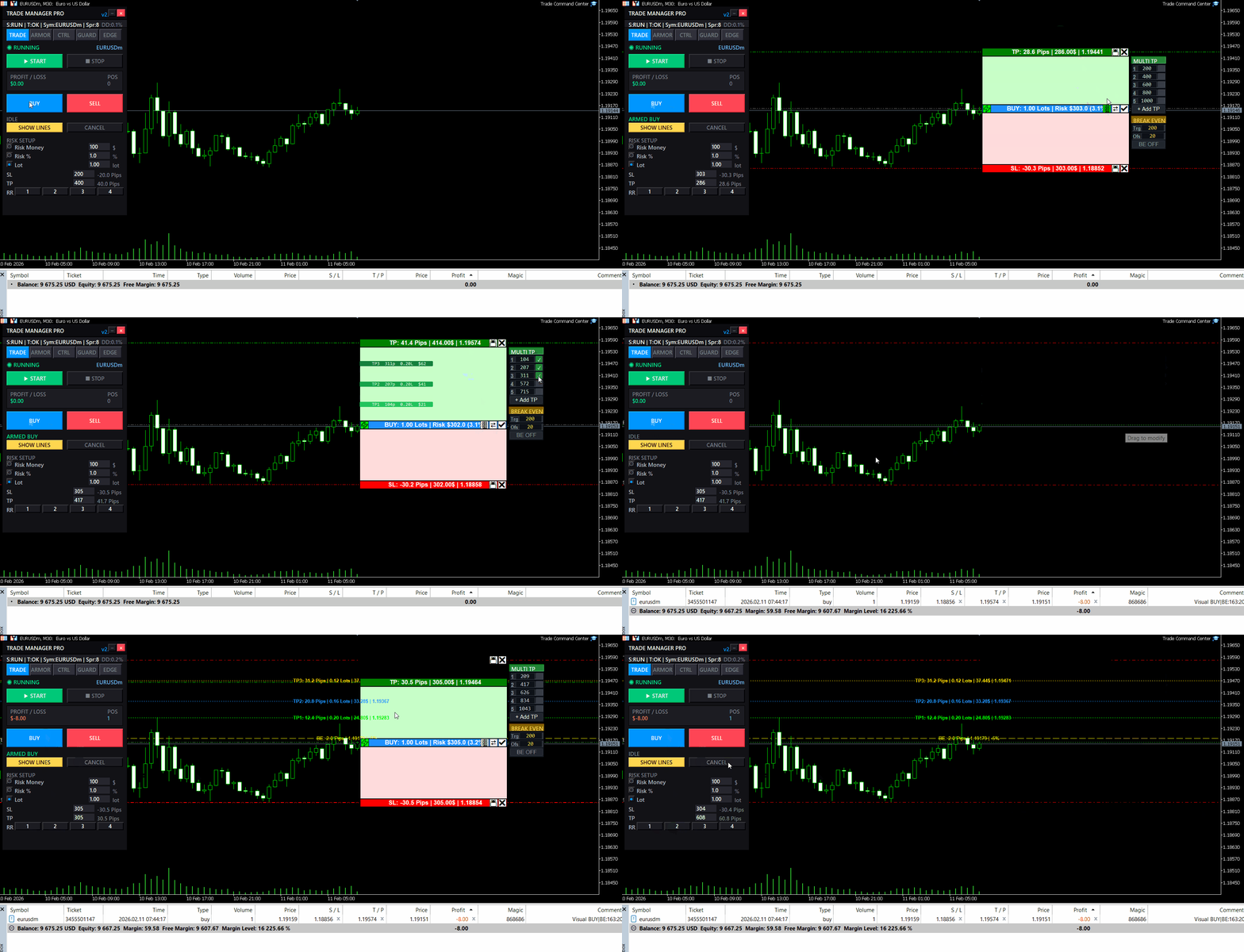
You place Entry, Stop Loss, and Take Profit directly on the chart as draggable boxes. The EA calculates your lot size automatically based on SL distance and your chosen risk mode (percent, dollar, or fixed lot). You see the exact dollar risk, pip distance, and R:R ratio before you click confirm.
Once the trade is open, automated management takes over:
- Break-even with per-trade override
- Trailing stop with step control
- Up to 5 partial take profit levels, each with its own trigger and close percentage
Risk Guard monitors your account across 6 timeframes: hourly, daily, weekly, monthly loss limits, equity drawdown percentage, and floating loss. A floating mini dashboard shows color-coded progress bars for each metric. When any limit is hit, all positions close immediately. Quick presets for FTMO and MFF rules are included.
Five tabs, one panel:
- TRADE — visual planning, risk calculator, one-click execution
- ARMOR — break-even, trailing, multi-level TP
- CTRL — position navigator, partial close, modify SL/TP, quick-close filters
- GUARD — drawdown limits, daily auto-close, advanced monitor
- EDGE — session stats, win rate, streaks, trade quality metrics
The panel uses chart objects.
It does not generate signals. It does not trade for you. It gives you the tools to execute and manage your own trades with precision.
Full feature demonstration available on the product page. Questions or feedback — use the Comments section.
Trade Command Center
👉 https://www.mql5.com/en/market/product/164935
ファンド口座。一度のロット計算ミス。ドローダウン上限を突破。口座閉鎖。 戦略が悪かったのではない。執行の瞬間にリスクが管理されていなかったからだ。 Trade Command Center はビジュアル注文執行・リスク管理パネルです。 SL距離からロットを計算。ポジションを自動管理。ドローダウン上限をリアルタイム監視。 5タブ。1チャートパネル。DLLなし。外部接続なし。 正確な執行とプロップファーム準拠を必要とする裁量トレーダー向けに設計。 FTMOおよびMFFルールのプリセット内蔵。日次損失、週次損失、エクイティ・ドローダウン、フローティング損失に対応。 コア機能 ビジュアル・トレード・プランニング: チャート上でEntry、SL、TPボックスをドラッグ。ロット、ピップス距離、ドル金額、R:Rをリアルタイム表示。ワンクリック執行。 リスク計算: リスクモードを選択 — 残高比率、固定金額、固定ロット。パネルがポジションサイズを自動計算。 マルチレベル・テイクプロフィット: 最大5段階の部分決済。各レベルに独自のトリガー距離と決済割合。 オーバーライド付きブレイクイーブン:
You know that feeling when you enter a clean setup, only to watch it reverse 30 seconds later?
Not because your analysis was wrong.
Because the spread spiked. Or news dropped. Or the session died. Or volatility exploded while you weren't looking.
The chart showed movement. But movement without the right conditions is just noise.
I built something for that.
Market Bias Monitor MT5 — a real-time regime classifier that reads the market environment and tells you when conditions are actually favorable.
Four regime states: TREND, RANGE, TRANSITION, HIGH RISK.
A composite quality score from 0-100.
When conditions turn hostile, it shows you exactly why — spread, news, volatility, session, regime shift.
Multi-timeframe bias panel (M5 to W1). You see when lower timeframes conflict with higher ones before you enter.
Visual structure layer: swing zones, compression detection, ATR corridors.
Post-volatility stabilization logic — it won't let conditions flip back to "favorable" immediately after a spike. Forces you to wait.
Execution history strip — shows the last 5 bars as green (favorable) or red (unfavorable). Most traders are surprised how rarely conditions actually align.
This doesn't generate signals. It doesn't predict direction. It doesn't place trades.
It classifies the environment. You decide what to do with that information.
Demo available for testing. Works in Strategy Tester visual mode.
👉 Link: https://www.mql5.com/en/market/product/163815
Questions welcome in the comments.
良いセットアップ。間違った市場状態。トレードは実行される前に無効になる。 広いスプレッド、セッション外の時間帯、ボラティリティの急騰、高インパクトニュースへの近接——すべてが実行前にエッジを破壊する。 Market Bias Monitor はライブ環境を分類し、実行品質を0から100でスコアリングし、条件が変化した瞬間に通知します。 ゴールド(XAUUSD)、Forex通貨ペア、インデックスをM5からW1のタイムフレームで分析する裁量および半自動トレーダー向けに設計されています。レジーム、セッション、スプレッド、ニュースリスク、マルチタイムフレームバイアスのアラインメントをリアルタイムで監視します。 何を表示するか: 市場レジーム分類: ATRボラティリティと移動平均からの価格偏差を使用してTREND、RANGE、TRANSITION、またはHIGH RISKを識別——不安定なレジーム中の実行を回避するために。 Market Quality Score(0-100):
| 仕様品質 | 5.0 | |
| 結果チェックの品質 | 5.0 | |
| 可用性とコミュニケーションスキル | 5.0 |
Volume Pressure Meter MT5 ローソク足は強く見えた。出来高は高く見えた。ブレイクアウトでエントリーした。 数分で価格が反転した。その動きには真の参加がなかった。 Volume Pressure Meterは機関投資家が見ているものを明らかにする:価格の動きの背後に実際の買い圧力または売り圧力が存在するか、それとも空虚な出来高に対してトレードしているか。 M5からH4のタイムフレームでゴールド(XAUUSD)、インデックス、主要外国為替ペアを分析するイントラデイおよびスイングトレーダー向けに設計されています。8つの機関レベルの出来高分析ツールを、AIパターン認識とリアルタイム確率計算を備えた1つの統合システムに融合しています。 表示内容 HUD(ヘッドアップディスプレイ)インターフェース: シグナルステータス: 現在の市場推奨(BUY、SELL、WAIT、AVOID)をリアルタイムで更新 圧力バランスゲージ: 買い手と売り手の参加を色分けされた強度で視覚的に表現 シグナルスコア: 複数の出来高確認要素に基づく0から10までの強度評価 勝率確率
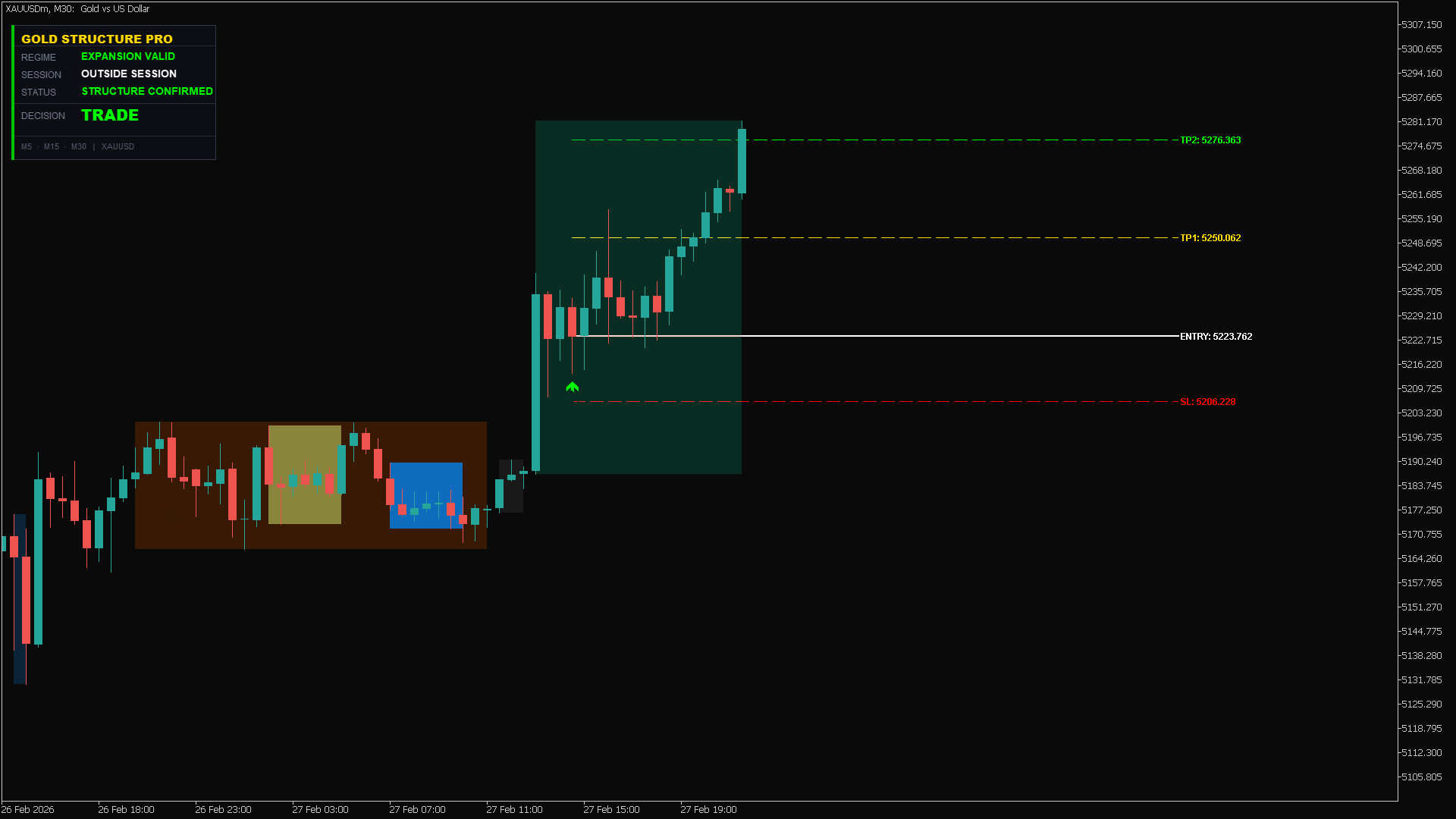
You read the breakout correctly. Price pushed through the level. You entered. Then it reversed — and stopped you out before the real move happened. GoldStructure Pro identifies that pattern before you enter, not after. Gold fakes breakouts constantly. A candle closes above resistance, volume looks right, structure seems clear — then price snaps back and hunts your stop. Most indicators cannot separate a confirmed expansion from a liquidity sweep. GoldStructure Pro classifies every breakout in
NFP発表時の価格急騰。日次損失限度額が数秒で超過。口座が制限されました。 これは、高ボラティリティイベント中に証拠金が手動反応より速く低下するときに発生します。 PropFirm Risk Guardは、証拠金をリアルタイムで監視し、定義した限度額に近づくと自動的に反応します。 厳格なリスク規則を持つプロップファームチャレンジ向けに設計:FTMO、The5ers、Funded Trading Plus、MFF。 パーセンテージベース(日次5%、最大10%)および米ドルベースのドローダウン計算の両方をサポートし、異なる企業の要件に対応します。 高ボラティリティシナリオに最適化:金(XAUUSD)取引、主要指数、ニュースイベント、オーバーナイトギャップ。 主な機能: リアルタイム証拠金監視: 日次および口座のドローダウンを100ミリ秒ごとに追跡します。限度額に近づくと反応し、さらなる損失を防ぎます。 ソフト/ハード保護モード: ソフトモードは、ポジションを閉じる前にカウントダウンタイマー付きの警告を提供します。ハードモードは即座に実行します。反応スタイルを選択できます。
Hello traders, a friendly update is now available:
- Compact dialog UI docked to the right, stable on chart resizes
- Two-page Settings (Prev/Next) so the panel stays the same height
- Configure on the panel: Break-even (enable, trigger, offset), Trailing (enable, distance, step), Partial (enable, trigger, percent), default SL/TP,
- Your choices persist across timeframe/symbol changes and chart reloads
- Layout polish: cleaner spacing/alignment; lot block and Settings button slightly lower; dialog a bit wider
- Cleanup under the hood to keep things smooth and compliant
Tip: To keep only default SL/TP, leave Break-even, Trailing, and Partial all OFF.
Backwards compatible with previous behavior when features are enabled. Please test in the Strategy Tester or on a demo first. Thanks for your feedback and support!
👉 https://www.mql5.com/en/market/product/152607
Hello traders, a small update is now available:
- New toggles: Enable_BreakEven and Enable_Trailing
- Partial Close is off by default to avoid unintended closes
- Break-even and trailing only run when enabled (no auto SL move if disabled)
- Inputs are grouped for faster, cleaner setup
Tip: To keep only default SL/TP, set Enable_BreakEven = false, Enable_Trailing = false, Enable_Partial_Close = false.
Backwards compatible with previous behavior when features are enabled. Please test settings in the Strategy Tester or on a demo first. Thanks for your feedback and support!
👉 https://www.mql5.com/en/market/product/152607
Hello traders,
I’m excited to share the latest improvements to TradeManagerLite for MetaTrader 5. This update focuses on usability and clarity, making position management even more efficient.
What’s new:
- Added four quick lot adjustment buttons (+0.01, +0.1, -0.01, -0.1) for faster trade sizing.
- The lot adjustment buttons are now neatly aligned and sized for a cleaner panel layout.
- Font size for these buttons is reduced for a more compact appearance.
- Improved panel and button placement for better visibility and workflow.
- Enhanced break-even logic to help minimize loss from slippage when moving stops.
- Fixed all known compilation and UI errors for smoother operation.
Thank you for your feedback and support!
Updated version of the Volume Pressure Meter with additional features:
New Features:
- Visual Gauge Bar - Displays buy/sell pressure with a horizontal bar that changes color and size based on market pressure.
- Simplified Alerts - Alert system provides notifications when pressure crosses the 70% threshold.
- Performance Optimization - Code has been optimized for better performance when running on multiple charts.
- Smart Caching - Caching system reduces CPU usage for traders monitoring multiple timeframes.
The visual gauge displays market pressure with a green bar for buying pressure and red bar for selling pressure.
The indicator works with all symbols and timeframes. No repainting, no DLL dependencies.
Please provide feedback on the new visual gauge and any improvements you would like to see.
The update is available for download.
Smart Session Box Displays Asia, London, and New York trading sessions with automatic timezone adjustment and session overlap highlighting. Main Features Complete session analysis with no limitations. Key Features The indicator draws session boxes with high and low lines for each trading session. Session overlaps are highlighted with distinct colors to identify high liquidity periods. Breakout alerts notify when price crosses previous session levels. A control panel provides quick toggles for
Manual position management. Missing SL. Price moves against you. No protection. Trade Manager Lite automates Stop Loss, Take Profit, Trailing Stop, and Break-Even for your open positions. Attach to one chart. Configure your default SL/TP distance. Let it manage your positions automatically. What's Included (FREE Version) Auto SL/TP: Applies missing Stop Loss and Take Profit to positions based on your configured distance in points Trailing Stop: Adjusts SL dynamically as price moves in your favor
Volume Pressure Meter breakdown tick volume to reveal the buying and selling pressure inside every candle. Unlike standard volume which only shows total activity, this indicator splits volume to show who is actually in control of the market. It helps you identify trend strength and spot potential reversals through volume divergence. Key Features: Pressure Gauge: Visual bar showing real-time Buy vs Sell percentages. Trend Bias: Automatically identifies if the market is dominated by Buyers or
Smart Entry Levels - Fractal and ATR Based Indicator Smart Entry Levels identifies key support and resistance zones using classical fractal detection and ATR-based volatility measurement. The indicator is designed for clarity, stability, and compliance with MQL5 Market rules. Features Upper Zone - Resistance area based on recent fractal highs Lower Zone - Support area based on recent fractal lows ATR-based sizing - Zones adapt dynamically to market volatility with selectable timeframe