Sergey Rozhnov / プロファイル
- 情報
|
11+ 年
経験
|
11
製品
|
3010
デモバージョン
|
|
2
ジョブ
|
0
シグナル
|
0
購読者
|
Rainbow Trend MT4 - https://www.mql5.com/en/market/product/7868
Analysis of the H1 timeframe on November 19, 2025. NZDCAD is the strongest currency pair just now. NZD has -28, CAD has about 38 points. Total for pair about -66.
Every tick test on EURUSD M15 spread 5, for 10 years from 2015.11.18 to 2025.11.18.
Uses NoLim settings - The virtual balance and virtual lots are not limited, but for safety, protection (Close After DD) is enabled - closing positions when the account drawdowns, set to the value of 50%.
SetFile here in comments of GreenPointAuto: https://www.mql5.com/en/market/product/22967/comments/page6#comment_58539500
A visual indicator of currency trends and strengths, featuring a histogram and table on the main chart, a currency trend chart, and an analysis block on an additional chart window. It analyzes 28 currency pairs made up of 8 major currencies (EUR, USD, GBP, JPY, AUD, CAD, CHF, and NZD). Indicator capabilities Determines the direction and strength of the trend of currencies and symbols and builds multi-colored histograms, tables, informing with digital values and graphs based on this Shows the
Version 2.5, what's new:
- The ability to add 3 indicators at once to the input layer + Prices.
- The ability to exclude prices from the input layer (0=do not use).
- The list of indicators has been expanded: added AO,AC,OsMA,Bulls, Bears.
- Auto-learning after a certain bars.
- Improvements and corrections.
Версия 2.5, что нового:
- Возможность добавленияво входной слой сразу 3-х индикаторов + Цены.
- Возможность исключить цены из входного слоя (0=не использовать).
- Расширен список индикаторов: добавлены AO,AC,OsMA,Bulls,Bears.
- Автообучение через определенное кол-во баров.
- Улучшения, исправления.
ニューラルネットワークインジケーター 学習機能が組み込まれています。 これは、多層的にカスタマイズ可能なパーセプトロンと高度なトレーニング設定を備えた、真の自律型人工知能システムです。 将来の価格変動を予測します。このインジケーターは、あらゆる金融銘柄でご自身でトレーニングできます。機械学習の特別な知識は必要ありません。必要なものはすべてこのツールに集約されており、自動モードとプリセットによって簡単に実装できます。 メジャーアップデートv2.0-2.5がリリースされました。 高度な入力機能:インジケータのサポートが追加されました。 これで、生の価格データを3つのテクニカル指標と組み合わせて、より深い市場分析を行うことも、価格なしの指標のみを使用することもできます。 ブロックせずにライブトレーニング:インテリジェントな学習アルゴリズムは、バックグラウンドで非同期的に動作します。 あなたのMetaTrader5ターミナルは完全に応答し続け、ニューラルネットワークを学びながら市場の取引と分析を継続することができます。 特徴: 簡単スタート
What's new:
1) Added buttons B, S. They switch the trading mode only to buy, or only to sell.
2) Added the One Strat Mode parameter. If the parameter = True, then the Expert Advisor operates in a single strategy mode, the parameters for strategies are taken from the first lines of the parameter range. This is convenient if you need to analyze one virtual strategy, or run optimization in the terminal strategy tester.
3) The Normalize parameter function has been fixed. If you have used it in your strategies, then make a copy of the old version and use it. Or update your strategy files to the new version.
4) Added Create_mode_from_file to the TradeMode parameter. With this parameter, you can continue to create a strategy from an existing strategy file.
5) The Use Ignore File function is excluded, the parameters are removed. These parameters are no longer required, because the Create_mode_from_file option has appeared.
6) Fixed notification about DynamicExcludeMode. Now it will not appear.
Что нового:
1) Добавлены кнопки B, S. Они переводят режим торговли только в бай, либо только в селл.
2) Добавлен параметр OneStratMode. Если параметр = True, то советник работает в режиме одной стратегии, параметры для стратегий берутся из первых строк диапазона параметров. Это удобно, если необходимо проанализировать одну виртуальную стратегию, либо запустить оптимизацию в тестере стратегий терминала.
3) Исправлена функция параметра Normalize. Если вы использовали её в своих стратегиях, то сделайте копию старой версии, и используйте её. Либо обновите ваши файлы стратегий под новую версию.
4) Добавлен Create_mode_from_file в параметр TradeMode. С данным параметром можно продолжить создавать стратегию из уже имеющегося файла стратегий.
5) Исключена функция UseIgnorFile, удалены параметры. Данный параметры больше не требуются, т.к. появилась опция Create_mode_from_file.
6) Исправлено уведомление о DynamicExcludeMode. Теперь оно не будет появляться.
https://www.mql5.com/en/market/product/22005
1) Auto_Restart
2) Forced Restart (work if Auto Restart True)
3) Auto Restart From Days (work if Auto Restart True)
4) Added these parameters to display on the chart. The "Mem AccountEquity for Restart" parameter is also displayed. Notes:
a) if Auto_Restart = true, then after" Auto Restart From Days " days and under the condition AccountEquity > "Mem AccountEquity For Restart", the procedure for regenerating virtual strategies will be started.
b) if Auto_Restart = true and Forced Restart = true, the procedure for regenerating virtual strategies will be started regardless of the current AccountEquity.
c) if you need to reset "Mem AccountEquity For Restart" to the AccountEquity value, you will need to click the Restart - Confirm button. Добавлено:
1) Auto_Restart
2) Forced Restart (work if Auto Restart True)
3) Auto Restart From Days (work if Auto Restart True)
4) Добавлены эти параметры для отображения на графике. Также отображается параметр "Mem AccountEquity For Restart". Примечание:
a) Если Auto_Restart = true, то через "Auto Restart From Days" дней и при условии AccountEquity > "Mem AccountEquity For Restart" будет запущена процедура регенерации виртуальных стратегий.
b) Если Auto_Restart = true и Forced Restart = true, то будет запущена процедура регенерации виртуальных стратегий не зависимо от текущего AccountEquity.
c) Если потребуется сброс "Mem AccountEquity For Restart" до значения AccountEquity, то потребуется нажать кнопку Restart - Confirm.
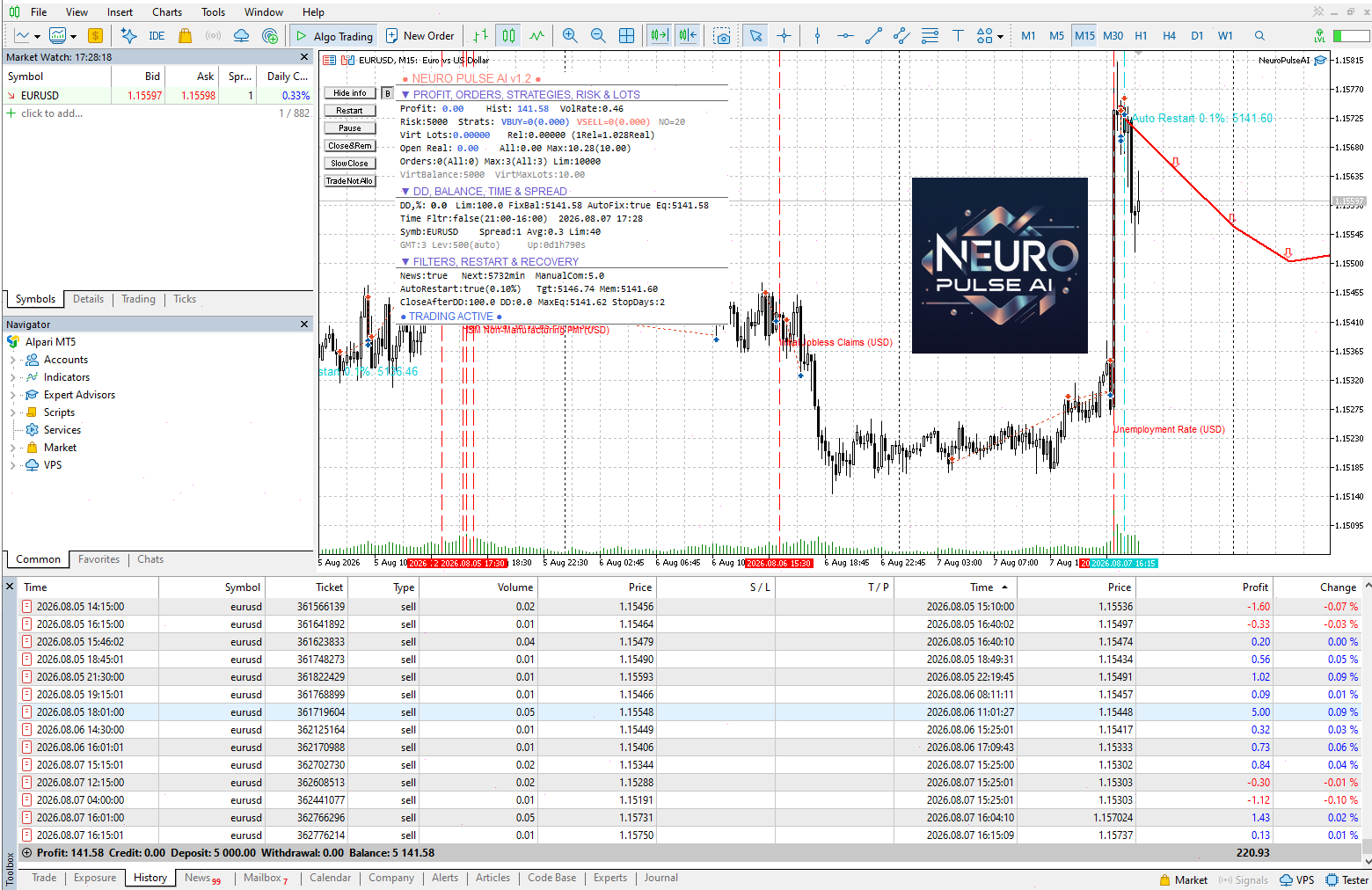
The decision to open buy or sell orders is determined by an intelligent system that analyzes the latest bars and calculates the correlation with the bars in the past. The system has been trained on all available history for many popular pairs that you can choose from in settings. It has 100 sets of the most profitable options using averaging that work as separate strategies, forming average lots in two directions that will be opened. Each virtual strategy is protected by a virtual Deposit
1) Auto_Restart
2) Forced Restart (work if Auto Restart True)
3) Auto Restart From Days (work if Auto Restart True)
4) Added these parameters to display on the chart. The "Mem AccountEquity for Restart" parameter is also displayed. Notes:
a) if Auto_Restart = true, then after" Auto Restart From Days " days and under the condition AccountEquity > "Mem AccountEquity For Restart", the procedure for regenerating virtual strategies will be started.
b) if Auto_Restart = true and Forced Restart = true, the procedure for regenerating virtual strategies will be started regardless of the current AccountEquity.
c) if you need to reset "Mem AccountEquity For Restart" to the AccountEquity value, you will need to click the Restart - Confirm button.
Что нового:
Добавлено:
1) Auto_Restart
2) Forced Restart (work if Auto Restart True)
3) Auto Restart From Days (work if Auto Restart True)
4) Добавлены эти параметры для отображения на графике. Также отображается параметр "Mem AccountEquity For Restart". Примечание:
a) Если Auto_Restart = true, то через "Auto Restart From Days" дней и при условии AccountEquity > "Mem AccountEquity For Restart" будет запущена процедура регенерации виртуальных стратегий.
b) Если Auto_Restart = true и Forced Restart = true, то будет запущена процедура регенерации виртуальных стратегий не зависимо от текущего AccountEquity.
c) Если потребуется сброс "Mem AccountEquity For Restart" до значения AccountEquity, то потребуется нажать кнопку Restart - Confirm.
EA は、設定が異なる 100 個の Prototype-4 仮想 EA で構成されています。計算の結果、結果のロットが計算されます。仮想戦略を使用するという考え方は、仮想戦略の 1 つを「排出」する場合、預金全体が排出されるのではなく、1/100、つまり 1% (Risk=5000 を使用し、 VirtualBalance=5000)。アドバイザのパラメータを使用して、どのロットからオープンを開始するか、どのステップで、オープン ロットとポジションの最大数を設定できます。 EA は取引に平均化手法を使用し、いくつかの指標のトレンドに従ってポジションを開き、トレンドが間違った方向に進んだ場合、ポジションを逆転させるか、クローズして記憶します。その後、シグナルが現れると、メモリからポジションをオープンします。 推奨される EURUSD、USDJPY、EURJPY、AUDUSD、USDCAD、AUDJPY、GBPCHF、AUDCAD、CHFJPY、NZDJPY、NZDUSD 期間 M15. よくある質問への回答を参照してください。 よくある質問
Added:
1) Auto_Restart
2) Forced Restart (work if Auto Restart True)
3) Auto Restart From Days (work if Auto Restart True)
4) Added these parameters to display on the chart. The "Mem AccountEquity for Restart" parameter is also displayed. Notes:
a) if Auto_Restart = true, then after" Auto Restart From Days " days and under the condition AccountEquity > "Mem AccountEquity For Restart", the procedure for regenerating virtual strategies will be started.
b) if Auto_Restart = true and Forced Restart = true, the procedure for regenerating virtual strategies will be started regardless of the current AccountEquity.
c) if you need to reset "Mem AccountEquity For Restart" to the AccountEquity value, you will need to click the Restart - Confirm button. Что нового:
Добавлено:
1) Auto_Restart
2) Forced Restart (work if Auto Restart True)
3) Auto Restart From Days (work if Auto Restart True)
4) Добавлены эти параметры для отображения на графике. Также отображается параметр "Mem AccountEquity For Restart". Notes:
a) Если Auto_Restart = true, то через "Auto Restart From Days" дней и при условии AccountEquity > "Mem AccountEquity For Restart" будет запущена процедура регенерации виртуальных стратегий.
b) Если Auto_Restart = true и Forced Restart = true, то будет запущена процедура регенерации виртуальных стратегий не зависимо от текущего AccountEquity.
c) Если потребуется сброс "Mem AccountEquity For Restart" до значения AccountEquity, то потребуется нажать кнопку Restart - Confirm.
The EA contains a combination of several trend and anti-trend virtual strategies with averaging with different parameters. The EA is easy to use. It is enough to choose a suitable strategy for the trading pair, set the Risk parameter and you can start trading. Open the M15 chart with the pair being traded and move the EA to it. Lots will be calculated automatically based on the balance, Deposit currency and Risk parameter. Recommendations: Trading EURUSD, USDCAD, AUDNZD, AUDCAD, NZDCAD, USDJPY;
All ready strategies here: https://www.mql5.com/en/blogs/post/713893 Detailed description - https://www.mql5.com/en/blogs/post/713891
ジェネレータープロ では、平均化に基づいて、複数の仮想戦略 (1 から数十万まで) から構成される戦略を作成できます。各仮想戦略には、独自のタイプの戦略 (トレンド、アンチトレンド)、仮想デポジット、仮想ポジション、ロットがあります。 EA はすべての仮想戦略の動作を制御し、すべての操作を合計し、取引口座上で対応する操作を実行します。 アドバイザの動作モード ファイルなし - 戦略を含むファイルを使用しないモード。すべての仮想戦略は、「 GENERATOR 」項目で選択されたパラメータ範囲に基づいて生成されます。戦略は、ランダムに ( Random_Create_Mode =true )、戦略の数を設定する ( Random_Strategies )、またはすべての可能なパラメーターをリストすることによって生成できます。 From_file - 戦略ファイルを使用するモード。作成段階 (
メイン チャートのヒストグラムとテーブル、通貨トレンドの変化のチャート、および追加のチャート ウィンドウの分析ブロックの形で、通貨のトレンドと強さを視覚的に示します。 8 つの主要通貨 (EUR、USD、GBP、JPY、AUD、CAD、CHF、NZD) から形成された 28 の通貨ペアを分析します。 インジケーターの機能 通貨とシンボルのトレンドの方向と強さを判断し、これに基づいて多色のヒストグラム、表を作成し、デジタル値とグラフを通知します 通貨の相対位置と変化傾向をリアルタイムで表示します。 チャートの形式で、インジケーターがインストールされているペアの各通貨のトレンドの履歴を表します。 選択したモードのいずれかに従って通貨を分析します (分析ブロック) 解析ブロック 解析結果の一覧とボタンで構成されています。デフォルトの分析モードは Analisis パラメータで設定できます。 [次へ] ボタンと [前へ] ボタンを使用して、分析モードを切り替えることができます。[Revs] ボタンを使用して、評価の並べ替えを逆にすることができます。 分析モード: 通貨格付け
The EA consists of multiple virtual Prototype-1 robots (up to 100 strategies depending on the currency pair). Each strategy has different settings. Once the lot sizes for all strategies are calculated, the EA obtains the resulting trading lot. The operation principle is trading within a corridor. When leaving the corridor, the EA closes the positions and saves them for opening in the future. The best condition for trading is a flat, the worst condition is a long trend without rollbacks
The decision to open buy or sell orders is determined by an intelligent system that analyzes the latest bars and calculates the correlation with the bars in the past. The system has been trained on all available history for many popular pairs that you can choose from in settings. It has 100 sets of the most profitable options using averaging that work as separate strategies, forming average lots in two directions that will be opened. Each virtual strategy is protected by a virtual Deposit