Sergey Rozhnov / 个人资料
- 信息
|
11+ 年
经验
|
11
产品
|
3009
演示版
|
|
2
工作
|
0
信号
|
0
订阅者
|
Rainbow Trend MT4 - https://www.mql5.com/en/market/product/7868
Analysis of the H1 timeframe on November 19, 2025. NZDCAD is the strongest currency pair just now. NZD has -28, CAD has about 38 points. Total for pair about -66.
Every tick test on EURUSD M15 spread 5, for 10 years from 2015.11.18 to 2025.11.18.
Uses NoLim settings - The virtual balance and virtual lots are not limited, but for safety, protection (Close After DD) is enabled - closing positions when the account drawdowns, set to the value of 50%.
SetFile here in comments of GreenPointAuto: https://www.mql5.com/en/market/product/22967/comments/page6#comment_58539500
A visual indicator of currency trends and strengths, featuring a histogram and table on the main chart, a currency trend chart, and an analysis block on an additional chart window. It analyzes 28 currency pairs made up of 8 major currencies (EUR, USD, GBP, JPY, AUD, CAD, CHF, and NZD). Indicator capabilities Determines the direction and strength of the trend of currencies and symbols and builds multi-colored histograms, tables, informing with digital values and graphs based on this Shows the
Version 2.5, what's new:
- The ability to add 3 indicators at once to the input layer + Prices.
- The ability to exclude prices from the input layer (0=do not use).
- The list of indicators has been expanded: added AO,AC,OsMA,Bulls, Bears.
- Auto-learning after a certain bars.
- Improvements and corrections.
Версия 2.5, что нового:
- Возможность добавленияво входной слой сразу 3-х индикаторов + Цены.
- Возможность исключить цены из входного слоя (0=не использовать).
- Расширен список индикаторов: добавлены AO,AC,OsMA,Bulls,Bears.
- Автообучение через определенное кол-во баров.
- Улучшения, исправления.
神经网络指标 具有内置学习功能。 这是一个真正的自主人工智能系统, 由多级可定制感知器和高级训练设置驱动,用于预测未来价格变化。您可以自行在任何金融品种上训练该指标,无需任何机器学习方面的专业知识。您所需的一切都包含在该工具中,并通过自动模式和预设功能轻松实现。 主要更新v2.0-2.5已经发布。 高级输入功能:增加了对指标的支持。 现在,您可以将原始价格数据与三个技术指标结合起来进行更深入的市场分析,或者只使用没有价格的指标。 非阻塞实时训练:智能训练算法在后台异步运行。 您的MetaTrader5终端保持完全响应,允许您在神经网络学习的同时继续交易和分析。 特征: 轻松启动 。简单设置,即可快速启动自动模式。(例如: 设置最大训练周期数 =5000、 最大训练样本数 =1500 以及如下所示的验证设置,然后单击学习按钮)。 直接在 MT5 中训练。 您拥有独一无二的机会,可以在终端内针对任何交易品种和时间范围训练网络,无需使用其他编程语言。最新的 MT5 编译器可高效处理学习过程。 高级预测。
What's new:
1) Added buttons B, S. They switch the trading mode only to buy, or only to sell.
2) Added the One Strat Mode parameter. If the parameter = True, then the Expert Advisor operates in a single strategy mode, the parameters for strategies are taken from the first lines of the parameter range. This is convenient if you need to analyze one virtual strategy, or run optimization in the terminal strategy tester.
3) The Normalize parameter function has been fixed. If you have used it in your strategies, then make a copy of the old version and use it. Or update your strategy files to the new version.
4) Added Create_mode_from_file to the TradeMode parameter. With this parameter, you can continue to create a strategy from an existing strategy file.
5) The Use Ignore File function is excluded, the parameters are removed. These parameters are no longer required, because the Create_mode_from_file option has appeared.
6) Fixed notification about DynamicExcludeMode. Now it will not appear.
Что нового:
1) Добавлены кнопки B, S. Они переводят режим торговли только в бай, либо только в селл.
2) Добавлен параметр OneStratMode. Если параметр = True, то советник работает в режиме одной стратегии, параметры для стратегий берутся из первых строк диапазона параметров. Это удобно, если необходимо проанализировать одну виртуальную стратегию, либо запустить оптимизацию в тестере стратегий терминала.
3) Исправлена функция параметра Normalize. Если вы использовали её в своих стратегиях, то сделайте копию старой версии, и используйте её. Либо обновите ваши файлы стратегий под новую версию.
4) Добавлен Create_mode_from_file в параметр TradeMode. С данным параметром можно продолжить создавать стратегию из уже имеющегося файла стратегий.
5) Исключена функция UseIgnorFile, удалены параметры. Данный параметры больше не требуются, т.к. появилась опция Create_mode_from_file.
6) Исправлено уведомление о DynamicExcludeMode. Теперь оно не будет появляться.
https://www.mql5.com/en/market/product/22005
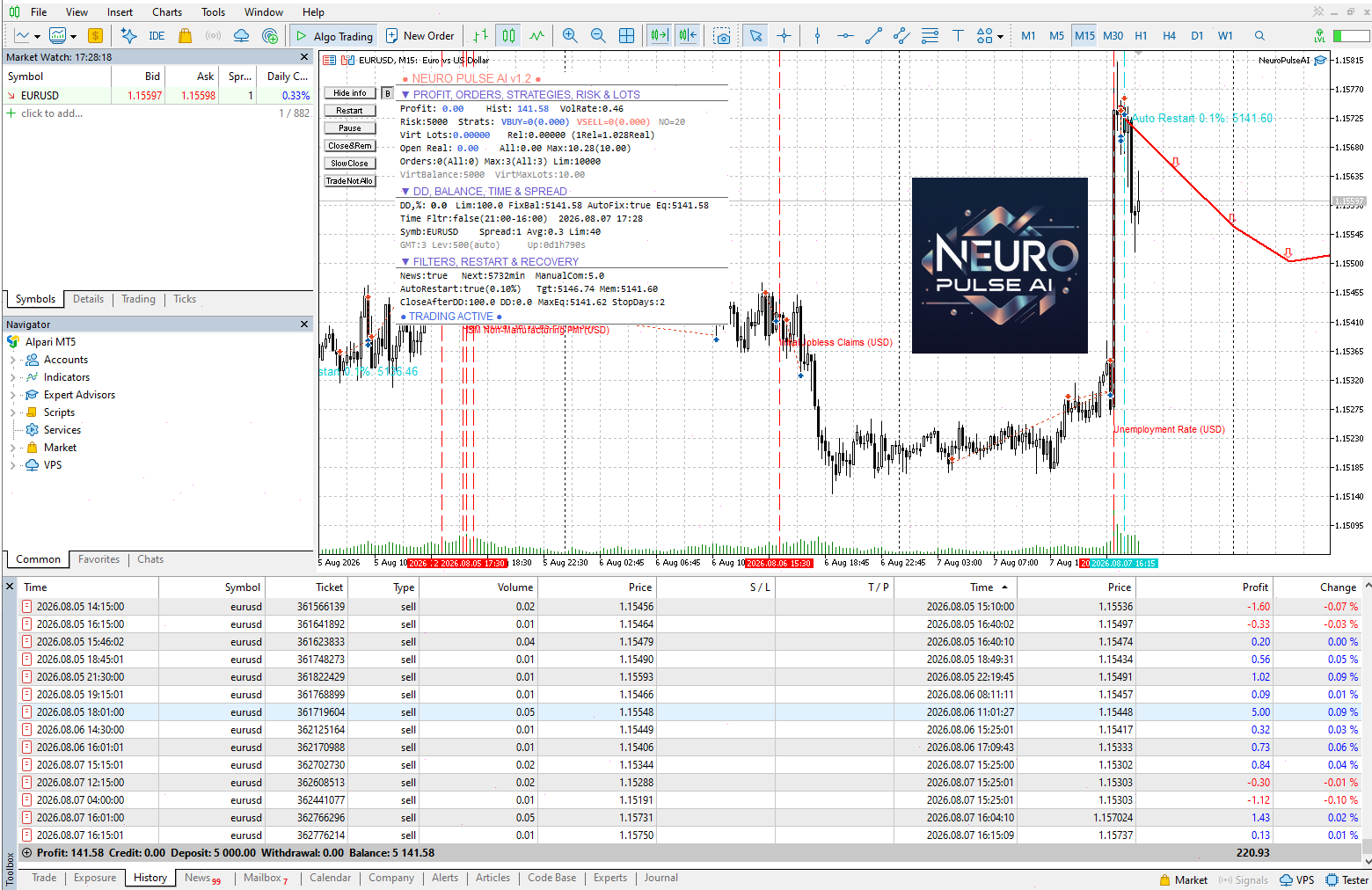
1) Auto_Restart
2) Forced Restart (work if Auto Restart True)
3) Auto Restart From Days (work if Auto Restart True)
4) Added these parameters to display on the chart. The "Mem AccountEquity for Restart" parameter is also displayed. Notes:
a) if Auto_Restart = true, then after" Auto Restart From Days " days and under the condition AccountEquity > "Mem AccountEquity For Restart", the procedure for regenerating virtual strategies will be started.
b) if Auto_Restart = true and Forced Restart = true, the procedure for regenerating virtual strategies will be started regardless of the current AccountEquity.
c) if you need to reset "Mem AccountEquity For Restart" to the AccountEquity value, you will need to click the Restart - Confirm button. Добавлено:
1) Auto_Restart
2) Forced Restart (work if Auto Restart True)
3) Auto Restart From Days (work if Auto Restart True)
4) Добавлены эти параметры для отображения на графике. Также отображается параметр "Mem AccountEquity For Restart". Примечание:
a) Если Auto_Restart = true, то через "Auto Restart From Days" дней и при условии AccountEquity > "Mem AccountEquity For Restart" будет запущена процедура регенерации виртуальных стратегий.
b) Если Auto_Restart = true и Forced Restart = true, то будет запущена процедура регенерации виртуальных стратегий не зависимо от текущего AccountEquity.
c) Если потребуется сброс "Mem AccountEquity For Restart" до значения AccountEquity, то потребуется нажать кнопку Restart - Confirm.
The decision to open buy or sell orders is determined by an intelligent system that analyzes the latest bars and calculates the correlation with the bars in the past. The system has been trained on all available history for many popular pairs that you can choose from in settings. It has 100 sets of the most profitable options using averaging that work as separate strategies, forming average lots in two directions that will be opened. Each virtual strategy is protected by a virtual Deposit
1) Auto_Restart
2) Forced Restart (work if Auto Restart True)
3) Auto Restart From Days (work if Auto Restart True)
4) Added these parameters to display on the chart. The "Mem AccountEquity for Restart" parameter is also displayed. Notes:
a) if Auto_Restart = true, then after" Auto Restart From Days " days and under the condition AccountEquity > "Mem AccountEquity For Restart", the procedure for regenerating virtual strategies will be started.
b) if Auto_Restart = true and Forced Restart = true, the procedure for regenerating virtual strategies will be started regardless of the current AccountEquity.
c) if you need to reset "Mem AccountEquity For Restart" to the AccountEquity value, you will need to click the Restart - Confirm button.
Что нового:
Добавлено:
1) Auto_Restart
2) Forced Restart (work if Auto Restart True)
3) Auto Restart From Days (work if Auto Restart True)
4) Добавлены эти параметры для отображения на графике. Также отображается параметр "Mem AccountEquity For Restart". Примечание:
a) Если Auto_Restart = true, то через "Auto Restart From Days" дней и при условии AccountEquity > "Mem AccountEquity For Restart" будет запущена процедура регенерации виртуальных стратегий.
b) Если Auto_Restart = true и Forced Restart = true, то будет запущена процедура регенерации виртуальных стратегий не зависимо от текущего AccountEquity.
c) Если потребуется сброс "Mem AccountEquity For Restart" до значения AccountEquity, то потребуется нажать кнопку Restart - Confirm.
EA 由 100 个具有不同设置的 Prototype-4 虚拟 EA 组成。作为计算的结果,计算得到的手数。使用虚拟策略的想法是,在“抽空”其中一个虚拟策略的情况下,整个存款不会被抽空,而只是减少 1/100,即减少 1%(当使用 Risk=5000 和虚拟平衡 = 5000)。使用顾问的参数,您可以设置从哪个手数开始开仓,以什么步骤以及未平仓手数和头寸的最大数量是多少。 EA 在其交易中使用平均方法,根据多个指标的趋势开仓,如果趋势方向错误,它要么反转仓位,要么平仓并记住。之后,当信号出现时,它会根据记忆打开仓位。 推荐 EURUSD、USDJPY、EURJPY、AUDUSD、USDCAD、AUDJPY、GBPCHF、AUDCAD、CHFJPY、NZDJPY、NZDUSD 期间 M15。 查看常见问题的答案: 常问问题 EA 参数设置为相对值,以便对不同的存款和风险参数具有相同的设置。 实际手数 = 相对手数 * 余额 * 一个点的价值/风险。该比率显示在顾问的信息窗口中。 设置方法 与多个职位一起工作。例如,如果
Added:
1) Auto_Restart
2) Forced Restart (work if Auto Restart True)
3) Auto Restart From Days (work if Auto Restart True)
4) Added these parameters to display on the chart. The "Mem AccountEquity for Restart" parameter is also displayed. Notes:
a) if Auto_Restart = true, then after" Auto Restart From Days " days and under the condition AccountEquity > "Mem AccountEquity For Restart", the procedure for regenerating virtual strategies will be started.
b) if Auto_Restart = true and Forced Restart = true, the procedure for regenerating virtual strategies will be started regardless of the current AccountEquity.
c) if you need to reset "Mem AccountEquity For Restart" to the AccountEquity value, you will need to click the Restart - Confirm button. Что нового:
Добавлено:
1) Auto_Restart
2) Forced Restart (work if Auto Restart True)
3) Auto Restart From Days (work if Auto Restart True)
4) Добавлены эти параметры для отображения на графике. Также отображается параметр "Mem AccountEquity For Restart". Notes:
a) Если Auto_Restart = true, то через "Auto Restart From Days" дней и при условии AccountEquity > "Mem AccountEquity For Restart" будет запущена процедура регенерации виртуальных стратегий.
b) Если Auto_Restart = true и Forced Restart = true, то будет запущена процедура регенерации виртуальных стратегий не зависимо от текущего AccountEquity.
c) Если потребуется сброс "Mem AccountEquity For Restart" до значения AccountEquity, то потребуется нажать кнопку Restart - Confirm.
The EA contains a combination of several trend and anti-trend virtual strategies with averaging with different parameters. The EA is easy to use. It is enough to choose a suitable strategy for the trading pair, set the Risk parameter and you can start trading. Open the M15 chart with the pair being traded and move the EA to it. Lots will be calculated automatically based on the balance, Deposit currency and Risk parameter. Recommendations: Trading EURUSD, USDCAD, AUDNZD, AUDCAD, NZDCAD, USDJPY;
All ready strategies here: https://www.mql5.com/en/blogs/post/713893 Detailed description - https://www.mql5.com/en/blogs/post/713891
发电机专业版 允许您基于平均值创建由多个虚拟策略(从一个到数十万个)组成的策略。每个虚拟策略都有自己的策略类型(趋势、反趋势)、虚拟存款、虚拟头寸、手数。 EA 控制所有虚拟策略的工作,汇总所有操作并对交易账户进行相应操作。 顾问操作模式 没有文件 - 不使用带有策略的文件的模式。所有虚拟策略将根据“ GENERATOR ”项中所选的参数范围生成。可以通过设置策略数量 ( Random_Strategies ) 或通过列出所有可能的参数来随机生成策略 ( Random_Create_Mode =true)。 从文件 - 使用策略文件的模式。您可以根据某些标准( Top_Mode、Top_Size )从创建阶段( Create_Mode )生成的策略中选择最成功的策略。所有生成的策略都将写入一个文件,您可以在 来自文件 。 创建模式 -
货币趋势和强度的可视化指标,其形式为直方图和主图表上的表格,货币趋势变化图表和附加图表窗口上的分析块。分析由 8 种主要货币(欧元、美元、英镑、日元、澳元、加元、瑞士法郎、新西兰元)形成的 28 种货币对。 指标特点 确定货币和符号趋势的方向和强度,并在此基础上构建多色直方图、表格,告知数字值和图表 实时显示货币的相对位置和变化趋势。 它以图表的形式表示安装该指标的货币对的每种货币的历史趋势。 根据所选模式之一分析货币(分析块) 分析块 由分析结果列表和按钮组成。可以使用 Analisis 参数设置默认分析模式。使用 Next 和 Prev 按钮,您可以切换分析模式,使用 Revs 按钮,您可以反转评级排序。 分析模式: 货币评级(分析=1个参数); 货币趋势强度(分析=2 参数); 字符评级(分析= 3参数); 符号趋势强度(分析 = 4 参数)。 使用该指标进行交易的策略示例 买入最强的品种并卖出最弱的品种; 买入或卖出包含最强或最弱货币的符号; 趋势线交叉——换仓、平仓; 如果趋势强度超过一定水平(例如,M15 图表为 50),则购买货币; 如果趋势强度大于/小于特定水平(例如
The EA consists of multiple virtual Prototype-1 robots (up to 100 strategies depending on the currency pair). Each strategy has different settings. Once the lot sizes for all strategies are calculated, the EA obtains the resulting trading lot. The operation principle is trading within a corridor. When leaving the corridor, the EA closes the positions and saves them for opening in the future. The best condition for trading is a flat, the worst condition is a long trend without rollbacks
The decision to open buy or sell orders is determined by an intelligent system that analyzes the latest bars and calculates the correlation with the bars in the past. The system has been trained on all available history for many popular pairs that you can choose from in settings. It has 100 sets of the most profitable options using averaging that work as separate strategies, forming average lots in two directions that will be opened. Each virtual strategy is protected by a virtual Deposit