Meta trader order to Telegram

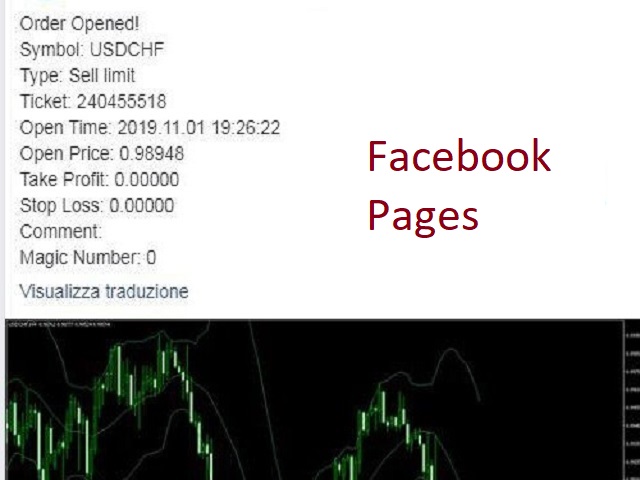
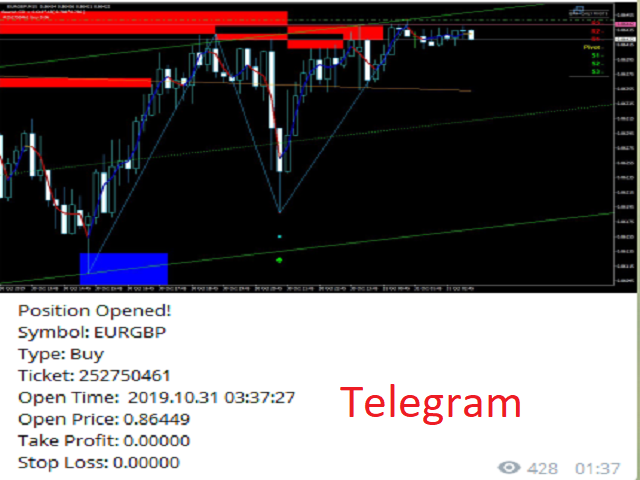
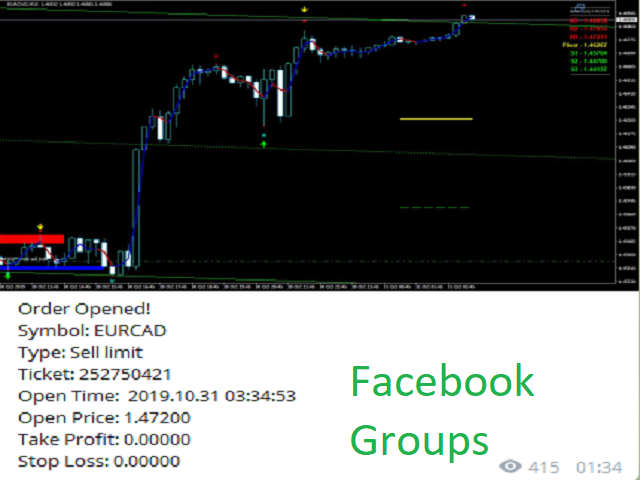
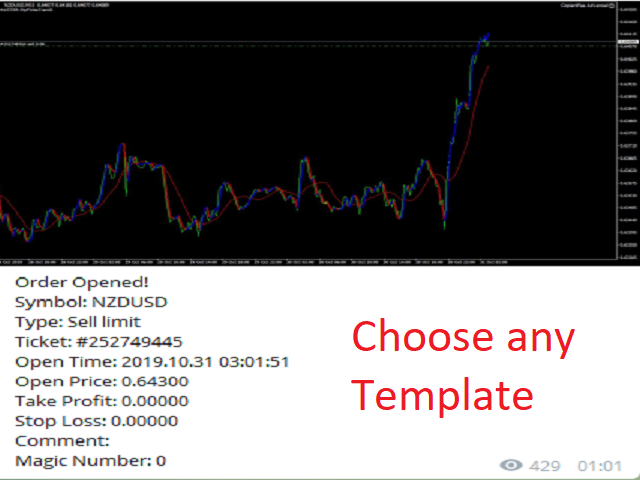
Tool sends trades when open and close with chart to telegram channel. 

Tool can send multiple charts and magic numbers and pairs from a single chart.

Send information of all type of orders: Opened (including Pending Orders), closed tiggered, and modified orders.


Telegram Setup instruction

  1. Open your Telegram APP and search for "BotFather".
  2. Type /start and click/type /newbot to create a new bot.
  3. Give your bot a nickname and username (e.g., nickname: Bestnavisignal and username: Bestnavisignalbot <-- username has to be ended by 'bot').
  4. Congratulations! You have created your Telegram bot.
  5. Save your bot API token (e.g. 742624432:AAGJPLFFqpdi6jYhO94Kihnyy77aR8opbTI) .
  6. If you don't have it already, create the channel or group
  7. Open the channel/group Info, then Manage, Add Administrators, type the bot username, and click Save
  8. Send any message to the channel/group like "TEST"
  9. Open the following URL in a browser to get channel ID
  10. Copy the chat ID
  11. Back in Meta Trader 4, go to Tools > Options > Expert Advisers > tick 'Allowed Web Request for listed URL' and add 'https://api.telegram.org'.
  12. Attach the utility into your Meta Trader 4 chart and fill up the Token (from step 5) and ChatID (from step 11).
  13. Fill in the magic number separated with comma "," on utility chart window. So you can select trades which should be sent to Telegram (Important! not shown on video look images please)
  14. Your utility is ready to work for you.
  15. sends to multiple channels and users just enter channels like @chan1,@chan2 and users id in Inp Users ChatID like 111111,2222222,3333333 etc to find user IDs you can use @chatid_echo_bot bot, search for it on telegram
  16. You can select Pairs in whit or Black list 
  17. you can show or hide TP, SL
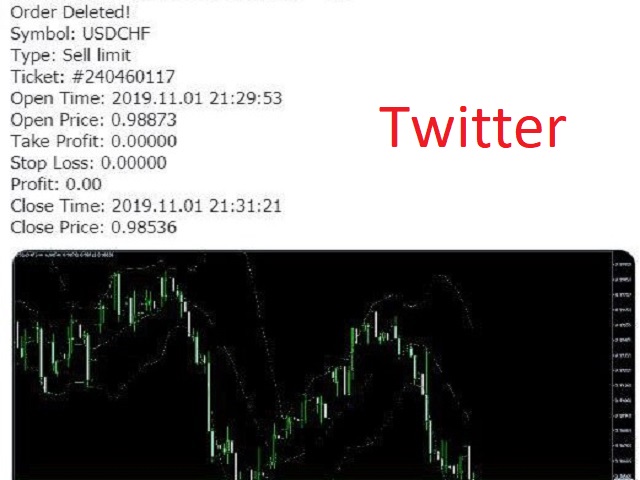
  18. sends messages to Twitter and Facebook.
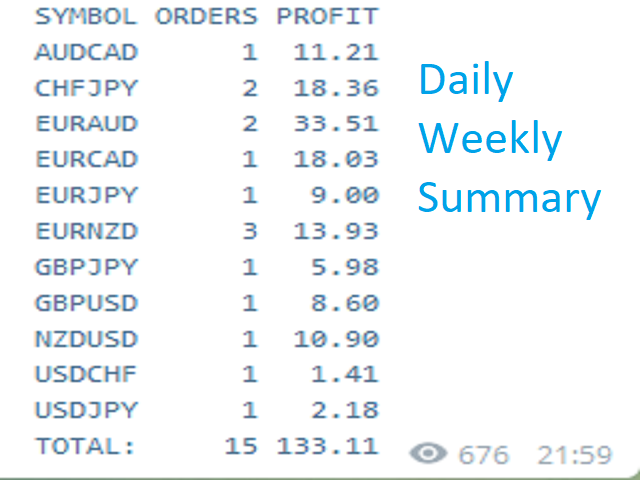
  19. You can specific Daily report summary in 2 times per day
  20. You can Add weekly report also
  21. You can specific profit in Pips or Currency
  22. You can add chart frame to each order you do it 
  23. Send your signals to MANY CHANNELS: Multi-Telegram channelsEmail, and send push notifications to the  Mobile Terminal.
  24. Send information of ALL TYPE ORDERS: Opened (including Pending Orders), Cancel, ClosedTriggered, and Modified Orders.
  25. FULLY CUSTOMIZE your Signal Text, Daily Report & Weekly ReportDesign your signal text, daily report and weekly report by the way you want, add pre-text, post-text, emojis... show profit or in currency or add any order trade information.
  26. FULLY CUSTOMIZE Pip unit: Calculate exactly pip unit for any symbol, in any broker.
  27. Now you can send it to twitter aslo
  28. Now we cam semd it to Facebook Page (you should create application on FB amd then create page for your app)
  29. Support Arabic Language
  30. you can select arabic edition from here

おすすめのプロダクト
Introducing the "KFX Trade Manager" expert advisor for MetaTrader 4 (MT4), a comprehensive solution for advanced trade management and risk control. This powerful tool is designed to enhance your trading experience by automating various aspects of order handling, profit optimization, and alert notifications. With the "KFX Trade Manager," you can take your trading to the next level and streamline your operations for improved efficiency and better risk management. Key Features: Trade Management Set
Heaven Assistant: Simplify Your MT4 Management Simplify the management of the MetaTrader 4 (MT4) platform with the Heaven Assistant . This Expert Advisor (EA) is a robust tool that allows you to control and customize your trading environment in an efficient and user-friendly manner. Key Features: Multiple Pairs Opening: Quick access to most currency pairs, both major and minor, plus exotic pairs. The ability to open indices, metals, and cryptocurrencies with a single click. Template Change: Easi
Let Your Ideas Earn For You. Convert your Ideas and Strategies in to automated trading bots directly on MT4. Visual Strategy Builder with Instant Results on the chart. This One of a kind strategy builder, allows you to specify rules and visually see the signals based on those rule as you create them. Visit the link for Group, User Manual, Video Examples Why Use LBM LBM is an essential tool for traders of all levels. It allows traders to create strategies quickly and easily, and to test them i
Success comes from knowledge – this is true for most things in life and especially Forex trading. To become successful, a trader needs to learn technical analysis. Technical indicators are a big part of technical analysis. The problem is that, at first sight, names of technical indicators can sound unpleasantly complicated, for example, MACD, RSI or Stochastic. However, we recommend you not to judge a book by its cover. We will provide you with a fair and simple explanation of the most popular t
ProfRoboTrading Dashboard MultiSymbol   is   Expert Advisor  a lightweight on-chart control panel that provides a clear overview of your trading account and open positions across multiple symbols. The dashboard displays key account metrics, summarizes open BUY/SELL orders and lots per symbol, calculates profit for Day/Week/Month, and offers quick manual close actions directly from the table. Key features Multi-symbol table   (symbols list configurable). Account metrics panel:   Balance, Equity,
Custom Alerts:複数市場を監視し、重要なチャンスを見逃さない 概要 Custom Alerts は、複数の銘柄にまたがるトレードチャンスを一元的に監視したいトレーダーのためのダイナミックなソリューションです。FX Power、FX Volume、FX Dynamic、FX Levels、IX Power などの主要ツールと連携し、複数のチャートを切り替える手間なく、重要な市場変動を自動で通知します。ブローカーが提供するすべての資産クラスに対応しており、シンボルを入力する必要はありません。設定で資産クラスを選択するだけで、すぐにアラートを構成できます。 1. Custom Alerts がトレーダーにとって非常に有益な理由 オールインワンの市場監視 • Custom Alerts は、為替、金属、暗号資産、指数、株式(ブローカーが対応している場合)からのシグナルを収集・統合します。 • 複数のチャートを切り替える必要がなくなり、明確で一元化された通知が得られます。 戦略に合わせたアラート構成 • ボリューム急増、通貨強弱の閾値、極端な価格変動など、目的に応じたアラート
Avoid SWAP fees EA MT4   This version only supports orders with a single order transaction count of<10. If the single order transaction count is>10, please subscribe to a higher version This EA is not actively profitable, but only uses trading time to increase trading frequency and achieve the goal of saving swap fees.   Working principle: This EA will generate MQL4 Experts Orderhis before the trading deadline of the day_ The today.csv file is used to record the information that has been opened
What is it? Think about it, you can send all the orders/positions info to your telegram channel or group to create your community or VIP signals on telegram. Position info means this EA forward all of your new positions open details (Open price, Open time, Position Type, position Symbol and volume), positions changes ( SL or TP modifying or pending price changes) and position close (Close price, profit or loss, position duration time) and also EA Send NEWS alert (Economic calendar event) on you
The advantages of EA TWO CANDLE SMART are: It is equipped with various filters, including: maxspread, maxlot, takeprofit (4 step), stop loss (3 step), profit target per day, and many more. Open order BUY = If iClose[2] > iOpen[2] && iClose[1] > iOpen[1]. Open order SELL = If iClose[2] < iOpen[2] && iClose[1] < iOpen[1]. Target_profit_perday=50; ==> can work on forward test. lockprofit=2;//Minimal Profit in money Step_LockProfit_in_Money=25; Stoploss_in_Money=1000; Stoploss_in %=50;==> Stoploss
This EA is based on the relationship between the three currencies, interaction, and thus hedging, I now find the most ideal pair of currencies is the default parameter of the three pairs of currencies, On the parameters Parameter setting is very simple, "Huoli" is profitable n USD. Users can determine the number of orders according to the funds of the account.
Click Trade Manager
Hispraise Chinedum Abraham
5 (1)
クリック・トレード・マネージャーは、これまでで最高の製品です! ビギナーからプロップファームのトレーダーまで、最高のソリューションです。 FTMO/MFFプロップファームまたは個人口座をドローダウン限界突破から保護します。EAは自動的にすべての取引を終了させるので、ドローダウンの限界に達することはありません。 ドローダウンリミットを超える可能性がある取引は警告されます。 利益目標が達成されると、自動的に取引を終了します。 ブローカーからマジックナンバーを隠すように設定することができます。 1クリックでリスクを計算し、SLとTPで取引を行うことができます。 ストップとリミットオーダーを1クリックで発注 1クリックで各取引に異なるSLとTPで複数のFibレベルの取引を設定。 パーシャルを取る、SLをBEに移動、すべてのオープントレードをクローズ、すべての保留中のオーダーをキーボード上のキーを押すだけで削除。 あらかじめ設定された時間にすべてのトレードをクローズします。 テレグラムに全トレードのアラートを送信します。 高度にカスタマイズ可能 - あなたの取引スタイルに最も適した設定を選択
革新的な Trades Time Manager を使用して、取引ルーチンを簡単に管理できます。この強力なツールは、指定された時間に注文執行を自動化し、取引アプローチを変革します。 購入から注文の設定まで、すべて手動介入なしで、さまざまな取引アクションのためのパーソナライズされたタスク リストを作成します。 Trades Time Manager のインストールと入力ガイド EA に関する通知を受け取りたい場合は、MT4/MT5 ターミナルに URL を追加してください (スクリーンショットを参照)。 MT4のバージョン     https://www.mql5.com/en/market/product/103716 MT5のバージョン     https://www.mql5.com/en/market/product/103715 手動監視に別れを告げ、合理化された効率を採用します。直感的なインターフェイスにより、シンボル、約定時間、価格、ストップロス (SL)、テイクプロフィット (TP) ポイント、ロットサイズなどの正確なパラメーターを設定できます。 このツールの柔軟性は、市
I speak in Hungarian. Magyarul beszélek benne. (Első felvétel. https://youtu.be/MapbQrJ0uPU Első felvétel. https://youtu.be/i2id5O1KPrI Második felvétel. https://youtu.be/Zp2i7QN-IMc Első felvétel. https://youtu.be/h7UbTWiM-Lw Második felvétel. https://youtu.be/y54q4Rasf2A Harmadik felvétel. https://youtu.be/13zYjsoe6ZQ Negyedik felvétel. https://youtu.be/NGiB1AnxxfU ) Nice Day Signalos! Positive building candle. If the previous body closes the candle over the candle. Buy takes. If the previous
Aureus Quantum Surge-H 1:金自動取引の潜在力を解放する Limited Time Offer: Special Offer: Current Price $799 (Limited Time)! Next price: $899 実際のアカウント信号: https://www.mql5.com/en/signals/2297864?source=Site+プロフィール+売り手 概要 Aureus Quantum Surge-H 1は、H 1期間中にXAUSD(ゴールド)を取引するために設計された最先端の専門家コンサルタントです。多様な技術指標と安定したリスク管理技術を組み合わせ、変動する金市場で一貫したパフォーマンスを提供します。​ 主な特徴 高級多指標戦略:Ichimoku Cloud、MACD、ATR、ブリンバンド、LWMAの複雑な組み合わせを利用して高確率の取引機会を識別する。​ カスタマイズ可能なリスク管理: 安全タタールシステム:調整可能なバッチ倍加とリセット条件を備え、リスクを効果的に制御するオプションの戦略。​ 止損と止盈:市場
It's a variation of mid of HH and LL since it compares the higher of HH or LL against a period and twice the number of bars back to avoid whipsaws. I used to display this against lines on a chart, but made a histogram out of it and it looks interesting. It looks good at gauging trend strength and general turns (see image below). The name of the indicator is BAM, which is an acronym for "Below and Above Mid". Ways to use it: 1. To see general trend on longer TFs (more than 30 bars back).
The arrow indicator for Forex and Binary options is based on tick volumes. Unlike many volume indicators, the "Super volumes" indicator calculates bullish and bearish volumes and gives signals based on the predominance of any of them. If, say, there was an advantage of bullish volumes in this range at the moment, then the signal will be on Buy. Or if the predominance was bearish volumes, then, accordingly, the signal will be on Sell. In the indicator settings in the "volumes" variable, you can
Custom Alerts AIO:マルチマーケット監視を一括で実現 — 設定不要ですぐに使えるインテリジェントツール 概要 Custom Alerts AIO は、追加のインジケーター設定が不要で、インストール後すぐに利用できる高機能マーケットスキャナーです。FX Power、FX Volume、FX Dynamic、FX Levels、IX Power を内部にすべて統合し、主要なすべての資産クラス(為替、金属、指数、暗号資産)を一括監視できます。MetaTrader の仕様により、株式は個別のシンボルとして追加可能ですが、一般的には利用頻度は低めです。 1. なぜ Custom Alerts AIO を選ぶべきか 追加ライセンス不要 • 必要なすべての Stein Investments インジケーターが内蔵されており、すぐに使用可能です。 • チャートに表示されるグラフィックは省略されており、アラート生成に特化した構成です。 市場を広範囲にカバー • 為替、金属、暗号資産、株価指数に対応(株式は手動追加可能)。 • シンボル名を入力する必要はなく、プロパティで資産クラス
I speak in Hungarian. Magyarul beszélek benne. Első felvétel. https://www.youtube.com/watch?v=h7UbTWiM-Lw Második felvétel. https://www.youtube.com/watch?v=y54q4Rasf2A&t=1s Harmadik felvétel. https://www.youtube.com/watch?v=13zYjsoe6ZQ Negyedik felvétel. https://www.youtube.com/watch?v=NGiB1AnxxfU Nice Day Signalos! If the Muving Average closes the candle over the candle. Buy takes. If the Muving Average closes the candle under the candle. Sell takes. MA trend. It can be set for him. Positive MA
Tool sends trades when open and close with chart to telegram channel.  Tool can send multiple charts and magic numbers and pairs from a single chart. Send information of all type of orders: Opened (including Pending Orders), closed tiggered, and modified orders. Telegram Setup instruction Open your Telegram APP and search for "BotFather". Type  /start  and click/type  /newbot  to create a new bot. Give your bot a nickname and username (e.g., nickname: Bestnavisignal and username: Bestnavisignal
Multiple Orders
Opengates Success International
5 (1)
マルチオーダー・ユーティリティ マルチオーダー・ユーティリティは、価格がわずかに動いただけで利益を得られるように設計されており、大きな値幅を待たずに取引成果を上げることができます。 このユーティリティは、同一通貨ペア・同一方向で、ユーザーが指定した数、またはブローカーが許可する最大数の注文を同時に発注します。 考え方としては、短時間で達成が難しい、または現実的でない 100~200 ピップスを狙う代わりに、複数の注文を同時に発注し、短いテイクプロフィット(利益確定)目標を設定します。たとえば、5 件以上の注文を同時に出し、テイクプロフィットを 20~25 ピップスに設定すれば、この目標はすべての注文に自動で適用されます。25 ピップスの目標は長距離を狙うより達成しやすく、結果として同等の利益が得られます。例:25 ピップス × 5 件の注文 = 合計 125 ピップス(価格は 25 ピップスしか動いていない)。 このユーティリティは使いやすい一方で、取引に入る前に市場分析と価格の動きの予測をしっかり行う必要があります。そうしないと、大きなドローダウンが発生する可能性があります。SL(損
Harvest GOLD USES THE TREND WAVE INDICATOR AND IT CAN IDENTIFY THE BEGINNING AND THE END OF A NEW WAVE TREND MOVEMENT. AS AN OSCILLATOR, THE INDICATOR IDENTIFIES THE OVERBOUGHT AND OVERSOLD ZONES. IT WORKS GREAT TO CATCH THE SHORT TERM PRICE REVERSALS AND USES A MARTINGALE STRATEGY TO CLOSE ALL TRADES IN PROFIT. USE DEFAULT SETTINGS ON H1 OR HIGHER TIME FRAME ON ANY PAIR FOR MORE ACCURATE TRADES WHY THIS EA : Smart entries calculated by 3 great strategies The EA can be run on even a $30000
Ema Dashboard is an innovative dashboard that allows you to monitor Moving Average on multiples symbols and different timeframes. This dashboard allows you to analyze information on 28 pairs on an unique chart. Its functionality includes analysis of All Time Frames. This configuration allows you to identify the Long Term Trend with extreme ease. This panel allows you to take very important directional movements. A click on button opens a new chart (symbol and timeframe). Graphic Object Symbol l
Scalp Master is a very simple and smooth operation system that is designed to help traders facilitate trading and risk management. No Keyboard need to make, take profit or close orders. Every orders parameters are created automatically based on predefined risk and your strategy lines. Such parameters appear friendly on the screen and you just need 1 click to convert to order. The unique algorithm prevent common missed and hit taking profit strategy. Instead of very subjective partial closed by u
Imperium Pattern EA   USE IT ONLY WITH THE SET FILES I POSTED TO THE COMMENT SECTION.  This is the biggest update in the life of the Imperium Pattern EA, it got new features and engine. ---It got the official TheNomadTrader Dynamic engine system alongisde with good risk:reward ratio ---New feature that allows traders to tell the EA after how much time(X value in minutes) the EA can close trades by dynamic exit. This feature boosts the EA perfoemance and it is a key feature in crisis situati
Market Monitor
Rodrigo Rethka Goncalves
Market Monitor – Smart Asset Performance Dashboard for MT4 Turn your MetaTrader 4 into a professional trading intelligence center! Market Monitor is a powerful monitoring tool that displays, in real time, the most relevant performance metrics of each symbol being traded — helping you make faster, smarter, and more strategic decisions. What Does This Indicator Do? Market Monitor scans all open and historical orders, consolidates the data by symbol, and displays everything in visual pa
New opportunities for analyzing cryptocurrency in the usual MetaTrader 4. For example : We select the symbol of the cryptocurrency and attach any indicators, Expert Advisors or scripts. Startup Mode View cryptocurrency; Data collection. Capabilities Work as with a standard currency chart; Automatic update of open charts; Selection of individual cryptocurrency for updating; Selection of individual timeframes for updating; Work on the desired timeframes; Open charts do not affect the work of Cry
Cancer indicator is great for trend trading! An intelligent indicator algorithm with high probability shows the points of potential market reversal. If you are trading in a trend, then a trading strategy built on the basis of this indicator is perfect for you. The indicator filters out market noise, almost everything and all the necessary functions for working with a thread are built into one tool. It works on all currency pairs and on all timeframes, indicator setting - according to your desire
Vantage is a one-click semi-automated tool which works with the user interface. The EA's base strategy is grid trading. The user can start first trade from chart buttons and the EA will do rest of the work. User can open grid to loss side, profit side or both sides same time, or can do a simple trade without the grid. Use low risk against balance and apply EA on VPS. With this, the EA can work properly without any interruption. To understand all functions watch the video below. Input parameters
H4 GBPUSD Trend Scalper is a trend signal scalper The EA trades according to the trend strategy using original built-in indicator for opening and closing orders. The external inputs for limiting trading on Fridays and Mondays are available. The purpose of the strategy is to use the current trend with the most benefit. According to the results of testing and working on demo and real accounts, the best results achieved by using the Н4 timeframe on the GBP/USD pair Works on MetaTrader 4 Build 971+
Gann Box MT4
Frederic Jacques Collomb
5 (1)
Gann Box インジケーターは、トレーダーが市場の重要なレベルを特定し、活用するのを支援するために設計された強力で多機能なツールです。このインジケーターを使用すると、チャート上に長方形を描くことができ、それが自動的に 0, 0.25, 0.50, 0.75, 1 の戦略的レベルを持つ複数のゾーンに分割されます。価格がこれらのレベルのいずれかに達すると、アラートがトリガーされ、トレーディングの意思決定に貴重な支援を提供します。描いたゾーンに対する市場の動きを即座に把握できます。ゾーンをトレースするには、単純な長方形を描いて名前を GannBox に変更するだけです。 このインジケーターは、 サポートとレジスタンス の概念を使用するトレーダー、 サプライとデマンド 、 ICTテクニック 、または**公正価値ギャップ(FVG)**の専門家など、すべてのタイプのトレーダー向けに設計されています。 デイトレーダー、スイングトレーダー、またはポジショントレーダーであろうと、 Gann Box は市場の動きをより良く理解し予測する手助けをし、反応性とパフォーマンスを向上させます。 MT5バージョ
このプロダクトを購入した人は以下も購入しています
Crystal Trade Manager PRO – MT4向け 高度リスク管理・トレードコントロールシステム 無料版: https://www.mql5.com/en/market/product/150632 概要 Crystal Trade Manager PRO(CTM)は、MetaTrader 4 のために設計された、プロフェッショナル向けのリスク管理および取引管理ユーティリティです。 厳密な執行、強力な資金保護、高度な自動化を必要とするトレーダーのために構築されています。 本システムは、リスク管理、エクイティ保護、日次制限、SL/TP の自動設定を行い、プロレベルの高速ワンクリック取引パネルを提供します。 Prop Firm チャレンジ、デイトレード、スキャルピング、資金運用者に最適です。 MT5版も利用可能です。 主な特徴 1. 高度なリスク・ドローダウン保護 日次ドローダウン上限を 1%〜70% の範囲で設定可能。 上限超過時、 全てのポジションを即時クローズ 。 オプションで 全ての保留注文(Pending Orders)を自動削除 。 日次ロックアウトモード:翌日
Live Forex Signals サイト信号での取引用に設計されています   https://live-forex-signals.com/en   と https://foresignal.com/en . Live Forex Signals for MetaTrader 5  https://www.mql5.com/ru/market/product/81448 パラメータ サイトへのサブスクリプションを持っている場合は、ユーザー名とパスワードlive-forex-signals.com/foresignal.com サブスクリプションがない場合は、フィールドを空のままにします; オープンされているお得な情報へのコメント リスクリスクは、取引のための預金の割合として、リスク=0の場合、値ロットが使用されます 取引のためのロット固定ボリューム UseTakeProfitは、サイトから利益を取る使用します 当サイトからのご利用停止のご案内 F r e c h encysignalupdateinminute顧問のサイトへの訪問頻度を指定します MaximumSpreadFo
With this Expert Advisor, you can seamlessly integrate various channel, arrow, and reversal indicators. It offers the flexibility to use all popular channel trading strategies, while also providing powerful tools to customize your trading conditions and risk management system.   The Expert Advisor opens orders when the price crosses the channel boundaries. Multiple crossing conditions are available for customization: Price touches boundary on re-entry into the channel Price touches boundary on
Unlimited Trade Copier Pro is a tool to copy trade remotely to multiple MT4, MT5 and cTrader accounts at different computers/locations over internet. This is an ideal solution for you if you are a signal provider and want to copy your trades to other receivers globally on your own rules. One provider can copy trades to multiple receivers and one receiver can get trade from multiple providers as well. The provider can even set the subscription expiry for each receiver, so that receiver will not b
--------------Welcome to use [MQL5 Signal Analyze Master]------------------  Function: Draw order tracks of MQL5 MT4 and MT5 signal on MT4 chart. [Using guide] 1.Use it as Experts. 2.Download history record from MQL5 signal(MT4 signal or MT5 signal).  3.Paste history record file below "MQL4/Files/" 4.Load [Signal Analyze Master] on the symbol chart what you want to analyze. 5.Paste the history record file name to parameter 'FileName' 6.Select  SignalType  match the history you download on MT4
Trade Copier for MT4   Supports multiple master and slave terminals   Local operation without DLL usage   Optional slow monitoring mode   Compatible with prop firm and personal accounts Trade Copier MT4 To MT4 Advanced Multi-Account Trade Copier for MT4/MT5 – Master & Slave Synchronization This Expert Advisor is a fully automated multi-account trade copying system designed for professional traders who require fast, stable, and flexible synchronization between MT4/MT5 accounts. It supports
The FFx Hidden Manager panel will help you to manage easily your orders directly on the chart. Below all features described: TP, SL and TrailingStop are hidden Each order has its own lines on chart Drag & Drop any line to change the TP/SL as per your need Option to move automatically the SL line at breakeven when TP #1 is reached Option to choose the TP/SL type (by pips or price) Option to choose the TrailingStop type (by pips, MA, Fractals, PSAR or ATR) Define which order(s) you want to manage
FFx Risk Calculator panel will help you to calculate very easily your trades size, SL or the risk directly on the chart. All features are described below: Option to select which parameter to calculate: Risk, Stop Loss or Lot Size The panel will show if the lot size is allowed according to the current account free margin Button to maximize/minimize the panel Drag and Drop the panel anywhere on the chart How to use it? Select the parameter you want to be calculated. It will be based on the 2 other
News Trader Pro is a unique robot that allows you to trade the news by your predefined strategy. It loads every piece of news from several popular Forex websites. You can choose any news and preset the strategy to trade it, and then News Trader Pro will trade that news by selected strategy automatically when the news comes. News release gives opportunity to have pips since the price usually has big move at that time. Now, with this tool, trading news becomes easier, more flexible and more exciti
The FFx Watcher PRO is a dashboard displaying on a single chart the current direction of up to 15 standard indicators and up to 9 timeframes. It has 2 different modes: 1. Watcher mode: Multi Indicators User is able to select up to 15 indicators to be displayed User is able to select up to 9 timeframes to be displayed 2. Watcher mode: Multi Pairs User is able to select any number of pairs/symbols User is able to select up to 9 timeframes to be displayed This mode uses one of the standard indicat
Copies transactions between MT4 terminals. Possibilities: quick copy start minimum processor load direct and reverse (reverse) copying. copying Take Profit and Stop Loss levels copying deferred and their changes copy transactions one to many copy trades many to one local copy only Attention: The product is designed for copying trades only within a single computer or VPS with access to the desktop. The product will not work on the built-in Virtual Hosting of the terminal. We will help you set up
If you wish to draw Support and Resistance lines, view: daily market opening, classical pivot levels, Fibonacci pivot levels, trend lines, Fibonacci levels, the remaining time to candle closing, and current spread. If you seek to place your orders with the exact lot that meets your desired stop loss risk. If you wish to do all this and more with just one click, then this is the perfect tool to use. This tool will allow you to feel more relaxed when deciding to open orders, as well as predicting
Unlimited Binary Options Copier Remote is a powerful tool to copy binary options trades remotely between multiple accounts at different locations over internet. This is an ideal solution for signal provider, who want to share his binary options trades with the others globally on his own rules. One provider can copy trades to unlimited receivers and one receiver can get trade from unlimited providers as well. The provider can set the subscription expiry for each receiver, so that receiver will no
The Pairs Trade indicator is a utility for semi-automatic pair trading. It allows combining the charts of two arbitrary instruments, even if the schedules of their trading sessions are different. It displays a spread chart in the form of a histogram with an overlaying moving average. It calculates the swap that will be charged for the synthetic position (in the deposit currency). It is possible to set a level for automatic opening of a synthetic position on the spread chart (analogous to the 'se
The script displays info about the share's corporate reports and dividends. The data is downloaded from   investing.com : Report date Profit per share (EPS) Revenue Market capitalization Amount of dividends Date of payment of dividends Dividend income The product cannot be tested in the tester (since it is not possible to receive data from the Internet). Before launching:  Add 2   URL   https://ru.investing.com/earnings-calendar/Service/getCalendarFilteredData  and   https://ru.investing.com/di
This Stacker EA will: Automatically set Stop loss on a new order Automatically set Take profit on a new order Stack (or open up to 4 additional orders at the same time) when a new order is placed, the SL/TP can be preset individually for each order. Provides a transparent replacement for the standard 1-click trading buttons in MetaTrader 4 (1 click still works and SL/TP will automatically be set as well as Stacking). Automatically calculate lot order size according to preset risk management perc
FXFledgling Exit Tool is a complete risk management tool that analyzes both the open trades and the direction of the pair of open trades. As long as the suggested entry and lotsizing management presented here is followed strictly, you will have a high chance (but no guarantee) of surviving the trade. What It Does It is used as an exit tool. It helps the trader to manage any manual trade that he transacted. It does the following: Trail Stop Dynamic Stop Loss - a calculated stop-loss that changes

Notify Telegram is a utility that bridge your MetaTrader4 trading activities to your Telegram chat/channel. It will help you to monitor your MetaTrader4 actions such as placing trade, modifying order's TP/SL, closing trades etc and send a notification message to your dedicated Telegram chat/channel. It does not execute any trade on your MetaTrader4 account. It can be useful for monitoring EA performance or providing signal to your Telegram channel/group subscribed. Parameters Token ="" - enter
The  Easy Strategy Builder (ESB)  is a " Do It Yourself " solution that allows you to create a wide range of the automated trading strategies without any line of codes. This is the world’s easiest method to automate your strategies that can be used in STP, ECN and FIFO brokers. No drag and drop is needed. Just by set conditions of your trading strategy and change settings on desired values and let it work in your account. ESB has hundreds of modules to define unlimited possibilities of strategi
Telegram ChartSnap is an utility tool to bridge your MetaTrader 4 activities to your Telegram chat/group/channel. It will screen shot your MetaTrader 4 chart and send it to your dedicated Telegram chat/group/channel through a Telegram bot. The whole process will keep repeating based on a time cycle that predetermined by the user. It is a convenient tool for those who like to get access to their favorite system/dashboard that only available at MetaTrader Desktop. Beside that, trader can easily s
フィボナッチリトレースと拡張ラインツール DiNapoliポイント取引方法とゴールデンセクション取引を使用するトレーダーにとって理想的なMT4プラットフォームのフィボナッチリトレースと拡張ラインツール 主な特長: あなたはフィボナッチリトレースメントの複数のセットを直接描くことができ、重要なリターンポイント間の関係は一目瞭然です。 2.フィボナッチ拡張を描画することができます。 3.フィボナッチフォールドバックとラインの延長は、簡単な観察と数値表示のために左右に動かすことができます。 4.チャートは非常に爽やかな 5.数字キーでサイクルを切り替えることができます。 ファンクションキー: 1。 [戻るを押す、要求に応じて描画する、最大8つのグループにする 2。拡張]を描くには[押す] 3。 \を押すと、現在のサイクルの下にあるすべての拡張機能と折り畳みが削除されます 4。フォールドバックを移動して削除して展開する (1)最初のフォールドバックセットのF5行をクリックします。 一度クリックすると(黄色に変わります)、キーボードのDeleteキーを押すと、フォーカ
Советник риск-менеджер с огромным арсеналом возможностей защиты вашего депозита. Для инвесторов, которые решили передать капитал в доверительное управление. Когда у трейдера нет доступа к настройкам - нивелирует торговые риски. А также для трейдеров, которые осознали необходимость стороннего контроля за их торговлей для улучшения торговых результатов.  Для максимальных результатов - должен стоять на отдельном VPS сервере и у трейдера не должно быть возможности менять настройки в торговый период.
半自動取引のためのユーティリティ。ストップオーダー、ストップロス、テイクプロフィット、トレーリングストップをブローカーに見えないように設定するための動的レベルを適用します。 FIFO要件のある米国のブローカーを含むあらゆるブローカーとの連携に適しています。 アドバイザリンクのMT5バージョン 取引はボタンまたは線を使用して開くことができます。アドバイザが線に沿ってポジションを開くには、チャートに線を引き、名前を変更します。価格がそれを超えると、EAは対応するコマンドを実行します。 OPEN_SELL-売り注文を開きます CLOSE_SELL-すべての売り注文を閉じます OPEN_BUY-オープンバイオーダー CLOSE_BUY-すべての購入注文を閉じる コマンドが実行された後、コメント「OK」が書き込まれ、行はコマンドを1回だけ実行します。 チャートには、受け取った利益、現在のオープンポジション(注文数、ロット数、利益)、オープニング注文のボタン、実行速度、スリッページに関する情報が表示されます。 「i」ボタンをクリックすると、取引履歴が視覚的に表示されます。 オプシ
Grid Hero War Pad is a  GRAPHICAL MANUAL TRADER version of the original Grid Hero EA, designed and created for ADVANCED TRADERS who are experienced in plotting their own market entries. It is coded using ADVANCED GRAPHICAL INTERFACE programming, that combines the power of discretionary trading with Grid Hero algorithm in the form of a graphical console with button-click easy execution. It allows you to execute trades manually using Market Orders and Pending Orders, and then automatically uses th
The advantage of using this EA This EA directly updates takeprofit and stop losses that are still empty in a manual order Parameters Multiplier: Multiplier value of the previous transaction Distance: Distance hedging from the previous order Takeprofit: take profit taken from the last price + the value of this column We recommend that you do not add more than one manual transaction in the same pair martingale hedging | manual hedging | hedging manual | hedging lot | best robot | best ea
The new version of  MirrorSoftware 2021  has been completely rewriten and optimized.  This version requires to be loaded only on a single chart because  it can detect all actions on every symbol and not only the actions of symbol where it is loaded. Even the  graphics and the configuration mode  have been completely redesigned. The MirrorSoftware is composed of two components (all components are required to work):  MirrorController  (free indicator): This component must be loaded into the MASTER
Скрипт открывает графики по всем инструментам находящимся в окне "Обзор рынка" и по желанию может задать для всех графиков один шаблон. Так-же можно удалить все графике открытые в терминале Мт4. В скрипте имеются следующие настройки: "Таймфрейм" по умолчанию M30;             (Можно поставить свой: M1, M5, M15, M30, H1, H4, D1, W1, MN.) "Задержка" по умолчанию "0";                  (Задержка перед открытием следующего графика в миллисекундах.) "Шаблон" по умолчанию "True";                (True=пр
(8th Feb 2019 Launch Promo: $97/lifetime just for 1 day! Price goes to $180/lifetime in 24 hours!) The TFA Trade Manager helps you easily manage your trades with an intelligent vertical "bars" system. You easily now easily click + drag your entry, stop loss, take profit, breakeven, partial profit and trailing stop with a few simple mouse clicks. You can also easily calculate the risk you wish to allocate to each trade by telling the trade manager your desired risk %, lot size or $dollars to risk
This utility automatically draws the trend channel on the price chart. For the time interval from the specified date to the current bar, the drawn channel is almost optimal. Placing the beginning of the channel at a more distant historical price extremum, you get a visualization of a longer-term trend. Channel slope is not a continuous value, but takes one of discrete values (in AxB format, where A is the number of price points (points), and B is the number of timeframes). This program works ONL

Forex copier
Alexandr Bryzgalov
4.5 (2)
We offer simple and reliable software that can  copy trades  between any MT4 accounts. Easy to use MetaTrader copier which saves valuable time Reliable, so you are protected from technical issues Powerful, with a lot of features available Who can use this MT4 copier? Forex Copier is a solution for individual traders or account managers who need to execute trade signals from external sources or who need to  manage several MetaTrader 4 accounts  at the same time. We do not offer you “yet another


作者のその他のプロダクト
automatically sets a pre set take profit and stop loss on all orders that lack the selected stop(orders without sl/tp or both). This enables quicker opening of orders especially if you use a common take profit, stop loss or both for all orders of a current pair. You only need to open orders without having to calculate your stops and no matter how many orders you have opened the EA will set stops for you as long as you have attached the EA on the currency pairs chart. For pending orders the EA
このEAは、すべてのタイプの注文を同時にクローズするのに便利です。すべての注文をすぐにクローズするか、内部の利益/損失ルールを使用して選択できます。 アカウントの「総利益」または「総損失」が指定された利益/損失よりも大きい場合、このEAはすべてのオープンポジションを自動的に閉じます。 クロージング:EAの実行直後にクロージングを選択するか、総利益/損失ルールを使用するか、指定した時間にクロージングを使用できます。 特徴 スワップを含める 手数料を含める 特定の時間に閉じる 特定の日 すべて閉じる/利益の注文のみ/注文の損失のみ 2、3、...時間ごとに繰り返す 注文の合計がxxxに達したら閉じる すべての注文の合計、同じペアの注文、またはその両方 IDで選択した特定の注文のみをクローズする 部分注文を閉じる 30ピップに達した場合は20% 100ピップに達した場合は50% 200ピップに達した場合は30% TPを変更してストップを失う トレーリングストップを追加 マジックナンバーをロックして閉じる
Tool sends trades when open and close with chart to telegram channel.  Tool can send multiple charts and magic numbers and pairs from a single chart. Send information of all type of orders: Opened (including Pending Orders), closed tiggered, and modified orders. Telegram Setup instruction Open your Telegram APP and search for "BotFather". Type  /start  and click/type  /newbot  to create a new bot. Give your bot a nickname and username (e.g., nickname: Bestnavisignal and username: Bestnavisignal
Evening Scalper Pro is the state-of-the-art mean-reversion trading system that operates during all trading session. It's very different from most other scalping systems, since it uses a unique trading logic on cross pairs that have a strong mean-reverting tendency with high profit targets. EA not enters the market with market orders, it does not open trades. In terms of a trade duration, it's classical scalping: in and out of the trade within a few hours at the most. The EA uses a number of adv
初心者またはプロフェッショナルである当社のベストセラーのマルチタイムフレームPivotProfは、スペシャリストが使用するサポート層とレジスタンス層を使用して、売買を美化し、一流の変更の可能性を提供します。ピボットの売買は、主要な範囲で市場に出入りするための簡単で優れた手法であり、当局によって長い間使用されており、外国為替、暗号、株式、インデックスなどのすべてのシンボルで機能します。ピボット教授がトップをもたらします市場が反応する可能性が最も高い場所であるディーラーへのレートティア。これは、ディーラーが市場に出入りし、大規模な最終損失やドローダウンを回避することを望んでいるまさにその要素です。 17の特定の時間枠全体から、シンボルごとに120度以上のデータを計算し、同時に表示する、他に類を見ないアルゴリズムを備えた豊富な機能。すべてがユニークで整頓された使いやすい形式で表示され、端末、電子メール、携帯電話のスマートフォンアラートが付属しています。さらに、全体がカスタマイズ可能です...数式、表示、信号など。 売買スタイルは数えられません。PivotProfを使用して、これらの重要
Alebrahimi EA
Hussein Adnan Kadhim
「 Alebrahimi EA 」に関心をお寄せいただきありがとうございます。 私は2015年から取引をしています。通常、日次および週次で反転パターンで取引します。私は通常、取引で「ストップロス」または「テイクプロフィット」を使用しませんが、最初の取引理由が変わったときに損失を出します。数週間、さらには数か月といった長期間にわたって行われる取引もあります。心配しないで、それは私の取引システムの一部です。 マーチンゲールやグリッドなどの危険なシステムは使用しませんが、平均化テクニックを使用することがあります。そのため、同じ方向に複数のエントリを取得することがあります。 私は EA (ロボット) を使用しており、これは 100% 自動取引です。毎日が利益になるわけではないことを忘れないでください。適切な結果を得るには、私の取引を少なくとも 30 日間コピーしてください。 最低入金額: $1000 レバレッジ: 500:1 利益目標: 月平均利益目標は 10% +/- ドローダウン: 平均的なドローダウンは 10% から 20% です コピー中に良い結果を得るには、次のブローカ
This product is design to export all pairs that you have it in your meta trade  if you have too many pairs , shares , indicators , CFDs etc you just need 1 click to export all or them to txt file Works as an Script, reading all pairs . There's no option to change. There's no Web Request. There's no DLL use. File location: MQL5\Files . with name broker name._Symbols.txt
Evening Scalper Pro is the state-of-the-art mean-reversion trading system that operates during all trading session. It's very different from most other scalping systems, since it uses a unique trading logic on cross pairs that have a strong mean-reverting tendency with high profit targets. EA not enters the market with market orders, it does not open trades. In terms of a trade duration, it's classical scalping: in and out of the trade within a few hours at the most. The EA uses a number of adv
Novice or Expert, our top of the line multi-time span Turn Prof will upgrade your exchanging and carry you extraordinary exchange amazing open doors with the Help and Obstruction levels that experts use. Turn exchanging is a straightforward compelling technique for entering and leaving the market at key levels and has been utilized by experts for quite a long time and chips away at all images: Forex, Crypto, Stocks, Indicies and so on. Turn Prof carries premium levels to the broker where the
The TradeMetrics Pro indicator enhances trade analysis and performance evaluation by presenting trade history and metrics directly on the chart. It accomplishes this through three key features: Summary Trade Panel: The Summary Trade Panel provides a concise overview of open and closed trades. It organizes trade summaries by symbol, lots traded, pips gained or lost, profit, and advanced statistics. This panel enables quick assessment and comparison of trade performance across different symbols.
Indicator Description: Market Session Overlay The Market Session Overlay indicator for MT5 visually highlights the key global trading sessions — Asian, European, and American — directly on your chart. It allows traders to clearly identify the time ranges of each session and their respective highs, lows, and opening levels, improving session-based analysis and strategy execution. Features: Draws colored rectangles for each session (Asian, European, American) on the chart. Configurable se
フィルタ:
レビューなし
レビューに返信