Mmelik EA
- エキスパート
- バージョン: 2.1
- アクティベーション: 5

Mmelik EA — Smart Hedging Grid for Gold & Beyond
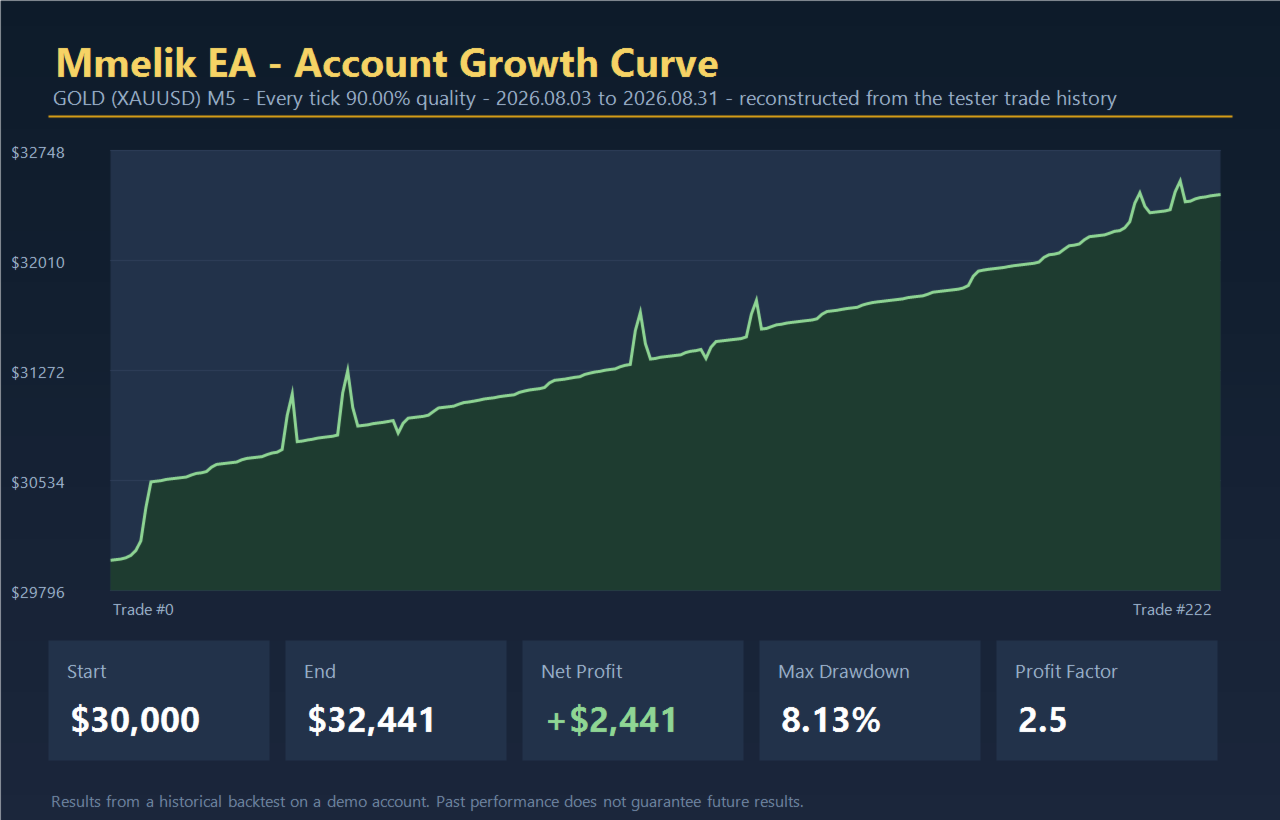
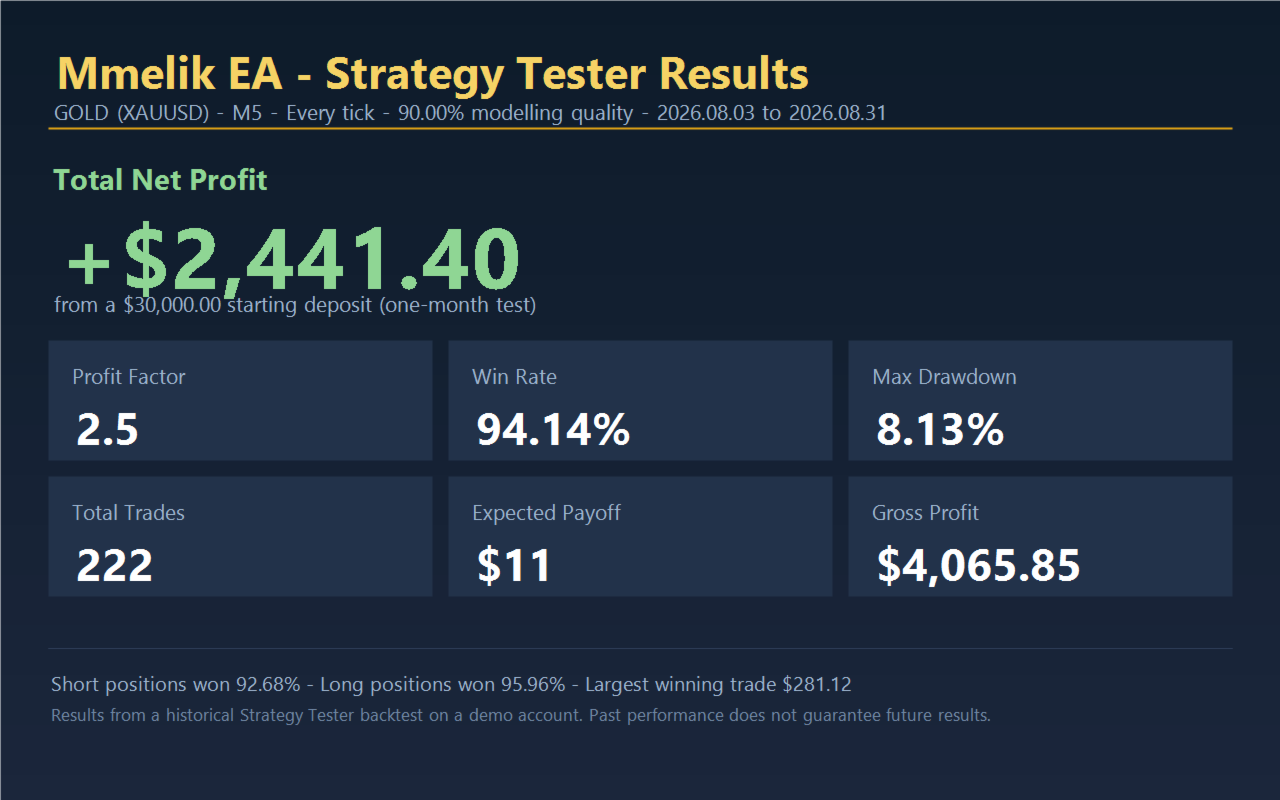
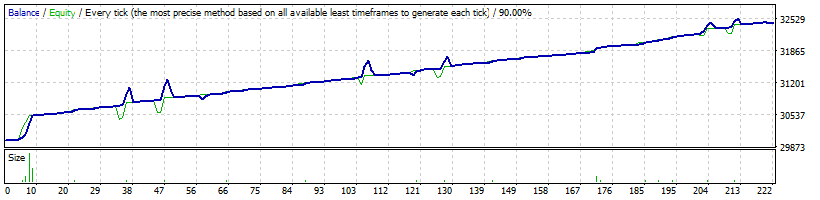
Mmelik is a fully automated MetaTrader 4 expert advisor built around a disciplined, two-sided recovery strategy. It opens trades in both directions, rides trends for profit, and works to bring every basket of trades to a positive close. Designed and tuned for Gold (XAUUSD), it also runs on other symbols.
Why traders choose Mmelik
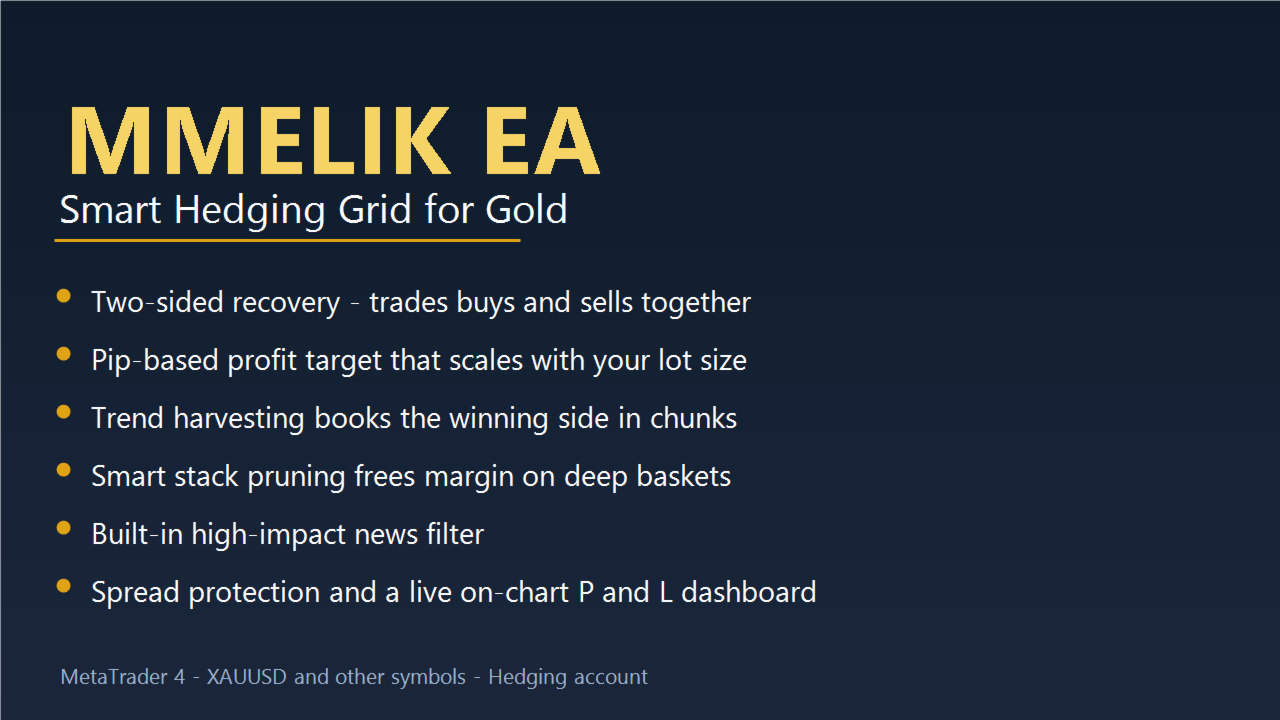
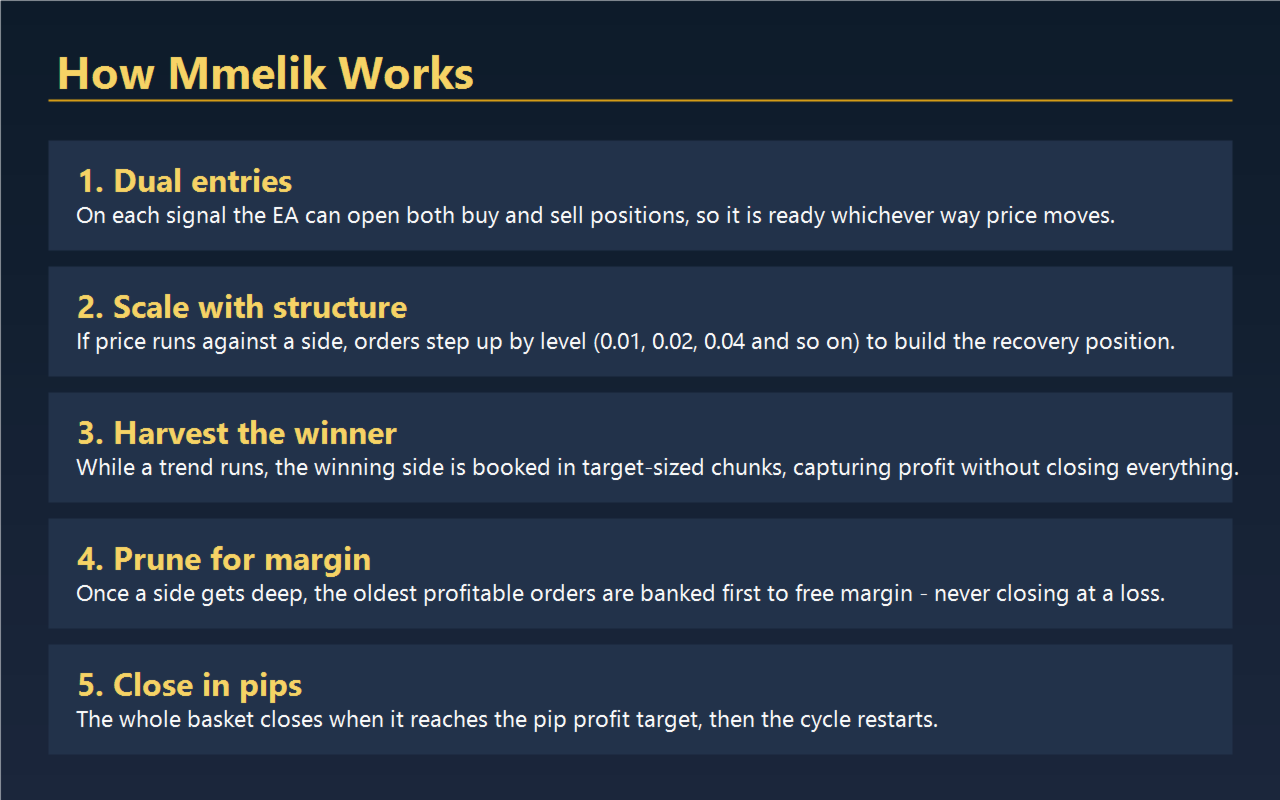
Two-sided by design. Mmelik trades buys and sells at the same time, so it is never caught flat-footed when the market reverses. Whichever way price runs, one side is already positioned to profit.
Profit measured in pips, not luck. The profit target is set in pips and applied to the whole basket. The dollar result scales naturally with your lot size, so the same settings work whether you trade small or large.
Trend harvesting. When one side is clearly winning, Mmelik books profit from that side in target-sized chunks while leaving the recovery position intact. You capture the move without closing everything too early.
Smart stack pruning. As a position grows deeper, Mmelik frees up margin by banking the oldest profitable orders first. This keeps the account healthy and gives every basket room to recover. Pruning is built to never close an order at a loss.
Built-in news filter. Mmelik reads a ForexFactory calendar and pauses new entries around high-impact events, steering clear of the wild spikes that trap grid systems.
Spread protection. Trading is automatically held back when the spread is too wide, so you only enter under fair conditions.
Mean-reversion entries. The default entry uses Bollinger Bands and RSI to fade overstretched moves, buying weakness and selling strength, with a classic candle-continuation mode available as an alternative.
Clear on-chart dashboard. A live panel shows buy P&L, sell P&L, net P&L, and current status at a glance.
Two operating modes. Choose a fixed pip-distance grid or a simpler one-order-per-candle mode to match your style.
Recommended setup
Symbol: Gold (XAUUSD) — also works on other instruments
Account: Hedging account required
Starting capital: Use conservative lot sizes relative to your balance; this is a recovery-based strategy
VPS: Recommended for 24/5 uptime
Input Parameters
Core trading
LotSize — Base lot size for the first order in a sequence.
UseLotSequence — Turn on the step-up lot sequence per level (e.g. 0.01, 0.02, 0.04…).
LotMultiplier — Multiplier for the lot sequence (2.0 means doubling each level).
UsePipDistanceGrid — ON for the fixed pip-distance grid; OFF for the one-order-per-candle mode.
PipDistance — Distance in pips between grid orders (used when the pip grid is ON).
MaxOrders — Maximum orders per side.
ProfitTarget — Net profit target in pips for the whole basket; the basket closes and restarts when reached.
MagicNumber — Unique ID so the EA manages only its own trades.
Slippage — Allowed slippage in points.
MaxSpread — Maximum spread in points; no new trades open above this.
EnableLogging — Turn EA log messages on or off.
DiagnosticMode — Logging-only mode with no live trades, for testing.
Stack pruning & harvesting
UsePruning — Enable pruning of deep stacks to free margin.
PruneFromLevel — Start pruning once a side reaches this many open orders.
PruneSkimTarget — Extra profit floor above the target for a skim (0 uses the standard target); never skims at a loss.
PruneAllowBallast — Allow dropping the oldest small order when no profitable subset is available.
PruneContinueFromLastLevel — After pruning, keep sizing from the last level instead of stepping back down.
UseTrendHarvest — Book the winning side in target-sized chunks during a trend.
HarvestFromLevel — Only harvest a side once it has at least this many open orders.
EnablePruneLogging — Log pruning and harvesting actions.
News filter
UseNewsFilter — Enable the high-impact news blackout.
NewsFileName — Name of the ForexFactory calendar CSV file.
NewsUseCommonFolder — Read the CSV from the shared Common\Files folder instead.
MinsBeforeNews — Block new entries this many minutes before a high-impact event.
MinsAfterNews — Block new entries this many minutes after a high-impact event.
NewsTimeOffsetHours — Time offset to align the calendar with your broker's clock.
EnableNewsLogging — Log parsed events and blackout changes.
| Risk note: Mmelik is a recovery-based strategy that holds hedged, scaling positions. Past performance does not guarantee future results. Always test on a demo account, size your lots conservatively, and trade only with capital you can afford to risk. |
|---|