Macro Breakout MT5
- エキスパート
- バージョン: 1.30
- アクティベーション: 10

Automated Trading for Scheduled News Breakouts
Anyone who has traded major market movements during CPI, PPI, NFP, or FOMC/Fed announcements knows the problem: manually placing pending orders, protecting positions, and reacting quickly enough can come down to just a few seconds.
You may also be unable to sit in front of your computer at the exact event time. You might be on a flight, have no internet connection, be attending an appointment, or simply prefer not to monitor every economic release manually.
This is exactly why MACRO BREAKOUT MT5 was developed.
The Expert Advisor automatically places a Buy Stop and a Sell Stop before a scheduled event. It monitors both sides, retries rejected order requests, and manages triggered positions according to your configured rules.
The EA does not attempt to predict the direction of the news. It is designed to react to the actual market breakout.
Suitable for Scheduled Events Such As
- CPI – Consumer Price Index
- PPI – Producer Price Index
- NFP – Nonfarm Payrolls
- FOMC and Federal Reserve interest-rate decisions
- Central bank announcements
- Other precisely scheduled economic releases
How MACRO BREAKOUT MT5 Works
- Attach the EA to the desired chart.
- Enter the event date and time in your broker’s server time.
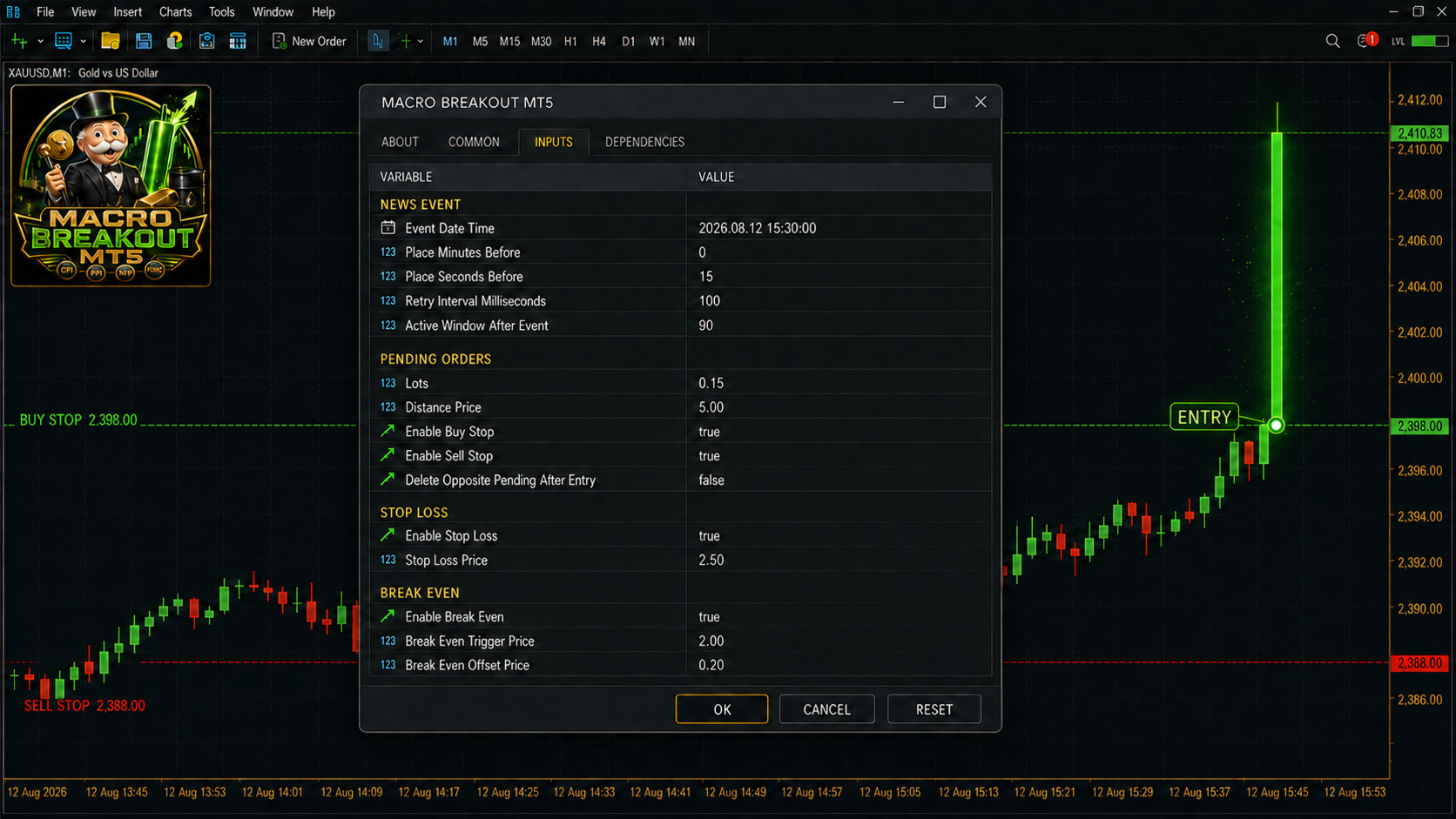
- Configure the lot size and pending-order distance.
- Configure Stop Loss, Take Profit, Break Even, and Trailing Stop.
- The EA automatically places and monitors the pending orders.
- Remaining pending orders are removed after the configured trading window expires.
Main Features
- Automatic Buy Stop and Sell Stop placement
- Configurable event date and trading window
- Order placement a specified number of minutes and seconds before the event
- Adjustable pending-order distance
- Buy Stop and Sell Stop can be enabled separately
- Fixed trading volume
- Optional fixed Stop Loss
- Optional fixed Take Profit
- Break Even with an adjustable trigger and profit-lock offset
- Optional Trailing Stop
- Adjustable trailing start, distance, and step
- Optional OCO mode
- Automatic deletion of the opposite pending order after entry
- Alternative re-entry and zigzag mode
- Automatic replacement of a missing order side
- Configurable active window after the event
- Repeated order attempts after rejection or when an order is missing
- Individual Magic Number
- Automatic adjustment to broker volume steps and minimum stop distances
- Management of EA-owned orders and positions only
OCO or Re-Entry Mode
When OCO mode is enabled, the opposite pending order is deleted as soon as a position is triggered.
When OCO is disabled, the opposite side can remain active. During the configured event window, the EA can replace a missing pending order. This mode is designed for strong reversals and rapid zigzag movements following an economic release.
Millisecond-Level Reaction
MACRO BREAKOUT MT5 works with both incoming market ticks and a millisecond timer. The checking and retry interval can be configured as low as 10 milliseconds.
During practical testing with several brokers, millisecond-level reaction times—and in some configurations approximately 10 milliseconds—were observed under suitable conditions.
Actual execution speed always depends on the broker, trading server, VPS, internet connection, liquidity, spread, and current market conditions.
The EA can react significantly faster than orders can normally be entered and managed manually.
Who Is This EA For?
MACRO BREAKOUT MT5 is designed for traders who want to trade scheduled news breakouts but:
- cannot remain in front of the screen,
- have an appointment at the event time,
- are travelling or temporarily unable to access MT5,
- do not want to manage pending orders manually,
- or prefer fast and rule-based execution.
Important Information
The event date and time must be entered manually. The EA does not include an automatic economic calendar or automatic news detection.
The entered event time must correspond to your broker’s server time.
For the EA to operate while you are away, MetaTrader 5 must remain running and connected to the broker. A suitable VPS is recommended for unattended operation. The EA cannot send or manage orders without an active connection.
All distances are entered in the absolute price units of the selected symbol. For example, a value of 5.00 on XAUUSD represents a price distance of five US dollars.
Risk Warning
Trading during major economic news involves significant risk. Price gaps, slippage, spread expansion, delayed execution, and rejected orders may occur.
Historical tests, measured reaction times, and previous performance do not guarantee future results. Always use an appropriate trading volume and test the EA on a demo account under your broker’s specific trading conditions before using it on a live account.