Fimathe FalconX
- エキスパート
- バージョン: 109.0
- アクティベーション: 5

FalconX is an Expert Advisor for MetaTrader 5 designed to automate the execution and management of trades based on Fimathe, Reference Channel logic, and the First Cycle, also known as the Neutral Zone.
The trader defines the trading setup and risk rules. Based on these settings, the EA monitors the chart structure, prepares the triggers, waits for entry confirmation, and manages the position according to the selected parameters.
FalconX does not choose a strategy on the user’s behalf and does not make market predictions. Its purpose is to automatically execute predefined logic, helping maintain trading consistency and reduce the need for continuous manual monitoring.
How It Works
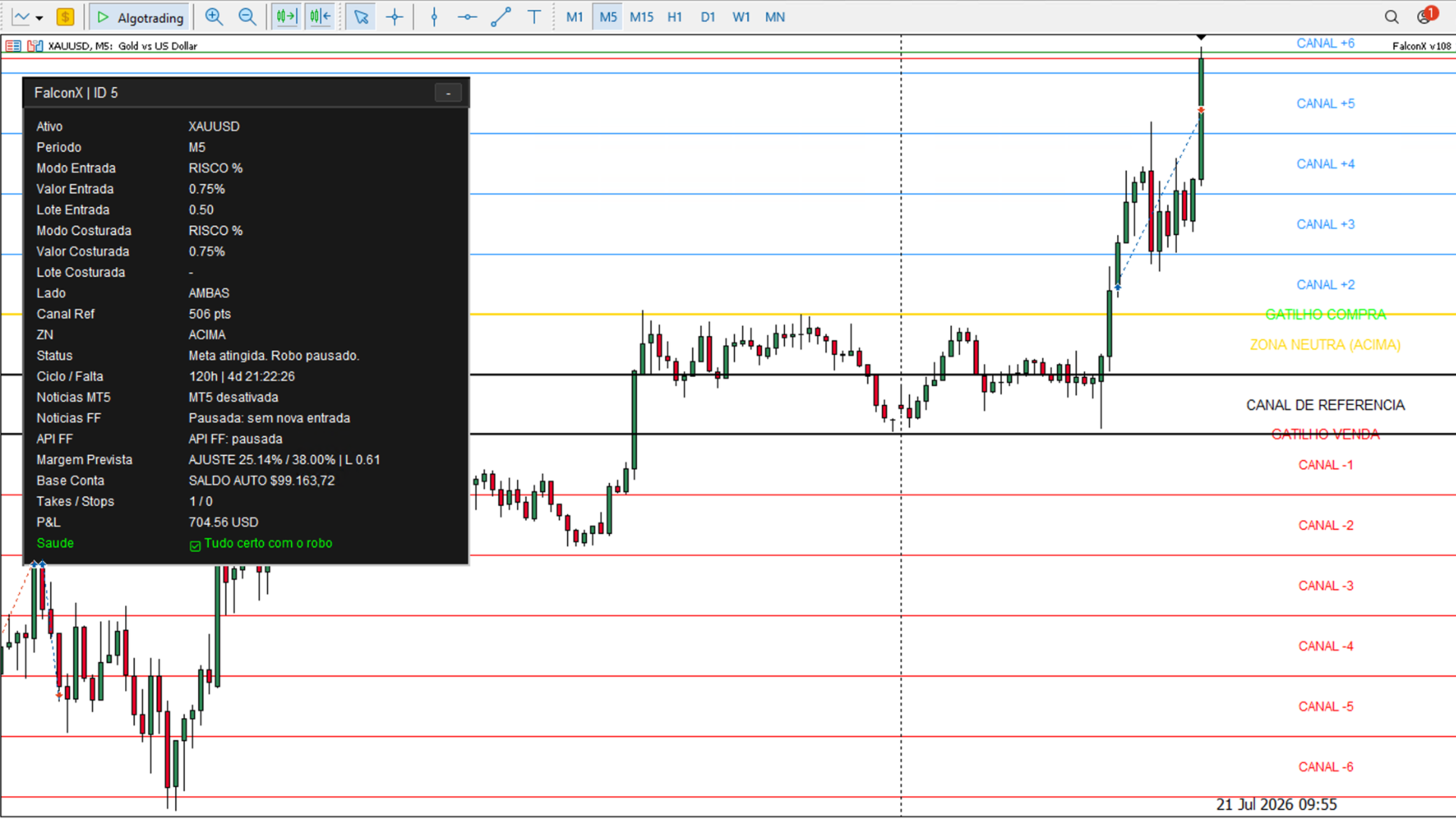
The process begins with defining the Reference Channel. This channel provides the basis for organizing the trading structure and the levels that the EA will monitor.
After the reference has been established, FalconX identifies the Neutral Zone. This can be done automatically or manually, depending on the user’s settings. Based on this area, the EA sets up the buy and sell triggers and waits for the breakout condition defined by the trading logic.
When a valid trigger is confirmed at the close of the candle, the EA submits the corresponding order. Close-based confirmation prevents an entry from being executed merely because the monitored level was briefly touched.
Position size can be calculated automatically based on the configured risk or set as a fixed lot size. After entry, the EA places the Stop Loss and Take Profit defined by the structure.
When enabled, the breakeven protection feature can adjust the Stop Loss after the trade has moved in the intended direction. FalconX also includes an optional reversal feature. When the corresponding condition occurs, the EA can open a trade in the opposite direction according to the rules and position-sizing settings defined by the user.
The trading workflow may therefore include defining the structure, preparing the triggers, confirming the entry, calculating the lot size, submitting the order, placing protective orders, monitoring the position, and potentially reversing the trade.
Main Features
-
Reference Channel monitoring and preparation of buy and sell triggers.
-
Automatic identification or manual definition of the Neutral Zone.
-
Entry confirmation at the close of the candle.
-
Risk-based lot-size calculation or fixed lot sizing.
-
Placement of Stop Loss, Take Profit, and optional breakeven protection.
-
Optional trade reversal.
-
Monitoring panel and audible alerts for relevant events.
Trading Panel
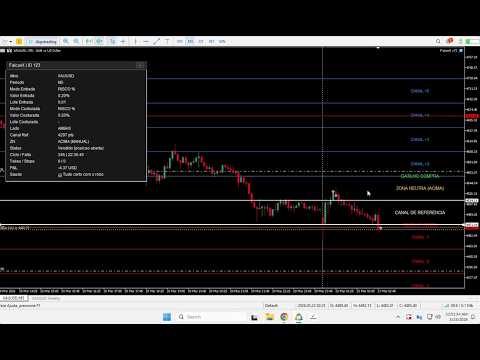
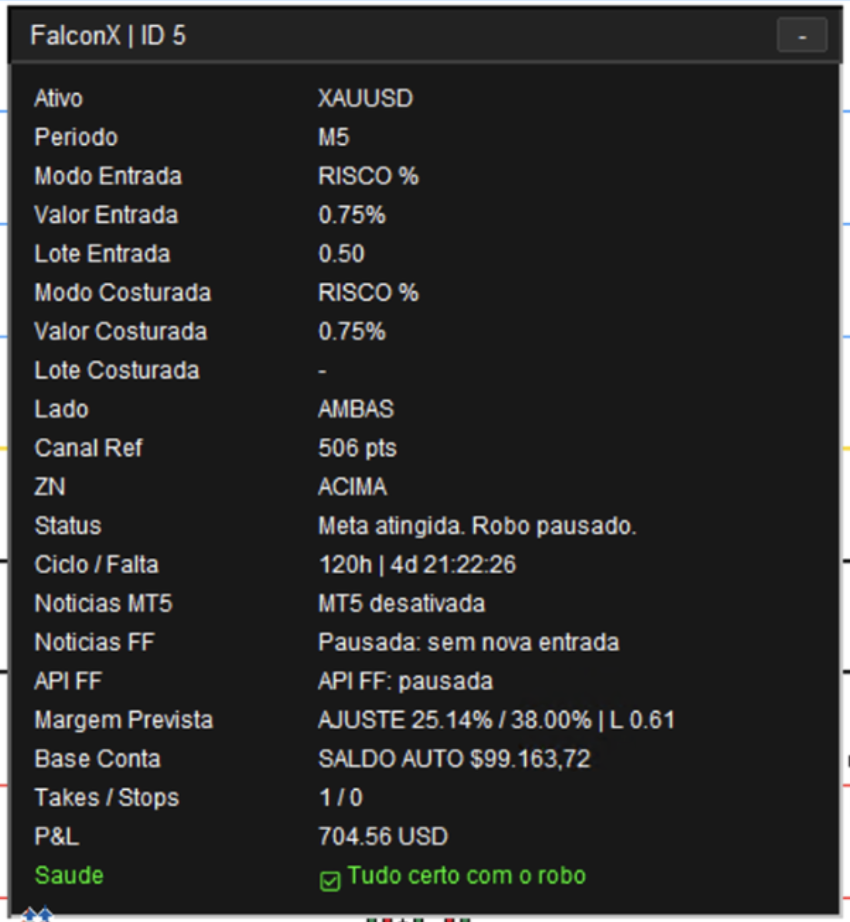
FalconX includes a panel for monitoring the status of the EA and the active trade. It allows users to view the trading instrument and chart timeframe, entry-sizing mode, reversal settings, permitted trading direction, and Reference Channel size.
The panel also displays the status of the Neutral Zone, the current state of the strategy, cycle progress, target and protection records, the position’s floating profit or loss, and the EA’s operating status.
This information allows users to see what the EA is monitoring and which stage of the logic is currently active without relying solely on the visual interpretation of chart lines.
Configuration and Risk Management
The user remains responsible for defining the trading setup, permitted direction, position-sizing method, and management features to be used.
In risk-based mode, FalconX calculates the lot size according to the selected settings. In fixed-lot mode, the user specifies the trading volume directly. The initial entry and the reversal trade may use separate position-sizing settings.
Automatic lot-size calculation, Stop Loss, Take Profit, and breakeven protection are execution and management features. They do not eliminate market risk and should be configured according to each user’s capital, broker, and risk tolerance.
Intended Users
FalconX was developed for traders who already understand Reference Channel and Neutral Zone logic and want to automate its execution in MetaTrader 5. The EA may be suitable for users seeking greater consistency, reduced emotional interference, and less time spent monitoring each candle.
The product is not intended for users seeking guaranteed profits, those who wish to trade without understanding the strategy, or those who expect the EA to determine the appropriate settings on its own. Knowledge of the trading logic and risk management remains essential.
Requirements and Recommendations
MetaTrader 5 must remain open, connected to the trading account, and have algorithmic trading enabled for the EA to monitor the market and execute orders. If continuous operation is required, a VPS suitable for MetaTrader 5 may be used.
Instrument specifications vary between brokers. Minimum volume, lot increments, spreads, trading hours, minimum order distances, slippage, and execution quality may affect the EA’s operation and results.
Before using FalconX on a live account, it is recommended to test it in the Strategy Tester and on a demo account. The trading instrument, chart timeframe, and parameters should be validated in the environment of the broker being used.
Support
Questions regarding the installation, configuration, and use of FalconX should be submitted through the product’s comments section or the MQL5 community’s internal messaging system.
Important Information
FalconX is a trade automation tool. It does not constitute investment advice, does not predict market movements, and does not guarantee profitability or results.
Performance depends on the strategy, settings, market conditions, trading costs, broker, connection, and execution quality. Tests, demonstrations, and past results do not guarantee future performance.
The user is responsible for the selected parameters, the risks assumed, and the trades executed in their account.
FalconX is an independent product. Conceptual references to the Reference Channel, First Cycle, or Neutral Zone are provided for technical purposes only and do not imply any connection, affiliation, or endorsement by third parties.