Hidden SL and TP MT4

Hidden SL and TP EA

Hide Your Stop Loss, Take Profit, and Protect Your Trades from Broker Visibility

StealthGuard EA is a professional trade protection tool designed for traders who want complete control over their exits while keeping Stop Loss and Take Profit levels hidden from their broker.

Instead of placing SL and TP directly on the trading server, the EA monitors your positions locally and closes trades automatically when your hidden targets are reached.

This means your broker only sees an open trade, while your real exit levels remain private.

Why Use Hidden Stops?

Many traders prefer not to expose their Stop Loss and Take Profit levels to the broker.

StealthGuard EA allows you to:

• Hide Stop Loss levels
• Hide Take Profit levels
• Hide Trailing Stop levels
• Manage manual trades
• Manage EA trades through Magic Numbers
• Lock in profits automatically

All exit calculations are performed locally by the EA.

Main Features

Hidden Stop Loss

Instead of sending a Stop Loss to the broker:

  1. Open a trade normally.

  2. Set your desired hidden stop distance.

  3. The EA monitors price continuously.

  4. When the hidden stop is reached, the EA closes the position automatically.

Your broker never sees the actual stop level.

Hidden Take Profit

StealthGuard EA also manages invisible profit targets.

When price reaches your hidden target:

• Position closes automatically.
• No Take Profit is sent to the broker.
• Exit remains completely private.

Hidden Trailing Stop

The EA includes a fully automated trailing stop system.

Features include:

• Trailing Start Distance
• Trailing Stop Distance
• Trailing Step Control
• Automatic Profit Locking

Once a trade moves into profit, the hidden stop follows price automatically and secures gains.

Magic Number Filtering

Manage only specific trades.

Options include:

Current Chart Symbol Only

Manage positions only on the chart where the EA is attached.

Magic Number Mode

Manage trades belonging to a specific EA.

Manual Trades Mode

Manage only manually opened positions.

This makes the EA suitable for both discretionary traders and automated systems.

Advanced Monitoring Dashboard

StealthGuard EA includes a real-time on-chart dashboard displaying:

• Ticket Number
• Trade Direction
• Trading Symbol
• Entry Price
• Hidden Stop Level
• Hidden Take Profit Level
• Current Profit/Loss
• Locked Profit

Everything can be monitored from a single panel without opening the terminal trade window.

Locked Profit Tracking

The dashboard automatically shows how much profit has already been secured by the hidden trailing stop.

This allows traders to see protected profits in real time.

Typical Workflow

Example Buy Trade

  1. Open a BUY position.

  2. Hidden Stop Loss = 500 points.

  3. Hidden Take Profit = 1000 points.

  4. Enable trailing stop.

The broker only sees an open trade.

As price moves:

• Hidden stop remains invisible.
• Hidden target remains invisible.
• Trailing stop locks profits.
• EA closes trade automatically when conditions are met.

Input Parameters

General Settings

Manage Current Symbol Only

Enable management only for the active chart symbol.

Manage Only Magic Number

Manage trades opened by a specific EA.

Magic Number

Magic number used for filtering trades.

Manage Manual Trades

Manage manually opened positions only.

Hidden SL/TP Settings

Hidden Take Profit

Distance from entry price where profit will be taken.

Hidden Stop Loss

Distance from entry price where losses will be limited.

Trailing Stop Settings

Use Trailing Stop

Enable or disable hidden trailing stop functionality.

Trailing Start

Profit distance before trailing activates.

Trailing Stop

Distance maintained behind current price.

Trailing Step

Minimum movement required before updating the stop.

Benefits

✔ Keep exit levels hidden from broker

✔ Protect trading strategies

✔ Manage manual and automated trades

✔ Secure profits automatically

✔ Built-in trailing stop system

✔ Easy-to-read dashboard

✔ Supports multiple symbols

✔ Lightweight and efficient

✔ Works on both demo and live accounts

Important Notes

• The EA must remain running for hidden stops to function.
• VPS usage is recommended for uninterrupted protection.
• Hidden Stop Loss and Take Profit are executed locally by the EA.
• This product does not generate trading signals.
• It is designed purely for trade management and protection.

Who Is This For?

StealthGuard EA is ideal for:

• Manual traders
• Scalpers
• Swing traders
• Prop firm traders
• Algorithmic traders
• Traders who prefer hidden exits
• Anyone seeking additional trade privacy

Protect your strategy. Hide your exits. Trade with confidence.


추천 제품
SL Stop Orders
Vladimir Khlystov
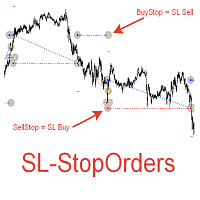
При старте советник выставляет два отложенных стоп ордера образовывая канал. Если один ордер срабатывает то второй переустанавливаем на его SL с увеличением лота. При срабатывании ТП советник начинает цикл с ноля. Оптимизируемые параметры: Объем ордеров (   Lot   ) нам нет смысла оптимизировать. Его проще сразу установить в соответствии с размером вашего депозита. Например для депозита менее 500 usd ставим минимальный лот 0,01 Размер прибавки лота (   Plus_Lot   ) ставим в зависимости от перво
News Scalping Executor is an utility which helps to trade high impact and huge volatility   news . This utility helps to create two opposite orders with risk management and profit protection. It moves automatically stop loss level to avoid losses as much as possible by using many different algorithms. It helps to avoid trading the news if spread suddenly becomes very huge. It can lock profit by moving stop loss or partially closing of orders. To be profitable with this type of trading you shou
PipVanta Telegram Notifier PipVanta Telegram Notifier는 MT4 거래 활동을 실시간으로 Telegram에 전송하는 전문 MetaTrader 4 유틸리티입니다. 수동 게시 없이 빠르고 깔끔하며 구조화된 알림이 필요한 트레이더, 시그널 제공자, 계정 관리자 및 비공개 커뮤니티를 위해 설계되었습니다. 이 유틸리티는 거래를 열거나 닫거나 수정하지 않으며 시장 분석이나 거래 시그널을 제공하지 않습니다. MT4 계정의 거래 활동을 모니터링하고 정리된 Telegram 알림만 자동 전송합니다. 주요 기능 - 신규 시장가 거래 알림 - 신규 대기 주문 알림 - 대기 주문 수정 알림 - 대기 주문 활성화 알림 - 대기 주문 취소 알림 - 진입가 업데이트 - Stop Loss 업데이트 - Take Profit 업데이트 - 손익분기점 알림 - 부분 청산 스마트 감지 - 거래 종료 보고서 - 일간, 주간, 월간 요약 - 각 거래별 고유 시그널 번호 - F
| Fully-automated Smart Money Concept (ICT) inspired trading solution with multi-strategy capabilities | Built by a grid trader >> for grid traders.  This is MT4 version, click  here  for  Blue CARA MT5  (settings and logics are same in both versions)     Real monitoring signal  -->  Cara Gold Intro Blue CARA EA   ('CARA') - short for  C omprehensive  A lgorithmic R esponsive A dvisor is a next-gen  multi-currency    multi-timeframe  EA base on the widely known (and perhapse most popular) Inn
Savage Trades M.T.A.  is a Manual Trade Assistant expert advisor. This EA contains self-adaptive market algorithm, which uses price action patterns and standard trading indicators. 1.) Quickly Execute trade entries with the click of a button with your own predetermined Stop Loss and Take Profit. 2.) Non-Repainting retracement and reversal warnings indicated by arrows and system alert. 3.) Auto adjusting Support and Resistance levels with strength indicated by color shade. 4.) Auto adjusting Fibo
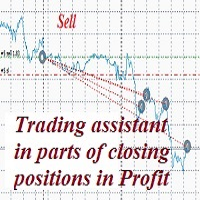
A trader's assistant that closes positions in parts with a simple trail to take the optimal profit size when the price of the symbol moves towards the position (s). Initially, the stop loss is moved to breakeven + (the so-called breakeven greed level) - this is when the price closes the stop-loss position during the reverse movement and as a result some profit will still be received. Further, while maintaining the movement in the direction of the position, it is closed in parts on price rollback
EAs Manager MT4
Abdeljalil El Kedmiri
The  MT4  EAs Manager   is a professional risk management and trade assistance tool designed to monitor, control, and optimize all trading activities on your MT5 account. It acts as a   central command center   that oversees every trade - whether opened by other Expert Advisors or manually by you. How it's work with other EAs :   Blog post  MT5 version :  https://www.mql5.com/en/market/product/166211 Only 10 copies will be sold at the early-bird price. After 10 copies, the price jumps directly t
The Infinity Expert Advisor is a scalper. When the resistance and support levels are broken, trades are opened in the direction of the price movement. Open positions are managed by several algorithms based on the current market situation (fixed stop loss and take profit, trailing stop, holding positions in case of trend indication, etc.). Requirements for the broker The EA is sensitive to spread, slippages and execution quality. It is strongly recommended not to use the EA for currencies with s
The ScriptForOrders utility is intended for placing orders with the required Magicnumber parameter manually! Manually opened orders have Magicnumber = 0. Expert Advisors often open orders with a Magicnumber parameter other than zero. This is done so that the EA can distinguish its own orders from those of others, or apply different control algorithms to different orders. Sooner or later, a trader has a situation when he needs to intervene in the work of the adviser and place an order manually
Cerberus FX
Giovanni Maccioni
Cerberus is a powerful automated trading system developed for traders seeking strong market responsiveness combined with intelligent execution control. Inspired by the concept of constant vigilance and multi-layer protection, Cerberus utilizes a proprietary algorithmic framework designed to monitor market behavior from multiple analytical perspectives simultaneously. Optimized specifically for the H1 timeframe , the system is engineered to capture market opportunities with greater operational in
Classic Market Surfer EA - A Timeless, Proven Strategy for Gold Trading For years, this powerful trading strategy has been hidden from the public-reserved for a select few. Now, for the first time, the Classic Market Surfer EA is available to traders like you.   Built on pure, time-tested trading principles, this EA doesn't rely on trendy gimmicks like AI or machine learning. Instead, it harnesses a classic, robust strategy that has consistently delivered results over the years. This is not a "g
Expert Advisor for MT4 Useful utility MUST have for all traders.  With 1 click button, you're able to close all your open positions. Its come with a warning pop up notification when you click to close all your trades, to avoid an accident press the button. Just press 'Yes' to confirm or 'No' to cancel it. The expert will close all your open positions no matter what pairs you currently open or directions. Just attach the expert on 1 of your chart, and you're good to go.
Day Trade Close
Frank William Jr Colbert
An advanced profit-taking EA that closes only *profitable* trades at the end of the day (Monday-Friday) and on Friday, while allowing losing trades to continue running or be handled by other logic. Features: Closes profitable trades at a user-defined "ProfitCloseTime". Separate profit thresholds for regular weekdays (`PROFIT_CLOSE_MG`) and Fridays (`PROFIT_CLOSE_FD`). Includes the full "ExitOnFriday" logic to close *all* trades after a specific Friday time. Can filter by Magic Number, only clo
EasyFX Trader
APTHUR MONTGOMERY MCCAMMON
The EasyFX Trader is a very unique and customizable dashboard for manual trading. It is placed in the Expert folder but is not an auto trading robot. You input all the parameter and the dashboard will monitor and let you know when there is a good trading opportunity. The tool is simple to use whether you're experienced or just a beginner. It was designed for all types of trading styles including price action, day, swing, trend trader, or scalper. Each column is described below. When you load the
This tool serves two purposes. It enables you to place a live trade on a live chart . It allows you to place trades in the strategy tester as it runs. On a live chart you can place a trade by: Clicking a Buy, Sell or Pending Lines button. Scheduling a Buy, Sell, or Pending using the scheduler. In the included screenshots you can see four panels labeled: Manual Trading. Order Lines (pendings). Trade Status. Scheduler. Across the top we can: Hide Panels. Fix the scale. Zoom the chart in/out. Chang
Exotic Adv
Ivan Simonika
Exotic Bot   is a multi -cream multifunctional adviser working on any time frame and in any market conditions. The robot’s work is taken as a system of averaging with the non -geometric progression of the construction of a trading grid. Built -in protection systems: special filters, spreading, internal restriction of trading time. Building a trading grid, taking into account important internal levels. The ability to configure trading aggressiveness. Work postponed orders with trailing orders. T
Micron
Ivan Simonika
We present to you a fully automated Expert Advisor designed for trading major currency pairs. The bot uses a set of its own trading algorithms and has protection against crashes. Attention! The bot only works correctly when the spread is less than 6 pips! I ask you to weigh this fact, and if you do not have the appropriate conditions for trading, this bot will not work for you! The robot controls the volume of trading positions, slippage, spread, maintains and protects open orders, can work wit
목표 수익 도달 시 자동 수익 실현 EquityTargetCloser   — 는 MetaTrader 5용 유틸리티 전문가 어드바이저(EA)로,   순자산(Equity)이 현재 잔고를 지정된 수익 금액만큼 초과하면 모든 시장 포지션을 청산하고 예약 주문을 삭제합니다. 모든 포지션을 청산한 후 목표는 자동으로 상향 조정됩니다. 새 임계값 = 새 잔고 + 지정된 수익. EA는 거래를 시작하지 않고 기존 포지션만 관리하여 수익을 확실하게 고정하고 축적된 자금을 보호합니다. MT5-version:  https://www.mql5.com/en/market/product/169839 작동 방식 전문가 어드바이저는   순자산(Equity)   을 동적 목표와 지속적으로 비교합니다. 목표 =   현재 잔고(Balance) + plusMoney   (미국 달러). 순자산이 이 금액 이상이 되면 보호 기능이 작동합니다.   모든 시장 포지션   (모든 심볼)을 청산합니다. 매개변수   Delete p
THIS EA WILL PROTECT YOUR ACCOUNT IN MANY WAYS  KEY FEATURES ARE :  1. CLOSE ALL TRADES IN ONE CLICK. 2. CLOSE ALL TRADES WHEN INPUT MENTIONED LOSS LIMIT REACH. 3. CLOSE ALL TRADES WHEN INPUT MENTIONED PROFIT LIMIT REACH. 4. IF REVERSE MODE IS ON THIS EA WILL TAKE OPPOSITE TRADES IF YOUR OTHERS EA MAKES LOSS OR MANUAL TRADING ALSO IF YOU ARE GETTING ALWAYS LOSS THEN YOU CAN SWITCH ON REVERSE MODE SO IT WILL TAKE OPPOSITE TRADES WHENEVER ANY TRADES PLACED IN YOUR ACCOUNTS. 5. FIX LOT SIZE 6. STOP
Break Even Trailing EA | 브레이크이븐 및 트레일링 스톱 자동화 매니저 Break Even Trailing EA는 MetaTrader 4/5에서 수동 거래자의 이익 보호를 자동화하도록 설계된 유틸리티 EA입니다. 이 도구는 수동 진입 이후의 리스크 관리와 이익 확보 과정을 자동으로 처리해주어, 트레이딩 효율성과 심리적 여유를 높여줍니다. 이 EA는 두 가지 주요 이익 보호 로직 을 제공하며, 거래 스타일에 따라 각각 단독 또는 동시에 사용할 수 있습니다. 1. 브레이크이븐 기능 (진입가 또는 진입가+알파로 스톱 이동) 포지션이 설정한 이익(핍 단위)에 도달하면, 스톱로스를 진입가 또는 진입가+추가 핍으로 자동 이동시킵니다. 이 기능을 통해 이익이 났을 때 더 이상 손실로 전환되는 상황을 예방할 수 있습니다. 브레이크이븐 오프셋(진입가+알파) 설정이 가능해, 수수료나 스프레드까지 감안한 확실한 이익 확보가 가능합니다. 2. 트레일링 스톱 기능 일정 이익 도달 후, 트
FREE
The “ SG Opposit Grid ” EA works with Virtual TakeProfit(or real) - at the trader's choice. The EA looks for signals to enter the market along the trend on D1 and H1 . If the signals coincide, the EA on the working period ( М1 - М30 depends on the trader's choice) looks for a confirming pattern and opens a position in the direction of the trend. If, after opening a position, the price moves in a profitable direction, the position is closed upon reaching the virtual TProfit with a profit. If the
Green Hawk MT4
Rashed Samir
5 (3)
Green Hawk is a professional scalping expert. The strategy is based on smart scalping algorithms which trades in certain periods of the market. The system does not use risky strategies such as grid or martingale. Trading is done based on the return of the price in short periods. All trades are closed within hours. I will increase the price in the near future. Next Price: $700    The final price will be $2000. Selling only through the mql5 site Find out more here:  https://www.mql5.com/en/users/
Expert Advisor for Automatic Stop Loss and Take profit , calculated by points and cover all major pairs . you can activated the EA in your chart then place orders manually and the EA will be place TP and SL automatically for all opened orders , covered Buy market , Sell Market , Buy stop , Sell Stop , Buy limit , Sell limit . it is an easier tool that help you manage your order without effort . 100 Points = 10 Pips MT5 Version :  https://www.mql5.com/en/market/product/87655?source=Site
Expert Grid rsi Pro
Mykhailo Zakervashevych
General Description Grid RSI Pro v3.1 is an advanced trading Expert Advisor for MetaTrader 4 that uses a grid strategy with RSI indicator filtering. The EA automatically opens orders at specified levels, creating a grid of orders to capture market fluctuations. Version 3.1 includes enhanced risk management features and improved signal filtering systems. Key Features 1. Trading Strategies RSI Strategy : Position opening when RSI reaches overbought (80) or oversold (20) levels Fixed Points : Posit
The Super scalper universal is a fully automated scalping Expert Advisor, which uses five indicators. Each open position is protected by a hidden stop order managed by an advanced modification algorithm. When searching for the suitable signals, the EA uses the integrated indicator in conjunction with the trend and time filters, as well as the volatility filter. It use dynamic position closure, which considers the location where the order had been opened and the subsequent price action. Profit is
DAX H4 Portfolio
David Sanchez Clavero
DAX H4 Portfolio — DAX40용 6전략 멀티엔진 EA DAX H4 Portfolio 는 DAX40 (GER40) H4 타임프레임에서 6개의 독립적인 전략을 동시에 실행하는 완전 자동 매매 시스템입니다. 각 엔진은 StrategyQuant X Walk-Forward 최적화를 통해 개발 및 검증되어 표본 외 데이터에서의 견고성이 보장됩니다. 6개의 전략은 완전히 다른 시그널 패밀리를 사용하여 단일 전문가 자문 시스템 내에서 진정한 분산을 제공합니다. 6개의 독립 매매 엔진 Engine 1 — Momentum Breakout:   Awesome Oscillator와 Vortex 다이버전스를 세션 및 주간 가격 구조와 결합하여 추세 지속을 감지합니다. ATR 기반 Stop Loss 및 Profit Target과 함께 Fibonacci 돌파 수준에서 BUYSTOP으로 진입합니다. Engine 2 — Reflex Reversal:   Reflex 지표를 사용하여 단기 소진 지점을
Trading panel for manual trading. Has a fairly wide functionality. Allows you to automatically calculate the order size, open both market and pending orders. It has a wide range of options for closing orders, it is possible to partially close orders, close orders after reaching a certain profit or loss, separately close profitable and unprofitable, buy and sell, as well as pending orders. The panel also contains a simple implementation of a grid of pending orders, reverse and lock functions, tr
By :ForextraderEanow   Green Mower 10.0                                                                                                                                                                                                                                                                                                        This EA is Famous Grid Strategy that open grid of trades with the same size (not martingale)  and make PROFIT even when the Forex price moves in the WRONG Direction
How the EA works (simple explanation) Trades on   M5   timeframe Uses   H1 timeframe   to analyze global market context Analyzes   2 or 3 timeframes simultaneously On each timeframe: Checks price position relative to one or two Moving Averages Evaluates MA angle and distance between price and MA Entry logic is based on   trend + volatility conditions , not on random signals The full algorithm is illustrated in the screenshots. Recommended usage Symbol:   EURUSD Timeframe:   M5 Trading
This script searches for all positions for the current currency pair and calculates the sum of all lots for those positions with negative profit and offers to open a hedge (opposite) position with a lot size equal to the calculated sum of lots multiplied by LotCoeff. You just need to drop this script on the chart with a desired currency pair. Before placing opposite orders, the input window is opened allowing you to modify all the input parameters: LotCoeff = 1.5; BuySearch = true; SellSearch =
이 제품의 구매자들이 또한 구매함
Strategy Builder offers an incredible amount of functionality. It combines a trade panel with configurable automation (covert indicators into an EA), real-time statistics (profit & draw down) plus automatic optimization of SL, TP/exit, trading hours, indicator inputs. Multiple indicators can be combined into an single alert/trade signal and can include custom indicators, even if just have ex4 file or purchased from Market. The system is easily configured via a CONFIG button and associated pop-up
수동 매매를 위한 전문가용 트레이딩 패널로, 정밀한 진입부터 계좌 보호까지 매매의 전 과정을 차트 위 하나의 창에 담았습니다. 정해진 리스크에 정확히 맞춰 모든 포지션의 거래량을 산정하고, RR Tool로 차트에 직접 라인을 그려 거래를 설계하며, Market 주문과 예약 주문은 물론 Grid와 OCO까지 사용할 수 있습니다. 포지션 관리는 패널이 대신 처리합니다. 최대 다섯 단계 부분 청산, 여섯 가지 트레일링 스탑, 브레이크이븐, Virtual SL/TP를 지원합니다. 일간·주간·월간 한도가 예치금을 지키며, 기준을 넘기는 즉시 자동으로 발동됩니다. 가이드와 무료 Live 데모 무료 Live 데모 버전은 여기에서 이용할 수 있습니다 ( Free Live Demo ). 제품 사용 가이드는 여기에서 확인할 수 있습니다 ( User Manual ). NT Trade Manager는 트레이더의 모든 작업 흐름을 차트 위 작고 간결한 패널 하나에 모아, 터미널 창을 오갈 필요도, 진입할
The product will copy all telegram signal to MT4   ( which you are member  ) , also it can work as remote copier.  Easy to set up, copy order instant, can work with almost signal formats, image signal, s upport to translate other language to English Work with all type of channel or group, even channel have "Restrict Saving Content", work with  multi channel, multi MT5 Work as remote copier: with signal have ticket number, it will copy exactly via ticket number. Support to backtest signal. How to
Custom Alerts AIO: 다중 시장을 동시에 모니터링 – 설정 없이 즉시 사용 가능 개요 Custom Alerts AIO 는 복잡한 설정 없이 즉시 사용할 수 있는 통합 시장 모니터링 도구입니다. FX Power, FX Volume, FX Dynamic, FX Levels, IX Power 등 필요한 모든 지표가 내장되어 있어 별도의 설치나 구성 없이 알림 기능을 바로 사용할 수 있습니다. 차트 그래픽 없이 작동하며, Forex, 금속, 지수, 암호화폐 등 주요 자산군을 모두 지원합니다. 주식(Symbols)은 별도로 입력하여 추가할 수 있으나, MetaTrader에서는 일반적으로 제한적으로만 사용됩니다. 1. 왜 Custom Alerts AIO를 선택해야 하나요? 추가 라이선스가 필요 없습니다 • 모든 Stein Investments 지표가 내장되어 있어 별도 구매가 필요 없습니다. • 즉시 알림 기능을 시작할 수 있어 빠르고 간편합니다. 모든 시장을 하나의 도구로
EasyInsight AIO MT4
Alain Verleyen
4 (2)
EASY Insight AIO – 스마트하고 손쉬운 트레이딩을 위한 올인원 솔루션 개요 외환, 금, 암호화폐, 지수, 심지어 주식까지 — 전 시장을 몇 초 만에, 수동 차트 확인이나 복잡한 설치, 인디케이터 설정 없이 스캔할 수 있다고 상상해 보세요. EASY Insight AIO 는 AI 기반 트레이딩을 위한 궁극의 플러그 앤 플레이(Plug & Play) 데이터 내보내기 도구입니다. 단 하나의 깔끔한 CSV 파일로 전체 시장 스냅샷을 제공하며, ChatGPT, Claude, Gemini, Perplexity 등 다양한 AI 플랫폼에서 즉시 분석할 수 있습니다. 창 전환, 복잡함, 차트 오버레이는 더 이상 필요 없습니다. 자동으로 내보내지는 순수하고 구조화된 데이터 인사이트만으로, 반복적인 차트 감시 대신 데이터 기반의 스마트한 의사결정에 집중할 수 있습니다. 왜 EASY Insight AIO인가요? 진정한 올인원 • 별도의 설정, 인디케이터 설치, 차트 오버레이가 필요 없습
Unlimited Trade Copier Pro is a tool to copy trade remotely to multiple MT4, MT5 and cTrader accounts at different computers/locations over internet. This is an ideal solution for you if you are a signal provider and want to copy your trades to other receivers globally on your own rules. One provider can copy trades to multiple receivers and one receiver can get trade from multiple providers as well. The provider can even set the subscription expiry for each receiver, so that receiver will not b
ManHedger MT4
Peter Mueller
5 (2)
THIS EA IS A SEMI-AUTO EA, IT NEEDS USER INPUT. Manual & Test Version Please TEST this product before   BUYING  and watch my video about it. Contact me for user support or bug reports, or if you want the MT5 version! MT5 Version I do not guarantee any profits or financial success using this EA. With this Expert Advisor, you can: Implement your own   Zone Recovery   strategy to capitalize on trending markets. Create   Grid   trading strategies, to profit from ranging markets. Place orders easil
Smart Channel M4
Vahidreza Heidar Gholami
The trend in the market can be predicted using trend lines but the problem is you don’t know where exactly the price is going to touch the trend line where you can put your pending orders on. Smart Channel Expert Advisor makes it possible to put an advanced channel around the price data, which can be configured to handle placing orders, opening and closing positions, managing risk per trade, spread, slippage, and trailing stop-loss and take-profit automatically. Features Money Management (Calcul
Ultimate Trailing Stop EA
BLAKE STEVEN RODGER
4.33 (15)
This EA Utility allows you to manage (with advanced filtering) unlimited open orders (manual or EA) with 16 trailing stop methods: fixed, percent, ATR Exit, Chandelier Exit, Moving Average, Candle High Low Exit, Bollinger Bands, Parabolic, Envelope, Fractal, Ichimoku Kijun-Sen, Alligator, Exit After X Minutes or Bars, RSI and Stochastic. The trailing stop can be either real or virtual, and you can exit fully or with a partial close percent on touch or bar close.  Moreover, you can add (overrid
Riskless Pyramid
Snapdragon Systems Ltd
5 (1)
Introduction This powerful MT4 trade mangement EA offers a way potentially to aggressively multiply trade profits in a riskfree manner. Once a trade has been entered with a defined stoploss and take profit target then the EA will add three pyramid add-on trades in order to increase the overall level of profit. The user sets the total combined profit target to be gained if everything works out. This can be specified either as a multiple of the original trade profit or as a total dollar amount. Fo
The Expert Advisor will help you forward all pop-up alert with screenshot from  MetaTrader 4 to Telegram channel/ group, also forward all notifications to Telegram. Parameters  -  Telegram Bot Token - create bot on Telegram and get token.  -  Telegram Chat ID  - input your Telegram user ID,  group / channel ID  -  Forward Alert - default true, to forward alert.  -  Send message as caption of Screenshot - default false, set true to send message below Screenshot  How to setup and guide  - Telegram
Crystal Trade Manager PRO – MT4 고급 리스크 및 트레이드 관리 시스템 무료 버전: https://www.mql5.com/en/market/product/150632 개요 Crystal Trade Manager PRO(CTM)는 MetaTrader 4를 위한 전문급 거래 실행 및 리스크 관리 유틸리티입니다. 엄격한 실행, 견고한 자본 보호, 그리고 똑똑한 자동화를 필요로 하는 트레이더를 위해 설계되었습니다. 본 시스템은 계좌 리스크를 관리하고, 자본(EQ)을 보호하며, 일일 제한을 적용하고, SL/TP를 자동으로 설정하며, 전문급 기능을 갖춘 초고속 원클릭 트레이딩 패널을 제공합니다. Prop Firm 챌린지, 데이트레이딩, 스캘핑, 포트폴리오 매니저에게 최적화되어 있습니다. MT5 버전도 제공됩니다. 주요 기능 1. 고급 리스크 및 드로우다운 보호 기능 하루 드로우다운을 1%~70% 범위에서 설정 가능 설정한 한도를 초과할 경우 모든 포지션 즉시 종료 조건
RedFox Copier Pro
Rui Manh Tien
4.7 (10)
Time saving and fast execution Whether you’re traveling or sleeping, always know that Telegram To Mt4 performs the trades for you. In other words, Our   Telegram MT4 Signal Trader  will analyze the trading signals you receive on your selected Telegram channels and execute them to your Telegram to MT4 account. Reduce The Risk Telegram To Mt4   defines the whole experience of copying signals from   Telegram signal copier to mt4 platforms. Users not only can follow all instructions from the signa
If you need an advisor on any arrow indicator signals - this utility will definitely help you.  You will be able, with the help of this utility to form an unlimited number of EAs on YOUR signals , with your set of settings, with your copyright and complete source code . You will be able to use the resulting EAs unlimitedly , including adding them to the Market and other resources. Free simple version of the generation script to help you understand how it works - here What does the utility do? 
The product will copy all  Discord  signal   to MT4   ( which you are member  ) , also it can work as remote copier.  Easy to set up. Work with almost signal formats, support to translate other language to English Work with multi channel, multi MT4. Work with Image signal. Copy order instant, auto detect symbol. Work as remote copier: with signal have ticket number, it will copy exactly via ticket number. How to setup and guide: Let read all details about setup and download Discord To MetaTrader
Dashboard.mq4 - 간단한 거래 관리자 수동 거래를 즐기고 거래를 간편하게 관리할 수 있는 방법을 찾는 트레이더를 위해 설계된 이 강력한 MQL4 유틸리티는 거래 효율성을 향상시켜 실시간 대시보드를 통해 거래를 관리할 수 있도록 도와줍니다. MetaTrader에 원활하게 통합되어 로트 크기 계산과 리스크 지표 추적을 간편하게 수행합니다. 주요 기능: 리스크 및 마진 표시 : 실시간 로트 크기, 마진 요구 사항 및 승률 계산을 통해 정확한 거래 결정을 지원합니다. 거래 관리 버튼 : 매수/매도 주문을 배치하고, 거래(모두, 수익성 있는 거래 또는 손실 거래)를 종료하거나, 이익 실현 및 손절매를 취소하는 버튼을 한 번의 클릭으로 제공합니다. 사용자 정의 가능한 승률 추적 : 현재 월, 최근 거래 또는 전체 히스토리와 같은 다양한 기간에 걸쳐 거래 성과를 분석할 수 있습니다. 인터랙티브하고 직관적인 UI : 빠른 액션을 위한 사용자 정의 가능한 버튼이 있는 명확하고 쉽게 탐색할
The FFx Hidden Manager panel will help you to manage easily your orders directly on the chart. Below all features described: TP, SL and TrailingStop are hidden Each order has its own lines on chart Drag & Drop any line to change the TP/SL as per your need Option to move automatically the SL line at breakeven when TP #1 is reached Option to choose the TP/SL type (by pips or price) Option to choose the TrailingStop type (by pips, MA, Fractals, PSAR or ATR) Define which order(s) you want to manage
FFx Risk Calculator panel will help you to calculate very easily your trades size, SL or the risk directly on the chart. All features are described below: Option to select which parameter to calculate: Risk, Stop Loss or Lot Size The panel will show if the lot size is allowed according to the current account free margin Button to maximize/minimize the panel Drag and Drop the panel anywhere on the chart How to use it? Select the parameter you want to be calculated. It will be based on the 2 other
Trade Copier Pro
Vu Trung Kien
4.29 (14)
Trade Copier Pro is a tool to copy trade remotely to MT4, MT5 and cTrader accounts at different computers/locations over internet. This is an ideal solution for you if you are a signal provider and want to copy your trades to other receivers globally on your own rules. One provider can copy trades to multiple receivers and one receiver can get trade from multiple providers as well. The provider can even set the subscription expiry for each receiver, so that receiver will not be able to receive t
News Trader Pro
Vu Trung Kien
4.38 (16)
News Trader Pro is a unique robot that allows you to trade the news by your predefined strategy. It loads every piece of news from several popular Forex websites. You can choose any news and preset the strategy to trade it, and then News Trader Pro will trade that news by selected strategy automatically when the news comes. News release gives opportunity to have pips since the price usually has big move at that time. Now, with this tool, trading news becomes easier, more flexible and more exciti
FFx Watcher PRO
Eric Venturi-Bloxs
The FFx Watcher PRO is a dashboard displaying on a single chart the current direction of up to 15 standard indicators and up to 9 timeframes. It has 2 different modes: 1. Watcher mode: Multi Indicators User is able to select up to 15 indicators to be displayed User is able to select up to 9 timeframes to be displayed 2. Watcher mode: Multi Pairs User is able to select any number of pairs/symbols User is able to select up to 9 timeframes to be displayed This mode uses one of the standard indicat
Transaction Repeater Full
Alexandr Bryzgalov
5 (4)
Copies transactions between MT4 terminals. Possibilities: quick copy start minimum processor load direct and reverse (reverse) copying. copying Take Profit and Stop Loss levels copying deferred and their changes copy transactions one to many copy trades many to one local copy only Attention: The product is designed for copying trades only within a single computer or VPS with access to the desktop. The product will not work on the built-in Virtual Hosting of the terminal. We will help you set up
NickZ Tool
Nicolas Zouein
This is a must have tool for a serious trader. It saves your precious time spent for opening/closing trades, creating pending trades and modifying your TP/SL in bulk according to either pips or price. If you need to quickly open several pending orders (Buy Stop, Sell Stop) at a certain distance from each other, this script will do all the routine for you! The first time you use this handy tool, you will realize it has already paid for itself. Instructions: Drag and drop this script onto a chart.
The product combines a manual trade panel with the ability to perform actions automatically in a highly configurable way. Actions include capturing indicator values and then based on those values raising alerts, open/close or partially close trades, scale-in, setting up pending orders, adjusting stop loss, take profit and more. On-chart controls can be configured, such as tick boxes and buttons, so can be fully interactive. The EA also handles money management, news events, hidden stop loss, tak
Binary Options Copier Remote is an EA that allows to copy binary options trades between MT4 accounts at different computers. This is an ideal solution for signal provider, who want to share his trade with the others globally on his own rules. Provider can give free bonus license to 10 receivers. That means those 10 receivers can copy from provider by using Binary Options Receiver Free (no cost). From 11th one, receiver have to buy Binary Options Receiver Pro (paid version) in order to copy from
This panel is very simple to use and it is a very ally to manage your positions and orders. Also you can modify your risk, writing in fields directly on Panel. One click on buttons and the operation on market is done! Operations possible: BUY/SELL Break Even Split (close 50% all orders) Close All positions Hedging (opens reverse positions to cover) Close only BUY positions Close only SELL positions Close All pending orders Reverse all positions Please watch the video to verify the very simple u
Slow Pips OCO Trade Panel is an advanced trading panel for placing pending orders. Traders can use this panel to place two pending orders at once. One pending order would be of buy entry type and the other one would be of sell entry type. Both orders will have Stop Loss and Take Profit parameters. Since two pending orders are placed at the same time, the pending order for which the price hits first gets converted into a market order and the other pending order gets deleted (one order cancels the



This indicator changes the timeframe and chart profile for multiple charts. If you dispatched many charts (10~20 or more) in single MetaTrader terminal, it is very boring and difficult work to manage the timeframe and chart profile individually. If the indicators you use in a chart are numerous and the setting values are different from the default one, you might give up adding all the indicators to all charts. The changing of timeframes on multiple charts has the same problem, too. Whenever you
The Price Action Dashboard is an innovative tool to help the trader to control a large number of financial instruments. This tool is designed to automatically suggest signals and price conditions. The Dashboard analyzes all major Time Frame suggesting price action conditions with graphic elements. The Dashboard can suggest you the strength of the trend identifying directional movement, it is an indispensable tool for those who want to open position themselves using market trends identifiers. The
Elliott Wave Counter는 Elliott 파동의 빠르고 사용자 친화적인 수동 마크업을 위한 패널입니다. 색상과 마크 수준을 선택할 수 있습니다. 도구에서 만든 마지막 마크업과 전체 마크업을 제거하는 기능도 있습니다. 한 번의 클릭으로 마크업이 이루어집니다. 5번 클릭 - 5개의 웨이브가 있습니다! Elliott Wave Counter는 Elliott 파동의 초보자와 전문 분석가 모두에게 훌륭한 도구가 될 것입니다. Elliott Wave Counter 설치 및 입력 가이드 당신이 얻고 싶다면       EA 추가 URL(   http://autofxhub.com   ) MT5 터미널에 대한   알림   (스크린샷 참조). MT4 버전   https://www.mql5.com/en/market/product/14016 MT5 버전   https://www.mql5.com/en/market/product/15081 일반 입력: 웨이브 유형 버튼:   이 버튼을 사용하면 차트
제작자의 제품 더 보기
This EA helps to Close all Positions opened. It saves you the time of closing multiple positions manually. Parameters: Buy:  Close Buy Positions Only Sell:  Close Sell Positions Only Buy & Sell: Close Buy & Sell Positions Pending: Close Pending Orders More Advanced MT4 version available at:   https://www.mql5.com/en/market/product/93468?source=Unknown%3Ahttps%3A%2F%2Fwww.mql5.com%2Fen%2Fmarket%2Fmy More Advanced MT5 version available at:  https://www.mql5.com/en/market/product/93301?source=Unk
Introducing the Revolutionary   Trade Closing Assistant ! Are you tired of manually closing hundreds trades? Are you a   scalper ,   day trader ,   swing trader   and  you want to maximize your profits and minimize your losses by closing multiple positions at thesame time under different conditions? Are you a   Prop Firm Trader  who wishes to avoid hitting maximum daily drawdown? Search no further. This kit is the ultimate solution for all you. GUIDE TO USE THE KIT 1. Shows the total profit/lo
Candle Exit Pro 수동 트레이더를 위한 캔들 기반 자동 청산 도구 Candle Exit Pro는 지정된 수의 캔들이 완료된 후, 사용자가 수동으로 진입한 포지션을 자동으로 청산하는 경량 트레이드 관리 도구입니다. 트레이드를 계속 모니터링할 필요 없이, 수동으로 진입만 하면 EA가 캔들 수에 기반하여 청산 타이밍을 자동으로 관리합니다. 주요 기능 사용자가 설정한 캔들 수 이후 자동으로 수동 포지션 청산 모든 심볼 및 시간 프레임에서 작동 간단하고 사용하기 쉬운 설정 진입 로직 및 신호 생성 없음 시간 기반 청산 전략에 적합 Buy / Sell 포지션 모두 지원 낮은 리소스 사용량 작동 방식 차트에 Candle Exit Pro EA를 적용합니다. 보유하고 싶은 캔들 수를 설정합니다. 수동으로 포지션을 엽니다. EA가 포지션을 모니터링하며 지정된 캔들 수가 완료되면 자동으로 청산합니다. 예시 캔들 수가   2 로 설정된 경우: 현재 캔들에서 포지션을 진입합니다. EA는 진입 이
Grid Recovery EA Turn Any Manual Trade into a Fully Automated Grid System Auto Grid Layering EA   is a powerful trade management tool designed for traders who manually enter positions but want to automate advanced grid recovery, profit scaling, and risk control. Once you place a trade, the EA takes over and intelligently builds a grid of positions as the market moves against your entry, helping you manage drawdown and recover trades efficiently without constant monitoring. This is not a signal s
TradeKeys Pro EA Control Your Trades with the Power of Your Keyboard TradeKeys Pro EA is a professional trading utility that allows traders to execute and manage trades instantly using customizable keyboard hotkeys. No more searching for buttons, opening order windows, or manually modifying positions. Assign your preferred keyboard keys and perform critical trading actions in a fraction of a second. Designed for scalpers, day traders, prop firm traders, and active market participants who demand
This EA helps to Close all Positions opened. It saves you the time of closing multiple positions manually. Parameters: Buy:  Close Buy Positions Only Sell:  Close Sell Positions Only Buy & Sell: Close Buy & Sell Positions Pending: Close Pending Orders More Advanced MT5 version available at:  https://www.mql5.com/en/market/product/93301?source=Unknown%3Ahttps%3A%2F%2Fwww.mql5.com%2Fen%2Fmarket%2Fmy More Advanced MT4 version available at:   https://www.mql5.com/en/market/product/93468?source=Unk
Introducing the Revolutionary   Trade Closing Assistant ! Are you tired of manually closing hundreds trades? Are you a   scalper ,   day trader ,   swing trader   and  you want to maximize your profits and minimize your losses by closing multiple positions at thesame time under different conditions? Are you a   Prop Firm Trader  who wishes to avoid hitting maximum daily drawdown? Search no further. This kit is the ultimate solution for all you. GUIDE TO USE THE KIT 1. Shows the total profit/los
Candle Exit Pro 수동 트레이더를 위한 캔들 기반 자동 청산 도구 Candle Exit Pro는 지정된 수의 캔들이 완료된 후, 사용자가 수동으로 진입한 포지션을 자동으로 청산하는 경량 트레이드 관리 도구입니다. 트레이드를 계속 모니터링할 필요 없이, 수동으로 진입만 하면 EA가 캔들 수에 기반하여 청산 타이밍을 자동으로 관리합니다. 주요 기능 사용자가 설정한 캔들 수 이후 자동으로 수동 포지션 청산 모든 심볼 및 시간 프레임에서 작동 간단하고 사용하기 쉬운 설정 진입 로직 및 신호 생성 없음 시간 기반 청산 전략에 적합 Buy / Sell 포지션 모두 지원 낮은 리소스 사용량 작동 방식 차트에 Candle Exit Pro EA를 적용합니다. 보유하고 싶은 캔들 수를 설정합니다. 수동으로 포지션을 엽니다. EA가 포지션을 모니터링하며 지정된 캔들 수가 완료되면 자동으로 청산합니다. 예시 캔들 수가 2 로 설정된 경우: 현재 캔들에서 포지션을 진입합니다. EA는 진입 이후
Grid Recovery EA Turn Any Manual Trade into a Fully Automated Grid System Auto Grid Layering EA is a powerful trade management tool designed for traders who manually enter positions but want to automate advanced grid recovery, profit scaling, and risk control. Once you place a trade, the EA takes over and intelligently builds a grid of positions as the market moves against your entry, helping you manage drawdown and recover trades efficiently without constant monitoring. This is not a signal sys
Hidden SL and TP EA Hide Your Stop Loss, Take Profit, and Protect Your Trades from Broker Visibility StealthGuard EA is a professional trade protection tool designed for traders who want complete control over their exits while keeping Stop Loss and Take Profit levels hidden from their broker. Instead of placing SL and TP directly on the trading server, the EA monitors your positions locally and closes trades automatically when your hidden targets are reached. This means your broker only sees an
TradeKeys Pro EA Control Your Trades with the Power of Your Keyboard TradeKeys Pro EA is a professional trading utility that allows traders to execute and manage trades instantly using customizable keyboard hotkeys. No more searching for buttons, opening order windows, or manually modifying positions. Assign your preferred keyboard keys and perform critical trading actions in a fraction of a second. Designed for scalpers, day traders, prop firm traders, and active market participants who demand
필터:
리뷰 없음
리뷰 답변