
IceBerg Detector Absorption
- エキスパート
- バージョン: 2.84
- アップデート済み: 14 5月 2026
- アクティベーション: 5

PRICE INCREASE — LIMITED MEMBERS

The price increases with every 10 new members:

   First 10 buyers:    $49
   Next 10 buyers:     $99
   Next 10 buyers:     $149
   Next 10 buyers:     $199
   Final price:        $499

The earlier you join, the less you pay. Price will NOT go back down.
Discord. https://discord.gg/c9F4YCy3K
=====================================================
YouTube stream
My Broker
=====================================================
=====================================================
IceBerg Detector Premium
=====================================================
13 years. That is how long it took me to stop losing money in the markets.
I did everything you are doing right now. I bought every EA on this market. Grid systems that blew accounts overnight. Martingale bots that doubled down until there was nothing left to double. Scalpers that worked for two weeks and then stopped. I stacked indicators on my chart until I could barely see the candles — RSI, MACD, Bollinger Bands, Stochastic — sometimes fifteen at once. And I still lost. Every single month.
Then one day it hit me. Every indicator on my chart was telling me what already happened. Not a single one could tell me what was about to happen. I was driving a car by looking in the rearview mirror and wondering why I kept crashing.
The market does not care about your RSI. It never did. The market moves for one reason and one reason only: real money. Real orders. Real contracts. Supply and demand. And the people who control that supply and demand — the banks, the hedge funds, the institutions — they are not looking at your MACD crossover. They are looking at order flow.
THE INVISIBLE HAND
Here is something they don't teach you in any trading course. When a major institution decides to buy Gold, they cannot just place a market order like you and me. Imagine walking into a store to buy ten cases of beer. Easy. Now imagine walking in and asking for 300 million cases. The store gives you what they have — maybe a few hundred — and tells you to come back tomorrow. And the next day. And the day after that.
This is exactly how the big players operate. They cannot show their hand. If the market sees a billion-dollar buy order sitting in the order book, every trader in the world will front-run it. So they hide it. They place an invisible limit order at a specific price — an Iceberg Order — and they wait.
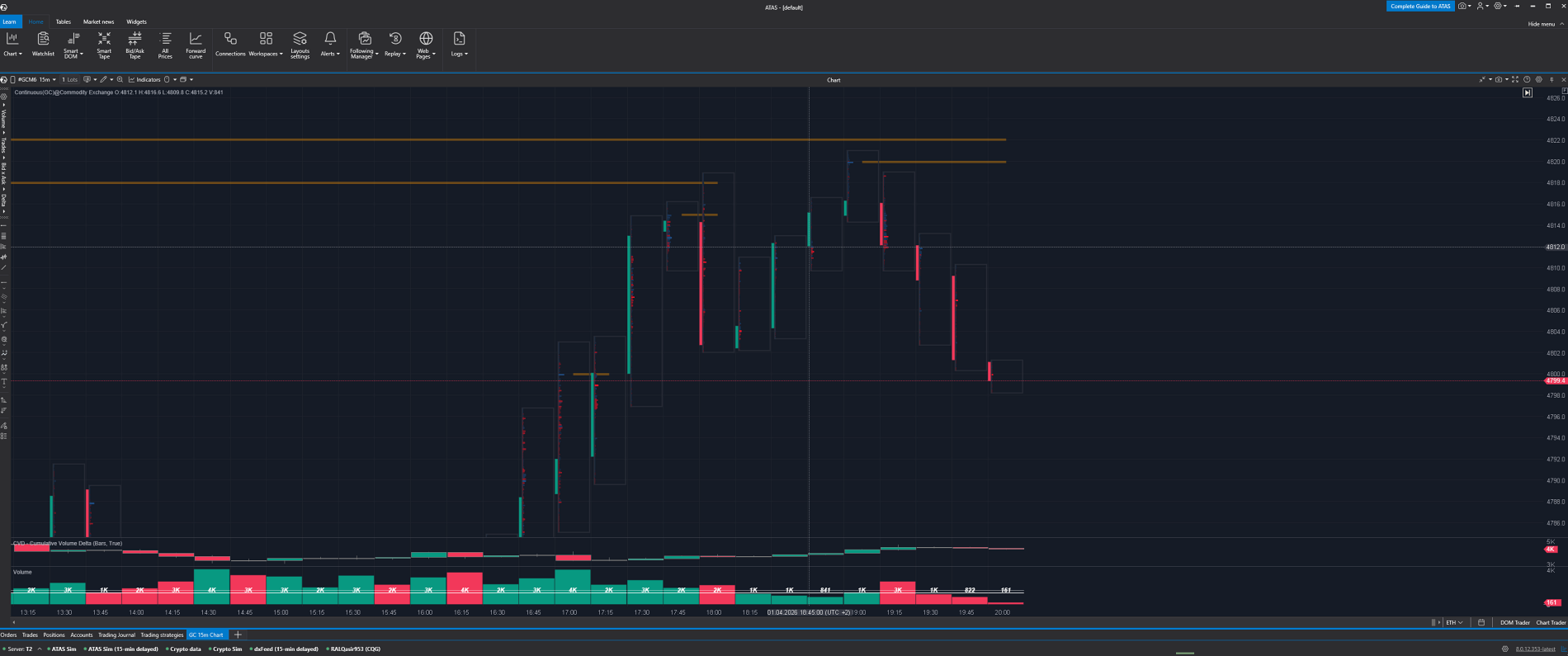
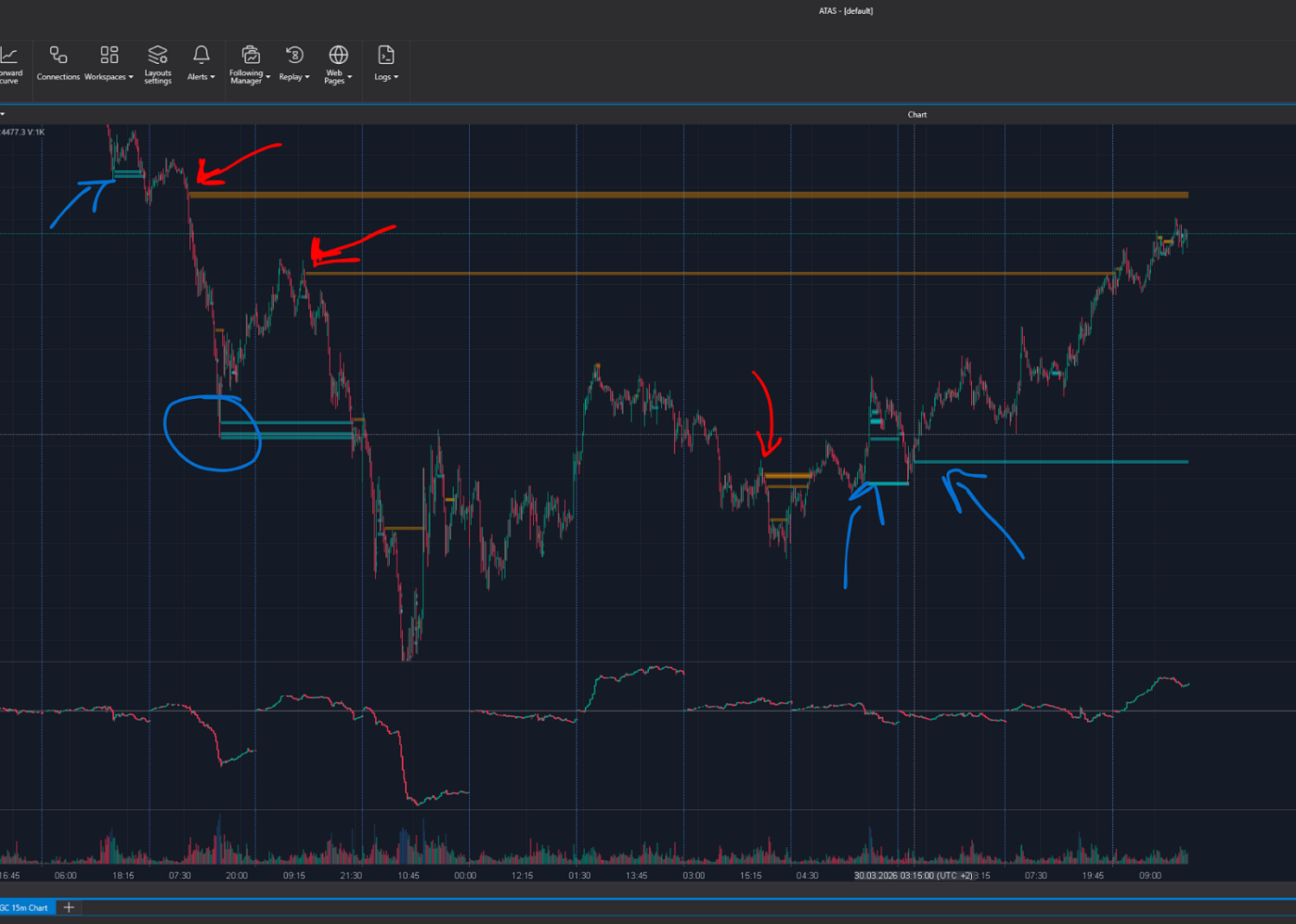
When the price reaches their level, something extraordinary happens. Sellers pile in. Volume spikes. Everyone is selling. But the price does not drop. It just sits there. More sellers come. Still nothing. The price refuses to break. Why? Because underneath the surface, a whale is quietly absorbing every single sell order. Like an iceberg — you see a small piece of ice floating above the water. Below the surface, a mountain of hidden orders is holding everything in place.
And then it happens. The sellers run out of ammunition. There is nobody left to sell. But the whale is still there, fully loaded. And in that moment — the price explodes.
That is the trade. That is the edge. Not some indicator that repaints. Not some backtest that looks perfect on historical data. Real institutional activity, happening right now, on the largest Gold exchange in the world.
THE PROBLEM WITH METATRADER 5
There is a reason you have never seen this on your chart. MetaTrader 5 simply does not have access to this data. There is no Level 2 order flow from the COMEX exchange on MT5. You see candles. You see price. But you never see the orders behind the price. You are watching a movie without sound and trying to guess what the actors are saying.
I spent years studying this data on ATAS — a professional trading platform that connects directly to the COMEX Gold Futures exchange, where over 50 billion dollars in Gold is traded every single day. I learned to read the absorptions. I learned to spot the icebergs. And eventually, I built a system that detects them automatically.
But there was a problem. Most traders use MetaTrader 5. They don't have ATAS. They don't know how to read order flow. And they shouldn't have to. So I built a bridge.
WHAT ICEBERG DETECTOR DOES
IceBerg Detector connects your MetaTrader 5 to my ATAS system through a server. When my system detects a real absorption on the COMEX exchange — when it sees the whale loading up and the sellers running out — it sends a signal. Your EA receives that signal and opens the trade on your account. Automatically. In seconds. You can watch the entire process live on our YouTube stream — real COMEX order flow, real absorptions, real trades. Nothing hidden.
You do not need ATAS. You do not need to understand footprint charts or configure any parameters. You connect the EA to the server and you receive the same trades I take — based on real institutional data from the largest Gold exchange in the world.
I use a tight take profit by design. Absorption confirmed, price moves, we take the profit and get out. Your stop loss is yours to choose — you decide how much you risk. But the entry and the exit come from 13 years of experience and real COMEX data.
AFTER PURCHASE
Send me a private message after buying. I will set you up personally:
- Your server connection URL
- Step-by-step setup guide with screenshots
- Recommended settings for your account size
- Access to our Discord community
Setup takes 5 minutes. No trading knowledge required.
REQUIREMENTS
Symbol: XAUUSD (Gold)
Timeframe: Any (signals are server-based)
Minimum deposit: $200 (with 0.01 lot)
Account type: Hedging
Leverage: 1:100 or higher recommended
VPS recommended for 24/5 operation
RISK DISCLAIMER
Trading involves substantial risk of loss and is not suitable for every investor. Past performance is not indicative of future results. Only trade with money you can afford to lose. This EA is a tool, not a guarantee of profits.


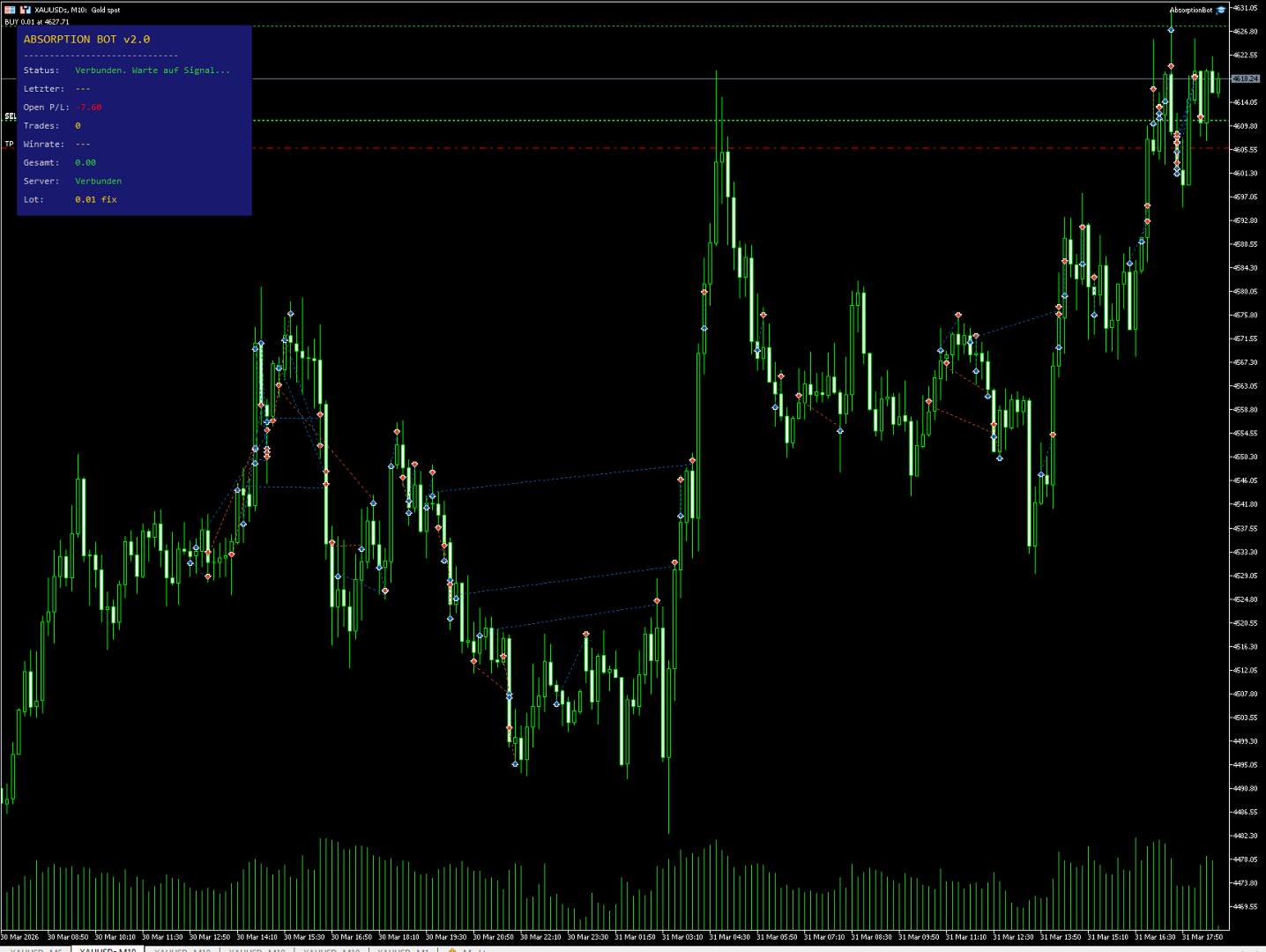




























Rather than calling it an EA, it’s essentially more like copy trading. The signal quality is very good, but the optimal SL and TP still require large-scale data analysis to determine. That said, it’s already profitable at the moment, and I highly recommend it.