Lot calculator panel
- Indicatori
- Versione: 1.0
- Attivazioni: 10

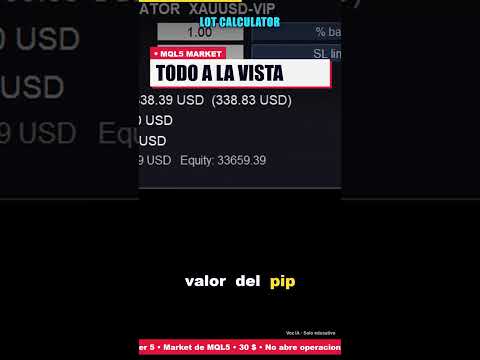
Lot Calculator is a light panel that tells you the exact lot size for every trade, so you always risk what you planned.
How it works
- Choose your risk: % of balance, % of equity, fixed money or fixed lot (one click switches the mode).
- Set the stop loss in pips or simply drag the red SL line on the chart. Below price = BUY, above price = SELL.
- The panel shows instantly: LOT, money at risk, pip value and margin.
- Open trades: total lot on the symbol and how much you lose if their SLs are hit ($ and %). Trades without SL are flagged.
Why it is accurate
- Uses your broker's own contract data, so it works on forex, gold (XAUUSD), indices and crypto in any account currency.
- The lot is rounded DOWN to your broker's lot step, so you never go over your risk. Respects min and max lot.
Easy to customize
- 4 languages: English, Spanish, Italian, French.
- Panel size, text size, position (left/right, X/Y) and all colors are adjustable.
- Values typed in the panel are kept when you change timeframe.
Light and safe
- No DLL, no internet, no WebRequest.
- It never opens, closes or modifies trades. It only calculates.
Inputs
- Language; Risk mode; Risk; Stop loss (pips); Start with the draggable SL line; Points per pip (0 = auto: 1 pip = 10 points on 5/3-digit forex and 2-digit gold).
- Panel on the right side; X / Y offset; Panel size (default 12); Text size (% of panel size, default 80); colors of background, text, lot, SL line, buttons, input boxes and border.
Disclaimer: this is a calculation tool. It does not guarantee profits.