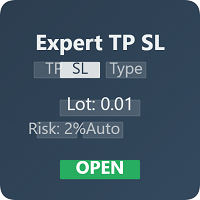
Trade planner panel
- Indicatori
- Versione: 1.0
- Attivazioni: 10

Trade Planner lets you plan any trade on the chart before you place it: entry, stop loss and as many take profits as you want, with the exact lot for your risk and the money at every level.
Entry: Market or Pending
- Market: the entry follows the live price (Ask for BUY, Bid for SELL) and the SL and TPs move with it.
- Pending: the entry stays exactly where you put it. Type a price or drag the entry line.
- BUY / SELL buttons flip the whole plan to the other side keeping the same pips.
Take profits that adapt by themselves
- AUTO: TPs are spaced by the SL distance. SL of 80 pips = TP1 at 80, TP2 at 160, TP3 at 240 pips... Change the SL and all TPs follow.
- Unlimited TPs with +TP / -TP.
- Move a TP by hand or type its value: it stays there and the following TPs re-space themselves by 1R each.
- Each TP shows its R:R, price, pips and profit, on the panel and on the chart.
- Optional partial close % per TP (e.g. 50, 25, 25) with the lot of each partial.
Risk and lot
- Risk as % of balance, % of equity or fixed money.
- Exact lot from your broker's contract data: forex, gold (XAUUSD), indices and crypto, any account currency.
- The lot is rounded DOWN to the broker's step, so you never go over your risk.
Clean and light
- Compact panel fitted to its content, docked to the right, with a hide button that turns it into a small corner button. The lines stay on the chart.
- Line labels sit beside the panel, never under it.
- The plan is kept when you change timeframe.
- 4 languages (English, Spanish, Italian, French). Panel size, text size, position and all colors adjustable.
- No DLL, no internet. It never opens, closes or modifies trades.
A full user manual (English and Spanish) is available in the product comments.
Disclaimer: this is a planning tool. It does not guarantee profits.