Ultimate Range Breakout
- Experts
- Versione: 16.0
- Attivazioni: 5

Ultimate Range Breakout is an Expert Advisor for MetaTrader 5 that trades breakouts from a price range you define by clock time. For example, it can take the high and low of the first 15 minutes after a market opens and trade when price breaks out of that box. It is a toolkit with many options, not one fixed system, so it asks for some setup work.
Full user guide and example settings: https://www.mql5.com/en/blogs/post/781876
How it works
- You define up to four time ranges per day (start time and length), plus one optional "consolidation" range that the EA finds by itself. All times are broker server time, with optional daylight-saving shifts for US or EU dates.
- The EA records the range high and low from your chosen signal timeframe (default M5) and checks the range size in points or percent of price. A range that is too small or too big is skipped, and the skip is written to the Experts log.
- Seven trade types can each be set to Off, Always, or Chain (only after another type lost today): breakout, opposite breakout, reversal (flip a failed breakout), range trade (fade near an edge), mean reversion (session fade), retest plus break of structure, and indicator signal. Only breakout is on by default.
- Optional filters (17 modes, all off by default) can be combined as all-must-pass, any-passes or a weighted score: SuperTrend, moving-average cloud, price versus moving average, moving-average stack, moving-average slope, ADX, efficiency ratio, RSI, Force Index, Choppiness, VWAP, range versus ATR, gap, prior-day high and low, time since range end, candle strength, cloud width.
- Trade size comes from your sizing setting: percent of balance, fixed money risk, or fixed lots. For risk sizing, the lot is calculated from the stop distance with the platform's own profit calculator, then capped by free margin and by an optional maximum-lot input.
- Entries are market orders, or stop or limit orders at the level, with an optional spread limit.
- Three exit profiles (A, B, C) hold the stop (range edge, points, ATR, percent of range or price, session extreme, swing, SuperTrend or moving-average line), up to three partial targets, break-even, a trailing stop, a maximum holding time, a clock-time close and optional indicator exit signals.
- Risk guard: by default the EA stops for the day after a winning trade. An optional daily stop limits equity drawdown or the number of losing trades.
Features
- Four timed ranges and one consolidation range, with daylight-saving options.
- Seven trade types with a range list per type, daily caps, retries after a failed trade, and confirmation and late-entry windows.
- 17 optional filters with all, any or score logic.
- Three exit profiles with partial targets, break-even, trailing and time exits.
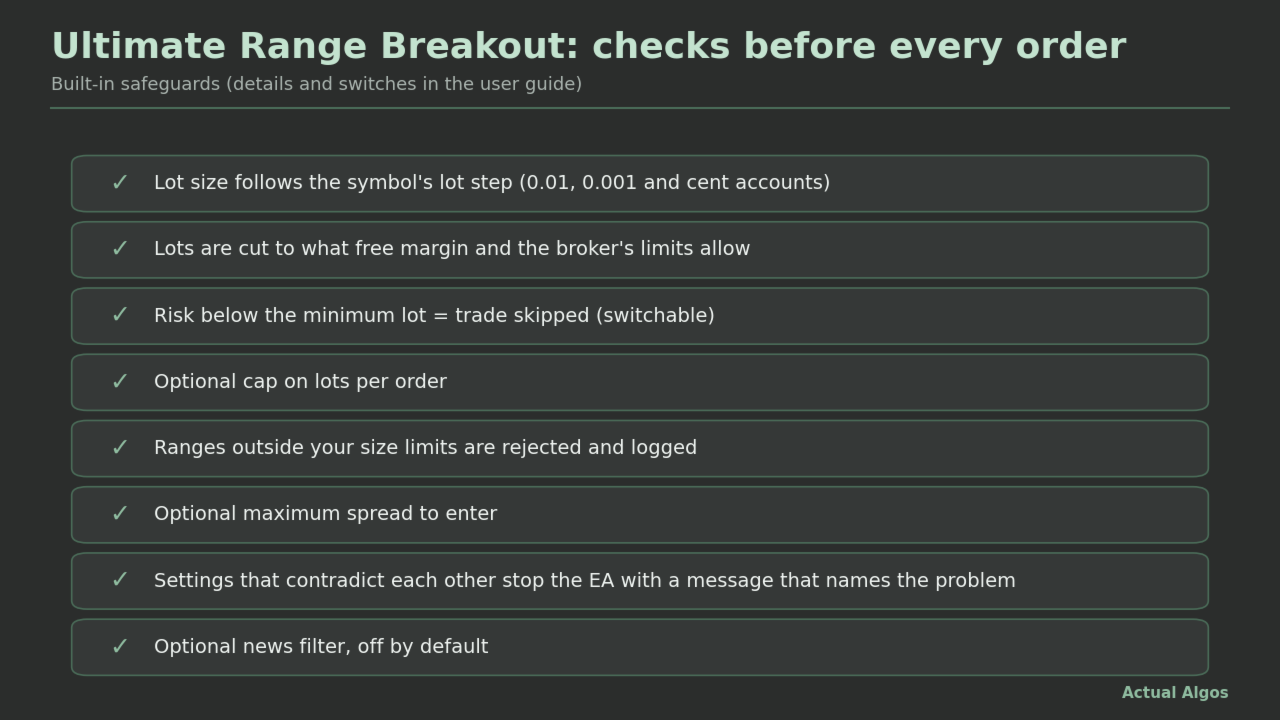
- Lot size follows the symbol's lot step, including 0.001-lot brokers, and is capped to free margin. An order is skipped if the stop or target is too close to the market, or if the risk is below the minimum lot (switchable).
- Cent accounts: an option reads money inputs in USD.
- Open trades are managed even on non-trading days. Trailing and break-even state survives a terminal restart.
- Optional news handling, off by default. For high, medium and low impact events you choose Ignore, Manage only (no new trades) or Skip (no new trades, and this EA's trades and pending orders are closed when the window starts). Events come from a calendar file you provide or from MetaTrader's built-in economic calendar on a live chart. The built-in calendar is not available in the Strategy Tester, so news handling can only be tested with a file. An optional setting also blocks new entries for the whole day when a high-impact event is listed.
- Chart display of ranges and levels (live chart and visual tester).
- Works on netting accounts (one position per symbol) as well as hedging accounts.
Example settings
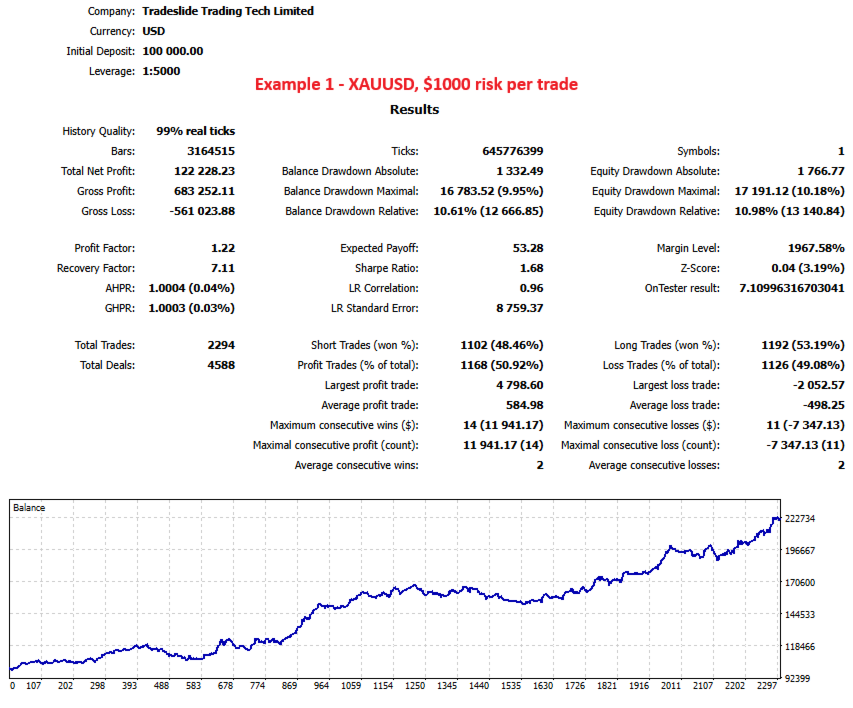
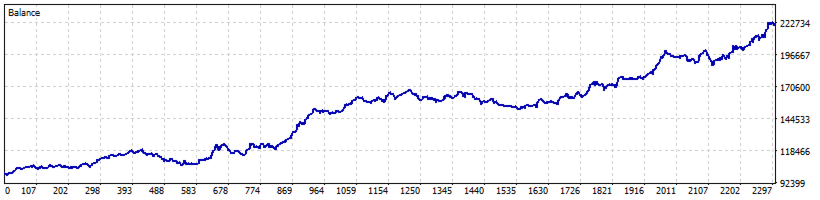
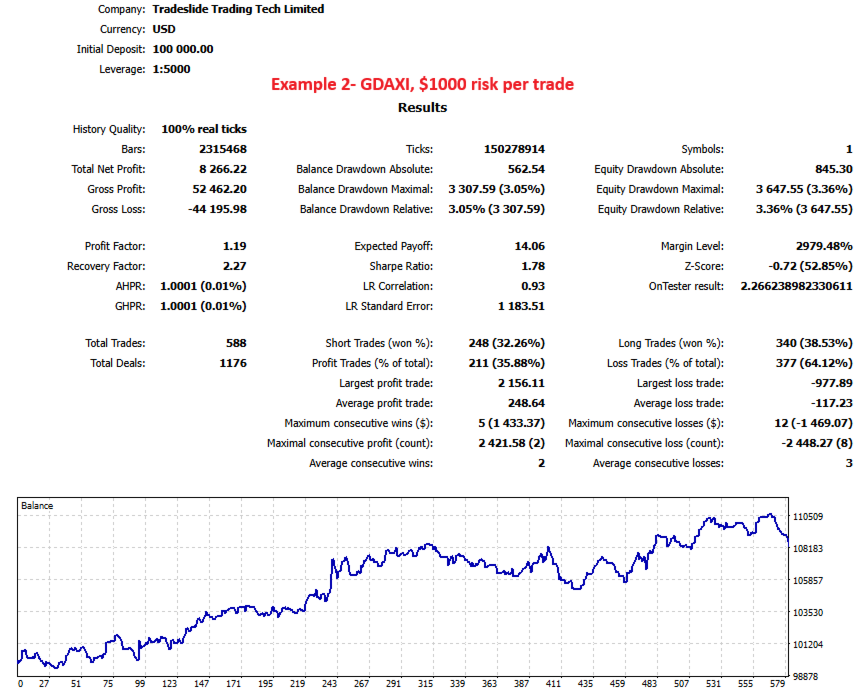
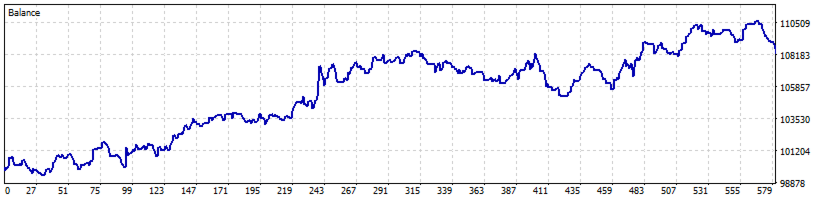
The screenshots use two example configurations: a gold (XAUUSD) setup that trades an early-session range, and a DAX (GDAXI) setup that trades a morning range. The exact settings are in the user guide. They are examples for your own testing, not recommendations.
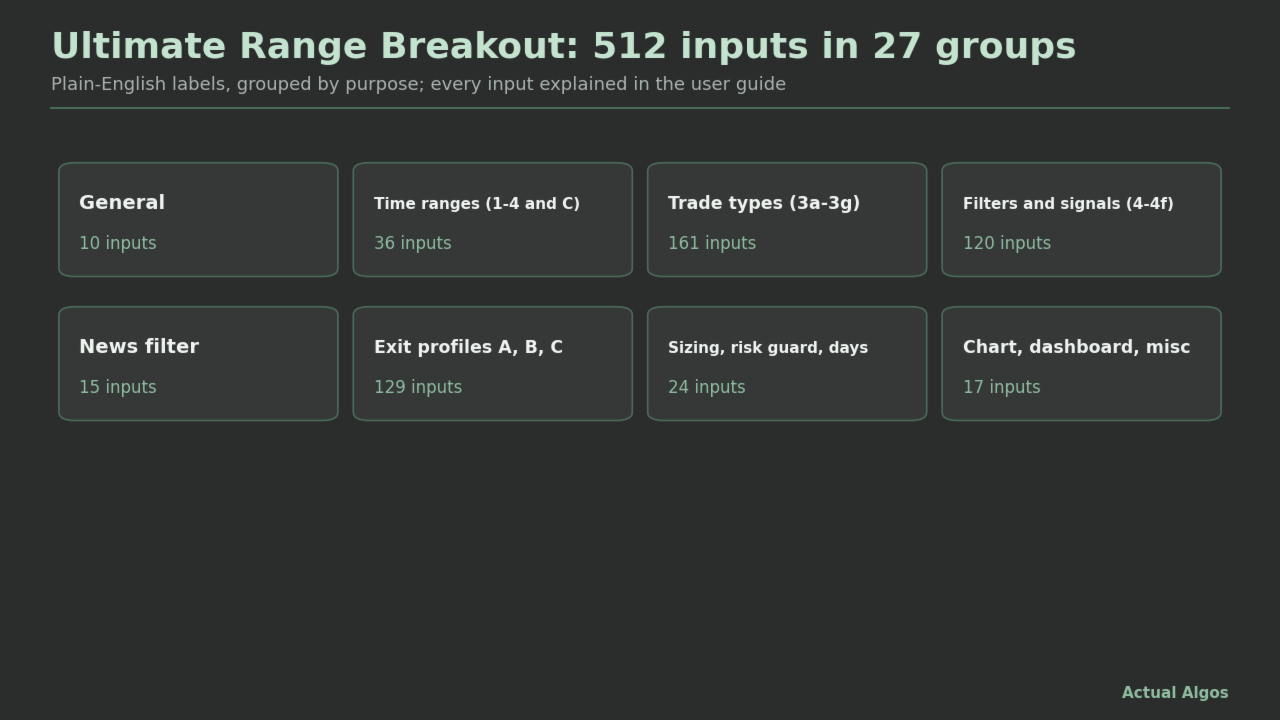
Inputs (512, in plain English)
General, time ranges and daylight saving, consolidation range, the seven trade types, filters and signals, exit profiles A, B and C, positions and sizing, risk guard, trading days, chart display, miscellaneous, news filter.
Defaults: one range starting 09:30 server time and lasting 15 minutes, M5 signals, breakout trades only, stop at the far side of the range, targets at 1R, 2R and 3R (thirds), break-even at 1R, trailing from 2R at 1 ATR, one open position, one trade per day, risk 1.0% of balance per trade. The defaults are placeholders, not tuned for any symbol.
Recommended use
- Start on a demo account and read the Experts log for several weeks before using real money.
- Check the clock first. Range times are broker server time, and most setup problems are a range set for the wrong time zone.
- Pick one market and one range, and begin with an example setting from the guide or the defaults. Change one input at a time.
- Test in the Strategy Tester with "Every tick based on real ticks" for stop and limit orders, retests, trailing and tight stops. Retest-mode tests can be slow.
- Use a small risk per trade. Breakout losses tend to arrive together, and breakout systems have long losing streaks.
- Symbols with big gaps, wide spreads or restricted trading hours need their own checks.
What it does not do
- It does not predict or promise profit.
- It does not choose markets, ranges or settings for you.
- It has no lot-size multiplier after a loss: sizing is percent risk, fixed money or fixed lots.
- It does not include an economic calendar, and uses no DLLs and no external services.
- It does not trade the news. The news options only stop new entries or close this EA's own trades.
- It cannot prevent slippage, gaps, requotes or broker rejections.
- It does not manage trades opened by hand or by other EAs. Use a different magic number on each chart.
- Not every trade type has had the same amount of testing. Breakout and retest are the most tested; the others are provided as tools.
Risk disclosure
Trading forex, CFDs, indices, metals and crypto carries a high risk of loss and is not suitable for everyone. You can lose some or all of your deposit. Automated trading can fail through software, connection, broker or data problems. This product is software, not investment advice, a managed account or a signal service.
About the screenshots and any test results
Strategy Tester results shown with this product use example settings on historical data. They are hypothetical, chosen with hindsight, and may understate costs such as commission, spread, swap and slippage. Settings that look good in a test usually do less well afterwards. Breakout systems have long losing streaks, and real results will differ and will include losing periods.
Support
Use the product comments or a private message on MQL5. Please include the product version, broker, symbol, timeframe, settings and the Experts log lines. No custom coding and no individual trading advice.
5 activations are included. If you need more, message me before buying.
1. Will it make money? Nobody can promise that. It executes the rules you set. Test on a demo account and in the Strategy Tester first.
2. Which symbols and timeframes? Any MetaTrader 5 symbol with enough history and a sensible spread (forex, gold, indices, crypto CFDs). You set the range time for the market you trade. The signal timeframe is an input (default M5).
3. Why did it not trade today? Read the Experts log. Rejected ranges are always logged; switch on the detailed log for other skips. Common reasons: the range failed the size filter, there were no bars in the window, the spread was above your limit, a filter said no, the trading day is off, the one-trade-per-day rule was already used, the risk was below the minimum lot, or a news window was active.
4. What do the range filters do? A range must be between your minimum and maximum size (in points or percent of price). A range outside that is skipped for the day and logged as rejected. Tight ranges often break out on noise, and wide ones leave a large stop.
5. Why was an entry skipped even though price broke out? Typical causes: the breakout came after the confirmation or late-entry window, a filter failed, the spread was too wide, the stop or target would be closer than the broker allows, or the position limit was reached.
6. The times look wrong. All times are broker server time. Compare with the Market Watch clock and check the daylight-saving option.
7. What magic number do I use? Each chart needs its own. The default is a placeholder; if you run the EA on several charts, give every chart a different magic number.
8. Does it work on netting accounts? Yes, with one position per symbol. Features that rely on several positions at once behave differently on netting accounts.
9. How do I use the news options? Switch the news filter on and choose Ignore, Manage only or Skip for each impact level. On a live chart it reads MetaTrader's built-in calendar. To test it in the Strategy Tester you need a calendar file; the format is in the user guide.
10. Does it work on cent accounts and 0.001-lot brokers? Yes. Lots follow the symbol's lot step, and an option reads money inputs in USD on a cent account.
11. Do I need a licence key? No. The Market version has no key input; MQL5 protects each purchase.