Ultimate Go Long
- Experts
- Versione: 10.0
- Attivazioni: 5

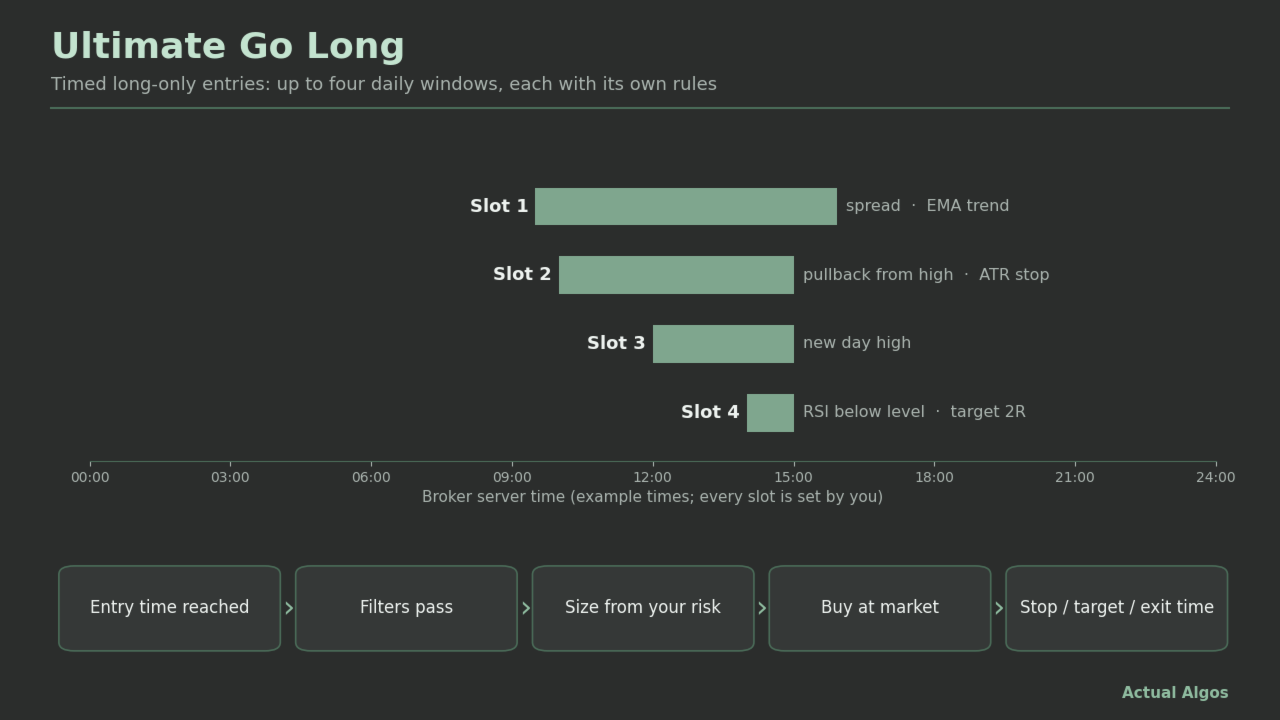
Ultimate Go Long is an Expert Advisor for MetaTrader 5 that buys at a set time of day and closes at a set later time. It has four independent slots, each with its own entry time, exit time, filters, size, stop and target. It only goes long. It is built for index CFDs and other markets where you want a timed long position, and you choose the times and filters yourself.
Full user guide and example settings: https://www.mql5.com/en/blogs/post/779415
How it works
- Each slot has an entry time and an exit time in broker server time. A window may cross midnight.
- Inside the window the EA checks the slot's filters. When all pass, it sends one market buy order. If a filter fails, it keeps checking until the window ends, so a filtered slot can enter later than its start time.
- At the exit time the slot closes its own position.
- Filters, switched on or off per slot: maximum spread; new high of the day; pullback (price at least N x ATR, points or percent below a recent high); trend (price above a moving average); weakness (RSI below a level). Size: fixed lots, risk percent of balance, fixed money risk, or risk percent of a fixed reference balance.
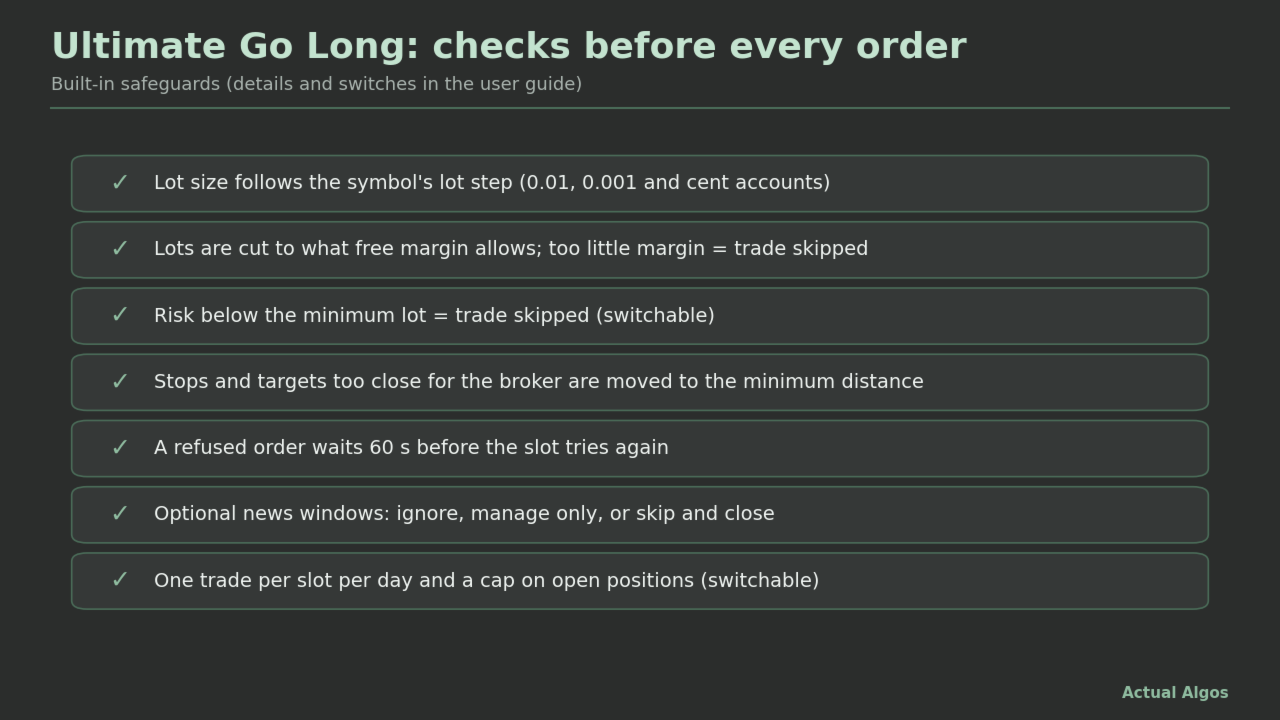
- Optional stop loss (points, ATR multiple or percent of price) and optional take profit (points, ATR, percent, or a multiple of the stop). Stops closer than the broker allows are moved out to the minimum distance.
Features
- Four slots with separate times, filters, sizing, stop and target.
- Daylight-saving shift for US or EU dates.
- One trade per slot per day (switchable) and a cap on open positions across slots.
- Lot size follows the symbol's lot step, including 0.001-lot brokers, and is cut to what free margin allows. A trade whose risk is below the minimum lot is skipped (switchable).
- Cent accounts: an option reads money inputs in USD.
- After a failed entry the slot waits a set time (60 seconds by default) before trying again, instead of retrying on every tick.
- Optional news handling, off by default. For high, medium and low impact events you choose Ignore, Manage only (no new trades) or Skip (no new trades and close this EA's trades when the window starts). Events come from MetaTrader's built-in economic calendar on a live chart, or from a calendar file you provide. The built-in calendar is not available in the Strategy Tester, so news handling can only be tested with a file.
- Separate magic number per slot, sizing written to the Experts log, and a detailed log for troubleshooting.
Example settings
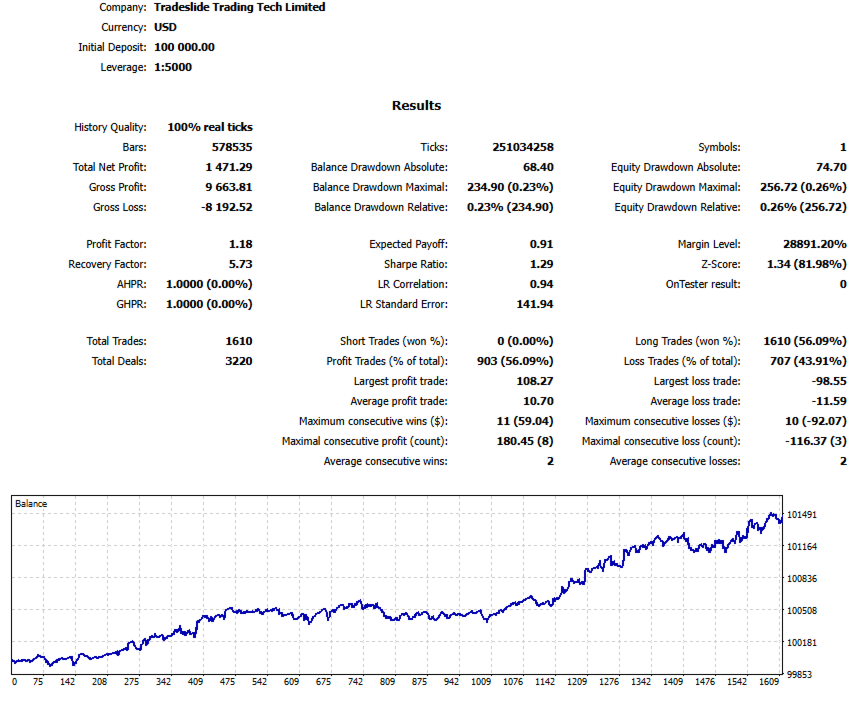
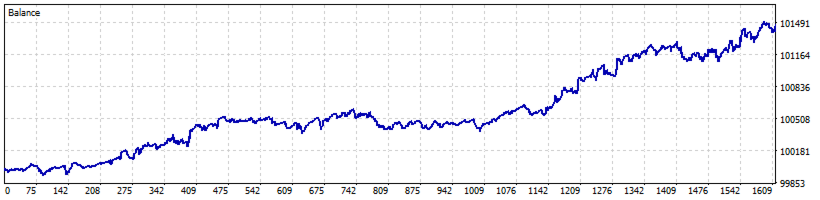
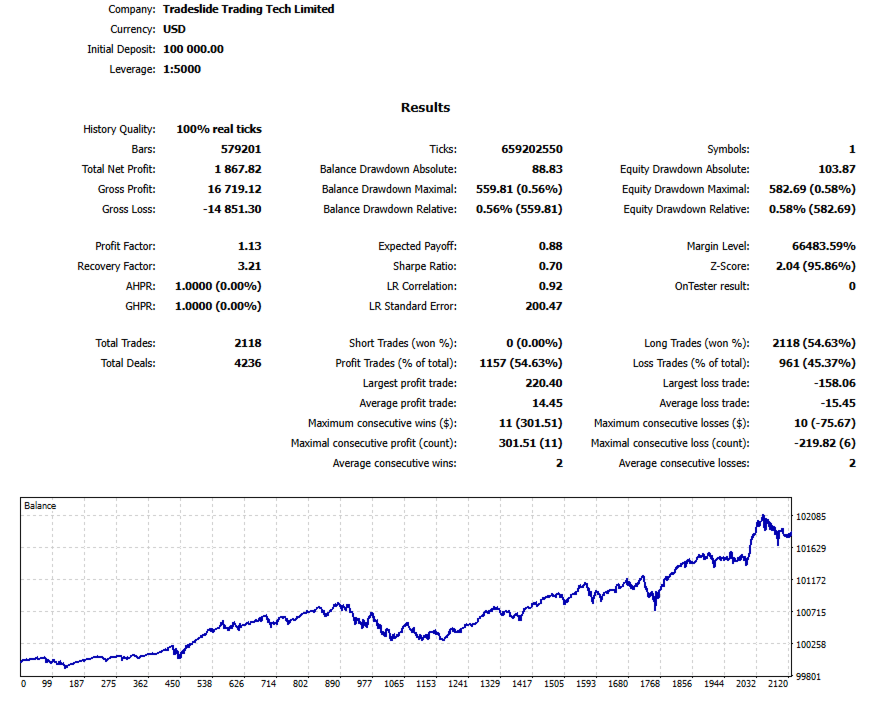
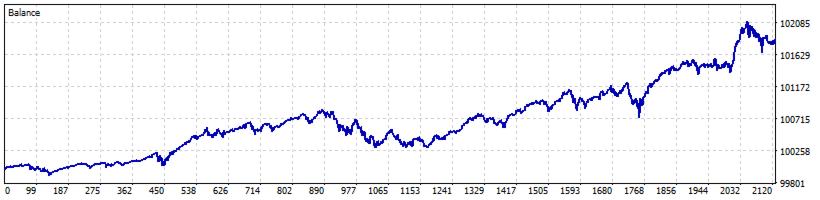
The screenshots use two example configurations on index CFDs: S&P 500 (buy in the evening before the US session, close the next morning, daily EMA 100 trend filter on) and Nasdaq 100 (buy in the evening, close near the next day's US close, no filters). The exact times are in the user guide. They are examples for your own testing, not tuned recommendations.
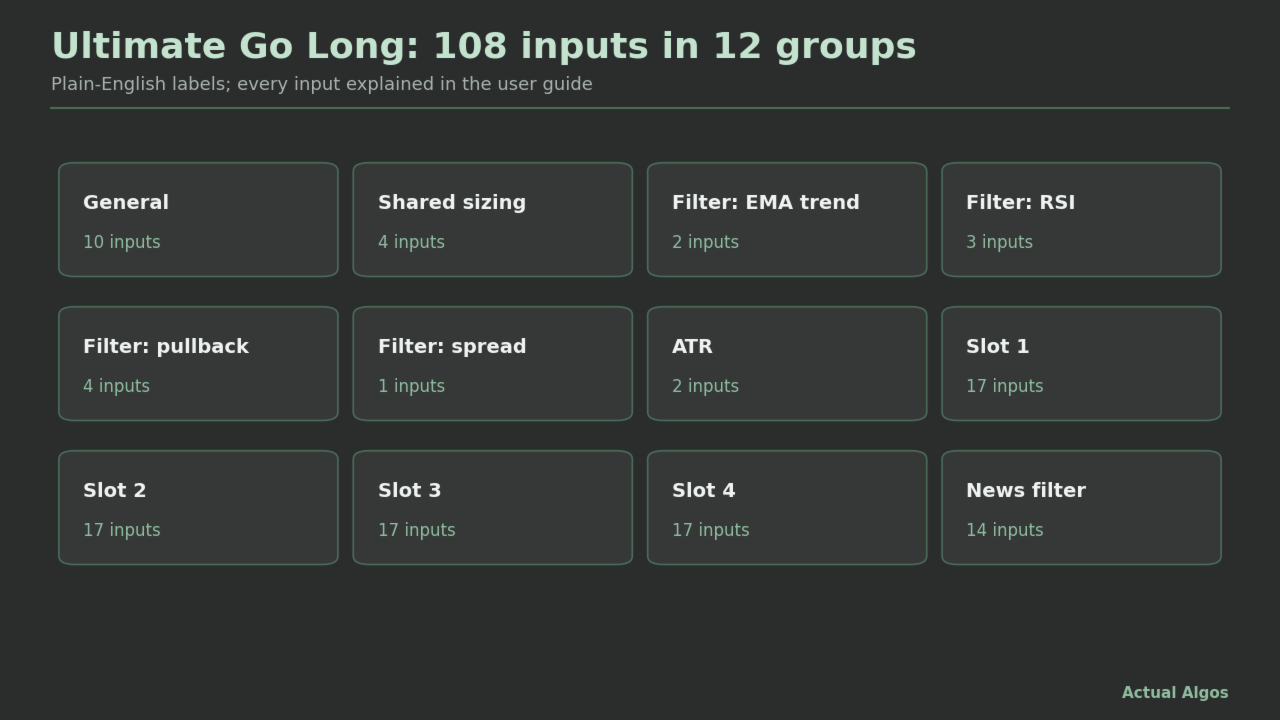
Inputs (108, in plain English)
General, shared sizing, EMA filter, RSI filter, pullback filter, spread filter, ATR, Slot 1 to Slot 4, news filter. Defaults: only slot 1 is on, 09:30 to 15:55 server time, filters off, fixed 0.10 lots, 1000-point stop, no target. The defaults are placeholders, not tuned for any symbol. Point sizes differ a lot between symbols, so check the stop distance on yours.
Recommended use
- Start on a demo account and read the Experts log.
- Set the times for your broker's server clock, then check the daylight-saving option.
- Use it on a market and hours where you have a reason to hold long. A timed long position mostly follows the market: it tends to gain when the market rises and lose when it falls.
- A slot can run without a stop, but then a gap can cost far more than a normal loss. With no stop, the risk-percent modes size against the price falling to zero and give very small lots; use fixed lots or the reference-balance mode instead.
- Leave a few minutes between the exit time and the market close; orders in the last minutes can be rejected.
- For timing-sensitive settings, test with "Every tick based on real ticks".
What it does not do
- It does not predict or promise profit. Being long is market exposure, not an edge by itself.
- It never sells short and never uses pending orders.
- No break-even, trailing stop, partial close or equity stop.
- No DLLs and no external services.
- It cannot prevent slippage, gaps or broker rejections, and it does not choose markets, hours or settings for you.
Risk disclosure
Trading forex, CFDs, indices, metals and crypto carries a high risk of loss and is not suitable for everyone. You can lose some or all of your deposit. Automated trading can fail through software, connection, broker or data problems. This product is software, not investment advice, a managed account or a signal service.
About the screenshots and any test results
Strategy Tester results shown with this product use example settings on historical data. They are hypothetical, chosen with hindsight, and may understate costs such as commission, spread, swap and slippage. A long-only product looks better in a period when markets rose. Real results will differ and will include losing periods.
Support
Use the product comments or a private message on MQL5. Please include the product version, broker, symbol, timeframe, settings and the Experts log lines. No custom coding and no individual trading advice. 5 activations are included. If you need more, message me before buying.
FAQ
- Will it make money? Nobody can promise that. A timed long position moves with the market and loses when the market falls. Test on demo first.
- Which symbols? Any MetaTrader 5 symbol you want to hold long in a window. It was designed with index CFDs in mind. Check your broker's trading hours.
- Why did a slot not trade? Turn on the detailed log and read the Experts tab. Common reasons: a filter said no, the spread was above your limit, the slot already traded today, the position cap was reached, the risk was below the minimum lot, there was not enough free margin, or a news window was active.
- Why did it enter late? If a filter fails at the entry time the slot keeps checking until the window ends. After a rejected order it waits the retry time before trying again.
- Why is the lot tiny with risk-percent sizing and no stop? With no stop the EA sizes against the price falling to zero. Use fixed lots or the reference-balance mode.
- What is the magic number of slot 2? The base magic number plus 1. Slot 1 uses the base number.
- Do I need a licence key? No.
- Does it work on netting accounts? Yes. Each slot holds at most one position.
- How do I use the news filter? Switch it on and choose an action per impact level. On a live chart it reads MetaTrader's built-in calendar. To test it in the Strategy Tester you need a calendar file; the format is in the user guide.
- Does it work on cent accounts and 0.001-lot brokers? Yes. Lots follow the symbol's lot step, and an option reads money inputs in USD on a cent account.