AlgoTrade Trend Dashboard
- Indicatori
- Versione: 1.0

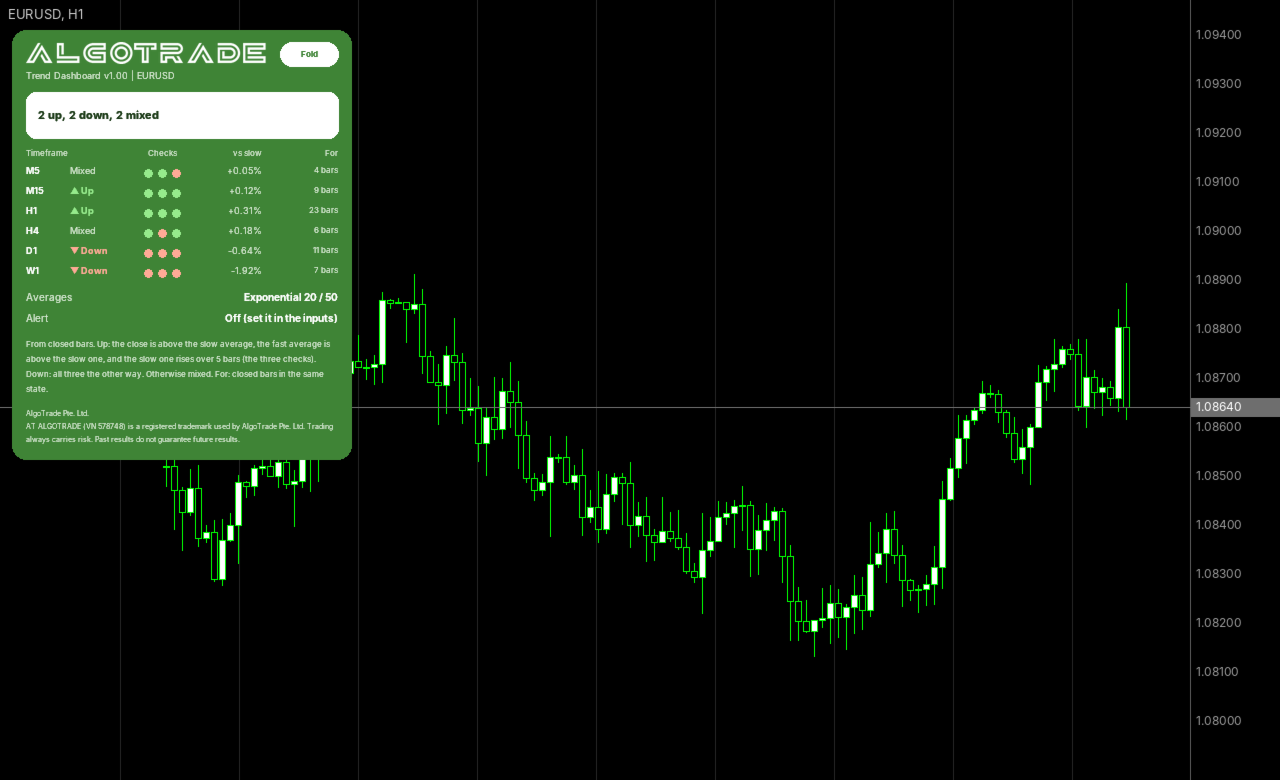
AlgoTrade Trend Dashboard shows the trend of the chart symbol across multiple timeframes at once. Each timeframe is marked Up, Down, or Mixed based on two moving averages on closed bars, along with the duration of that state. Optional alerts notify you when all timeframes agree. It reads data only.
What it does
- Up to 9 timeframes from M1 to MN1 in one card (default M5, M15, H1, H4, D1, W1), listed from the shortest.
- Three checks per timeframe on the last closed bar: the close is above the slow average, the fast average is above the slow one, and the slow average rises over 5 bars. Marked Up when all three are true, Down when all three are opposite, and Mixed otherwise.
- The three checks appear as dots so you can see which condition is missing.
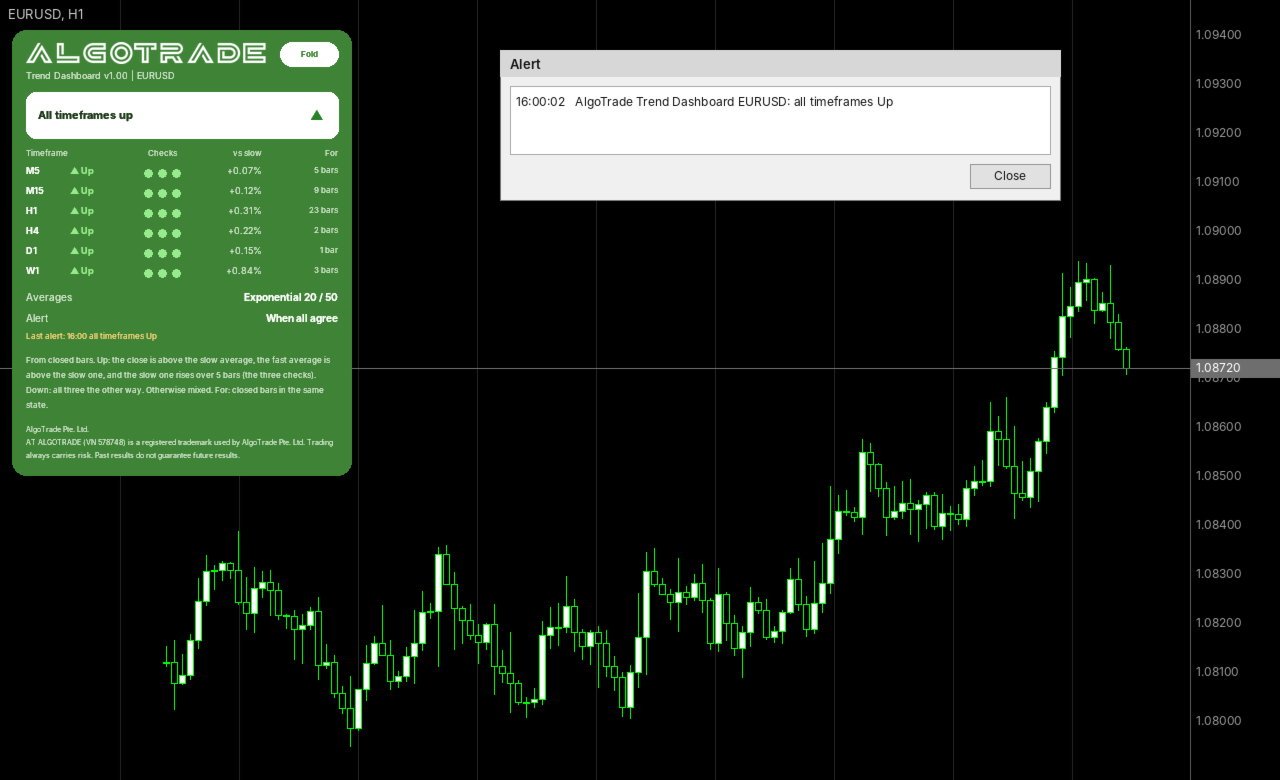
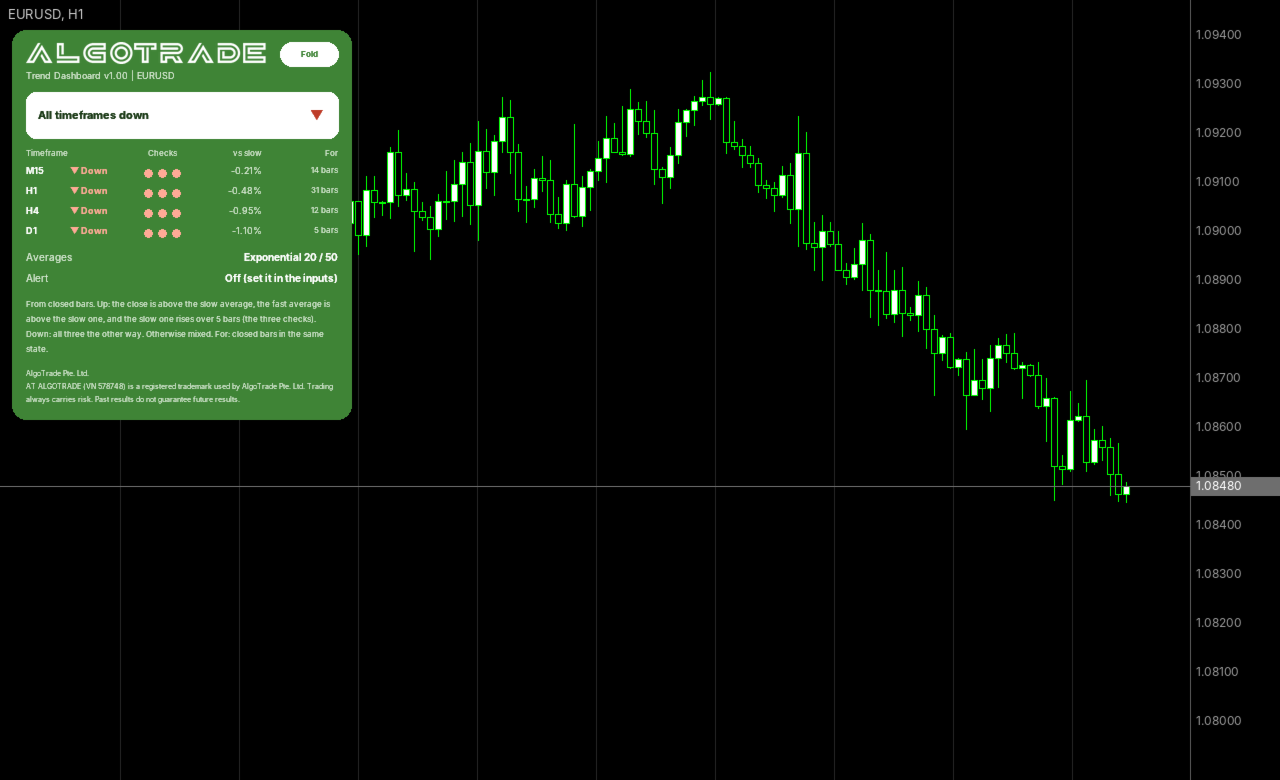
- A summary line at the top shows "All timeframes up", "All timeframes down", or the count of timeframes that are up, down, and mixed.
- For each timeframe: the percentage distance of the close from the slow average, and the number of closed bars spent in the current state (up to 400).
- Exponential or simple averages, with a default fast period of 20 and slow period of 50.
- Uses closed bars only, ensuring a state does not change while a bar is still forming.
- Optional alerts: when all timeframes agree (and when they stop agreeing), or when any timeframe changes state. Includes an alert window with sound and an optional push notification.
- Timeframes with insufficient history display "No data" and are not counted as up or down.
How to use
- Attach the indicator to any chart. The card displays the symbol of that chart.
- Set the timeframes as a comma-separated list, for example M15,H1,H4,D1.
- Click "Fold" to show one line, or "Show" to show the full card. The card corner can be adjusted in the inputs.
- Right after attaching, a timeframe may briefly show "Loading" while the terminal loads its history.
Inputs: timeframes, average type, fast average, slow average, alert, push notification, card corner.
Please read
- This indicator reads data only and does not open, modify, or close trades.
- For questions or feature requests, please post in the comments section on this page. Your reviews help us plan updates.
Made by AlgoTrade Pte. Ltd. Trading always carries risk. Past results do not guarantee future results.