RPM Trade Guard
- Utilità
-
Pablo Matias Rodriguez
 Most bad days turn into very bad days because traders keep trading after suffering several losses. Knowing when to stop isn’t enough—you need something to enforce it. That is why RPM Trade Guard was created. It consolidates chart analysis, trade execution, and management—tasks that previously
 - Versione: 2.60
- Attivazioni: 5
RPM Trade Guard v2.6
Market Analysis, Execution and Risk Management in One Tool for MetaTrader 5
Analyze the market. Execute your decisions. Manage your risk.
RPM Trade Guard is an Expert Advisor developed for traders who trade manually on MetaTrader 5, especially those using scalping and intraday strategies.
It combines Smart Money Concepts-based technical analysis tools, a fast execution panel, virtual trade management and automated trading-discipline controls.
Its purpose is to simplify the trading workflow, reduce repetitive tasks and support more consistent trade management.
RPM Trade Guard does not open trades on its own or use automatic entry strategies. The trader remains in control of every buy or sell decision.
1. MARKET ANALYSIS: RELEVANT INFORMATION DIRECTLY ON YOUR CHART
Identifying important zones, interpreting market structure and monitoring multiple timeframes can require several indicators and constant switching between charts.
RPM Trade Guard brings these tools together in a single visual environment:
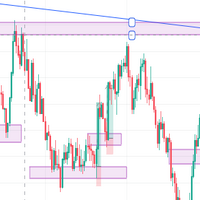
- Order Blocks (OB): Automatic identification of areas of interest based on price action and impulse criteria.
- Fair Value Gaps (FVG): Detection of price imbalances using ATR-based size and displacement filters.
- Market structure: Identification of swing highs and lows (HH, HL, LH, LL), Breaks of Structure (BOS) and Changes of Character (CHoCH).
- Liquidity sweeps: Detection of price movements that exceed previous extremes and then return inside the range.
- Multi-timeframe support and resistance: Levels from H1, H4, D1 and W1.
- Previous day high and low: PDH and PDL levels.
- Market sessions: Display of the Asian, London and New York sessions.
- Price alerts: Sound notifications and optional pop-up or mobile push alerts when price reaches configured levels.
Zones and market structure are calculated using closed candles. Mitigated zones can be hidden automatically according to configurable criteria.
Spend less time marking charts manually. Have more tools at hand to assess market context before making a decision.
2. FAST EXECUTION: FROM ANALYSIS TO TRADE
Once you identify an opportunity, calculating position size, setting a Stop Loss and defining a target can add unnecessary steps.
RPM Trade Guard's integrated panel lets you prepare and execute trades directly from the chart.
Main features:
- One-click BUY and SELL market orders.
- Execution through configurable keyboard shortcuts.
- Choice between fixed lot size and automatic position sizing based on a percentage of account equity at risk.
- Initial Stop Loss calculated using ATR to reflect the instrument's volatility.
- Take Profit expressed as a multiple of initial risk (R).
- Preview of SL and TP levels before opening a trade.
- Real-time information about open positions, results and market conditions.
The panel can be moved, minimized and configured to suit user preferences.
The decision remains yours. RPM Trade Guard makes execution and management easier.
3. VIRTUAL TRADE MANAGEMENT: FLEXIBILITY AND CONTROL
One of RPM Trade Guard's core features is its virtual position-management system.
Unlike conventional levels sent directly to the broker, the operational Stop Loss and Take Profit levels are managed by the Expert Advisor.
This allows levels to be managed without being constrained by certain minimum stop-distance requirements imposed by some brokers.
The system includes:
VIRTUAL STOP LOSS AND TAKE PROFIT
Levels are displayed directly on the chart and can be adjusted by dragging their lines.
When price reaches a virtual level, the EA sends a market order to close the position.
AUTOMATIC BREAKEVEN
Moves the Stop Loss toward the entry price once the trade reaches a specified profit threshold.
The BE NOW function is also available to make this adjustment manually for positions currently in profit.
VIRTUAL TRAILING STOP
Moves the Stop Loss progressively in the direction of a favorable price movement, using configurable ATR-based parameters.
BROKER-SIDE EMERGENCY STOP LOSS
For additional protection, the system can place an emergency Stop Loss directly on the broker's server.
This level serves as a backup when the EA cannot perform virtual management because of a connection interruption, MetaTrader shutdown or another issue.
The emergency Stop Loss is placed farther away than the virtual Stop Loss, so it does not replace normal risk management.
Flexible management, with an additional protective mechanism for open positions.
4. TRADING DISCIPLINE: LIMITS SET BEFORE YOU TRADE
A trading strategy involves more than identifying opportunities. It also requires respecting predefined limits.
RPM Trade Guard includes a configurable daily control system designed to help traders stick to their trading plan.
You can set:
- Maximum daily loss, as a percentage or monetary amount.
- Maximum number of trades per day.
- Maximum number of consecutive losing trades.
- Blocking of new entries from the panel once any limit is reached.
- Closing positions on the symbol when the loss limit is reached, if this option is enabled.
- High-spread warnings, with an option to block new entries.
Daily limits are calculated from account-wide activity and are not reset simply by restarting the terminal.
The new-entry lock applies to the EA panel and its keyboard shortcuts. Trades opened through other MetaTrader tools require an additional setting if they are to be closed while the lock is active.
Set your limits before trading and use the tool to help you follow them.
5. MULTI-TIMEFRAME ANALYSIS AND AUTOMATIC COORDINATION
RPM Trade Guard can work on two charts of the same instrument, making a common scalping and intraday setup easier to use:
H1 to assess the broader context and M2 to identify and execute entries.
The lower-timeframe chart can display relevant zones from the higher timeframe without constant window switching.
Both charts share trade-management information.
Only one EA instance manages virtual levels, while the other displays and allows adjustment of the same Stop Loss and Take Profit lines.
If the chart responsible for trade management is closed, the other instance can automatically take over that role.
This coordination combines contextual analysis and execution without duplicating the management of a position.
6. MANAGE TRADES OPENED FROM METATRADER MOBILE
RPM Trade Guard can also manage trades opened manually in the MetaTrader 5 mobile application.
When the EA is running on a computer or VPS, it can detect positions opened on the same instrument and adopt them for management.
You can therefore open a trade from your phone and let the EA apply the configured virtual management, breakeven and trailing-stop functions.
For this feature to work, MetaTrader 5 must remain running and connected, with EA management enabled.
7. ADAPTS TO DIFFERENT INSTRUMENTS
RPM Trade Guard uses Average True Range (ATR) as a reference for calculating various trading distances.
This makes it easier to use with instruments that have different price and volatility characteristics, including:
- Forex.
- Gold and other metals.
- Stock indices.
- Cryptocurrencies and cryptocurrency CFDs.
Parameters can be adjusted to the instrument, broker conditions and the user's trading style.
WHO IS RPM TRADE GUARD FOR?
This tool is designed for manual traders who want to bring several parts of their workflow into a single environment.
It may be especially useful for traders who use Smart Money Concepts, work across multiple timeframes, trade intraday or want to add structured risk-management and discipline rules to their trading process.
RPM Trade Guard does not replace the trader's judgment: it provides tools to analyze, execute and manage the trader's own decisions.
REQUIREMENTS AND IMPORTANT CONSIDERATIONS
RPM Trade Guard runs on MetaTrader 5 and requires algorithmic trading to be enabled.
Virtual management, breakeven, trailing stop and daily control features depend on the Expert Advisor remaining active and connected to the trading server.
Using a VPS is recommended to keep the system running, and keeping the emergency Stop Loss enabled is advisable when appropriate.
Virtual exits are executed through market orders and may experience slippage depending on execution conditions.
Before using the product on a live account, test its operation and configuration on a demo account.
RPM Trade Guard is a manual trading support tool. It does not provide financial advice or guarantee profits or trading results.
RPM TRADE GUARD v2.6
Analysis. Execution. Management. Discipline.
Four components of manual trading integrated into one tool for MetaTrader 5.