
OFX Dashboard
- Indicatori
-
Malik Muhammad Naveed
 ========================================================
ABOUT THE SELLER / AUTHOR (for MQL5 profile & products)
========================================================
----------------------------------------
SHORT VERSION (profile "About me" / signature) - Versione: 1.10
========================================================
OFX DASHBOARD — MQL5 MARKET PRODUCT DESCRIPTION
(formatting notes: **bold** = editor Bold button;
lines starting with "•" = bullet-list button;
UPPERCASE lines = section headings)
========================================================
SHORT TITLE (product name field):
OFX Dashboard — All-Engine OrderFlow Cockpit for XAUUSD (Gold)
-------------------------------------------------------
OVERVIEW
-------------------------------------------------------
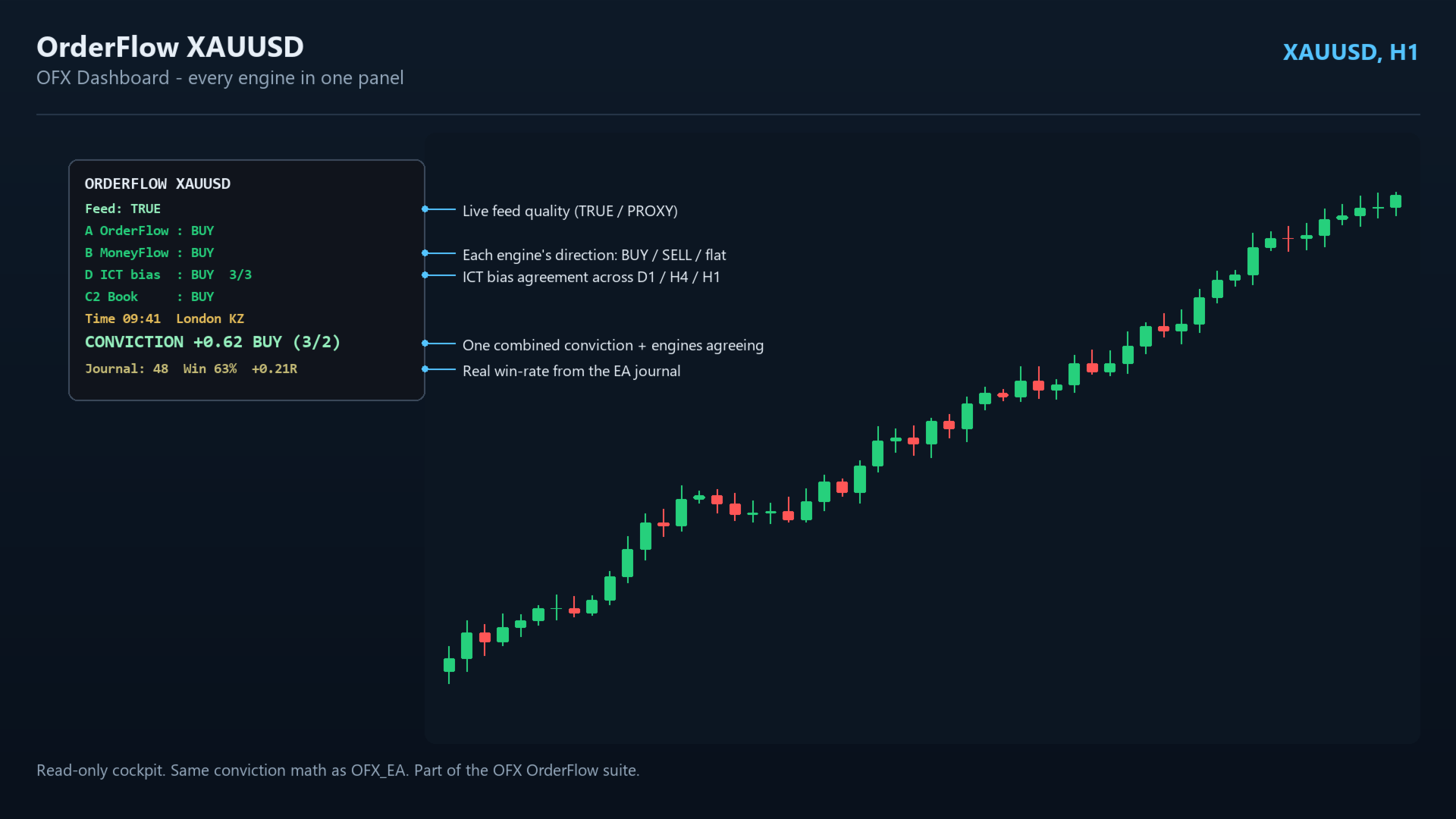
**OFX Dashboard** is the cockpit for the whole OrderFlow suite. It reads every OFX
engine and shows you a single, clear verdict in one on-chart panel — direction of
each engine, how many agree, and one combined **conviction** read — so you do not
have to load and watch a stack of separate indicators.
Purpose-built and validated for **XAUUSD (Gold)**, recommended on **H1**.
-------------------------------------------------------
WHAT IT SHOWS (ONE PANEL)
-------------------------------------------------------
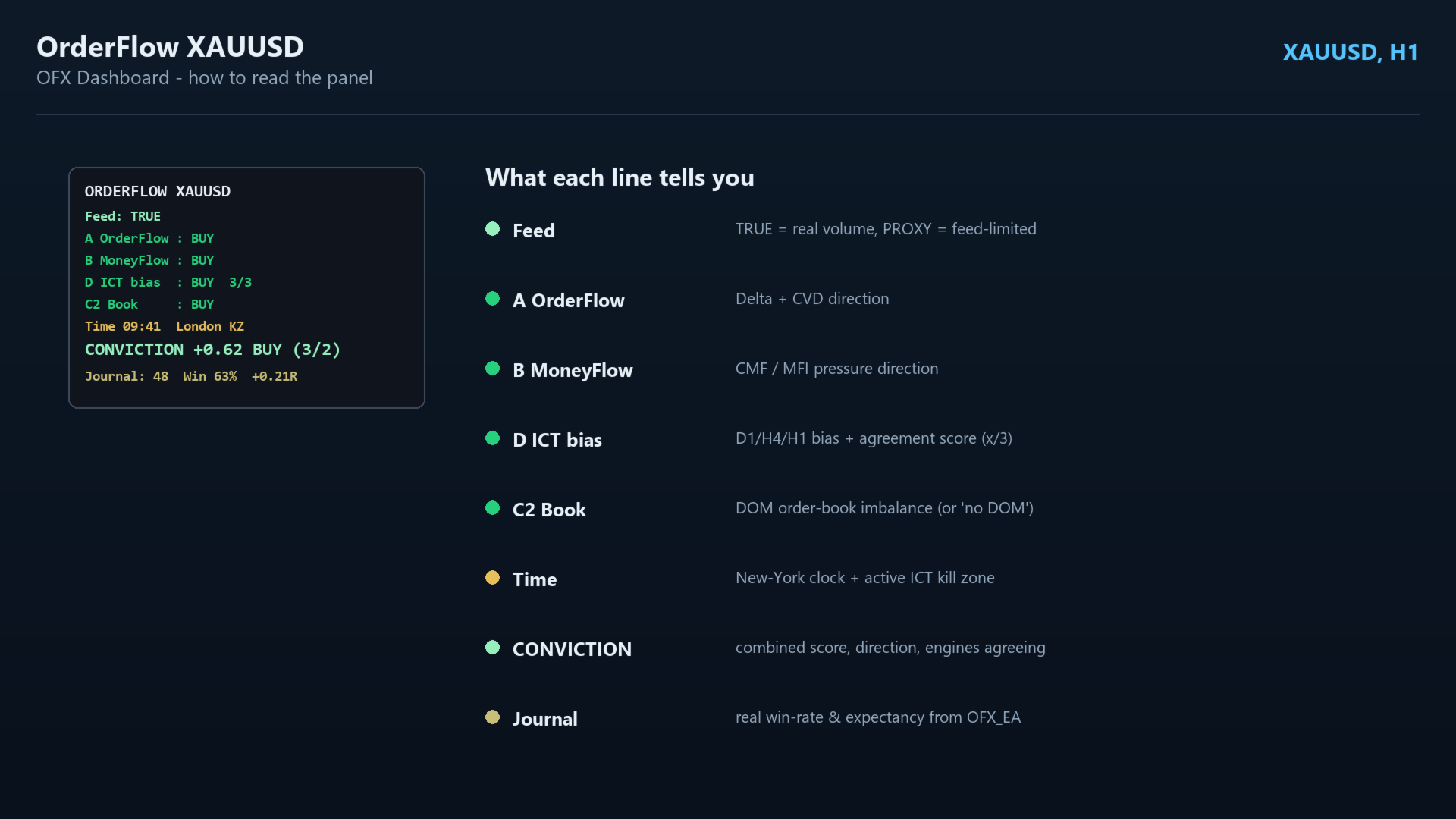
• **Feed quality** — TRUE (real volume) or PROXY, so you know the data quality.
• **A · OrderFlow** — Delta + CVD read: BUY / SELL / flat.
• **B · MoneyFlow** — CMF / MFI pressure: BUY / SELL / flat.
• **D · ICT bias** — top-down bias across D1 / H4 / H1, with an alignment score
(e.g. 3/3 when all three timeframes agree).
• **C2 · Book** — live DOM order-book imbalance (or "no DOM" when the broker gives
no depth — shown honestly).
• **Time** — a New-York clock plus the active ICT **kill zone** / macro window.
• **CONVICTION** — one combined score with direction and how many engines agree
(e.g. +0.62 BUY 3/2), using the **same math as the OFX EA**.
• **Journal** — live win-rate and expectancy read from the EA's honest journal
(run OFX_EA to log trades; otherwise it says so).
-------------------------------------------------------
KEY ADVANTAGES
-------------------------------------------------------
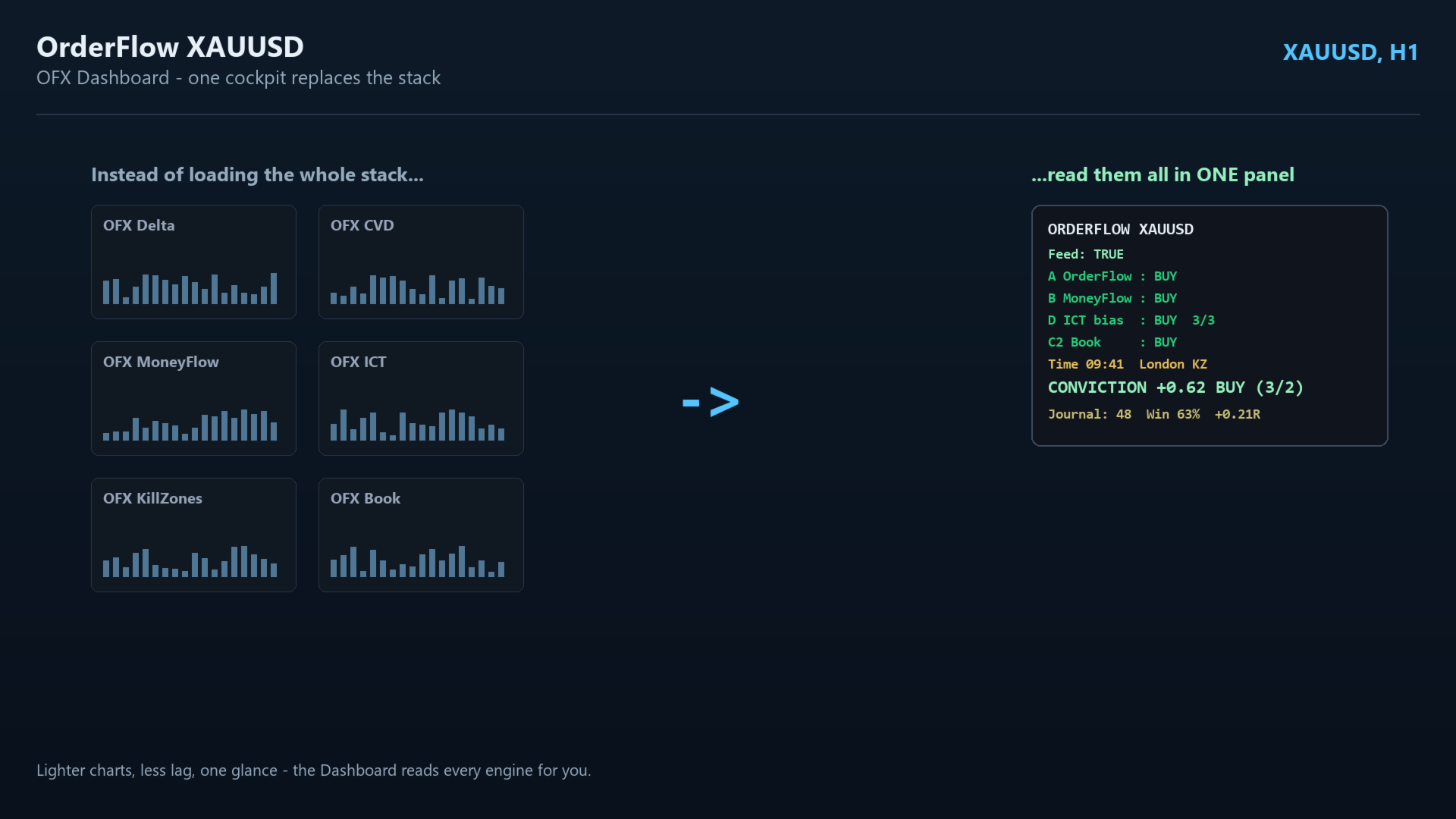
• **One cockpit replaces the stack** — read every engine from a single panel
instead of loading them all on the chart (lighter, cleaner, less lag).
• **One number to act on** — the conviction score tells you direction and agreement
at a glance.
• **Read-only and safe** — it places no trades; it only reports.
• **Honest by design** — TRUE / PROXY feed badge and a real journal win-rate, never
fabricated numbers.
• **Built for gold** — tuned for XAUUSD, recommended on H1 (runs on other symbols).
-------------------------------------------------------
PART OF THE OFX ORDERFLOW SUITE — ALL ENGINES WORK TOGETHER
-------------------------------------------------------
OFX Dashboard is the hub of the OrderFlow (OFX) suite — **one connected system, not
separate tools.** Each engine reads a different, independent side of the same gold
market, and the Dashboard brings them together:
• **OFX Delta** + **OFX CVD** — raw order-flow (A)
• **OFX MoneyFlow** — money-flow pressure (B)
• **OFX ICT** + **OFX KillZones** — higher-timeframe bias, FVG and session timing (D)
• **OFX Heatmap** — where liquidity is resting
• **OFX Book** — live order-book / DOM imbalance (C2)
The Dashboard reads these engines and combines them into one conviction verdict —
the strongest signals are when several independent engines agree. **This is the
one product that shows the whole suite working together in a single glance.**
-------------------------------------------------------
REQUIREMENTS
-------------------------------------------------------
• Symbol: **XAUUSD (Gold)** recommended (runs on other symbols too)
• Recommended timeframe: **H1**
• For the A (OrderFlow) and B (MoneyFlow) rows, the matching OFX indicators should
be available in your terminal; for C2 Book, a broker DOM feed (else it shows
"no DOM"); for the Journal row, run OFX_EA to log trades.
• MetaTrader 5.
-------------------------------------------------------
HOW TO USE
-------------------------------------------------------
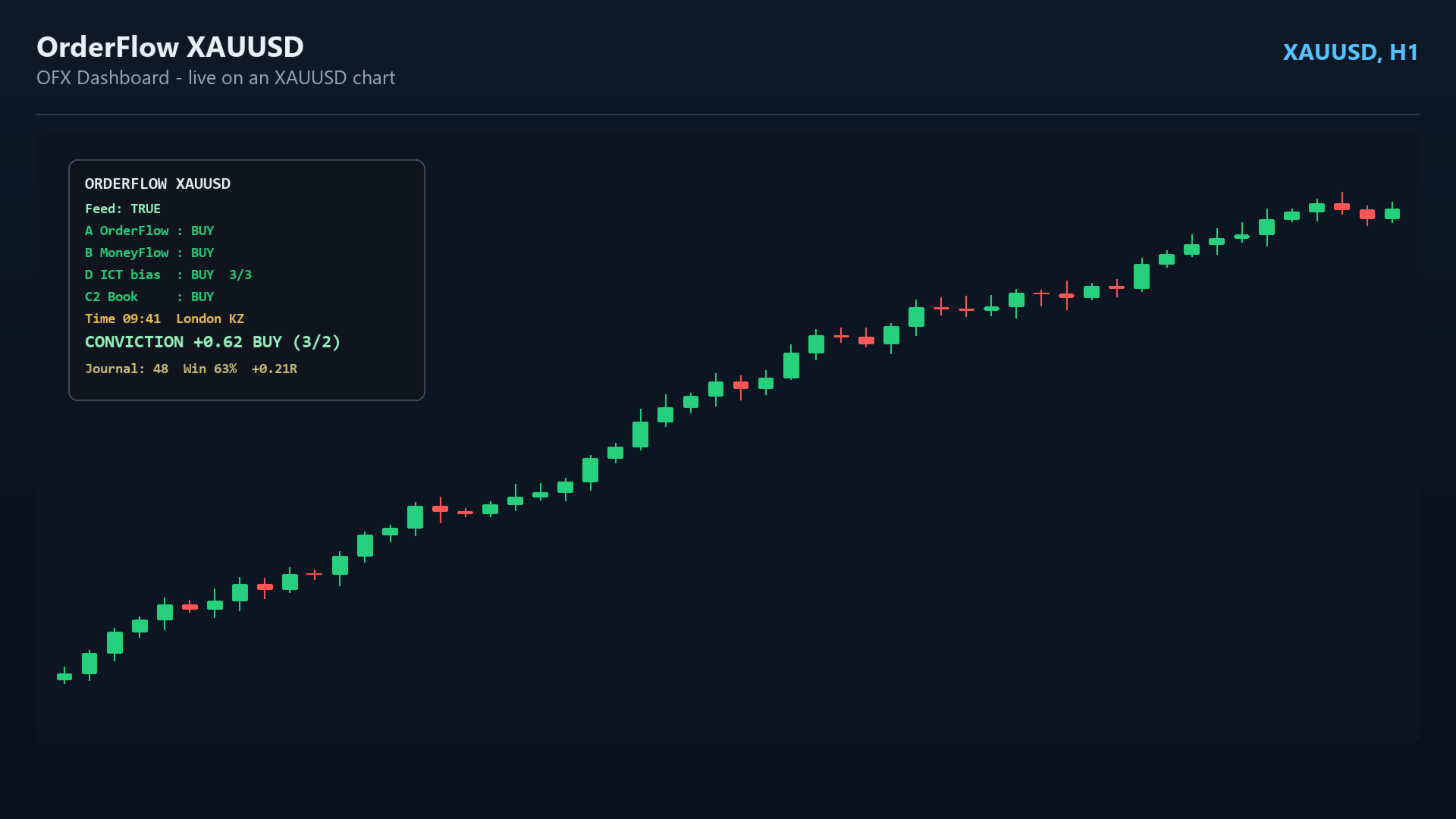
1. Attach OFX Dashboard to an **XAUUSD H1** chart — the panel appears top-left.
2. Read each engine row, the ICT alignment, the kill-zone time, and the combined
CONVICTION line.
3. Act when conviction is strong AND enough engines agree; use the kill-zone timing
to refine entries.
-------------------------------------------------------
INPUTS / PARAMETERS
-------------------------------------------------------
Conviction (mirror EA):
• **InpW_OrderFlow** — weight of the OrderFlow engine in the blend (default: 0.30)
• **InpW_MoneyFlow** — weight of the MoneyFlow engine (default: 0.20)
• **InpW_ICT** — weight of the ICT-bias engine (default: 0.35)
• **InpW_Book** — weight of the DOM-book engine (default: 0.15)
• **InpConviction** — |net| threshold to call a signal, 0..1 (default: 0.45)
• **InpMinEngines** — how many engines must agree on direction (default: 2)
• **InpBiasBars** — bars per timeframe used for ICT bias (default: 200)
• **InpSwingW** — swing-pivot half-width in bars (default: 3)
• **InpScanBars** — bars scanned for FVG confluence (default: 300)
Time (mirror EA):
• **InpBrokerWinter** — broker GMT offset in winter, minutes (default: 120 = EET)
• **InpBrokerDST** — broker DST calendar (default: US)
• **InpAutoCalib** — auto-detect the broker's GMT offset (default: true)
Panel:
• **InpJournalFile** — journal CSV the win-rate is read from (default: OFX_journal.csv)
• **InpX** — panel X position from the left (default: 12)
• **InpY** — panel Y position from the top (default: 20)
• **InpTitleCol** — title text colour (default: White)
• **InpPrefix** — object-name prefix for the panel (default: OFXDASH_)
-------------------------------------------------------
NOTE ON DATA HONESTY
-------------------------------------------------------
OFX only shows metrics your broker's feed can actually support. Where real data
isn't available it labels the read **PROXY** (or "no DOM") instead of inventing
numbers, and the journal win-rate reflects only real logged trades. This is by
design.












































so far it is good in demo account hopefully it will work in LIVE account too, will update once i start in LIVE too thanks BRO.