
Matrix Scalper Pro
- Experts
-
Joshy Antony
 Professional Gold trader and MQL5 developer specializing in automated trading systems for XAUUSD.
Developed Matrix Gold Pro EA — a multi-strategy system with 12 trading strategies, smart risk management, and Telegram alerts. Trading Gold since 2013. - Versione: 2.7
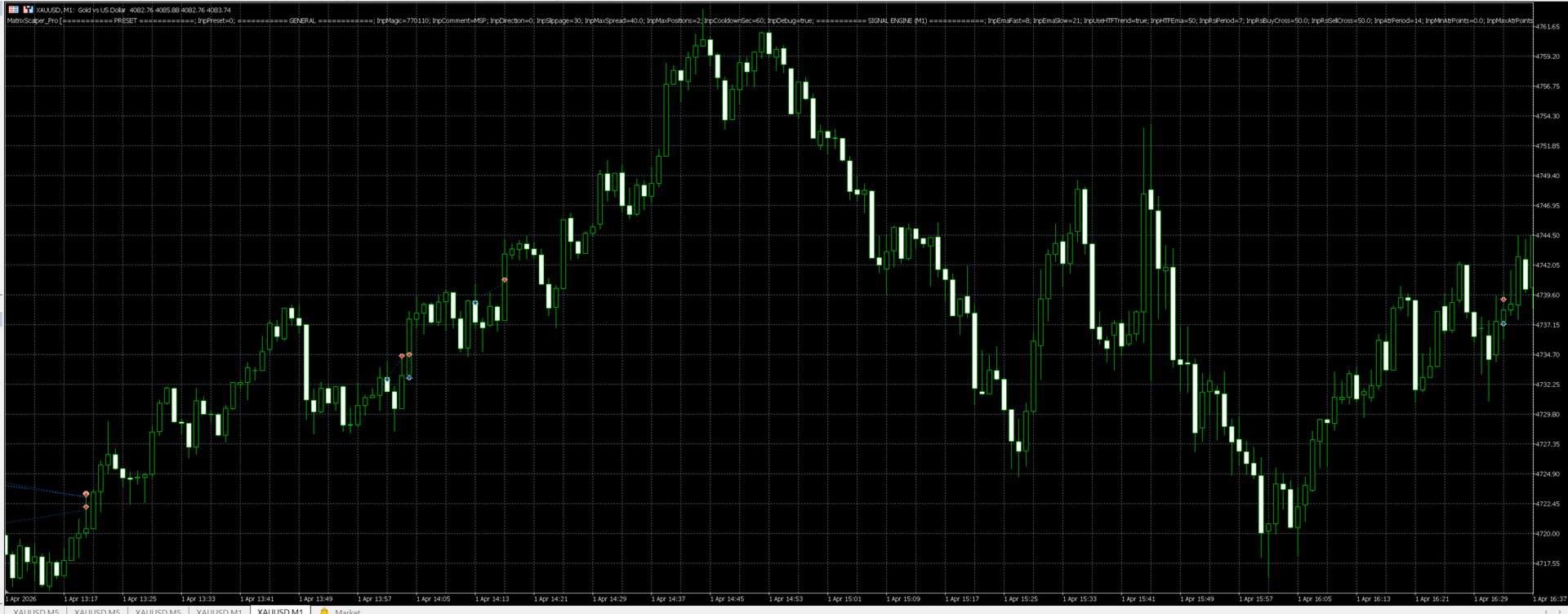
Matrix Scalper Pro is an Expert Advisor for XAUUSD on the M1 timeframe. It combines a trend-filtered momentum entry with an optional grid recovery module, a full set of trading filters, and an on-chart information panel. Every feature can be enabled or disabled through the inputs.
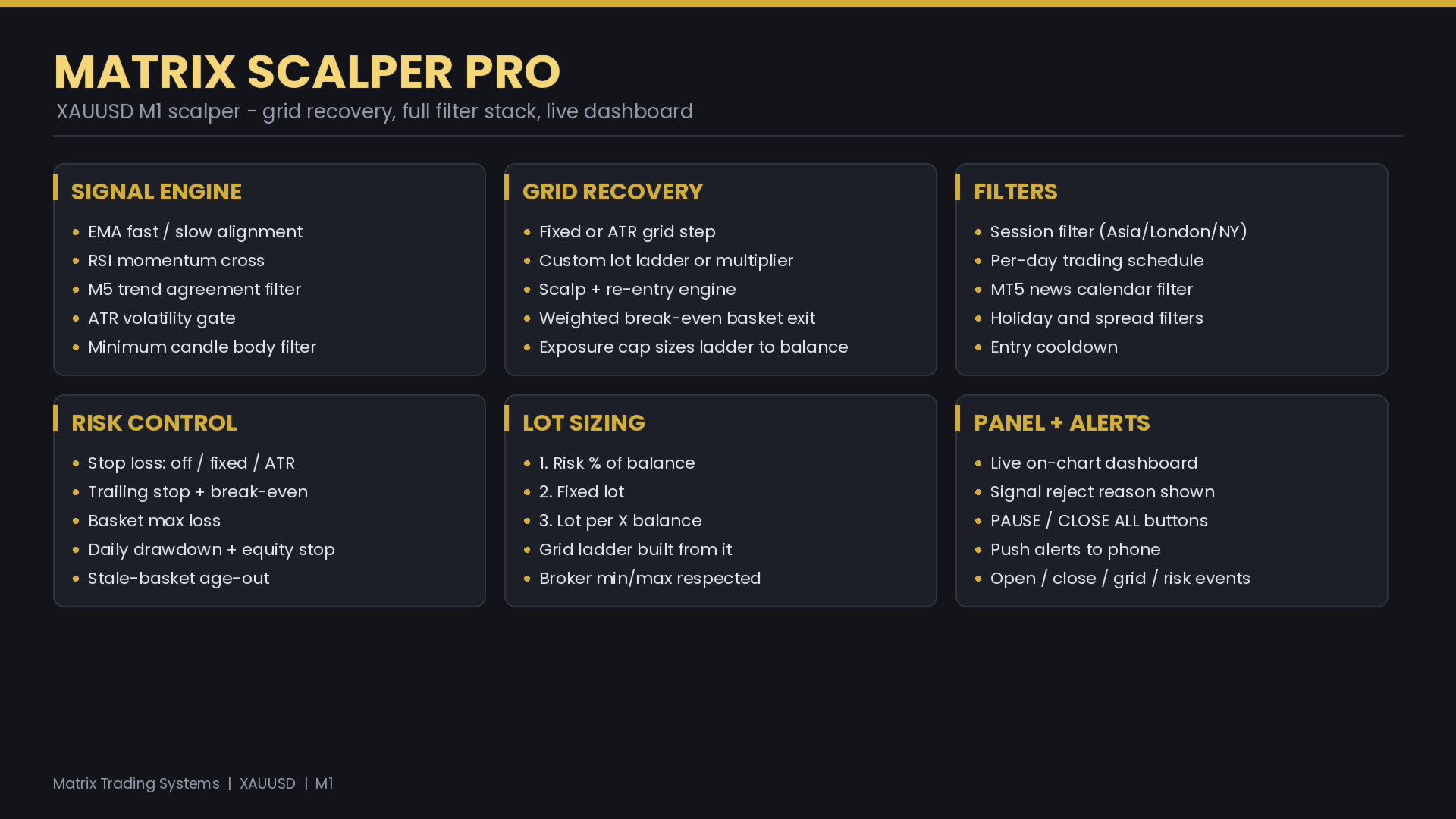
The entry logic evaluates closed M1 bars. It checks the alignment of a fast and a slow EMA, a cross of the RSI in the direction of that trend, and optional agreement with an M5 trend filter. An ATR volatility gate and a minimum candle body filter help the advisor stand aside in flat or unstable conditions. A spread filter blocks entries when the spread is wide.
When the grid module is enabled, the advisor can average into an adverse move at a configurable step and manage the resulting positions as one basket. The grid step can be fixed in points or derived from ATR. The lot ladder can follow a multiplier or a custom sequence that you supply. A scalp option closes the deepest level once it turns positive and re-enters that level if price returns, so accumulated profit is carried toward the basket target. An exposure control sizes the ladder to the account balance, so that a large adverse move in gold stays within a chosen share of the balance.
Risk settings are independent of each other. The stop loss and take profit can each be off, fixed in points, or derived from ATR. A trailing stop and a break-even function are available, with a cost buffer so that a protective stop is not placed inside spread and commission. Account level controls include a basket loss limit, a maximum daily drawdown, a total equity stop, a daily profit target, a margin level guard, and a maximum basket age. On accounts below a defined balance the grid stays off and each trade carries its own stop.
The initial lot can be set three ways: as a percentage of balance risked per trade, as a fixed volume, or as a lot per a chosen amount of balance. The grid ladder is built from that initial lot.
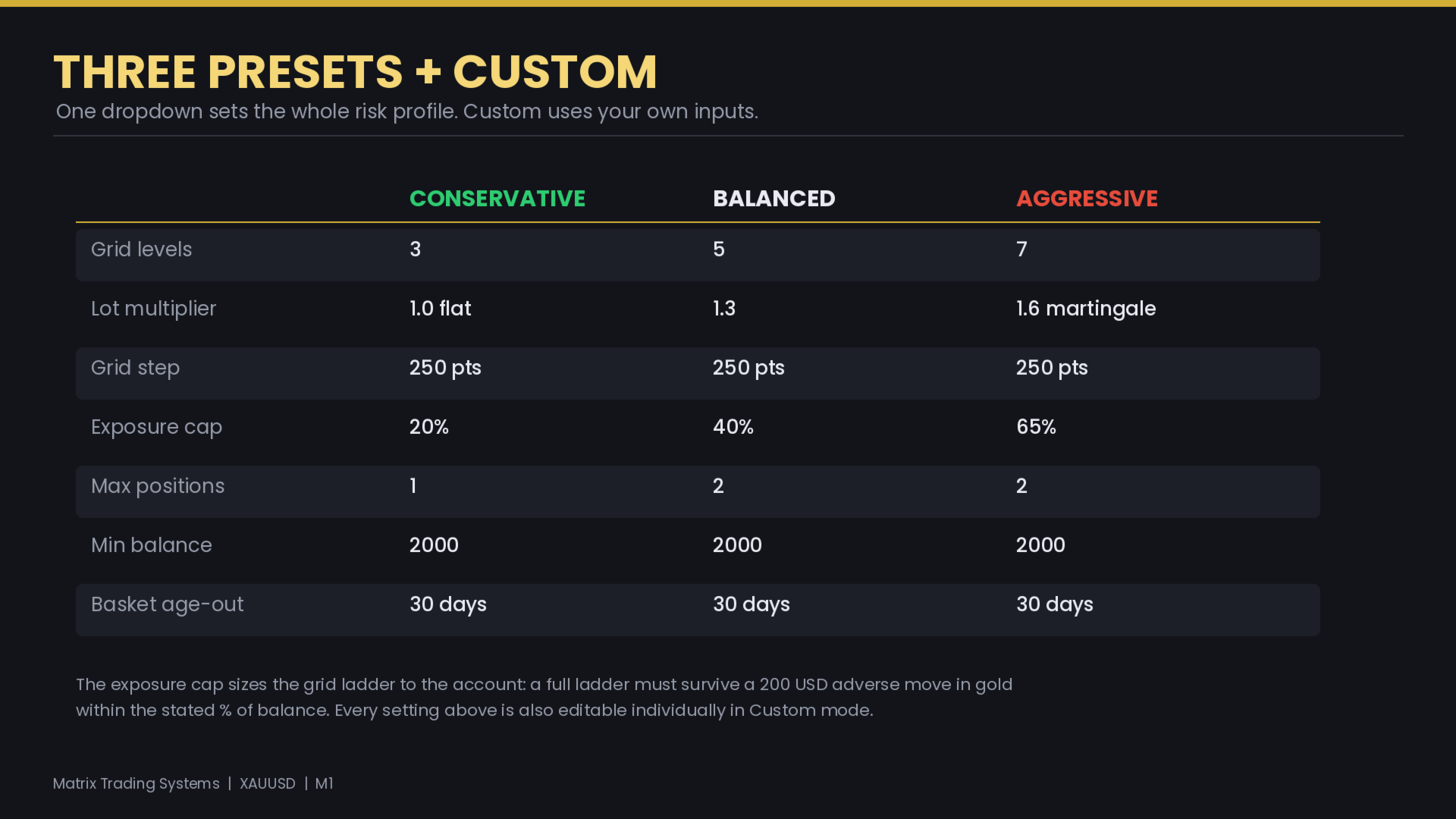
A preset input offers Conservative, Balanced, and Aggressive profiles that set the grid and risk group as a group, along with a Custom option that uses the inputs exactly as entered.
The panel shows the symbol, spread, ATR, the current signal or the reason a signal was rejected, session and schedule state, news state, grid level, basket lots, weighted break-even, basket age, floating profit, banked profit, and net result. Buttons for pause and close all are included. The advisor can send notifications to the MetaTrader mobile application on trade open, trade close, grid addition, basket close, and risk events.
Requirements
Symbol: XAUUSD. Timeframe: M1. Account type: hedging. The advisor detects two and three digit gold quotes and scales its point based settings automatically. A low spread account and a stable connection are recommended for M1 trading.
Risk note
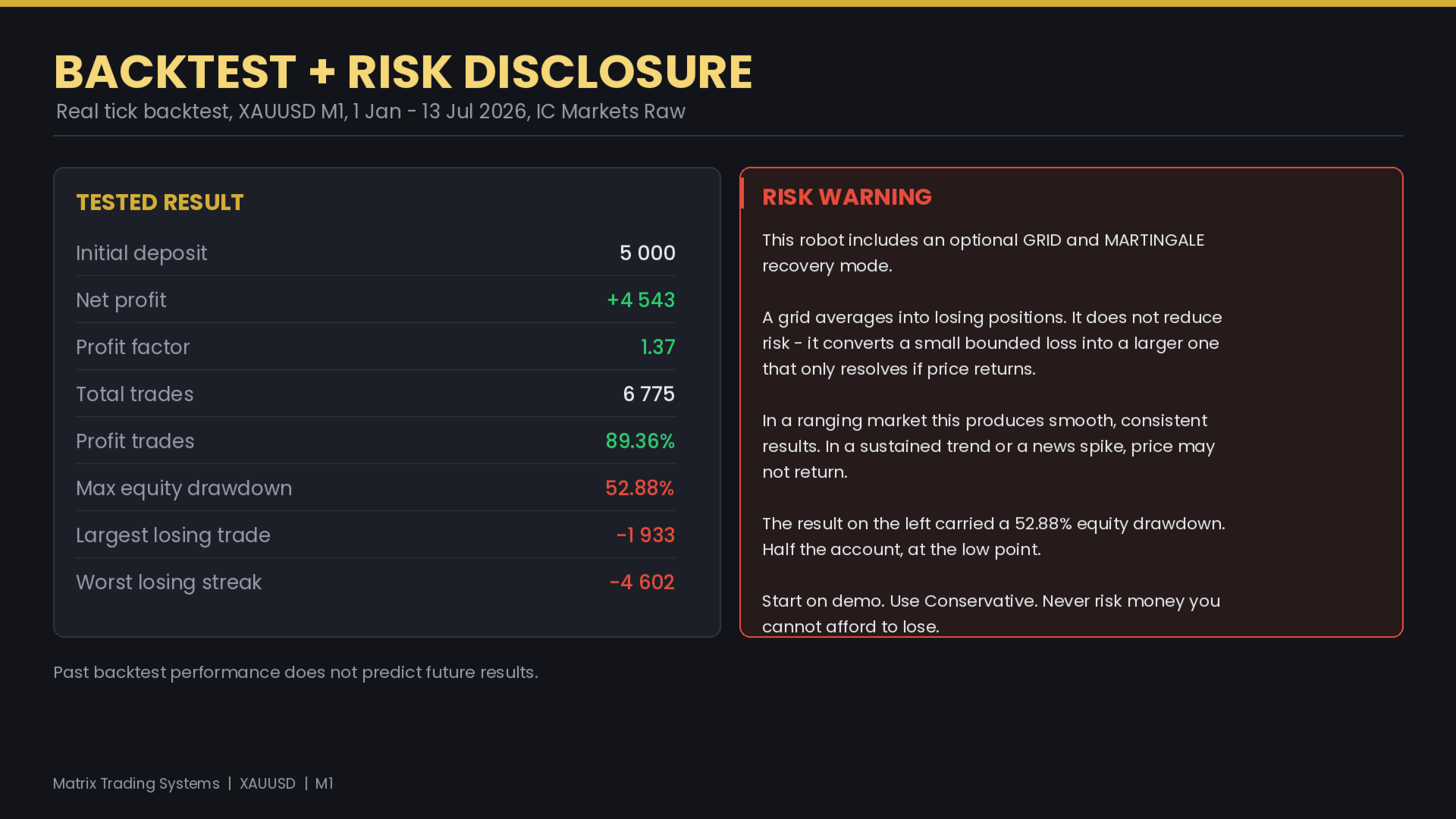
The grid module averages into losing positions. This does not reduce risk; it holds an adverse position open in the expectation that price returns. In a ranging market this can produce a smooth result. In a sustained trend or during a news event price may not return, and the open loss can grow. The backtest figures shown in the screenshots are results of the Strategy Tester and are not results of real trading. Test the advisor in the Strategy Tester across several years, including trending periods, and start on a demo account.
Main inputs
General: magic number, trade comment, trade direction, slippage, maximum spread, maximum positions, entry cooldown.
Signal: EMA fast and slow, M5 trend filter and period, RSI period and cross levels, ATR period, minimum and maximum ATR, minimum candle body.
Initial lot: lot mode, risk percent and reference stop, fixed lot, lot per balance and balance step, minimum and maximum lot.
Stop loss and take profit: mode, fixed points, ATR multiplier for each.
Trailing and break-even: mode, start and distance, step, break-even trigger and lock, commission, cost buffer.
Risk control: daily profit target, maximum daily drawdown, total equity stop, margin level guard, close on limit.
Session and schedule: session filter with Asian, London and New York windows; per day trading hours; close at schedule end.
News and holiday: news filter by importance and currency with minutes before and after; holiday date list with Friday and Monday cut-offs.
Grid: enable grid, minimum balance, step mode and size, maximum levels, lot multiplier or custom ladder, delay between additions, signal agreement option.
Grid scalp: enable scalp, minimum level, scalp target, maximum cycles, delay, count banked profit toward the target.
Basket exit: basket target in money, target beyond weighted break-even, basket trail, basket loss limit, maximum basket age.
Exposure control: enable, assumed adverse move in gold, maximum share of balance.
Notifications: push, terminal alert, email; events for open, close, grid addition, scalp, basket close, and risk limit.
Panel: show panel, position, accent colour.
Support is provided through the comments section of this product.





































i dont know who made this and why is this free, good maaan goood, its awesomee, little bit correct settings and get profit, thaaanks