KABABALI HYBRID AUTO EA BOT V3.21
Kababali Hybrid Auto EA Bot is a MetaTrader 5 Expert Advisor designed to identify and execute filtered BUY and SELL opportunities using trend direction, volatility, momentum, candle confirmation, and broker-aware trading protection.
The EA uses an EMA and ATR-based confirmation line as its main signal engine. A trade is opened only after the required confirmation candles and enabled filters have passed.
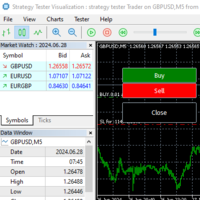
The Expert Advisor can display its current market reading, trend direction, confirmation level, signal status, filter results, trading gate, entry plan, Stop Loss, Take Profit, spread status, and account authorization directly on the chart.
HOW THE SIGNAL WORKS
With the default closed-bar and two-candle confirmation settings:
Candle 1:
A new BUY or SELL setup is detected.
Candle 2:
The EA checks whether the trend and confirmation conditions remain valid.
Candle 3:
The EA may open the trade at the first available tick, provided all trading and safety filters pass.
Example:
Candle 1 = BUY setup
Candle 2 = BUY confirmation
Candle 3 = BUY trade execution
The same process is used for SELL signals.
If the confirmation candle fails, the setup is canceled and no trade is opened.
EMA AND ATR CONFIRMATION LINE
The EA uses:
- Exponential Moving Average direction
- ATR-based distance from the EMA
- Upper confirmation level for BUY setups
- Lower confirmation level for SELL setups
- Dynamic confirmation levels that adjust to market volatility
The confirmation line is drawn directly on the chart and changes between green and red depending on the detected trend direction.
SIGNAL FILTERS
The EA supports the following configurable filters:
- EMA period
- ATR multiplier
- RSI BUY level
- RSI SELL level
- Bullish or bearish candle-color confirmation
- Closed-bar signal processing
- Custom candle confirmation count
- EMA slope direction
- Minimum candle-body size relative to ATR
- ADX trend-strength confirmation
- Whipsaw detection
- Maximum number of trend flips
- Custom whipsaw lookback period
- Bollinger Band width filter
- Bollinger Band expansion or contraction reading
- Momentum confirmation
These filters are designed to reject weak, unstable, narrow, or conflicting market conditions.
RSI FILTER
For a BUY setup, RSI must meet or exceed the selected BUY level.
For a SELL setup, RSI must meet or fall below the selected SELL level.
Default values:
- BUY RSI level: 52
- SELL RSI level: 48
ADX TREND-STRENGTH FILTER
The ADX filter measures whether the current trend has sufficient strength.
Default settings:
- ADX period: 14
- Minimum ADX: 23.5
When ADX is below the selected minimum, the EA identifies the trend as weak and prevents a confirmed trade entry.
WHIPSAW PROTECTION
The whipsaw filter counts recent changes between BUY and SELL trend states.
If the number of trend flips exceeds the selected maximum, the EA blocks the setup.
The chart panel can display a clear message such as:
WHIPSAW DETECT 3>2 BLOCK
Default settings:
- Whipsaw lookback: 10 candles
- Maximum trend flips: 2
BOLLINGER BAND FILTER
The Bollinger Band filter measures market expansion and contraction.
The EA compares Bollinger Band width with ATR.
The panel may display readings such as:
- BB 2.97 ATR
- EXPANDING
- CONTRACTING
A higher BB-to-ATR value indicates wider market movement, while a lower value indicates a tighter market condition.
Default settings:
- Bollinger period: 20
- Bollinger deviation: 2.0
- Minimum Bollinger width: 2.0 ATR
MOMENTUM FILTER
The Momentum filter helps confirm whether price movement agrees with the detected trend.
The panel displays:
- BULLISH
- BEARISH
- NEUTRAL
Default settings:
- Momentum period: 14
- BUY momentum level: above 100
- SELL momentum level: below 100
SPREAD PROTECTION
The EA checks the current spread before opening a position.
When the spread exceeds the selected maximum, trading is blocked.
Example panel message:
Gate: BLOCK
Reason: SPREAD DETECT 33>15 BLOCK
Last: SPREAD FILTER BLOCK
Default maximum spread:
15 points
The spread limit can be disabled by setting it to zero.
PRE-TRADE MARGIN VALIDATION
Version 3.21 includes a pre-trade margin safety check using the symbol, order direction, entry price, volume, leverage, and available account margin.
Before sending a BUY or SELL order, the EA calculates the estimated required margin.
If available free margin is insufficient:
- The trade request is not sent
- The EA prevents repeated “No money” server errors
- The signal is blocked safely
- The chart panel displays a margin-related block reason
This improves operation during low-balance Strategy Tester validation and on live accounts with limited free margin.
BROKER-AWARE ORDER EXECUTION
The EA includes broker-aware execution handling for:
- Symbol minimum volume
- Symbol maximum volume
- Symbol volume step
- Price tick size
- Symbol filling mode
- Broker Stop Level
- Minimum SL distance
- Minimum TP distance
- Slippage limit
- Market trading availability
- Free-margin availability
The EA does not force a zero or invalid lot size into the broker’s minimum volume.
ORDER RESULT VERIFICATION
The EA checks the broker trade result after opening or closing a position.
A trade is considered successful only after the broker returns a valid successful result.
This prevents the EA from incorrectly recording a rejected order as an executed trade.
STOP LOSS AND TAKE PROFIT
The EA supports ATR-based and fixed-point exits.
ATR-based mode:
- Stop Loss based on ATR
- Take Profit based on ATR
- Automatic adaptation to current volatility
Default ATR settings:
- Stop Loss: 3.0 ATR
- Take Profit: 8.0 ATR
Fixed mode:
- Fixed Stop Loss in points
- Fixed Take Profit in points
Default fixed settings:
- Fixed Stop Loss: 100 points
- Fixed Take Profit: 150 points
Minimum-distance protection:
- Minimum Stop Loss: 80 points
- Minimum Take Profit: 120 points
The EA also adjusts the levels according to the symbol’s tick size and broker-required minimum Stop Level.
ACCOUNT-CURRENCY PROFIT TARGET
The EA includes an optional combined floating-profit target.
When the combined floating profit of the EA’s positions on the current symbol reaches the selected target, the EA closes the applicable positions.
The target is measured in the account deposit currency.
For example:
- USD account: target is measured in USD
- EUR account: target is measured in EUR
- JPY account: target is measured in JPY
Default target:
10 units of the account currency
ONE-POSITION MODE
When One Position Only is enabled, the EA prevents multiple positions from being opened for the same symbol and Magic Number.
This helps prevent duplicate entries from the same confirmed signal.
OPPOSITE-SIGNAL REVERSAL
The EA can optionally reverse an existing position when a confirmed opposite signal appears.
Available controls include:
- Reverse on opposite signal
- Close opposite position only when profitable
- Reverse profit buffer in points
Before reversal, the EA checks the current position, broker trading conditions, spread, margin, and order requirements.
TRADING SESSION
The EA includes an optional server-time trading-session filter.
Available settings:
- Enable or disable trading session
- Session start hour
- Session end hour
- Support for normal and overnight sessions
Default session:
04:00 to 23:00 broker/server time
The trading-session filter is disabled by default.
ON-CHART INFORMATION PANEL
The real-time chart panel displays:
- EA version
- Symbol and timeframe
- Live connection status
- Current spread and spread limit
- Market price
- Confirmation price
- Current BUY or SELL trend
- Weak-trend status
- RSI value
- ADX value and minimum requirement
- Bollinger Band width in ATR
- Expanding or contracting Bollinger condition
- Momentum direction
- Current signal
- Confirmation progress
- Entry plan
- Stop Loss
- Take Profit
- Confirmed arrow time
- Auto Trading status
- Trading gate
- Current block reason
- Last EA action
- API connection status
- Account tier
Examples of trading-gate messages include:
- WAITING FOR SIGNAL
- CONFIRMING BUY 1/2
- CONFIRMING SELL 1/2
- SPREAD DETECT BLOCK
- WHIPSAW DETECT BLOCK
- MARGIN BLOCK
- SESSION BLOCK
- NO CONFIRMED ARROW
VISUAL SIGNAL TOOLS
The EA can display:
- Dynamic confirmation line
- Historical BUY arrows
- Historical SELL arrows
- Confirmed signal candle
- Popup BUY and SELL alerts
- Current filter and trade-gate status
Historical arrows use the same confirmation logic as the executable closed-bar signal.
ACCOUNT AND API INTEGRATION
The EA includes Kababali account API verification and account-tier status display.
The API key is entered through the EA Inputs.
The EA can also synchronize selected account, market, position, history, and chart information with the connected Kababali dashboard when synchronization is enabled.
MT5 WebRequest permission may be required for live account verification and synchronization.
Strategy Tester operation handles account verification separately because WebRequest access may not be available during testing.
DEFAULT MAIN SETTINGS
- Trading enabled: Yes
- Lot size: 0.01
- Maximum spread: 15 points
- One position only: Yes
- Reverse on opposite signal: Yes
- EMA period: 21
- ATR multiplier: 0.35
- BUY RSI level: 52
- SELL RSI level: 48
- Closed-bar signals: Yes
- Candle confirmation: Yes
- Confirmation candles: 2
- EMA slope filter: Yes
- Minimum candle body: 0.15 ATR
- ADX filter: Yes
- Minimum ADX: 23.5
- Whipsaw filter: Yes
- Whipsaw lookback: 10 candles
- Maximum trend flips: 2
- Bollinger filter: Yes
- Minimum Bollinger width: 2.0 ATR
- Momentum filter: Yes
- ATR Stop Loss: 3.0
- ATR Take Profit: 8.0
- Minimum Stop Loss: 80 points
- Minimum Take Profit: 120 points
- Account-currency profit target: 10
- Magic Number: 777711
- Slippage: 30 points
WHAT IS NEW IN VERSION 3.21
- Added pre-trade margin validation
- Added required-margin calculation before order execution
- Blocks orders safely when free margin is insufficient
- Prevents repeated “No money” trade-server errors
- Improved compatibility with low-balance Strategy Tester validation
- Improved broker volume-step handling
- Improved symbol tick-size price normalization
- Improved trade filling-mode compatibility
- Improved order result and broker retcode verification
- Improved spread BLOCK display
- Added detailed whipsaw BLOCK reason
- Improved confirmation-price display
- Corrected BUY and SELL trend labels
- Improved WAITING FOR SIGNAL and confirmation status
- Corrected historical-arrow and execution-candle alignment
- Improved pending-signal expiration
- Improved account-currency profit-target display
- Improved BUY and SELL closed-trade reporting
RECOMMENDED USE
The EA can be used on forex, metals, indices, and other symbols supported by the trader’s MetaTrader 5 broker.
Performance and signal frequency depend on:
- Symbol
- Timeframe
- Broker pricing
- Spread
- Trading session
- Account leverage
- Selected lot size
- Filter configuration
- Market volatility
- Execution conditions
Test every symbol and timeframe separately before enabling live automated trading.
INSTALLATION
1. Download the compiled Expert Advisor file.
2. Open MetaTrader 5.
3. Select File, then Open Data Folder.
4. Open MQL5, Experts, and Advisors.
5. Place the EA file in the folder.
6. Refresh the Navigator or restart MetaTrader 5.
7. Attach the EA to the selected chart.
8. Review the Inputs.
9. Enable Algo Trading only after testing.
10. Begin with the Strategy Tester and a demo account.
IMPORTANT RISK NOTICE
Kababali Hybrid Auto EA Bot is automated trading software and does not guarantee profit, winning trades, fixed returns, or protection from loss.
Trading forex, metals, CFDs, indices, and other leveraged instruments involves substantial risk.
Results may be affected by spread, slippage, liquidity, broker execution, internet connection, market gaps, volatility, leverage, account balance, and user-selected settings.
Always backtest the EA, perform demo-account forward testing, use an appropriate lot size, and monitor live trading activity.
The trader remains responsible for all trading decisions, broker selection, account configuration, risk management, and the decision to enable automated trading.
-----------------------------------------------------------------------------------------------------------------------------------------------------------------------------------------------------------
Version 3.21
- Added pre-trade margin validation using OrderCalcMargin.
- Orders are blocked before execution when free margin is insufficient.
- Prevented repeated “No money” trade-server errors during low-balance tests.
- Added clearer margin, spread, and whipsaw BLOCK reasons.
- Improved broker volume-step, tick-size, filling-mode, and Stop Level compatibility.
- Improved broker result-code verification for position opening and closing.
- Improved closed-bar confirmation, historical-arrow alignment, and pending-signal expiration.
- Improved panel readings for trend, confirmation price, signal status, and trading gate.