
M1 Gold Scalper EA
- Experts
- Versione: 3.4
- Aggiornato: 1 aprile 2026
- Attivazioni: 10

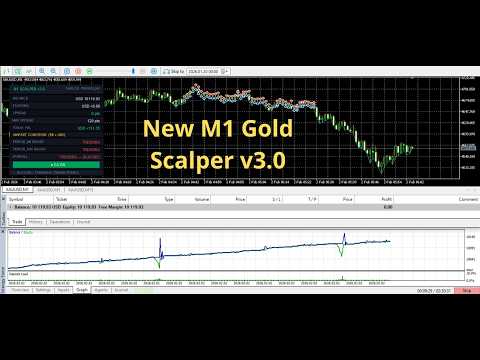
M1 Gold Scalper EA is a professional Expert Advisor built exclusively for XAUUSD (Gold) on MetaTrader 5. It places a pair of pending buy-stop and sell-stop orders on every new bar, captures breakout moves, and manages the trade automatically from entry through to exit — including a full bidirectional recovery grid when price moves against the initial position.
Every feature in this EA was refined through live trading across multiple brokers. The code handles 2-digit and 3-digit gold brokers transparently, passes the MQL5 Market certification test suite across EURUSD H1, XAUUSD D1, GBPUSD M30, and EURUSD M1 without errors, and is production-ready out of the box.
HOW IT WORKS
At the open of each bar the EA places one BuyStop above the market and one SellStop below. When either order fills, the opposing order is immediately cancelled. The filled position is then managed through break-even, a trailing stop, and — if enabled — a bidirectional recovery grid that can absorb adverse price moves and still exit with a combined profit.
KEY FEATURES
OCO Pending Orders — one BuyStop and one SellStop placed each bar. When one fills the other cancels automatically via OnTradeTransaction. Bidirectional Recovery Grid — two independent arms: a counter-direction arm that opens positions against the initial trade, and a same-direction arm that adds to winning moves. Both arms are bar-gated to one step per candle. Optionally, you can turn ON/OFF. Two-Constraint Lot Sizing — grid step lots grow geometrically but are always capped by a per-step balance risk percentage. The hard cap overrides the multiplier and prevents lot explosion. Dollar-Based Combined Trailing Exit — when the grid is active, all individual SL/TP values are removed and the only exit is a dollar trailing system applied to the total floating profit of all positions. Bollinger Bands + ADX Trend Filter — evaluates two higher timeframes independently. Classifies each as SIDEWAYS, NEUTRAL, or TRENDING. Blocks new seed entries when the overall condition is TRENDING. Does not block grid management on open positions. Break-Even System — moves the SL to a locked profit level once a configurable point threshold is reached on a single position. Trailing Stop — optional price-based trailing stop for single positions, fully independent from break-even. Daily Profit Target and Loss Limit — monitors both realised and floating P&L. Closes all positions and pauses when either limit is reached. Resets at midnight broker time. High-Impact News Filter — uses the MetaTrader 5 built-in economic calendar. No third-party subscription required. Suspends new entries for a configurable window before and after high-impact events. EA ON/OFF Dashboard Button — one-click toggle to pause or resume new seed entries without removing the EA. State persists through terminal restarts via GlobalVariables. Live Dashboard — compact panel showing balance, floating P&L, spread, max spread, today P&L, trend filter condition per timeframe, overall verdict, and a real-time status message. 2-Digit and 3-Digit Broker Compatibility — automatic point_multiplier detection ensures all point-based inputs and the spread filter work identically on 0.01 and 0.001 precision gold brokers. Orphan Guard — detects externally closed positions and count mismatches, closes any remaining chain, and resets state cleanly. GlobalVariable Persistence — all grid state survives terminal restarts, EA reloads, and chart template changes. Full Certification Compatibility — passes MQL5 Market tester on multiple symbols and timeframes including EURUSD H1, XAUUSD D1, GBPUSD M30, EURUSD M1. Semi-Automatic Trading ★ [NEW] BLOCK TREND: ON/OFF --> Click to toggle the trend-blocking filter on or off at runtime. CLOSE ALL ★ [NEW] --> Click to immediately close all EA-managed positions and reset grid state.
Symbol: XAUUSD (Gold) Timeframe: M1 Account type: ECN or STP with tight spreads Minimum balance: $5000 (recommended $10,000 or more with Recovery Mode enabled) VPS: strongly recommended for 24/5 uptime
INPUT PARAMETERS
--- STRATEGY SETTINGS ---
InpStopDistance — Distance in points above Ask and below Bid where the BuyStop and SellStop pending orders are placed on each new bar. Default: 30. InpTakeProfit — Take Profit distance in points from the order entry price. Set to 0 to rely on trailing stop only. Default: 400. InpStopLoss — Stop Loss distance in points from the order entry price. Applied to the seed order only. Removed automatically when Recovery Mode activates. Default: 500. InpExpiration — How many minutes the OCO pending orders remain active before expiring. Keep short on M1 to avoid stale fills. Default: 2.
--- TRADING HOURS (BROKER TIME) ---
InpStartHour — Broker server hour (0–23) when the EA begins placing new orders. Default: 2. InpEndHour — Broker server hour (0–23) when the EA stops placing new orders. Overnight windows (start > end) are supported. Default: 22.
--- BREAK-EVEN SETTINGS ---
InpUseBreakEven — Enable or disable the break-even system. Active on single positions only. Default: true. InpBreakEvenTrig — Points in profit required before break-even activates. Default: 30. InpBreakEvenLock — Points above entry where the SL is set when break-even triggers. Use 0 for exact breakeven. Default: 20.
--- RISK MANAGEMENT ---
InpUseRisk — When true, lot size is calculated from InpRiskPercent of balance. When false, uses fixed InpLotSize. Default: false. InpRiskPercent — Percentage of account balance to risk per seed trade when InpUseRisk is true. Default: 0.1. InpLotSize — Fixed seed lot size when InpUseRisk is false. Recovery grid lots are calculated separately. Default: 0.01. InpMaxSpread — Maximum allowed spread in user points (2-digit scale). Works identically on 2-digit and 3-digit brokers — no adjustment needed when switching. Default: 40.
--- NEWS FILTER ---
InpAvoidNews — Enable or disable the news filter. Default: true. InpMinsBefore — Minutes before a high-impact news event to suspend new entries. Default: 30. InpMinsAfter — Minutes after a high-impact news event before resuming new entries. Default: 30.
--- TRAILING STOP SETTINGS ---
InpUseTrailing — Enable or disable the trailing stop. Active on single positions only. When Recovery Mode is active, the combined dollar trailing system takes over instead. Default: false. InpTrailingStart — Points in profit the single position must reach before trailing begins. Default: 60. InpTrailingStop — Distance in points behind the current price where the trailing SL is placed. Default: 30. InpTrailingStep — Minimum SL improvement in points before a modification is sent to the server. Default: 20.
--- RECOVERY (BIDIRECTIONAL GRID) SETTINGS ---
InpUseRecovery — Master switch for Recovery Mode. When false the EA operates as a clean single-position scalper. Default: false. InpRecoveryGap — Distance in points between each grid level on both arms. Default: 150. InpMaxRecoverySteps — Maximum steps per arm (0–8). Total maximum open positions = 1 + 2 x N. Default: 4. InpGridMultiplier — Geometric lot multiplier per grid step. Each step lot = previous lot x multiplier, subject to InpMaxStepRiskPct cap. Default: 1.5. InpMaxStepRiskPct — Hard cap: maximum percentage of current balance that a single grid step may risk over one gap distance. Always overrides the geometric multiplier. Default: 2.0. InpMarginBuffer — Free margin safety multiplier applied before placing any grid step or OCO order. 1.5 means 150% of required margin must be available. Default: 1.5.
--- RECOVERY EXIT ---
InpHedgeProfitTarget — Minimum combined floating profit in account currency that must first be reached before the trailing exit can fire. Default: 0.20. InpRecoveryTrailStep — Once InpHedgeProfitTarget is reached, all positions close if combined profit pulls back by this amount from the peak. Default: 0.40.
--- DAILY LIMITS ---
InpDailyProfitTarget — Close all positions and pause for the day when combined realised and floating P&L reaches this dollar value. Default: 1500.0. InpDailyLossLimit — Close all positions and pause for the day when combined P&L falls to negative this dollar value. Default: 1000.0. InpUseAlerts — Send a MetaTrader Alert popup when daily limits are hit or the EA ON/OFF button is toggled. Default: true.
--- TREND FILTER (BB + ADX) ---
InpTrendTF1 — Primary trend assessment timeframe. Default: PERIOD_M5. InpTrendTF2 — Secondary trend assessment timeframe. Default: PERIOD_M15. InpBBPeriod — Bollinger Bands period applied on both trend timeframes. Default: 20. InpBBDeviation — Bollinger Bands standard deviation. Default: 2.0. InpADXPeriod — ADX indicator period. Default: 14. InpADXSideways — ADX below this value classifies the timeframe as SIDEWAYS. Default: 20. InpADXTrending — ADX at or above this value classifies the timeframe as TRENDING. Default: 25. InpBlockOnTrend — Block new seed entries when the overall trend verdict is TRENDING. Set false to trade in all conditions. Default: true.
--- DASHBOARD ---
InpDashX — Horizontal pixel position of the dashboard panel from the left edge of the chart. Default: 20. InpDashY — Vertical pixel position of the dashboard panel from the top edge of the chart. Default: 20. InpMagicNum — Magic number for this EA instance. Use different values when running multiple instances on different symbols. Default: 123456.
Every feature in this EA was refined through live trading across multiple brokers. The code handles 2-digit and 3-digit gold brokers transparently, passes the MQL5 Market certification test suite across EURUSD H1, XAUUSD D1, GBPUSD M30, and EURUSD M1 without errors, and is production-ready out of the box.
HOW IT WORKS
At the open of each bar the EA places one BuyStop above the market and one SellStop below. When either order fills, the opposing order is immediately cancelled. The filled position is then managed through break-even, a trailing stop, and — if enabled — a bidirectional recovery grid that can absorb adverse price moves and still exit with a combined profit.
KEY FEATURES
INPUT PARAMETERS
--- STRATEGY SETTINGS ---
--- TRADING HOURS (BROKER TIME) ---
--- BREAK-EVEN SETTINGS ---
--- RISK MANAGEMENT ---
--- NEWS FILTER ---
--- TRAILING STOP SETTINGS ---
--- RECOVERY (BIDIRECTIONAL GRID) SETTINGS ---
--- RECOVERY EXIT ---
--- DAILY LIMITS ---
--- TREND FILTER (BB + ADX) ---
--- DASHBOARD ---
Note:
- Always test on a demo account first to familiarize yourself with the EA’s behavior and the volatility of Gold.
- Use a Cent account if you do not have a large amount of funds.
- Use Semi-Automatic Trading with proper see trend confirmation. If you want to trade with a low balance, remember that responsibility is entirely in your hands.
- Get the file set and Manual Guide inside our Telegram Group
- Contact: https://t.me/eadevgold
- Join our community: https://t.me/m1goldscalper































I would like to give my honest and highest recommendation to Achmad Benny for his M1 Gold Scalper EA. This EA is a highly refined and well-engineered algorithm, designed specifically for XAUUSD scalping with hedging. The bot takes calculative and precise trades, not random entries. It comes with fully automatic Take Profit and Stop Loss, along with dynamic trailing of both TP and SL, which makes trade management extremely efficient and stress-free. One of the best features is automatic lot sizing, which intelligently adjusts according to the available account balance and funds. This makes the EA suitable for different account sizes while maintaining proper risk control. The scalping logic on the M1 timeframe is smooth, fast, and well-balanced, allowing it to capture multiple opportunities without overtrading. What truly sets this EA apart, however, is Benny himself. His support, dedication, and helpfulness are exceptional. He is always responsive, patiently answers every doubt, and genuinely helps users understand the EA and optimize its performance. Such after-sales support is rare and extremely valuable in the algo trading space. Overall, this is a top-quality Gold scalping EA backed by a highly professional and supportive developer. I am fully satisfied and highly recommend Achmad Benny and his EA to anyone serious about automated Gold trading. Trustworthy EA. Solid logic. Excellent support. Highly recommended.