Decision Points
- Indicatori
- Versione: 1.0
- Attivazioni: 5

Decision Points
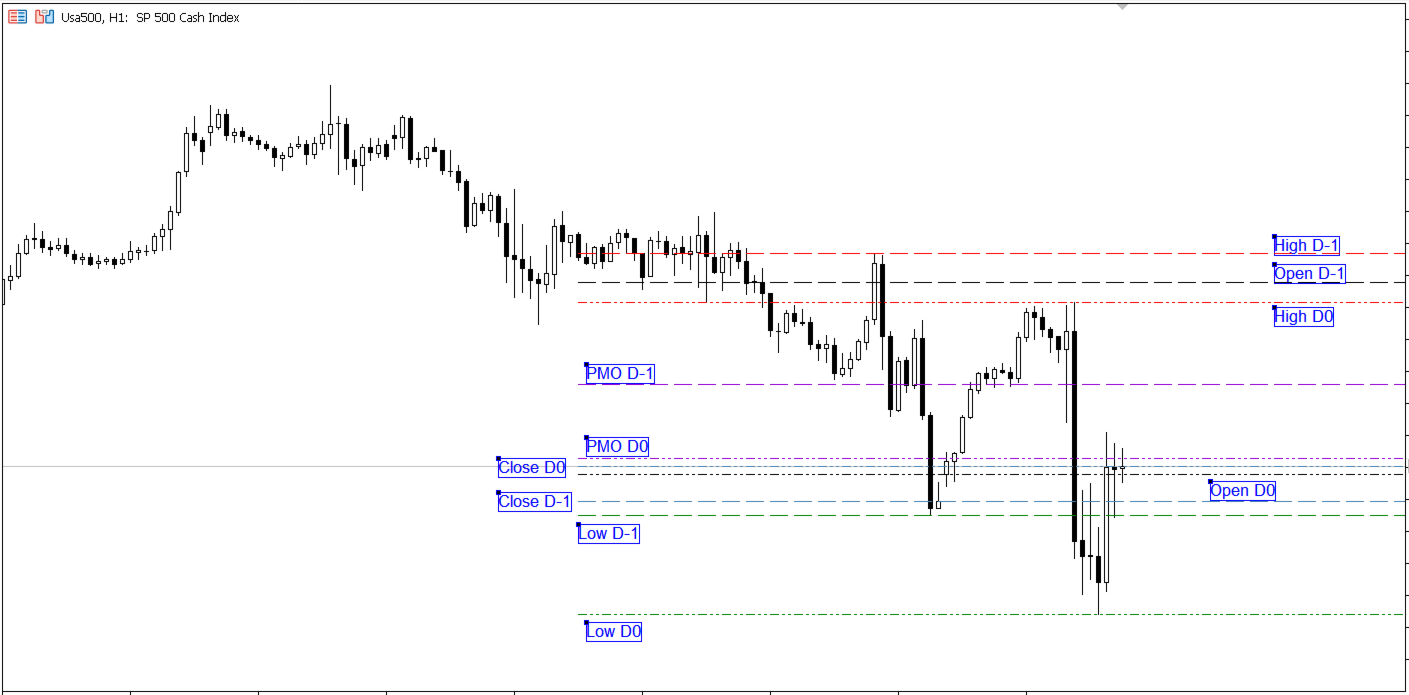
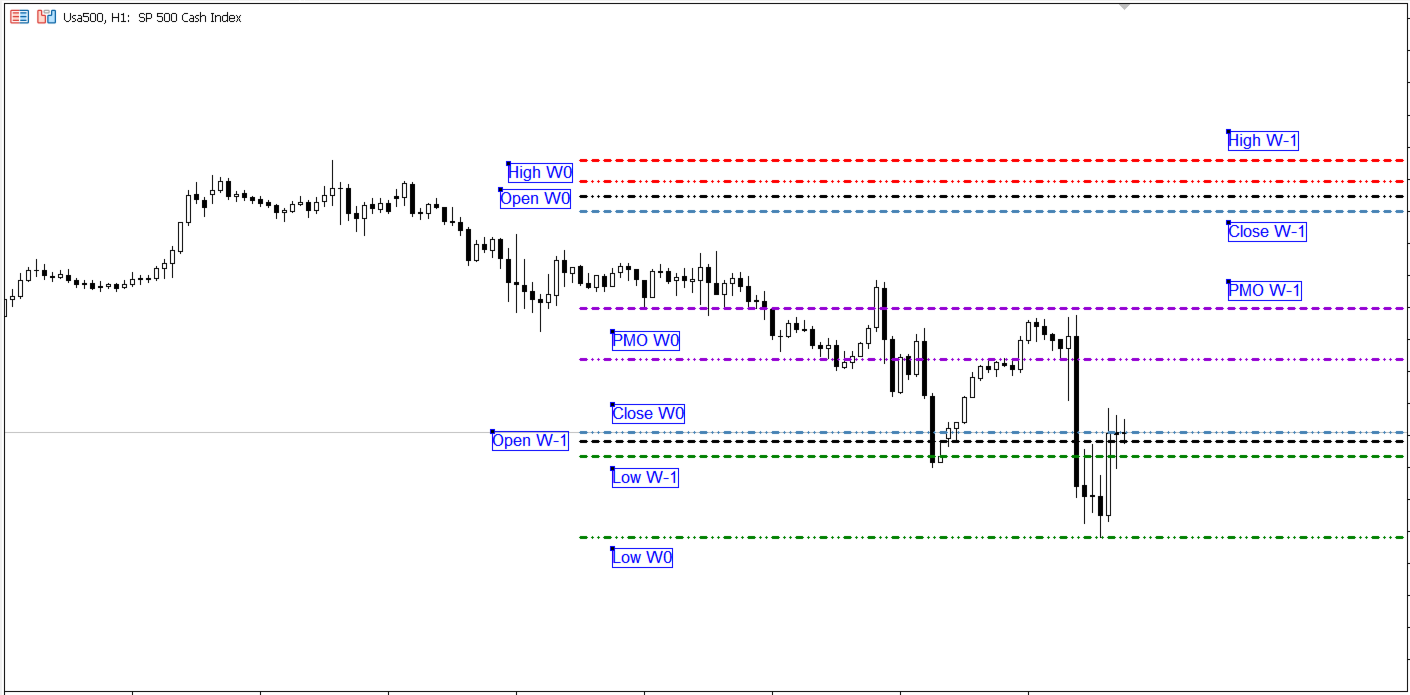
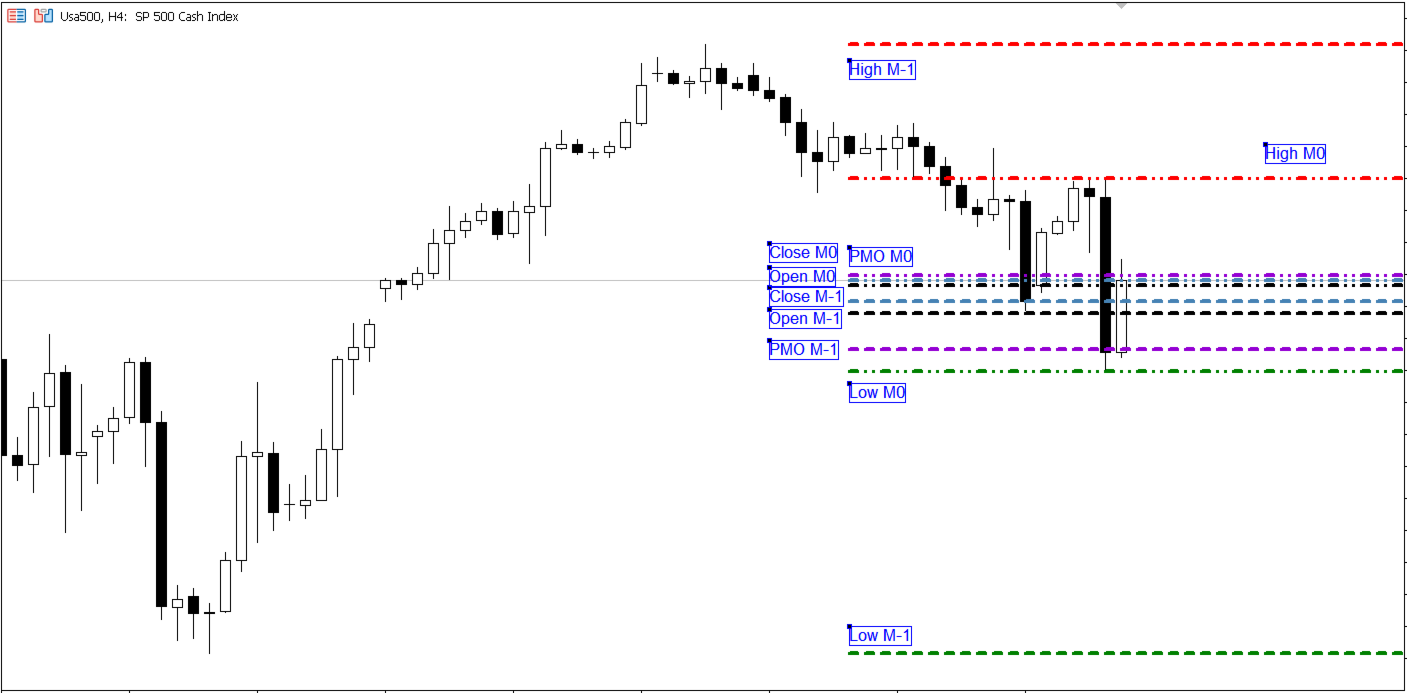
The Decision Points Indicator allows quick visualization of Open, Close, High, Low, and PMO (Oscillated Mean Price) values, highlighting support and resistance areas and visually marking critical zones on the chart. This facilitates fast interpretation and helps traders make timely, well-informed decisions.
Benefits
-
Time Saving: Reduces the time spent analyzing charts, as key zones are automatically highlighted.
-
Better Decision-Making: Helps avoid impulsive decisions by providing a clear and visual analysis of trading levels.
-
Improved Accuracy: Potentially increases trade accuracy by clearly displaying crucial information.
This indicator is especially useful for traders looking to optimize their strategies through solid technical analysis.
Inputs (Parameters)
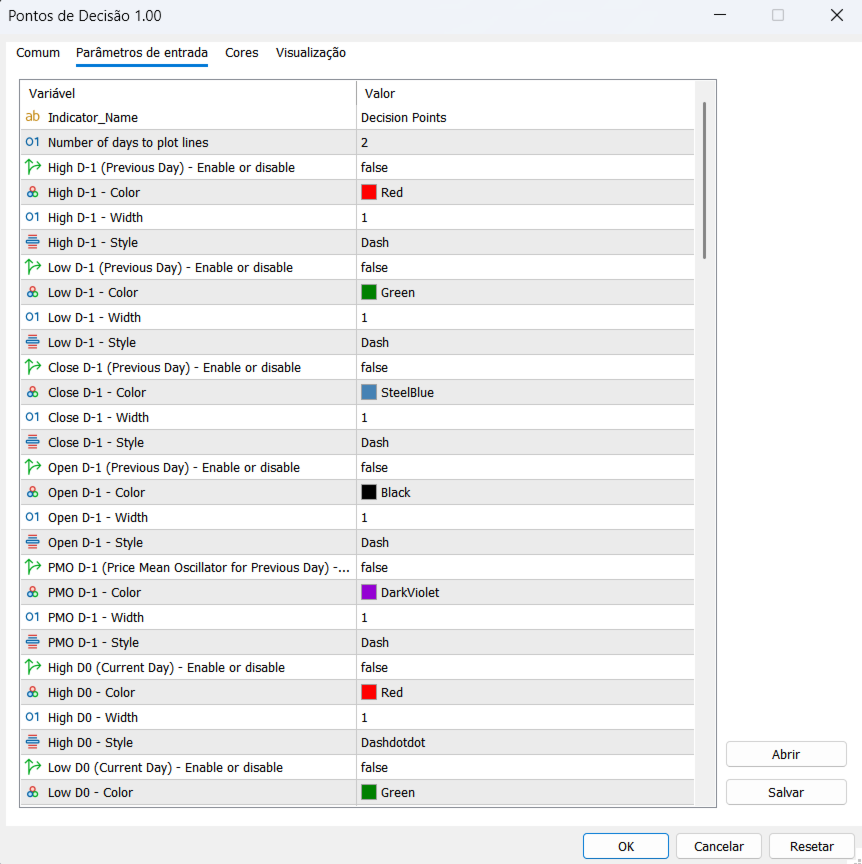
“Number of days to plot lines” defines how many days will be used to plot the lines:
-
0: Displays only the current day
-
1: Displays the current day and the previous day
-
Default = 2: Displays the current day plus the two previous days
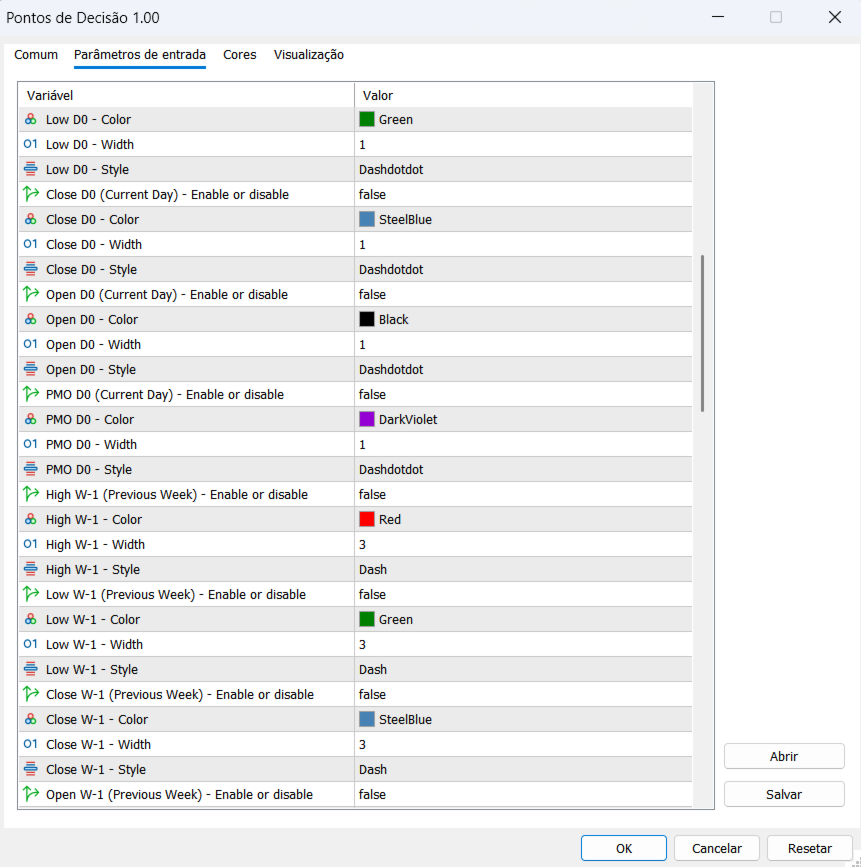
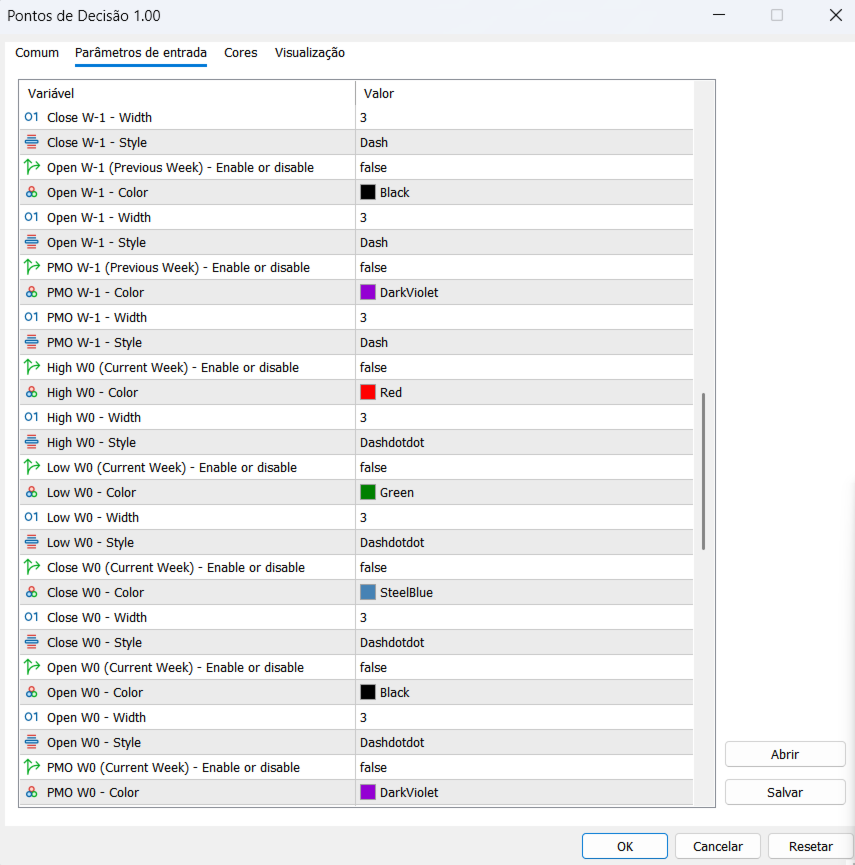
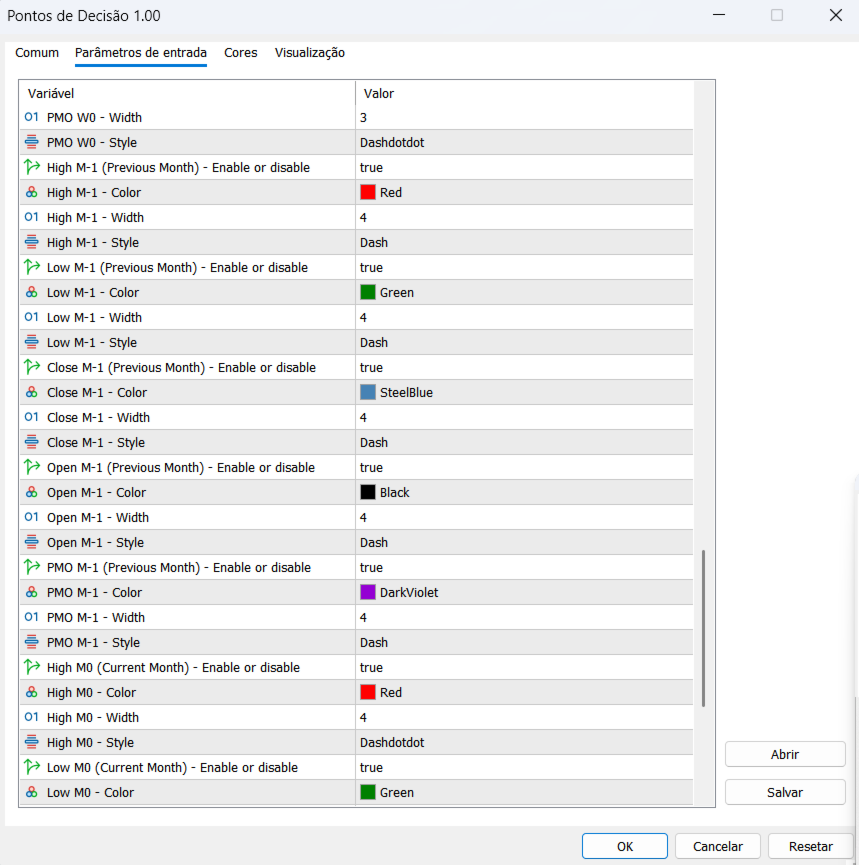
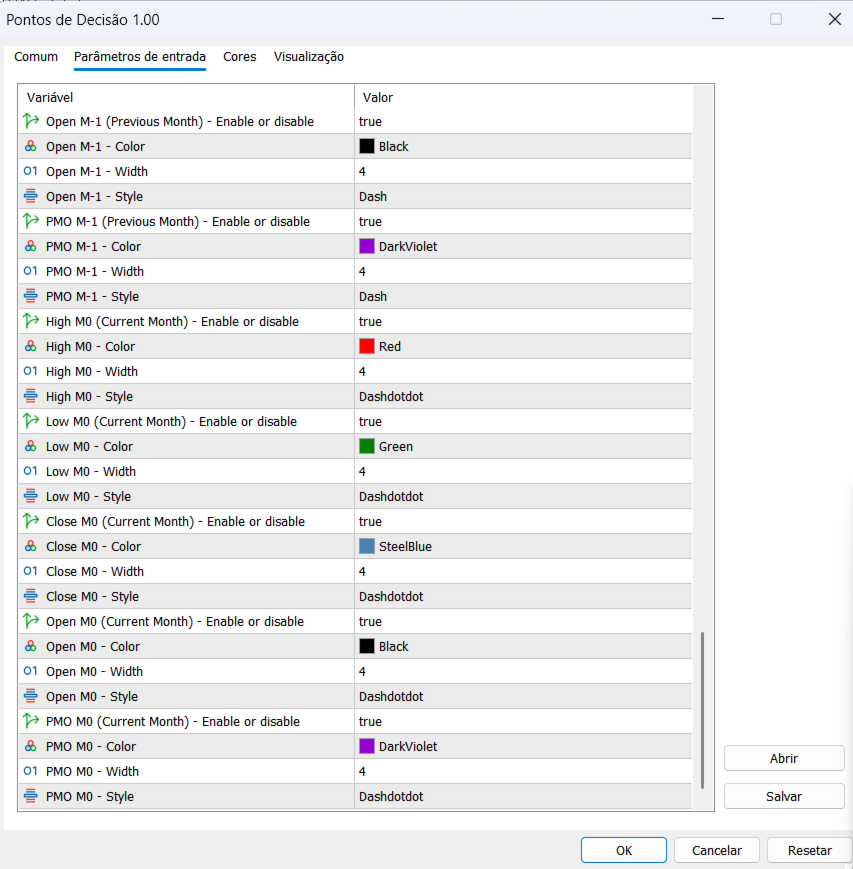
For each Decision Point, you can configure the color, line width, and line style.
Available Decision Points
Daily
-
High D-1 (Previous Day) – Previous Day High
-
Low D-1 (Previous Day) – Previous Day Low
-
Close D-1 (Previous Day) – Previous Day Close
-
Open D-1 (Previous Day) – Previous Day Open
-
PMO D-1 (Previous Day) – Previous Day PMO
-
High D0 (Current Day) – Current Day High
-
Low D0 (Current Day) – Current Day Low
-
Close D0 (Current Day) – Current Day Close
-
Open D0 (Current Day) – Current Day Open
-
PMO D0 (Current Day) – Current Day PMO
Weekly
11. High W-1 (Previous Week) – Previous Week High
12. Low W-1 (Previous Week) – Previous Week Low
13. Close W-1 (Previous Week) – Previous Week Close
14. Open W-1 (Previous Week) – Previous Week Open
15. PMO W-1 (Previous Week) – Previous Week PMO
16. High W0 (Current Week) – Current Week High
17. Low W0 (Current Week) – Current Week Low
18. Close W0 (Current Week) – Current Week Close
19. Open W0 (Current Week) – Current Week Open
20. PMO W0 (Current Week) – Current Week PMO
Monthly
21. High M-1 (Previous Month) – Previous Month High
22. Low M-1 (Previous Month) – Previous Month Low
23. Close M-1 (Previous Month) – Previous Month Close
24. Open M-1 (Previous Month) – Previous Month Open
25. PMO M-1 (Previous Month) – Previous Month PMO
26. High M0 (Current Month) – Current Month High
27. Low M0 (Current Month) – Current Month Low
28. Close M0 (Current Month) – Current Month Close
29. Open M0 (Current Month) – Current Month Open
30. PMO M0 (Current Month) – Current Month PMO
Default Settings
By default, all weekly and monthly Decision Points are disabled. In addition, Open D-1 and Close D0 are also disabled.