Time Dashboard
- Indicatori
- Versione: 1.4

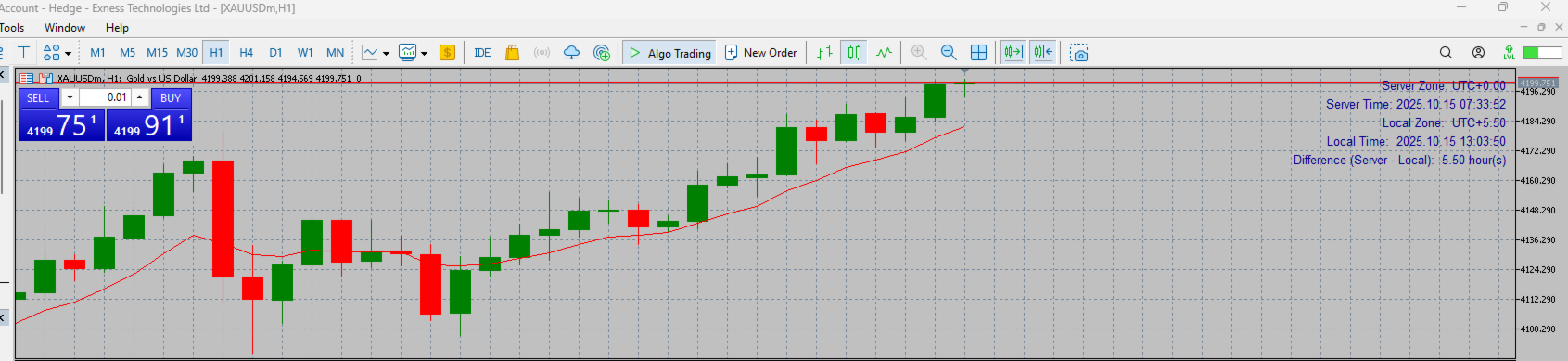
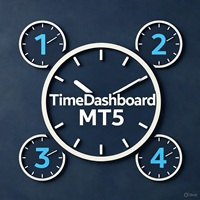
Time Dashboard MT5 is a powerful and user-friendly MetaTrader 5 indicator designed to provide real-time time zone and clock information directly on your trading chart. Ideal for forex traders and global market participants, this tool displays server time, local time, and the time difference between them, enhancing your ability to manage trades across different time zones.
Key Features:
- Real-Time Time Display: Shows current server time, local time, and their respective time zones with precise offsets (e.g., UTC+5.30).
- Accurate Time Zone Names: Displays the actual local time zone name (e.g., "India Standard Time") based on your system settings, ensuring clarity and relevance.
- Customizable Design: Allows users to adjust text color via indicator inputs, making it adaptable to your chart's theme.
- Dynamic Updates: Automatically refreshes every second for up-to-date information.
- Compact Interface: Neatly positioned labels on the right side of the chart, minimizing screen clutter.
Benefits:
- Stay synchronized with broker server time and your local time for better trade timing.
- Ideal for monitoring market sessions (e.g., London, New York, Tokyo) with accurate time differences.
- Enhances decision-making with a clear view of time zone offsets, especially in 24/5 trading environments.
Usage:
- Attach the TimeDashboard MT5 indicator to any chart in MetaTrader 5.
- Customize the text color through the indicator settings to match your preference.
- Monitor real-time updates for server zone, local zone, and time differences effortlessly.
Compatibility:
- Fully compatible with MetaTrader 5 on Windows platforms.
- Note: Local time zone name detection relies on system settings and may vary on non-Windows environments.
Perfect For: Traders seeking a reliable, visually appealing tool to manage time across global markets. Elevate your trading experience with TimeDashboard MT5!
Important Notes
✔ Ensure you are aware of and comply with your local trading and regulatory guidelines.
✔ The developer is not responsible for any financial losses, misuse, or regulatory violations related to this tool.
✔ Past performance does not guarantee future results — always test on a demo before going live.