Risk Panel MT5
- Utilitaires
-
Ravi Shakya
 I’m Ravi Shakya, an MT5 developer with 5 years of trading experience in NEPSE and Forex. I use Smart Money Concepts (SMC) and price action to create simple and useful trading indicators, tools, and Expert Advisors.
 - Version: 3.84
- Mise à jour: 29 octobre 2026
- Activations: 10
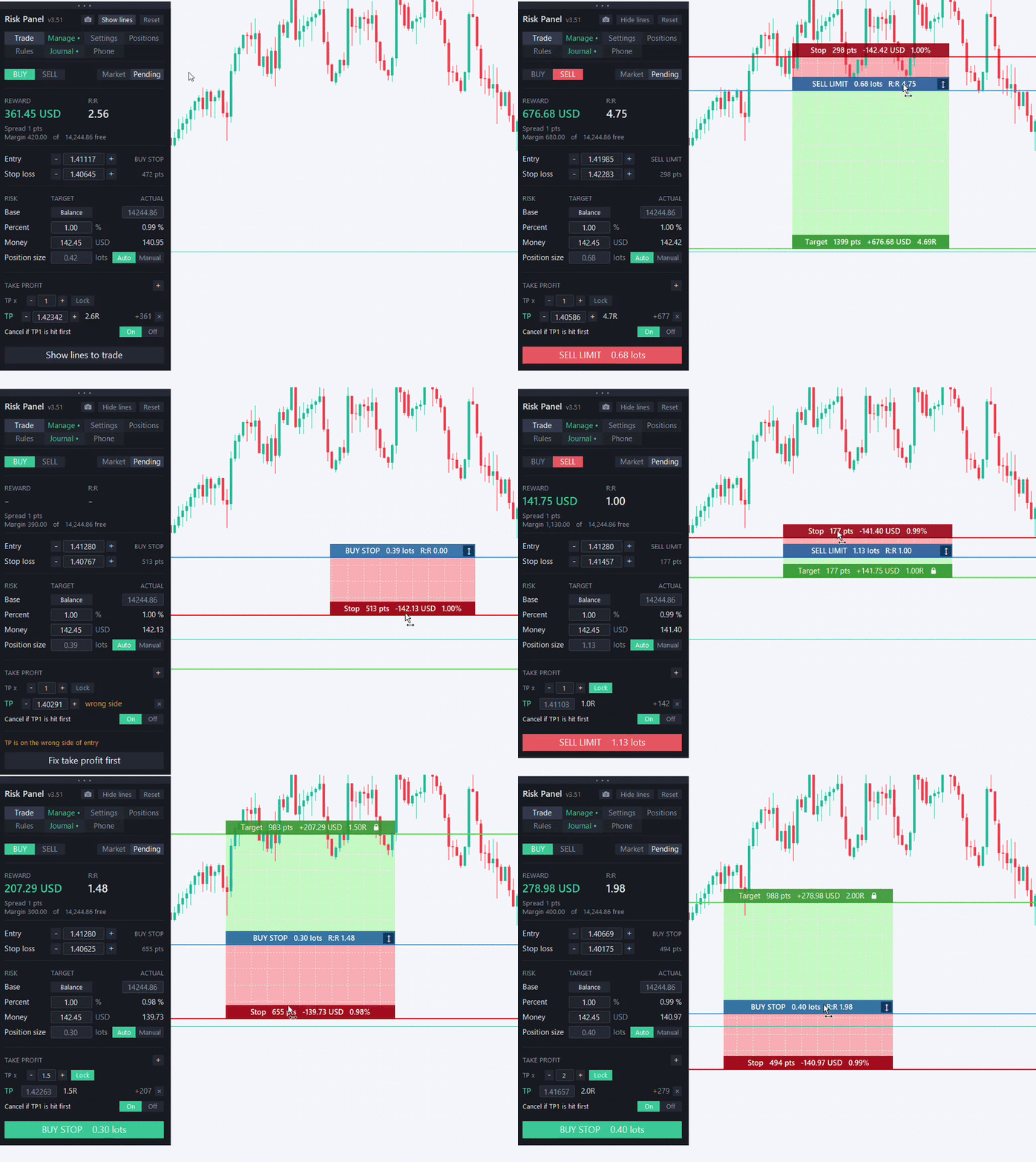
Risk Panel is a trade panel for MetaTrader 5 that sizes every trade by your risk and manages it from entry to exit. Drag the stop loss on the chart, and the lot size, money at risk and reward-to-risk update instantly. When the numbers look right, place the trade with one click.
It is made for manual traders who want the same risk on every trade, on forex, gold, indices and prop-firm accounts. It works with any broker, on netting and hedging accounts.
Plan and place the trade
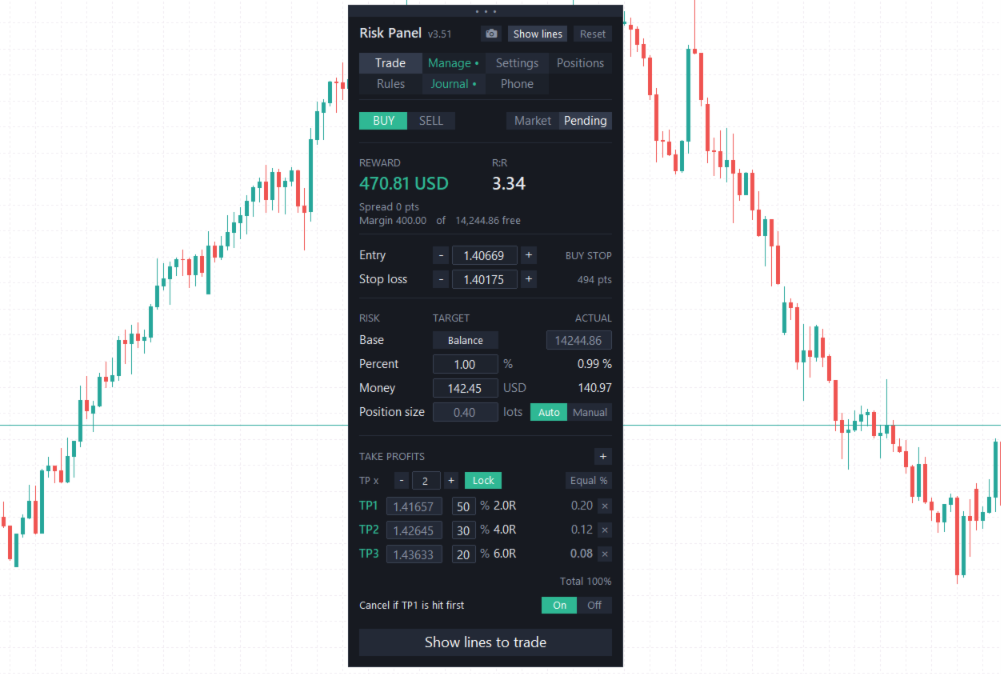
Type your risk as a percentage of balance, equity or free margin, or as a fixed amount of money. The panel works out the lot size for your stop distance, with commission included. If you prefer to choose the lots yourself, switch to Manual and the panel shows the real risk instead.
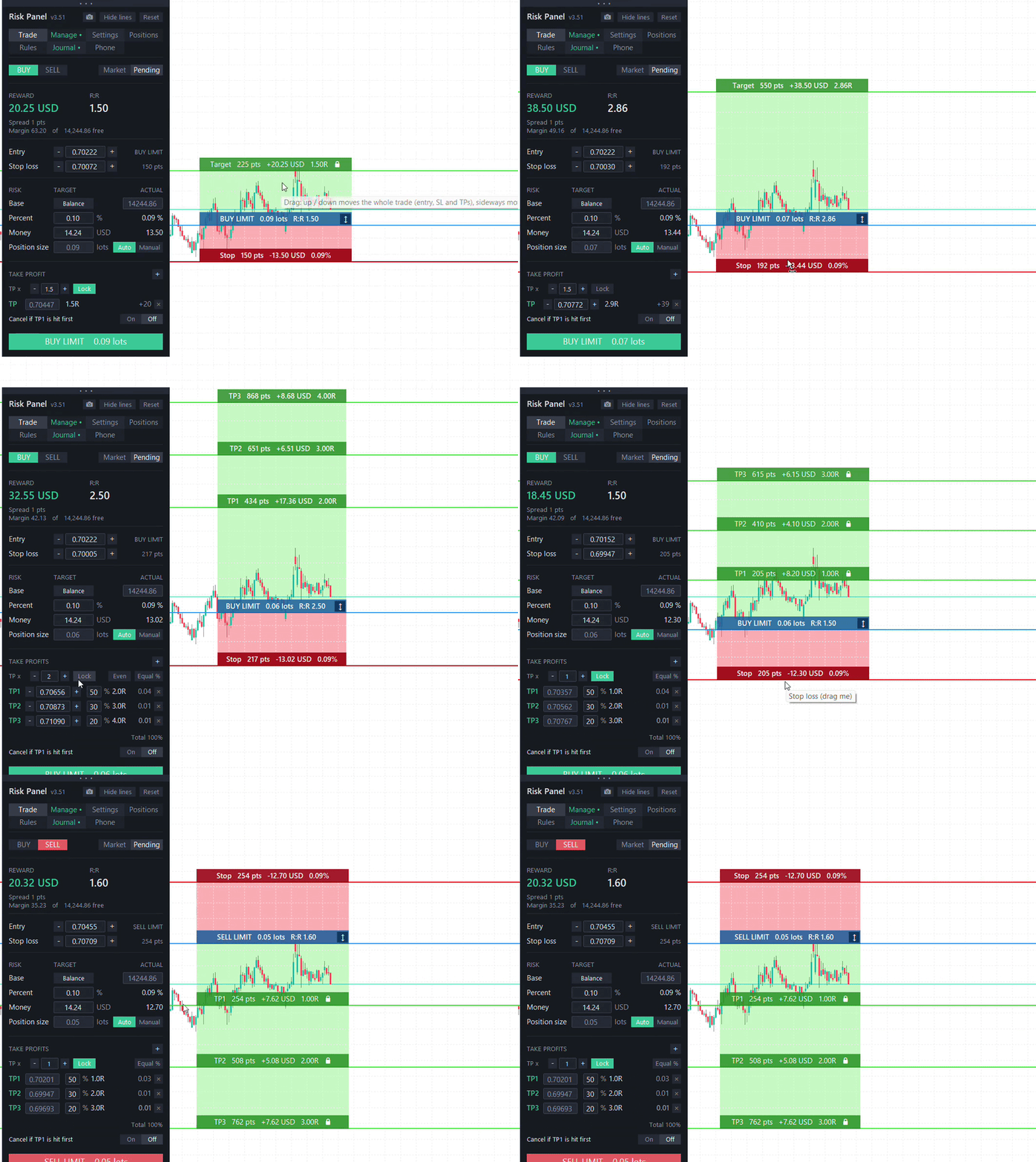
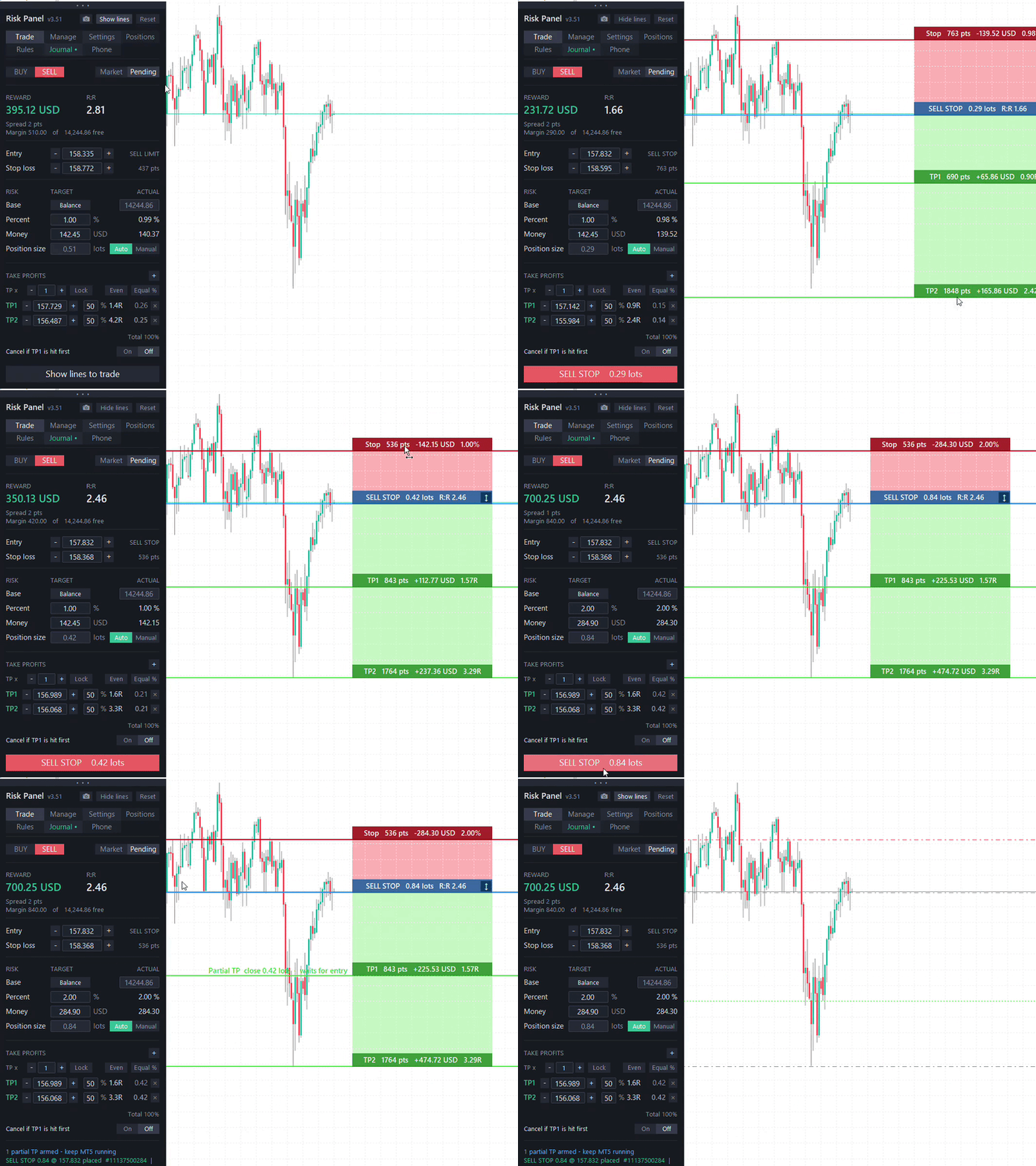
Entry, stop loss and take profit are lines on the chart that you drag with the mouse, fine-tune with the - / + buttons, or type in. Coloured position boxes show the points, money and R of the stop and of each target.
- Market or pending orders: the right limit or stop type is chosen for you
- Up to five take profits, each closing the share you choose
- TP multiplier places targets at 1R, 2R, 3R; Lock keeps them there when you move the stop
- "Cancel if TP1 is hit first" deletes a pending order when price reaches the first target before the entry fills
An optional confirmation shows entry, stop, targets, lots, risk and reward before anything is sent.
Protect the trade
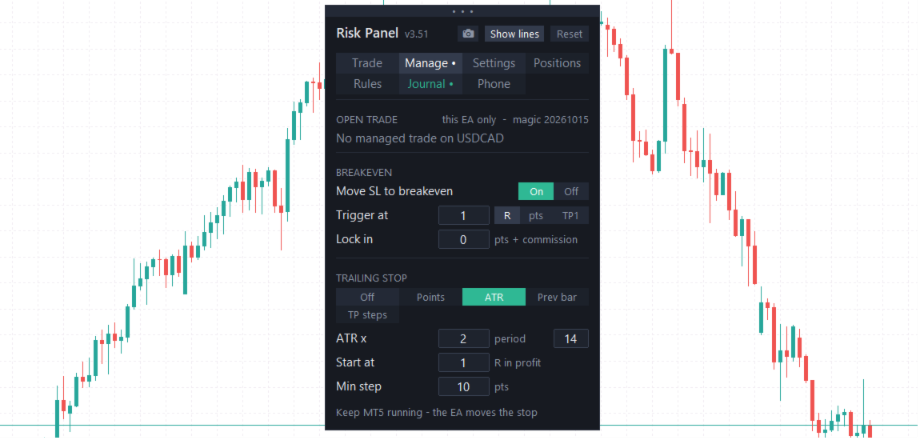
Breakeven moves the stop to entry after a profit in R, a number of points, or when the first target is taken, with commission added so breakeven really means zero. Trailing follows the price in four ways:
- Fixed points
- ATR
- Previous bar high / low
- TP steps: after each partial close the stop moves to the previous target
Breakeven and trailing also work on manual trades and phone trades once the panel adopts them.
Every open trade in one place
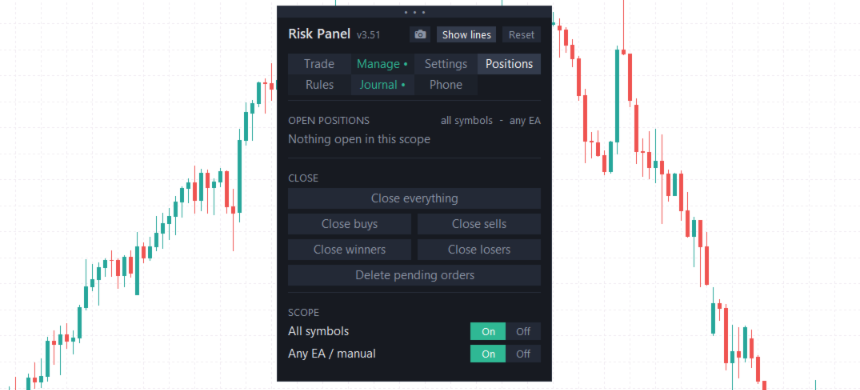
The Positions tab lists all open trades with their lots, current R and profit. Select one to edit its stop and every target, set breakeven, or close part or all of it. You can adopt trades from other EAs or manual trading, and hand them back. Close buttons close everything, only buys, only sells, only winners or only losers, or delete pending orders, for this symbol or all of them.
Trading rules on autopilot
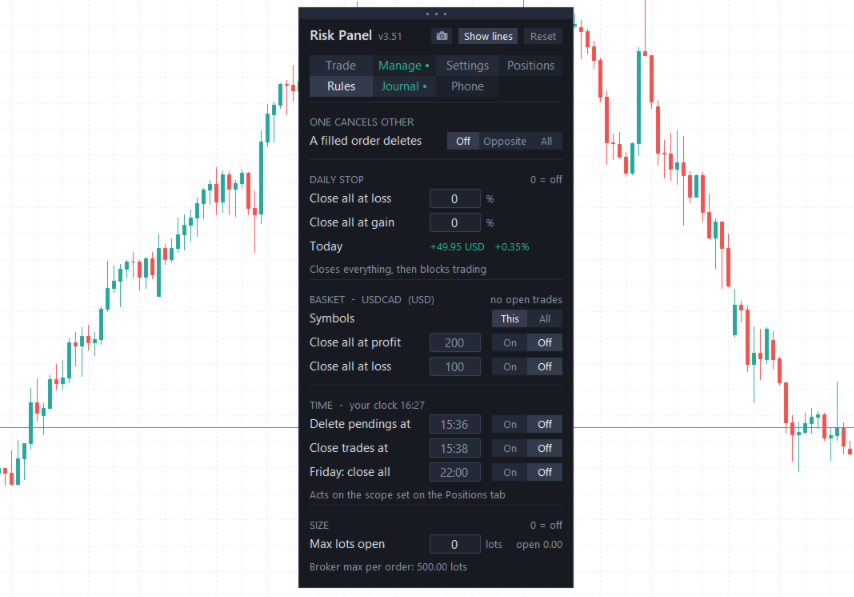
- Daily stop: closes all trades at your daily loss or gain limit and blocks trading until tomorrow
- Basket target: closes a group of trades when their combined profit or loss reaches your amount
- One cancels other: removes the opposite pending order when one fills
- Time rules: delete pending orders, close trades, or close everything on Friday at your time
A maximum total size keeps your exposure in check, and orders above the broker's per-order maximum are split for you.
Journal and report
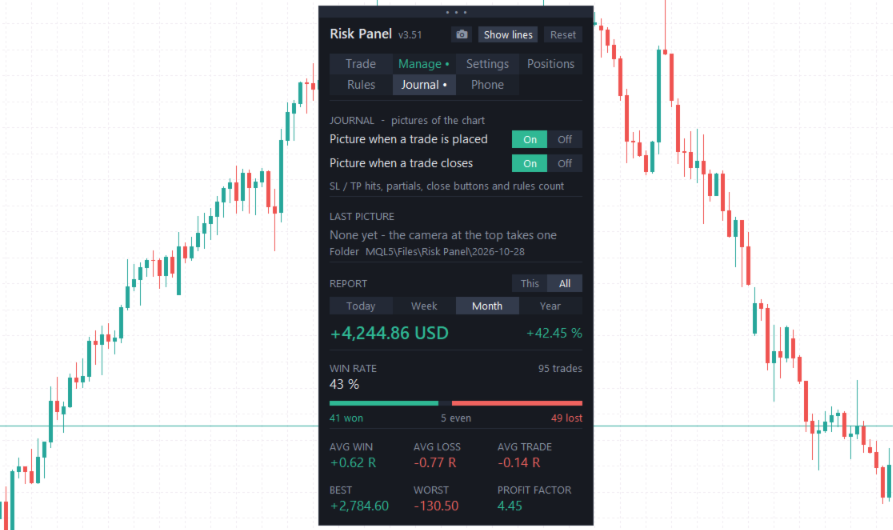
The panel saves a chart picture when a trade opens and when it closes, with entry, exit, stop and every target marked, and ticks on the targets that were hit. The camera button saves a picture any time. The report shows today, this week, month or year: result in money and %, win rate, average R, average win and loss, best and worst trade and profit factor, for one symbol or all of them.
Trade from your phone
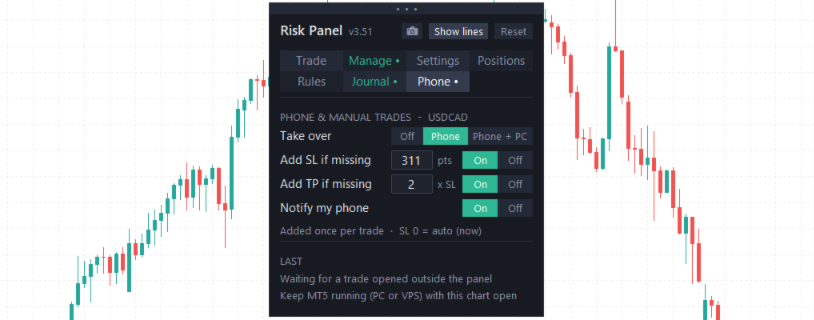
Trades you open in the MT5 mobile app can be taken over automatically. The panel adds a stop loss and take profit if they are missing, applies breakeven and trailing, and sends a push notification to your phone.
Safety and settings
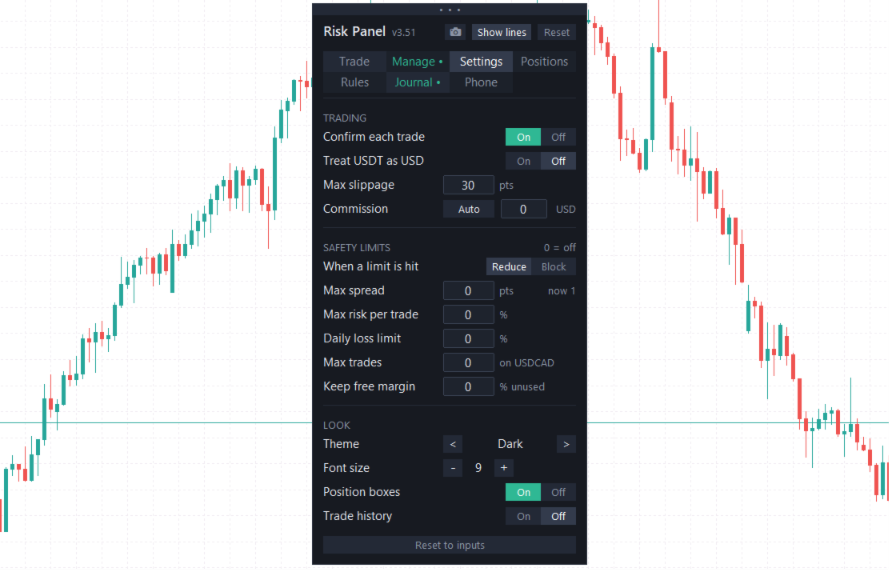
Before every order the panel checks the spread, margin, risk per trade, total open risk, number of trades and daily loss against your limits, and either reduces the size or blocks the trade. If it cannot convert the risk to your account currency, it refuses to trade rather than guess. The panel can be dragged anywhere, follows light and dark charts, and remembers your settings for each symbol.
Good to know
Your stop loss and final take profit are always held by the broker. Partial take profits, breakeven, trailing and the rules run while MetaTrader 5 is open, so use a VPS if you want them working 24/5.