Trend Entry Assistant Trentry
- Experts
- Version: 1.3
- Activations: 8

SHORT DESCRIPTION
You choose the direction - the assistant finds the entry, places the stop and target and keeps a journal of your decisions.
FULL DESCRIPTION
Trend Entry Assistant (Trentry) is a semi-automatic trading assistant. It does not try to guess where the market will go. That decision stays with you. The assistant takes care of everything that comes after it: waiting for a good entry, calculating the lot, placing the stop loss and take profit, and recording every decision for later review.
HOW IT WORKS
1. You decide the direction for today: press LONG or SHORT, then OK.
2. The assistant watches the market on a smaller timeframe (M15 by default) and waits for a break of structure in your direction - the moment when price closes beyond the last swing high (for buying) or swing low (for selling).
3. After the break it does not chase the price. It places a limit order on a pullback (50% of the impulse by default). If price does not come back within the set time, the order is removed and the assistant waits for the next break.
4. Stop loss and take profit are placed automatically. The lot is calculated from your risk in % of the balance.
5. After a trade closes, the assistant waits for the next signal in the same direction - until you press STOP.
There is also a second mode - a zone mode: you draw two lines (a reaction zone and an invalidation level), press OK, and the assistant enters only after price reaches your zone and a confirmation appears.
WHAT YOU GET
- Four buttons on the chart: LONG, SHORT, OK, STOP. Nothing starts until you press OK, so a random click cannot open a trade.
- Entry on a pullback after a break of structure, not at the top of the impulse.
- Stop loss by volatility (ATR) or behind the last swing; take profit as a multiple of the risk (for example 3R).
- Optional: breakeven, automatic stop of trading after a reverse break of structure, limit of trades per command, closing at the end of the day.
- An information panel that always shows what the assistant is doing and which price close it is waiting for.
- A decision journal (CSV file). Every decision (LONG, SHORT, FLAT or zone), every trade and its result in R is recorded. One, three and five trading days after each decision, the assistant also records how far price actually moved in the chosen direction. After a month you can see in numbers how good your direction calls really are.
- Pressing STOP when nothing is running records a "flat - not trading" decision, so the days when you stay out are measured too.
- Panel and messages in English or Russian (automatic by terminal language).
WHO IT IS FOR
Traders who read the market themselves but do not want to sit in front of the screen waiting for the entry, and traders who want an honest record of their decisions.
MAIN SETTINGS
- Break of structure timeframe - M15 by default.
- Entry on pullback, % - 50 by default (0 = enter at market on the break).
- Stop loss mode - ATR by default: 2 x ATR(14) of H1.
- Take profit, R - 3 by default.
- Risk per trade, % of balance - 1 by default.
STRATEGY TESTER
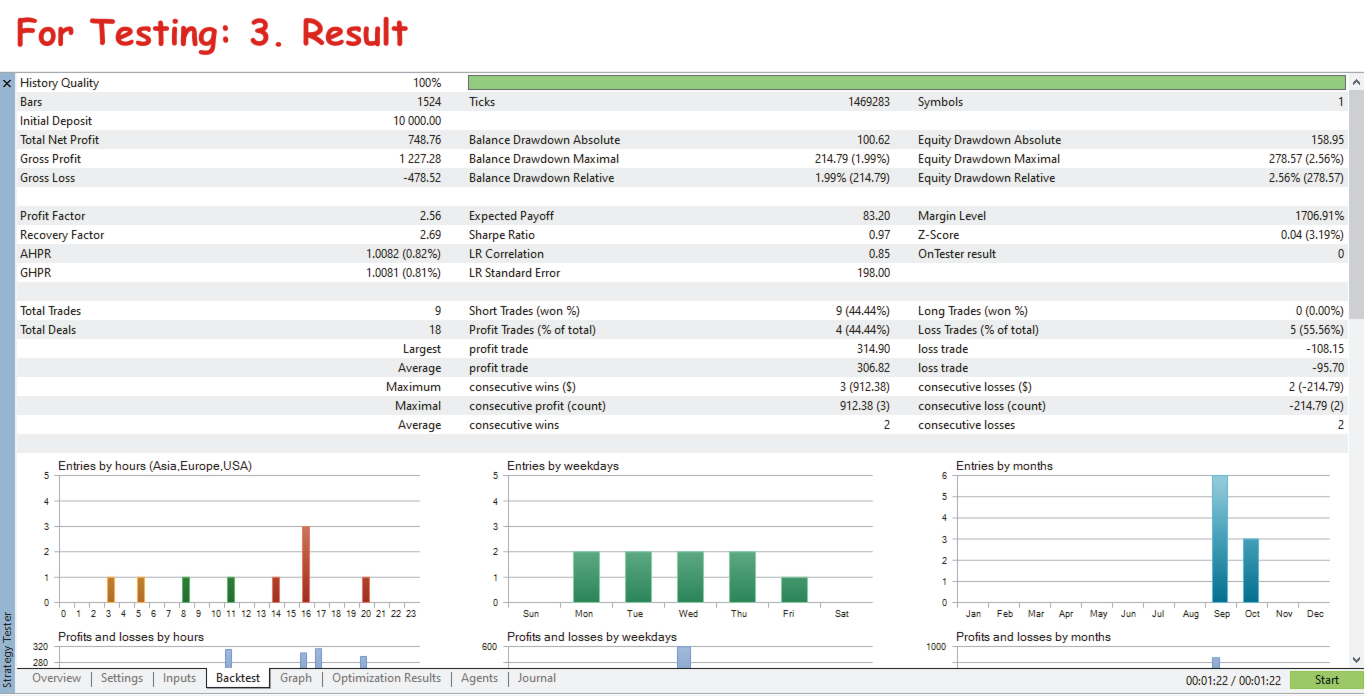
The buttons cannot be pressed in the Strategy Tester, so there the direction is set in the "Strategy Tester" group: Long only, Short only, or Auto (by the H4 trend at the start of the test). The tester uses a separate journal file.
IMPORTANT
The assistant executes your decision - it does not replace it. If the chosen direction is wrong, the trades will lose. Test it on a demo account first and use a risk you are comfortable with. Past results do not guarantee future results.