Triple MA Trend Alignment
- Indicateurs
-
Sompop Jittrakul
 Trader since 2007 and owner of www.ThailandTraderClub.com - www.ThailandTradingSchool.com - www.TradingStat.me
 - Version: 1.0
- Activations: 20
Triple MA Trend Alignment
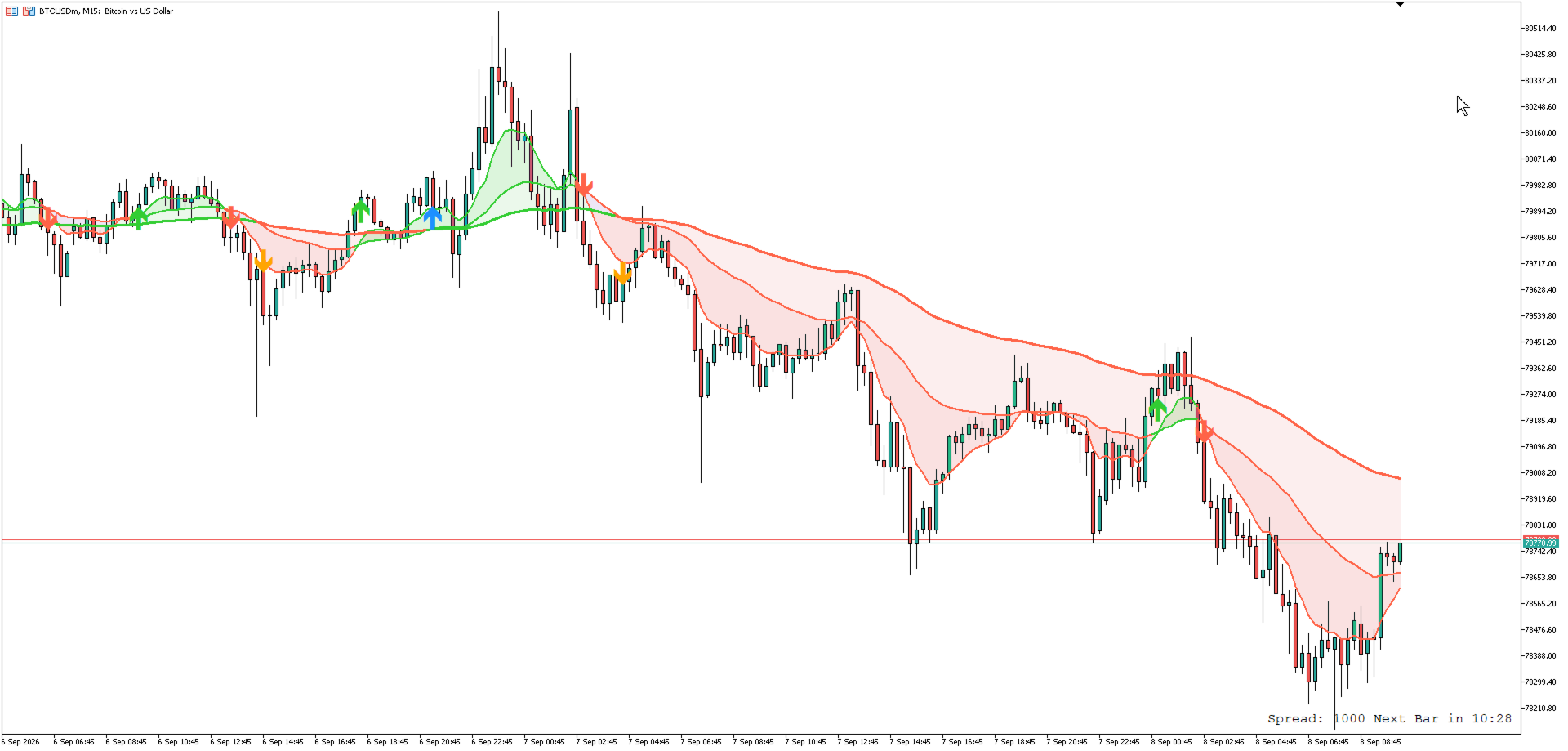
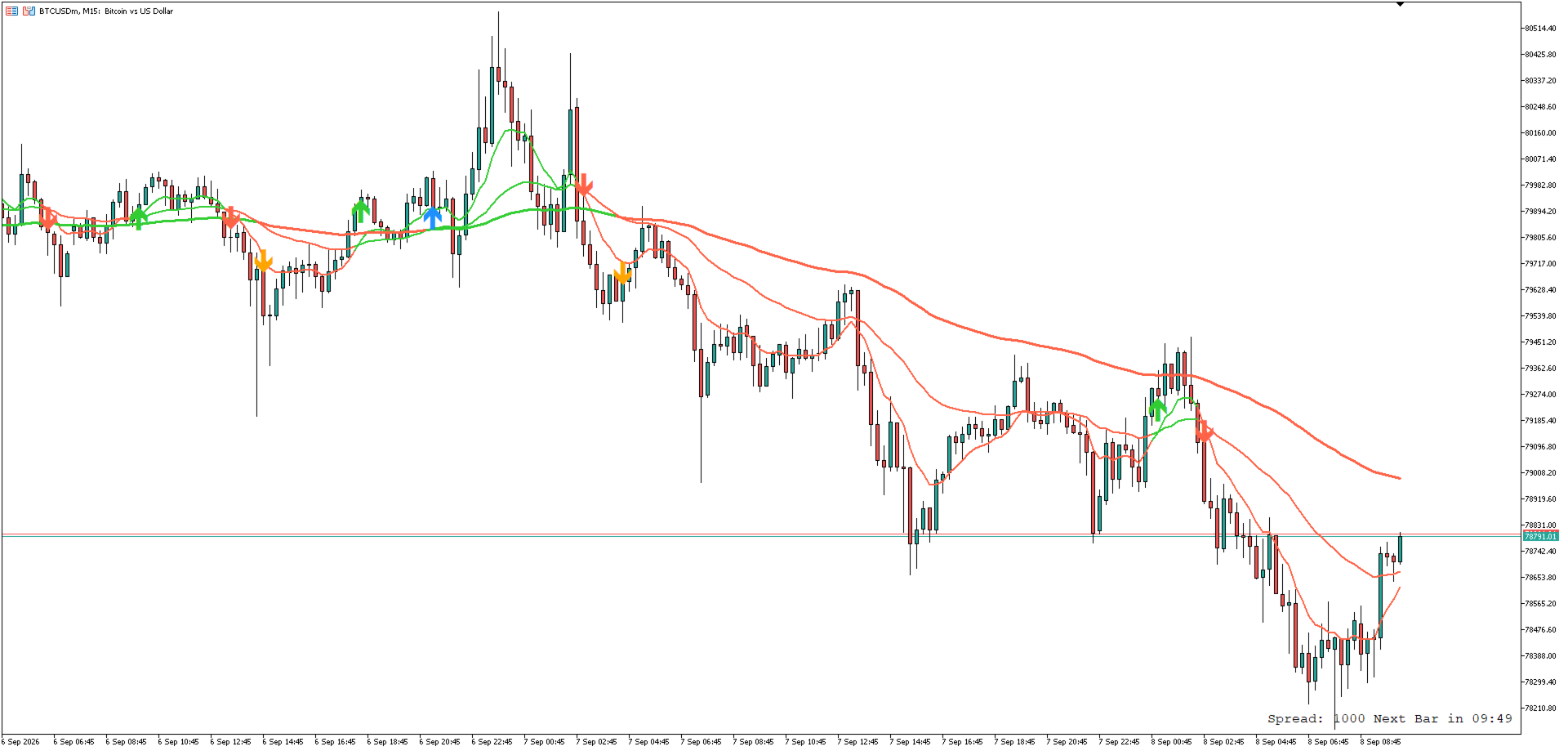
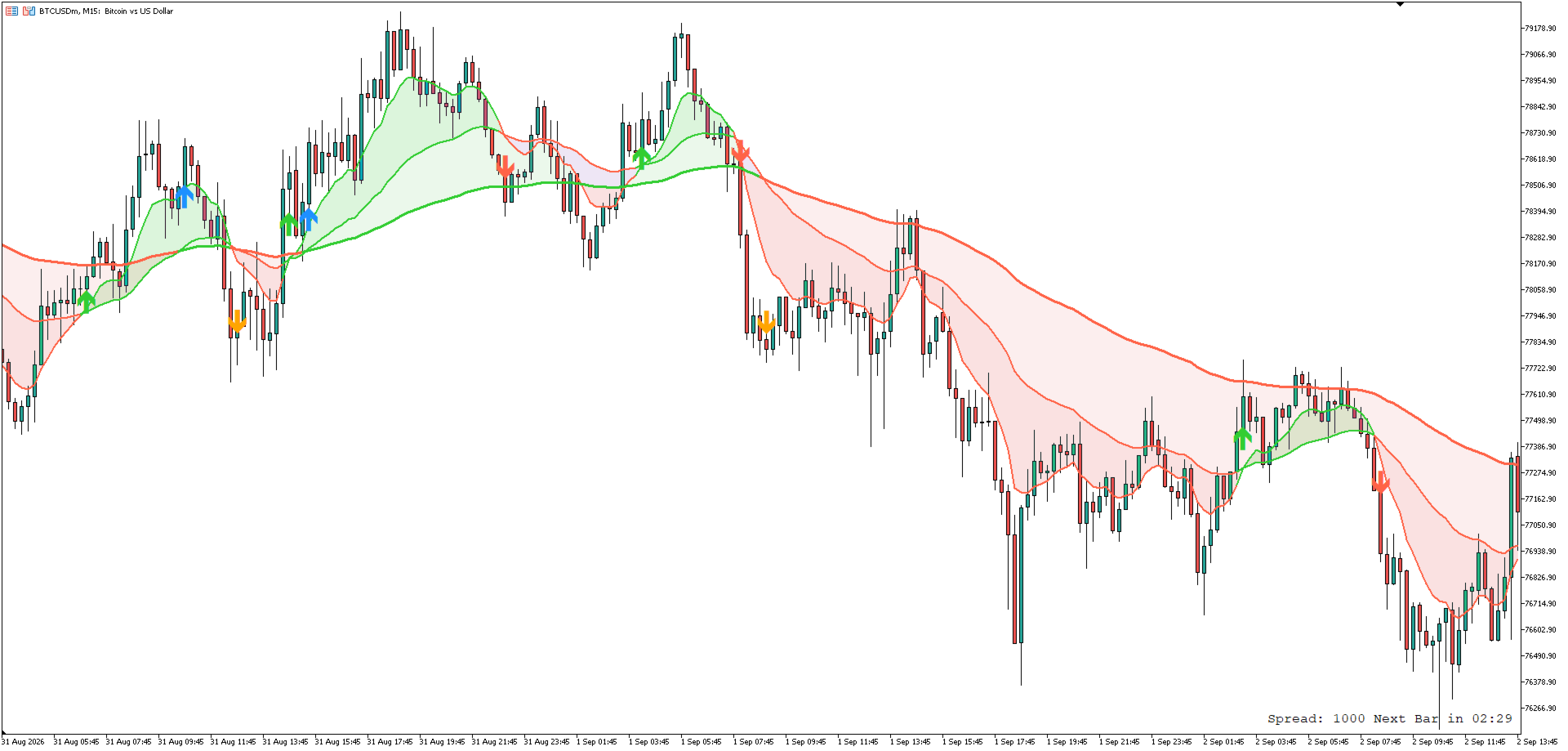
This indicator draws three moving averages on one chart and colours them by their alignment, so the state of the trend can be read at a glance instead of comparing the lines by eye. The default setup is EMA 9, EMA 34 and EMA 100, and every period, method, applied price, colour and line width can be changed.
How The Colours Work
The three lines are coloured by two independent rules.
- Fast and Mid always share one colour, decided by the fast line: above the mid line they are both the bullish colour, below it they are both the bearish colour.
- Slow has its own colour, decided by its own position: below the mid line it takes the bullish colour, above it the bearish colour.
Because of this, the chart shows four readable states:
- All three lines bullish - the stack is complete, fast above mid above slow.
- All three lines bearish - the stack is complete in the other direction.
- Fast and Mid bullish, Slow still bearish - the short term has turned up while the slow line has not been passed yet.
- Fast and Mid bearish, Slow still bullish - the short term has turned down inside a market that is still stacked upward.
The colouring is applied bar by bar across the whole history, so past periods of full alignment and past transition phases stay visible on the chart.
Key Features
- Three moving averages in one indicator, each with its own period, method (Simple, Exponential, Smoothed, Linear Weighted), applied price, colours and line width.
- Two colour rules that separate a complete trend stack from a transition phase.
- Two optional filled clouds: between the fast and mid lines, and between the mid and slow lines. Each cloud has its own bullish and bearish colour and can be switched off.
- Two optional sets of cross arrows: one for the fast and mid cross, one for the mid and slow cross. Colour, size and distance from the candle are adjustable for each set.
- Alerts on the fast and mid cross through four channels that are switched on independently: popup, sound, mobile push notification and email.
- An option to alert only on a closed bar, so a cross that appears inside an unfinished bar does not raise an alert.
- One alert per crossing bar, and no alerts are raised for history when the indicator is attached to a chart.
- Every alert channel reports its result to the Experts log, so a channel that is not configured in the terminal can be identified.
- The slow line can be hidden; the outer cloud follows it, so nothing is left drawing the outline of a hidden line.
- Drawn entirely with indicator buffers, without chart objects, and calculated only on new bars.
- Works on any symbol and any timeframe.
Input Parameters
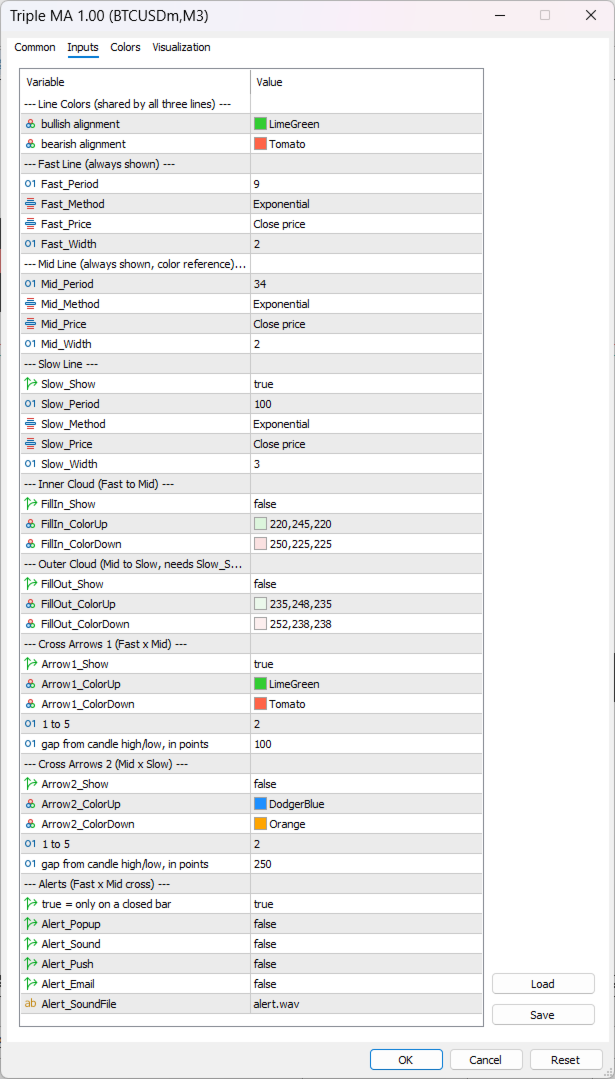
Line Colours (shared by all three lines)
- Line_ColorUp and Line_ColorDown - the two colours used by every line. The colour shows whether the stack is aligned, not which line it is; the lines are told apart by their width.
Fast Line (always shown)
- Fast_Period - period of the fast average. Default 9.
- Fast_Method - Simple, Exponential, Smoothed or Linear Weighted.
- Fast_Price - applied price.
- Fast_Width - line width.
Mid Line (always shown, used as the reference for every colour rule)
- Mid_Period - period of the mid average. Default 34.
- Mid_Method, Mid_Price, Mid_Width.
Slow Line
- Slow_Show - show or hide the slow line.
- Slow_Period - period of the slow average. Default 100.
- Slow_Method, Slow_Price, Slow_Width.
Inner Cloud (between the fast and mid lines)
- FillIn_Show - switch the cloud on or off. Off by default.
- FillIn_ColorUp and FillIn_ColorDown - fill colours for the two states.
Outer Cloud (between the mid and slow lines)
- FillOut_Show - switch the cloud on or off. Off by default, and it also requires the slow line to be shown.
- FillOut_ColorUp and FillOut_ColorDown - fill colours for the two states.
Cross Arrows 1 (fast and mid cross)
- Arrow1_Show - show or hide this set. On by default.
- Arrow1_ColorUp, Arrow1_ColorDown - arrow colours.
- Arrow1_Size - arrow size from 1 to 5.
- Arrow1_GapPoints - distance from the high or low of the crossing bar, in points.
Cross Arrows 2 (mid and slow cross)
- Arrow2_Show - show or hide this set. Off by default.
- Arrow2_ColorUp, Arrow2_ColorDown, Arrow2_Size, Arrow2_GapPoints - same settings as the first set.
Alerts (fast and mid cross)
- Alert_OnBarClose - raise the alert only when the crossing bar has closed.
- Alert_Popup - terminal popup window.
- Alert_Sound - play a sound file.
- Alert_Push - push notification to the mobile terminal.
- Alert_Email - email through the terminal mail settings.
- Alert_SoundFile - sound file name.
Notes
- Push notifications require a MetaQuotes ID in the terminal notification settings, and email requires the terminal mail settings to be filled in.
- Popup, push and email alerts are not delivered by the Strategy Tester; they can be checked on a live chart.
- This indicator shows the state of the moving averages and does not place orders.