Aurora Commander Pro
- Experts
-
Ritthanong Chimpa
 Algorithmic trading focused on survival, not speed.
AURORA PRIME is not designed for fast profit.
It is designed for survival, stability, and long-term capital preservation.
This system was built under the philosophy that:
“Staying alive in the market is already a win.” - Version: 3.0
- Mise à jour: 7 novembre 2026
- Activations: 10
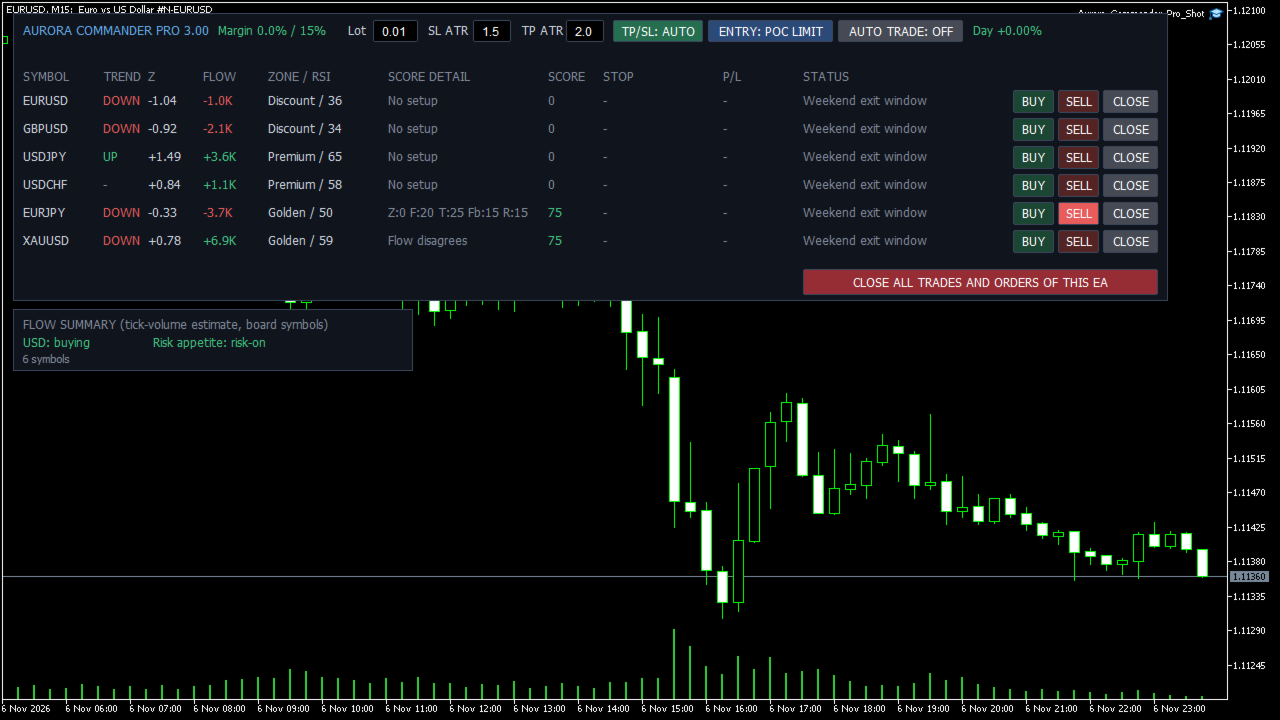
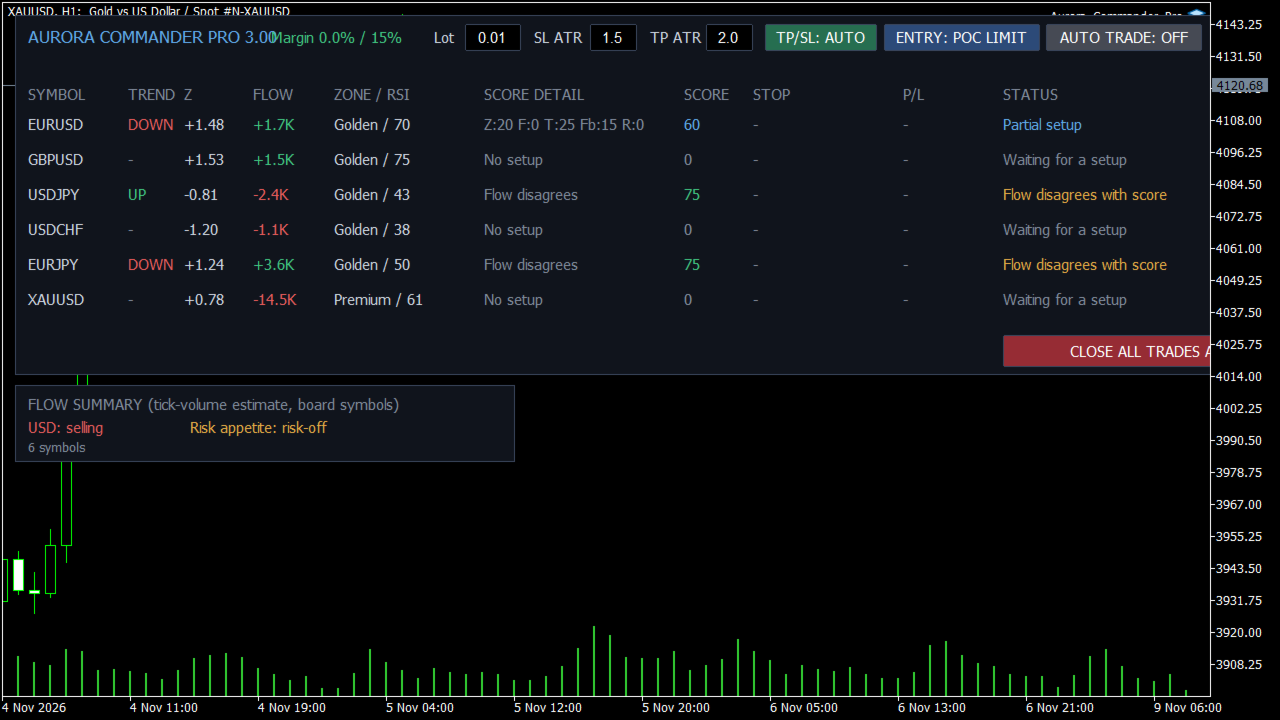
Aurora Commander Pro is a multi-symbol board for MetaTrader 5. Attach it to one chart to monitor up to 15 symbols, read a rule-based score for each one, and trade manually or automatically from the same panel. It needs no DLL and no external service.
How the score works
Each symbol receives a score from 0 to 100 from five factors, recalculated once per minute:
- Trend: price against the EMA 200 on H4 and D1
- Z-score: distance of price from its M15 average
- Flow: tick volume over the last four M15 bars, signed by direction
- Zone: position inside the last 24 hours of range
- RSI: M15 momentum
Scores are plain rules. They are not machine learning and they do not predict the market. Tick volume is an estimate and is not real exchange volume.
Ways to trade
By default the EA only shows setups and you decide. Use the BUY, SELL and CLOSE buttons for each symbol. When you press AUTO TRADE, the EA opens a trade at the score you set.
Entry modes: market order, limit order at the highest tick-volume level of the last 24 hours, or two limit orders with half the lot each.
Every automatic order has a stop loss and a take profit, based on ATR H1.
Risk controls
- Fixed lot or lot by risk percent of equity
- Maximum margin use
- Daily loss limit that stops new entries (open trades keep their stops)
- Maximum symbols in trade at once
- Spread limits: compared with the recent average and with the stop distance
- Correlation block using Pearson correlation of H1 closes
- Pause around high-impact events from the MetaTrader calendar
- Lot reduction after consecutive losses
- Break-even and ATR trailing stop
- Weekend exit that closes trades and deletes orders
- One button to close all trades and orders of this EA
Setup
1. Attach the EA to one chart of any symbol. M15 is a convenient view; the timeframe does not change the logic.
2. Allow algorithmic trading.
3. Enter your symbols. Broker suffixes are matched automatically.
4. Test on a demo account first.
Strategy Tester
The tester runs the chart symbol only, always with automatic trading on because buttons cannot be pressed there. The news pause does not act in the tester because the calendar is not available there. The correlation block has no other symbol to compare.
Important
Results depend on the symbol, broker costs and market conditions. In our own tests the results varied between symbols and years, including losing periods. This software does not promise any result. Trading leveraged products involves a high risk of loss, and you should only trade with money you can afford to lose.
Support is provided through the comments on this page and MQL5 messages.