 MetaTrader 5
 Experts
 Indicateurs
 Bibliothèque
 Utilitaires
 Widgets
 Règles
Regardez les tutoriels vidéo de Market sur YouTube
Comment acheter un robot de trading ou un indicateur
Exécutez votre EA sur
hébergement virtuel
hébergement virtuel
Test un indicateur/robot de trading avant d'acheter
Vous voulez gagner de l'argent sur Market ?
Comment présenter un produit pour qu'il se vende bien
Indicateurs techniques pour MetaTrader 5 - 66
 Les signaux provenant des indicateurs techniques jouent un rôle crucial dans l'ouverture et la clôture des transactions sur les marchés boursiers et les marchés forex. L'essence des indicateurs est une transformation mathématique du prix d'un symbole financier visant à prévoir les changements de prix futurs. Testez les indicateurs techniques pour mieux prédire le comportement du marché et en tirer profit.
PHOENIX MEASURED BOX DASHBOARD, engineered specifically for Phoenix Au Trading to provide "No dreams, just the tools" for high-precision institutional-style trading. 1. THE INDICATOR DEFINITION The Phoenix Measured Box is a multi-dimensional analysis tool designed for SMC (Smart Money Concepts) and ICT-style traders. It combines time-segmented price action with real-time volume metrics and automated target projections. Key Components: 15m Range Boxes: Automatically identifies and boxes every 15
FREE

Gives signal on daily cycle. Use H1 timeframe or lower. When day starts it looks for extremum. Better to close trade until the next day. There is only one parameter for now: maximum bars. If you have any ideas about this indicator please leave your feedback. As soon as it will grow it will be commercial. Maybe. Also parameters will be added later when I backtest it enough to ensure it is safe.
FREE
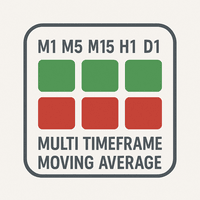
The "MultiTF Moving Average Panel" indicator is more of a helping tool than an indicator, it serves to help know the trend direction for the current currency pair of all timeframes in one place. It is best used with other indicators and signals, to help filter the signals according the trend based on multiple timeframes.
Indicator inputs : - Moving Average period : Default is set to 34. - Moving Average method : The method of calculation of the Moving Average. Default is set to Exponent
FREE

Market Session MT5 - Zone Boxes Indicator Powerful MT5 session indicator designed to visualize major market trading zones directly on your chart.
Track Tokyo, London, and New York sessions with clean colored session boxes for better market structure reading and timing entries. Tokyo Session
London Session
New York Session
Clean Zone Boxes
Auto GMT Detection
Smart Session Visualization
Simple & Professional Design
Perfect for Scalping & Intraday Trading Know the session. T
FREE
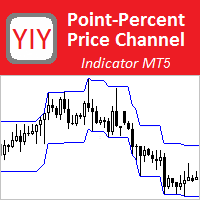
The Point-Percent Price Channel (PPPC or PP Price Channel) indicator is designed to display on the chart a channel whose width is specified both as a percentage of the current price and in points. Its appearance is presented on slide 1. When the market moves up, the upper border of the channel is built at the price of High candles. In this case, the lower boundary follows the upper one at a strictly specified distance. When the price touches the lower border of the channe
FREE
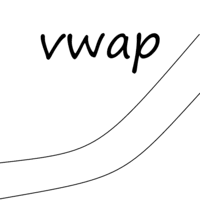
VWAP (Volume Weighted Average Price) is a technical analysis indicator that shows the average price of an asset, weighted by trading volume, over a specified time period. It is calculated by dividing the total dollar value traded (price × volume) by the total volume. Formula: VWAP = sum(PRICE*VOLUME)/sum(VOLUME)
MM vwap have 4 options to set anchor:
Month Week Day Session Indicator will be updated in future.
FREE
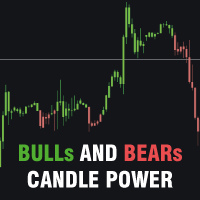
Bulls and Bears trend Power
The Bulls and Bears trend Power is a no repaint versatile technical analysis tool that helps traders identify market trends and see who's in control. It features dynamic trend capture logic that adapts to market conditions for a clear visual representation of trend direction. Traders can customize the colors to suit their preferences.
Features : Trend identification Compensation of market noise by strength of sellers or buyers
Recommendations : Use H1 timeframe a
FREE
CLIQUER ICI POUR REJOINDRE NOTRE GROUPE WHATSAPP Cet indicateur de trading Identifie et trace automatiquement les blocs de contrat, zones essentielles marquées par des niveaux significatifs de support et de résistance. Ce puissant outil offre aux traders une visualisation claire et intuitive des points critiques du marché où les prix montrent une forte probabilité de rebond ou d'inversion. Les blocs de contrat, représentés par des rectangles colorés distincts, mettent en évidence les zones de su
FREE

Volume Profile Custom Pro Volume Profile Custom Pro est un indicateur MetaTrader 5 permettant d'afficher la distribution des volumes directement sur le graphique sous forme d'histogramme horizontal. L'indicateur analyse les volumes sur une plage configurable de bougies et met en évidence les zones de prix les plus échangées afin d'identifier rapidement les niveaux clés du marché. Fonctionnalités Profil de volume horizontal en temps réel Nombre de bougies analysées configurable Nombre de ni
FREE

DeMarker Advanced Indicator for MetaTrader 5 The DeMarker (DeM) indicator, created by legendary trader Tom DeMark, is a powerful oscillator designed to measure the demand for an asset by comparing recent price highs and lows. It excels at identifying potential trend exhaustion and imminent market turning points. The DeMarker Advanced Indicator for MetaTrader 5 takes this classic tool and supercharges it. While the standard DeM indicator is often difficult to read due to erratic movements, thi
FREE

Candle Timeout is a simple indicator that displays the time a candlestick changes and is also available to display the spread range on market charts. This indicator is designed to help calculate the time a candle changes, both the Open and Close. It also provides a counter for the ASK and BID price ranges, or the spread, displayed in points (pts). Subscribe the MQL5 channel for other interesting information : (Automatic) Forex Tools Join new Public Group to Expressing Opinions and Sharing:
FREE

BodyCandleBreakout – Smart Body Breakout Signal Indicator for MT5 BodyCandleBreakout is a clean, price-action-based indicator that instantly identifies when the current candle's close price breaks beyond the body (high or low) of the previous candle . No repainting. No lag. Just pure, objective breakout signals directly on your chart. Overview Breakouts are among the most reliable price-action signals in trading. But not all breakouts are created equal. BodyCandleBreakout focuses
FREE

SMC Order Blocks + FVG — Professional Smart Money Concept Indicator
Unlock institutional trading insights with this professional-grade Smart Money Concept indicator. Automatically detect Order Blocks and Fair Value Gaps used by banks and hedge funds.
KEY FEATURES:
ORDER BLOCKS DETECTION • Automatic bullish and bearish Order Block identification • Based on price action and impulse strength analysis • Real-time mitigation tracking • Customizable imp
Volume Thermal Vision Basic est la version simplifiée du célèbre indicateur Volume Thermal Vision, conçu pour les traders souhaitant analyser l’intensité du volume avec praticité et efficacité. Avec 6 niveaux de couleurs vives, choisissez entre les modes StealthMode, NightVision et FrostVision pour visualiser les données de volume de manière claire et stratégique. Parfait pour les débutants ou comme complément à votre analyse, cet indicateur est léger, intuitif et idéal pour optimiser vos décisi
FREE

Heikin Ashi Candlestick Indicator for MT5 This custom Heikin Ashi indicator provides a smooth visual representation of market trends by filtering out short-term noise, making it easier to identify potential reversals and trend continuations. Unlike regular candlesticks, Heikin Ashi candles are calculated using averages, resulting in more stable and readable chart patterns. Key Features: Clear and smoothed visualization of price action. Compatible with all timeframes and instruments. Lightwe

Trading Report est un indicateur visuel léger et extrêmement fonctionnel qui affiche en temps réel les informations principales de votre compte et de votre trading — le tout dans un seul panneau élégant, entièrement déplaçable et au design minimaliste. Principales caractéristiques Mise à jour à chaque tick (position ouverte et P/L flottant en temps réel) Détails de la position actuelle (BUY/SELL + volume + prix d’entrée + P/L avec couleur verte/rouge) Daily P/L et variation du balance du jour (c
FREE

ADR, AWR & AMR Indicator: Comprehensive Trading Guide Try "Average Daily Range Scalper":
https://www.mql5.com/en/market/product/154469 Core Concepts ADR (Average Daily Range) Definition : The average distance between daily high and low prices over a specified lookback period (typically 14-20 days) Purpose : Measures daily volatility expectations, identifies range-bound versus trending days, sets realistic intraday profit targets Key Insight : Markets tend to respect their average volatility - d
FREE

Path of Candle Stick (Version.2) — Advanced Multi-Bollinger Band Volatility Navigator. "Not flawless, but priceless in purpose."
*** Push notifications are now available in this second version. "เปิดใช้งานระบบแจ้งเตือนแบบ Push notification แล้วในเวอร์ชันที่สองนี้"
Path of Candle Stick - The Quad-Bollinger Band Signal for MT5. *** Stop guessing where the next candle will close! *** Stop trading inside messy, cluttered charts! Maps out the exact mathematical corridors of the market using
FREE

Limited Launch Offer – Save Up To 84% Genomex AI is launching with a special early adopter pricing campaign for a limited number of buyers. Once each launch tier is sold out, the price automatically increases and will never return to the previous level. First 3 Buyers – Only $39 Next 3 Buyers – Only $49 Next 6 Buyers – Only $59 Regular Launch Price – $149 Future Retail Price – $249 This introductory offer is available only during the official launch period. Once a pricing tier is sold out,

Apex Sniper Pro Indicator for MetaTrader 5
Apex Sniper Pro is a professional multi-timeframe price action and market structure indicator designed for MetaTrader 5. The indicator combines institutional Smart Money Concepts (SMC) with candlestick momentum analysis to identify high-probability trend continuation and reversal setups on any financial instrument.
All signals are calculated strictly on the close of the candle. Once a bar closes and an arrow is printed, the signal is 100% fixed and wi
FREE

Pro ADX Histogram: Visual Momentum & Trend Strength Indicator Elevate your technical analysis with ADX Histogram, an innovative MetaTrader 5 tool that transforms the classic Average Directional Index (ADX) into an intuitive, visual powerhouse. This indicator combines trend strength and momentum direction into a single, easy-to-read histogram, allowing you to assess market conditions and spot potential trading opportunities faster and with greater clarity. Trading Idea & Core Logic The indicator
FREE

The indicator highlights in color the places on the chart where the price moves in one direction continuously from the selected number of candles.
You can specify the number of points from the beginning of the movement to select only movements from this amount.
It can be useful for looking for reversals or sharp impulses.
I also recommend purchasing this utility to determine local weekly / monthly trends and support and resistance lines. https://www.mql5.com/en/market/product/61401
FREE
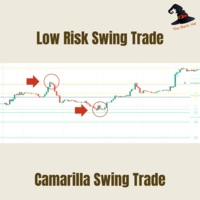
Camarilla Swing Trade Indicator is an Indicator. Support and resistance points are calculated from the High Low Close of the previous TF Week's price.
What are Camarilla Pivot Points?
1.Camarilla Pivot Points is a modified version of the classic Pivot Point. 2.Camarilla Pivot Points was launched in 1989 by Nick Scott, a successful bond trader. 3.The basic idea behind Camarilla Pivot Points is that price tends to revert to its mean until it doesn't. 4.Camarilla Pivot Points is a mathematical pr
FREE

Fibonacci Trend Indicator for MT5 Unlock the power of Fibonacci analysis on your MetaTrader 5 charts!
Our Fibonacci Trend Indicator automatically plots dynamic support and resistance levels so you can spot trends, reversals, and breakout opportunities at a glance. Features & Advantages Automatic Fibonacci Levels
Instantly displays seven key Fibonacci retracement levels based on the highest and lowest prices from your chosen lookback period — no manual work required. Dynamic Trend Adaptatio
FREE

Présentation OPR Median Pro est un indicateur conçu pour les traders qui utilisent la stratégie de breakout de l’ Open Price Range (OPR) .
Il identifie automatiquement la zone d’ouverture du marché et trace : Les bornes hautes et basses de l’OPR , La médiane de la zone, Et prolonge ces niveaux sur toute votre session de trading . ️ Fonctionnalités principales Détection automatique de l’OPR (plage horaire personnalisable) Tracé clair et précis des bornes et de la médiane Extension auto
FREE

This project did not reach the basic funding number, so I am abandoning it momentarily. The system is now free for other traders to continue the idea. You can follow my new project through my signals.
A tool for institutional investor, now avaliable for Home users. We equip you like banks equip their analysts!
How it works
Focused on the Forex market, it takes advantage of the need of nations to control the value of their currency and the world exchange variations to analyze, through the pro
FREE

Reversal Oscillator — Advanced Momentum Shift Detector
Reversal Oscillator is a free indicator designed to highlight price zones that are statistically outside their normal movement patterns, helping traders anticipate potential turning points before they occur. Unlike traditional oscillators that react mainly to overbought/oversold conditions, this indicator applies third derivative analysis (the "acceleration of the acceleration" of price) calculated using two independent methods within a n
FREE

SessionRange-MT5-Ind is an indicator for MetaTrader 5 that builds a High/Low/Middle channel based on the given trading session. Indicator : Defines the session range - builds a channel based on a given high/low window Draws three lines : SessionTop (blue) — maximum session SessionMiddle (grey) — channel center SessionBottom (orange) — minumum session Session mode (Mode) : `Previous Day` — for classical PDH/PDL (previous day range) `Current Day` — to display the current day’s session
FREE

Indicator that uses ATR and standard deviation to calculate the current trend. It has the top and bottom line. The top line is shown when it is high, and the bottom line when it is low. The indicator does not draw a trend line or show the trend for the day, or for a certain period. It has the function of indicating the current trend, and may indicate a reversal.
use it with caution and at your own risk.
FREE
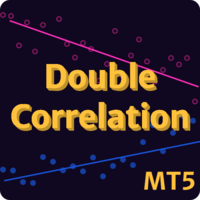
Double Correlation indicator (free) plots two windowed correlations in a separate window. the size of window is taken as input before the two symbols to correlate to. Two symbols are taken as an input parameters as well as period length. and the two correlations are computed with the currently shown symbol ex: input GBPJPY and AUDNZD. current symbol EURUSD then the following will be computed corr(EURUSD,GBPJPY) and corr(EURUSD,AUDNZD) The indicator can be useful to run a multi-symbol pair trad
FREE

his indicator automatically identifies key support and resistance levels by analyzing volume patterns. Unlike traditional S/R tools that rely only on price, Volume S/R finds levels where the market truly reacted. DETECTION LOGIC: - High Volume Zones: Price levels where strong buying/selling occurred - Low Volume Zones: Areas of weak interest - potential breakout or reversal zones
SMART FILTERING: - Nearby levels are automatically merged to avoid chart clutter - Maximum levels limit keeps yo
FREE

AI Multi Timeframe Oscillator Heatmap combines RSI and Stochastic readings across six timeframes at once - M15, M30, H1, H4, D1, and W1 - into a single, instantly-readable, color-coded panel. Instead of switching charts to check whether momentum agrees across timeframes, you see the full picture in one glance. KEY FEATURES
- Calculates live RSI and Stochastic values on six timeframes simultaneously (M15 through W1) for the current chart's symbol.
- Color-codes every row by combined momentum read
FREE
MT4 Version A versatile tool
You do not need any other tools with this tool.
You can enable or disable all indicators.
Their values are adjustable.
In the first line you will see a summary of your account status.
p: The amount of your profit or loss
BP: The amount of your daily profit based on the balance
EP: Equity daily earnings
WP: Your weekly profit
MP: Your monthly profit
The next line shows each of the time frames you selected.
Chikou: The Chikou process
KT: The trend of the K and T li
FREE

**Cosmo Range Estimator vous indique de combien le prix va probablement bouger. Il ne vous dit pas dans quel sens.**
La plupart des traders dimensionnent leurs stops et leurs objectifs avec l'ATR(14). Ce 14 a été choisi par Welles Wilder en 1978, pour des graphiques journaliers. Il a été hérité dans l'intraday sans que personne ne remesure s'il convenait encore.
Nous l'avons mesuré. Sur 634 970 bougies EURUSD M15, le **Cosmo Determinator** — notre propre moteur de volatilité — prédit la taill
FREE

Forex 17 – Bollinger Bands Pure Sound Alert No Plots génère des alertes sonores lorsque le prix dépasse la bande supérieure ou inférieure des Bollinger Bands. Des sons distincts sont utilisés pour les cassures haussières et baissières, aidant à identifier des conditions potentiellement surachetées ou survendues. Cette version sans affichage graphique ne trace aucun élément visuel sur le graphique. Les paramètres personnalisables incluent la période, la déviation et les intervalles d’alerte. L’ap
FREE

Watch Osw : Chronomètre de bougies simple et efficace Indicateur léger pour MetaTrader qui affiche le temps restant avant la clôture de la bougie actuelle directement sur le graphique. C'est un outil utilitaire basique et fonctionnel, conçu pour que le trader puisse toujours visualiser le temps restant avant la formation d'une nouvelle barre sans complications supplémentaires dans son analyse technique.
Guide des Paramètres (Menu des Entrées) Watch Color : Couleur assignée au texte du chronomè
FREE

Indicateur Elder's Force Index (EFI) avec support multi-timeframe, signaux visuels personnalisables et système d'alertes configurable.
Services de programmation freelance, mises à jour et autres produits TrueTL sont disponibles sur mon profil MQL5 .
Les retours et avis sont très appréciés !
Qu'est-ce que l'EFI ? L'Elder's Force Index (EFI) est un indicateur technique développé par le Dr. Alexander Elder qui mesure la puissance derrière les mouvements de prix en combinant le changement de prix
FREE
Volatility Distance Indicator The Volatility Distance Indicator measures in real time the distance between current price and the moving averages you choose, expressed in points . Its purpose is to provide a clear, objective, and quantitative view of the market’s expansion relative to its equilibrium zones , allowing you to instantly assess whether price is in a phase of overextension, compression, or neutrality . Key Features: Point-based measurement: displays the exact distance between current
FREE
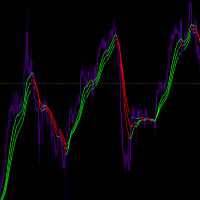
Input Parameters JawPeriod (default=9): Period for the blue line JawShift (default=0): Shift for the blue line TeethPeriod (default=7): Period for the red line TeethShift (default=0): Shift for the red line LipsPeriod (default=5): Period for the green line LipsShift (default=0): Shift for the green line Signals Bullish Conditions When price moves above all lines (all lines turn Lime) Potential buying opportunity Confirms upward momentum Bearish Conditions When price moves below all
FREE
Professional Gold Trading Levels Indicator
Features: - Daily & Weekly Pivot Points - Fibonacci Retracement Levels - Round Number Levels - Customizable Colors & Fonts - Auto-Update Daily - Clean & Simple Interface
Perfect for Gold (XAUUSD) traders Reliable Support/Resistance levels Lightweight & Fast Performance Easy to install and use
Compatible with all MT5 accounts. No complex settings required! SimpleGoldLevels v1.0 - User Manual Professional Support & Resistance Levels
FREE
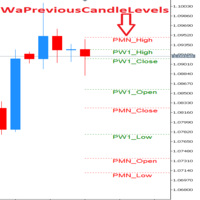
!!! Cette version gratuite fonctionne seulement sur EURUSD!!! Wa Previous Candle Levels MT5 affiche les niveaux de bougies précédents, il affiche les niveaux d'ouverture (Open), du prix le plus haut (High), du prix le plus bas (Low) et du prix de clôture (Close) de la bougie précédente sur différentes périodes. Ces niveaux sont souvent appelés OHLC. Il est conçu pour aider le trader à analyser le marché et à faire attention aux niveaux OHLC de la bougie précédente sur différentes unités de tem
FREE
Este indicador apresenta 7 médias configuráveis, que podem facilmente ser utilizadas em robôs ou em operações manuais.
Facilita a identificação de tendências e reversões. Seus buffers estão ordenados e são facilmente identificáveis para utilizar em robôs. Liberado para uso em operações manuais ou automatizadas.
Em breve vamos postar um robô que utiliza estas médias como parâmetro de negociação.
FREE
The indicator displays support and resistance levels based on fibonacci level in multi period Creates lines indicating the latest support and resistance levels.
These lines are updated whenever there is a change in support or resistance levels. Labels are removed if the corresponding conditions are not met.
the period is availble in setting and level fibonacci
FREE

Product name: Varynex RSI RegimePulse Matrix
Short marketing headline: Adaptive RSI momentum context with trend regime, volatility-aware zones and confirmed divergence mapping.
Overview: Varynex RSI RegimePulse Matrix is a professional momentum-context indicator for MetaTrader 5. It is built around RSI, but it does not behave like a basic overbought/oversold oscillator or a simple arrow signal tool. The indicator combines smoothed RSI momentum, an RSI signal line, adaptive volatility zones, t
FREE

The indicator is getting the four most important trading sessions: New York London Sydney
Tokyo The indicator auto calculate the GMT time. The indicator has buffers that can be used to get the current session and the GMT.
You can use it as stand alone indicator and you can turn the draw off and call it from your EA. INPUTS Max Day: Max days back to get/draw. London Session On: Show/Hide London Session. New York Session On: Show/Hide New York Session. Sydney Session On: Show/Hide Sydney Session
FREE

"Five Minute Drive" indicator that is designed to be used in the 5 minute timeframe only. One of its most important advantages is that it shows the general trend in the upper time frames when looking at the 5-minute timeframe. Therefore, when opening positions in the 5 minute timeframe, when it is in line with the trends in the upper timeframes, you are less likely to be upside down. If you can interpret the curvilinear and linear lines drawn by this indicator on the graphic screen with your geo
FREE

This is a dedicated trading auxiliary tool for the MT5 platform, with the core function of automatic counting and labeling of candlesticks within a custom trading session . It adapts to overnight trading scenarios and broker time differences (summer/winter time), features a lightweight design and flexible configuration, and eliminates manual candlestick counting to improve chart analysis efficiency. Core Features Customize the opening and closing time of the trading session in Beijing Time, sup
FREE

SimpleMACD is a clean, configurable MACD indicator for MetaTrader 5. It computes the classic three-component output — main line, signal line, and histogram — using a transparent EMA implementation with an SMA seed that matches the standard MetaTrader behavior. Why traders use SimpleMACD SimpleMACD gives you a straightforward MACD with no hidden modifications. All EMA periods and the applied price are configurable, so you can match any published MACD setup exactly. The histogram color flips autom
FREE
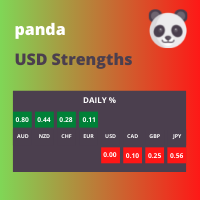
This panel displays the price percentage change
Shows the percentage change in price from the last open: Daily, Weekly and Monthly timeframes. Numbers are easier to use than histogram currency meters. Line up the three timeframes strengths/weaknesses for strong trends. Compare currencies strongest against weakest. USD is the world's reserve currency to compare against.
How to use 1. Match the strongest currency with weakest currency; or 2. Match the strongest or weakest currency against USD;
FREE
Bienvenue sur HiperCube VIX Code de réduction de 25% sur Darwinex Zero : DWZ2328770MGM Cet indicateur vous fournit une information réelle sur le marché du volume de sp500 / us500
Définition HiperCube VIX connu sous le nom d'indice de volatilité CBOE, est une mesure largement reconnue de la peur ou du stress du marché. Il signale le niveau d'incertitude et de volatilité sur le marché boursier, en utilisant l'indice S&P 500 comme proxy pour le marché au sens large. L'indice VIX est calculé sur l
FREE

Fibochian Flow: Mathematical Precision with 200-Period Trend Filter Fibochian Flow is a professional trading tool that combines dynamic channel volatility with the institutional strength of the 200-period Moving Average. Designed to capture trend ignitions (breakouts), the indicator provides a complete trade setup: Macro Filter, Entry Point, Stop Loss, and three Fibonacci-based Target levels. How Fibochian Flow Works: Trend Filter (Orange Line): Acts as the market's ultimate guide. We only look
FREE

MT4 version Overview The Lowess Channel indicator is a smoothed trend-following tool designed to help traders identify the direction of the trend , detect flat or ranging markets , and spot breakouts from consolidation zones. It creates a central smoothed line with upper and lower channel boundaries, adapting to market noise while maintaining clarity. How It Works The indicator builds a channel around a smoothed price line. The central line reflects the current trend. The upper and lower bounda
FREE
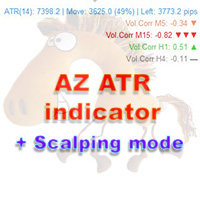
AZ ATR indicator (with volume correlation bonus)
Standard ATR indicator, you can enable ignoring abnormally large candles. It is possible to change the location of the displayed text in 4 corners of the chart. You can change the calculation period (days ago). Bonus - the indicator has a correlation with volumes. Can be enabled to display a possible priority at the current moment in the market.
What do the values mean: Positive correlation (0.3 - 1.0): 0.3-0.7 - moderate connection
FREE

Spread Cost Analyzer - Professional Trading Cost Intelligence
=== OVERVIEW === Spread Cost Analyzer is a powerful MetaTrader 5 indicator that provides real-time analysis of your trading costs relative to market volatility. Using ATR-based efficiency calculations, it helps you identify the optimal moments to enter and exit trades by quantifying exactly how much of your potential profit is being consumed by spread costs.
=== KEY FEATURES === - Real-time spread cost efficiency analysis - ATR-bas
FREE

This indicator is a zero-lag indicator and displays exact trend as is. True Trend Moving Average Pro works best in combination with True Trend Oscillator Pro that displays strength of trend change.
True Trend Oscillator Pro: https://www.mql5.com/en/market/product/103589
If you set PERIOD input parameter to 1 this indicator becomes a sharpshooter for binary options.
Default input parameters: TT_Period = 10; TT_Meth = MODE_SMA; TT_Price = PRICE_MEDIAN;
Before you buy this product, please do t
FREE
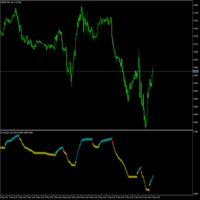
Es un indicador que no se repinta y que muestra la tendencia a corto plazo. contiene lo siguiente: Visual Mode MA Period MA Method MA Price
ATR Period Volatility Factor Offset Factor Use Break Use Envelopes Use Alert
cualquier sugerencia hagamelo saber en los comentarios y también colocar estrellas para postear más contenido, indicadores y advisor actualizadas
FREE

Fast and Customizable Timeframe Switching for MetaTrader 5.
Timeframes Hotkeys is a lightweight MetaTrader 5 indicator that allows you to change the timeframe of the current chart instantly using keyboard shortcuts. Instead of moving the mouse to the MT5 timeframe toolbar or opening timeframe menus, you can move between your preferred chart periods with a single key or keyboard combination. The indicator is designed for scalpers, day traders, swing traders, price-action traders, and technical an
FREE

The CSI Currency Strength indicator ranks all ten G10 currencies by momentum strength using a multi-lookback Z-score model, displayed as a live on-chart panel. Attached to any chart, it runs independently of the chart's symbol or timeframe. The methodology follows the multi-horizon momentum framework from Asness, Moskowitz & Pedersen (2013), applied cross-sectionally to G10 currencies. Rather than comparing a single bar against the previous close — which introduces a cliff-edge artifact at each
FREE

Also Available in MetaTrader4 https://www.mql5.com/en/market/product/174746 Introducing: ZERO HOUR RUNNER NON-REPAINT indicator SHORT PRECISE & NOISELESS A system engineered around one principle Clarity + Timing + Discipline = Consistency What Makes ZERO HOUR RUNNER Different? No Repainting. No Tricks. Signals do NOT repaint, redraw, or recalculate What you see is exactly what you get—even after refresh Instant Decision Signals Signals appear at the OPEN of a candle No waiting
FREE

SmartRSI Pro – Indicateur RSI intelligent pour traders avisés
SmartRSI Pro est un indicateur de nouvelle génération basé sur le RSI, conçu pour fournir aux traders des signaux d’achat/vente clairs, fiables et exploitables directement sur le graphique. Basé sur l’indice de force relative (RSI) populaire, cet outil ajoute une logique intelligente pour filtrer le bruit du marché et réduire les faux signaux — idéal pour les débutants comme pour les traders expérimentés. Fonctionnalités clés :
FREE
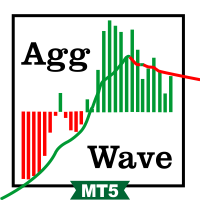
This indicator sums up the difference between the sells aggression and the buys aggression that occurred in each Candle, graphically plotting the waves of accumulation of the aggression volumes. Through these waves an exponential average is calculated that indicates the direction of the business flow.
Note: This indicator DOES NOT WORK for Brokers and/or Markets WITHOUT the type of aggression (BUY or SELL). Be sure to try our Professional version with configurable features and alerts: Agre
FREE
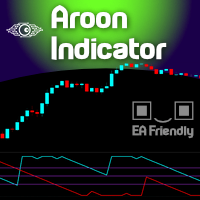
The name Aroon means “ Dawn's Early Light ” in Sanskrit. His creator Tushar Chande chose this name because the indicator is designed to catch the beginning of a new trend. At first sight it seems a little confusing all those jagged lines but after you understand the basics of it, you will find this indicator pretty cool and use it in a variety of ways, i.e.: Trigger, Trend Filtering System, and so on. The Aroon indicator was created in 1995 so it is a "modern" indicator compared to the Jurassic
FREE
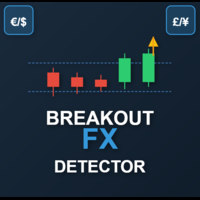
This is a powerful, session-aware breakout indicator designed for serious traders who thrive on volatility and structure. Engineered for precision, it identifies high-probability breakout zones during the London and New York trading sessions—where the market moves with intent. Key Features: Session Range Detection
Automatically detects and highlights the key price range of London and New York sessions. Breakout Confirmation
Identifies breakout candles after the session range, with clear bullis
FREE
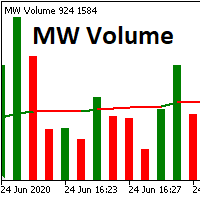
The Martinware Volume indicator plots a colored moving average over volume bars. The coloring uses three colors and can be done in different ways choosable by the user and is applied both to the average as to the volume bars.
Three types of coloring are possible: None: no coloring is done Increasing or decreasing: changes the color depending on the current value being bigger or lesser than the previous one Volume relative to average: colors vary if the current volume is bigger or lesser then
FREE

Wilder Trend Indicator (MT5) The Wilder Trend Indicator is a clean and lightweight trend-following tool based on Wilder’s Moving Average smoothing method .
It visually highlights market direction by separating uptrend and downtrend movements directly on the price chart. The indicator is designed to be simple, flexible, and non-intrusive , making it ideal for discretionary traders who want clear trend confirmation without cluttering the chart. Key Features Uses Wilder-style smoothing for st
FREE

Lazyyy Hotkeys & Period Separators Lazyyy Hotkeys & Period Separators is a lightweight productivity tool designed to speed up your chart navigation and improve market structure visualization in MetaTrader 5. It combines custom keyboard shortcuts with automatic period separators , helping traders stay focused, organized, and efficient during analysis. Key Features ️ Custom Hotkeys for Timeframes Instantly switch between timeframes using your keyboard: M1 → MN (fully customizable keys) No mo
FREE

Trend Fuzzy Analyzer Purpose and Concept
The Trend Fuzzy Analyzer indicator assesses the strength and direction of the current market trend. It is based on the principle of Fuzzy Logic , which transforms quantitative readings from several standard technical indicators into a qualitative assessment of trend strength. Unlike binary signals, the indicator outputs a final value as a confidence level (from 0 to 100%). Core Working Principle The indicator simultaneously analyzes input data from f
FREE

Remarque : Cette version gratuite est disponible jusqu'au 30/09/2026 seulement. La plus grande crainte en trading n'est pas la perte, mais plutôt l'incertitude quant à la direction du marché.
Pourquoi tant de traders sont-ils stoppés hors du marché ? Parce qu'ils se basent uniquement sur une seule unité de temps. Cet indicateur utilise une technologie de réduction du bruit par IA pour combiner la robustesse de l'unité de temps H1 avec la sensibilité de l'unité de temps M15, créant ainsi un filt
FREE

This indicator is based on the Heiken Ashi indicator. It helps the user identifying whether to buy or sell. It comes with an alert that will sound whenever a new signal appears. It also features an email facility. Your email address and SMTP Server settings should be specified in the settings window of the "Mailbox" tab in your MetaTrader 5. Blue arrow up = Buy. Red arrow down = Sell. Line = Trailing Stop. You can use one of my Trailing Stop products that automatically move the Stop Loss and inc
FREE
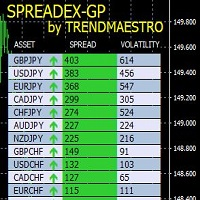
SPREADEX is an indicator for MT4 and MT5 that indicates the distance of an asset from the GP. The GP is the price of the underlying asset's true value, obtained by estimation. The GP is like a magnet; it attracts the asset's price with a high probability and within the same trading day. Therefore, SPREADEX indicates which assets are currently furthest from the GP in real time. This provides the trader with a point of view on which assets to focus on and look for any price reversal signals to obt
FREE
Savez-vous pourquoi MetaTrader Market est le meilleur endroit pour vendre des stratégies de trading et des indicateurs techniques ? Pas besoin de publicité ou de protection logicielle, pas de problèmes de paiement. Tout est fourni dans le MetaTrader Market.

Vous manquez des opportunités de trading :
- Applications de trading gratuites
- Plus de 8 000 signaux à copier
- Actualités économiques pour explorer les marchés financiers
Inscription
Se connecter
Vous acceptez la politique du site Web et les conditions d'utilisation
Si vous n'avez pas de compte, veuillez vous inscrire